AI Education — April 4, 2026 — Edu AI Team
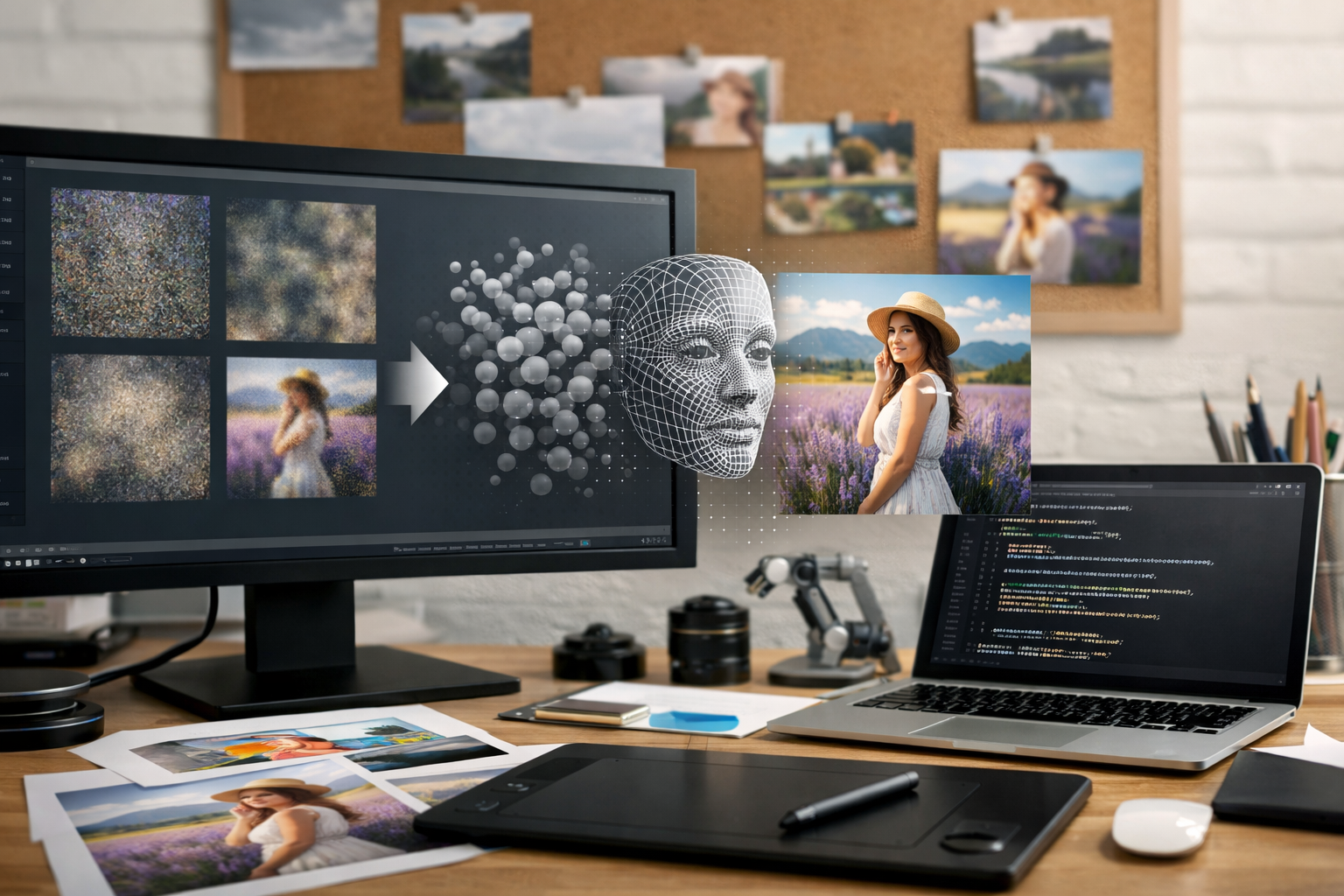
Diffusion models are a type of artificial intelligence that generate images by starting with random visual noise and then gradually removing that noise until a clear picture appears. In simple terms, the model learns what real images look like, then works backward from static-like dots to create a new image that matches a text prompt such as “a red bicycle in the rain” or “a cat wearing sunglasses.” That is the core idea behind many modern AI image tools.
If that sounds surprising, do not worry. You do not need a coding background to understand it. In this guide, we will explain diffusion models from first principles, show how they turn words into pictures, and look at why they became one of the most important breakthroughs in generative AI.
A diffusion model is a computer system trained to create new images. It belongs to generative AI, which means AI that makes new content instead of only analyzing existing data. Other generative AI tools can write text, create music, or produce video. Diffusion models focus mainly on images.
The word diffusion comes from the idea of adding and removing randomness in many small steps. During training, the model sees millions of images and learns two linked ideas:
You can think of it like watching a clear photo disappear under layers of fog, then teaching the AI how to remove the fog one layer at a time.
Diffusion models matter because they helped AI image generation become more realistic, flexible, and widely available. Before diffusion models became popular, many people knew about another image technology called GANs, short for Generative Adversarial Networks. GANs could produce impressive pictures, but they were often harder to train and less reliable for many different styles and tasks.
Diffusion models improved image quality and gave users more control. That is why tools such as Stable Diffusion and systems behind many text-to-image apps use this approach. A beginner can type a short sentence, and the model can produce several original images in seconds.
This is also one reason so many new learners want to understand the foundations of generative AI. If you want a structured path into these ideas, you can browse our AI courses for beginner-friendly options in AI, deep learning, and generative AI.
Let us break the process into simple steps.
First, the AI is trained on a very large set of images. These images may include people, objects, landscapes, animals, buildings, paintings, and much more. Each image helps the model learn patterns such as:
The AI is not memorizing one exact photo in the same way a person saves a file. Instead, it learns general visual patterns from huge amounts of examples.
During training, the system takes a real image and gradually adds random dots and distortion to it. After enough steps, the image becomes nearly impossible to recognize. It looks like television static or grainy snow.
This part is important because the model is being shown what happens when order turns into chaos. Imagine taking a sharp photo and blurring it more and more until nothing clear remains.
Now the AI practices reversing the process. It sees a noisy image and tries to predict what the less noisy version should look like. Then it repeats this over and over, many times, across many images.
Eventually, the model becomes very good at answering questions like: “If this image is 80% noisy, what should the next cleaner version look like?”
This is the heart of diffusion. The model does not usually jump from random dots to a final masterpiece in one move. It improves the image in small stages, often across dozens of steps.
When you type a prompt like “a golden retriever sitting on a blue sofa,” another AI component helps the system understand the meaning of those words. The model connects language concepts to visual concepts. It has learned that “golden retriever” refers to a type of dog, “blue” refers to a color, and “sofa” refers to a piece of furniture.
The diffusion model then starts from random noise and gradually shapes the image toward something that matches the prompt.
After enough denoising steps, the system produces a finished image. If the prompt is specific, the result often becomes more focused. For example:
That is why prompt writing matters. Better instructions usually lead to better outputs.
Imagine a sculptor starting with a rough block of stone. At first, the shape is unclear. With each small cut, the final figure becomes more visible. A diffusion model works in a similar way, except it starts with digital noise rather than stone.
Another analogy is developing a blurry image in reverse. At the beginning, you see almost nothing useful. Then, step by step, details emerge: edges, colors, objects, lighting, and texture.
Traditional image editing changes an existing picture. For example, you might crop a photo, adjust brightness, or remove red-eye. A diffusion model can do more than edit. It can create a completely new image that never existed before.
It can also:
This is why diffusion models are used in design, marketing, education, entertainment, and creative experimentation.
This is a common beginner question. The safest answer is that diffusion models are generative, but not creative in the human sense of having feelings, intent, or personal experience. They combine learned patterns in new ways based on data and instructions.
For example, if you ask for “a castle floating above the ocean under a purple moon,” the AI may create an image that looks imaginative. But it is not daydreaming the way a human artist does. It is predicting visual patterns that fit your text.
That said, the output can still be useful, beautiful, and inspiring.
Usually, they generate new outputs by learning patterns rather than storing one exact image and pasting it back. However, debates around training data, copyright, and fair use are very important and still ongoing. Responsible AI development includes transparency and ethical use of data.
Because the model is predicting what should be there, mistakes can happen. Hands, text inside images, reflections, and complex object positions can still be difficult. If the prompt is vague, results may also be inconsistent.
No. To understand the concept, plain English is enough. Math becomes helpful later if you want to build or train models yourself, but beginners can absolutely start with intuitive explanations first.
Diffusion models are not only for fun image generators. They are used in many practical ways, including:
As these tools improve, they are becoming part of broader AI workflows. That means learning the basics now can help you understand where digital work is heading.
If diffusion models interest you, the next useful topics are:
You do not need to learn everything at once. Start with the big picture, then go one layer deeper at a time. This is often the easiest way to move from “AI sounds confusing” to “I understand how these tools work.”
For beginners making that transition, it helps to follow a guided learning path instead of jumping between random videos and articles. If you are ready to build a strong foundation, you can register free on Edu AI and explore beginner-friendly lessons at your own pace.
Like all AI systems, diffusion models have limits. They can generate misleading or biased content if they were trained on biased data. They can also be misused to create fake images. That is why understanding the technology matters. The goal is not only to use AI tools, but to use them responsibly.
Beginners should know that AI image generation is powerful, but it is not magic. It is a learned statistical process: the system studies huge amounts of examples, predicts patterns, and gradually turns noise into a picture.
Diffusion models explained in one sentence: they are AI systems that learn how to turn random noise into a meaningful image, often guided by a text prompt. Once you understand that simple idea, modern image generation becomes much less mysterious.
If you want to go beyond the basics, a structured course can help you learn machine learning, deep learning, and generative AI step by step without assuming prior experience. You can browse our AI courses to find a beginner starting point, then continue at a pace that feels comfortable.




- Learning Evolved.
- Intelligence Amplified.