AI Education — March 31, 2026 — Edu AI Team
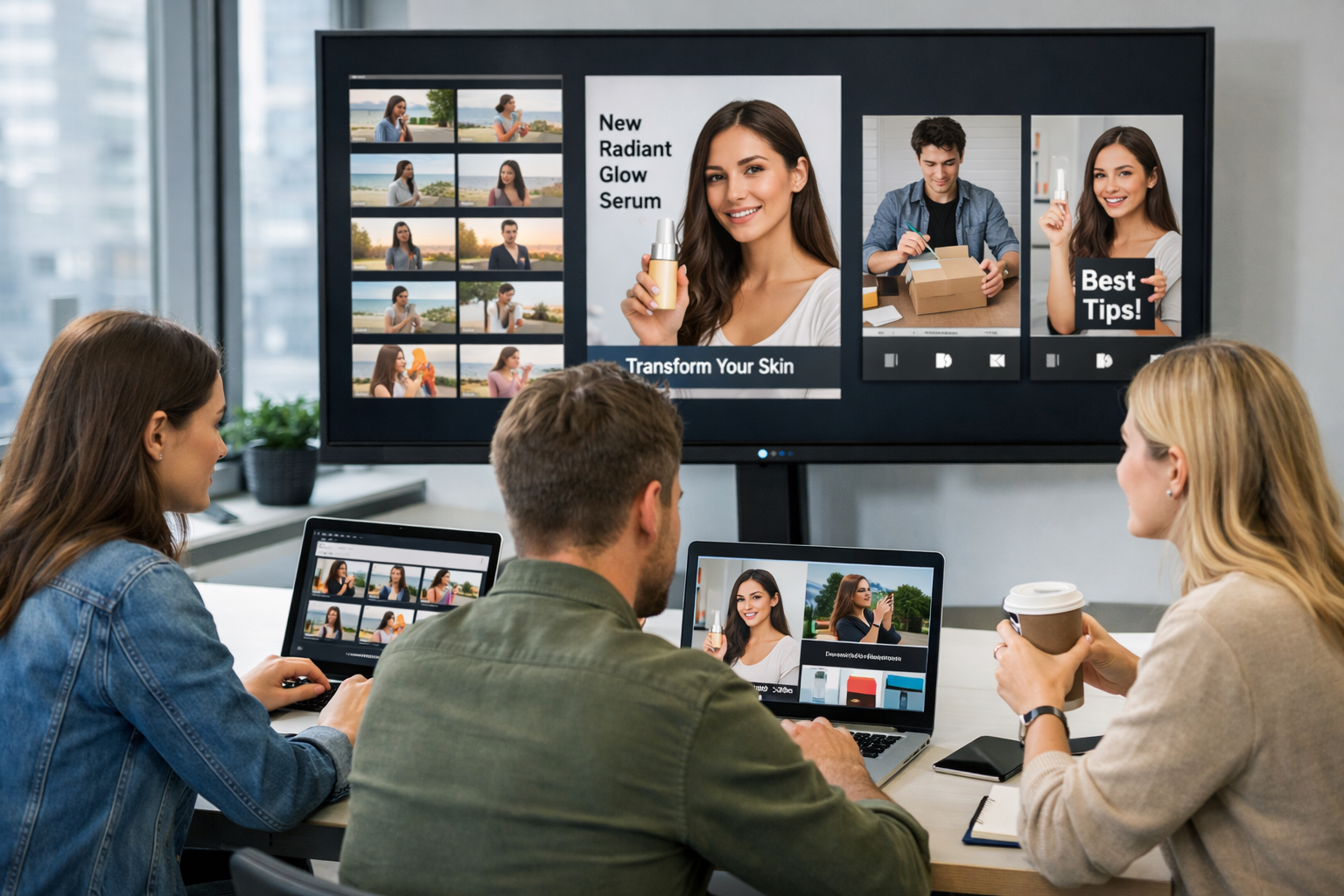
Generative AI is used to create marketing videos and creatives by helping teams produce ideas, write scripts, generate images, build video scenes, create voiceovers, resize ads for different platforms, and test many versions quickly. In simple terms, it acts like a fast creative assistant. Instead of starting from a blank page, marketers can use AI tools to go from product idea to social media ad, explainer video, email banner, or product creative in far less time than traditional workflows.
If you are completely new to AI, do not worry. You do not need to know coding to understand this topic. This guide explains what generative AI means, how it works in marketing, where it saves time, where humans are still essential, and how beginners can start learning these skills.
Generative AI is a type of artificial intelligence that creates new content based on patterns it has learned from large amounts of data. That content can include text, images, audio, video, and design layouts.
Think of it like this: a traditional software tool waits for you to do everything manually. A generative AI tool can help produce a first draft. For example, if you type, “Create a 15-second video ad for a new fitness app aimed at busy parents,” the AI can suggest a script, visual style, voiceover lines, scene ideas, and even rough video clips.
This does not mean AI “thinks” like a human. It predicts what content should come next based on what it has learned. That is why human review is still important.
Marketing teams create a huge amount of content. A single campaign may need:
Creating all of this manually takes time, budget, and specialist skills. Generative AI helps by speeding up early drafts and repetitive production work.
For example, a team that once made 3 ad variations might now test 20. A small business without a full video department can produce simple promotional creatives in hours instead of weeks. That speed matters because digital marketing often rewards quick testing and continuous improvement.
Before any video is made, marketers need concepts. AI tools can brainstorm campaign angles, hooks, taglines, and audience-specific ideas.
For example, a coffee brand could ask for:
This helps teams move faster at the idea stage. Instead of replacing human creativity, AI gives more starting points to choose from.
One of the most common uses of generative AI is writing first-draft scripts. A marketing team can provide product details, target audience, tone of voice, and platform. The AI can then create:
For beginners, a script is simply the written plan for what will be said and shown in a video. AI can save time here, but marketers still edit for accuracy, brand tone, and legal approval.
Generative AI image tools can turn text prompts into original visuals. A prompt is the instruction you give the AI, such as, “Create a clean lifestyle image of a woman using a budgeting app in a bright kitchen.”
These images can be used for:
A storyboard is a scene-by-scene visual plan for a video. Instead of sketching every frame by hand, marketers can use AI to generate rough visuals quickly.
Some AI tools can now generate short video clips from text instructions or from still images. For example, a marketer might upload a product photo and ask the tool to animate it into a short moving scene for an ad.
This is especially useful for:
The quality varies depending on the tool, but the main value is speed. Teams can test a creative direction before spending money on a full video shoot.
Generative AI can create realistic voice narration from text. This means marketers can write a script and hear it spoken in different accents, tones, or languages. Some tools also create digital presenters, often called avatars, which are computer-generated people that speak on screen.
This can help businesses make:
For example, one English-language campaign can be adapted into Spanish, French, or Hindi much faster than recording every version in a studio.
Generative AI is also used after filming. It can help trim clips, remove background noise, generate subtitles, suggest highlights, and convert one long video into many short clips.
This is valuable because modern marketers rarely create just one asset. A 5-minute product demo might become:
That kind of repurposing used to take hours of manual editing.
One of the biggest business advantages of AI is personalisation, which means showing different messages to different groups of people. A travel company, for instance, could generate separate ad creatives for families, solo travelers, and luxury buyers.
Instead of making each version from scratch, AI helps change headlines, visuals, voiceovers, and offers more efficiently. That allows more testing, and more testing often leads to better results.
Imagine a small online skincare brand launching a new face cream.
Without AI, the team might need a copywriter, designer, video editor, and voice artist just to create a basic ad campaign. With generative AI, the workflow could look like this:
The human team then reviews everything, chooses the strongest creative, checks the claims, and publishes the final campaign.
This is why generative AI is powerful: it reduces the effort needed to make first drafts, variations, and experiments.
So the best approach is not “AI only.” It is AI plus human judgment.
If this field interests you, start with the basics. Learn what AI is, how prompts work, how digital marketing campaigns are structured, and how videos are planned from script to final edit. You do not need to become an engineer to use these tools well.
A strong beginner path is to understand:
If you want a simple starting point, you can browse our AI courses to find beginner-friendly lessons in generative AI, computing, and practical AI skills.
For most people, the more realistic answer is no. AI is changing marketing work, but it is not removing the need for human creativity, strategy, or brand understanding. Businesses still need people to decide what message matters, what audience to target, what claims are safe, and what creative feels trustworthy.
What is changing is the skill set. Marketers who understand AI tools can often work faster and test more ideas. Designers who use AI well can spend less time on repetitive tasks and more time on high-value creative decisions.
This is one reason so many career changers are now learning AI skills. Even a beginner can start building useful knowledge with structured training. If you are exploring a move into AI-powered content creation, you can register free on Edu AI and start learning at your own pace.
Generative AI is already changing how marketing videos and creatives are made. It helps teams brainstorm faster, create more versions, reduce repetitive work, and launch campaigns with less time and cost. For beginners, the opportunity is clear: learning how these tools work can open doors in marketing, content creation, and digital business.
If you want to build real understanding step by step, now is a good time to begin. You can view course pricing or explore beginner-friendly learning paths on Edu AI to turn today’s curiosity into practical skills.




- Learning Evolved.
- Intelligence Amplified.