AI Robotics & Autonomous Systems — Beginner
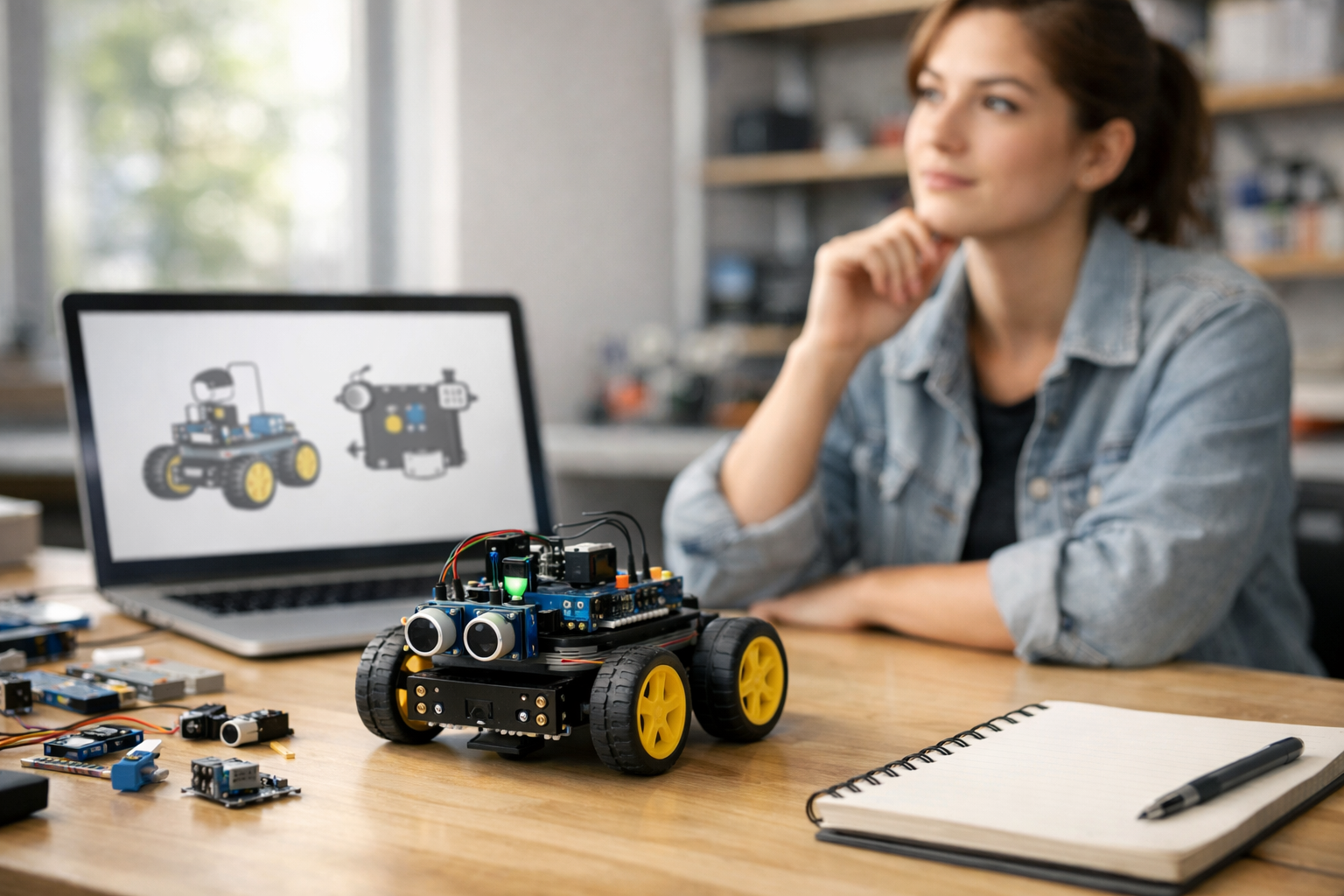
Learn how smart robots work, step by simple step
Getting Started with AI Robotics for Complete Beginners is a short, book-style course designed for people who are curious about smart robots but do not know where to begin. If terms like artificial intelligence, sensors, automation, and autonomous systems sound complex, this course breaks them down into clear ideas you can understand from first principles. You do not need coding skills, math confidence, or a technical background. You only need curiosity and a willingness to learn step by step.
This course treats AI robotics as a connected story rather than a collection of confusing terms. You will begin by learning what a robot really is, how AI fits into robotics, and why some machines are automated while others are truly autonomous. From there, you will explore the main parts of a robot, how robots sense the world, how they make simple decisions, and how they move safely to complete tasks.
Many beginners think robotics is only about hardware, while AI is only about software. In reality, AI robotics brings both together. A robot uses physical parts like sensors, motors, wheels, or arms, while AI helps it interpret information and choose what to do next. This course explains that full loop in plain language: a robot senses, processes, decides, and acts.
As you progress, each chapter builds on the one before it so you never feel lost. You will move from basic definitions to practical understanding. By the end, you will be able to describe how a simple AI robot works as a complete system, even if you have never built one before.
This course is intentionally made for first-time learners. Every concept is introduced in simple words before moving to the next idea. There is no assumption that you know programming, electronics, or data science. Instead of overwhelming you with formulas or advanced tools, the course focuses on strong understanding. That means you will not just memorize terms. You will know what they mean and how they connect.
The book-style structure also makes the learning experience smoother. Each chapter acts like a short stage in your journey, helping you form a solid mental model of AI robotics. This is ideal if you want an easy entry point before moving on to hands-on robotics kits, beginner coding, or more advanced AI topics later.
AI robotics is becoming part of everyday life. Smart vacuum cleaners, warehouse robots, delivery systems, self-driving features, hospital assistants, and factory machines all depend on the same core ideas you will learn here. Understanding these systems is valuable whether you want a new career path, better technology literacy, or a practical foundation for future study.
This course helps you go from “I have heard of AI robots” to “I understand how they work.” It gives you enough confidence to follow news, evaluate products, ask better questions, and continue learning in a structured way. If you want to keep exploring after this course, you can browse all courses for the next step.
By the end of the course, you will have a clear beginner-level understanding of AI robotics and autonomous systems. More importantly, you will know how to think about a robot as a system made of inputs, decisions, and actions. You will also create a simple robot blueprint idea, which helps turn knowledge into something practical and memorable.
If you are ready to begin with a friendly, structured introduction, this course is the right place to start. Register free and take your first step into the world of AI robotics today.
Robotics Engineer and AI Learning Specialist
Sofia Chen designs beginner-friendly robotics training for learners with no technical background. She has worked on educational robot systems and simplifies AI and automation into clear, practical lessons that build confidence step by step.
When people hear the word robot, they often imagine a human-shaped machine walking around and talking. In real engineering, robotics is much broader and much more practical than that. A robot is usually a physical machine that can sense something about the world, process information, and then do something through movement or control. AI robotics is the part of robotics where the machine does more than repeat one fixed action. It uses data from sensors and some form of decision-making to respond to changing conditions.
This chapter gives you the big picture. You will learn how to separate ordinary machines from robots, and robots from smart robots. You will also build a beginner-friendly mental model of how a robot works: it senses, thinks, and acts. That simple flow is the backbone of almost every robot, from a robot vacuum in a home to a warehouse robot carrying shelves, to a hospital delivery robot moving medicine through corridors.
A useful way to think about AI robotics is to break it into parts. First, a robot needs a body or structure. Second, it needs sensors to gather information such as distance, light, touch, speed, temperature, or camera images. Third, it needs control logic, which may be simple rules or more advanced AI. Fourth, it needs actuators, such as wheels, motors, grippers, or joints, to create movement. Finally, it needs power and software to connect everything together. If one of these pieces is weak, the robot may fail even if the other parts are impressive.
Beginners sometimes focus too much on intelligence and not enough on engineering judgement. In practice, a robot only appears smart when the sensing, control, and movement all work reliably together. A camera may detect an object correctly, but if the robot arm cannot move precisely, the task still fails. A navigation system may plan a route, but if the wheels slip on the floor, the robot will not reach the target. Good robotics is not magic. It is the careful coordination of hardware, software, and decision-making.
Another important idea in this chapter is the difference between remote control, automation, and autonomy. A remote-controlled drone is not truly autonomous if a human pilot makes every decision. A factory conveyor that repeats the same motion all day is automated, but not necessarily intelligent. An autonomous system can sense its environment, choose from possible actions, and operate with limited human intervention. Autonomy exists on a spectrum. Some robots are slightly autonomous, while others can handle many changing situations on their own.
As you read this chapter, keep one practical question in mind: how does data move through a robot? Information begins in the sensors, travels into software, gets interpreted by control or AI systems, turns into commands, and finally becomes action through motors or other actuators. That data-to-action path is the foundation for understanding every later topic in AI robotics. Once you can describe that loop clearly, the subject becomes much less mysterious and much more approachable.
By the end of this chapter, you should be able to explain AI robotics in everyday language, identify the main parts of a robot, and recognize common examples in homes, hospitals, factories, and transport. More importantly, you should start thinking like an engineer: asking what the robot senses, how it decides, what it can physically do, and where the real limits are.
Practice note for See the big picture of robots, AI, and autonomy: document your objective, define a measurable success check, and run a small experiment before scaling. Capture what changed, why it changed, and what you would test next. This discipline improves reliability and makes your learning transferable to future projects.
A robot is a machine that can interact with the physical world through sensing and action. That definition is more useful than the movie version. A robot does not need arms, legs, or a face. It might be a wheeled cart in a warehouse, a robotic arm in a factory, a vacuum at home, or a drone in the air. What matters is that it can receive information from its surroundings and then do something physically meaningful.
It helps to compare three categories: machines, robots, and smart robots. A machine performs work, but it may have no sensing or decision-making. A blender is a machine. A robot adds sensing and programmable control, allowing it to react in at least a limited way. A smart robot goes further by using AI or adaptive methods to handle uncertainty, learn patterns, or make better choices in changing environments.
A common beginner mistake is to label any moving device as a robot. For example, an electric fan moves, but it usually follows a simple fixed function. That does not make it a robot in the practical robotics sense. On the other hand, a warehouse platform that detects obstacles, changes route, and stops safely when a person steps in front of it is much closer to what engineers mean by a robot.
Another mistake is thinking every robot must be fully independent. Many robots are semi-automatic. A surgeon may guide a surgical robot. A worker may supervise a robot arm. A farmer may set missions for an agricultural robot. Robotics often involves shared control between humans and machines. In real systems, the goal is not always full independence. The goal is safe, useful, reliable operation.
The practical test is simple: can the system sense something, process that information, and produce action in the physical world? If yes, it is likely a robot or part of a robotic system. If it only follows one fixed motion with no awareness of conditions, it is probably just a machine or an automated mechanism.
Artificial intelligence, in simple words, means software techniques that help a machine make useful decisions from data. AI is not human magic inside a box. It is a collection of methods that help computers recognize patterns, classify situations, predict outcomes, choose actions, or improve performance over time. In robotics, AI often helps when the world is messy, uncertain, or always changing.
Imagine a robot vacuum. Without AI, it might just bump around randomly or follow a fixed pattern. With AI, it may build a map of rooms, recognize where furniture usually sits, avoid stairs, detect dirty areas, and improve cleaning routes. The intelligence is not about emotions or general human thought. It is about making better task decisions from sensor data.
AI in robots can be as simple as rule-based logic or as advanced as machine learning. A rule-based system might say, if distance sensor reads less than 20 centimeters, stop and turn. A machine learning system might use camera images to recognize people, doors, or boxes. Both can be useful. Beginners often assume AI always means deep learning and huge datasets, but many working robots combine simple logic with a few focused AI tools.
Good engineering judgement means using only as much AI as the task needs. If a factory robot picks parts from a tray where everything is always in the same location, advanced AI may be unnecessary. If a delivery robot must move through crowded hallways with unpredictable human behavior, stronger perception and decision systems may help a lot. Overcomplicating a system is a common mistake. More AI does not automatically mean a better robot.
The practical outcome of understanding AI is that you can describe what it contributes. It helps convert raw sensor data into meaningful understanding and action. It might detect objects, estimate position, predict motion, or select the next step. AI is a tool inside the robot, not the whole robot itself.
Robotics and AI are closely related, but they are not the same thing. Robotics focuses on physical machines that move, manipulate, and interact with the world. AI focuses on computation, decision-making, and pattern recognition. AI robotics happens where these two meet. The robot provides the body, and AI helps guide the behavior.
Think of a delivery robot in a hospital. The robotic part includes the frame, wheels, motors, battery, and sensors such as cameras or laser scanners. The AI-related part may include recognizing hallway layouts, detecting people, predicting collisions, selecting a route, and deciding when to wait or move. Without the hardware, the system cannot act. Without intelligent control, it may not handle the real environment safely.
This partnership is important because the physical world is noisy. Sensors give imperfect data. Lighting changes. Floors are slippery. People move unpredictably. Objects are not always exactly where the map says they are. AI helps the robot interpret this uncertainty. Control systems then turn those interpretations into stable, safe movement. The best robotic systems blend AI with classical engineering such as feedback control, safety limits, and mechanical design.
A common beginner misunderstanding is to think that AI alone makes a robot autonomous. In reality, autonomy depends on the full system. A smart camera model is not enough if the robot lacks accurate steering, reliable brakes, or strong battery management. Likewise, a well-built machine is limited if it cannot understand its surroundings. Good robotics is system thinking. Each part supports the others.
When engineers design robots, they constantly ask practical questions. What should the robot sense? How fast must it react? What decisions can be made automatically? When should a human take over? These questions are more important than flashy demos. AI and robotics work best together when the design matches the real task, the real environment, and the real safety needs.
Beginners do not need to memorize every robot category, but a few major types are worth knowing because they appear often in real applications. One common type is the industrial robot arm. These robots are fixed in place and use joints to move tools or grippers. They are common in factories for welding, assembly, packaging, and inspection. They are strong, precise, and often work in highly controlled spaces.
Another major type is the mobile robot. These robots move through an environment using wheels, tracks, legs, or propellers. Examples include robot vacuums, warehouse carts, delivery robots, drones, and self-driving vehicles. Mobile robots need good sensing and navigation because the environment around them changes constantly.
Service robots are designed to help people directly. They may clean floors, transport supplies, guide visitors, or assist in hospitals and hotels. Some are simple; others use AI to recognize speech, avoid obstacles, or manage tasks. Humanoid robots are a special case of service robot, but they are less common than beginners often expect. Human-shaped robots are difficult and expensive to engineer well.
Collaborative robots, often called cobots, are designed to work near humans. They may share tasks with workers in factories or labs. Safety is a key feature here. These systems often include force sensing, speed limits, and careful motion planning. Medical robots form another important group, from robotic surgery systems to rehabilitation devices and hospital delivery units.
The practical lesson is to look beyond appearance and focus on function. Ask what job the robot is built for, what environment it operates in, what sensors it uses, and how much autonomy it has. That approach helps you understand any new robot you encounter without getting lost in marketing language.
Autonomous systems are more common than many beginners realize. In homes, a robot vacuum is a familiar example. It senses walls, furniture, stairs, and room layout, then adjusts its movement while cleaning. In some homes, lawn-mowing robots do similar work outdoors. These are practical examples of machines that operate with limited human input after setup.
In hospitals, autonomous systems may deliver medicine, transport linens, or move meals between departments. These robots must navigate hallways safely, avoid people, and sometimes call elevators or wait for doors. In factories and warehouses, autonomous mobile robots carry shelves, bins, or pallets. They reduce repetitive transport work and can adapt their routes when a path is blocked.
Transport is another major area. Advanced driver assistance systems in cars already show partial autonomy. Features like lane keeping, adaptive cruise control, and automatic emergency braking are not full self-driving, but they demonstrate how sensing and decision-making support driving tasks. Autonomous trains, port vehicles, and delivery drones are also part of this broader landscape.
The key beginner distinction is between remote control, automation, and autonomy. A remote-controlled drone relies on a human pilot for decisions. An automatic sliding door opens when a sensor is triggered, but it follows a narrow fixed behavior. An autonomous robot makes some decisions on its own based on changing sensor data and task goals. Many real systems mix these modes. A robot may operate autonomously most of the time but allow human override in difficult situations.
Engineering judgement matters here because autonomy should match risk. It is easier to automate a warehouse route than a busy city street. Safer environments often allow higher autonomy earlier. As you study robotics, notice where autonomy is already helping in daily life and where human supervision is still necessary.
The simplest and most useful mental model in robotics is this loop: sense, think, and act. First, the robot senses the world using devices such as cameras, microphones, touch sensors, wheel encoders, GPS, lidar, ultrasonic sensors, or temperature sensors. These sensors produce raw data. Raw data by itself is not understanding. It must be processed.
Next comes the think stage. Here the robot estimates what is happening and decides what to do next. It may combine sensor readings, identify obstacles, track position, detect objects, check goals, and choose a safe action. This stage can include classical control rules, planning algorithms, and AI models. In simple systems, the thinking may be only a few if-then rules. In more advanced systems, it may include mapping, localization, and prediction.
Then comes the act stage. The robot sends commands to actuators such as wheel motors, robotic joints, grippers, brakes, or steering systems. These create real movement. Once the movement happens, the world changes, so the robot senses again. That is why it is a loop, not a one-time process.
Consider a small delivery robot. Its sensors detect a person in front of it. The software interprets the person as an obstacle, predicts a possible collision, and decides to slow down. Motor commands reduce wheel speed. The robot senses again to check whether the path is clear. This continuous cycle is the heart of autonomy.
Beginners often make two mistakes with this model. First, they think the robot thinks first and senses later. In reality, decisions depend on current data. Second, they ignore timing. A robot that senses well but reacts too slowly may still fail. Practical robotics always cares about speed, reliability, and safety. If you remember one framework from this chapter, remember this one: good robots turn sensor data into action through a repeated loop of sense, think, and act.
1. Which description best matches AI robotics in this chapter?
2. What is the beginner-friendly mental model for how a robot works?
3. Which example best shows autonomy rather than remote control or fixed automation?
4. According to the chapter, why might a robot still fail even if its AI detects an object correctly?
5. How does data typically move through a robot?
When people first imagine a robot, they often focus on the outside: wheels, arms, lights, or a human-like shell. But a robot is much more than its appearance. Inside even a simple robot, several systems must work together: a body to hold everything, sensors to notice the world, actuators to create motion, controllers to make decisions, and power and communication systems to keep information and energy flowing. This chapter introduces those building blocks in clear, everyday language so you can begin to read a robot as a complete system rather than as a collection of separate parts.
A useful way to think about a robot is to compare it to a living creature. The frame is like a skeleton. Sensors are like eyes, ears, and touch. Motors are like muscles. The controller is like a brain that processes information and sends commands. The battery acts like stored food energy. Wires, circuit boards, and communication links are like nerves and blood vessels carrying signals and energy where they need to go. This comparison is not perfect, but it helps beginners understand how the pieces fit together.
In AI robotics, the important idea is not just that the robot has parts, but that these parts support a loop: sense, decide, act. A robot measures something with sensors, interprets that information with a controller, then commands motors or other actuators to do something. After acting, it senses again and repeats the process. That loop may happen slowly in a toy robot or thousands of times each second in an industrial machine. Learning to see this flow of data and energy is one of the most important beginner skills in robotics.
Another key beginner lesson is that good robot design depends on balance. A powerful motor is not useful if the battery is too small. A smart controller cannot help much if the sensors are noisy or poorly placed. A strong frame can still fail if it is too heavy for the wheels and motors. Robotics is full of engineering judgement: choosing parts that fit the job, not just choosing the biggest, fastest, or most expensive option. A home vacuum robot, a hospital delivery robot, a factory arm, and a self-driving shuttle all solve different problems, so their building blocks are selected differently.
Beginners often make the mistake of studying these parts in isolation. In real robots, however, they are tightly connected. A sensor may require steady power, fast communication, and careful mounting on the frame. A motor may need a controller board, a gearbox, a power driver, and feedback from an encoder to move accurately. Even a simple wheeled robot only works well when structure, data, power, and control are all considered together. In the sections that follow, you will explore each major subsystem and then bring them together as one complete robot workflow.
By the end of this chapter, you should be able to identify the key hardware parts inside a robot, explain how sensors, motors, and controllers connect, understand why power, data, and structure all matter, and describe the path from sensing to action in a practical robot system. These are the foundations you will build on in later chapters when AI behavior, navigation, and autonomy become more advanced.
Practice note for Identify the key hardware parts inside a robot: document your objective, define a measurable success check, and run a small experiment before scaling. Capture what changed, why it changed, and what you would test next. This discipline improves reliability and makes your learning transferable to future projects.
Practice note for Understand how sensors, motors, and controllers connect: document your objective, define a measurable success check, and run a small experiment before scaling. Capture what changed, why it changed, and what you would test next. This discipline improves reliability and makes your learning transferable to future projects.
The robot body is the physical structure that holds everything in place. It may be a metal chassis, a plastic shell, a carbon fiber frame, or a combination of materials. In a wheeled robot, the frame supports motors, wheels, sensors, the battery, and electronics. In a robotic arm, the structure includes joints, links, brackets, and mounting plates. A strong structure does not simply prevent the robot from falling apart. It also helps the robot move accurately, protects delicate components, and keeps sensors positioned correctly.
Beginners often think the frame is just a container, but mechanical design strongly affects robot performance. If the body is too flexible, sensors may vibrate and give poor readings. If the robot is too heavy, the motors will drain the battery faster and may overheat. If wheels are placed badly, the robot may tip when turning. Good engineering judgement means matching the structure to the task. A home floor-cleaning robot needs a low, compact body to fit under furniture. A warehouse robot may need a wide, stable base to carry boxes. A hospital robot may need smooth edges and enclosed mechanisms for safety and hygiene.
Moving parts are also part of the robot body system. Wheels, tracks, legs, joints, gears, belts, bearings, and hinges all change how motion happens. Some robots are designed for speed on flat floors, so wheels are ideal. Others need to climb obstacles, so tracks or legs may be better. Each choice has trade-offs. Wheels are simple and efficient but struggle on rough ground. Legs are flexible but mechanically complex. Robotic arms can be precise, but each extra joint adds weight, cost, and control difficulty.
A common mistake is placing parts wherever they fit instead of thinking about balance and access. Heavy items such as batteries are usually placed low and near the center to improve stability. Sensors should be mounted where they have a clear view. Maintenance matters too: can you reach the battery, controller, or motor connectors easily? In practical robotics, structure is not only about strength. It is about usability, safety, weight, stability, and the ability of all the other systems to do their jobs well.
Sensors are the parts that allow a robot to gather information. Without sensors, a robot is largely blind to what is happening around it or inside itself. Some sensors observe the outside world, such as cameras, distance sensors, microphones, touch switches, and temperature sensors. Others measure the robot's internal state, such as battery voltage, motor speed, wheel rotation, joint position, or tilt. Together, these measurements help the robot answer basic questions: Where am I? What is near me? Am I moving correctly? Is something wrong?
Different sensors are useful for different jobs. A line-following robot might use simple light sensors to detect a dark path on the floor. A robot vacuum may use bump sensors, cliff sensors, wheel encoders, and lidar or infrared distance sensors to avoid furniture and stairs. A delivery robot in a hospital might combine cameras, ultrasonic sensors, inertial measurement units, and localization software. In each case, the sensor choice depends on the environment, the budget, the required accuracy, and the speed of the task.
One of the most practical lessons for beginners is that sensors do not provide perfect truth. They provide signals that can be noisy, delayed, blocked, or misleading. A camera can struggle in poor lighting. An ultrasonic sensor can reflect oddly from soft or angled surfaces. A wheel encoder may report movement even if the wheel is slipping. That is why robotics often uses multiple sensors together. Combining information from several sources gives a more reliable picture than trusting one sensor alone.
Sensor placement matters just as much as sensor type. A distance sensor mounted too low might see the floor instead of an obstacle. A camera placed behind a dirty cover may produce poor images. Touch sensors must be located where contact is likely to happen. Beginners also forget that sensors need stable power, proper calibration, and correct update timing. A robot that makes decisions using old sensor data can behave badly even if the hardware is good. In practical robot design, noticing the world depends on both the sensor itself and the system around it.
If sensors help a robot notice the world, actuators allow it to affect the world. An actuator is any component that turns energy into physical action. The most common actuators in beginner robots are electric motors, but robots also use servos, linear actuators, pneumatic cylinders, hydraulic systems, grippers, pumps, and solenoids. In simple terms, actuators are the robot's muscles. They make wheels turn, arms lift, doors open, tools spin, and grippers close.
Motors come in different forms because robot movement needs differ. A DC motor is common in small wheeled robots because it is affordable and easy to use. A servo motor is useful when the robot needs to move to a specific angle, such as turning a camera mount or moving a small arm joint. Stepper motors are often used where precise incremental rotation matters, such as in 3D printers or positioning systems. Larger industrial robots may use high-performance servo systems with feedback for accurate and smooth motion.
Beginners often focus only on speed, but good actuator selection also considers torque, precision, efficiency, noise, and control complexity. Torque is the turning force that helps a motor move weight. A robot may have fast motors yet fail to start moving if those motors cannot deliver enough torque. Gearboxes are often added to trade speed for more useful force. This is a common engineering judgement: real robots need the right balance between power and control, not maximum speed alone.
Another practical point is that motors usually cannot connect directly to a controller pin. They often require a motor driver or power electronics because they draw more current than a small control board can safely provide. Many robots also use feedback devices such as encoders to measure motor position or speed. That feedback lets the controller correct errors. Without feedback, a robot may simply hope that motion happened as expected. With feedback, it can adjust in real time. This is a major difference between crude movement and reliable robotic action.
The controller is the part of the robot that reads inputs, runs logic, and sends commands to outputs. In beginner systems, this may be a microcontroller board such as an Arduino-type device. In more advanced robots, it may be a single-board computer, an industrial controller, or a collection of processors working together. This is often called the robot's brain, although real robot control is usually distributed across several boards and modules rather than located in one magical box.
A controller does not create intelligence by itself. Its job is to execute rules, calculations, and software. For example, it may read a distance sensor, decide that an obstacle is too close, and command the wheels to stop and turn. In a factory robot, it may monitor joint positions many times per second and correct motion continuously. In an AI robot, it may also run vision models, recognize patterns, or choose between actions based on learned data. But even in smart systems, the controller still depends on sensors for input and actuators for output.
It is helpful to think of the controller as the meeting point of data flow. Sensor signals arrive, software processes them, and commands leave. Some processing is simple, like checking whether a switch is pressed. Some is more advanced, like combining camera data and map information to navigate a hallway. Different tasks require different hardware. A tiny line-following robot can use a small microcontroller. A robot that analyzes camera images in real time may need a more powerful processor or dedicated AI hardware.
Common beginner mistakes include choosing a controller that is too weak, too complicated, or poorly matched to the robot's needs. More power is not always better if it adds cost, heat, and software complexity. It is also important to manage timing. A robot must often read sensors and update motors at regular intervals. If software is poorly organized, the robot can react too slowly. Good robot control means matching the computing hardware and software design to the task, while leaving enough room for reliable real-world performance.
Robots need energy to do anything at all. Batteries, power supplies, voltage regulators, wiring, connectors, and protection circuits make up the power system. This part is easy to ignore because it is less exciting than sensors or AI, but many real robot problems are actually power problems. A robot may reboot when motors start, not because the software failed, but because the battery voltage dropped. A sensor may behave strangely because it is receiving unstable power. Reliable robotics starts with reliable energy delivery.
Different robot parts often need different voltages and current levels. Motors may require much more current than a controller board. Sensitive electronics may need clean, regulated voltage. This is why robot designs often separate logic power from motor power or use regulation stages between the battery and the electronics. Safety matters too. Incorrect wiring, overloaded circuits, or poor battery handling can damage parts or create fire risk. Good engineering judgement includes fuse protection, proper wire sizes, secure connectors, and an emergency stop where appropriate.
Communication links are the pathways that move data between parts. In small robots, this may be simple wires carrying digital or analog signals. In larger systems, components may communicate using serial links, USB, CAN bus, Ethernet, Wi-Fi, or Bluetooth. Communication allows sensors to send data to controllers, controllers to command motor drivers, and robots to share status with humans or other machines. A robot in a factory may report its state to a central system. A home robot may connect to an app. A remote operator may monitor a robot camera feed over wireless communication.
Beginners often confuse power flow with data flow. They are related but different. The battery sends energy. The communication system sends information. A motor may have plenty of power but still fail to move correctly if it does not receive the right command signal. Likewise, a controller may send perfect instructions, but nothing happens if the power path is weak. Understanding both flows clearly helps you diagnose robot problems more effectively and design systems that work consistently outside the lab.
Now that you have looked at the major building blocks, the most important step is learning to read a robot system as a whole. A robot is not just a bag of components. It is a connected process. Imagine a simple delivery robot moving down a hallway. Its frame holds wheels, battery, sensors, and electronics in place. Its battery sends power to the controller, sensors, and motor drivers. The sensors detect walls, doors, and people. The controller reads that data, compares it to the robot's goal, and decides how fast each wheel should turn. Motor drivers send the required electrical power to the motors. The motors turn the wheels. The robot moves, then senses again. This cycle repeats continuously.
This sense-decide-act loop is the foundation of robotics. Even before AI becomes advanced, this loop helps explain the difference between remote control, automation, and autonomy. In remote control, a human makes most decisions and sends commands directly, such as driving a toy rover with a handset. In automation, the robot follows fixed rules, such as stopping when a sensor detects an object. In autonomy, the robot makes more of its own decisions based on sensor data and internal models, such as planning a path around obstacles to reach a destination. The same hardware building blocks may exist in all three cases, but the software and decision-making role changes.
Engineering judgement appears when these systems interact under real conditions. Suppose a robot misses obstacles. Is the sensor blocked? Is the controller reading data too slowly? Is electrical noise from the motors disturbing the signals? Is the frame vibrating? Is the battery weak? Practical robotics means tracing the full chain from sensing to action, not blaming one part too quickly. Good designers test subsystems separately and then test the integrated system in realistic environments.
A strong beginner habit is to describe any robot using three questions: What does it sense? What decides? What moves? Then add two more: How is it powered? How are the parts connected? If you can answer those five questions, you can understand a surprising amount about robots used in homes, hospitals, factories, and transport systems. That is the real goal of this chapter: not memorizing part names, but learning to see a robot as an organized, working system where structure, data, power, and movement all support one another.
1. What is the main idea of the chapter about a robot's parts?
2. In the chapter's comparison to a living creature, what role does the controller play?
3. Which sequence best describes the basic robot loop presented in the chapter?
4. Why is balance important in robot design?
5. Which statement best explains how sensors, motors, and controllers connect in a robot?
In the last chapter, you learned the main physical parts of a robot: sensors, control, and movement. In this chapter, we focus on what happens in the middle. A robot is useful not because it has a camera or wheels by themselves, but because it can turn incoming signals into a choice and then turn that choice into action. That is the basic idea of robot perception and decision-making.
For a complete beginner, it helps to picture a simple cycle: sense, interpret, decide, act. A robot first gathers signals from the world. These signals might come from a distance sensor, a camera, a microphone, a touch switch, a temperature probe, or wheel encoders. On their own, these raw signals are often messy, incomplete, and sometimes wrong. The robot must organize them into useful information such as “there is an obstacle ahead,” “the floor is ending,” or “the package is on the left side.” After that, it must choose what to do next: stop, turn, continue, pick up, avoid, ask for help, or wait for more information.
This flow from input to output is one of the most important ideas in AI robotics. The robot does not magically understand the world. Engineers design steps that convert data into meaning, and then convert meaning into action. Sometimes those steps are made from simple rules written by people. Sometimes they include machine learning systems that recognize patterns from examples. In real robots, both approaches are often used together.
It is also important to remember that robots rarely make decisions with perfect certainty. Sensors can be blocked, lighting can change, people can move suddenly, and batteries can run low. Good robot behavior is not about being perfect. It is about being safe, useful, and reliable even when the robot is unsure. That is why engineering judgment matters. A practical robot often chooses the safer action rather than the fastest one.
As you read this chapter, keep watching for four repeating ideas. First, robots transform raw signals into useful information. Second, some robot decisions are based on rules, while others depend on recognizing patterns or learning from examples. Third, a robot usually has several possible actions and needs a way to choose between them. Fourth, the full decision process can be traced step by step from sensor input to movement output. If you understand that flow, you understand the foundation of robotic intelligence.
Beginners sometimes think robot intelligence means a robot always “knows” what is happening. In practice, robots usually work with limited clues. A floor robot may only know distances in front of it and whether its wheels are spinning correctly. A warehouse robot may combine map data, shelf positions, and safety zones. A hospital delivery robot may use cameras, lidar, and route planning, but still slow down when people act unpredictably. The smarter behavior comes from combining simple pieces carefully, not from a mysterious single brain.
By the end of this chapter, you should be able to describe how a robot turns sensor signals into useful meaning, how rule-based logic differs from learning-based behavior, how robots choose between possible actions, and how a decision flow moves from input to output in real situations such as homes, hospitals, factories, and transport.
Practice note for Understand how robots turn signals into useful information: document your objective, define a measurable success check, and run a small experiment before scaling. Capture what changed, why it changed, and what you would test next. This discipline improves reliability and makes your learning transferable to future projects.
Practice note for Learn the beginner idea of rules versus learning: document your objective, define a measurable success check, and run a small experiment before scaling. Capture what changed, why it changed, and what you would test next. This discipline improves reliability and makes your learning transferable to future projects.
A robot begins with signals, not understanding. A camera gives pixels. A distance sensor gives numbers. A microphone gives a changing sound wave. A touch sensor gives on or off. These are raw inputs, and raw inputs are usually not useful by themselves. The robot must convert them into information that matters for the task. That conversion is a central part of perception.
Consider a simple vacuum robot. Its front sensor may report that something is 25 centimeters away. That number alone is not yet a decision. The controller must interpret it. Is 25 centimeters close enough to be dangerous at the robot’s current speed? Is the object moving? Is it a wall, a curtain, or a person’s foot? The robot may combine this reading with bumper data, wheel speed, and previous measurements to conclude, “Obstacle ahead; slow down and turn.”
This step is often called processing or interpretation. It can include cleaning noisy data, checking whether the reading is believable, combining multiple sensors, and extracting features that are easier to reason about. For example, rather than storing every camera pixel, a robot may reduce the image into simpler information such as edges, motion regions, lane markings, or detected faces. Instead of using every sound frequency, it may look for a keyword or a sharp noise.
A practical beginner workflow looks like this: read sensor values, filter obvious errors, compare them with recent values, and translate them into meaningful states. Those states might be “path clear,” “object detected,” “line lost,” “battery low,” or “target found.” Once the robot has these simpler states, later decisions become easier and safer.
A common mistake is assuming sensors tell the truth all the time. In reality, sunlight can confuse infrared sensors, shiny surfaces can affect distance readings, and cameras can struggle in darkness. Good engineering judgment means never trusting one signal blindly when safety matters. If a mobile robot thinks the path is clear from one sensor but another sensor suggests something is close, the robot may slow down or stop until it is more confident.
The practical outcome is that perception is less about collecting more data and more about getting the right meaning from data. Useful robots do not just sense. They interpret. That interpretation creates the bridge between the physical world and the robot’s actions.
Many beginner robots make decisions using rules written by humans. A rule is a clear instruction such as “if obstacle ahead, stop” or “if battery below 20%, return to charging station.” This approach is easy to understand because the logic is explicit. You can inspect each rule and see why the robot acted the way it did.
Rules are useful when the situation is limited and predictable. In a factory, for example, a robot may work inside a fixed area with known objects and safety zones. If the light curtain is broken, stop. If the part is present, pick it up. If the tray is full, wait. This kind of logic is often enough for dependable automation.
One step beyond simple rules is a decision tree. A decision tree is a sequence of questions that narrows down the next action. For example: Is the path blocked? If yes, can the robot turn left safely? If yes, turn left. If no, can it turn right safely? If no, stop and request help. Decision trees help engineers organize robot choices so that each action follows from conditions in a clear order.
The strength of rules and decision trees is clarity. They are easier to test, easier to debug, and often safer in controlled environments. If a beginner robot behaves strangely, you can trace which rule fired and what condition caused it. That makes rule-based systems excellent for learning core robotics ideas.
But rule-based systems also have limits. The real world has too many variations to write a rule for everything. A camera view can change because of shadows, clutter, or unusual object angles. Human behavior is also hard to capture with simple if-then statements. When the number of situations grows, the rule set can become large, fragile, and hard to maintain.
A common mistake is adding more and more special-case rules until the robot becomes confusing even to its creators. Good engineering judgment means keeping rules simple, prioritizing safety rules above performance rules, and using rules for what they do best: clear responses to known conditions. In many real robots, rules handle safety and basic control, while more flexible methods handle perception and prediction.
Pattern recognition means noticing meaningful regularities in data. For a human, this happens so naturally that it is easy to forget how impressive it is. You can glance at a mug and recognize it from different angles, in different lighting, and even when part of it is hidden. For a robot, this is much harder. It must turn raw sensor data into labels, categories, or estimates that can guide action.
A beginner-friendly way to think about pattern recognition is as matching signals to familiar shapes or behaviors. A line-following robot looks for the pattern of a dark line against a bright floor. A face-detecting service robot looks for visual patterns that often belong to human faces. A sorting robot may look for color and shape patterns to tell one item from another.
This does not always require advanced AI. Some pattern recognition uses simple techniques such as thresholds, templates, or basic feature checks. For example, if most pixels in a region are red and round, the robot may label the object as a red ball. If a microphone hears a loud sudden peak, the robot may label it as a clap or impact sound. These are simple forms of recognizing patterns in data.
What matters is that pattern recognition creates higher-level information. Instead of “sensor value 812,” the robot gets “line detected.” Instead of “image region with these pixel values,” it gets “person likely ahead.” This higher-level information is much easier to use during decision-making.
Common mistakes happen when beginners assume a recognized pattern is always correct. Recognition is often a best guess. A red toy may look like a red tool. A shadow may look like an obstacle. A poster face may be mistaken for a real person. That is why robots often combine recognition with context. If the robot believes a person is ahead but its depth sensor sees nothing at that distance, it may lower confidence and continue carefully.
The practical outcome is that pattern recognition helps a robot simplify the world. It does not make the robot truly understand like a human, but it gives the robot enough useful labels and estimates to choose better actions.
Machine learning is a way for a robot system to improve how it recognizes patterns or makes predictions by using examples rather than only hand-written rules. Without the math, the key idea is simple: instead of telling the robot every detail to look for, you show it many examples and let the system learn what tends to go together.
Imagine trying to program a robot to recognize cats in camera images using only rules. You might write rules about ears, fur, whiskers, shape, and size. But cats appear in many positions and lighting conditions, and those rules become difficult very quickly. With machine learning, you give the system many labeled examples of cats and non-cats. The model learns patterns that help it guess whether a new image probably contains a cat.
In robotics, machine learning can help with tasks such as object detection, speech recognition, estimating where a robot is, predicting human movement, or deciding how strongly to grip an object. It is especially useful when the patterns are too complicated to describe with simple rules.
However, machine learning is not magic. A learned model depends on the quality of its training examples. If the examples are narrow, biased, or unrealistic, the robot may fail in the real world. A warehouse robot trained mostly on clean boxes may struggle with damaged packaging. A home robot trained in bright rooms may perform poorly at night.
This is why engineering judgment is essential. Even when machine learning is used, important safety decisions are often protected by hard rules. For example, a robot may use machine learning to identify an object, but it still follows fixed safety rules such as stopping when a person enters a danger zone. Learning can make a robot more flexible, but rules often keep it safe.
A common beginner misunderstanding is thinking machine learning replaces the rest of robotics. It does not. The robot still needs sensors, processing, decision logic, control software, power, and mechanical action. Machine learning is one tool inside the larger sense-think-act pipeline. Used well, it makes robots more adaptable. Used carelessly, it can make behavior unpredictable.
Real robots almost never have perfect information. A sensor might be noisy. A camera may be blocked. A person may move in an unexpected way. A map might be out of date. Because of this, robot decision-making is often about choosing a reasonable action when the robot is not completely sure.
Suppose a delivery robot in a hospital detects something ahead in a hallway. It may not know immediately whether the object is a cart, a person, or a shadow near a doorway. Waiting too long wastes time, but moving too aggressively could be unsafe. A practical robot handles this by weighing choices. It may slow down, gather more sensor data, and choose a low-risk action until confidence improves.
This idea is important: when uncertainty is high, safe robots usually become more cautious. They reduce speed, increase following distance, or pause before acting. That is good engineering, not weakness. In robotics, a slower correct action is often better than a fast wrong one.
One simple way to think about uncertainty is confidence. The robot may be 95% sure the path is clear, 60% sure an object is a person, or only 40% sure it sees the target shelf. Different confidence levels lead to different behaviors. High confidence may allow direct action. Medium confidence may trigger extra checks. Low confidence may cause the robot to stop or ask for human help.
Beginners often make the mistake of building robot logic as though every answer is yes or no. The real world is often “maybe.” Good decision systems allow for incomplete information and include fallback behaviors. Fallbacks can include stopping, retrying, taking a safer route, switching sensors, or returning control to a person.
The practical outcome is reliability. A robot that admits uncertainty can often perform better over time than one that acts as if it knows everything. In homes, hospitals, factories, and transport systems, trust comes from safe behavior under uncertainty, not from perfect confidence.
To make the full flow concrete, let us walk through real examples. In a home, a robotic vacuum senses distance to furniture, wheel motion, battery level, and sometimes room layout. It processes these signals into useful states such as “near obstacle,” “stuck,” “dust detected,” or “battery low.” Then it decides: keep cleaning, turn away, free itself, or return to charge. The output is motor commands to wheels and brushes. This is a direct example of input becoming action.
In a hospital, a delivery robot might use cameras, lidar, and internal maps. It recognizes doors, hallway edges, and people in motion. Rule-based logic enforces safety: stop at blocked corridors, slow down near people, never enter restricted zones. Learning-based perception may help identify carts, signs, or elevator buttons. If uncertain, the robot chooses the safer action, such as waiting rather than pushing forward.
In factories, robots often work with a mixture of precision and strict rules. A robot arm may sense the position of a part, confirm orientation with a camera, and then decide whether it can pick the item. If the part is not aligned well enough, the robot may retry or reject it. This prevents damage and keeps quality high. The important lesson is that robot decisions are not only about motion but also about whether motion should happen at all.
In transport, an autonomous shuttle or driver-assistance system must combine many signals at once: lane position, nearby vehicles, traffic lights, speed limits, and pedestrian movement. Some decisions come from hard rules, such as stopping for obstacles in the planned path. Others involve pattern recognition and prediction, such as estimating whether a pedestrian may step into the road. Here the decision flow is constant and fast: sense, interpret, compare options, choose, control, check again.
Across all these examples, the same beginner framework holds. First the robot receives inputs. Then it turns those signals into useful information. Next it selects between possible actions using rules, learned patterns, or both. Finally it sends commands to motors or actuators and watches the result through feedback.
If you remember one practical takeaway from this chapter, let it be this: robot intelligence is usually a well-organized chain of small decisions, not one giant moment of thinking. Understanding that chain helps you explain how robots work in everyday language and prepares you to study more advanced robotics later.
1. What is the basic perception-and-decision cycle described in this chapter?
2. Why are raw sensor signals not enough by themselves for a robot to act well?
3. According to the chapter, how do rule-based and learning-based approaches differ?
4. When a robot is unsure because sensors are blocked or conditions change, what is the best practical behavior?
5. Which sequence best matches the full step-by-step flow from input to output in the chapter?
Robots become truly useful when they can move, do work in a clear order, and adjust when the world does not match the plan. In earlier ideas, a robot may have seemed like a machine that senses and then acts. In this chapter, we make that picture more practical. A robot often has a goal such as “go to the kitchen,” “carry a box to station B,” or “pick up a cup from the table.” To reach that goal, it must combine movement, task steps, navigation, and feedback.
For beginners, it helps to think of a robot as following a repeating cycle. First, it has a target or instruction. Next, it estimates where it is and what surrounds it. Then it chooses a movement or action. After that, it checks the result and corrects itself if needed. This loop happens again and again, sometimes many times each second. That is why even simple robot behavior can look smooth and intelligent.
Movement is the physical side of robotics. Wheels roll, legs step, and arms rotate at joints. But movement alone is not enough. A robot also needs a way to describe location, direction, and progress. Engineers often use coordinates, angles, maps, and reference points to help a robot know where to go. The robot does not need to “understand” space like a human does. It only needs a reliable method to measure, compare, and update its position well enough to complete the job.
Navigation connects the robot’s goal to its movement. If a warehouse robot must reach shelf 12, it needs more than motor power. It needs a path, a way to avoid obstacles, and a way to react when someone leaves a cart in the aisle. This is where AI ideas become useful. A robot can combine sensor readings with rules or learned behavior to make a smart next step instead of blindly following a fixed line.
Task execution adds another layer. A robot usually does not perform one giant action. It performs many small actions in order: approach, align, stop, extend arm, grasp, lift, turn, carry, lower, release, and verify. Breaking work into steps makes robot behavior easier to design, test, and improve. It also makes failure easier to detect. If the robot cannot grasp an object, it can retry that step rather than restarting the entire mission.
A major lesson in robotics is that real environments are messy. Floors are slippery, batteries weaken, sensors have noise, and objects are not always where they were expected. Good robotics is not just about the “perfect plan.” It is about engineering judgment: choosing a movement style that fits the job, using enough sensing to stay safe, planning paths that are efficient but practical, and building feedback loops that can correct small errors before they become big failures.
By the end of this chapter, you should be able to connect goals, movement, and feedback in one simple model. A robot starts with a goal, senses its situation, chooses an action, moves, checks the result, and continues until the task is complete or it needs help. That model appears again and again in home robots, hospital robots, factory robots, and self-driving systems.
Practice note for Understand how robots move through space: document your objective, define a measurable success check, and run a small experiment before scaling. Capture what changed, why it changed, and what you would test next. This discipline improves reliability and makes your learning transferable to future projects.
Practice note for Learn how robots perform tasks step by step: document your objective, define a measurable success check, and run a small experiment before scaling. Capture what changed, why it changed, and what you would test next. This discipline improves reliability and makes your learning transferable to future projects.
Robots can move in several basic ways, and the choice depends on the environment and the job. Wheeled robots are common because they are efficient, simple, and easy to control. A robot vacuum, a delivery cart, or a factory mobile platform usually uses wheels. On smooth floors, wheels waste less energy than legs and usually move faster. The tradeoff is that wheels struggle with stairs, large bumps, and rough outdoor ground.
Legged robots are designed for environments where wheels are less effective. A two-legged or four-legged robot can step over obstacles, climb uneven surfaces, and move through terrain that would stop a wheeled machine. However, legged movement is harder to balance and control. It requires more sensing, more computation, and often more energy. For beginners, a good engineering rule is this: if wheels can do the job safely, wheels are usually the simpler and cheaper option.
Robotic arms are another major form of movement. An arm may not move the whole robot through a room, but it moves tools and objects through space. Arms are used to pick, place, weld, paint, sort, and assemble. Instead of rolling across the floor, an arm rotates at joints and reaches to a target position. Many useful robots combine these types. For example, a warehouse robot may use wheels to reach a shelf and an arm to pick an item.
When engineers choose a movement system, they think about speed, stability, precision, cost, safety, and maintenance. A fast robot is not always the best robot. In a hospital, smooth and predictable movement may matter more than speed. In a factory, repeatable arm motion may matter more than flexibility. A common beginner mistake is assuming the most advanced-looking movement is the best. In practice, the best design is often the one that completes the task reliably with the least complexity.
Movement also depends on actuators, which are the parts that create motion. Motors turn wheels, move joints, and open grippers. Gears may trade speed for strength. Controllers decide how much power to send. The robot’s body, weight, and balance all affect what movement is possible. Even simple movement requires careful design. A robot with weak motors may fail to climb a ramp. A robot with poor balance may shake while carrying an object. So movement is not just “go forward.” It is a complete engineering choice tied to the robot’s purpose.
To move well, a robot needs a simple way to describe where it is and where it should go. Humans say things like “near the door” or “next to the table,” but robots usually work better with coordinates and directions. A coordinate is a numerical way to describe position. On a flat floor, a robot may use an x value and a y value, like points on graph paper. It also often needs a direction, sometimes called heading or orientation, which tells which way it is facing.
Imagine a robot in a room. Its position tells where it is. Its direction tells whether it is facing north, south, left, right, or some angle in between. Both matter. A robot could be at the correct location but facing the wrong way, which would cause trouble when trying to pass through a doorway or pick up an object. This is why navigation is not only about place; it is also about orientation.
Robots estimate position in several ways. They may count wheel rotations, read internal joint angles, use cameras, use laser sensors, or detect markers in the environment. Wheel rotation counting is simple and common, but small errors build over time if wheels slip. This is a key beginner lesson: position estimates are never perfect. Robots often combine multiple sensor sources to improve reliability.
Reference frames are also important. A robot can describe location relative to itself, relative to a room, or relative to an object. “The cup is 20 centimeters in front of me” is a robot-centered description. “The robot is at station 3” is a map-centered description. Engineers switch between these frames often. For beginners, the practical idea is that the robot must know what system it is using, or movements will be incorrect.
A common mistake is forgetting that turning changes future movement. If a robot is told to move forward one meter, the result depends entirely on which way it is currently facing. That sounds obvious, but it causes many errors in simple robot programs. Good robot control constantly updates both position and direction, not just one of them. Once that foundation is clear, path planning and obstacle avoidance become much easier to understand.
Path planning means choosing a route from a start point to a goal. In simple cases, the path is just a straight line. But real environments often include walls, shelves, furniture, people, or restricted areas. The robot must find a path that is possible for its body and safe for the environment. A narrow path that looks fine on a map may be impossible for a wide robot carrying a box.
Beginners should separate two ideas: the goal and the route. The goal is where the robot needs to end up. The route is how it gets there. There are often many possible routes to the same goal. A good robot usually prefers a path that is safe, efficient, and easy to follow. The shortest path is not always the best. A slightly longer route with fewer turns or fewer busy areas may be more reliable.
Path planning can be very simple or very advanced. A line-following robot uses a fixed path. A room-cleaning robot may divide a floor into sections and cover them in order. A warehouse robot may use a known map and compute a route around blocked aisles. More advanced systems may update the route while moving. In all cases, the robot turns a large mission into smaller movement targets such as “go to this point,” then “turn 30 degrees,” then “continue to the next point.”
Engineering judgment matters here. If the environment is structured and predictable, a simple planner may be enough. If the environment changes often, the planner must be flexible. A common beginner mistake is making a plan once and assuming it will always work. In reality, good robotics expects change. A person may stand in the path. A door may be closed. A box may be left in the aisle. A useful robot plans, moves, checks, and replans when needed.
Practical path planning also considers the robot’s limits. Can it turn sharply? Can it reverse? Does it need extra space to stop? Can its arm carry an object without hitting a wall? These details are easy to ignore in theory, but they matter in real systems. A path is only good if the actual robot can follow it successfully.
Obstacle avoidance is the skill of noticing something in the way and responding before a collision happens. This may sound simple, but it is one of the most important parts of robot safety and usefulness. A robot that follows a perfect route but crashes into a chair is not performing well. Real environments contain both fixed obstacles, like walls, and changing obstacles, like pets, carts, or people.
Robots detect obstacles using sensors such as bump sensors, distance sensors, cameras, or laser scanners. Some sensors only detect contact after a collision has started, while others can warn the robot earlier. Earlier detection is usually better because it gives the robot time to slow down, stop, or steer around the object. In safe design, engineers prefer avoiding a problem over recovering after impact.
Reacting to changes requires priorities. If the robot sees an obstacle, should it stop, go around it, wait, or choose a new destination? The answer depends on the task. A home robot vacuum may simply turn and try another route. A hospital robot carrying medicine may stop and wait if a hallway is crowded. A factory robot may be programmed to enter a safe state when something unexpected appears. This is where application context matters.
One common mistake is making the robot too aggressive. If it always pushes forward, it may seem efficient in testing but unsafe in real use. Another common mistake is making it too cautious, stopping so often that it cannot finish work. Good engineering finds a balance: react quickly enough to stay safe, but intelligently enough to keep making progress.
Obstacle avoidance also shows the difference between automation and autonomy. A fixed machine may stop when blocked. A more autonomous robot can evaluate options and choose a different path. It still follows rules, but it uses current sensor data to adapt. For beginners, this is a powerful idea: smart robot behavior often comes from repeated small adjustments to changing conditions, not from one giant intelligent decision.
Feedback is how a robot compares what it wanted to happen with what actually happened. Without feedback, robot movement would be little more than a guess. For example, if a robot sends power to its wheels for two seconds, it may expect to move forward one meter. But if the floor is slippery or the battery is weak, the result may be different. Feedback helps the robot measure that difference and correct it.
A feedback loop usually follows a simple pattern: set a target, measure the current state, calculate the error, and adjust the action. Then repeat. If a robot arm is supposed to move to a certain angle, sensors measure the real angle. If it is too low, the controller adds motion. If it goes too far, the controller reduces or reverses motion. This constant correction is what makes robot behavior smoother and more accurate.
Course correction is feedback applied during movement. A mobile robot may drift left because one wheel turns slightly faster than the other. By reading sensors and noticing the drift, it can correct its path while still moving toward the goal. This is why many robots appear steady even when the environment causes small disturbances. They are not moving perfectly by luck; they are correcting themselves continuously.
For beginners, one of the most useful robotics models is: goal, sensor reading, comparison, action, repeat. This model connects sensing to movement in a practical way. It also explains why AI and robotics fit together. AI can improve how the robot interprets sensor data or chooses corrections, but the basic loop remains the same.
A common mistake is trusting commands more than measurements. In real engineering, measurements matter. Another mistake is overcorrecting, which can cause shaking or unstable motion. Good systems correct enough to stay on track, but not so much that they become erratic. This is an important lesson in engineering judgment: reliability often comes from many calm, repeated adjustments rather than dramatic changes.
A robot task is usually bigger than a single movement. Task execution means turning a goal into a complete sequence of actions that can be checked and finished. Suppose the goal is “bring a bottle from the counter to the table.” The robot may need to locate the bottle, move near it, align its arm, grasp it, lift it, travel to the table, lower it, release it, and confirm success. Each of these is a smaller step inside the larger task.
Breaking tasks into steps is one of the most practical habits in robotics. It makes design clearer and debugging easier. If the robot fails, engineers can ask which step went wrong. Did it fail to find the object? Did it arrive at the wrong location? Did the gripper close but not hold the item? This step-by-step thinking connects directly to real robot building and testing.
Tasks often include conditions and retries. If the robot cannot detect the bottle, it may scan again. If the grasp fails, it may reposition and try once more. If the path is blocked, it may choose another route. This does not mean the robot is thinking like a person. It means it is following a structured action plan with checks and alternative responses. That structure is a major part of practical autonomy.
Task execution also links movement and feedback into one model. The robot starts with a goal, plans the next step, moves, senses the result, and decides whether to continue, retry, or stop. This is the chapter’s main connection: goals lead to actions, actions create sensor feedback, and feedback improves the next action. That loop continues until the task is complete.
In real applications, this is how robots become useful. A factory robot finishes a repeated assembly step. A hospital robot delivers supplies to the correct room. A home robot cleans around furniture and returns to charge. The visible result may look simple, but underneath it is a chain of movement, navigation, obstacle handling, and feedback working together. When beginners understand that chain, robotics becomes much easier to reason about and much less mysterious.
1. What is the main idea of the repeating cycle described in this chapter?
2. Why is movement alone not enough for a robot to complete a job?
3. How does navigation help a robot reach a goal such as going to shelf 12?
4. Why is task execution often broken into many small steps?
5. According to the chapter, what is a major lesson about real robot environments?
By this point, you have seen that a robot is not just a machine that moves. It is a system that senses, decides, and acts. In the real world, AI robotics becomes useful when this full loop solves a practical problem better, faster, safer, or more consistently than people working alone. That does not mean robots replace humans everywhere. In fact, the most successful robot applications usually appear where the job is dull, dirty, dangerous, repetitive, physically demanding, or too precise for reliable manual work over long periods.
When engineers decide whether a robot should be used, they start with value. What problem is the robot solving? Is it saving time, reducing errors, improving safety, lowering cost, extending human ability, or helping in places people cannot easily work? A home robot may create value by saving small amounts of effort every day. A hospital robot may create value by reducing contamination risk or moving supplies quickly. A warehouse robot may create value by cutting walking time for workers. A delivery robot may create value by moving goods short distances with less traffic and lower labor cost.
It is also important to compare different robot jobs across industries. A cleaning robot in a home works in an unstructured environment with pets, furniture, and changing layouts. A factory robot often works in a highly controlled space with known objects and fixed paths. A hospital robot may operate around vulnerable people, so safety and reliability become more important than speed. A self-driving system on a public road must deal with uncertainty, weather, human behavior, and legal rules all at once. The same basic parts exist in all these systems, but the engineering choices are very different because the risks and goals are different.
A useful way to think about any application is to follow the workflow from sensing to action. First, the robot collects information from cameras, distance sensors, touch sensors, GPS, force sensors, or stored maps. Next, software interprets that information to estimate what is happening around it. Then a control system chooses an action: stop, turn, grip, lift, avoid, alert a person, or continue. Finally, motors or actuators carry out that action, and the cycle repeats. In the real world, problems often happen not because one step is missing, but because one step is only partly correct. A camera can be blocked. A map can be outdated. A gripper can misalign. A person can behave unexpectedly.
That is why engineering judgment matters. Beginners sometimes assume the most advanced robot is always the best choice. In practice, the best system is usually the simplest one that performs the job safely and reliably. A fully autonomous robot may sound impressive, but a semi-autonomous system with strong human oversight can be a much better design. Another common mistake is focusing on the robot itself and ignoring the environment. Many successful robotics projects work because the environment is changed to help the robot succeed, for example with floor markers, safety cages, labeled shelves, standard-sized boxes, charging stations, or clear walking paths.
As you read this chapter, keep asking four practical questions. Where does the robot create value? What kind of job is it doing? What can go wrong? And when should a human stay in control? These questions help you think critically, not just technically. Real-world robotics is not about building machines that can do everything. It is about matching the right level of intelligence, movement, and autonomy to the right task.
Practice note for Explore where AI robotics creates value in the real world: document your objective, define a measurable success check, and run a small experiment before scaling. Capture what changed, why it changed, and what you would test next. This discipline improves reliability and makes your learning transferable to future projects.
Practice note for Compare different robot jobs across industries: document your objective, define a measurable success check, and run a small experiment before scaling. Capture what changed, why it changed, and what you would test next. This discipline improves reliability and makes your learning transferable to future projects.
Home and service robots are often the first robots beginners notice because they appear in everyday places. Robot vacuum cleaners, lawn-mowing robots, hotel delivery robots, restaurant service robots, and floor-cleaning machines are all examples. These robots create value by handling routine tasks that do not require deep human judgment every second. The goal is usually convenience, steady performance, and reduced physical effort rather than high intelligence in the science-fiction sense.
A robot vacuum is a good example of practical AI robotics. It senses walls, furniture, edges, and dirt levels. It plans where to move, avoids obstacles, and returns to a charging dock. Some models build simple maps of rooms to clean more efficiently. The sensing-to-action flow is easy to see: sensors detect the environment, software estimates position and obstacles, control logic chooses a path, and wheels and brushes carry out the task. If the floor is cluttered, the robot performs worse. This teaches an important real-world lesson: robot performance depends heavily on the environment.
Service robots in hotels or hospitals often move items such as towels, meals, or supplies. Their value comes from saving staff time on repeated transport tasks. But these robots usually work best in controlled spaces with elevators, indoor maps, stable lighting, and clear hallways. They are not general-purpose helpers that can do everything a person can do. They are specialized systems designed for narrow tasks. That narrow focus is often what makes them useful and affordable.
Common mistakes in this area include expecting too much autonomy, ignoring user behavior, and forgetting maintenance. A home robot with a full battery but dirty sensors or tangled brushes will not perform well. A restaurant robot may fail if customers leave bags in the aisle. Good engineering here means designing for common everyday messiness, not ideal conditions. Practical outcomes include time savings, reduced repetitive labor, and more consistent routine service, but only when the task and environment are a good match.
Factories and warehouses are among the most successful areas for robotics because the work is often repetitive and the environment can be structured to support automation. In factories, robots may weld, paint, assemble parts, inspect products, or move materials. In warehouses, robots may transport shelves, scan inventory, sort packages, or help workers pick items. Compared with home robots, these systems usually operate in spaces designed for efficiency and predictability.
The value of robotics in these settings is clear: high repeatability, lower error rates, faster throughput, and safer handling of heavy or hazardous tasks. A robotic arm on an assembly line can place the same part with very high consistency all day. A mobile warehouse robot can reduce the amount of walking people must do, which improves productivity and reduces fatigue. AI adds value when the robot must recognize different objects, adjust to small variations, or optimize routes in changing conditions.
Still, not every factory problem needs a highly autonomous robot. Sometimes a simple automated conveyor or a fixed-position machine is the better answer. Good engineering judgment means choosing the lowest-complexity system that solves the problem. If every box is the same size and always arrives in the same orientation, a simple programmed device may be enough. If boxes vary in shape, placement, and labeling, vision systems and AI-based object detection become more useful.
One major lesson from industry is that robot success often depends on process design, not just software. Shelves may be standardized, floors marked, work cells fenced, and package sizes controlled so robots can succeed more often. Beginners sometimes imagine robots adapting to everything; professionals often adapt the workflow so the robot has fewer surprises. This is not a weakness. It is smart engineering. Practical outcomes include better output, improved worker safety, and faster logistics, but only when deployment, maintenance, and human-robot coordination are planned carefully.
Healthcare and assistive robotics focus on helping patients, clinicians, caregivers, and people with limited mobility. These robots may deliver supplies in hospitals, support surgery, disinfect rooms, monitor rehabilitation exercises, or assist with walking and lifting. In this field, value is not just about speed or cost. It is also about precision, safety, hygiene, access, and quality of life.
Surgical robotic systems are often misunderstood. In many cases, they are not fully autonomous surgeons. Instead, they are advanced tools that help a trained doctor perform delicate movements with better precision and control. This is a good reminder of the difference between automation and autonomy. A robot can greatly improve human performance without making independent medical decisions. That design choice is intentional because medical care involves high risk, legal responsibility, and ethical concerns.
Assistive robots such as robotic exoskeletons or mobility aids can help people regain movement or reduce strain on caregivers. These systems rely on sensors that detect force, joint position, movement intent, or body posture. The control system must respond smoothly and safely. If the robot reacts too aggressively or too slowly, the user can become uncomfortable or even unsafe. In healthcare, a small error can matter a lot, so reliability and human oversight are essential.
Common challenges include patient variation, privacy concerns, emotional comfort, and the unpredictability of human bodies and hospital environments. A system that works well in one clinic may need changes in another. Good engineering means testing with real users, planning for failure modes, and making sure staff understand when to trust the system and when to intervene. Practical outcomes include reduced staff workload, better precision in selected tasks, and improved support for patients, but robots in healthcare should assist human care, not remove human responsibility.
Self-driving systems and delivery robots are some of the most discussed AI robotics applications because they combine movement, sensing, mapping, planning, and decision-making in changing environments. Examples include driver-assistance systems in cars, autonomous shuttles in limited areas, sidewalk delivery robots, and drones used for inspection or transport. These robots create value by moving people or goods more efficiently, extending service hours, and reducing routine transport work.
The challenge is that transport tasks happen in dynamic environments. Roads have weather, traffic, construction, signs, and unpredictable people. Sidewalks have pets, children, cyclists, and uneven surfaces. A self-driving system must constantly sense what is around it, estimate its own location, predict what others may do, and choose safe actions in real time. This is the full robotics loop under pressure. Errors in perception or prediction can lead to serious consequences, which is why transport robotics is much harder than it may first appear.
Many useful systems today are not fully autonomous in all conditions. Instead, they operate in limited domains. For example, a delivery robot may run only on specific sidewalks or campus routes. A warehouse vehicle may move only within a mapped site. A car may provide lane keeping and adaptive cruise control but still require a human driver to supervise. This limited-scope approach is common because it reduces uncertainty and risk.
A common beginner mistake is thinking autonomy is either present or absent. In reality, there are levels and layers. A system may automate speed control but not navigation, or route planning but not obstacle handling. Practical engineering requires clear boundaries: where can the robot operate, under what weather and lighting conditions, at what speed, and with what fallback behavior? Practical outcomes include faster local delivery and reduced repetitive transport work, but success depends on careful safety design, testing, and legal oversight.
No matter how advanced a robot seems, safety and human oversight remain central. Real-world robotics is not only about making machines capable. It is about making them trustworthy. A useful robot that is unsafe, unfair, or impossible to supervise is not a good system. This is especially true when robots operate near people, make recommendations, or affect health, work, transportation, or access to services.
Safety begins with identifying risks before deployment. What happens if the robot loses power, misses an obstacle, grips an object incorrectly, or receives bad sensor data? Engineers design fail-safe behaviors such as emergency stops, speed limits, safe zones, backup sensors, and alerts to human operators. In many settings, the best design is one where the robot stops safely when uncertain rather than trying to continue. That may reduce efficiency, but it often increases trust and lowers harm.
Ethics enters when robots influence people’s lives. A service robot should not invade privacy by collecting more data than needed. A healthcare robot should not hide the fact that a person, not the machine, remains responsible for care decisions. A workplace robot should be introduced in a way that improves safety and supports workers rather than treating people as obstacles to be removed. Thinking critically about whether robots should be used means asking not only “Can we automate this?” but also “Should we?” and “Who benefits or is put at risk?”
Human oversight does not mean a human must manually control everything. It means humans understand the system’s limits, can intervene when needed, and remain accountable for high-stakes outcomes. Good robotics teams design interfaces that make robot status clear and decision boundaries visible. Common mistakes include overtrusting automation, giving operators poor information, and assuming rare failures will not happen. Practical outcomes improve when oversight is built into the system from the beginning rather than added as an afterthought.
AI robots are powerful, but they have clear limits. They do not understand the world the way humans do. They rely on sensors, models, training data, rules, and mechanical systems that can all fail in ordinary conditions. Lighting changes can confuse cameras. Reflections can affect distance sensors. Battery limits reduce operating time. Wheels slip. Maps become outdated. Objects appear in unexpected places. Human behavior remains hard to predict. These limits are normal, not surprising, and good robotics design plans for them instead of pretending they do not exist.
One challenge is generalization. A robot may perform well in the environment it was tested in and then perform poorly somewhere slightly different. This happens because real-world variability is large. Another challenge is integration. Even if sensing works well and movement works well separately, combining them into one reliable system can be difficult. Timing delays, communication errors, and software bugs can create failures that are hard to diagnose. Robotics is a systems engineering field, so many problems appear between components rather than inside a single part.
Cost is another practical limit. Building a robot is only part of the expense. Companies must also consider maintenance, training, downtime, software updates, charging, spare parts, safety reviews, and workflow changes. A robot that is technically impressive but hard to maintain may create less value than a simpler tool. This is why successful robotics projects usually begin with narrow goals, measurable outcomes, and realistic operating conditions.
The most important mindset for beginners is critical realism. Robots are neither magic nor useless. They are tools with strengths and weaknesses. They work best when tasks are clearly defined, environments are partly structured, safety is designed carefully, and humans remain thoughtful supervisors. If you can explain where a robot creates value, how its sensing-to-action loop supports the job, what risks it faces, and where human judgment is still needed, then you are thinking about AI robotics the right way.
1. According to the chapter, when do AI robots usually create the most value?
2. What is the best first question engineers should ask when deciding whether to use a robot?
3. Why are robot designs different across homes, factories, hospitals, and public roads?
4. Which example best shows a problem in the sensing-to-action workflow?
5. What design approach does the chapter recommend most strongly?
This chapter brings together the core ideas from the course into one beginner-friendly robot plan. Up to this point, you have learned that a robot is not just a machine that moves. It is a system that senses the world, makes a decision, and then takes an action. When we add even simple AI-style behavior, the robot begins to respond to situations instead of doing only one fixed motion. The goal of this chapter is not to turn you into an advanced engineer overnight. The goal is to help you think like a practical robot designer using plain language and clear steps.
A useful first project is always small, focused, and realistic. Beginners often imagine a robot that can clean a house, talk naturally, recognize every object, and never make mistakes. Real engineering starts smaller. A better starting point is a robot with one job, a limited environment, and simple success rules. For example, a tabletop obstacle-avoiding rover or a line-following cart is a strong first blueprint because it combines sensing, control, and movement without requiring complex hardware.
Throughout this chapter, we will use system thinking. That means we will look at the robot as connected parts working together: inputs from sensors, processing in the controller, and outputs through motors, lights, or sounds. This helps you choose the right parts and avoid random design decisions. Instead of asking, “What cool parts can I add?” you ask, “What information does my robot need, what action should it take, and how will I know if it worked?” That mindset is the foundation of AI robotics.
We will also use engineering judgment. Engineering judgment means making sensible choices based on purpose, cost, simplicity, and safety. A beginner robot does not need the smartest camera, the fastest motor, or the most advanced software. It needs parts that are easy to understand and reliable enough for learning. In many cases, a simple distance sensor and a few clear rules teach more than a complex AI model that hides the basics.
By the end of the chapter, you should be able to sketch a small robot idea in plain language, choose a few sensors and actions, define success, and write a basic decision flow without code. You will also see where AI fits in. In beginner robotics, “AI” can be as simple as decision rules, pattern recognition, or behavior that adjusts to sensor input. That is enough to help you understand the path from sensing to action and to prepare for deeper study later.
Think of this chapter as your first robot blueprint page. A blueprint does not need every wire or screw. It needs enough structure that someone can understand the robot’s purpose, how it works, and what to build next. That is exactly what a beginner needs: clarity first, complexity later.
Practice note for Bring all core ideas together in one beginner project plan: document your objective, define a measurable success check, and run a small experiment before scaling. Capture what changed, why it changed, and what you would test next. This discipline improves reliability and makes your learning transferable to future projects.
Practice note for Design a simple robot using plain-language system thinking: document your objective, define a measurable success check, and run a small experiment before scaling. Capture what changed, why it changed, and what you would test next. This discipline improves reliability and makes your learning transferable to future projects.
Practice note for Choose sensors, actions, and rules for a small use case: document your objective, define a measurable success check, and run a small experiment before scaling. Capture what changed, why it changed, and what you would test next. This discipline improves reliability and makes your learning transferable to future projects.
The first step in robot design is choosing a problem that is small enough to succeed. This sounds simple, but it is where many beginners go wrong. They start with a huge dream and no clear use case. A better approach is to choose one everyday problem that can be solved with a few sensors, one controller, and one or two types of movement. Good beginner examples include a robot that avoids obstacles on the floor, a robot that follows a black line on white paper, or a small cart that stops when it gets too close to a wall.
Let us use a simple example: a mini rover that drives forward and avoids bumping into objects. This project works well because the task is easy to explain. The robot senses distance, decides whether the path is clear, and either keeps moving or changes direction. That single task already includes the full robotics loop: sensing, control, and action. It also helps you see the difference between remote control, automation, and autonomy. A remote-controlled car only moves when a human tells it to. An automated robot follows a fixed pattern. A more autonomous beginner rover reacts to its surroundings using sensor information.
When choosing your first problem, ask practical questions. Where will the robot operate: on a desk, on the floor, or in a hallway? What obstacles will it face: walls, boxes, or chair legs? How fast does it need to move? How much damage could happen if it makes a mistake? These questions shape the design. A desk robot needs stronger safety rules than a floor robot because falling off an edge is more dangerous than gently bumping a cardboard box.
Another smart rule is to design for one environment, not every environment. A robot that works in a quiet hallway may fail in sunlight, clutter, or uneven flooring. That is not failure in engineering. That is a sign that robots are built for conditions. A beginner wins by narrowing the challenge. If your rover can avoid obstacles in a living room test area, that is a successful first blueprint.
The practical outcome of this step is a one-sentence mission. For example: “Build a small robot that moves around a clear indoor floor and turns away when it detects an obstacle ahead.” That sentence becomes your anchor. Every later decision should support it. If a part or feature does not help the mission, it probably does not belong in version one.
Once the problem is chosen, the next step is to define the system in plain language. This is where system thinking becomes practical. Every robot can be described with three basic elements: inputs, processing, and outputs. Inputs are what the robot senses. Processing is how it interprets those signals and chooses an action. Outputs are what it does in response. If you can describe these three clearly, you already understand the robot better than many beginners who jump directly into parts shopping.
For our obstacle-avoiding rover, the inputs might include distance ahead, battery level, and maybe a simple bump switch. The outputs might include left motor speed, right motor speed, and a status light. The processing rule could be very simple: if the path ahead is clear, go forward; if something is close, stop and turn. This may seem basic, but it is exactly how larger robotic systems are designed, only with more sensors and more layers of decision-making.
Now define success. Success should be observable, measurable, and realistic. A weak success rule is “the robot works well.” A strong success rule is “the robot moves around a test area for two minutes without hitting large obstacles.” Another example is “the robot stops within a safe distance when an object appears in front of it.” These success statements make testing possible. If success is vague, improvement becomes vague too.
You should also define failure cases early. What counts as poor behavior? Examples include getting stuck in a corner, turning forever in circles, reacting too late, or stopping all the time for no reason. Listing failure cases helps you build better logic later. It also teaches a key idea in AI robotics: good behavior is not only doing the right thing sometimes, but doing it reliably enough under expected conditions.
A common beginner mistake is collecting too many inputs without understanding why. If your robot only needs to avoid front obstacles, you may not need a camera, microphone, and temperature sensor. Extra inputs create extra confusion. Start with only the information needed to support the mission. The practical outcome of this section is a clear table in your notes: what the robot senses, what it can do, and how you will judge whether it performs the job well.
Now that the task and success rules are clear, you can choose hardware more intelligently. Sensors are the robot’s way of gathering information from the environment. Movement options are how it changes the world or changes its own position. Good design means matching both of these to the task instead of picking the most impressive parts. For a beginner obstacle-avoiding rover, a distance sensor is often the most useful starting point. It tells the robot whether something is near, which directly supports the mission.
Different sensors have different strengths. A simple ultrasonic or infrared distance sensor is easier for beginners because it gives one focused type of information: how near an object is. A camera gives much richer information, but it also creates more processing complexity. If your robot only needs to know whether the path is blocked, then a camera may be unnecessary in version one. That is engineering judgment: choosing the simplest tool that can do the job.
For movement, a two-wheel drive base with one caster wheel is a common beginner choice. It can move forward, stop, turn left, and turn right. Those actions are enough for many small projects. Again, avoid unnecessary complexity. Walking legs may look exciting, but they are much harder to control than wheels. A first robot blueprint should teach the data flow from sensing to action, not bury you in mechanical problems.
You can also add simple outputs that improve usability. A light can show whether the robot is in “clear path” or “obstacle detected” mode. A buzzer can signal a stop condition. These do not make the robot smarter, but they make its internal state easier to observe. That matters during testing because hidden systems are harder to debug.
Common mistakes here include choosing sensors that do not fit the environment, mounting them poorly, or ignoring physical limits. A front sensor mounted too high might miss small obstacles on the floor. Motors that are too weak may fail to turn the robot quickly. Fast movement with slow sensing can create collisions. The practical outcome of this section is a short parts logic statement: “I chose this sensor because it detects nearby obstacles indoors, and I chose this wheel setup because it can perform the turns needed for avoidance.” If you can explain your choices that way, your design is becoming coherent.
Before writing any code, describe the robot’s behavior in plain language. This step is one of the best habits in robotics because it forces you to think clearly about decisions before the details of programming distract you. A decision flow is simply the robot’s logic written as a sequence of checks and actions. It can be written as numbered steps, arrows on paper, or a basic if-then outline.
For the obstacle-avoiding rover, the decision flow might look like this: start up and check that the sensor is reading. If the battery is low, do not begin moving. If the path ahead is clear, drive forward slowly. If an obstacle is detected within the danger distance, stop. Pause briefly. Turn left for a short time. Check the path again. If it is still blocked, turn right for a little longer and check again. If no path is clear after several tries, stop and signal for help with a light or sound.
This is already a form of beginner AI behavior because the robot is not following one fixed path. It is adjusting based on incoming information. It does not need advanced machine learning to demonstrate intelligent-looking behavior. It simply needs sensor-based decisions that connect to the task.
When writing a flow, include thresholds and timing in everyday language. What does “too close” mean? What counts as “clear”? How long should a turn last? These values may be rough at first, but writing them down turns vague ideas into testable behavior. For example, “If an object is closer than 20 centimeters, stop and turn.” That single threshold helps bridge the gap between concept and real robot action.
Another useful habit is planning for uncertainty. Sensors can be noisy. Floors can be uneven. Readings can flicker. To handle this, your flow might require two similar sensor readings before making a turn, or it might move slowly enough that small reading errors are not dangerous. A common mistake is creating logic that is too complicated too early. Start with a few clear rules. If the robot fails in a specific way, improve one rule at a time. The practical outcome here is a full no-code behavior plan that someone else could read and understand before a single line of programming is written.
A robot blueprint is only useful if it can be tested safely and improved methodically. Testing is where many robotics lessons become real. A design that sounds perfect on paper often behaves differently in the physical world. Wheels slip. Sensors miss objects. Turning angles vary. This is normal. Robotics lives at the meeting point of software, hardware, and environment, so testing is not a final step. It is part of the design process itself.
Begin with safety checks. Make sure the robot starts at low speed. Keep the test area simple and controlled. Remove breakable objects. If the robot is on a table, use physical barriers or start on the floor instead. Have an easy way to power it off quickly. These habits matter because even small robots can fall, jam, or collide unexpectedly. Safety is not just for large industrial systems; it is a basic engineering practice at every level.
Then test one behavior at a time. First, verify that the sensor can detect an object at the expected distance. Next, verify that the robot can move forward in a straight enough line. Then test whether it stops correctly. Finally, test turning and rechecking. This staged approach is much better than testing everything at once. If the robot fails, you will know where the problem is more likely to be.
Observe carefully and write down what happens. Does the robot react too late? Does it turn but then hit the obstacle anyway? Does it overreact and stop too often? Good improvement ideas come from observed behavior, not guesswork. If the robot hits obstacles, you might increase the stopping distance or reduce speed. If it gets stuck in corners, you might add a reverse action before turning. If it turns the same way every time and traps itself, you might alternate left and right turns.
Common beginner mistakes include changing too many things at once, testing in inconsistent environments, and assuming every failure is a programming problem. Sometimes the issue is physical: a loose wheel, poor sensor angle, weak battery, or uneven floor surface. The practical outcome of testing is a revised blueprint. Version one teaches you what the robot does. Version two teaches you what the robot needs. That cycle of build, observe, and improve is one of the most important habits in AI robotics.
Once you can describe and test a simple robot blueprint, you are ready for deeper learning. The next step is not to jump immediately into the most advanced AI topics. Instead, build outward from the same system thinking you used here. Start by making your robot more reliable. Improve sensing, cleaner decisions, safer behavior, and clearer success measurements. Strong basics lead to stronger AI later.
One learning path is better perception. After using a basic distance sensor, you might explore line sensors, light sensors, or simple cameras. This helps you understand how different sensors represent the world. Another path is better control. You can study smoother turning, speed adjustment, and more stable motion. These skills matter because a robot that senses well but moves poorly still performs badly.
A third path is more advanced decision-making. Today your robot may follow simple if-then rules. Later, you can learn about mapping, path planning, object recognition, or learning from examples. Those topics are easier to understand once you already know the basic loop: sense, process, act. In that way, this chapter is not a small side project. It is a foundation for nearly everything else in robotics.
You can also connect this beginner blueprint to real-world robot uses. Home robots often sense obstacles and navigate rooms. Hospital robots move supplies safely through hallways. Factory robots use sensors and controlled movement to repeat tasks accurately. Transport robots must detect conditions and make route decisions. The same structure appears again and again, even when the systems become much more advanced.
Your best next step is to create one written blueprint of your own. Pick a small use case, list inputs and outputs, choose simple sensors, describe the movement, define success, and write the decision flow without code. If you can do that, you have moved from just reading about AI robotics to thinking like a beginner roboticist. That is a major step. From here, deeper study in programming, electronics, control systems, and machine learning will make far more sense because you already understand the robot as a practical system with a job to do.
1. According to the chapter, what makes a beginner robot a complete system rather than just a moving machine?
2. What is the best kind of first robot project for a beginner?
3. What does system thinking mean in this chapter?
4. Why might a simple distance sensor be better than a complex AI model for a first project?
5. Before coding, what should a beginner do first when planning the robot’s behavior?

- Learning Evolved.
- Intelligence Amplified.


