AI Robotics & Autonomous Systems — Beginner
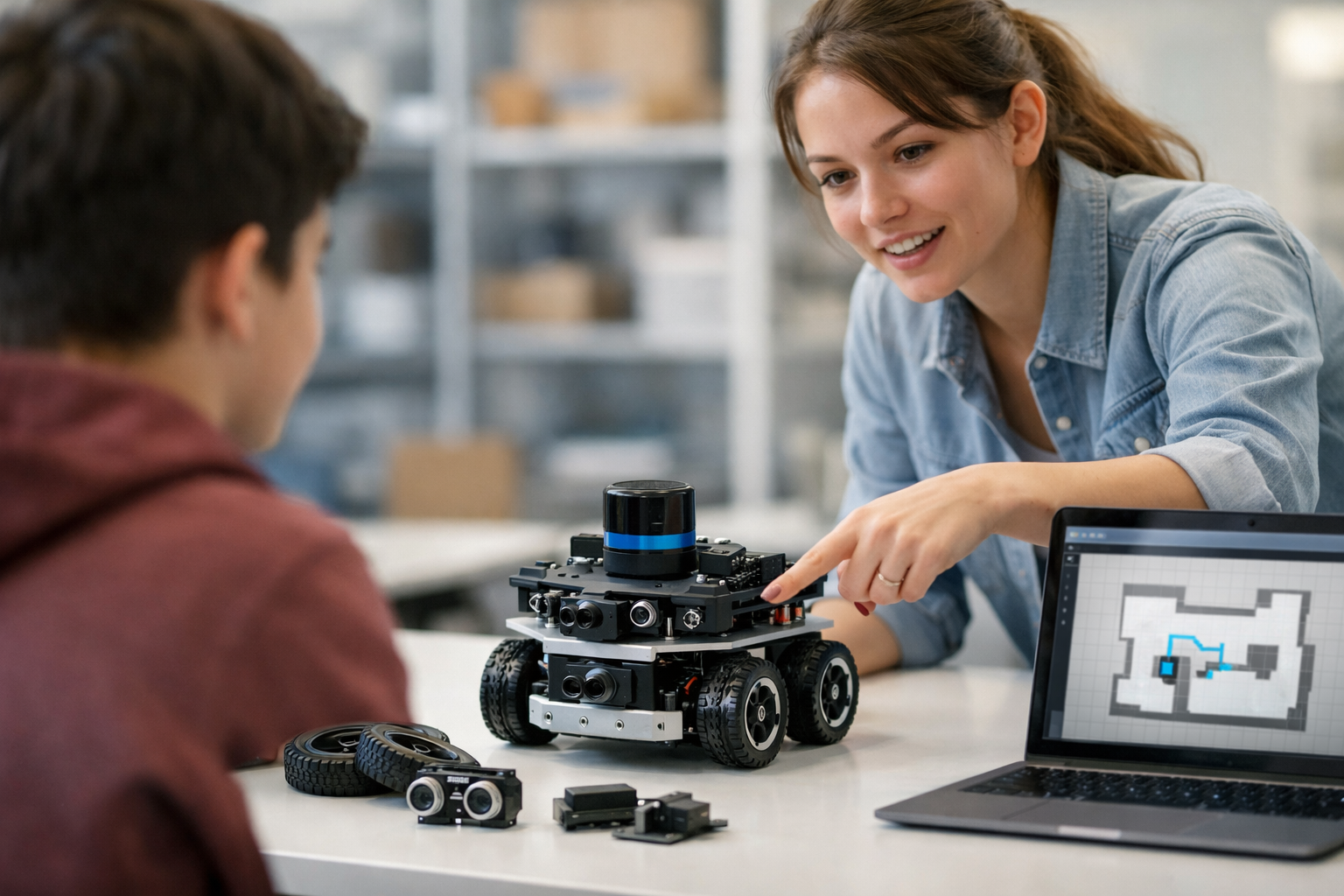
Understand autonomous robots from first steps to real-world confidence
Autonomous robots can seem mysterious at first. You may have seen delivery robots, warehouse robots, robot vacuums, self-driving car demos, or machines in factories and hospitals, but not known how they actually work. This course is designed to remove that confusion. It takes you from first principles to a clear, practical understanding of autonomous robots using simple language, step-by-step teaching, and no assumptions about prior knowledge.
If you are completely new to AI, robotics, coding, or engineering, this course was built for you. Think of it as a short technical book in guided course form. Each chapter builds on the one before it, so you never feel lost. By the end, you will understand the core ideas behind how robots sense the world, make decisions, move through space, and use AI to improve their behavior.
Many robotics resources jump too quickly into math, programming, or hardware details. This course does the opposite. It begins with the most basic question: what is an autonomous robot? From there, it introduces the key parts of a robot, explains how sensors collect information, shows how control and navigation work, and then places AI in its proper context. You will learn the ideas first, so later technical study becomes much easier.
In the first chapter, you will build a simple mental model of autonomous robots and understand how they differ from ordinary machines. In the second chapter, you will explore the basic building blocks of robots, including sensors, motors, controllers, and power systems. In the third chapter, you will learn how robots turn raw data into useful understanding of the world around them.
Next, you will discover how robots decide what to do and how they move safely toward a goal. Then you will explore where AI fits in, including what machine learning can help with and where it still has limits. Finally, you will study real-world uses of autonomous robots, along with the trade-offs, safety issues, and ethical questions that come with deployment.
This course is ideal for curious learners, students, career changers, managers, and professionals who want a strong conceptual foundation in autonomous robotics without needing to code. It is also useful if you want to understand robotics news, evaluate business use cases, or prepare for more advanced study later.
Autonomous robots are becoming more common in logistics, healthcare, agriculture, transportation, inspection, and home assistance. As these systems become more visible, understanding how they work is a valuable skill. Even if you never build a robot yourself, knowing the basics helps you ask better questions, make smarter decisions, and feel more confident in a world where intelligent machines play a growing role.
This course gives you that confidence in a manageable, beginner-friendly format. It is a strong first step before hands-on robotics, programming, or advanced AI topics. If you are ready to begin, Register free and start learning today. You can also browse all courses to continue your AI learning path after this course.
By the time you finish, autonomous robots will no longer feel like a black box. You will be able to explain the main ideas in simple terms, identify the parts of a robot system, understand the sense-think-act cycle, and discuss real-world robot applications with clarity. Most importantly, you will move from curiosity to confidence with a solid beginner foundation that prepares you for whatever you want to learn next.
Robotics Educator and Autonomous Systems Specialist
Sofia Chen designs beginner-friendly learning programs in robotics, AI, and intelligent systems. She has helped students and working professionals understand complex technical ideas through simple explanations, visual thinking, and practical examples.
Autonomous robots can seem mysterious at first. We see delivery robots on sidewalks, robot vacuums in homes, warehouse vehicles moving shelves, and drones inspecting fields or buildings. They look smart, but the core ideas are learnable. This chapter gives you a practical starting point. You will learn what makes a robot different from a regular machine, what autonomy means in plain language, where autonomous robots are used today, and how to build a beginner-friendly mental model of the whole system.
A useful way to begin is to stop thinking of a robot as “magic hardware with AI inside.” A robot is a physical system that can sense the world, make some kind of decision, and then act on the world through movement or manipulation. That simple definition already separates robots from many ordinary machines. A washing machine runs a program, but it does not usually understand its surroundings or move through them. A robot vacuum, by contrast, must notice walls, estimate where it has been, and adjust its path while cleaning.
As you read this chapter, keep four building blocks in mind: sensors, control, power, and actuators such as motors. Sensors gather information. Control software decides what to do. Power keeps everything running. Actuators produce motion. If one part is weak, the whole robot struggles. Beginners often focus only on AI or only on mechanics, but real robots succeed because these parts work together under real-world constraints like noise, battery limits, slippery floors, and unexpected obstacles.
Another key idea is that autonomy is not all-or-nothing. Some machines are fully remote-controlled by a human. Some are automated, meaning they follow fixed rules in a predictable environment. Some are autonomous, meaning they can handle at least some uncertainty on their own by sensing, deciding, and adapting. You do not need human-level intelligence to be autonomous. A small robot that can avoid walls and return to a charging dock already shows useful autonomy.
Engineering judgment matters from the very beginning. In robotics, “Can we make it move?” is only the first question. Better questions are: Can it move safely? Can it recover when conditions change? Does it know enough about its environment to make a good choice? Is the system reliable when sensors are imperfect? These practical concerns shape every robot, from a simple line-following rover to a self-driving delivery platform.
By the end of this chapter, you should be able to explain an autonomous robot in simple words, identify its main parts, compare remote-controlled, automated, and autonomous machines, and describe the basic loop that lets a robot operate in the real world. This chapter is your foundation for everything that follows.
Practice note for See what makes a robot different from a regular machine: document your objective, define a measurable success check, and run a small experiment before scaling. Capture what changed, why it changed, and what you would test next. This discipline improves reliability and makes your learning transferable to future projects.
Practice note for Understand the meaning of autonomy in plain language: document your objective, define a measurable success check, and run a small experiment before scaling. Capture what changed, why it changed, and what you would test next. This discipline improves reliability and makes your learning transferable to future projects.
Practice note for Recognize where autonomous robots are used today: document your objective, define a measurable success check, and run a small experiment before scaling. Capture what changed, why it changed, and what you would test next. This discipline improves reliability and makes your learning transferable to future projects.
Practice note for Build a beginner mental model of how a robot works: document your objective, define a measurable success check, and run a small experiment before scaling. Capture what changed, why it changed, and what you would test next. This discipline improves reliability and makes your learning transferable to future projects.
A robot is a machine that can interact with the physical world in a purposeful way. That interaction usually includes sensing conditions around it and creating motion through motors or other actuators. This makes a robot different from a regular machine that simply performs the same internal process every time. A fan spins. A toaster heats bread. A robot, by contrast, typically gathers information and changes its behavior based on what it detects.
To understand robots clearly, look for four essential parts. First are sensors, which might include cameras, distance sensors, touch switches, GPS receivers, microphones, wheel encoders, or temperature sensors. Second are actuators, often motors that spin wheels, move joints, open grippers, or control propellers. Third is the controller, the electronics and software that process information and send commands. Fourth is the power system, such as a battery, power regulator, or external supply. If any one of these is missing, the machine may still be useful, but it may not function as a robot in the full sense.
A beginner mistake is to think every robot must look human. In reality, many robots are simple in shape because function matters more than appearance. A warehouse robot may be a flat platform with wheels. A farm robot may be a boxy rover. A drone may be little more than a frame, sensors, a battery, and propellers. The robot form follows the job.
Another common mistake is to define robots only by movement. Movement matters, but some robots mostly manipulate objects while staying in one place, like robotic arms in factories. Others move through an environment, like mobile robots. In both cases, the important idea is purposeful physical action guided by sensing and control.
In practical engineering, it helps to ask: What world does this robot need to sense, and what actions must it perform there? Those two questions guide nearly every design decision. If the robot must move indoors, it may need wheel encoders and obstacle sensors. If it must pick up objects, it may need a gripper, force sensing, and careful motor control. Thinking this way builds a strong mental model from day one.
Autonomy means a robot can do at least part of its job by itself without continuous human control. In plain language, an autonomous robot does not wait for a person to tell it every next move. Instead, it uses sensor information, internal rules or models, and control software to choose actions while conditions change.
Autonomy exists on a spectrum. At one end is a remote-controlled machine. A human operator sees the situation and sends commands such as turn left, stop, or move forward. The machine itself is not deciding much. In the middle is an automated machine. It follows pre-programmed steps well, often in structured environments. For example, a factory conveyor system may repeat a sequence very reliably, but if a box falls in the wrong place, the system may not adapt gracefully. At the other end is an autonomous system, which can respond to uncertainty. If a hallway is blocked, it may choose another path. If its battery is low, it may return to charge.
This does not mean autonomy is unlimited. Real robots usually have boundaries. A robot vacuum may navigate a home reasonably well, but it may still get tangled in cables or confused by unusual clutter. Good engineering acknowledges these limits. A robot is not “bad” because it has constraints. What matters is whether it can perform its intended task safely and usefully within those constraints.
A practical test for autonomy is this: can the robot sense a situation, make a local decision, and change behavior without waiting for a human? If yes, it has some autonomy. This may be simple, like stopping when an obstacle appears, or more advanced, like planning a route through a map.
Beginners often overestimate how much intelligence is required. In many products, autonomy comes from a combination of straightforward sensing, good rules, and reliable control loops. The robot does not need to “understand everything.” It only needs enough competence to complete its job in the environment it was designed for.
People often mix up the words robot, automation, and AI, but they are not the same thing. A robot is the physical machine. Automation is the use of systems to perform tasks with reduced human effort, often through fixed procedures. AI is a set of methods that help machines interpret information, make predictions, learn from data, or choose actions in more flexible ways.
Here is a simple comparison. A motion-activated door is automated, but few people would call it a robot. It senses one condition and performs one action in a narrow setup. A robotic arm on a factory line is definitely a robot, and it may or may not use AI. A robot vacuum is a robot with automation and often some AI-based features, such as room recognition or object detection.
In autonomous robotics, AI often supports three jobs: perception, planning, and decision-making. Perception means turning sensor data into useful understanding, such as identifying a person, estimating distance, or recognizing a charging dock. Planning means choosing a route, a sequence of actions, or a motion that avoids collisions. Decision-making means selecting what to do next based on goals and current conditions.
However, not every smart behavior requires advanced AI. A line-following robot can use simple sensors and control rules. An obstacle-avoiding rover can work with distance sensors and threshold-based logic. AI becomes more important when environments are messy, objects vary, or the robot must generalize beyond a small set of fixed cases.
The engineering judgment here is important: do not add AI just because it sounds impressive. AI can help, but it also adds complexity, data needs, computational load, and failure modes. Sometimes a simple sensor and a well-tuned controller outperform an overcomplicated AI pipeline. Strong robotics design starts with the simplest method that reliably solves the actual problem.
Autonomous robots are already part of daily life, even if they do not always look dramatic. The most familiar example is the robot vacuum. It senses walls, furniture, and floor edges, moves around rooms, and often finds its way back to a charger. It may not understand the home like a human does, but it performs a useful job with partial independence.
In warehouses, mobile robots carry shelves or bins to human workers. These robots follow routes, avoid collisions, and coordinate with fleet software. Their environment is more structured than a public street, which makes autonomy easier to achieve reliably. This is a common pattern in robotics: begin in controlled environments, then expand capability over time.
On farms, autonomous machines can monitor crops, spray precisely, or inspect fields. Outdoors is harder than indoors because lighting changes, terrain is uneven, weather interferes, and GPS is not always perfect. This shows why real autonomy is an engineering challenge, not just a programming exercise.
Hospitals and hotels use delivery robots to carry supplies or food. Sidewalk robots can deliver small packages. Drones inspect roofs, power lines, and construction sites. Industrial robots may navigate factories or perform repeated handling tasks while sensing safety zones around people.
These examples teach an important lesson: autonomous robots are usually designed around a narrow mission. A warehouse robot is not trying to cook dinner or fold laundry. It is optimized for moving goods safely and efficiently. Beginners sometimes imagine autonomy as a general intelligence problem, but most successful robots win by doing one job well in a defined setting.
When evaluating a robot example, ask three practical questions. What environment does it operate in? What uncertainties must it handle? What level of autonomy is actually needed? These questions help you see why some robot applications succeed today while others remain difficult research problems.
The simplest and most powerful mental model in robotics is the sense-think-act loop. A robot first senses the world using cameras, lidar, sonar, touch sensors, GPS, inertial sensors, wheel encoders, or other inputs. Then it thinks, meaning it processes the data, estimates the situation, selects a plan, or applies control rules. Finally, it acts by driving motors, steering wheels, moving joints, changing speed, or operating tools. Then the loop repeats again and again, often many times per second.
Consider a small wheeled robot moving down a hallway. It senses the distance to walls, estimates its heading, notices an obstacle ahead, and computes a correction. It then slows down, turns slightly, and continues. A moment later it senses again. This repeated feedback is what makes behavior adaptive instead of fixed.
This loop also explains why robot design is challenging. Sensors are noisy. A camera can be blinded by glare. Wheels can slip. Batteries drop in voltage. Maps may be incomplete. Because of this, the “think” step is not just abstract intelligence. It includes filtering bad data, estimating uncertainty, and choosing safe actions when information is imperfect.
For beginners, it helps to break the loop into practical layers. One layer keeps the robot stable and moving correctly, such as motor speed control. Another layer handles local behavior, such as obstacle avoidance. A higher layer may choose destinations or plan routes. These layers work together, with fast low-level loops and slower high-level decisions.
A common mistake is to imagine that one giant algorithm controls everything. In most real robots, many smaller loops cooperate. Good engineering means deciding what must happen fast, what can happen slowly, and what should happen only when certain events occur. If you understand the sense-think-act loop, you already understand the heartbeat of autonomous robotics.
Now that you have met the basic ideas, it helps to zoom out and see the whole field as a connected map. Robotics sits at the intersection of mechanics, electronics, software, control, and AI. Mechanics gives the robot a body: wheels, arms, frames, gears, and structure. Electronics connects sensors, motors, batteries, and processors. Software coordinates behavior. Control methods keep motion stable and accurate. AI helps the robot interpret data and make better choices in complex situations.
For a mobile autonomous robot, a beginner map often includes these practical topics: sensing, localization, mapping, obstacle avoidance, navigation, control, power management, and safety. Localization means estimating where the robot is. Mapping means building or using a representation of the environment. Navigation means choosing how to get from one place to another. These ideas will appear again and again as you continue.
It is also useful to compare three machine types clearly. A remote-controlled machine depends on a human for decisions. An automated machine follows fixed procedures well, especially in structured settings. An autonomous machine handles some uncertainty on its own through sensing and adaptation. In practice, many systems combine all three. A robot may run autonomously most of the time, use automation for routine tasks, and allow human takeover when conditions become difficult.
As a beginner, your goal is not to master every subfield at once. Your goal is to build a mental framework: robots have parts, those parts serve a loop, and that loop supports purposeful behavior in the real world. When people say a robot can move, avoid obstacles, navigate spaces, or use AI for perception and planning, they are describing parts of that same larger system.
If you remember one big picture from this chapter, let it be this: an autonomous robot is not a single invention but a working partnership between sensing, decision-making, and action. Once that idea feels natural, the rest of robotics becomes much easier to learn.
1. What best makes a robot different from a regular machine in this chapter?
2. According to the chapter, what does autonomy mean in plain language?
3. Which example from the chapter best shows useful autonomy?
4. Which set lists the four building blocks the chapter says to keep in mind?
5. What is the basic loop a robot follows to operate in the real world?
When people first imagine a robot, they often picture the outside shape: wheels, arms, a metal body, maybe blinking lights. But autonomy does not come from appearance. A robot becomes useful because several building blocks work together: structure, sensors, motors, power, computing, and communication. If even one of these parts is weak, the robot may fail to do its job well. A robot with excellent software but poor power delivery will shut down early. A robot with strong motors but weak sensors may move confidently into a wall. A robot with good sensors but a flimsy frame may shake so much that its measurements become unreliable.
In this chapter, we will look inside most autonomous robots and identify the parts that matter most. This is an important step for beginners because robotics is easier to understand when you stop seeing a robot as a mysterious machine and start seeing it as a system of connected functions. One part helps the robot notice the world. Another part gives it force and movement. Another part provides energy. Another part processes information and decides what to do next. Together, these parts support the robot’s main loop: sense, decide, and act.
A practical engineer learns to ask a simple question about every component: what job does this part perform in the robot’s overall mission? A warehouse robot, a home vacuum robot, and a delivery robot may look different, but they still need a body, a way to move, a source of electrical power, sensors for awareness, and a controller that turns data into action. Communication may also matter if the robot reports to a base station, receives updates, or cooperates with other machines.
This chapter also helps you compare autonomous robots with remote-controlled and automated machines. A remote-controlled machine depends on a human to make decisions. An automated machine follows fixed rules, often in a structured environment. An autonomous robot senses changing conditions, interprets them, and chooses actions with limited or no immediate human guidance. That does not mean it is magical or fully intelligent. It means its building blocks are organized so the machine can operate on its own within a defined task.
As you read, focus on both the parts and the trade-offs. Good robotics is rarely about choosing the most advanced component. It is about choosing components that fit the job. A beginner’s robot for indoor navigation does not need a huge industrial arm. A farm robot needs different wheels and sensors than a hospital delivery robot. Engineering judgment means matching hardware to environment, budget, safety, and purpose.
By the end of this chapter, you should be able to identify the core parts inside most autonomous robots, understand how sensors and motors support robot behavior, explain the role of power and processors, and connect all of these hardware choices to the robot’s real-world task. That is the foundation for everything that follows in autonomous robotics.
Practice note for Identify the core parts inside most autonomous robots: document your objective, define a measurable success check, and run a small experiment before scaling. Capture what changed, why it changed, and what you would test next. This discipline improves reliability and makes your learning transferable to future projects.
Practice note for Understand how sensors and motors support robot behavior: document your objective, define a measurable success check, and run a small experiment before scaling. Capture what changed, why it changed, and what you would test next. This discipline improves reliability and makes your learning transferable to future projects.
Practice note for Learn the role of power, processors, and communication: document your objective, define a measurable success check, and run a small experiment before scaling. Capture what changed, why it changed, and what you would test next. This discipline improves reliability and makes your learning transferable to future projects.
The physical structure of a robot is its body. This includes the frame, chassis, wheels, legs, joints, arms, mounting brackets, and protective covers. The structure is not just packaging around the electronics. It affects stability, speed, sensor quality, maintenance, and safety. A weak frame may bend under load. A tall robot with a narrow base may tip over during turns. A poorly placed sensor mount may shake and produce noisy measurements. Good structure supports the robot’s mission before a single line of code runs.
Mobile robots often begin with a chassis and a locomotion design. Many beginner robots use two driven wheels and one caster wheel because the layout is simple and affordable. Others use four wheels for stability, tracks for rough terrain, or omni wheels for sideways movement. There is no universal best choice. Wheels are efficient on smooth floors, but they struggle on stairs or soft ground. Tracks provide grip, but they can waste energy and make turning less precise. Legs can handle uneven terrain, but they add complexity, cost, and control challenges.
Some robots also carry manipulators such as arms or grippers. In that case, the structure must handle changing loads. A robotic arm reaching forward shifts the center of gravity and may make the base unstable. Engineers often solve this with a wider base, counterweights, or speed limits during extension. This is a good example of engineering judgment: adding a useful arm may require redesigning the entire platform.
Beginners commonly make two mistakes with structure. First, they underestimate rigidity. If a robot flexes while moving, sensor readings, wheel alignment, and arm accuracy can all degrade. Second, they ignore serviceability. Batteries, cables, and controllers should be accessible. A neat, maintainable robot is easier to repair and safer to operate.
When choosing a physical structure, think about the environment. Indoor robots need to fit through doors, turn in hallways, and avoid damaging furniture. Outdoor robots need weather protection, better traction, and stronger mounting. The body of a robot should always reflect its job. The outside shape is not decoration. It is the physical foundation that allows every other subsystem to work properly.
Sensors are how a robot notices both the world around it and parts of its own internal condition. Without sensors, a machine can only follow a fixed motion pattern. With sensors, it can detect obstacles, estimate position, monitor battery state, and respond to changes. This is one of the clearest differences between simple automation and autonomy. An autonomous robot does not just move. It observes, updates its understanding, and adjusts behavior.
Common sensors include cameras, ultrasonic range finders, infrared sensors, lidar, bump switches, wheel encoders, GPS receivers, and inertial measurement units. Each sensor has strengths and weaknesses. Cameras provide rich information but can struggle in poor lighting. Ultrasonic sensors are cheap and useful for simple distance checks, but reflections can cause errors. Lidar gives accurate distance maps, but it costs more. Wheel encoders help measure movement, yet they can be fooled by wheel slip. An IMU helps estimate rotation and acceleration, but its estimates drift over time.
In practice, robots often combine several sensors because no single sensor tells the full story. This is called sensor fusion. A delivery robot may use cameras for object recognition, lidar for obstacle distance, and wheel encoders for short-term motion tracking. Together, these create a better picture than any one sensor alone. This is also where basic AI begins to matter. AI methods can help interpret camera images, detect people, classify terrain, or estimate object locations from noisy data.
Good sensing is not only about buying more sensors. Placement matters. A camera mounted too low may see chair legs but miss table edges. A distance sensor hidden behind a bumper may give blocked readings. Wiring and vibration also matter because poor installation can make even a high-quality sensor unreliable.
A common beginner mistake is trusting sensor data as if it were perfect. Real sensors are noisy, delayed, and limited. Engineering judgment means asking what can go wrong. Is sunlight affecting the infrared sensor? Is dust blocking the camera? Is the robot turning too fast for accurate measurement? A practical robot is designed with these imperfections in mind. Strong robot behavior begins with honest sensing, not ideal sensing.
If sensors allow a robot to notice the world, actuators allow it to change the world. The most common actuators in robots are motors. These motors spin wheels, move joints, open grippers, steer wheels, or drive conveyors and tools. An actuator is any device that turns electrical commands into physical action. In beginner robots, this usually means DC motors, stepper motors, or servo motors.
DC motors are common for wheels because they are simple and powerful, especially when combined with gearboxes. Stepper motors are popular when precise step-by-step movement is useful, such as in small positioning systems. Servo motors are often used in arms and steering because they can move to a target angle and hold that position. The right actuator depends on the job. A robot that carries heavy loads needs torque. A fast inspection robot may care more about speed. A robotic gripper may need accuracy and controlled force.
Motors do not work alone. They need motor drivers or amplifiers that deliver current safely and let the controller set speed or direction. This is another place where beginners often struggle. A processor cannot power a drive motor directly. The controller sends signals, while the motor driver handles the electrical power. Ignoring this separation leads to overheating, weak performance, or hardware damage.
Actuation also introduces practical issues such as friction, backlash, wheel slip, and uneven surfaces. A robot may command both wheels to turn equally and still drift to one side because the real world is messy. That is why feedback matters. Encoders can measure how much the wheels actually turned, allowing the control system to correct errors. This is part of the robot’s sense-decide-act loop: command motion, measure the result, and adjust.
When selecting motors, think beyond “will it move?” Ask whether it will move reliably, safely, and efficiently. Oversized motors waste power and add weight. Undersized motors stall or wear out. Good engineering matches actuator capability to the expected load, terrain, and duty cycle. Motion is where robot intentions become visible, so the actuation system must be chosen with care.
The controller is the robot’s decision center. It reads sensors, runs logic, sends commands to motors, checks safety conditions, and manages communication. In simple robots, this may be a microcontroller. In more advanced robots, it may be a small onboard computer or a combination of several processors. The key idea is that the robot needs hardware that can turn raw inputs into useful behavior.
Microcontrollers are excellent for fast, reliable low-level tasks such as reading encoders, controlling motor speed, or monitoring switches. They are efficient and predictable. Small computers such as single-board computers are better for heavier tasks like image processing, mapping, user interfaces, or running AI models. Many autonomous robots use both: a microcontroller for real-time motor control and a more powerful processor for perception and planning.
This split helps explain how autonomy works in practice. The robot senses with cameras, range sensors, and internal measurements. The processor estimates what is happening, for example where obstacles are or which direction to go. A planning layer chooses an action such as slow down, turn left, or continue forward. Then the low-level controller sends motor commands. This is the sense-decide-act loop in hardware form.
Communication also connects to onboard computing. A robot may send telemetry to a dashboard, receive a software update, or share location with a fleet manager. Wireless links like Wi-Fi, Bluetooth, or cellular can be useful, but they should not replace essential onboard safety logic. A robot should not become dangerous simply because a network connection is lost.
A common beginner mistake is assuming the most powerful computer is always best. In reality, more processing power can increase cost, energy use, heat, and software complexity. Engineering judgment means choosing enough computing for the task, not maximum computing by default. For obstacle avoidance in a small indoor robot, simple distance sensors and lightweight control may be enough. For visual object recognition, more capable hardware may be needed. The controller should fit the robot’s mission, not overpower it.
Every robot runs on energy, and energy always comes with limits. Batteries and power systems may seem less exciting than sensors or AI, but they often determine whether a robot is practical. A robot can only work as long as it has enough stored energy, and every subsystem competes for that energy. Motors, computers, cameras, wireless radios, and lights all consume power. If the power system is poorly designed, the robot may reset unexpectedly, move weakly, or fail in the middle of a task.
Most mobile robots use rechargeable batteries, often lithium-based, because they provide good energy density. But battery choice is not just about capacity. Voltage must match the needs of motors and electronics. Current delivery must handle peak loads, especially when motors start, climb, or push against resistance. Regulators may be needed to provide safe voltages for processors and sensors. A high-power motor surge can disturb delicate electronics if the system is not designed carefully.
Power planning is a practical engineering skill. Suppose a robot must patrol for four hours. That requirement affects battery size, robot weight, motor efficiency, computing choices, and even route design. A larger battery extends runtime but adds mass, which may require stronger motors and consume more power. This trade-off appears everywhere in robotics.
Beginners often make two mistakes with power. First, they focus on average power and forget peak current. Second, they ignore energy management during software design. For example, keeping cameras, radios, and processors fully active all the time may drain the battery faster than necessary. Smarter systems can reduce speed, sleep idle sensors, or return to a charging dock before the battery becomes critical.
Power is also a safety issue. Batteries must be charged correctly, protected from damage, and monitored for temperature and voltage. A well-designed robot respects its energy limits. Instead of pretending it can work forever, it plans around them. In real autonomy, knowing when to conserve energy or stop safely is part of intelligent behavior.
A robot only becomes autonomous when its parts work together as a coordinated system. Structure supports sensors and actuators. Sensors provide data to the controller. The controller decides on an action. Motor drivers and actuators carry out that action. The battery powers the entire loop. Communication links may report progress or receive high-level instructions. This integration is what turns separate components into a functioning robot.
Consider a simple obstacle-avoiding mobile robot. Its chassis keeps the wheels aligned and the sensors pointed outward. A distance sensor notices an object ahead. The onboard controller reads that measurement and decides the path is blocked. It commands the motors to stop, then turn. Wheel encoders confirm the turn occurred. The robot checks the sensor again and, if the path is clear, moves forward. That is the sense-decide-act loop in step-by-step form. Add a camera and AI-based perception, and the robot might do more than avoid an object. It might identify whether the object is a wall, a person, or a box and choose a different response.
This system view also helps distinguish remote-controlled, automated, and autonomous machines. In a remote-controlled robot, the sensing and decision-making mostly happen in the human operator. In an automated machine, the controller follows a fixed sequence with limited adjustment. In an autonomous robot, the machine itself uses onboard sensing and computation to adapt within its task. The hardware building blocks may overlap, but the level of independent decision-making changes.
One of the most valuable habits in robotics is tracing failures across subsystems. If the robot misses a turn, is the problem bad sensor data, low battery voltage, wheel slip, poor control tuning, or a weak frame causing vibration? Real robots fail across boundaries, not just inside one component. Strong engineering comes from understanding these connections.
When you connect hardware parts to the robot’s overall job, robotics becomes much clearer. Every part should answer a mission need. Why these wheels? Why this battery? Why this processor? Why this sensor placement? A good robot is not a pile of interesting parts. It is a balanced system built to sense, decide, and act effectively in the real world.
1. Which set of parts best represents the core building blocks found in most autonomous robots?
2. Why might a robot with strong motors still perform poorly?
3. What is the main role of controllers and processors in an autonomous robot?
4. How does the chapter distinguish an autonomous robot from a remote-controlled machine?
5. According to the chapter, what is good robotics engineering mainly about?
An autonomous robot cannot rely on luck. To move safely and do useful work, it must notice what is around it, turn raw readings into something meaningful, and then use that understanding to choose an action. This chapter focuses on the “sense” and “understand” parts of the robot loop. In earlier ideas, you may have seen robots described as systems that sense, decide, and act. Here we zoom in on sensing and perception, which is the practical process of turning messy signals into information a controller can use.
At first, robot sensing may sound mysterious, but the basic idea is simple. Sensors do not usually report high-level facts such as “there is a chair two meters ahead” or “the hallway is safe.” Instead, they produce measurements: brightness values from a camera, distance estimates from a range sensor, wheel rotation counts from encoders, acceleration from an inertial sensor, or a pressed/not pressed signal from a bump switch. Those numbers are only the beginning. Software must interpret them, compare them with expectations, and combine them with other clues. That is how raw sensor readings become useful information.
For beginners, it helps to think like an engineer rather than a magician. A robot rarely understands the world perfectly. It builds a working estimate. That estimate may be good enough to avoid a wall, follow a line, dock at a charging station, or move toward a target object. In practice, robot perception is less about perfect knowledge and more about making reliable decisions from incomplete evidence. This is where engineering judgment matters. A designer chooses which sensors to use, how often to read them, how to filter noise, and what level of confidence is enough before the robot acts.
Simple perception does not require advanced math to understand. If a distance sensor reports a smaller and smaller value, the robot may infer that it is approaching something. If the left wheel turns more than the right wheel, the robot may infer that it is curving to the right. If a camera repeatedly sees a colored blob near the center of the image, the robot may infer that the target is straight ahead. These are practical, useful interpretations. More advanced robots may use machine learning or detailed maps, but the beginner idea remains the same: measure, interpret, and respond.
Robots also need different kinds of sensing because no single sensor tells the whole story. A camera can provide rich visual detail but may struggle in darkness. A distance sensor can measure how far away an object is but may not reveal what the object is. A touch sensor is simple and reliable for contact, but it only helps after the robot reaches something. Good robot design often comes from combining several imperfect sensors so the strengths of one can cover the weaknesses of another.
Another important idea in this chapter is uncertainty. Real sensors are noisy. Wheels slip. Reflections confuse range sensors. Shadows mislead cameras. Battery voltage changes behavior. Even a well-built robot will make mistakes. The goal is not to eliminate all error, because that is impossible in the real world. The goal is to detect uncertainty, reduce avoidable mistakes, and design behaviors that remain safe and useful even when the robot is unsure. This is a major difference between classroom examples and working autonomous systems.
By the end of this chapter, you should be able to explain how robots turn measurements into meaning, describe how they detect objects, distance, and position, and recognize why errors and uncertainty are normal parts of autonomous behavior. These ideas connect directly to the larger course outcomes: understanding what makes a robot autonomous, seeing how sensing fits into the sense-decide-act loop, and recognizing the role of AI in perception and decision-making without treating AI as magic.
In the sections that follow, we will examine common sensor types, object and obstacle detection, estimating position, and the messy reality of errors. Keep in mind one practical theme throughout: the best robot is not the one with the fanciest sensor, but the one whose sensing system is well matched to its task.
A sensor reading by itself is rarely useful. If a robot receives the number 42 from a sensor, that number means nothing until the robot knows what was measured, in what units, and under what conditions. Was it 42 centimeters from an ultrasonic sensor? Was it a light intensity value from a camera pixel? Was it a temperature reading? Perception begins when the robot gives context to the data.
A practical way to think about perception is as a pipeline. First, the robot collects raw data. Second, it cleans or filters that data to reduce obvious noise. Third, it extracts features or patterns that matter for the task. Fourth, it uses those patterns to decide what they likely mean. Finally, it passes a simplified result to the decision system. For example, instead of giving a navigation program thousands of camera pixels, perception software might provide a simple message such as “path visible ahead” or “obstacle detected on the left.”
Consider a line-following robot. Its light sensors do not understand a path. They only measure reflected light. Dark tape reflects less light than a bright floor, so the software compares readings from left and right sensors. If the left sensor sees darker ground than the right, the robot may infer that the line is under its left side and should steer left. No advanced math is required to understand this. The meaning comes from comparing measurements with a known pattern.
Engineering judgment appears in every step. How often should the robot sample the sensor? Too slowly, and it may miss important changes. Too quickly, and it may waste power or processing time. Should it average several readings? That can reduce random noise, but too much averaging can make the robot react too slowly. Should it trigger action from one reading or wait for confirmation? A safety-critical robot should usually require stronger evidence than a toy robot.
A common beginner mistake is to trust sensor output as if it were direct truth. A more accurate mindset is to treat every reading as evidence. Good perception asks, “What is the most likely explanation for these readings?” This is also where basic AI can help. AI methods may classify an image, recognize speech, or estimate the location of an object, but they still start from raw inputs and produce an informed guess, not certainty. In autonomous robots, useful understanding comes from repeated cycles of measurement, interpretation, and correction.
Different sensors answer different questions about the world. Cameras are rich sensors because they capture visual detail. A robot with a camera can look for lines, colors, signs, faces, boxes, or open floor space. This makes cameras powerful for perception, but they also require more processing. Lighting changes, glare, shadows, and motion blur can make simple visual tasks harder than expected. A beginner should remember that a camera gives a lot of information, but not always easy information.
Distance sensors are often simpler to use for navigation. Ultrasonic sensors estimate distance by sending a sound pulse and measuring how long it takes to bounce back. Infrared distance sensors use reflected light. LiDAR sensors send laser pulses to build a detailed picture of nearby distances. These sensors are useful because many robot tasks start with one simple question: how far away is something? For obstacle avoidance, that single answer can be more valuable than a full image.
Touch sensors are the simplest of all. A bump switch may only report contact or no contact, but that can still be useful. In a robot vacuum, touch sensing can confirm that the robot has reached a wall or object. In a gripper, a touch or force sensor can help prevent squeezing too hard. Touch sensing often acts as a last line of feedback. Ideally, a robot avoids collisions before contact, but if contact does happen, touch sensing helps it respond safely.
In practice, strong systems combine these sensors. Imagine a small delivery robot. The camera helps identify a walkway, a distance sensor helps avoid a pole, and a touch sensor helps detect accidental contact with a curb. Each sensor covers a different part of the problem. This is more reliable than asking one sensor to do everything.
A common mistake is choosing sensors based only on price or popularity. Good selection depends on the task. A robot in a dark warehouse may need LiDAR or structured lighting rather than a basic camera. A low-cost educational robot may do very well with simple infrared sensors and bump switches. The best sensor set is not the most advanced one; it is the one that gives enough useful information for the job with acceptable cost, power use, and complexity.
One of the most practical perception tasks is telling the robot what is in front of it. For many beginner robots, object detection starts very simply. If the front distance sensor reports less than a chosen threshold, the robot treats that region as blocked. It does not need to know whether the obstacle is a chair, a box, or a wall. It only needs to know that moving forward is unsafe.
Obstacle detection becomes more useful when the robot checks direction as well as distance. A robot with left, center, and right distance sensors can estimate where open space exists. If the center path is blocked but the left path is clear, the robot can turn left. This is a basic form of local navigation. It does not require a global map, only enough perception to make the next safe move.
Object detection can also involve classification. A warehouse robot might need to tell a pallet from a person. A home robot might need to detect furniture legs or identify a charging dock. Cameras are often used here because shape, color, texture, and motion all help distinguish objects. AI models can support this process by recognizing patterns in images, but even then, practical engineering rules still matter. The robot may only trust detections above a confidence level, or it may slow down when near uncertain objects.
Good obstacle detection includes timing. The robot must detect hazards early enough to react. A fast robot needs longer sensing range or quicker processing than a slow one. This is why speed and perception are linked. If sensing is delayed or limited, the safe speed must be reduced. Many beginners overlook this and wonder why a robot crashes despite having sensors. The answer is often that the robot saw the obstacle too late to stop or turn.
A practical design habit is to think in layers: detect the nearest immediate danger, detect navigable space, and, if needed, detect meaningful objects. Not every robot needs all three layers. But separating them helps avoid confusion. A robot can be very good at avoiding obstacles without being good at recognizing object categories. That distinction helps beginners understand how much can be achieved with simple perception alone.
Knowing what is around the robot is only part of perception. The robot also needs an estimate of where it is and which way it is facing. This estimate is important for navigation. If the robot wants to reach a charging station, a room, or a waypoint, it must connect its sensor data to its own position and direction.
One common method is odometry. In wheel-based robots, encoders measure how much each wheel has turned. From that, the robot estimates how far it has traveled and how much it has rotated. If both wheels turn the same amount, the robot likely moved forward. If one turns more than the other, the robot likely turned. This method is simple and very useful, especially over short distances.
However, odometry drifts over time. Wheels slip on smooth floors. Small measurement errors add up. A robot may believe it has traveled one meter when it actually traveled 0.9 or 1.1 meters. This is why position estimation often combines multiple sensors. An inertial measurement unit can help estimate turning and motion changes. A camera can recognize landmarks. LiDAR can compare current surroundings with a map. GPS can help outdoors, though usually not with high precision indoors.
Beginners do not need advanced formulas to understand the core idea: position is estimated, not magically known. The robot gathers clues about movement and location, then combines them into a best guess. This is enough to explain why a robot can usually return near its starting point but may not arrive perfectly unless it corrects itself with outside references.
Practical navigation often uses checkpoints. Instead of trusting odometry forever, the robot looks for opportunities to reset or improve its estimate. A line on the floor, a wall edge, a visual marker, or a charging dock can serve as a known reference. This engineering habit reduces accumulated error. In real systems, reliable autonomy often comes from regular correction, not from pretending the estimate is perfect.
Every real robot must handle imperfect information. Noise is random variation in sensor readings. A distance sensor may report 98 cm, then 101 cm, then 99 cm even when nothing moved. A camera image may change because of lighting flicker. A wheel encoder may miss counts during vibration. These are normal problems, not signs that the robot is broken.
Mistakes happen when the robot interprets bad or incomplete data incorrectly. An ultrasonic sensor may bounce off an angled surface and miss an obstacle. A camera may confuse a shadow with a dark line. A robot may believe it moved straight even though one wheel slipped. These mistakes matter because the robot acts on them. Perception errors can lead directly to poor decisions.
The practical response is not panic but design discipline. Engineers reduce noise with filtering, averaging, and better placement of sensors. They reduce mistakes by cross-checking sensors, using thresholds carefully, and adding safety behaviors. For example, if a robot gets uncertain distance readings ahead, it can slow down instead of charging forward. If vision confidence drops, it can stop line-following and switch to a safer fallback mode.
Uncertainty should influence behavior. A smart robot does not act the same way when it is highly confident and when it is unsure. This is a key idea in autonomy. The robot should adapt. High confidence may allow faster motion or direct path planning. Low confidence may require caution, rescanning, or asking for more data. Even simple robots can follow this idea. “If the readings disagree, pause and check again” is already a useful uncertainty strategy.
A common beginner mistake is to tune a robot only for ideal conditions. It works on a clean desk under bright light and fails everywhere else. Better practice is to test under variation: different floors, different lighting, slightly messy environments, and partially blocked views. Reliable robots are not those that only work when conditions are perfect. They are the ones designed to handle uncertainty without becoming unsafe or useless.
Real-world perception is difficult because the world is messy, dynamic, and only partly observable. Objects move. People appear unexpectedly. Lighting changes during the day. Floors become glossy or cluttered. Walls reflect sound in strange ways. A robot never receives a perfect, complete description of reality. It receives limited, delayed, and sometimes misleading measurements.
This explains why perception is one of the hardest parts of autonomous robotics. In a controlled demonstration, a robot may look very capable. In a real hallway, home, farm, or warehouse, the same robot faces dirt, reflections, narrow spaces, sensor blind spots, battery changes, and unexpected objects. Good robotics engineering is about building systems that still behave acceptably under those conditions.
Another challenge is that perception depends on purpose. “Good enough” perception for a toy robot is not good enough for a delivery robot near people. A simple obstacle-avoidance bot may only need to know free space. A service robot may need to identify doors, people, and docking stations. A self-driving vehicle must estimate lanes, signs, motion, and risk with far stricter safety demands. The task determines the required quality of understanding.
This is also where the role of AI should be understood clearly. AI can improve perception by recognizing objects, segmenting scenes, estimating depth, or predicting motion. But AI does not remove the need for careful engineering. It still depends on sensor quality, training conditions, computation time, and safety rules. An AI-based camera system may recognize a pedestrian, but the robot still needs a sensible fallback if the image is blurry or confidence is low.
The practical outcome for beginners is encouraging: robots do not need human-like understanding to be useful. They need perception that matches their job. A beginner robot can achieve autonomy by reliably sensing enough to avoid obstacles, track simple targets, estimate its motion, and respond safely to uncertainty. That is a strong foundation. As robots become more capable, the same basic lesson continues to apply: sensing is not just about collecting data, but about building a trustworthy picture of the world from imperfect clues.
1. What is the main role of perception in an autonomous robot?
2. Which example best shows a robot making a simple inference from sensor data?
3. Why do robots often use more than one kind of sensor?
4. According to the chapter, how should beginners think about robot understanding?
5. What is the best way to think about error and uncertainty in robot sensing?
In earlier chapters, you met the main parts of a robot: sensors, motors, power, and control. Now we connect those parts into the process that makes a robot seem purposeful. An autonomous robot does not simply move because a person presses a button. It senses the world, compares what it sees to a goal, chooses an action, and then moves. This cycle happens again and again, often many times per second. That repeating cycle is the heart of autonomy.
A beginner-friendly way to think about this is the sense-plan-act loop. First, the robot senses: it reads distance sensors, wheel encoders, cameras, or bump switches. Next, it decides: it applies rules, simple logic, or planning methods to choose what to do next. Finally, it acts: it commands motors, steering, or brakes. Once it moves, the world changes, so the robot senses again. This loop is why autonomous robots are different from remote-controlled machines. A remote-controlled car depends on a human to notice problems and react. An autonomous robot handles at least part of that reaction on its own.
Good robot decision-making is not magic. In many beginner systems, decisions are built from clear goals and simple rules. For example, a robot vacuum may have goals such as cover the floor, avoid falling down stairs, and return to its charger when battery is low. From those goals come rules: if cliff sensor detects an edge, back up; if battery is low, stop cleaning and seek the dock; if front bumper is pressed, turn and try another direction. These rules may sound basic, but together they produce useful behavior.
Movement is the other half of the story. Deciding to go somewhere is one thing; actually getting there is another. Real motors are imperfect. Wheels slip. Battery voltage changes. Floors are uneven. A robot must constantly correct its motion using feedback. That is why sensing and movement cannot be separated for long. A robot that tries to drive forward without checking what is really happening will drift off course, hit obstacles, or get stuck.
As robots grow more capable, they add planning and navigation. Instead of only reacting to the nearest obstacle, they can estimate where they are, reason about free space, and choose a path to a target. In a simple environment, this might mean following a line or driving to a series of waypoints. In a richer environment, it can mean using a map, selecting a route around blocked areas, and updating the plan when the world changes. This chapter introduces those ideas in practical, beginner-friendly language.
Engineering judgment matters at every step. A good robot designer asks questions such as: How fast should the robot move in narrow spaces? Which sensor should have priority when two sensors disagree? When should the robot stop and ask for help instead of continuing? What level of accuracy is actually needed? Beginners often assume robots must make perfect decisions all the time. In practice, many successful robots are built by balancing speed, safety, simplicity, and reliability. The smartest design is often the one that behaves predictably under real conditions.
As you read the sections in this chapter, notice how sensing, planning, and movement are tied together. Decision-making is not a separate layer floating above the hardware. It depends on the quality of the sensors, the behavior of the motors, and the rules or models in the controller. By the end of the chapter, you should be able to describe how a robot chooses actions from goals and rules, how it navigates in simple environments, and how it closes the loop between sensing and action to behave autonomously.
Practice note for Understand the basics of robot control and decision-making: document your objective, define a measurable success check, and run a small experiment before scaling. Capture what changed, why it changed, and what you would test next. This discipline improves reliability and makes your learning transferable to future projects.
Robots do not begin with a mystical sense of purpose. A designer gives them goals. A goal is simply a desired outcome, such as reach the doorway, avoid hitting furniture, follow a person, or inspect every shelf in a room. Once goals are clear, the robot needs decision rules that translate those goals into action. In beginner robotics, this often means using straightforward if-then logic. If the front sensor sees an obstacle, stop. If the path is clear, move forward. If the battery is low, return to the charger.
This may sound almost too simple, but simple decision systems are useful because they are understandable and predictable. You can inspect the rules, test them, and improve them. For example, imagine a delivery robot in a hallway. Its goals might be: move to room 12, avoid collisions, and conserve battery. From those goals, a basic rule set could be built:
What matters is priority. Not all rules are equal. Safety rules usually come first. A robot should never continue toward a goal if doing so creates danger. This is one of the most important ideas in robot control: high-priority rules can override lower-priority goals. A warehouse robot may want to stay on schedule, but if its safety sensors detect a nearby worker, it must stop immediately.
Beginners often make two common mistakes here. First, they create rules that are too vague, such as move carefully or avoid problems. A robot needs specific conditions and specific actions. Second, they forget conflict handling. What if the robot wants to turn left toward its goal, but the left sensor reports a wall? Good engineering requires deciding which rule wins and what backup behavior should happen next.
As robots become more advanced, they may use scoring, state machines, or AI models instead of only hand-written rules. Still, the core idea stays the same: the robot compares what it senses to what it wants, then chooses an action. Whether the choice comes from a short rule list or a more advanced planner, the robot is still answering a practical question: given my goal and the current world, what should I do now?
Once a robot decides what to do, it still needs to move correctly. This is where feedback control becomes essential. Feedback means the robot measures what actually happened and uses that information to correct itself. Without feedback, the robot is guessing. It might tell the wheels to spin for two seconds and hope that means moving one meter. In reality, wheel slip, uneven ground, and battery changes can make the result very different.
A beginner-friendly example is line following. Suppose a small robot uses a sensor to detect a dark tape line on a light floor. If the robot drifts to the left of the line, the sensor reading changes. The controller then slows one wheel and speeds up the other to steer back toward the line. The robot is not just executing a fixed motion. It is continuously adjusting based on sensor feedback.
This idea also applies to speed control and turning. A robot may want both wheels to rotate at the same speed so it drives straight. Wheel encoders measure wheel rotation. If the left wheel is moving faster than the right, the controller reduces power to the left motor or increases power to the right. The robot compares desired motion to actual motion and reduces the error. That is the essence of control.
One practical engineering lesson is that faster is not always better. Beginners often set motors to react too aggressively. The robot then wiggles, overshoots, or oscillates from side to side. A smoother controller may look less exciting, but it is usually more reliable. Another lesson is that sensor noise is real. Distance readings can jump, and encoder counts can be imperfect. Good control systems often include filtering, averaging, or simple limits so the robot does not overreact to every tiny measurement change.
Feedback control is also where the robot's physical design matters. A heavy robot cannot stop instantly. A robot with poor traction cannot turn as sharply as the software might wish. Strong control depends on realistic expectations about the machine. The controller must match the robot's motors, wheelbase, load, and environment.
In practical terms, feedback control connects decision-making to the real world. A high-level plan may say go forward 3 meters and turn right 90 degrees. Feedback control is what makes that instruction possible. It watches the robot's motion, checks whether the robot is on track, and keeps correcting until the movement is close enough to the target to continue safely.
Decision-making becomes more interesting when a robot must go somewhere beyond its immediate sensor range. Path planning is the process of choosing a route from the current position to a destination. In a simple environment, this can be very direct. If the path is open, drive straight to the goal. If there is a wall in the way, choose a route around it. Planning is about looking ahead instead of reacting only to the next moment.
Imagine a robot in a classroom that needs to travel from the door to a charging station near a desk. A purely reactive robot might move forward until blocked, turn, try again, and eventually wander to the station by luck. A planning robot does better. It uses knowledge about the room, or at least about free and blocked spaces, to choose a sensible path before moving.
Even simple planners can be powerful. One common idea is to represent the floor as a grid. Each grid cell is marked free or blocked. The robot can then search for a sequence of cells that connects start to goal. The result does not need to be mathematically perfect to be useful. It just needs to be safe and practical. A longer route through open space may be better than a shorter route through a crowded area.
Planning also involves trade-offs. Should the robot choose the shortest path, the safest path, or the fastest path? In a hospital corridor, safety and predictability may matter more than speed. In a factory, efficiency may matter more, as long as safety rules are satisfied. This is where engineering judgment appears again. The best plan depends on the job.
A common beginner mistake is to assume the first plan will always work. Real environments change. A hallway that was empty a moment ago may now contain a cart or a person. Good robots treat plans as useful guides, not rigid commands. If the path becomes blocked, they pause, update what they know, and replan. That flexibility is a big step toward autonomy.
Planning a path is closely tied to sensing and control. The planner decides where to go; sensors confirm whether the route is still clear; controllers make the motion happen accurately. If any of these pieces fail, the robot's travel becomes unreliable. That is why navigation is best understood as a team effort among perception, planning, and movement.
Obstacle avoidance is one of the most visible robot behaviors because it is easy to observe and easy to get wrong. A robot that can move toward a goal is useful, but a robot that can move toward a goal while avoiding collisions is far more capable. Obstacle avoidance combines sensing, decision-making, and control in real time.
Suppose a mobile robot is driving down a hallway. Its ultrasonic sensor or lidar detects an object ahead. The robot must answer several questions quickly: Is the object truly in the path? How close is it? Should the robot stop, slow down, or steer around it? Is there enough space to pass safely? These are practical decisions, not abstract ones. A good robot makes them consistently.
One simple avoidance strategy is stop-and-turn. If the front sensor detects an obstacle inside a safety distance, the robot stops, rotates until a side path looks clear, and then continues. Another strategy is smooth steering, where the robot gradually bends its path away from nearby obstacles while still trying to head toward its goal. Smooth steering often looks more natural, but it requires stable sensing and careful tuning.
Safety margins are important here. A robot should not plan to pass with only a tiny gap unless it is very accurate and designed for that setting. Beginners often forget that sensors have uncertainty and robots have physical width. If a robot is 40 centimeters wide, planning through a 42-centimeter gap is risky. A better system adds a buffer zone around obstacles.
Another common mistake is reacting only to the closest obstacle and ignoring the overall situation. A robot might avoid a chair leg but steer itself into a dead end. Better obstacle handling considers both immediate danger and the larger travel goal. This is why local avoidance and global planning are often combined. The robot has a general route to follow, but it also uses live sensor data to stay safe along the way.
Practical obstacle avoidance also includes knowing when not to proceed. If the robot cannot find a safe path, it should stop rather than force a decision. In real engineering, stopping safely is often a sign of a well-designed system, not a failure. Reliable robots know their limits and respond conservatively when the environment becomes uncertain.
To navigate beyond a single room or a short sensor range, many robots use maps, routes, and waypoints. A map is a representation of the environment. It can be very simple, such as a list of connected hallways, or more detailed, such as a grid showing walls, furniture, and open space. A route is the planned path through that map. Waypoints are intermediate target positions the robot aims for one by one.
Waypoints are especially beginner-friendly because they break a difficult trip into manageable pieces. Instead of telling the robot, go across the building, you can tell it: go to the door, then the corridor corner, then the elevator area, then the destination room. Each waypoint gives the control system a nearby target, which usually makes movement more stable and easier to debug.
Maps do not need to be perfect to be useful. A delivery robot in an office may only need to know the major corridors, doors, and charging locations. A lawn robot may work with a boundary map and a rough coverage plan. What matters is that the map supports the task. Too little map detail can cause confusion, but too much complexity can make the system harder to maintain than necessary.
Another practical point is localization, which means estimating where the robot is on the map. A route is only useful if the robot roughly knows its own position. This estimate might come from wheel encoders, markers on the floor, beacons, cameras, or lidar. Because each method has error, many real robots combine several sources to get a better position estimate.
Beginners sometimes think a route is the same as a map. It is not. The map is the world model; the route is one chosen journey through that model. If a hallway becomes blocked, the map may stay mostly the same while the route changes. This distinction helps explain why robots can adapt. They can keep the same map but compute a new route when conditions change.
In practical robotics, maps, routes, and waypoints turn open-ended movement into an organized process. The robot uses the map to understand possibilities, chooses a route that fits its goal, and follows waypoint targets while checking sensor data for changes. This layered approach is one reason modern autonomous systems can travel through spaces more reliably than simple wander-and-react machines.
Everything in this chapter comes together in one key idea: autonomous robots close the loop between sensing and action. They do not just sense once and then move blindly. They continuously observe, decide, act, and observe again. This closed loop is what allows a robot to adapt when the world changes.
Consider a small warehouse robot delivering a bin. It starts with a goal: reach shelf area B. It reads its sensors and checks its map. It plans a route through several waypoints. As it moves, wheel encoders report distance traveled, and front sensors watch for obstacles. If a worker crosses the aisle, the robot slows or stops. Once the aisle is clear, it resumes. If a pallet blocks the planned route, it updates its path and chooses another way. That is the full loop in action: sensing, planning, movement, correction, and replanning.
This is also where the basic role of AI becomes easier to see. AI can help a robot recognize objects in camera images, estimate which areas are traversable, predict motion, or choose better actions under uncertainty. But AI does not replace the loop. It fits inside it. A robot may use AI for perception or decision support, yet it still needs sensors, controllers, and safety logic to act reliably in the real world.
Engineering judgment matters because no loop is perfect. Sensors can fail, maps can be out of date, and actuators can behave differently under load. Good robot systems include checks, timeouts, fallback behaviors, and stop conditions. For example, if localization confidence drops too low, the robot may slow down, seek a known landmark, or stop and request assistance. These are signs of robust design.
A common beginner mistake is to think of autonomy as a single big decision. In reality, autonomy is many small decisions chained together over time. The robot is always asking: What do I sense now? What does that mean for my goal? What is the safest useful action? Did that action work? This repeated questioning is the practical engine of autonomous behavior.
When you compare remote-controlled, automated, and autonomous machines, this closed loop helps clarify the difference. A remote-controlled machine depends on a human to do most of the sensing and deciding. An automated machine follows pre-set steps with limited adaptation. An autonomous robot senses conditions, makes its own local decisions, and adjusts its actions as needed. That ability to close the loop between sensing and action is what makes a robot more independent, more useful, and far more interesting to build.
1. What best describes the sense-plan-act loop in an autonomous robot?
2. How is an autonomous robot different from a remote-controlled machine?
3. Which example shows a robot choosing actions from goals and rules?
4. Why must a robot use feedback while moving?
5. What is a key idea about navigation in simple environments from this chapter?
By this point in the course, you have seen that an autonomous robot is not magic. It is a machine that senses the world, decides what to do, and then acts through motors and other outputs. AI fits inside that loop as a set of methods that help the robot interpret messy sensor data, choose useful actions, and adapt when the world is not perfectly predictable. That is the practical role of AI in robotics: not replacing every part of engineering, but helping with the hard parts that are difficult to solve using fixed rules alone.
A beginner mistake is to imagine that AI is the robot. It is not. A robot still needs power, sensors, motors, communication links, safety systems, and a control program. AI is one tool inside the control system. In some robots, AI does very little. In others, such as self-driving vehicles, warehouse robots, drones, and inspection robots, AI helps with perception, path choice, object recognition, tracking, prediction, and decision support. Even then, AI usually works together with ordinary software, physics models, maps, and safety rules.
It helps to think of robot intelligence as a layered stack. At the bottom are hardware and low-level control loops that keep wheels turning, arms moving, and batteries managed. In the middle are estimation and planning systems that answer questions like: Where am I? What is nearby? What path is safe? At the top are task-level goals such as deliver this package, inspect that pipeline, or clean this floor. AI often lives in the middle and upper layers, where uncertainty is highest. It helps the robot recognize patterns in camera images, estimate what an obstacle might do next, or pick a strategy when there are many possible actions.
Another useful comparison is between remote-controlled, automated, and autonomous machines. A remote-controlled machine depends on a human operator for decisions. An automated machine follows prewritten steps under known conditions. An autonomous robot can handle changing conditions with some independence. AI supports that independence, but autonomy is still broader than AI alone. A truly useful autonomous robot blends sensing, decision-making, motion, error handling, and safety into one reliable system.
As you read this chapter, focus on engineering judgment. Ask practical questions: When are simple rules enough? When do we need machine learning? How do we know whether a robot has learned something reliable? What happens when sensors are noisy or the environment changes? And most importantly, where must humans remain in charge? Those questions separate a clever demo from a dependable robot.
In this chapter, we will connect AI to real robot workflows. You will see how rules, machine learning, and autonomy differ; how robots can improve decisions over time; why examples and data matter so much; and why the limits of AI are just as important as its strengths. This understanding will help you judge real systems more clearly and avoid the common beginner belief that AI can simply be added to any robot to make it smart.
Practice note for Understand the practical role of AI inside autonomous robots: document your objective, define a measurable success check, and run a small experiment before scaling. Capture what changed, why it changed, and what you would test next. This discipline improves reliability and makes your learning transferable to future projects.
Practice note for Differentiate rules, machine learning, and autonomy: document your objective, define a measurable success check, and run a small experiment before scaling. Capture what changed, why it changed, and what you would test next. This discipline improves reliability and makes your learning transferable to future projects.
Practice note for See beginner-level examples of robot learning and adaptation: document your objective, define a measurable success check, and run a small experiment before scaling. Capture what changed, why it changed, and what you would test next. This discipline improves reliability and makes your learning transferable to future projects.
The first step in understanding AI in robotics is knowing when it is needed and when it is not. Many robot behaviors can be built with simple programming. If a line-following robot reads a dark stripe and steers left or right to stay centered, that is usually not AI. It is a rule-based system: if the left sensor sees black, adjust one way; if the right sensor sees black, adjust the other. This kind of programming is often easier to test, explain, and trust.
AI becomes more useful when the robot faces uncertainty, variation, or incomplete information. A warehouse robot that must recognize a partly hidden box from camera images may need a learned vision model. A delivery robot moving outdoors may encounter changing light, new obstacles, and unusual paths. A drone inspecting buildings may need to identify damage patterns that are hard to describe in exact rules. In these cases, hand-written instructions alone may become too brittle.
That said, beginners often overuse AI. They may try to solve everything with machine learning, even when a distance sensor threshold or simple state machine would work better. Good robotics engineering starts with the simplest method that can do the job safely and reliably. If fixed rules are enough, use them. If the world is too messy for rules alone, then add AI where it helps most.
A practical way to compare the approaches is this:
Autonomy is not the same as learning. A robot can be autonomous using maps, planners, and rules without any learning at all. Likewise, a machine learning model by itself is not an autonomous robot. It may only perform one task, such as classifying images. In real systems, autonomy comes from combining methods. For example, a robot vacuum might use simple bump detection, mapping, battery management, scheduling rules, and perhaps AI-based object recognition to avoid cables or pet waste.
The engineering judgment here is to ask what kind of uncertainty the robot faces. If the uncertainty comes from noisy sensors, changing lighting, or object variation, AI may help. If the problem is mainly keeping a wheel at the right speed, classical control is often the better tool. Strong robot systems are rarely all-AI or all-rules. They are carefully divided into parts, with each part solved by the most suitable method.
Perception is one of the most common places where AI appears in autonomous robots. Sensors generate raw data, but raw data is not the same as understanding. A camera produces pixels. A lidar produces distance points. A microphone captures sound waves. The robot still needs to answer practical questions: Is that a person, a wall, a doorway, a tool, or just noise? Machine learning helps transform sensor data into meaningful estimates about the world.
For beginners, the easiest example is image recognition. Imagine a robot in a home that must find a charging dock. A human can often spot the dock instantly, even if part of it is hidden or the room is dim. Writing fixed code for every possible appearance is difficult. A trained machine learning model can learn patterns from many example images and then estimate whether the dock is visible in a new image. Similar models help robots detect traffic cones, shelves, faces, weeds in a field, or damaged parts in a factory.
Perception models do not produce certainty. They produce probabilities, scores, or best guesses. This matters a lot. If a robot says there is an 85% chance an object is a chair, the control system must decide what to do with that uncertainty. In safety-sensitive robotics, one common strategy is to combine AI with conservative behavior. If the system is unsure, slow down, ask for help, or keep distance. Good design treats AI outputs as evidence, not perfect truth.
Another practical point is that perception is more than object recognition. Robots also need localization, tracking, and scene understanding. A mobile robot may use AI to recognize landmarks while also using mapping and sensor fusion to estimate its position. An agricultural robot may classify plant types while measuring row spacing with lidar. A warehouse robot may identify pallets with vision but still rely on simple geometric checks before moving close.
Common mistakes include training a model in ideal conditions and then expecting it to work everywhere, trusting camera AI without considering glare or shadows, and ignoring latency. If a perception system takes too long to process data, the robot may react too late. In robotics, timing matters just as much as accuracy. A slightly less accurate model that runs quickly and predictably can be more useful than a highly accurate one that is slow and unstable.
The practical outcome is this: AI in perception is powerful because it helps robots handle messy real-world sensor input. But it works best when combined with other engineering tools such as filters, maps, thresholds, and safety limits. That combination is what turns perception from a clever demo into a usable robot capability.
One of the most interesting ideas in robotics is that a machine can improve its decisions over time. This does not mean the robot suddenly becomes generally intelligent. In beginner-level robotics, learning usually means improving a specific behavior using experience. For example, a robot arm may get better at grasping objects after trying many times. A mobile robot may learn which routes are usually blocked at certain hours. A warehouse system may improve task assignment based on travel time and battery use.
There are different forms of learning. Sometimes the robot learns offline, before deployment, by training on collected data. Other times it adapts online, making small updates while operating. A simple adaptive example is tuning parameters based on repeated outcomes. Suppose a robot consistently turns too sharply on a slippery floor. The system can adjust steering behavior after noticing the error pattern. This is a limited form of learning, but it is practical and useful.
A more advanced example is reinforcement learning, where a robot tries actions and receives feedback in the form of rewards or penalties. If the goal is to navigate to a target quickly without collisions, successful actions earn higher reward. Over many trials, the system can discover better action choices. However, in real robots this is often harder than it sounds. Trial-and-error learning in the physical world can be slow, expensive, and unsafe. That is why many roboticists train in simulation first and then transfer the result to a real machine.
Engineering judgment is critical here. Learning systems can improve performance, but they can also learn the wrong lesson. If a cleaning robot is rewarded only for speed, it may rush and miss dirty areas. If a delivery robot learns from data collected only in good weather, its behavior in rain may be poor. The robot improves only according to the feedback and experience it receives.
Human beginners also often confuse adaptation with intelligence. If a thermostat adjusts heating based on past temperature error, it is adapting, but in a narrow way. In robots, narrow adaptation can still be valuable. Small improvements in route choice, grip force, or obstacle avoidance can produce large gains in reliability and efficiency. The key idea is to define clearly what the robot is trying to improve and how success is measured. Learning without a clear objective can produce unpredictable behavior.
Used carefully, learning allows robots to move beyond fixed responses. They can become better matched to their environment, equipment wear, and task patterns. But every learning process needs boundaries, monitoring, and validation, especially when real-world safety is involved.
Machine learning depends on examples. If you want a robot to recognize stairs, doors, bins, or crops, you must provide data that represents those things under realistic conditions. This is why data is often more important than beginners expect. A powerful model trained on poor examples will perform poorly. A simpler model trained on carefully collected data can perform surprisingly well.
Think about a robot that sorts recyclable materials using a camera. If all training images were taken in bright laboratory lighting, the robot may fail in a real facility where objects are dirty, bent, fast-moving, or partly hidden. The examples must reflect the world the robot will actually face. This includes variation in angle, distance, lighting, damage, clutter, and background. In robotics, edge cases matter because mistakes happen at the boundaries: low light, unusual shapes, worn labels, rain, dust, and partial occlusion.
Training is the process of adjusting a model so it performs well on examples. But good training is not just pressing a button. Engineers must split data into training, validation, and test sets, check whether the labels are correct, and watch for overfitting. Overfitting means the model memorizes details of the training examples but fails on new ones. A robot with an overfit perception model may look impressive in demos yet make poor decisions in daily operation.
Practical robotics teams also think about the full data pipeline:
Another important issue is sensor alignment. If a robot uses a camera and lidar together, the examples must reflect correct timing and calibration. Even a good AI model can fail if the camera image and distance data do not line up properly. This is a classic robotics lesson: data quality includes hardware quality, calibration, synchronization, and documentation.
The practical outcome is simple but powerful. Robots learn from the examples we give them. If the examples are narrow, biased, outdated, or mislabeled, the robot's behavior will reflect those weaknesses. Strong robot AI starts long before deployment, with careful data collection, thoughtful training, and repeated testing in realistic conditions.
AI can help autonomous robots act more flexibly, but flexibility brings risk. A robot operates in the physical world, so errors can damage objects, disrupt work, or harm people. That is why safety must come before cleverness. In practice, AI should rarely be the only layer of protection. Even if a vision model is used to detect people, the robot may also need emergency stop logic, speed limits, protected operating zones, and fallback behaviors when confidence is low.
Human supervision matters because AI systems can make mistakes that are hard to predict in advance. A model may confuse an unusual object with a familiar one. It may work well in testing but fail when a camera lens gets dirty. It may perform differently across environments or user groups. These are not rare problems; they are normal engineering concerns. Good teams plan for them instead of pretending they do not exist.
Bias is also important. In robotics, bias means the system performs better for some conditions than others because of uneven data or design choices. For example, a delivery robot trained mostly on wide, smooth sidewalks may perform poorly in crowded or narrow areas. A face-detection model may work unevenly across different people if the training data was unbalanced. In industrial settings, a quality inspection robot may miss defects that are underrepresented in training examples.
Human oversight can take several forms. A person may approve high-risk actions, review uncertain detections, define safe operating rules, or monitor fleet behavior from a control center. In beginner terms, the goal is not to remove people completely. The goal is to place human judgment where it adds the most value, especially in unusual, ethical, or dangerous situations.
Common mistakes include assuming that high average accuracy means safe deployment, ignoring rare failures because demos looked good, and letting the robot continue when sensors are clearly degraded. A safer design uses layered protection. If the AI is uncertain, the robot can slow down. If confidence drops further, it can stop and request assistance. If communication is lost, it can enter a safe mode. These decisions are part of responsible autonomy.
The practical lesson is clear: AI can support autonomous behavior, but humans remain responsible for setting limits, reviewing performance, and protecting people. In robotics, supervision is not a sign of weakness. It is a mark of mature engineering.
To become confident with autonomous robotics, you need a realistic view of current AI. AI can do some things very well. It is strong at pattern recognition in large amounts of data. It can detect objects in images, classify sounds, estimate likely outcomes, and sometimes discover strategies that humans might not write by hand. In robotics, this means AI is often useful for perception, prediction, anomaly detection, and decision support under uncertainty.
AI is less reliable when common sense, broad reasoning, and robust transfer are required. A model that works well in one environment may fail in a slightly different one. A robot may identify a chair accurately but still not understand whether the chair is blocking an emergency path, belongs to a person, or is safe to move. These judgments often require context, goals, rules, and human values that are not captured by perception alone.
Another limit is explainability. Traditional rule-based code often lets you trace exactly why a decision happened. Many learned models are harder to interpret. This becomes a practical issue when something goes wrong and engineers must diagnose the cause. Was the training data poor? Was the environment outside the model's experience? Did latency create stale inputs? In robotics, if you cannot diagnose failures, you cannot improve reliability.
AI also struggles with rare situations. It usually performs best on patterns similar to what it has seen before. But real robots meet surprising conditions: fallen objects, damaged sensors, strange reflections, weather shifts, moving crowds, and unexpected human behavior. That is why robust robotics still depends on fallback methods such as conservative motion planning, collision buffers, watchdog timers, manual override, and simple safety rules.
So what should a beginner conclude? Use AI where it has clear practical value, especially for messy sensor interpretation and decision support. Do not expect AI to replace careful system design. A capable autonomous robot today is built from many parts working together: sensors, control loops, maps, planners, safety logic, and sometimes learning systems. AI is powerful, but it is one part of the toolkit, not the whole toolbox.
If you keep that balanced view, you will make better engineering choices. You will know when to trust AI, when to constrain it, and when a simple programmed solution is actually the smarter one. That judgment is a major step from curiosity to confidence in autonomous robotics.
1. What is the chapter’s main idea about the role of AI in autonomous robots?
2. Which statement best distinguishes an automated machine from an autonomous robot?
3. According to the chapter, where does AI often contribute most in a robot’s layered stack?
4. Why does the chapter say not every robot problem needs AI?
5. Why does human oversight remain essential in robotics, especially in safety-critical systems?
By this point, you have learned what an autonomous robot is, how sensing and action connect in a loop, and how AI can help a machine perceive, plan, and decide. Now it is time to look outward. Real robots do not live inside perfect diagrams. They work in kitchens, warehouses, roads, farms, hospitals, and factories, where lighting changes, people move unpredictably, batteries run low, and mistakes can be expensive or dangerous. This chapter connects beginner-friendly robotics ideas to the messy conditions of the real world.
A useful way to think about autonomous robots is this: a robot is only successful if it solves a real problem under real constraints. A research robot may impress people by performing one difficult trick in a lab. A deployed robot must perform acceptable actions over and over again, with limited power, limited computing, limited maintenance time, and clear safety expectations. In practice, robotics is not just about making a robot act intelligently. It is about making a robot useful, reliable, affordable, and trustworthy enough that people want it around.
Across industries and daily life, robots appear in many forms. Some move on wheels through homes and offices. Some lift boxes in logistics centers. Some help surgeons with precise motions. Some inspect pipelines, crops, power lines, or construction sites. Others are partially autonomous vehicles that assist human drivers. These systems differ in hardware and software, but they all face the same core questions: What must the robot sense? What decisions must it make? How fast must it react? What happens if something goes wrong? And who is responsible for its behavior?
As a beginner, it helps to stop asking only, “Can a robot do this?” and start asking, “Under what conditions can a robot do this safely, reliably, and economically?” That shift is the beginning of engineering judgment. In robotics, the best solution is rarely the most complicated one. A slower robot with better obstacle detection may be more valuable than a fast robot that needs constant rescue. A simple rule-based planner may outperform an advanced AI model if the environment is structured and the cost of failure is high. Good design comes from matching the robot’s capabilities to the job instead of chasing impressive features.
This chapter will guide you through common robot applications, the trade-offs designers make, the limits that often surprise beginners, and the ethical questions that matter when robots enter human spaces. It will also give you a practical checklist for analyzing any robot you encounter. The goal is not to make you an expert in every industry. The goal is to help you think clearly, ask strong questions, and finish this chapter with confidence to continue deeper into AI robotics study.
If you remember one big idea from this chapter, let it be this: autonomy is never magic. It is a series of design choices made under constraints. Understanding those choices is what turns curiosity into confidence.
Practice note for Explore major robot applications across industries and daily life: document your objective, define a measurable success check, and run a small experiment before scaling. Capture what changed, why it changed, and what you would test next. This discipline improves reliability and makes your learning transferable to future projects.
Practice note for Evaluate benefits, risks, and design trade-offs: document your objective, define a measurable success check, and run a small experiment before scaling. Capture what changed, why it changed, and what you would test next. This discipline improves reliability and makes your learning transferable to future projects.
Practice note for Learn a simple framework for thinking like a robotics beginner: document your objective, define a measurable success check, and run a small experiment before scaling. Capture what changed, why it changed, and what you would test next. This discipline improves reliability and makes your learning transferable to future projects.
Autonomous robots are easiest to understand when you connect them to real jobs. In homes, a robot vacuum is a classic example. It senses walls, furniture, and drop-offs, decides where to move next, and acts by driving and cleaning. Its environment seems simple, but homes are highly variable. Rugs, wires, toys, pets, and human movement all create uncertainty. A home robot succeeds not by perfect intelligence, but by handling many small surprises well enough to finish useful work.
Warehouses are one of the most successful environments for mobile robots because the task is valuable and the space can be partially structured. Floor markings, known shelf locations, predictable traffic patterns, and managed human access make navigation easier than in a busy sidewalk or public street. Robots in warehouses may carry shelves, move bins, or transport pallets. Here the goal is not just movement. It is movement tied to a business outcome: faster order fulfillment, fewer manual walking hours, and more consistent flow of goods.
On roads, the challenge grows. A road vehicle must deal with lane markings, weather, pedestrians, cyclists, traffic signs, unusual human behavior, and legal expectations. Even when a car has advanced sensors and AI, road autonomy remains difficult because the world is open-ended. That is why many road systems today are better described as driver assistance or partial autonomy rather than full independence. The engineering lesson is important: a system can be impressive and still have clear limits that require human supervision.
Hospitals provide another strong example of design matching environment. Robots may deliver supplies, disinfect rooms, transport medications, or assist in surgery. Notice that these are very different tasks. A hospital delivery robot mainly needs navigation, obstacle avoidance, and safe behavior around staff and patients. A surgical robot, in contrast, requires precision, stability, careful human oversight, and a very clear operating workflow. In both cases, trust matters as much as raw capability. Healthcare workers must understand what the robot can and cannot do.
When comparing these domains, a beginner should ask practical questions. Is the environment structured or chaotic? Are people nearby? Is the robot saving time, improving safety, reducing labor strain, increasing precision, or extending access to service? Different applications lead to different designs. A warehouse robot may prioritize repeatability and fleet coordination. A hospital robot may prioritize cleanliness, quiet movement, and predictable behavior. A road robot must prioritize safety under uncertainty. Real-world robotics starts with the job, not the machine.
Beginners often imagine that the best robot is simply the fastest, smartest, or most autonomous. In reality, good robot design is a balancing act. Speed, cost, and safety compete with one another. If you increase speed, you may need better sensors, more computing power, stronger braking, tighter control, and larger safety margins. That raises cost. If you lower cost too aggressively, you may remove useful redundancy or reduce sensor quality, which can hurt reliability and safety. Engineering judgment is the skill of choosing the right balance for the job.
Consider a warehouse robot moving near people. A high-speed robot can improve throughput, but only if it can detect obstacles early and stop reliably. If the robot’s cameras struggle in poor lighting, or if its path planner cannot react smoothly in crowded aisles, then speed becomes a risk. A slower robot may actually produce better overall results because it causes fewer stoppages, fewer near misses, and less human hesitation around it. In robotics, local optimization can hurt system performance. Fast movement is not useful if people no longer trust the machine.
Cost trade-offs appear everywhere. Designers choose among lidar, cameras, ultrasonic sensors, wheel encoders, inertial sensors, and other components. They decide whether to run powerful onboard AI models or rely on simpler algorithms. They consider battery size, motor quality, chassis strength, repairability, and software complexity. Sometimes a robot uses simpler hardware but operates in a more controlled environment to keep costs reasonable. Other times the environment cannot be controlled, so the robot must become more capable and more expensive.
Safety is not one feature added at the end. It must shape the system from the beginning. That includes physical design, software rules, emergency stop behavior, speed limits, fault detection, and clear human-machine interaction. A safe robot should fail in a predictable way. If localization becomes uncertain, maybe it slows down. If a sensor feed is lost, maybe it stops and requests help. These choices are not signs of weakness. They are signs that the system was built for reality.
A common beginner mistake is to evaluate robots by demos alone. Demos often show peak performance in prepared conditions. Real design quality appears in edge cases, maintenance burden, recovery behavior, and long-term operating cost. The most practical robot is not always the most advanced. It is the one that delivers useful performance with acceptable risk and sustainable cost.
To understand robotics realistically, you must study failure. Robots do not fail only because they are badly designed. They also fail because the world is harder than expected. A camera may struggle with glare, darkness, fog, shadows, or reflective floors. Wheels may slip on dust or wet surfaces. GPS may be inaccurate near tall buildings. A map may be outdated because furniture moved or shelves were rearranged. A machine learning model may perform well on familiar images but misclassify unusual objects. These are ordinary limits, not rare science-fiction problems.
Many failures come from mismatch between assumptions and reality. A robot might assume clear paths, but people leave carts in hallways. It might assume stable lighting, but sunlight shifts throughout the day. It might assume that humans behave predictably, but real people stop suddenly, walk diagonally, or gather in groups. When beginners first build robots, they often test in neat spaces and become confused when performance drops in natural settings. The lesson is simple: autonomy depends heavily on conditions.
Another common limit is recovery. A robot may navigate well 95 percent of the time but still be impractical if the remaining 5 percent requires frequent human rescue. Getting stuck under furniture, losing localization, draining a battery before returning to charge, or repeatedly avoiding harmless objects can ruin usefulness. In real deployments, reliability includes graceful handling of trouble. Can the robot retry? Can it ask for help? Can it enter a safe mode? Can it continue operating with partial capability if one sensor degrades?
There are also limits of data and AI. A perception model trained in one building may not transfer perfectly to another. A planner that works in simulation may behave differently on rough floors or crowded routes. A robot can appear intelligent while actually relying on narrow assumptions. This is why robotics engineers test widely, collect field data, and update systems over time. Real-world performance is earned through iteration.
As a beginner, do not be discouraged by these limits. They are not proof that robotics is failing. They are proof that robotics is engineering. Every deployed robot reflects compromises between what is theoretically possible and what is robust enough today. The strongest habit you can build is to ask, “What conditions does this system need in order to work well, and what happens outside those conditions?” That question helps you evaluate any robot honestly and intelligently.
When robots enter human environments, technical performance is only part of the story. People must also trust the system, understand its role, and feel that it is being deployed responsibly. Trust does not mean blind acceptance. It means users have reason to believe the robot will behave predictably, communicate limits clearly, and reduce risk rather than increase it. A robot that surprises people, hides uncertainty, or behaves inconsistently may lose trust even if its average performance is strong.
Ethics in robotics often begins with simple questions. Is the robot being used in a way that respects human safety and dignity? Are people informed when a system is autonomous or partially autonomous? Is data being collected responsibly from cameras or sensors in private or sensitive spaces? Are there protections against bias in perception systems, especially when robots interact with diverse users? Responsible deployment means thinking beyond capability and asking who benefits, who bears risk, and who is accountable when the system causes harm.
Hospitals, homes, and public roads make these questions especially important. In healthcare, a robot should support professionals and patients without creating confusion about who is making the final decision. On roads, partial autonomy can be dangerous if drivers trust it too much and stop paying attention. In homes, monitoring features may improve service but also raise privacy concerns. Good design includes clear boundaries. Users should know when the robot is assisting, when it is deciding, and when human oversight is required.
Responsible robotics also includes accessibility and fairness. If a robot is introduced to reduce labor strain, does it truly support workers, or does it create new burdens such as constant exception handling? If a public robot uses speech or visual interfaces, can people with different abilities interact with it safely? These questions are practical, not abstract. Poor ethical design often becomes poor product design because users resist systems that ignore real human needs.
A strong beginner mindset is to see ethics as part of engineering quality. Safe fallback behavior, transparency, careful testing, and clear user expectations are not separate from robotics design. They are central to whether a robot should be deployed at all. Responsible autonomy earns trust slowly and can lose it quickly, so thoughtful deployment matters as much as technical achievement.
As you continue learning, you need a simple framework for analyzing robots without getting lost in details. A useful beginner checklist is to move through the robot in the same logic as its real operation: purpose, environment, sensing, decision-making, action, safety, and maintenance. This method works for a home robot, warehouse robot, delivery robot, drone, or hospital assistant.
Start with purpose. What exact problem is the robot solving, and how do we know success? “Helping in a warehouse” is too vague. “Transporting bins from storage to packing stations with fewer delays and less manual walking” is clearer. Then ask about the environment. Is it structured, semi-structured, or open-ended? Are there stairs, crowds, weather changes, poor lighting, narrow spaces, or sensitive equipment?
Next, examine sensing. What sensors are used, and what might they miss? Cameras provide rich information but depend on lighting. Lidar helps measure distance well but adds cost. Wheel encoders estimate motion but drift over time. From there, ask how the robot decides. Does it follow fixed rules, maps, AI-based perception, a planner, or a hybrid approach? What assumptions is the software making about the world?
Then look at action. How does it move or manipulate objects, and what are the physical limits of motors, brakes, grippers, or wheels? A robot can only act as well as its hardware allows. After that, ask about safety and failure handling. What happens if a sensor fails, a path is blocked, the battery runs low, or localization becomes uncertain? Finally, think about operations. Who charges it, cleans it, updates it, repairs it, and responds when it gets stuck?
This checklist helps you think like a robotics beginner in the best sense: clearly, systematically, and without being fooled by marketing language. If you can walk through these seven questions, you already have a strong practical lens for understanding autonomous robots in the real world.
You now have a solid beginner foundation. You can explain what an autonomous robot is, identify its main parts, describe the sense-decide-act loop, compare different levels of control, and recognize the role of AI in perception and decision-making. This chapter adds the final ingredient: realism. Robots are shaped by applications, trade-offs, constraints, and responsibility. That perspective will help you learn faster from now on because you will ask better questions.
Your next step is to deepen one layer at a time. If you enjoy physical systems, study locomotion, motors, batteries, and basic control. If you enjoy intelligence and software, study perception, computer vision, mapping, planning, and machine learning. If you like system thinking, study integration: how sensors, controllers, safety logic, and human supervision work together. You do not need to master everything at once. Robotics is broad, and progress comes from building connected understanding gradually.
Try to keep one foot in theory and one foot in practice. Read about robot navigation, but also watch field videos and note where systems hesitate or fail. Build a small wheeled robot or simulate one, and observe how quickly simple ideas become more complex in real environments. Practice describing robots using the checklist from the previous section. Over time, you will begin to see recurring patterns across many platforms.
One more lesson matters: confidence in robotics does not come from memorizing terms. It comes from understanding workflows and limits. Can you describe how a robot senses the world, chooses an action, moves, checks for errors, and recovers from problems? Can you explain why one design is safer or more practical than another? If so, you are thinking like someone ready for deeper study.
As you continue, stay curious but grounded. Admire impressive robotics demos, but ask what conditions made them possible. Appreciate AI, but remember that useful autonomy depends on sensing, mechanics, safety, and operations too. The field becomes much less mysterious once you see it as a set of connected engineering choices. That is a powerful mindset to carry forward.
You are no longer just curious about autonomous robots. You have a framework for understanding them in the real world. That is the right place to begin the next stage of your robotics journey.
1. According to the chapter, what makes an autonomous robot successful in the real world?
2. What mindset shift does the chapter recommend for beginners?
3. Which example best matches the chapter's idea of good robot design?
4. Why are robots in the real world harder to deploy than robots in perfect diagrams or labs?
5. What is the chapter's main message about autonomy?

- Learning Evolved.
- Intelligence Amplified.


