AI Engineering & MLOps — Beginner
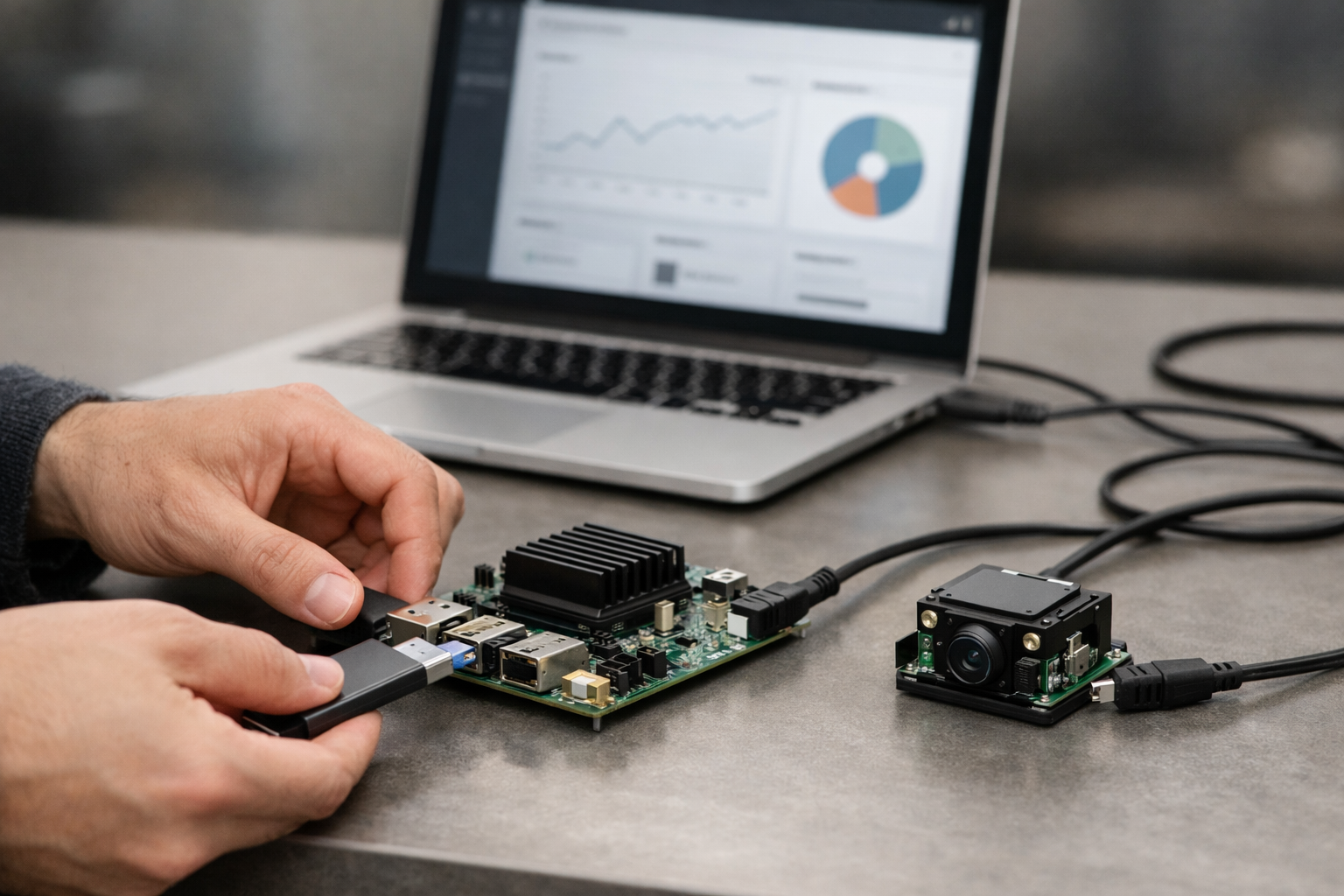
Deploy a tiny AI model on laptop, web, and edge—step by step.
This beginner course is a short, practical “book in six chapters” that teaches you how to take a small AI model and make it run reliably on different machines. If you have ever seen a demo model work on someone else’s laptop and wondered how it becomes a real app, this course is for you. We start from first principles—what a model is, what deployment means, and why packaging matters—then build a simple project you can actually run, share, and reuse.
You will not need to train a big model or understand advanced math. Instead, you’ll focus on the skills that make AI usable in real life: turning a model into a repeatable program, exporting it to a portable format, serving it through an API, and packaging it so it runs the same way in different environments. By the end, you will have a small deployed AI service and a clear checklist for doing it again.
You’ll build a tiny inference application around a small pre-trained model. You will run it locally, export it to ONNX for portability, expose it through a simple HTTP API, and then containerize it with Docker so it can run on “any machine that can run containers.” Finally, you’ll add basic operational habits—health checks, logs, and simple monitoring signals—so you can keep your deployment working over time.
Chapter 1 gives you a plain-language mental model of deployment so every next step makes sense. Chapter 2 sets up your environment and proves you can run inference end to end. Chapter 3 makes your model more portable and introduces basic performance thinking. Chapter 4 turns your model into a service that other programs can call. Chapter 5 packages everything so it runs consistently anywhere. Chapter 6 shows you what happens after “it works”: verifying health, watching basic signals, updating safely, and preventing common beginner pitfalls.
This course is designed for absolute beginners: students, career changers, analysts, product teammates, or anyone who needs to understand how AI goes from a file to a running service. It’s also suitable for small teams in business or government who want a simple, repeatable baseline for deploying small models.
You only need a computer (Windows, macOS, or Linux) and an internet connection. We’ll guide you through installing free tools like Python and Docker and show you how to verify everything is working. No prior AI, coding, or data science background is required.
If you want a clear, hands-on path to your first real AI deployment, you can begin right away. Register free to access the course, or browse all courses to compare learning paths on Edu AI.
Machine Learning Engineer, Deployment & MLOps
Sofia Chen is a machine learning engineer who helps teams ship small, reliable models into real products. She focuses on beginner-friendly deployment workflows, testing, and monitoring that work on laptops, servers, and edge devices.
AI deployment sounds like “DevOps for models,” which is true—but as a beginner you need a simpler mental model: you are building a small, reliable program that takes an input (text, numbers, an image), runs a model, and returns an output (a label, a score, a number). In this course we’ll focus on small models you can run anywhere, not giant cloud-only systems. That choice forces good engineering habits: clear inputs/outputs, careful packaging, and predictable performance.
This chapter sets the direction for everything that follows. You’ll learn what a model is in everyday terms, what deployment means (and what it is not), where models can run, and how constraints like latency, memory, privacy, and cost shape your decisions. You’ll also map the full path from “data exists” to “a prediction is served,” define what success means for your specific app, and choose a small starter project with expected inputs/outputs. Finally, you’ll create a deployment checklist and folder structure so your work stays reproducible.
Milestone-by-milestone, you’re building clarity: (1) understand models, apps, and deployment with familiar examples, (2) see the end-to-end path from data to a running prediction, (3) define success criteria you can measure, (4) pick a small-model project with concrete I/O, and (5) create a checklist and folders that reduce mistakes. These sound “organizational,” but they directly prevent the most common beginner failure: a model that works on your laptop once, and nowhere else.
Practice note for Milestone 1: Understand models, apps, and deployment with everyday examples: document your objective, define a measurable success check, and run a small experiment before scaling. Capture what changed, why it changed, and what you would test next. This discipline improves reliability and makes your learning transferable to future projects.
Practice note for Milestone 2: Map the end-to-end path from data to a running prediction: document your objective, define a measurable success check, and run a small experiment before scaling. Capture what changed, why it changed, and what you would test next. This discipline improves reliability and makes your learning transferable to future projects.
Practice note for Milestone 3: Define success: speed, size, cost, and reliability goals: document your objective, define a measurable success check, and run a small experiment before scaling. Capture what changed, why it changed, and what you would test next. This discipline improves reliability and makes your learning transferable to future projects.
Practice note for Milestone 4: Pick the “small model” project and expected inputs/outputs: document your objective, define a measurable success check, and run a small experiment before scaling. Capture what changed, why it changed, and what you would test next. This discipline improves reliability and makes your learning transferable to future projects.
Practice note for Milestone 5: Create your deployment checklist and folder structure: document your objective, define a measurable success check, and run a small experiment before scaling. Capture what changed, why it changed, and what you would test next. This discipline improves reliability and makes your learning transferable to future projects.
Practice note for Milestone 1: Understand models, apps, and deployment with everyday examples: document your objective, define a measurable success check, and run a small experiment before scaling. Capture what changed, why it changed, and what you would test next. This discipline improves reliability and makes your learning transferable to future projects.
Practice note for Milestone 2: Map the end-to-end path from data to a running prediction: document your objective, define a measurable success check, and run a small experiment before scaling. Capture what changed, why it changed, and what you would test next. This discipline improves reliability and makes your learning transferable to future projects.
Practice note for Milestone 3: Define success: speed, size, cost, and reliability goals: document your objective, define a measurable success check, and run a small experiment before scaling. Capture what changed, why it changed, and what you would test next. This discipline improves reliability and makes your learning transferable to future projects.
An AI model is a function: it turns inputs into outputs using parameters learned from examples. That’s it. The parameters are usually numbers (weights) stored in a file; the model code is the procedure that combines those numbers with your input to produce a result. If you’ve used spreadsheet formulas, think of the model as a complicated formula whose coefficients were automatically tuned by learning from data.
Everyday analogy: a spam filter. The input is an email, the output is “spam” or “not spam” (often with a probability). The learned parameters capture patterns like word usage, formatting, sender reputation features, and more. Another analogy: a thermostat that has learned your comfort preferences; it maps temperature, time of day, and occupancy to a heating decision. In both cases, the “intelligence” is not magic—it’s a repeatable mapping from known signals to a decision.
Common beginner mistake: treating the model file as “the whole app.” It’s not. The model is only one component. Real prediction requires preprocessing (turning raw input into model-ready tensors) and postprocessing (turning raw model outputs into user-meaningful results). If you change preprocessing even slightly—different tokenization, different scaling, different image resize—you can destroy accuracy even though the model “runs.” Practical outcome: you will always define your model’s input and output contract early, then enforce it in code and tests.
Training is how you create or improve a model: you feed it labeled examples, compute a loss (error), and adjust parameters to reduce that loss. Deployment is how you deliver a trained model into a real environment where it produces predictions reliably for users or other systems. Training is about learning; deployment is about running.
When beginners say “my model works,” they often mean “it works in a notebook after training.” Deployment asks tougher questions: Can it run without the notebook? Can a new machine run it with one command? Are inputs validated? Does it fail safely? Can you measure its speed and errors? In short, deployment turns a model into a product component.
Another common mistake: assuming deployment begins after training is “done.” In reality, deployment constraints should influence training choices early. If you need the model to run on a laptop CPU in under 50 ms, you can’t train an enormous architecture and hope to “optimize later.” Likewise, if you need privacy, you may deploy on-device and avoid sending raw data to a server. Practical outcome for this course: we’ll pick a small model and design the deployment approach first, then ensure the model and packaging match that approach.
Milestone alignment: this is where you separate “model development” from “AI application engineering.” Your job is to build the whole prediction path, not just a model file.
Models can run in several places, and the “right” place is driven by constraints and user experience. The same model might run on a server in one product and on a device in another. As a beginner, you should be able to explain where your model runs and why—without hand-waving.
Milestone 2 (mapping the end-to-end path) becomes clearer when you choose the runtime location. If you deploy on a server, your end-to-end path includes request routing, concurrency, scaling, and API contracts. If you deploy on-device, your path includes installers, model file distribution, hardware acceleration options, and local logging. In this course we’ll start with local execution (your machine) because it teaches the fundamentals: dependency control, deterministic loading, and a clean prediction function. Then we’ll wrap it in a tiny HTTP service to simulate server deployment.
Common mistake: picking “server” by default without counting the cost of reliability work (timeouts, retries, rate limits, monitoring). Conversely, picking “on-device” without measuring memory and latency. Practical outcome: you will write down your intended runtime (device vs server vs browser) and list the implications before implementing anything.
Deployment is engineering under constraints. A model that is “accurate” but too slow, too large, too expensive, or too risky with user data is not deployable. Define success early (Milestone 3) with measurable targets. You don’t need perfect numbers on day one, but you need a clear direction so you can make tradeoffs intentionally.
Common mistake: optimizing the wrong thing first. Beginners often chase accuracy while ignoring a 200 MB model that can’t be shipped, or build an API before validating input contracts. Practical outcome: you will write a “definition of success” for your project that includes speed, size, cost, and reliability goals—even if they are initial estimates. This becomes your compass when choosing a small model, exporting to ONNX, and packaging the app.
Milestone 2 is the core mental model: the end-to-end path from data to a running prediction. Even for a tiny model, deployment is a pipeline with stages. If you skip a stage, you usually discover it later as a production bug.
predict(input) -> output). This is where you ensure deterministic behavior.Common mistakes here are very practical: forgetting to pin versions (leading to runtime incompatibilities), mixing training-time preprocessing with ad-hoc inference preprocessing, and not testing on a fresh environment. Another frequent issue is silent shape/type errors: the model accepts input but produces nonsense because the input is scaled differently. Practical outcome: you will create a deployment checklist and a consistent folder structure (Milestone 5) so every run follows the same steps: load, validate, preprocess, infer, postprocess, return, log.
Milestone 4 is choosing a “small model” project that is deployment-friendly. For your first deployment, avoid open-ended generative systems and pick a tiny classifier or regressor with simple inputs. The goal is to learn the deployment mechanics: predictable I/O, export to ONNX, and consistent packaging.
A good starter project: tabular classification or regression. Example options: predict whether a customer will churn (classification), predict house price from a few numeric features (regression), or classify iris flowers from four measurements (classic toy dataset). These are small, fast, and easy to validate. Your input can be a JSON object of numbers; your output can be a label plus a confidence score, or a single numeric prediction.
src/, models/, tests/, scripts/, and app/ (API). Add a single command to run a local prediction.Milestone 5 (checklist + folder structure) is your safety net. A simple checklist might include: verify environment setup, run unit tests, run a sample prediction, export to ONNX, run ONNX inference, package the app, and start the HTTP service. Common mistake: letting files scatter across notebooks and downloads. Practical outcome: by the end of this course, you’ll have a small, portable model artifact and a minimal app that runs the same way on different computers—because you scoped the project to something you can fully own end-to-end.
1. In this course’s beginner-friendly mental model, what are you primarily building when you “deploy AI”?
2. Why does the course emphasize “small models you can run anywhere” instead of giant cloud-only systems?
3. Which sequence best matches the end-to-end path the chapter says you should be able to map?
4. When Chapter 1 says to “define success,” which set of goals is it referring to?
5. What is the main purpose of creating a deployment checklist and folder structure in Chapter 1?
This chapter turns “AI deployment” into something you can touch: a small model running on your own computer, on demand, with repeatable commands. In practice, deployment starts long before you put anything on a server. It starts when you can run inference reliably in a clean environment, with the same inputs producing the same outputs, and with files that can be moved to another machine without surprises.
You will build a beginner-friendly local runtime using Python, a virtual environment, and a tiny project structure. You’ll run a pre-trained model (no training), load a sample input, execute inference, and inspect outputs. Then you’ll make the model portable by exporting it to ONNX and reloading it with an ONNX runtime. Finally, you’ll make the whole project repeatable: one command to run, and a short README describing what matters.
Think like an engineer: the “model” is a file (weights + architecture) that transforms inputs into outputs, and the “runtime” is the combination of code + libraries + hardware drivers that execute the model. Your goal is to reduce the number of moving pieces until you can confidently say: “If you have this folder, you can run this model.”
Practice note for Milestone 1: Install and verify Python, packages, and a virtual environment: document your objective, define a measurable success check, and run a small experiment before scaling. Capture what changed, why it changed, and what you would test next. This discipline improves reliability and makes your learning transferable to future projects.
Practice note for Milestone 2: Run a small pre-trained model locally (no training needed): document your objective, define a measurable success check, and run a small experiment before scaling. Capture what changed, why it changed, and what you would test next. This discipline improves reliability and makes your learning transferable to future projects.
Practice note for Milestone 3: Load sample input, run inference, and read the output: document your objective, define a measurable success check, and run a small experiment before scaling. Capture what changed, why it changed, and what you would test next. This discipline improves reliability and makes your learning transferable to future projects.
Practice note for Milestone 4: Save and reload the model to prove it’s portable: document your objective, define a measurable success check, and run a small experiment before scaling. Capture what changed, why it changed, and what you would test next. This discipline improves reliability and makes your learning transferable to future projects.
Practice note for Milestone 5: Create a repeatable run command for your project: document your objective, define a measurable success check, and run a small experiment before scaling. Capture what changed, why it changed, and what you would test next. This discipline improves reliability and makes your learning transferable to future projects.
Practice note for Milestone 1: Install and verify Python, packages, and a virtual environment: document your objective, define a measurable success check, and run a small experiment before scaling. Capture what changed, why it changed, and what you would test next. This discipline improves reliability and makes your learning transferable to future projects.
Practice note for Milestone 2: Run a small pre-trained model locally (no training needed): document your objective, define a measurable success check, and run a small experiment before scaling. Capture what changed, why it changed, and what you would test next. This discipline improves reliability and makes your learning transferable to future projects.
Practice note for Milestone 3: Load sample input, run inference, and read the output: document your objective, define a measurable success check, and run a small experiment before scaling. Capture what changed, why it changed, and what you would test next. This discipline improves reliability and makes your learning transferable to future projects.
Practice note for Milestone 4: Save and reload the model to prove it’s portable: document your objective, define a measurable success check, and run a small experiment before scaling. Capture what changed, why it changed, and what you would test next. This discipline improves reliability and makes your learning transferable to future projects.
Your first local AI runtime is mostly a Python runtime. The most common early failure is “it works on my machine” caused by mismatched versions, multiple Pythons on PATH, or mixing system packages with project packages. Treat Python like a toolchain: pick one version, install it cleanly, and verify which executable you are actually using.
Recommended baseline for this course: Python 3.10–3.12. Use an official installer or a well-known manager. On Windows, the python.org installer is straightforward; on macOS, many learners prefer Homebrew; on Linux, prefer your distro packages or a dedicated tool like pyenv. Whatever you choose, the safety rule is the same: avoid “random” Python builds and avoid installing project libraries globally.
Verify your installation from a terminal:
python --version (or python3 --version)python -c "import sys; print(sys.executable)" to see the exact interpreter pathpip --version and python -m pip --version (prefer the python -m pip form)Common mistakes: using a different pip than your python; opening a terminal that still points to an old PATH; and installing packages into the system Python by accident. If python -m pip --version shows a site-packages directory you don’t recognize, stop and fix it now—otherwise later steps will fail in confusing ways.
Milestone 1 begins here: by the end of this section, you can run python --version and you know exactly which Python will execute your inference script.
A virtual environment (venv) is a lightweight sandbox for Python packages. In deployment terms, it’s your first “packaging boundary”: it prevents your project from silently depending on whatever else you installed months ago. Even when you later move to Docker or a cloud runtime, the mental model is the same—declare dependencies explicitly, isolate them, and rebuild them reliably.
Create a project folder and a venv inside it (the commands are consistent across platforms):
mkdir local-ai-runtime and cd local-ai-runtimepython -m venv .venvsource .venv/bin/activate.venv\Scripts\Activate.ps1After activation, verify that python points to the venv interpreter. This one check prevents hours of debugging: python -c "import sys; print(sys.prefix)" should reference your project folder.
Engineering judgment: keep one venv per project. Do not “reuse” a venv across multiple experiments; it accumulates packages and hides missing dependency declarations. If something breaks, deleting .venv and recreating it should be a safe, normal operation.
Milestone 1 continues: your environment is now isolated, which is the foundation for running the same model anywhere.
Now you’ll install the minimum set of libraries to run a pre-trained model, export it to ONNX, and execute it with a portable runtime. The key practice is to pin and freeze dependencies. Deployment failures often come from “latest version” changes: a minor update that alters APIs or binary wheels.
Install packages inside the activated venv. For this chapter’s workflow, you’ll use PyTorch to load a pre-trained model and export to ONNX, and ONNX Runtime to run the exported model. Add a small utility library for image loading and preprocessing:
python -m pip install --upgrade pippython -m pip install torch torchvision --index-url https://download.pytorch.org/whl/cpu (CPU-only wheels are simplest for beginners)python -m pip install onnx onnxruntime pillow numpyCommon mistake: accidentally installing GPU builds (CUDA) when you don’t need them; this can introduce large downloads and driver issues. Starting with CPU makes your first runtime portable and predictable. You can optimize later.
Freeze your dependencies once the install succeeds:
python -m pip freeze > requirements.txtThis file is not a formality; it is a snapshot of your runtime. If you move the project to another computer, you should be able to recreate the same environment with python -m pip install -r requirements.txt. Milestone 5 will build on this by adding a single repeatable run command and clear run steps.
Milestone 2 and Milestone 3 are where deployment becomes real: you will run a small pre-trained model locally (no training), load an input, run inference, and interpret the output. Use a standard vision model so you can focus on runtime mechanics rather than model design.
Create a file infer_torch.py that: (1) loads an image, (2) applies preprocessing, (3) runs the model in eval() mode with no_grad(), and (4) prints the top predicted class index (or top-k). The point is not perfect labels; the point is a functioning inference pipeline.
Your script should include these engineering details:
model.eval()with torch.no_grad():Common mistakes: forgetting model.eval() (dropout/batchnorm behave differently), feeding images without resizing/cropping, or mixing RGB/BGR. If outputs look random, the first debugging step is to print the tensor shape and value ranges before inference.
Run it from the project root: python infer_torch.py --image data/sample.jpg. Seeing a deterministic numeric output is a key milestone: you now have a local AI runtime executing inference end to end.
Next, extend the same script (or a second script) to export the model to ONNX (Milestone 4). Export once, then switch inference to ONNX Runtime so you can prove portability beyond the original framework.
A deployable AI project is a small collection of artifacts that work together. For this chapter, keep it simple and explicit: a model file, inference code, and at least one sample input that anyone can run to verify the output. This is also where you start thinking like a release engineer—what must be included so the app behaves the same on another computer?
Use a clear folder structure:
models/ for exported artifacts (for example resnet18.onnx)src/ for code (your inference scripts and helpers)data/ for small sample inputs (one image is enough)requirements.txt for pinned dependenciesMilestone 4: save and reload the model to prove it’s portable. When you export to ONNX, write the file into models/ and then load it with ONNX Runtime in a separate execution path. The verification step is important: exporting isn’t “done” until you can load the ONNX file and run inference with it.
ONNX Runtime expects numpy arrays, so you will convert the preprocessed tensor to a numpy array and feed it using the model’s input name (retrieved from the session). Common mistakes: wrong input name, wrong dtype (float32 vs float64), and wrong axis order. Print the session inputs once and keep that output in your notes.
Practical outcome: with models/resnet18.onnx, src/infer_onnx.py, and data/sample.jpg, you have the minimal “run it anywhere” bundle.
Milestone 5 is about repeatability: a project should run the same way tomorrow, and on a teammate’s computer, without tribal knowledge. Reproducibility is not only for research; it is the first layer of deployment quality. A local runtime that requires “special steps” is a runtime that will break when you package it.
Start by writing a short README.md with three sections: Setup, Run, and Troubleshooting. In Setup, list the Python version you tested and the exact commands to create/activate the venv and install dependencies. In Run, provide a single command that runs inference from end to end. In Troubleshooting, capture the top two or three failure modes (venv not activated, missing packages, wrong working directory).
Create a repeatable run command. Options include:
Makefile target like make inferpython -m entry point (preferred for Python-only projects)python src/infer_onnx.py --image data/sample.jpgEngineering judgment: prefer the simplest tool that your audience can run. For beginners and cross-platform compatibility, a documented python command is often the best baseline.
Finally, confirm the “clean rebuild” test: delete .venv, recreate it, reinstall from requirements.txt, and rerun the inference command. If that works, you’ve achieved the core promise of this chapter: a first local AI runtime that is portable in practice, not just in theory.
1. Why does Chapter 2 emphasize using a clean environment (Python + virtual environment) before doing anything else?
2. In this chapter’s mindset, what is the most accurate distinction between the “model” and the “runtime”?
3. What does it mean in Chapter 2 when it says you will run a “pre-trained model (no training needed)”?
4. What is the purpose of exporting the model to ONNX and reloading it with an ONNX runtime in this chapter?
5. Which outcome best represents the chapter’s goal of making the project repeatable?
In Chapter 2 you got a small model running locally and wrapped it in a prediction function. That’s a big step—yet it’s still “your” model in “your” environment. Deployment work starts to feel real when you try to run the same model on a different machine, a different Python version, or without the original training library installed. This chapter is about portability: how to move a model between environments with fewer surprises, and how to keep it fast enough to be useful.
The key idea is that a trained model can be represented in multiple formats. Some formats are tightly coupled to the framework (for example, PyTorch or TensorFlow). Others are designed to be exchanged and executed in many contexts. ONNX (Open Neural Network Exchange) is the most common “middle ground” format for small-to-medium models, especially when you want to run inference in a lightweight runtime.
We’ll walk through an end-to-end workflow: export a model to ONNX, run it with ONNX Runtime, compare outputs for correctness, and apply a simple optimization (quantization) that can shrink size and improve CPU speed. Along the way, you’ll learn engineering judgment: which mismatches matter, how to measure performance honestly, and what mistakes beginners typically make.
By the end, you’ll have a “portable artifact” (an .onnx file) plus a small runner script that can be packaged later. This is a foundational MLOps skill: turning a model into something that behaves consistently across computers.
Practice note for Milestone 1: Explain portability and why formats matter: document your objective, define a measurable success check, and run a small experiment before scaling. Capture what changed, why it changed, and what you would test next. This discipline improves reliability and makes your learning transferable to future projects.
Practice note for Milestone 2: Export the model to ONNX: document your objective, define a measurable success check, and run a small experiment before scaling. Capture what changed, why it changed, and what you would test next. This discipline improves reliability and makes your learning transferable to future projects.
Practice note for Milestone 3: Run the ONNX model with ONNX Runtime: document your objective, define a measurable success check, and run a small experiment before scaling. Capture what changed, why it changed, and what you would test next. This discipline improves reliability and makes your learning transferable to future projects.
Practice note for Milestone 4: Compare outputs to ensure the export is correct: document your objective, define a measurable success check, and run a small experiment before scaling. Capture what changed, why it changed, and what you would test next. This discipline improves reliability and makes your learning transferable to future projects.
Practice note for Milestone 5: Apply simple size/speed improvements (quantization basics): document your objective, define a measurable success check, and run a small experiment before scaling. Capture what changed, why it changed, and what you would test next. This discipline improves reliability and makes your learning transferable to future projects.
Practice note for Milestone 1: Explain portability and why formats matter: document your objective, define a measurable success check, and run a small experiment before scaling. Capture what changed, why it changed, and what you would test next. This discipline improves reliability and makes your learning transferable to future projects.
Practice note for Milestone 2: Export the model to ONNX: document your objective, define a measurable success check, and run a small experiment before scaling. Capture what changed, why it changed, and what you would test next. This discipline improves reliability and makes your learning transferable to future projects.
Practice note for Milestone 3: Run the ONNX model with ONNX Runtime: document your objective, define a measurable success check, and run a small experiment before scaling. Capture what changed, why it changed, and what you would test next. This discipline improves reliability and makes your learning transferable to future projects.
When beginners hear “save the model,” they often imagine there is one standard way. In practice, there are two broad categories of model artifacts, and choosing the right one impacts portability and maintenance.
A framework-native saved model is designed for the library that created it. Examples include a PyTorch .pt/.pth state dict or a TensorFlow SavedModel directory. These formats can be excellent for continuing training, debugging, or using framework features. The downside is the dependency chain: to load and run the model, the target environment usually needs the same framework (and sometimes a compatible version). This can be fragile when you move between machines or deploy into minimal containers.
A portable exchange format is designed to move a trained computation graph between tools. ONNX is the best-known example for neural networks. The promise is not “run anywhere with zero work,” but rather “represent the model in a standardized graph so multiple runtimes can execute it.” This is valuable when you want a smaller runtime, more stable inference dependencies, or the option to run in environments where the training framework is inconvenient.
Engineering judgment: portability isn’t just file format; it’s also about inputs, preprocessing, and outputs. A model file alone is rarely sufficient. If your preprocessing step (tokenization, image resizing, normalization) is implemented differently on another machine, the “same model” will behave differently. In this chapter we focus on exporting the model graph, but keep a mental checklist: model artifact + exact preprocessing + postprocessing + versioning.
ONNX is a standardized way to describe a neural network as a graph of operations (ops). Think of it as a recipe card: it lists the steps (matrix multiplications, activations, normalizations) and the learned parameters (weights) in a way that many tools can understand. ONNX itself is not the runtime; it’s the format. ONNX Runtime is a popular engine that reads ONNX files and executes them efficiently on CPU (and optionally GPU).
When should a beginner use ONNX? The most common reasons are practical:
When should you avoid ONNX (at least initially)? If your model uses unusual custom operations, dynamic control flow that doesn’t export cleanly, or you rely on framework-specific behavior (like certain random or stateful layers), export can become frustrating. Also, if your team is already deploying with a framework’s official serving stack, adopting ONNX just to “be portable” may introduce more moving parts than it removes.
A useful mental model is: ONNX is an inference contract. It freezes the computation you intend to run. That means you should export from a model that is in inference mode (no training-time behaviors like dropout), with clearly defined input shapes and data types. If you’re building a tiny app that runs the same on laptops, small servers, or inside a container, ONNX is often a good fit.
The export process is conceptually simple: load your trained model, create a “dummy input” with the right shape and dtype, call an exporter, and write an .onnx file. The details matter, though—most export failures come from small mismatches in shapes, modes, or preprocessing assumptions.
A typical PyTorch-to-ONNX workflow looks like this (illustrative example):
model.eval()Common beginner mistakes to watch for:
float64 dummy inputs when you actually run float32 can lead to unexpected casts or slowdowns.[N, ...]. Exporting with a shape like [features] instead of [1, features] is a classic issue.Practical advice: start with a fixed batch size of 1 and fixed shapes, get a clean export, then introduce dynamic axes only where needed (often just the first dimension for batch). Also, give meaningful input/output names during export; it makes ONNX Runtime code less error-prone than relying on auto-generated names.
Exporting successfully does not guarantee the exported model is correct. A professional habit is to validate: feed the same exact input to the original model and the ONNX model, then compare outputs within a reasonable tolerance. This is Milestone 4: ensuring the export is correct before you optimize or ship it.
A solid validation routine includes these steps:
What counts as “close enough”? Floating-point math differs across runtimes and optimization levels, so exact equality is not expected. For many small models in float32, max absolute differences around 1e-4 to 1e-3 can be normal. The right tolerance depends on your model and downstream sensitivity. If a tiny numeric difference flips the predicted class often, that’s a sign your model is already near decision boundaries, and you should test on a small validation set rather than a single example.
Common mistakes in validation:
Practical outcome: after this section you should have a small “parity test” script that fails loudly when the ONNX output diverges beyond a chosen tolerance. Keep this script—later, when you quantize or change runtime settings, it becomes your safety net.
Once correctness is established, you can care about speed. Beginners often time a single inference call and conclude “it’s slow,” but performance measurement has traps. The goal is not to chase microseconds—it’s to understand the basic levers so your deployment behaves predictably.
Warm-up matters. The first run is often slower because the runtime may load kernels, allocate memory, and apply graph optimizations. A practical approach is to run 5–20 warm-up inferences, then start timing. If you skip warm-up, you may overestimate latency and make the wrong optimization decision.
Batching is a throughput tool. If you have multiple inputs to process (e.g., several images), running them as a batch can improve throughput because it amortizes overhead. However, batching can increase single-request latency. For an API that serves one user at a time, batching may not help unless you implement request aggregation. Engineering judgment is choosing a batch size that matches your product: interactive apps optimize latency; offline jobs optimize throughput.
Time correctly. Use a monotonic clock and measure multiple runs, reporting median and p95 (95th percentile) rather than only the mean. Also include preprocessing time separately from model inference time; in many real systems, preprocessing dominates. ONNX Runtime sessions can also be configured with optimization levels and thread counts—changing these can produce large speed differences on CPU, but should be treated as a controlled experiment (change one variable at a time, and re-run your parity test).
Practical outcome: you should be able to state, for your machine, something like “batch=1 median latency is X ms; batch=8 throughput is Y inputs/sec,” and you should know whether your bottleneck is the runtime, the Python code, or the preprocessing.
Quantization is one of the simplest ways to make a model smaller and often faster on CPU. The core idea is to represent some numbers (typically weights, sometimes activations) with fewer bits than float32. A common target is int8. Fewer bits can reduce file size and memory bandwidth, and many CPUs have optimized integer math paths.
What changes during quantization?
What to watch for as a beginner:
A practical workflow is: (1) export float32 ONNX, (2) validate correctness, (3) apply a beginner-friendly quantization approach (often dynamic quantization for transformer-like or linear-heavy models), (4) re-run validation on a small dataset, and (5) re-measure latency/throughput with the same timing procedure. If size shrinks but speed doesn’t improve, that can still be a win for distribution and cold-start time.
Practical outcome: you end this chapter with two portable artifacts—model_fp32.onnx and a quantized model_int8.onnx—plus scripts to run, validate, and benchmark them. That puts you in a strong position for the next step: packaging and serving the model consistently across machines.
1. Why does deployment work “start to feel real” when moving a model to a different machine or environment?
2. What role does ONNX play in making a model portable?
3. In the chapter’s end-to-end workflow, what is the purpose of running the ONNX model with ONNX Runtime?
4. After exporting to ONNX, why does the chapter emphasize comparing outputs?
5. What is the main goal of applying basic quantization in this chapter?
So far, you’ve been able to run a small model “as code” on your machine. That’s valuable for learning, but it’s not yet deployment in the engineering sense. Deployment usually means other programs (a web app, a mobile app, an internal tool, a batch job) can call your model reliably, with consistent inputs and outputs, and without copying your notebooks around.
The simplest, most portable way to make that happen is to wrap inference behind an HTTP API. An API gives you a clean boundary: one side is “client code” that sends requests; the other side is “model service” that validates inputs, runs the model, and returns a response. This chapter walks you through turning your local inference code into a tiny service with good habits: a clean predict() function, minimal HTTP endpoints, clear error handling, repeatable local tests, and basic logging for debugging.
You’ll make several practical engineering decisions along the way. What should the request schema look like? How do you keep response formats stable as your code changes? What errors should be returned to users versus logged for debugging? How do you test your API without writing a full frontend? These decisions are what move a model from “it runs on my laptop” to “others can use it safely.”
By the end of the chapter, you will have a small API service that you can run locally, call with a request tool, and troubleshoot using logs—exactly the core workflow behind most real-world model deployments, just at a beginner-friendly scale.
Practice note for Milestone 1: Wrap inference into a clean predict() function: document your objective, define a measurable success check, and run a small experiment before scaling. Capture what changed, why it changed, and what you would test next. This discipline improves reliability and makes your learning transferable to future projects.
Practice note for Milestone 2: Build a tiny HTTP API that returns predictions: document your objective, define a measurable success check, and run a small experiment before scaling. Capture what changed, why it changed, and what you would test next. This discipline improves reliability and makes your learning transferable to future projects.
Practice note for Milestone 3: Add input checks and clear error messages: document your objective, define a measurable success check, and run a small experiment before scaling. Capture what changed, why it changed, and what you would test next. This discipline improves reliability and makes your learning transferable to future projects.
Practice note for Milestone 4: Test the API locally with a request tool: document your objective, define a measurable success check, and run a small experiment before scaling. Capture what changed, why it changed, and what you would test next. This discipline improves reliability and makes your learning transferable to future projects.
Practice note for Milestone 5: Add basic logging so you can debug real usage: document your objective, define a measurable success check, and run a small experiment before scaling. Capture what changed, why it changed, and what you would test next. This discipline improves reliability and makes your learning transferable to future projects.
Practice note for Milestone 1: Wrap inference into a clean predict() function: document your objective, define a measurable success check, and run a small experiment before scaling. Capture what changed, why it changed, and what you would test next. This discipline improves reliability and makes your learning transferable to future projects.
Practice note for Milestone 2: Build a tiny HTTP API that returns predictions: document your objective, define a measurable success check, and run a small experiment before scaling. Capture what changed, why it changed, and what you would test next. This discipline improves reliability and makes your learning transferable to future projects.
Practice note for Milestone 3: Add input checks and clear error messages: document your objective, define a measurable success check, and run a small experiment before scaling. Capture what changed, why it changed, and what you would test next. This discipline improves reliability and makes your learning transferable to future projects.
An API (Application Programming Interface) is a contract for how one program talks to another. In this chapter, the API is an HTTP interface: a client sends an HTTP request (often JSON), and the server returns an HTTP response (often JSON). That contract is deployment-friendly because it decouples the caller from your implementation details. The client doesn’t need to know whether you use PyTorch, ONNX Runtime, or a quantized model—it just needs to follow the contract.
When people say “deploy the model,” they often mean “deploy a service that hosts the model.” The service handles concerns that aren’t part of machine learning math but are essential in production: validating inputs, enforcing timeouts, controlling concurrency, returning consistent error codes, and logging what happened. Even if the first deployment is only on your laptop, building an API forces you to practice these habits early.
Engineering judgement: an API is a good default when (1) multiple clients need access (web app + batch job), (2) you want language-agnostic access (JavaScript, Python, Go), or (3) you want to isolate dependencies (model libraries stay on the server). A simple local script may be enough for one-off batch predictions, but APIs become the “universal adapter” that makes models reusable.
Common mistake: treating the API as a thin wrapper that blindly forwards inputs into the model. In deployment, the API is a safety boundary. It should reject malformed requests early, return helpful error messages, and protect the model from surprising inputs that cause crashes or nonsense outputs.
Practical outcome: you’ll expose one core operation—predict—as a stable HTTP endpoint. That’s the foundation for everything else (web UI, CLI tools, integrations), and it’s how you turn your model into a service.
Before writing server code, define the request and response shapes. This is where “wrap inference into a clean predict() function” starts: your predict() should accept well-defined Python types and return a predictable result. Then the API layer converts between HTTP (JSON) and your internal Python types.
For many beginner deployments, JSON is the easiest input format. Example: text classification could accept {"text": "..."}, and return {"label": "positive", "score": 0.93}. JSON is great for strings, numbers, booleans, lists, and objects. It is not great for large binary data (images, audio) unless you base64-encode it, which increases size and complexity.
If you need to handle files, prefer multipart uploads (a file field plus optional metadata) rather than stuffing bytes into JSON. This keeps requests smaller and avoids encoding headaches. But for your first service, keep it simple: choose a model use-case that can be expressed as JSON.
Be explicit about data types and constraints. If a field is a string, say so. If it must be non-empty, enforce it. If a number must be between 0 and 1, validate it. Define defaults carefully: defaults make the API easier to call, but they can hide mistakes. A good beginner-friendly contract has: required fields for essentials, optional fields for tuning, and a response that always includes a stable “shape.”
Common mistake: returning raw model outputs (like logits or token IDs) without explanation. Make the response usable: include human-readable fields and, if you return scores, document what they mean. Also keep output stable across versions. If you later change a label name or field name, clients may break. Treat the JSON schema as part of your deployment interface.
Practical outcome: you’ll write a predict() function whose signature matches your chosen JSON schema, making the server layer mostly “glue code” instead of tangled logic.
FastAPI is a strong choice for beginner deployments because it is small, modern, and includes automatic request parsing and validation hooks. The pattern is: load resources once at startup (model, tokenizer, ONNX session), define a predict() function that does inference, and create an endpoint that calls it.
A clean separation looks like this: (1) model module with predict(input) -> output, (2) API module that defines request/response models and HTTP routes. This separation prevents a common mistake: scattering model code across endpoints until it is hard to test and reuse.
In a minimal FastAPI app, you’ll typically create a POST /predict endpoint. Use POST because prediction requests often include structured data and may grow beyond what is comfortable in a query string. Keep an additional GET /health endpoint that returns something like {"status":"ok"}. Health endpoints are boring but crucial: they tell you quickly whether the server is alive without exercising the model.
Workflow: start small, then iterate. First, hardcode a dummy prediction to prove the server runs. Second, wire in the real predict(). Third, load your model once during startup. Loading the model on every request is a frequent beginner bug; it makes the service extremely slow and can leak memory.
Engineering judgement: decide how much work happens per request. Tokenization and preprocessing are usually per request, but model loading should be one-time. If you’re using ONNX Runtime, create the inference session once and reuse it. If you later need concurrency, this design also makes it easier to manage threads/processes.
Practical outcome: you will have a running local HTTP service that calls your predict() function and returns JSON predictions, forming Milestone 2 (a tiny HTTP API) on top of Milestone 1 (clean inference wrapper).
Real users send messy inputs. Even if you are the only user today, future-you will make mistakes during integration. Milestone 3 is about adding input checks and clear error messages so the service fails safely and predictably.
Start with schema validation: ensure required fields exist and have the correct types. In FastAPI, you can define request models (e.g., with Pydantic) that enforce types automatically. But type checks are not enough. Add semantic checks: reject empty strings, enforce maximum length (to prevent extremely long inputs from causing slowdowns), and validate optional parameters (e.g., top_k must be a positive integer with a reasonable cap).
Next, handle model/runtime failures gracefully. Your predict() function should raise clear exceptions when something is wrong (e.g., preprocessing fails), and the API layer should convert those into HTTP errors. Use 400-level errors for client mistakes (bad input) and 500-level errors for server mistakes (unexpected exceptions). A good error response includes a short message that helps the caller fix the request, not a stack trace.
Common mistake: leaking internal details in error messages. In development, a traceback is useful; in deployment, it can reveal file paths, library versions, or other sensitive details. Instead, log details server-side (for you) and return a clean message to clients.
Safety isn’t only about security; it’s also about reliability. Put guardrails on resource usage. For text inputs, set a maximum character count. For arrays, cap dimensions. If you accept files, cap file size. These checks prevent accidental denial-of-service situations even in small internal deployments.
Practical outcome: your API will reject bad requests with clear, consistent messages, and it will avoid crashing on common input problems—making local testing and later packaging much smoother.
Milestone 4 is about proving the service works from the outside. It’s not enough that predict() works when called directly; you need to validate that HTTP parsing, validation, and response formatting are correct. Local request tools are the fastest way to do that.
curl is ideal for repeatable tests because you can paste commands into notes, scripts, or CI later. Create one or two “golden” curl calls: a valid request that should succeed, and an invalid request that should fail with a 400 and a helpful message. Save them in a tests/ folder or a scripts/ folder so you can re-run them after changes.
Postman (or similar GUI tools) is useful when you’re exploring: inspecting headers, quickly editing JSON, and seeing formatted responses. The risk is that manual testing becomes non-repeatable. Mitigate that by exporting a collection or copying final requests into documented curl commands.
What to test locally: (1) /health returns OK quickly, (2) /predict returns the expected JSON fields, (3) boundary cases (empty text, too-long text) produce the right error codes, (4) response times are reasonable for a small model. Also test “wrong content type” (sending plain text instead of JSON) to ensure your error messages are understandable.
Common mistake: only testing happy paths. In deployment, the majority of debugging time is spent on “weird but plausible” inputs. If you create repeatable failing requests now, you’ll fix issues faster later.
Practical outcome: you’ll have a small set of reproducible HTTP calls that act like lightweight integration tests, giving you confidence that the service behaves correctly as you refactor and package it.
Milestone 5 adds basic logging so you can debug real usage. Logs are your “eyes” once you’re no longer stepping through code in a debugger. Even for a local service, logging helps you answer: Did the request reach the server? What input shape did it have? How long did inference take? What error path occurred?
Log a few key events consistently: server startup (including model version or checksum), each request (endpoint name, timestamp, request ID), validation failures (what rule failed), and prediction timing (preprocess time vs inference time if you can). Duration logs are especially valuable because they reveal performance regressions immediately.
Be careful about what not to log. Do not log raw user inputs if they may contain private data (names, emails, customer text). A safer approach is to log metadata: character count, language hint, or hashed identifiers. Also avoid logging secrets (API keys, tokens) and large payloads (they bloat logs and can slow down the service).
Include correlation identifiers. A simple request ID (generated per request) lets you connect multiple log lines to a single call. When a user says “prediction failed,” you can search logs by request ID and reconstruct what happened without exposing sensitive content.
Common mistake: using print() everywhere. Prints are fine for quick experiments, but structured logging (even basic Python logging) supports log levels (INFO/WARN/ERROR) and consistent formatting. Start with simple INFO and ERROR lines; you can add more sophistication later.
Practical outcome: you’ll be able to diagnose failures and performance issues using logs rather than guesswork. That’s the difference between a demo script and a service you can maintain.
1. Why does wrapping model inference behind an HTTP API count as “deployment” more than just running the model in local code?
2. What is the main purpose of creating a clean predict() function before building the HTTP endpoints?
3. In the chapter’s API boundary, which responsibility belongs primarily on the “model service” side?
4. What is the best reason to add input checks and clear error messages to the API?
5. How do local request-tool testing and basic logging work together in a beginner deployment workflow?
Up to now, you have run a small model in your own environment. That is useful for learning, but it is not “deployment” yet. Deployment means other people (or other machines) can run the same model reliably: the same inputs produce the same outputs, using the same code paths and compatible dependencies, with a predictable start command.
This chapter turns your local prototype into something portable. You will create a clean run script and a requirements file (Milestone 1), package the app so it behaves like a small product (Milestone 2), build a Docker image for an API service (Milestone 3), run that container locally and verify predictions over HTTP (Milestone 4), and finally document a “one-command run” for a beginner (Milestone 5). The key idea is repeatability: you want a fresh machine to behave like your machine, without tribal knowledge.
Packaging is as much engineering judgement as it is tooling. A quick script may be enough for a teammate. A module and CLI help you grow without chaos. A container helps when you need the same runtime across laptops, servers, and CI. Each step adds a layer of structure that reduces “works on my computer” failures.
Practice note for Milestone 1: Create a requirements file and a clean run script: document your objective, define a measurable success check, and run a small experiment before scaling. Capture what changed, why it changed, and what you would test next. This discipline improves reliability and makes your learning transferable to future projects.
Practice note for Milestone 2: Package the app so others can run it the same way: document your objective, define a measurable success check, and run a small experiment before scaling. Capture what changed, why it changed, and what you would test next. This discipline improves reliability and makes your learning transferable to future projects.
Practice note for Milestone 3: Build a Docker image for the API service: document your objective, define a measurable success check, and run a small experiment before scaling. Capture what changed, why it changed, and what you would test next. This discipline improves reliability and makes your learning transferable to future projects.
Practice note for Milestone 4: Run the container locally and confirm predictions work: document your objective, define a measurable success check, and run a small experiment before scaling. Capture what changed, why it changed, and what you would test next. This discipline improves reliability and makes your learning transferable to future projects.
Practice note for Milestone 5: Document “one-command run” for a beginner user: document your objective, define a measurable success check, and run a small experiment before scaling. Capture what changed, why it changed, and what you would test next. This discipline improves reliability and makes your learning transferable to future projects.
Practice note for Milestone 1: Create a requirements file and a clean run script: document your objective, define a measurable success check, and run a small experiment before scaling. Capture what changed, why it changed, and what you would test next. This discipline improves reliability and makes your learning transferable to future projects.
Practice note for Milestone 2: Package the app so others can run it the same way: document your objective, define a measurable success check, and run a small experiment before scaling. Capture what changed, why it changed, and what you would test next. This discipline improves reliability and makes your learning transferable to future projects.
Practice note for Milestone 3: Build a Docker image for the API service: document your objective, define a measurable success check, and run a small experiment before scaling. Capture what changed, why it changed, and what you would test next. This discipline improves reliability and makes your learning transferable to future projects.
Practice note for Milestone 4: Run the container locally and confirm predictions work: document your objective, define a measurable success check, and run a small experiment before scaling. Capture what changed, why it changed, and what you would test next. This discipline improves reliability and makes your learning transferable to future projects.
Your first packaging decision is how people will run your model. Beginners often start with a single Python file like run.py. That is fine, but only if it is clean: predictable arguments, clear logging, and one obvious entry point (Milestone 1). A good run script does not hide configuration inside code. It reads input from flags or environment variables, loads the model, runs one prediction function, and prints or returns a structured output.
As the project grows, convert the code into a small module (a folder like app/ with __init__.py). This prevents circular imports and “random scripts” drifting apart. A typical layout is app/model.py (load runtime + model), app/predict.py (pure prediction function), and app/api.py (HTTP service). Keep the prediction function pure: it should accept already-parsed inputs and return Python data structures (dicts, lists, floats). This makes it testable and reusable in both CLI and API contexts.
Finally, add a simple CLI for consistency. You do not need complex frameworks at this stage; argparse is enough. A minimal command might look like python -m app.cli --text "hello" or python run.py --input sample.json. The benefit is that your “one true run command” becomes stable, which sets you up for later container entry points and CI checks.
/Users/you/Downloads/model.onnx). Use relative paths or an environment variable such as MODEL_PATH.Dependencies are the hidden reason deployments break. Your model code might be correct, but a different version of numpy or the ONNX runtime can change behavior, performance, or even fail at import time. “Pinning” means writing down the versions you used so another machine can reproduce them. This is the heart of Milestone 1: create a requirements.txt (or similar) that is explicit enough to be reliable.
For a beginner-friendly workflow, start with direct dependencies only, then pin versions once things work. Example entries: fastapi==0.110.0, uvicorn==0.27.1, onnxruntime==1.17.1. Pinning every transitive dependency can be overkill early on, but pinning nothing is a common source of “it worked last week.” A good compromise is: pin your key runtime libraries (model runtime, web server, numerical stack) and keep others as ranges only if you have a reason.
Also decide where this file is used. For local development, you might install with python -m pip install -r requirements.txt. For containers, the same file becomes part of the build, which ensures the container always installs the exact versions you tested.
onnxruntime vs onnxruntime-gpu). Choose one intentionally; most “run anywhere” demos should use CPU.Engineering judgement: if your goal is “runs anywhere,” prefer fewer dependencies, fewer optional features, and a small surface area. Every extra library is another version to manage.
Docker can feel like magic until you separate two ideas: an image is a packaged filesystem plus metadata (how to start), and a container is a running instance of that image. Think of the image as a “frozen laptop” containing your code and dependencies. A container is that laptop turned on and running your command. Milestone 3 starts here: you will build an image for your API service.
Why use Docker for beginner deployment? Because it reduces environmental differences. The container includes the Python version, installed libraries, your app code, and the exact start command. If a teammate has different Python installed, Docker can still run the same container. This is especially valuable for small model services: the runtime and dependencies matter as much as the model file itself.
But Docker does not solve everything. Hardware and architecture still matter (x86 vs ARM). Large models can produce huge images. And containers do not automatically make your API secure. Use Docker as a packaging tool, not a substitute for good engineering.
When you later run docker run, you are creating a container from the image. When you change code, you must rebuild the image (unless you mount the code as a volume for development). Keeping these concepts straight makes your workflow predictable.
A Dockerfile is a recipe that produces the image. For beginners, prioritize clarity and reliability over clever optimization. Your Dockerfile should answer: which base runtime, where the code lives, how dependencies are installed, and what command starts the service. This is where Milestone 3 becomes concrete.
A typical pattern for a small Python API is: use an official Python base image, set a working directory, copy requirements.txt first (so dependency install can be cached), install dependencies, then copy the rest of the project, and finally declare the start command. Caching matters because dependency installation is usually the slowest step. If you copy your whole project before installing requirements, every code change forces Docker to reinstall everything.
Keep the container minimal: only include what the service needs to run. If your model artifact is small, copy it into the image under a stable path like /app/models/model.onnx. If it is large, consider downloading it at startup or mounting it as a volume—both are valid, and the right choice depends on whether you want a fully self-contained image or a lighter image with external artifacts.
latest tags for the base image. Pin a major/minor version (for example, python:3.11-slim) so rebuilds don’t unexpectedly change.127.0.0.1 inside the container. Bind to 0.0.0.0 so Docker can expose it to the host.This section sets you up for Milestone 4: once the image builds, you will run it locally and call the prediction endpoint. If the container starts consistently, your packaging is doing its job.
When you containerize an API, two operational concerns appear immediately: networking and configuration. Networking is about ports. Your API listens on a port inside the container (for example, 8000). To reach it from your laptop, you publish that port with a mapping like “host 8000 → container 8000.” Milestone 4 is essentially: run the container, map the port, and confirm you can hit /health and /predict and get the same predictions you saw locally.
Configuration is about environment variables. Use environment variables for values that change between environments: model path, log level, batch size limits, or a feature flag. Do not hardcode these into the image because rebuilding for every config change is slow and error-prone. Also, do not place secrets in the Dockerfile or commit them to Git. Provide them at runtime (for example, -e API_KEY=...) or via a local .env file that is excluded from version control.
Engineering judgement: prefer a small set of documented environment variables over many “mystery knobs.” Beginners should be able to run the service with defaults and only override what they understand.
The final step is packaging for humans. A working container is not enough if nobody knows how to run it. Milestone 5 is about writing a beginner-focused “one-command run” that assumes no background knowledge. Your README should include: what the project does, prerequisites (Docker installed, or Python installed), the exact command to start the service, and a copy-paste test request that confirms predictions work.
Write the README like a script someone can follow under pressure. Include a “quick start” first, then details. Example flow: build the image, run the container, call the /predict endpoint, and interpret the response. Also include troubleshooting: what it means if the port is in use, how to see logs (docker logs), and how to stop the container. This reduces support load and makes your project feel trustworthy.
Versioning matters because models and code evolve. Tag releases (even simple v0.1.0) and record what changed: model file updated, dependency bumped, API response schema changed. Treat the exported model file (such as model.onnx) as an artifact with its own version. If you change preprocessing, that is effectively a new model, even if the weights are the same.
When you can hand the repository to someone else and they can run a prediction without asking you a question, you have achieved the core goal of this chapter: your model runs anywhere, not just on your machine.
1. In this chapter, what best describes “deployment” compared to just running the model locally?
2. What is the main goal of creating a requirements file and a clean run script (Milestone 1)?
3. Why does the chapter emphasize repeatability as the key idea?
4. How does the chapter distinguish when a container is especially useful compared to scripts or packaging alone?
5. Which sequence best matches the chapter’s milestones for turning a local prototype into something portable?
So far, you’ve focused on running a small model and wrapping it in a predictable interface. Now you’ll complete the “first MLOps loop”: choose where the model will run, deploy it in a repeatable way, prove it’s healthy, observe how it behaves over time, and update it safely when something changes. This is the difference between a demo that works once and a service you can rely on.
In this chapter, you’ll treat deployment as a product: it has a target environment, a way to verify it’s working, signals to catch problems, and a maintenance plan. You will apply engineering judgment: start with the simplest target that matches your needs, prioritize a small set of monitoring signals that actually help, and plan updates that you can undo quickly.
The goal isn’t enterprise-scale infrastructure. The goal is a small, dependable deployment you can explain, reproduce, and fix under pressure.
Practice note for Milestone 1: Choose a target: laptop, VM/server, or edge device: document your objective, define a measurable success check, and run a small experiment before scaling. Capture what changed, why it changed, and what you would test next. This discipline improves reliability and makes your learning transferable to future projects.
Practice note for Milestone 2: Deploy the container and verify with a health check: document your objective, define a measurable success check, and run a small experiment before scaling. Capture what changed, why it changed, and what you would test next. This discipline improves reliability and makes your learning transferable to future projects.
Practice note for Milestone 3: Add simple monitoring signals: uptime, latency, error rate: document your objective, define a measurable success check, and run a small experiment before scaling. Capture what changed, why it changed, and what you would test next. This discipline improves reliability and makes your learning transferable to future projects.
Practice note for Milestone 4: Plan updates: roll forward, roll back, and keep versions: document your objective, define a measurable success check, and run a small experiment before scaling. Capture what changed, why it changed, and what you would test next. This discipline improves reliability and makes your learning transferable to future projects.
Practice note for Milestone 5: Final capstone: publish a complete deployment playbook: document your objective, define a measurable success check, and run a small experiment before scaling. Capture what changed, why it changed, and what you would test next. This discipline improves reliability and makes your learning transferable to future projects.
Practice note for Milestone 1: Choose a target: laptop, VM/server, or edge device: document your objective, define a measurable success check, and run a small experiment before scaling. Capture what changed, why it changed, and what you would test next. This discipline improves reliability and makes your learning transferable to future projects.
Practice note for Milestone 2: Deploy the container and verify with a health check: document your objective, define a measurable success check, and run a small experiment before scaling. Capture what changed, why it changed, and what you would test next. This discipline improves reliability and makes your learning transferable to future projects.
Practice note for Milestone 3: Add simple monitoring signals: uptime, latency, error rate: document your objective, define a measurable success check, and run a small experiment before scaling. Capture what changed, why it changed, and what you would test next. This discipline improves reliability and makes your learning transferable to future projects.
Practice note for Milestone 4: Plan updates: roll forward, roll back, and keep versions: document your objective, define a measurable success check, and run a small experiment before scaling. Capture what changed, why it changed, and what you would test next. This discipline improves reliability and makes your learning transferable to future projects.
Deployment starts with a single decision: where your model will run. For beginners, three targets cover most real-world needs: your laptop (local), a VM/server (cloud or on-prem), or an edge device (like a Raspberry Pi or a small industrial PC). Each has different tradeoffs in cost, reliability, and complexity.
Laptop/local is the fastest path to working software. You can iterate quickly, see logs immediately, and avoid networking issues. The downside is that it’s not “always on,” performance varies, and it’s easy to accidentally rely on files or environment settings that don’t exist elsewhere. If you’re validating your model wrapper or your ONNX runtime setup, local is ideal.
VM/server is the beginner-friendly step into “real deployment.” A single VM is predictable, runs 24/7, and makes HTTP access straightforward. You pay for uptime, and you must learn basic operations: opening ports, configuring a reverse proxy (optional), and dealing with restarts. If your project needs a stable endpoint for a UI or another service, a VM is often the simplest production-like target.
Edge devices shine when latency must be minimal, data can’t leave a site, or internet connectivity is unreliable. The tradeoff is hardware constraints and device management. You may need ARM-compatible images, careful memory budgeting, and a plan for updating devices remotely.
A common mistake is picking the “coolest” target first. Your MLOps loop is easier if you begin with the simplest environment that meets your constraints, then migrate later. Document your choice as part of your deployment playbook: target hardware/OS, expected traffic, and the top two risks (for example: “VM disk fills up” or “edge device power loss”).
Once you have a target, you need a repeatable deploy. For this course, that typically means packaging your app in a container and running it the same way everywhere. Milestone 2 is not “it starts”—it’s “it proves it’s ready.” That proof is a health check endpoint.
Beginners often conflate three states: the process is running, the HTTP server is listening, and the model is actually able to serve predictions. A good deployment distinguishes them:
Practically, implement two endpoints: /health for liveness and /ready for readiness. Keep them fast and deterministic. A solid readiness check might confirm the model file exists, the ONNX runtime session loads, and a tiny “smoke” inference runs with a known input shape. Avoid expensive checks; your goal is to detect “cannot serve,” not to benchmark performance.
When you deploy the container, verify in this order: (1) container is running, (2) /health returns HTTP 200, (3) /ready returns HTTP 200, (4) a real prediction call returns a valid response. If any step fails, stop and fix that layer before moving on.
Common mistakes include returning 200 from /ready before the model is loaded, using the prediction endpoint as a health check (creating load spikes), and forgetting to pin the container image version. Your playbook should include exact commands to start the service, the expected health responses, and what to check when readiness fails (missing model artifact, wrong path, incompatible runtime, insufficient memory).
If deployment answers “can it run?”, observability answers “is it behaving?” You don’t need a complex platform to start. For Milestone 3, focus on three signals that catch most failures early: uptime, latency, and error rate.
Metrics are numbers over time. For a beginner MLOps loop, collect:
Logs are event records. Log one line per request with: timestamp, request id, endpoint, status code, latency, and model version. Also log startup events: model load success, runtime provider (CPU/GPU), and configuration summary (without secrets). A common mistake is logging raw inputs or full user text; that creates privacy risk and bloats storage. Log shapes, sizes, and hashes instead.
Traces show where time is spent across components. Even if you don’t set up full distributed tracing, you can mimic its benefits by using a request id and timing key steps: preprocessing, ONNX inference, and postprocessing. When latency jumps, these timings tell you what got slower.
Engineering judgment matters: start with “small observability.” If you can answer these three questions quickly, you’re ahead of many production systems: (1) Is it up? (2) Is it slow? (3) Is it failing? Put thresholds in your playbook, such as: “Alert if readiness fails twice in 1 minute,” “Investigate if p95 latency doubles,” and “Roll back if error rate exceeds 1% for 5 minutes.”
Even a perfectly deployed model can degrade when the world changes. Data drift means the inputs your model receives in the real world no longer look like the data it was trained on. The model hasn’t “broken” technically—your container is healthy, metrics look normal—but predictions become less accurate or less useful.
Think of a simple example: you trained on photos from bright indoor lighting, then deploy to a darker warehouse. Or you trained on short, clean text, then deploy into a system where users paste long, messy logs. The model still returns outputs, but the mapping from input to output is less reliable.
Beginners can detect drift without building a full ML analytics stack. Watch for practical warning signs:
In your service, log lightweight statistics: length buckets, numeric ranges, and counts of missing values. Compare “this week” to a baseline from “last known good” (often the training or validation set). Don’t panic at small changes; drift is normal. What matters is whether the change is large enough to affect your users.
The maintenance mindset is: detect early, then decide. Sometimes the fix is input validation or preprocessing. Sometimes you need to retrain, update the ONNX artifact, and ship a new version. Data drift is one reason you keep model and app versions clearly labeled—so you can correlate performance changes with specific releases and input shifts.
Security can feel like a separate discipline, but beginners can get most of the benefit with a few habits. The key idea: your deployment is a running computer that accepts requests. Treat it as something that can be misused.
Secrets (API keys, tokens, database passwords) must not be baked into container images or committed to git. Use environment variables or a secret manager appropriate to your target (local dev env vars, VM secrets, or device provisioning). In your playbook, include a “secrets checklist” that names each secret, where it is stored, and how it is rotated.
API keys are a simple control to prevent anonymous usage. Even if your service is small, requiring a key reduces drive-by abuse and helps you attribute traffic. Common mistakes: logging the key, sending it as a URL query parameter, or sharing one key for everyone. Prefer an HTTP header, and rotate keys when a teammate leaves or a leak is suspected.
Least privilege means giving the service only what it needs. If your model server only needs to read a model file and listen on a port, it should not run as root, should not have write access to the whole filesystem, and should not have outbound network access unless required. On a VM, restrict firewall rules to only necessary ports. On edge, lock down SSH and change default passwords.
Security is part of maintenance: you’re not aiming for perfect defenses, you’re aiming to remove easy failure modes and document what you did so it’s repeatable.
Milestone 4 is your update plan: you must be able to roll forward (ship fixes) and roll back (undo a bad release) with confidence. The simplest approach is version everything: container image tag, model artifact version, and API contract version. When you deploy, record the exact versions running.
A practical rollout pattern for beginners is: deploy the new version alongside the old one (even on one machine you can run a second container on a different port), send a small fraction of traffic to it (or test manually), then switch over. If errors spike or latency worsens, roll back by switching traffic back and redeploying the previous image. The most common mistake is “hot editing” the server—changing files in place without a recorded version—making rollback impossible.
Testing should match your risks, not your ambitions. Maintain three lightweight tests:
Milestone 5 is your deployment playbook: a document someone else could follow at 2 a.m. It should include: target choice and rationale, prerequisites, how to build/tag/push the container, how to configure secrets, how to deploy, health check steps, where metrics/logs live, alert thresholds, rollback procedure, and a “known issues” section with fixes. This turns your one-time deployment into a maintainable system.
Finally, schedule small maintenance: dependency updates, key rotation, and periodic drift review. MLOps is a loop—deploy, observe, improve—and your checklist keeps that loop calm and repeatable.
1. What best describes completing the “first MLOps loop” in this chapter?
2. How should you choose the deployment target (laptop, VM/server, or edge device) according to the chapter?
3. Why does the chapter emphasize verifying deployment with a health check?
4. Which set of monitoring signals is explicitly prioritized as simple and useful in this chapter?
5. What is the main purpose of planning updates with roll forward, roll back, and versioning?

- Learning Evolved.
- Intelligence Amplified.


