Computer Vision — Beginner
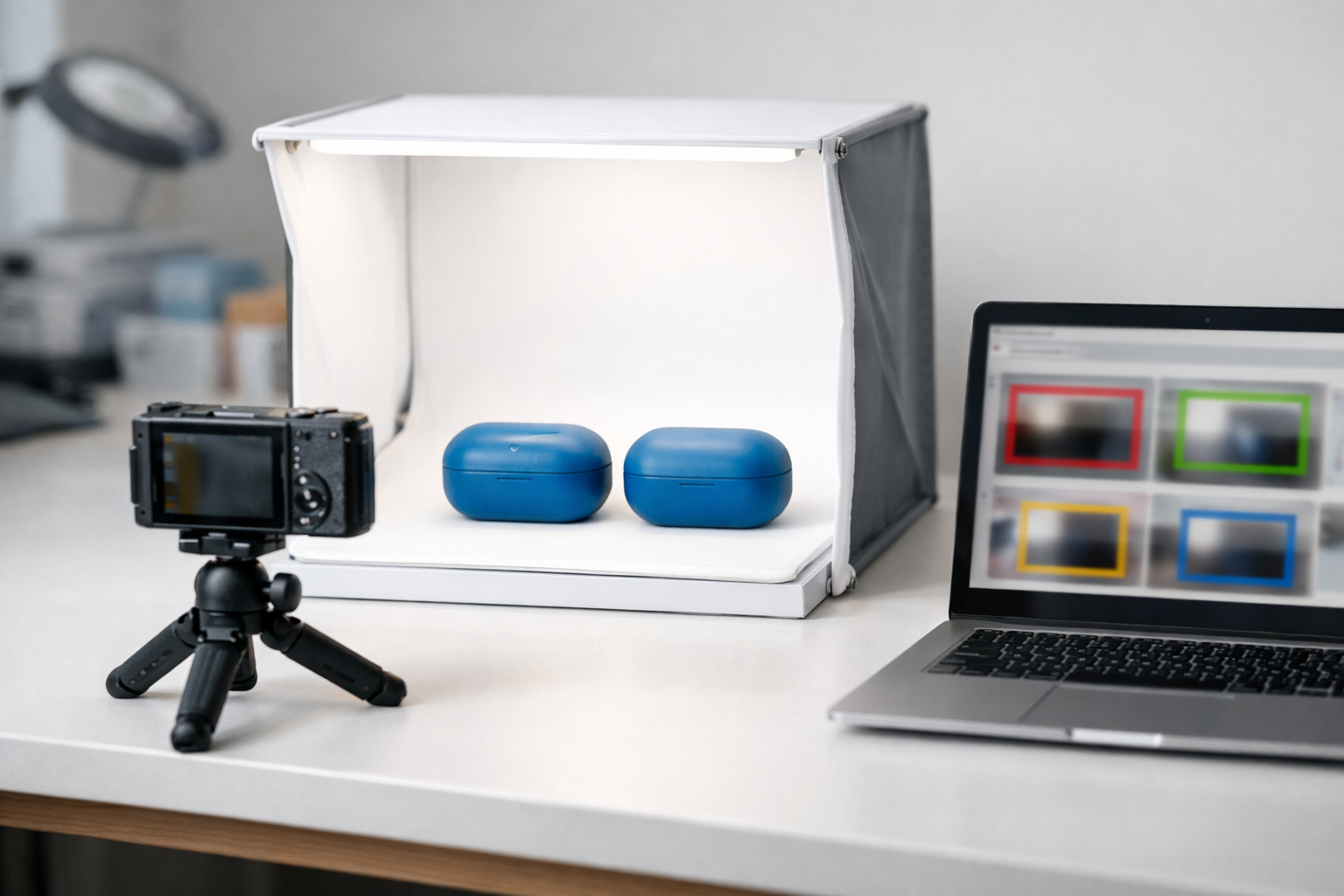
Turn product photos into clear pass/fail defect decisions—beginner friendly.
This course is a short, book-style path for absolute beginners who want to spot defects in product photos. You will learn how a computer can look at an image and decide whether a product should pass inspection or be flagged for review. Instead of starting with complex theory, you will start with the real-world workflow: taking consistent photos, defining what “defect” means, and building a first checker that you can run on new images.
By the end, you will have a practical prototype that takes a product photo and returns a clear outcome such as “PASS,” “FAIL,” or “UNCERTAIN,” plus simple evidence to help a person trust the decision. This is ideal for e-commerce photo QC, small manufacturing teams, labs, and anyone exploring camera-based inspection for the first time.
You will build a first visual inspection pipeline that includes data collection, labeling, training a baseline model, evaluating results, and running checks on brand-new photos. The course stays beginner-friendly by explaining each idea from first principles (what pixels are, what a dataset is, what it means to test fairly) and by focusing on repeatable steps.
Many people get stuck because they jump straight to training a model without controlling the basics: lighting, camera angle, backgrounds, and consistent definitions of defects. This course fixes that by making “data quality” the foundation. You’ll learn how to prevent common beginner issues like data leakage (accidentally testing on images the model has already seen), confusing labels, and overly optimistic scores.
This course is designed for absolute beginners. If you can manage files on your computer and upload/download images, you can follow along. It also works well for teams who need a shared starting point for a quality inspection pilot.
You will start by learning what defect detection is and choosing a small first project. Next, you’ll build your dataset in a way that avoids hidden mistakes. Then you’ll label images consistently, train a first model, and evaluate it like a quality engineer—focusing on false rejects and missed defects. Finally, you’ll package the result into a simple checking workflow and learn how to handle uncertainty safely with human review.
If you’re ready to build your first visual quality checker step by step, Register free and begin. You can also browse all courses to find related beginner paths in computer vision.
Computer Vision Engineer, Visual Inspection Systems
Sofia Chen builds camera-based inspection tools used in small factories and e-commerce photo workflows. She specializes in practical defect detection and teaching beginners how to ship simple, reliable prototypes. Her lessons focus on clear thinking, clean data, and repeatable results.
A visual quality checker is a system that looks at product photos and decides whether something is wrong. That sounds simple, but most “defect detection” projects fail because the goal is fuzzy: Are you trying to reject bad items (pass/fail), identify what kind of issue it is (defect type), or point to the exact location of the defect? This chapter defines what the job is—and what it is not—so your first model can be built, tested, and improved instead of endlessly debated.
In a factory or warehouse, the real workflow is always: capture → decide → act. You capture images under real constraints (lights, speed, angles). A model decides (or helps a human decide). Then someone or something acts: remove an item, rework it, open a ticket, or approve it for shipping. The model is not the workflow; it is one decision step inside it.
Defect detection is also not magic “understanding.” Computers do not see “a scratch” the way people do. They measure patterns of pixels and learn correlations: certain textures, edges, brightness changes, and shapes often co-occur with what you label as a defect. That means your data collection and labeling choices are as important as the algorithm. A beginner-friendly first project succeeds by making the problem small and testable: one product, one defect, clear success criteria, and a baseline you can beat.
The sections that follow turn those ideas into practical guidance you can use immediately: how to frame the task, what image variation matters, which defect examples are common, what task type fits your goal, how to think about tradeoffs like false alarms, and how to write a simple project brief that keeps everyone aligned.
Practice note for Define the goal: pass/fail vs defect type: document your objective, define a measurable success check, and run a small experiment before scaling. Capture what changed, why it changed, and what you would test next. This discipline improves reliability and makes your learning transferable to future projects.
Practice note for See how computers “read” images using pixels: document your objective, define a measurable success check, and run a small experiment before scaling. Capture what changed, why it changed, and what you would test next. This discipline improves reliability and makes your learning transferable to future projects.
Practice note for Map the real workflow: capture → decide → act: document your objective, define a measurable success check, and run a small experiment before scaling. Capture what changed, why it changed, and what you would test next. This discipline improves reliability and makes your learning transferable to future projects.
Practice note for Pick a first project: one product, one defect: document your objective, define a measurable success check, and run a small experiment before scaling. Capture what changed, why it changed, and what you would test next. This discipline improves reliability and makes your learning transferable to future projects.
Practice note for Set success criteria you can actually test: document your objective, define a measurable success check, and run a small experiment before scaling. Capture what changed, why it changed, and what you would test next. This discipline improves reliability and makes your learning transferable to future projects.
Practice note for Define the goal: pass/fail vs defect type: document your objective, define a measurable success check, and run a small experiment before scaling. Capture what changed, why it changed, and what you would test next. This discipline improves reliability and makes your learning transferable to future projects.
Practice note for See how computers “read” images using pixels: document your objective, define a measurable success check, and run a small experiment before scaling. Capture what changed, why it changed, and what you would test next. This discipline improves reliability and makes your learning transferable to future projects.
Most people already do “visual quality checking” without calling it that. When you buy fruit, you scan for bruises; when you receive a package, you look for torn tape; when you rent a car, you walk around it to spot dents. Each of these checks has an implicit rule: if the issue is big enough or in the wrong place, you reject it or ask for a replacement. Your first defect detection model should copy this simplicity.
Start by deciding what your checker is responsible for. A good first goal is assistive pass/fail: the model flags suspicious images for review, or automatically rejects only the most obvious failures. Trying to perfectly classify every possible defect on day one usually creates confusion in labeling and brittle models in production.
Map your own workflow using the same three verbs you will use later when you measure success:
Common mistake: building a model before you define the action. If “fail” doesn’t trigger a clear next step, teams argue about edge cases and labels. When the action is clear, you can label consistently: “Would this photo cause us to act?” is often a better question than “Is this defect present in theory?”
Practical outcome for this course: you will write a one-paragraph statement of purpose for your checker (what it flags, what it ignores, and what action follows). That statement becomes your anchor for collecting photos and labeling them without confusion.
Computers “read” images as grids of numbers. Each pixel is a tiny measurement of light: in a grayscale image it might be a single intensity value; in a color image it is usually three values (red, green, blue). A model never receives “a scratch” as input—it receives pixel patterns that tend to occur when humans label something as a scratch.
This is why lighting and camera setup matter so much. A shiny product photographed under harsh overhead lighting can show bright reflections that look like defects. A dim photo can hide dents. A phone camera’s automatic processing (HDR, sharpening, noise reduction) can make the same item look different across shots. If your training photos differ from your real deployment photos, your model learns the wrong cues and fails in production.
When you collect photos for a defect-checking project, think like an engineer: what variations will the model face, and which variations should it ignore?
Common mistake: collecting only “perfect studio” images, then deploying on messy real-world photos. A baseline model can still work if you collect representative images early, even if the dataset is small. Practical outcome: you will define a minimum photo standard (e.g., fixed distance, consistent background, two angles) and a short list of “allowed variation” you will intentionally include so your model learns robustness.
Defects are not all the same kind of visual problem. Understanding the visual signature of a defect helps you choose the right task and label strategy later. Here are four common categories you will see across products, with notes on what makes each tricky in photos.
Now connect defect type to label clarity. If you want a pass/fail model, you can label “fail” whenever the defect would trigger a reject in your process. If you want defect types, you need a stable taxonomy. A beginner-friendly taxonomy might be 3–5 labels max, and each label should have a few example images that your team agrees on.
Common mistake: mixing severity into the label names (“minor scratch,” “major scratch”) before you can measure it. Severity is real, but it is often better handled with business rules (e.g., “scratch longer than X mm”) or a two-stage approach (detect then grade) after you have a working baseline.
Practical outcome: you will pick one product and one defect to start, and you will write two short descriptions: what counts as the defect, and what is a “near miss” that should still be labeled pass (so you don’t train a model that over-rejects normal variation).
“Defect detection” is used loosely, but in computer vision there are distinct task types. Picking the right one is a major engineering judgment because it determines how you label data and how you measure success.
Beginner trap: choosing detection or segmentation because it sounds more “advanced,” then getting stuck labeling. For your first project, start with classification unless you have a clear reason you need location. A pass/fail classifier can be built quickly, provides an immediate baseline, and reveals whether the defect is visually learnable from your photos.
How do you decide? Use the workflow: if the action after “fail” is a human recheck, classification might be enough. If the action is automated rejection and false rejects are expensive, localization (detection) can provide evidence and make debugging easier. If the action depends on defect size (e.g., stain area threshold), segmentation may eventually be required.
Practical outcome: you will choose your initial task type and write a one-sentence justification tied to the action step. This prevents scope creep and keeps labeling consistent with what the model is supposed to output.
A quality checker is a product, not a demo. That means you must balance constraints: how fast the decision is needed, how accurate it must be, what labeling and camera setup cost, and how painful mistakes are. In defect checking, mistakes come in two flavors:
There is no universal “best” accuracy number. Success depends on the business cost of each error type. For example, in a safety-critical product you may accept more false alarms to reduce misses. In high-volume fulfillment, too many false alarms can overwhelm human reviewers and become unusable.
Speed constraints also shape your design. If you need results in under 200 ms per image on an edge device, you might prefer a smaller model and simpler preprocessing. If you can process photos in a nightly batch, you can afford slower inference and more complex pipelines.
Common mistake: evaluating a model only on overall accuracy. If 95% of items are “pass,” a model that always predicts pass gets 95% accuracy and is useless. You will later use easy, practical metrics (precision/recall, confusion matrix) and inspect failure cases to learn what the model is actually doing.
Practical outcome: you will write down your “error preference” (which is worse: false alarms or misses) and a rough target (e.g., “fewer than 2% false rejects on good items” or “catch at least 90% of obvious defects”). These targets are testable and guide your threshold choices later.
Before you collect photos or label anything, you need a brief that makes the project concrete. Think of it as a contract between your data, your model, and your workflow. A strong brief prevents the two most common failure modes: labeling chaos (“we changed our minds about what counts”) and evaluation confusion (“we don’t know if it’s good”).
Use this simple project brief template (keep it to one page):
Acceptance checklist (what you must be able to do at the end of this course): (1) run your checker on new photos, (2) produce a clear pass/fail report, and (3) explain common failure cases with examples (lighting changes, unusual angles, confusing reflections, partial occlusions). If you cannot explain failures, you cannot improve the system.
Common mistake: adding more labels to “fix” failures. Often the right fix is better data: more representative photos, clearer labeling rules, or a tighter capture setup. Your first milestone is not perfection—it is a baseline that runs end-to-end on your real workflow and gives you honest feedback about what’s hard.
1. Why do many defect detection projects fail, according to the chapter?
2. Which statement best describes how computers 'read' images in defect detection?
3. In the real-world workflow described, what are the three main steps around a defect detection model?
4. What is the chapter’s recommended approach for a beginner-friendly first defect detection project?
5. Which success criteria best matches what the chapter says you should set for a first project?
A visual quality checker is only as trustworthy as the photos you feed it. In practice, “model training” is often the easy part; dataset work is where most defect detection projects succeed or quietly fail. This chapter shows how to collect, standardize, organize, and split product photos so your later classifier can learn real defect cues (scratches, dents, missing parts) instead of accidental shortcuts (a different table, different camera, or different lighting for defects).
We’ll treat your dataset like an engineered asset: it needs clear rules, repeatable capture, and a structure that prevents mistakes. You’ll create a folder layout that supports pass/fail and defect-type labeling, gather “good” and “defective” examples safely, standardize angles and backgrounds, and split data into train/validation/test without leaking near-duplicates across splits.
Throughout, keep one guiding question in mind: “If I handed these photos to someone else, could they label them consistently and could a model learn the defect rather than the photo setup?” If the answer is no, fix the dataset before you build any model.
Practice note for Create a folder structure that prevents mistakes: document your objective, define a measurable success check, and run a small experiment before scaling. Capture what changed, why it changed, and what you would test next. This discipline improves reliability and makes your learning transferable to future projects.
Practice note for Collect “good” and “defective” examples safely: document your objective, define a measurable success check, and run a small experiment before scaling. Capture what changed, why it changed, and what you would test next. This discipline improves reliability and makes your learning transferable to future projects.
Practice note for Standardize photos: angle, distance, background: document your objective, define a measurable success check, and run a small experiment before scaling. Capture what changed, why it changed, and what you would test next. This discipline improves reliability and makes your learning transferable to future projects.
Practice note for Split data into train/validation/test without leaking: document your objective, define a measurable success check, and run a small experiment before scaling. Capture what changed, why it changed, and what you would test next. This discipline improves reliability and makes your learning transferable to future projects.
Practice note for Create a folder structure that prevents mistakes: document your objective, define a measurable success check, and run a small experiment before scaling. Capture what changed, why it changed, and what you would test next. This discipline improves reliability and makes your learning transferable to future projects.
Practice note for Collect “good” and “defective” examples safely: document your objective, define a measurable success check, and run a small experiment before scaling. Capture what changed, why it changed, and what you would test next. This discipline improves reliability and makes your learning transferable to future projects.
Practice note for Standardize photos: angle, distance, background: document your objective, define a measurable success check, and run a small experiment before scaling. Capture what changed, why it changed, and what you would test next. This discipline improves reliability and makes your learning transferable to future projects.
Practice note for Split data into train/validation/test without leaking: document your objective, define a measurable success check, and run a small experiment before scaling. Capture what changed, why it changed, and what you would test next. This discipline improves reliability and makes your learning transferable to future projects.
Practice note for Create a folder structure that prevents mistakes: document your objective, define a measurable success check, and run a small experiment before scaling. Capture what changed, why it changed, and what you would test next. This discipline improves reliability and makes your learning transferable to future projects.
Practice note for Collect “good” and “defective” examples safely: document your objective, define a measurable success check, and run a small experiment before scaling. Capture what changed, why it changed, and what you would test next. This discipline improves reliability and makes your learning transferable to future projects.
A dataset is not just a pile of images. It’s a structured collection of examples that represent the real world you want your checker to handle: your product, your camera setup, your acceptable variation, and your true defects. Each photo is an input, and each label (pass/fail or defect type) is the “answer key” the model learns from.
In defect checking, the dataset decides what the model thinks is important. If all your defective photos happen to be taken on a darker background, the model may learn “dark background = defect,” because that shortcut is easier than spotting a small scratch. This is why dataset design is an engineering task: you’re controlling the evidence the model is allowed to use.
Think of a simple everyday example: teaching a child to recognize apples vs. oranges. If every apple photo is in a bowl and every orange photo is on a countertop, the child learns “bowl vs. countertop,” not “apple vs. orange.” Models behave the same way, just faster and more stubborn.
Your goal in this chapter is to build a dataset that supports reliable learning. Later chapters will focus on training and evaluation, but if you skip the discipline here, you’ll spend weeks “debugging the model” when the actual bug is the dataset.
Standardizing photos is how you make the task learnable. You are not trying to make art; you are trying to create consistent evidence so differences in pixels correlate with product quality, not with the photographer’s mood. Write capture rules down and follow them every time.
Framing: Decide where the product sits in the image and how much margin you leave. For example: “Product centered, 10–15% border on all sides, no cropping of edges.” If your defects appear near corners, cropping is catastrophic—your dataset will silently delete the evidence you care about.
Angle and distance: Fix the camera height and tilt (use a tripod or a rigid mount). Mark the product placement on the table with tape. If the defect is visible only at certain angles (e.g., dent shows via shadow), take multiple standardized views (front, back, left, right) and treat each view as a separate image with its own label.
Focus and motion: Blurry “defects” create label noise. Use adequate shutter speed, disable aggressive beauty filters, and check sharpness by zooming in on a few samples per session. If you must use a phone, lock focus and exposure when possible.
Exposure and lighting: Avoid automatic lighting changes across images. Use consistent lighting and block sunlight from windows. If you see bright glare moving around, add a diffuser or change the light angle. Glare can look like scratches and will confuse both humans and models.
Background: Use one neutral background (matte white/gray/black) and keep it identical for both good and defective items. A different background for defects is one of the fastest ways to build a broken checker that “works” in a demo but fails in production.
These rules also keep collection safe: you minimize handling time and reduce the temptation to “manufacture defects” unsafely. Prefer collecting real rejects from normal operations rather than damaging products yourself.
In most real factories, defects are rare. That’s great for business but challenging for machine learning because the model can get high “accuracy” by predicting “good” every time. Your dataset should reflect reality enough to be useful, but not so extremely imbalanced that the model never learns defect patterns.
Start with a practical target: for a beginner pass/fail checker, aim for at least a few hundred images per class if you can, and treat it as an iterative process. If you have 2,000 good photos but only 40 defective, don’t just train anyway and hope. Instead, expand defect collection over time and prioritize defect diversity.
Defect diversity matters more than raw counts. Ten photos of the same scratch under identical lighting are less valuable than ten photos covering different scratch locations, sizes, and appearances. For defect-type classification (scratch vs. dent vs. misprint), you need enough examples of each defect type so the model doesn’t collapse them into “other.”
Also decide what “good” means. If “good” includes minor cosmetic variation that customers accept, your good set must contain that variation; otherwise your checker will flag acceptable products as defects. A common workflow is to ask QA for three bins: “good,” “clearly defective,” and “ambiguous.” Keep ambiguous out of training at first; use it later for policy discussions and threshold tuning.
Organization is a quality tool. A clean folder structure prevents accidental mixing of labels, makes it easier to reproduce results, and reduces “mystery bugs” later. Your goal is a structure where someone can’t accidentally train on test images or overwrite raw data.
Use a simple, beginner-friendly layout with three core ideas: raw is immutable, processed is reproducible, and labels are explicit.
For file names, choose a format that is both unique and informative. For example: productA_cam1_20260327_153045_view-front_id-000123.jpg. Avoid spaces and avoid names like IMG_001.jpg that will collide across devices.
Versioning: When your dataset changes, record it. You can do this lightly: create a new folder like dataset_v1, dataset_v2, and keep a short changelog in docs/dataset_changelog.md describing what changed (new defects added, relabeling, capture setup update). If you later measure improvement, you’ll know whether it came from a better model or simply better data.
This structure also supports the chapter’s first lesson—creating a folder structure that prevents mistakes. The biggest beginner mistake is editing images in place and losing the original evidence. Don’t do that; your future self will need the raw files to debug.
Splitting data is how you check whether your model generalizes to new photos. You typically create three sets: train (the model learns from these), validation (you tune decisions using these), and test (final, one-time evaluation). The key rule is: no leaking—near-duplicate images or related items should not appear in multiple splits.
Here’s a simple scenario: you photograph the same product unit from three angles. If angle 1 goes to training and angle 2 goes to test, your model may “recognize the unit” via tiny marks or lighting quirks. Your test score will look excellent, but in real use the model will fail on truly new units. The fix is to split by unit (or batch), not by image.
Another scenario: you take photos on Monday with one lighting setup and on Tuesday with another. If all Monday photos are in training and all Tuesday photos are in test, you are accidentally testing “lighting change robustness” rather than defect detection. That might be useful, but it should be intentional. Prefer mixing capture days across splits, unless you are deliberately testing a domain shift.
Store your split lists as files (e.g., train.txt, val.txt, test.txt) so the split is reproducible. If you “randomly split” each run, you can’t compare results honestly because the evaluation keeps changing.
Most failures in visual inspection projects come from a few repeatable traps. The good news is that you can prevent them with simple habits and documentation.
Finally, connect traps back to outcomes. A clean dataset makes every later step easier: labeling is faster, your baseline model trains without mysterious behavior, and your accuracy numbers mean something. In the next chapter, you’ll build your first baseline defect detector; your job now is to ensure the model will be learning the product’s quality signals—not the quirks of your data collection process.
1. Why does Chapter 2 argue that dataset work is often where defect detection projects succeed or fail?
2. What is the main purpose of creating a clear folder structure for your photos?
3. What does Chapter 2 emphasize standardizing (angle, distance, background) primarily helps prevent?
4. Which guiding question best summarizes the chapter’s standard for a high-quality dataset?
5. When splitting data into train/validation/test, what key risk must you avoid?
A visual quality checker is only as good as the “answers” you feed it. In machine learning, those answers are called labels, and the best set of labels you can reasonably create is often called ground truth. The phrase sounds absolute, but in real production work it is rarely perfect truth—it is a careful, repeatable decision about what counts as a defect and what does not.
This chapter focuses on making labels that are clear, consistent, and usable for training and evaluation. You will choose a labeling style (simple image labels vs. bounding boxes), label a small sample first, write rules that any teammate could follow, export and verify that labels match your images, and run a “sanity check” before you commit time to training.
A practical mindset helps: you are not labeling for the sake of labeling. You are building a system that must later produce a pass/fail result (or a defect type) that you can explain to someone looking at the photo. If your labeling rules are vague, your model will learn confusion—and your metrics will lie to you.
The rest of the chapter breaks labeling into concrete decisions and checks so you can move from “a folder of photos” to “a dataset ready for training.”
Practice note for Choose your labeling style: image label or boxes: document your objective, define a measurable success check, and run a small experiment before scaling. Capture what changed, why it changed, and what you would test next. This discipline improves reliability and makes your learning transferable to future projects.
Practice note for Label a small set and review for consistency: document your objective, define a measurable success check, and run a small experiment before scaling. Capture what changed, why it changed, and what you would test next. This discipline improves reliability and makes your learning transferable to future projects.
Practice note for Write clear labeling rules anyone can follow: document your objective, define a measurable success check, and run a small experiment before scaling. Capture what changed, why it changed, and what you would test next. This discipline improves reliability and makes your learning transferable to future projects.
Practice note for Export labels and verify they match your images: document your objective, define a measurable success check, and run a small experiment before scaling. Capture what changed, why it changed, and what you would test next. This discipline improves reliability and makes your learning transferable to future projects.
Practice note for Run a quick “sanity check” before training: document your objective, define a measurable success check, and run a small experiment before scaling. Capture what changed, why it changed, and what you would test next. This discipline improves reliability and makes your learning transferable to future projects.
Practice note for Choose your labeling style: image label or boxes: document your objective, define a measurable success check, and run a small experiment before scaling. Capture what changed, why it changed, and what you would test next. This discipline improves reliability and makes your learning transferable to future projects.
Practice note for Label a small set and review for consistency: document your objective, define a measurable success check, and run a small experiment before scaling. Capture what changed, why it changed, and what you would test next. This discipline improves reliability and makes your learning transferable to future projects.
Practice note for Write clear labeling rules anyone can follow: document your objective, define a measurable success check, and run a small experiment before scaling. Capture what changed, why it changed, and what you would test next. This discipline improves reliability and makes your learning transferable to future projects.
Practice note for Export labels and verify they match your images: document your objective, define a measurable success check, and run a small experiment before scaling. Capture what changed, why it changed, and what you would test next. This discipline improves reliability and makes your learning transferable to future projects.
Labels are the training signals for your visual quality checker: they tell the model what you want it to recognize. If you label an image as pass, you are saying “this is acceptable according to our standard.” If you label it as scratch, you are saying “this specific defect type is present.” If you draw a box, you are also telling the model where the defect is located.
“Ground truth” is the term used for the reference labels you trust when training and evaluating. In quality inspection, ground truth is a practical agreement, not a philosophical truth. Two people may disagree about whether a faint mark is a scratch or a lighting artifact. Your job is to reduce that disagreement by defining rules and building a dataset that reflects the decision policy you want in production.
Why it matters: the model will mimic your labeling behavior. If you label inconsistent examples (sometimes a tiny scuff is a fail, sometimes it is a pass), the model learns a blurred boundary and will be uncertain on exactly those cases that matter most. Worse, your evaluation metrics will become misleading: the model may look “bad” because the labels are noisy, or look “good” because the test set matches one labeler’s quirks.
In the next sections you will decide between image-level labels and bounding boxes, and you will practice building the kind of ground truth that supports clear training and clear evaluation.
The simplest labeling style is image-level classification: each photo gets exactly one label such as pass or fail. This works well when your operational goal is a single decision: “Is this product photo acceptable?” You can also use multiple defect types (multi-class) such as scratch, dent, stain, missing part, but keep the label set small enough that labelers can apply it consistently.
Start by writing down your decision boundary in everyday terms. For example: “A product fails if there is any visible damage on the main surface larger than a grain of rice, or any missing component.” Your boundary should reflect business reality: returns, customer complaints, or internal QA standards. Avoid rules that require measuring pixels unless you have a reliable scale reference.
Label a small set first. Pick 50–100 images that represent normal variation (different lighting, angles, backgrounds) and include borderline cases. Label them yourself, then have another person label the same set. Compare results. If agreement is low, the issue is usually not the people—it is the rules.
If you later find that pass/fail is too coarse (for example, you need to explain why it failed), you can extend to defect-type labels or move to bounding boxes. But beginning with a clear classification scheme often produces the fastest learning loop.
If you need the checker to point to the defect—“the scratch is here”—use object detection labels, typically bounding boxes. A box is a rectangle drawn around the visible defect region, optionally with a class name such as scratch or dent. Boxes are also useful when a single image can contain multiple defects, or when you want to ignore background clutter and focus the model on the relevant area.
Boxes increase labeling effort, so choose them deliberately. Ask: will a location improve downstream decisions (for example, rejecting only if the defect is on a critical surface), help human review, or reduce false alarms (model learns that a mark on the table is not a defect on the product)? If yes, boxes can pay off quickly.
When drawing boxes, consistency matters more than precision to the pixel. Decide what “tight” means: do you include a small margin around the scratch? Do you include reflections? A practical rule is: include the entire visible defect and a tiny margin, but avoid including unrelated features. For long thin scratches, a narrow box is fine; do not try to trace the exact shape unless you are doing segmentation.
As with classification, label a small subset first and review. Detection projects fail early when box styles vary widely between labelers. A short example gallery (good box vs. bad box) is one of the most effective tools you can create.
Most labeling confusion comes from edge cases: lighting glare that looks like a scratch, motion blur hiding a defect, dust that might wipe off, or a mark that is visible only at certain angles. Your labeling guidelines must address these cases explicitly, because the model will see them in production and will be forced to choose.
Start your guideline document as a short, living “rulebook.” It should include: the label set, definitions, and a decision tree for common ambiguities. For example: “If a mark disappears when zoomed in or follows the light direction, treat as reflection (not a defect). If it has a consistent edge and interrupts the surface texture, treat as scratch.” Include annotated example images. People learn faster from pictures than from text.
Decide how to handle uncertain photos. A practical approach is to add an uncertain or needs review label for images that cannot be judged reliably (heavy blur, extreme glare, obstructed view). This prevents polluting pass/fail ground truth with guesses. However, keep the uncertain bucket small and review it regularly; otherwise it becomes a dumping ground.
The practical outcome of this section is a set of labeling rules that can be followed by “someone who wasn’t in the room,” which is the true test of clarity. This also makes your training results interpretable: when the model fails, you can tell whether it violated the rulebook or the rulebook needs revision.
Before you label thousands of images, build a lightweight quality process. The goal is not bureaucracy; it is preventing expensive rework and preventing the model from learning contradictions. Quality checks can be quick: sample reviews, disagreement resolution, and periodic audits.
Spot-checking means reviewing a small random subset of labeled images (for example, 5–10% each day). Look for systematic issues: one labeler marks dust as scratches, another ignores it; boxes are too loose; “uncertain” is used too often; or photos of the wrong product are included. Keep a simple checklist and record recurring problems. If you catch patterns early, you can fix rules instead of fixing thousands of labels.
Disagreement fixes should follow a consistent process. When two labelers disagree, do not just “pick one.” Ask: which rule should decide this? If no rule exists, add one and retroactively align similar examples. For high-impact datasets, use a third reviewer (arbiter) for conflicts. For smaller teams, schedule a short weekly review where you resolve the top 20 confusing images and update the guideline document.
This is also where “label a small set and review for consistency” becomes a habit, not a one-time step. Quality checking is the bridge between human judgment and machine learning reliability.
Once labels exist, you must ensure they are usable by your training tools. This means exporting labels in a standard format, verifying that they match your images, and running a quick sanity check before training. Many projects fail here for simple reasons: missing files, wrong paths, mismatched filenames, or class IDs that don’t match the intended class names.
Export labels and verify they match your images. For classification, you might have a CSV with columns like filename,label or a folder structure like pass/ and fail/. For detection, common formats include COCO JSON or YOLO text files. Whatever you use, do a mechanical verification: (1) every image has a label, (2) every label points to an existing image, (3) class names/IDs are consistent, (4) bounding boxes are within image bounds and not negative, and (5) there are no duplicate or conflicting entries.
Run a quick sanity check before training. Make a small script or use a dataset viewer to overlay boxes on 50 random images, or to display image-level labels next to thumbnails. Your eyes will catch what metrics can’t: swapped labels, systematically shifted boxes, or a dataset that is 95% pass and only 5% fail (which will bias training). Also check label distribution by defect type; if one class has only a handful of examples, you may need more data or to merge classes.
When your labels are exported, verified, and sanity-checked, you are ready for the next chapter’s work: training a baseline defect detector and using your ground truth to measure real progress instead of guessing.
1. Why does the chapter describe “ground truth” as not being perfect truth in real production work?
2. What is the main reason to choose between simple image labels and bounding boxes?
3. The chapter recommends labeling a small sample first primarily to:
4. According to the chapter, what is a likely consequence of vague labeling rules?
5. What is the purpose of exporting labels and verifying they match your images (and doing a quick “sanity check”) before training?
In the previous chapters you collected photos and made labels that a computer can learn from. Now you will train a first “baseline” model: a simple checker that takes a new product photo and returns a decision such as PASS or FAIL (or a small set of defect types). The goal of a baseline is not perfection. The goal is to create something you can run end-to-end, measure with clear metrics, and improve with evidence instead of guesswork.
Think of this chapter as building your first reliable yardstick. If your baseline is trained reproducibly and tested on brand-new photos, it becomes a reference point for every future improvement: new labels, better lighting, more defect types, or a stronger model architecture. You will also learn how to notice common failure cases (for example, glare mistaken for scratches, or shadows mistaken for dents) and how to keep your best model saved so anyone on your team can reproduce the same results.
The key mindset shift: training is not a one-time event. It is an experiment loop. You decide on a baseline approach, train, evaluate, inspect mistakes, adjust data or settings, and repeat—carefully documenting each run so you know what changed.
Practice note for Pick a baseline approach that fits beginners: document your objective, define a measurable success check, and run a small experiment before scaling. Capture what changed, why it changed, and what you would test next. This discipline improves reliability and makes your learning transferable to future projects.
Practice note for Train a simple model and track results: document your objective, define a measurable success check, and run a small experiment before scaling. Capture what changed, why it changed, and what you would test next. This discipline improves reliability and makes your learning transferable to future projects.
Practice note for Understand overfitting with a clear example: document your objective, define a measurable success check, and run a small experiment before scaling. Capture what changed, why it changed, and what you would test next. This discipline improves reliability and makes your learning transferable to future projects.
Practice note for Save your best model and keep it reproducible: document your objective, define a measurable success check, and run a small experiment before scaling. Capture what changed, why it changed, and what you would test next. This discipline improves reliability and makes your learning transferable to future projects.
Practice note for Test on brand-new photos you didn’t train on: document your objective, define a measurable success check, and run a small experiment before scaling. Capture what changed, why it changed, and what you would test next. This discipline improves reliability and makes your learning transferable to future projects.
Practice note for Pick a baseline approach that fits beginners: document your objective, define a measurable success check, and run a small experiment before scaling. Capture what changed, why it changed, and what you would test next. This discipline improves reliability and makes your learning transferable to future projects.
Practice note for Train a simple model and track results: document your objective, define a measurable success check, and run a small experiment before scaling. Capture what changed, why it changed, and what you would test next. This discipline improves reliability and makes your learning transferable to future projects.
Practice note for Understand overfitting with a clear example: document your objective, define a measurable success check, and run a small experiment before scaling. Capture what changed, why it changed, and what you would test next. This discipline improves reliability and makes your learning transferable to future projects.
Practice note for Save your best model and keep it reproducible: document your objective, define a measurable success check, and run a small experiment before scaling. Capture what changed, why it changed, and what you would test next. This discipline improves reliability and makes your learning transferable to future projects.
A visual quality checker is a decision-making system built from examples. You provide product photos plus labels (for example, PASS/FAIL or “scratch,” “dent,” “missing part”), and the model learns patterns that correlate with each label. At runtime, the model sees a new photo and outputs a prediction. This is why label clarity matters: the model cannot learn a concept that humans label inconsistently.
It helps to think of a model as a function with two pieces: (1) a way to turn an image into numbers (features), and (2) a decision rule that maps those numbers to a label. In modern computer vision, the first piece is usually a neural network that learns features automatically: edges, textures, part shapes, and sometimes subtle cues like surface roughness. The second piece is typically a small classifier that converts the learned representation into probabilities.
For a beginner baseline, you don’t need to design features manually. Instead, you will rely on a pretrained vision model (trained on large general datasets) and fine-tune it on your defect photos. This works well because many visual building blocks—lines, corners, reflections—transfer across domains.
Engineering judgment: define the model’s “job” narrowly enough that it can succeed. If you try to detect 12 defect types with 20 images each, the model will memorize. A baseline is often best as a binary task first (PASS vs FAIL) or a small number of high-frequency defect types.
Common mistake: expecting the model to “understand” the product the way a human does. It does not reason about intent; it matches patterns. If all your FAIL photos are darker (because they were taken on a different shift), your model may learn “darkness = fail.” This is why you will later test on brand-new photos and inspect failure cases.
A baseline is the simplest approach you can trust as a comparison point. In defect checking, there are two beginner-friendly baseline families: rule-based checks and pretrained model fine-tuning. Rule-based checks are things like “if the image is too blurry, fail” or “if average brightness is below a threshold, fail.” These are easy to implement and can catch obvious problems (bad lighting, wrong background, camera out of focus). They are also brittle: they often fail when conditions vary slightly.
Pretrained vision models (for example, a small EfficientNet, MobileNet, or a Vision Transformer variant) start with general visual knowledge and adapt to your labels. This is usually the best baseline for beginners because it learns meaningful features without you writing complex image-processing logic. You can still keep a few rules as guardrails (for example, reject images that are too small or extremely blurry) while letting the model handle defect decisions.
How to choose quickly:
Practical workflow suggestion (beginner-friendly): fine-tune a pretrained classifier on your labeled dataset with a standard library (PyTorch + torchvision, Keras, or a no-code tool like Teachable Machine). Keep the input size modest (e.g., 224×224) and the model small so training is stable and repeatable.
Common mistake: comparing approaches on different data splits. If your rule baseline is evaluated on one test set and your model on another, you cannot trust the comparison. Lock your train/validation/test split early and reuse it for every approach.
Training a model is an iterative loop: learn from training images, check performance on validation images, then adjust settings or data. Even if you use a high-level tool, you should understand the moving parts so you can diagnose problems.
A standard beginner training setup:
What you should record every run (this becomes essential in Section 4.6): dataset version, split seed, model name, image size, augmentation settings, learning rate, batch size, number of epochs, and the best validation score. Without these, you cannot tell whether an improvement came from a real change or random variation.
Engineering judgment: do not chase tiny validation changes early. First, confirm your pipeline is correct. A good sanity check is overfitting on a tiny subset (say 20 images). If the model cannot reach near-perfect accuracy on that tiny set, something is wrong (labels mismatched to files, wrong preprocessing, learning rate too high/low).
Common mistakes that break training silently: mixing up label folders, accidentally training on the test set, resizing images inconsistently between training and evaluation, and shuffling issues that cause the same product instance to appear in both train and validation (data leakage). Leakage is especially common if you have near-duplicate photos; split by product ID or session when possible.
Data augmentation creates modified versions of your training photos—random crops, flips, small rotations, brightness shifts—so the model learns to focus on the defect signal instead of memorizing backgrounds or exact camera positions. Augmentation is one of the easiest ways to improve robustness, especially when you have limited data.
Augmentation helps when the variations you introduce are realistic for your production environment. For example, if operators take photos with slight angle differences, small rotations and perspective shifts are beneficial. If lighting varies by station, mild brightness/contrast jitter can help. If products can appear slightly off-center, random crops teach the model not to rely on perfect framing.
Augmentation hurts when it changes the meaning of the label or destroys the defect. Examples:
A practical beginner recipe: start with gentle augmentations (horizontal flip if orientation doesn’t matter, small rotation ±5–10°, mild brightness/contrast jitter). Avoid heavy random crops until you verify defects remain visible. If your products have a “correct orientation” (logos, text, connectors), avoid flips that create impossible images.
Engineering judgment: augmentation is not a substitute for data. If your model fails on a new kind of reflection, collect a small set of real examples from that lighting condition. Use augmentation to smooth small variations, not to invent entirely new conditions.
Overfitting is when your model becomes a champion at the training photos but performs poorly on new photos. Imagine teaching a new inspector by showing them 200 examples. If they memorize the exact look of those 200 images—“this scratch always appears in the top-left because that’s where the camera was”—they will fail when the camera shifts or the scratch appears elsewhere. That is overfitting: learning the quirks of the dataset instead of the underlying defect concept.
You can spot overfitting with a simple pattern in your training logs: training accuracy keeps improving while validation accuracy stalls or gets worse. The model is getting better at the training set but not generalizing.
Practical ways beginners reduce overfitting:
Common real-world example: you photographed FAIL items on a red mat and PASS items on a blue mat. A model can reach great training accuracy by learning “red = fail,” which looks impressive until you deploy to a station with a different mat. The fix is not “train longer.” The fix is to remove shortcuts: balance backgrounds, standardize capture, or include both labels across backgrounds.
In defect checking, overfitting often shows up as sensitivity to lighting. If your validation set has the same lighting as training, the issue may be hidden. This is why the next step—testing on truly new photos—is non-negotiable.
A baseline is only useful if you can reproduce it. “It worked on my laptop last week” is not acceptable for a quality checker. Saving and documenting your experiment means you can reload the best model later, rerun evaluation, and confidently compare improvements.
What to save:
How to pick “best model”: do not choose the model that performed best on the test set. The test set is for final reporting only. Instead, choose the checkpoint with the best validation metric (often balanced accuracy or F1 for imbalanced data). This is where early stopping fits naturally: save a checkpoint whenever validation improves.
Testing on brand-new photos: create a small “fresh” folder of images from a different day, camera station, or operator—anything that better represents deployment. Run your saved model on these photos and produce a simple report: file name, predicted label, confidence score, and (if possible) a thumbnail for quick review. Then manually inspect the top mistakes. Are they true model errors, labeling issues, or ambiguous cases? This inspection becomes your improvement plan for the next iteration.
Common mistake: forgetting that the runtime pipeline must match training. If you trained on 224×224 RGB images normalized in a certain way, but your deployment script uses a different resize or color order, accuracy will collapse. Treat preprocessing as part of the model and document it alongside the weights.
1. What is the main purpose of training a baseline visual quality checker in this chapter?
2. Which evaluation approach best matches the chapter’s recommendation for judging your first model?
3. Why should you test the model on brand-new photos you didn’t train on?
4. What does the chapter suggest you do after noticing common failure cases like glare being mistaken for scratches?
5. What practice helps ensure your results are reproducible by other people on your team?
Building a visual quality checker is not just about training a model and celebrating a high number. In production, the job is closer to quality engineering: you must understand what “good performance” means for your line, your products, and your risk. A model that is “95% accurate” can still be useless if it misses the rare but critical defect you care about—or if it rejects too many good items and slows operations.
This chapter shows how to evaluate your checker in a way that supports decisions. You’ll learn to read the core metrics in plain language, use a confusion matrix to see exactly what goes wrong, tune a decision threshold to control false rejects, and create a failure gallery that points to concrete improvements. Finally, you’ll translate metrics into practical acceptance criteria so you can decide whether the model is ready for a pilot.
As you read, keep a quality-engineer mindset: evaluation is not one scoreboard; it is a workflow. You measure, you inspect errors, you adjust behavior based on cost, and you confirm the model’s results match real operational needs.
Practice note for Read accuracy, precision, recall in plain language: document your objective, define a measurable success check, and run a small experiment before scaling. Capture what changed, why it changed, and what you would test next. This discipline improves reliability and makes your learning transferable to future projects.
Practice note for Use a confusion matrix to see what goes wrong: document your objective, define a measurable success check, and run a small experiment before scaling. Capture what changed, why it changed, and what you would test next. This discipline improves reliability and makes your learning transferable to future projects.
Practice note for Set a decision threshold to control false rejects: document your objective, define a measurable success check, and run a small experiment before scaling. Capture what changed, why it changed, and what you would test next. This discipline improves reliability and makes your learning transferable to future projects.
Practice note for Create a “failure gallery” to guide improvements: document your objective, define a measurable success check, and run a small experiment before scaling. Capture what changed, why it changed, and what you would test next. This discipline improves reliability and makes your learning transferable to future projects.
Practice note for Decide if the model is ready for a pilot: document your objective, define a measurable success check, and run a small experiment before scaling. Capture what changed, why it changed, and what you would test next. This discipline improves reliability and makes your learning transferable to future projects.
Practice note for Read accuracy, precision, recall in plain language: document your objective, define a measurable success check, and run a small experiment before scaling. Capture what changed, why it changed, and what you would test next. This discipline improves reliability and makes your learning transferable to future projects.
Practice note for Use a confusion matrix to see what goes wrong: document your objective, define a measurable success check, and run a small experiment before scaling. Capture what changed, why it changed, and what you would test next. This discipline improves reliability and makes your learning transferable to future projects.
Practice note for Set a decision threshold to control false rejects: document your objective, define a measurable success check, and run a small experiment before scaling. Capture what changed, why it changed, and what you would test next. This discipline improves reliability and makes your learning transferable to future projects.
Practice note for Create a “failure gallery” to guide improvements: document your objective, define a measurable success check, and run a small experiment before scaling. Capture what changed, why it changed, and what you would test next. This discipline improves reliability and makes your learning transferable to future projects.
Practice note for Decide if the model is ready for a pilot: document your objective, define a measurable success check, and run a small experiment before scaling. Capture what changed, why it changed, and what you would test next. This discipline improves reliability and makes your learning transferable to future projects.
In defect detection, a single score (like “accuracy”) hides the trade-offs that matter on a factory floor or in an e-commerce photo pipeline. A quality checker has two jobs: catch true defects and avoid rejecting good items. Those goals compete. If you make the model very strict, it will catch more defects but will also produce more false rejects. If you make it lenient, it will pass more good items but may miss important defects.
Evaluation matters because it connects your model to business cost. Missing a defect (a false pass) might lead to customer complaints, returns, or safety issues. Rejecting a good item (a false reject) might waste labor, increase rework, or slow shipment. Different products have different risk tolerance: a cosmetic scratch on packaging may be acceptable, while a missing component in a kit is not.
Common mistake: evaluating only on a “nice” test set that looks like your training images. Real photos drift: different phone cameras, changing lighting across shifts, different backgrounds, seasonal packaging updates, and wear on fixtures. A quality-engineer evaluation plan includes: (1) a held-out test set you never trained on, (2) a slice-by-slice view (by product type, camera, station, lighting), and (3) an error review process, not just metric reporting.
Practical outcome: by the end of this chapter you should be able to answer, “What errors are we making, how often, where, and what should we change?” That is far more actionable than “our model is 93%.”
Assume a simple pass/fail checker where “fail” means “defect present.” Your model predicts fail or pass for each photo. Four everyday questions translate directly into core metrics.
Accuracy asks: “Out of all photos, how often was the model correct?” It’s easy to understand but can be misleading when defects are rare. If only 2% of items are defective, a lazy model that always predicts “pass” gets 98% accuracy—while catching zero defects.
Precision asks: “When the model says ‘fail,’ how often is it truly defective?” High precision means few false rejects. This matters when a reject triggers manual inspection, rework, or a stop-the-line event. Low precision means your operators will lose trust: the model cries wolf too often.
Recall asks: “Out of all truly defective items, how many did we catch?” High recall means few false passes. This matters when defects are costly or dangerous to miss. Recall is often the headline metric for safety-related checks.
F1 combines precision and recall into one number (their harmonic mean). Use F1 when you need a single summary but still care about both false rejects and false passes. However, don’t let F1 replace thinking—two models can have similar F1 yet very different operational behavior.
Practical workflow: report all four metrics, then add counts. “Precision 0.80” is less informative than “We rejected 100 items; 80 were truly defective and 20 were good.” Counts help teams reason about staffing and cost. Another common mistake is forgetting the base rate: always note what percentage of the test set is defective.
A confusion matrix is the most practical evaluation tool for a pass/fail checker because it shows the four outcomes explicitly. Put the “true” label on one axis and the “predicted” label on the other. You will see:
Once you have these four numbers, every key metric becomes a simple ratio: accuracy uses all four, precision is TP/(TP+FP), and recall is TP/(TP+FN). More importantly, the matrix forces a quality conversation. Ask: are we more worried about FP or FN? Which one is larger? Which one is more expensive?
Practical tip: compute a confusion matrix not only overall, but also by slice. Make a matrix for each product family, camera station, or lighting setup. It’s common to discover one station produces most false rejects due to glare, or one product variant produces missed defects because its normal texture looks “busy.”
Common mistake: treating the confusion matrix as final truth without checking labels. If your labels are inconsistent (for example, borderline cosmetic marks labeled “defect” in some batches and “pass” in others), your confusion matrix will look worse than the model really is. If you see frequent “errors” that are actually labeling disagreements, fix the labeling rules and re-evaluate.
Most modern classifiers produce a confidence score (often a probability) for “defect.” Turning that score into pass/fail requires a decision threshold. A common default is 0.5: predict fail if defect probability ≥ 0.5. But in quality checking, 0.5 is rarely the best choice.
Lowering the threshold (for example to 0.3) makes the model more willing to say “fail.” This typically increases recall (fewer missed defects) but lowers precision (more false rejects). Raising the threshold (for example to 0.8) makes the model conservative about failing items. This typically increases precision but lowers recall.
Quality-engineer approach: choose the threshold based on cost and workflow. If a “fail” triggers a quick, cheap human inspection, you can tolerate more false rejects to avoid missing defects. If false rejects are extremely costly (scrap, rework, or customer delays), you may accept slightly lower recall to keep precision high.
Practical workflow to tune: (1) run the model on a validation set and save the defect scores, (2) try several thresholds (0.1 to 0.9), (3) compute precision/recall at each threshold, and (4) select a threshold that meets your operational target (for example, “recall ≥ 0.95 while precision ≥ 0.70”). Then confirm the chosen threshold on your untouched test set.
Common mistake: changing the threshold after looking at test results repeatedly. That leaks test information into your decision and makes results over-optimistic. Treat the test set like a final exam: tune on validation, report once on test.
Metrics tell you how often you fail; error analysis tells you why. The most effective technique is a “failure gallery”: a folder (or spreadsheet) of misclassified images with notes. Create two galleries: false rejects (FP) and missed defects (FN). For each image, record the model score, the true label, the predicted label, and a short reason you suspect it failed.
In product photos, the same root causes appear repeatedly:
Practical outcome: each failure should suggest an action. If glare causes misses, add diffused lighting or capture guidelines, then collect new examples. If backgrounds confuse the model, standardize the photo station or add background variety in training. If look-alikes dominate, refine labels into clearer defect types or add “acceptable variation” as its own class so the model can learn the distinction.
Common mistake: only collecting more data without changing anything. A failure gallery helps you collect targeted data: “20 more images of this defect under side lighting” is better than “200 random images.”
Deciding if the model is “ready” is not a purely technical question. For a first pilot, define acceptance criteria that reflect risk, volume, and the human process around the model. Start by writing down: (1) the defect types that must not be missed, (2) the cost of a missed defect versus a false reject, and (3) how a human will review or override decisions.
A practical set of pilot criteria might include:
Also define what “pilot” means operationally. Many teams begin with a shadow mode: the model produces pass/fail reports, but humans still make the official decision. Compare disagreements, update the failure gallery weekly, and retune the threshold if needed. Once the pilot meets criteria consistently, move to assisted mode (model flags likely defects) before full automation.
Common mistake: shipping based on overall accuracy without a plan for monitoring. Even a good checker will degrade when packaging changes or lighting drifts. For deployment readiness, require a monitoring plan: track defect rate, model score distribution, and a periodic labeled sample to confirm precision/recall stay within bounds.
Practical outcome: you leave this chapter able to say, with evidence, whether your visual checker is safe and useful for a pilot—and exactly what you will do next if it is not.
1. Why can a model with “95% accuracy” still be a bad visual quality checker in production?
2. What is the main purpose of using a confusion matrix when evaluating the checker?
3. How does setting a decision threshold help in a quality-engineering evaluation workflow?
4. What is a “failure gallery” used for in this chapter’s evaluation approach?
5. Which best describes the chapter’s recommended mindset for deciding if the model is ready for a pilot?
Up to now, you’ve built a detector and learned how to evaluate it. This chapter is about making it usable in the real world: a repeatable flow that takes new product photos as input and produces a clear decision, plus enough evidence that a person can trust (or challenge) the result. A model that only outputs a number isn’t a “checker” yet. A checker is a small system: it knows where images come from, how they’re processed, how decisions are made, and how results are stored and shared.
In practice, people will ask: “Which photos failed?”, “Why did it fail?”, “Can I re-check a fixed photo?”, and “How many are uncertain?” You’ll solve those questions by designing outputs that are stable, readable, and easy to audit. You’ll also add safety: an “uncertain” outcome and a human review path so the tool doesn’t silently make high-impact mistakes.
Throughout this chapter, think like an engineer building a small product. Your goal is not only to run inference, but to produce a pass/fail report per photo, batch-check folders reliably, and leave a trail that supports improvement and maintenance.
Practice note for Build a simple input→output checking flow: document your objective, define a measurable success check, and run a small experiment before scaling. Capture what changed, why it changed, and what you would test next. This discipline improves reliability and makes your learning transferable to future projects.
Practice note for Generate a clear pass/fail report per photo: document your objective, define a measurable success check, and run a small experiment before scaling. Capture what changed, why it changed, and what you would test next. This discipline improves reliability and makes your learning transferable to future projects.
Practice note for Batch-check a folder of new product images: document your objective, define a measurable success check, and run a small experiment before scaling. Capture what changed, why it changed, and what you would test next. This discipline improves reliability and makes your learning transferable to future projects.
Practice note for Add basic safeguards: “uncertain” and human review: document your objective, define a measurable success check, and run a small experiment before scaling. Capture what changed, why it changed, and what you would test next. This discipline improves reliability and makes your learning transferable to future projects.
Practice note for Plan next improvements and maintenance steps: document your objective, define a measurable success check, and run a small experiment before scaling. Capture what changed, why it changed, and what you would test next. This discipline improves reliability and makes your learning transferable to future projects.
Practice note for Build a simple input→output checking flow: document your objective, define a measurable success check, and run a small experiment before scaling. Capture what changed, why it changed, and what you would test next. This discipline improves reliability and makes your learning transferable to future projects.
Practice note for Generate a clear pass/fail report per photo: document your objective, define a measurable success check, and run a small experiment before scaling. Capture what changed, why it changed, and what you would test next. This discipline improves reliability and makes your learning transferable to future projects.
Practice note for Batch-check a folder of new product images: document your objective, define a measurable success check, and run a small experiment before scaling. Capture what changed, why it changed, and what you would test next. This discipline improves reliability and makes your learning transferable to future projects.
Practice note for Add basic safeguards: “uncertain” and human review: document your objective, define a measurable success check, and run a small experiment before scaling. Capture what changed, why it changed, and what you would test next. This discipline improves reliability and makes your learning transferable to future projects.
Practice note for Plan next improvements and maintenance steps: document your objective, define a measurable success check, and run a small experiment before scaling. Capture what changed, why it changed, and what you would test next. This discipline improves reliability and makes your learning transferable to future projects.
A usable visual quality checker is an input→output flow with clear steps and consistent rules. Start by writing the workflow in plain language before you write code. For example: (1) receive an image, (2) validate it’s usable, (3) preprocess it the same way as training, (4) run the model, (5) convert model scores into a decision, (6) save outputs and a summary report.
In code, keep these steps separated. A common beginner mistake is to mix file I/O, preprocessing, prediction, and reporting in one function. That makes it hard to debug when a folder contains a corrupted file or when you change the threshold. Instead, create small functions like load_image(path), preprocess(img), predict(preprocessed), and make_decision(scores, threshold).
Engineering judgement shows up in decision rules. If your model outputs a probability of “defect,” you must pick a threshold. Don’t default to 0.5 without thinking. If missing a defect is costly, you may want a lower threshold (more sensitive, more false positives). If rework is expensive, you may want a higher threshold (more precise). Keep the threshold configurable in one place so you can adjust it without rewriting the checker.
Finally, decide the “unit of work.” Most checkers operate per photo, but you may also need per product (multiple views). If one photo fails, does the whole product fail? Make that rule explicit, because people will assume different things.
Inputs are rarely as clean as your training set. Your checker should accept a folder of images, but it also needs to handle real-world quirks: different file extensions, huge images from a phone, rotated EXIF orientation, or a completely unrelated photo accidentally dropped into the folder.
Start with input validation. At minimum: verify the file can be opened, confirm it’s an image, and record its original size. If loading fails, output a result row with status like ERROR_LOADING rather than crashing the entire run. For color handling, be consistent: convert everything to RGB (or BGR if your pipeline expects it), because inconsistent channels can produce unpredictable results.
Outputs should answer two questions: “What did you decide?” and “What do I do next?” A strong pass/fail report per photo includes:
Use a machine-friendly format (CSV or JSONL) so results can be sorted and aggregated, and a human-friendly format (a simple HTML report or a folder of annotated images) so non-technical teammates can review quickly. A common mistake is to only save a single “overall accuracy” number; for operations, the per-photo trace is what matters.
Also decide where results live. Don’t overwrite outputs in place. Create a run folder like runs/2026-03-27_1530/ with results.csv and an annotated/ subfolder. This makes auditing and comparisons between model versions much easier.
When someone challenges a FAIL decision, a probability score alone rarely resolves the disagreement. Visual evidence builds trust and accelerates review. Your goal is not perfect interpretability; it’s practical explanation: “Here is the area that most influenced the defect decision.”
If your model is a classifier (no bounding boxes), you can still generate helpful visuals. A common approach is a heatmap overlay (for example, Grad-CAM-style attention). Save an image that shows the original photo and an overlay indicating the regions that drove the defect score. Keep the overlay subtle so the underlying defect remains visible.
If you trained or fine-tuned a detector/segmenter, use what it already provides: bounding boxes or masks. Draw boxes with labels (e.g., scratch: 0.82) and a clear color scheme (red for defect, green for acceptable). Avoid clutter: if there are many low-confidence boxes, show only the top few or those above a visualization threshold.
Common mistakes: treating the heatmap as ground truth (“the model proved the defect is here”), or using explanation methods that are unstable because preprocessing differs between training and inference. Keep explanations as supporting evidence, not absolute proof. The practical outcome you want is faster resolution: reviewers can quickly confirm true defects and flag systematic false positives (for example, the model always highlights a shiny logo or background shadow).
Single-image demos are useful, but real usage is batch-checking a folder of new product images. Batch processing introduces two requirements: reliability (it should finish even with a few bad files) and organization (results should be easy to browse, filter, and share).
Start with a predictable directory layout. For example: incoming/ for new photos, runs/<timestamp>/ for outputs, and within each run: annotated/, failed/, passed/, and uncertain/ folders. Copy (or symlink) images into these buckets based on the decision so a reviewer can open one folder and focus on the relevant subset. Keep the original input folder unchanged; treat it as read-only.
In the batch loop, handle errors per file. Wrap image loading and prediction in a try/catch (or equivalent) and log exceptions to errors.log. Record partial progress frequently (append to CSV as you go) so a crash doesn’t lose the entire run.
priority column such as highest defect score first.For sharing, consider generating a minimal HTML index page: a table with filename, decision, score, and a thumbnail link to the annotated image. This is often more useful than sending a large spreadsheet alone. The practical outcome is an operations-ready tool: drop in a folder, run one command, and deliver a reviewable package of results.
No matter how good your model is, some photos will be borderline: unusual lighting, partial occlusion, new packaging, or a defect that looks similar to acceptable texture. A professional checker acknowledges this with an “uncertain” outcome and a human review process. This is a safeguard, not a failure.
Implement uncertainty using two thresholds instead of one. For a defect probability p: if p >= fail_threshold, mark FAIL; if p <= pass_threshold, mark PASS; otherwise mark UNCERTAIN. The gap between thresholds is the review band. Widen it if you want safer automation (more human review), narrow it if you need more throughput.
Route UNCERTAIN items to a review queue. Practically, this can be a folder (runs/.../uncertain/) plus a CSV filtered to uncertain rows. Add reviewer fields like review_decision, reviewer, and notes. Even if you start with a manual process (a shared spreadsheet), structure the columns now so you can automate later.
A common mistake is to hide uncertainty by forcing a pass/fail decision. That can reduce trust quickly when users discover obvious misses. With a clear UNCERTAIN path, you reduce risk and create a continuous feedback loop: the checker handles the easy cases automatically and sends the hard cases to people.
Once your checker is running, the next phase is maintenance and expansion. Real deployments change: new products appear, camera setups change, and defect definitions evolve. Plan for this from the start by tracking what model version produced each result and by storing representative samples of inputs (especially failures and uncertain cases).
To expand defect coverage, add classes gradually. Start with the defects that matter most operationally (costly returns, safety issues, brand impact) and that are visually consistent enough to label. Update your labeling guide whenever you add a defect type, and re-check for ambiguity between classes (e.g., “smudge” vs “scratch”). Confusing labels produce a model that seems unreliable even if the architecture is fine.
For new products or backgrounds, run a “shadow evaluation” first: process new images with the current model, but do not act on its decisions automatically. Review the outputs, measure pass/fail distribution, and identify new failure modes. Then collect a targeted set of examples (especially false positives and false negatives) for retraining or fine-tuning.
The practical outcome is a checker that stays useful. A model is not a one-time deliverable; it’s a component in a workflow that must remain aligned with changing products and processes. With clear reports, organized batch runs, an uncertainty route, and a plan for updates, your visual quality checker becomes something people can rely on day after day.
1. Why isn’t a model that only outputs a number considered a complete “checker” in this chapter?
2. Which output best supports trust and the ability to challenge results?
3. What problem does batch-checking a folder of new product images primarily solve?
4. What is the purpose of adding an “uncertain” outcome and a human review path?
5. Which design choice best addresses questions like “Which photos failed?”, “Why did it fail?”, and “Can I re-check a fixed photo?”

- Learning Evolved.
- Intelligence Amplified.


