AI Robotics & Autonomous Systems — Beginner
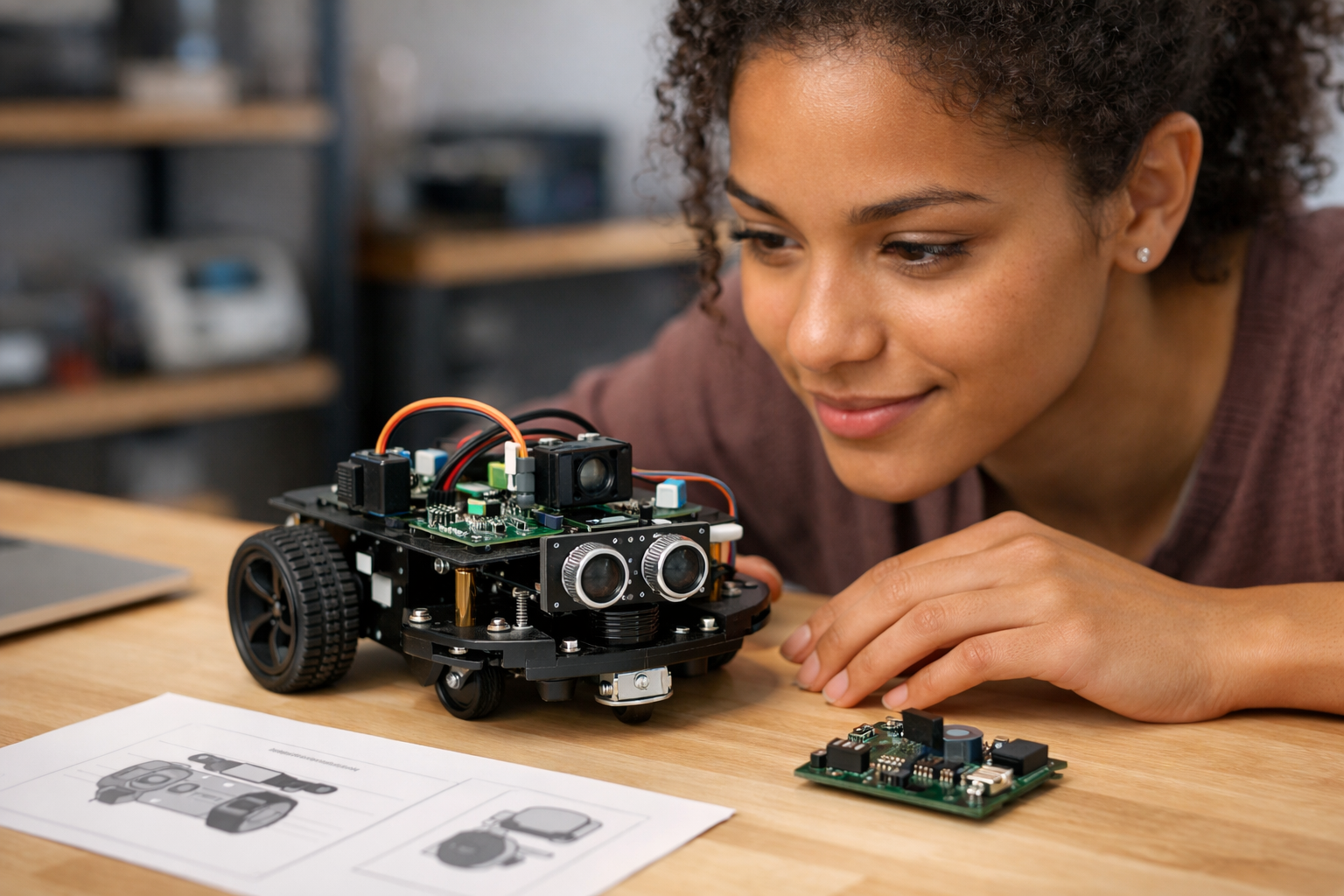
Learn how a simple robot brain works without writing code
This beginner course is a short, book-style introduction to one of the most exciting ideas in technology: giving a robot the ability to sense, decide, and act. If you have ever wondered how robots seem to “think,” but felt put off by coding, math, or technical language, this course was designed for you. You do not need any prior experience in AI, robotics, engineering, or data science. We start at the very beginning and build your understanding step by step.
The main goal of this course is simple: help you understand what a robot brain really is and show you how to design your first one without writing code. You will learn how robots gather information from sensors, how they turn that information into decisions, and how those decisions lead to actions in the real world. By the end, you will have a clear blueprint for a simple robot brain that you can explain with confidence.
This course is structured like a short technical book with six connected chapters. Each chapter builds on the one before it, so you never feel lost or overwhelmed. We begin with the basic idea of a robot and the three jobs of a robot brain. Then we move into sensing, decision-making, no-code behavior design, feedback, safety, and finally a full robot brain plan for a beginner project.
Instead of teaching advanced theory, we focus on practical understanding. Every concept is explained in plain language and grounded in everyday examples. You will not be asked to memorize formulas or write software. Instead, you will learn how to think like a robot designer by using simple models, visual logic, and clear step-by-step reasoning.
This makes the course ideal for curious learners, students, teachers, career switchers, and anyone who wants a solid entry point into AI robotics. If you are exploring a future in robotics or simply want to understand the technology shaping the world, this course gives you a confident starting point.
As you progress through the six chapters, you will build a strong mental model of how a robot brain works. You will understand the difference between automation and AI, see how sensors turn the real world into useful signals, and learn how a robot uses goals and rules to choose actions. You will also discover how to test a behavior, improve weak decisions, and add simple safety checks so a robot behaves in a more reliable way.
Most importantly, you will finish with a complete beginner-level robot brain blueprint. This means you will be able to describe a small robot task, choose what the robot needs to sense, define how it should decide, and outline what it should do next. That is a powerful first step into robotics.
If that sounds like you, this is a great place to start. You can Register free and begin learning right away, or browse all courses to compare topics across AI and emerging technology.
Robotics does not have to feel complicated. When broken into simple parts, a robot brain becomes much easier to understand: first the robot notices, then it decides, then it acts. This course helps you master that flow in a friendly, structured, beginner-safe way. If you are ready to understand how smart machines work and design your first robot brain without coding, this course is your starting line.
Robotics Educator and Applied AI Specialist
Sofia Chen teaches robotics and artificial intelligence to beginners through hands-on, plain-language learning. She has helped students, teachers, and career changers understand how robots sense, decide, and act without needing a technical background.
When people hear the word robot, they often imagine a walking metal helper with arms, eyes, and a human-like voice. In real engineering, a robot does not need to look human at all. A robot can be a vacuum that avoids chair legs, a warehouse cart that follows a route, a lawn mower that stays inside a boundary, or even a small classroom rover that moves when it sees a line on the floor. What makes these machines interesting is not their shape. It is their ability to sense what is happening, choose what to do next, and act in the real world.
This chapter introduces the idea of a robot brain in simple everyday language. You do not need coding experience to understand it. Think of a robot brain as the part of the system that connects noticing, deciding, and doing. It takes in information from sensors, compares that information to a rule or goal, and tells motors, lights, speakers, or other parts what to do. That simple loop is the foundation of robotics.
A helpful way to study robotics is to break the machine into three jobs. First, a robot must notice the world. Second, it must think about what the sensed information means. Third, it must act in a way that moves it toward a goal. These three parts appear again and again in every robot system, from toy robots to industrial equipment. If you can describe a robot in terms of sensing, thinking, and acting, you already understand the core structure of a robot brain.
It is also important to separate commands from decisions. A command is a direct instruction such as “move forward now” or “turn on the light.” A decision happens when a machine chooses between possible actions based on what it senses, what goal it is trying to achieve, and what happened a moment ago. For example, “if the path is blocked, stop and turn” is a decision rule. That difference matters because a robot brain is valuable not just when it repeats steps, but when it adjusts behavior as the world changes.
As you read, keep one practical outcome in mind: by the end of this chapter, you should be able to sketch a simple no-code robot workflow from input to action. That means you can describe a sensor, state the rule or goal, and name the action the robot should take. This is the beginning of robot design. Before anyone writes code or wires hardware, a clear thinking map makes the behavior easier to build, test, and improve.
Engineers rely on these simple ideas because real robots make mistakes. Sensors can be noisy. Rules can be too rigid. Goals can conflict. A robot vacuum may think a dark rug is a cliff. A delivery robot may slow down too much because it treats every shadow as an obstacle. A common beginner mistake is to assume the robot sees the world exactly as people do. It does not. It only knows what its sensors can measure and how its decision logic interprets that data.
Another important idea is feedback. Feedback means the robot does not act once and forget. Instead, it acts, checks what changed, and then updates its next move. That is how a robot stays on a line, avoids a wall, or corrects a wrong turn. Feedback is one of the simplest and most powerful tools in robotics, because the real world is messy and small errors build up quickly when a robot never checks its progress.
This chapter will help you build sound engineering judgment from the start. You will learn what a robot is and is not, see the three jobs of a robot brain, recognize the difference between commands and decisions, and map a simple robot from input to action. Those ideas are enough to design your first robot behavior without writing a single line of code.
Not every machine is a robot. A blender, flashlight, or elevator all do useful work, but they are not automatically robots just because they have moving parts or electricity. A robot is usually defined by three abilities working together: it can sense something about the environment, process that information, and then act in the physical world. If one of these pieces is missing, the machine may still be automated, but it is not acting like a full robot.
For example, a remote-control toy car can move, but if it only obeys a person holding a controller, it is mostly a machine receiving commands rather than making decisions. A motion-activated trash can senses movement and acts by opening its lid, so it shows a tiny form of robotic behavior. A robot vacuum goes further: it senses walls, edges, and dirt; it decides where to go next; and it acts through wheels and brushes. The more a machine can handle changes on its own, the more robotic it becomes.
In practice, engineers ask a few simple questions. Can the machine detect useful inputs? Can it choose an action based on those inputs? Can it affect the world through movement, sound, light, gripping, or some other output? If the answer is yes to all three, you are likely dealing with a robot system. This definition is practical because it helps you focus on behavior, not appearance. A robot does not need a face. It needs a working loop between sensing, thinking, and acting.
A common mistake is to think “smart” means “human-like.” That is not necessary. Many good robots are narrow specialists. They do one job clearly and reliably. In beginner design, aim for that. A robot that only follows a line can still teach the complete logic of robotics. Start with a clear purpose, identify what the robot must notice, and define how it should respond. That mindset is more useful than chasing science-fiction ideas.
The phrase robot brain sounds dramatic, but in this course it means something simple and useful: the part of the robot that turns sensor information into action. It does not need to resemble a human brain. It might be a tiny control board, a visual workflow tool, or a no-code logic system. What matters is the job. The robot brain receives inputs, checks conditions, applies rules or goals, and sends outputs to the parts that move or respond.
You can think of the robot brain as a traffic manager. Sensors keep reporting what is happening: “object ahead,” “battery low,” “line detected,” or “button pressed.” The brain sorts this information and decides what deserves attention first. It might say, “If an obstacle is close, stop before doing anything else,” or “If the battery is low, return to charge.” These are not random reactions. They express priorities, safety rules, and intended outcomes.
This is where the difference between commands and decisions becomes clear. A command is fixed: “drive forward for two seconds.” A decision includes a condition or comparison: “drive forward unless the front sensor detects a wall.” Commands are useful in controlled situations, but robots become more robust when they can decide based on changing conditions. Even simple decision logic makes a robot far more practical in the real world.
Good engineering judgment starts by keeping the robot brain simple enough to understand. Beginners often create too many rules at once, which causes confusing behavior. Instead, define one goal, one or two sensor inputs, and a small set of actions. Then decide which rule should win if two rules conflict. For instance, safety should usually override speed. If a robot both wants to move forward and needs to avoid hitting a chair, avoiding the chair comes first. This kind of priority setting is part of designing a robot brain, even before code exists.
The three core parts of robotics are sensing, thinking, and acting. These are the three jobs of a robot brain in context. Sensors help the robot notice the world. Decision logic helps it interpret what that means. Actuators such as motors, wheels, grippers, lights, or speakers let it do something in response. If you can describe these three stages clearly, you can explain almost any robot in simple language.
Sensors are not magic eyes. They are measuring devices with limits. A distance sensor may estimate how far away an object is. A light sensor may report brightness. A touch sensor may say whether contact has happened. A camera may provide images, but the robot still needs logic to decide what those images mean. This is why sensor data should be treated as evidence, not perfect truth. Real readings can be noisy, delayed, or misleading.
After sensing comes decision-making. At a basic level, decisions can be built from rules such as if this happens, do that. More advanced systems may use scoring, goals, or learned patterns, but the principle is the same: compare what is happening with what should happen next. A robot following a line might use a rule like “if the line moves left in the sensor view, steer left slightly.” A robot avoiding obstacles might use “if distance ahead is below a safe threshold, stop and turn.”
Then comes action. Actions should be specific and observable. “Move forward slowly,” “turn right 30 degrees,” “beep,” or “stop” are clear actions. The best beginner workflows connect each sensed situation to one clear action. Feedback then closes the loop. After the robot acts, it senses again and checks whether the action worked. If not, it adjusts. Common mistakes happen when there is no feedback, when thresholds are poorly chosen, or when actions are too strong. For example, a robot may overcorrect left and right repeatedly because its turning action is too large for the problem. Small, testable actions are easier to improve.
Daily life offers many easy examples of robot behavior. A robot vacuum notices a wall with a bump sensor or distance sensor, decides the path is blocked, and turns. An automatic soap dispenser notices a hand below the nozzle, decides the hand is in position, and pumps soap. A lawn robot notices its boundary signal, decides it is near the edge of its work area, and changes direction. These examples show that a robot brain does not need to be mysterious. It is often a sequence of practical checks and responses.
Consider a simple warehouse cart. Its inputs may include a route marker, obstacle sensor, and battery level. Its decisions may include “follow the route,” “stop if blocked,” and “go charge if battery is low.” Its actions include rolling forward, slowing down, turning, and docking. Notice how goals matter here. The cart is not just following commands. It is balancing progress, safety, and energy use. That balancing is a key feature of robot decision-making.
These examples also help explain what a robot is not. A washing machine runs through timed steps and uses sensors, but in most cases it is a fixed automation system rather than a mobile robot interacting continuously with an open environment. The distinction is useful because robotics usually involves uncertainty. Chairs move. People appear suddenly. Lighting changes. Floors are uneven. Robot brains are valuable because they manage these changing conditions.
When you design your own no-code robot behavior, start with an everyday scenario. For instance: “A small rover should move until it sees an obstacle, then stop and turn.” That is enough for a first design. Name the sensor, state the condition, define the safe response, and add a feedback step. If it still sees the obstacle after turning, turn again. This kind of simple loop teaches the real structure of robotics better than a long list of fancy features.
These three words are often mixed together, but they are not the same. Automation means a machine follows a defined process with limited adaptation. A conveyor belt that starts when a sensor is triggered is automated. AI refers to methods that help a system recognize patterns, make predictions, or choose actions in more flexible ways, often from data. Autonomy means the system can operate on its own for some period of time while handling changes in the environment.
A robot can be autonomous without using advanced AI. For example, a line-following robot can sense the line, make steering corrections, and complete its task with simple rules. That is autonomy at a basic level. On the other hand, a smart image classifier might use AI but not be a robot at all if it never acts in the physical world. Robotics often combines automation, autonomy, and sometimes AI, but you should keep the ideas separate so your designs stay clear.
For beginners, rules are usually enough. If the path is clear, move. If blocked, stop and turn. If battery is low, return. This is not “less real” than AI. It is often the correct engineering choice. A common mistake is to reach for AI when the problem is really about clear logic, better sensors, or better thresholds. If a robot only needs to avoid walls, a simple distance rule may be more reliable and easier to test than a complex learned model.
Use engineering judgment by matching the method to the task. Start with automation and rule-based decisions. Add autonomy by allowing the machine to respond to changes without constant human commands. Consider AI only when pattern recognition or adaptation is genuinely needed. This chapter focuses on the foundations because a strong robot brain begins with clear goals, understandable decisions, and reliable feedback loops.
Now you are ready to build a first no-code robot thinking map. This is a plain-language workflow that shows how the robot moves from input to action. You do not need software yet. Use a notebook, sticky notes, or a diagram tool. Start with one goal: for example, “move around a room without hitting objects.” Then identify the minimum parts needed to support that goal.
A practical thinking map has five steps. First, write the goal. Second, list the inputs or sensors, such as front distance sensor and battery indicator. Third, define the decision rules, such as “if obstacle is near, stop” and “if path is clear, move forward.” Fourth, list the actions, such as stop, turn right, move slowly, or return to dock. Fifth, add feedback: after each action, sense again and re-evaluate. That last step prevents the robot from acting blindly.
Here is a simple example in words. Goal: roam safely. Input: front distance sensor. Decision: if distance is greater than safe limit, move forward. If distance is less than safe limit, stop and turn right. Action: send movement command. Feedback: check distance again after turning. You have just mapped a robot from input to action without coding.
As you improve your map, watch for common mistakes. Do not use vague words like “near” without deciding what counts as near. Do not create conflicting rules without priorities. Do not assume sensors are perfect. Most importantly, do not skip testing in simple conditions. A good first behavior is small, observable, and easy to adjust. If the robot turns too late, raise the safety margin. If it spins forever, shorten the turn or add a second rule. This improvement process is how robot brains become dependable. Your first success is not perfection. It is a clear loop that notices, decides, acts, and learns from feedback.
1. According to the chapter, what makes a machine a robot?
2. What are the three main jobs of a robot brain described in the chapter?
3. Which example is a decision rather than a command?
4. Why does the chapter say sensors provide evidence, not perfect truth?
5. What is a simple no-code robot workflow map introduced in the chapter?
Before a robot can make a decision, it must notice something. That sounds obvious, but it is one of the most important ideas in robotics. A robot does not begin with understanding. It begins with incoming signals. A wall, a bright room, a dark line on the floor, a person walking nearby, a battery running low, or wheels spinning too fast all become useful only when some part of the machine can detect them. In simple everyday language, sensing is how the robot gathers clues about what is happening inside and around it.
Think of a robot brain as working in three connected parts: sensing, thinking, and acting. Sensing collects information. Thinking turns that information into a choice. Acting changes the world through motors, wheels, arms, lights, or sounds. If the sensing part is weak, the thinking part will be weak too. Even a smart decision system cannot help much if the robot is fed poor or missing information. That is why good robot design starts with a practical question: what does the robot need to notice in order to do its job safely and reliably?
In this chapter, you will learn how sensors collect useful information, how real-world events become signals and readings, and why those readings are often imperfect. You will also build a beginner-friendly sensing model for a small robot without writing code. The goal is not to memorize parts. The goal is to think like a robot designer. You will learn to ask: what should be sensed, how often, how accurately, and what could go wrong?
Robots do not perceive the world the way humans do. People combine sight, hearing, touch, memory, expectation, and common sense almost automatically. A robot usually has narrower abilities. It may be very good at measuring distance in front of it and very bad at noticing a glass wall. It may detect a line on a floor in bright light but fail under shadows. It may know wheel speed exactly and still not know whether it is sliding. These limits are not signs of failure. They are normal engineering constraints. Good robotics work is about understanding those limits early and designing around them.
A useful no-code workflow for sensing is simple: define the task, list what the robot must notice, match each need to a sensor, describe what each reading means, and decide how the robot should respond when a reading is unclear. This chapter will prepare you for later chapters where sensing feeds into decision-making rules, goals, and feedback. For now, focus on one practical truth: a robot brain becomes useful only when its sense layer gives it enough reliable information to act with confidence.
By the end of this chapter, you should be able to describe how a small robot notices light, distance, and motion; explain why readings can be noisy or misleading; and sketch a basic sensing layer for a simple behavior such as avoiding obstacles or following a line. That is a major step toward building a robot brain without coding, because once you understand what information enters the system, the rest of the robot’s behavior becomes much easier to design.
Practice note for Learn how sensors collect useful information: document your objective, define a measurable success check, and run a small experiment before scaling. Capture what changed, why it changed, and what you would test next. This discipline improves reliability and makes your learning transferable to future projects.
Practice note for Understand signals, readings, and simple inputs: document your objective, define a measurable success check, and run a small experiment before scaling. Capture what changed, why it changed, and what you would test next. This discipline improves reliability and makes your learning transferable to future projects.
A robot needs senses for the same reason a person needs awareness before taking action: it must have evidence. If a robot moves without sensing, it is not really responding to the world. It is only following a preset motion. That can work in a controlled demo, but it quickly breaks down in real conditions. A small delivery robot must notice obstacles. A vacuum robot must detect edges, walls, and open floor. A line-following robot must notice contrast between dark and light surfaces. Even a toy robot that backs away from furniture depends on some form of perception.
It helps to separate what a robot is trying to do from what it must be able to sense. Suppose the task is “drive forward without hitting anything.” The robot does not need to understand every object around it. It only needs a reliable way to detect when something is too close. That is a key engineering judgement: choose sensing that matches the task, not sensing that tries to capture everything. Beginners often imagine robots need human-like perception for basic jobs. In reality, many useful robot behaviors come from very limited but well-chosen inputs.
Another reason senses matter is feedback. A robot brain is not a one-time decision machine. It acts, then checks what changed, then adjusts. This loop is what makes robotics different from a simple machine that just runs. For example, a robot turning left to avoid a chair should continue checking distance while turning. If the obstacle remains close, keep turning. If the path clears, move forward again. That cycle depends on fresh sensor information. Without feedback, action becomes guesswork.
When designing a robot brain without coding, start with a plain-language checklist:
This approach keeps sensing practical. It also supports the course outcome of explaining a robot brain in everyday language. The robot brain does not magically “know.” It watches for clues, uses those clues to make choices, and changes its actions based on results. Sensing is the first part of that chain, and without it, there is no meaningful robot intelligence at all.
Many beginner robots rely on a small set of sensors that are cheap, understandable, and useful. Three of the most common categories are light sensors, distance sensors, and motion sensors. Each one answers a different kind of question about the world. Light sensors help a robot notice brightness, darkness, or contrast. Distance sensors help estimate how far away an object is. Motion sensors help the robot measure movement, turning, or wheel rotation.
A light sensor is often used in line-following robots. The basic idea is simple: a dark line reflects less light than a bright floor. The robot places one or more light sensors near the ground and compares the readings. If the left sensor sees darker ground than the right sensor, the line may be drifting under the left side, so the robot adjusts direction. This is a strong example of a robot using simple inputs rather than deep understanding. It does not know what a “line” means in human terms. It only reacts to changing light values.
Distance sensors are common in obstacle-avoidance robots. Ultrasonic sensors send out a pulse and listen for its return, using timing to estimate distance. Infrared distance sensors detect reflected energy in a different way. Both can be useful, but both also have limitations. Soft surfaces, angled objects, bright sunlight, or clear materials can create weak or confusing readings. That does not make the sensor bad. It means the designer must know when the reading is likely to be trustworthy and when extra caution is needed.
Motion sensing includes wheel encoders, gyroscopes, and accelerometers. A wheel encoder measures wheel rotation, helping the robot estimate speed or distance traveled. A gyroscope helps track turning. An accelerometer measures changes in motion. These are valuable because some important information comes from inside the robot, not just from the environment. A robot may need to know not only “Is something ahead?” but also “Am I moving?” or “Did I turn as expected?”
For a beginner, the practical lesson is to connect each sensor to a task:
You do not need every sensor in every robot. Good design comes from selecting the smallest set that gives enough useful information. A line-following robot may need light sensing more than distance sensing. A hallway robot may care more about distance than floor color. The skill is not knowing the most sensor names. The skill is understanding what each sensor can realistically tell the robot brain.
One of the most useful ideas in robotics is that the robot never receives the world directly. It receives measurements. That difference matters. In the real world, there may be a wall, a shadow, a moving person, uneven ground, or a tilted robot. Inside the robot brain, these become signals and readings such as “distance = 28 cm,” “left light value = 120,” or “wheel speed = high.” A sensor acts like a translator from physical events into values the robot can use.
This translation process can be described in a simple chain: world event, sensor detection, signal, reading, interpretation, action. For example, imagine a robot approaching a box. The box reflects an ultrasonic pulse. The sensor converts return time into an electrical signal. The robot system interprets that signal as a distance reading. A rule then says, “If object is closer than 20 cm, stop and turn.” This is the foundation of no-code robot behavior design. You can sketch the chain on paper before any building or programming happens.
Signals can be analog or digital in a broad practical sense. Some readings vary across a range, like brightness levels or distance estimates. Others are more like simple states, such as pressed or not pressed, blocked or clear, line detected or not detected. Beginners should not worry too much about electronics vocabulary here. The key point is that sensor outputs differ in form, and your robot brain must interpret them correctly. A changing number may need a threshold. A simple on/off input may need timing rules so the robot does not react too sharply.
Engineering judgement enters when deciding what a reading means. A single number is not yet a decision. Suppose a distance sensor reads 24 cm. Is that safe? That depends on robot speed, turning ability, and the task. If the robot moves slowly, 24 cm may be enough space. If it moves fast, that same reading may require an immediate stop. This is why sensing cannot be separated from behavior design. The meaning of a reading depends on the robot’s goals and physical limits.
A practical no-code workflow for turning sensing into usable inputs looks like this:
When you think this way, robot design becomes much less mysterious. The robot does not need abstract intelligence to begin functioning. It needs a sensible path from the real world to a readable input, and from that input to an action that fits the task.
A common beginner mistake is to assume sensor readings are clean and always correct. In real robotics, readings are often messy. They can jump, drift, disappear, or conflict with each other. This is called noise, error, or uncertainty. A distance sensor may show 30 cm, then 26 cm, then 31 cm even when the object has not moved. A light sensor may behave differently under sunlight than in a classroom. A wheel encoder may report wheel motion even while the robot is stuck and slipping. These are normal problems, not unusual exceptions.
Noise means small unwanted variation in a reading. Error means the reading differs from reality. Missing information means the robot cannot sense something important at all. These three issues are central to robot perception. They explain why robots sometimes make mistakes even when their rules seem reasonable. If the inputs are unreliable, the outputs will be unreliable too. A robot may stop too early, turn too late, or fail to detect an obstacle that its sensor type struggles to see.
Good robot design does not demand perfect sensing. It plans for imperfect sensing. One simple method is to use thresholds with safety margins. Instead of saying “turn only when the obstacle is at 10 cm,” a safer rule might be “turn when closer than 20 cm.” Another method is to look for repeated confirmation. If one reading seems strange, wait for two or three similar readings before changing behavior, as long as the robot can still react safely. A third method is sensor combination. A line-following robot may use two or three light sensors rather than one, reducing ambiguity.
It is also important to think about blind spots. Every sensor has situations it cannot handle well. A distance sensor may miss thin chair legs or shiny surfaces. A light sensor may fail if the floor pattern changes unexpectedly. A motion sensor may tell you that the wheels turned, but not that the robot actually moved across the ground. If you know these limits, you can design better rules and expectations.
Practical habits for handling sensing problems include:
This section supports an important course outcome: identifying common robot mistakes and improving a basic decision process. Often the fix is not a more complicated brain. It is better respect for noisy sensing and clearer handling of uncertain information.
Choosing a sensor is not about picking the most advanced option. It is about matching the sensing method to the job. A strong robotics designer asks task-first questions. What must the robot detect? How precise must that detection be? How fast must it respond? What environment will it operate in? What failures are acceptable, and which are dangerous? These questions lead to practical decisions and prevent overdesign.
Consider two beginner robots. The first follows a black line on a white floor. The second avoids walls in a hallway. The first robot mostly cares about contrast directly below it, so light sensors near the floor are a natural fit. The second robot mostly cares about forward space, so a distance sensor makes more sense. Could you build a wall-avoiding robot with only light sensors? Possibly, but it would be awkward and unreliable. Could you build a line follower with only a forward distance sensor? Not for the main job. The right sensor depends on the kind of information needed.
Cost, simplicity, mounting position, and environment also matter. A cheap sensor that is easy to place and understand may be better for a beginner than a more powerful sensor that is difficult to interpret. Placement changes performance too. A distance sensor mounted too high may miss low obstacles. A light sensor mounted too far from the floor may read too much ambient light. Sensor choice is therefore not only about the part itself, but about the whole sensing setup.
Another useful principle is sufficiency. Ask, “What is enough information for this task?” If a robot only needs to stop before hitting a wall, an approximate distance reading may be enough. It may not need a detailed map. If a robot only needs to stay centered on a line, two or three light readings may be enough. Beginners often imagine better robotics always means more sensors. In practice, extra sensors can create extra complexity, conflicting inputs, and harder decisions.
Use this practical selection checklist:
This is engineering judgement in action. The goal is not technical decoration. The goal is reliable behavior. A good sensor choice gives the robot enough awareness to perform its job, supports clean decision rules, and reduces the chance of confusing or missing inputs.
Now it is time to build a beginner sensing model for a small robot. You do not need code for this. You only need a clear diagram and plain-language labels. Think of the sense layer as the front door of the robot brain. Its job is to receive inputs from the world and turn them into simple, useful status messages for the decision layer. The simpler and clearer this is, the easier the next design steps will be.
Imagine a small obstacle-avoiding robot. Start by writing the task: “Move forward safely and turn away from nearby obstacles.” Next, list the sensor inputs. For example: one front distance sensor, one left bump sensor, one right bump sensor, and wheel motion feedback. Then describe what each input means. Front distance sensor: measures space ahead. Left bump sensor: confirms contact on left side. Right bump sensor: confirms contact on right side. Wheel feedback: confirms whether wheels are actually turning.
Now create a sense layer table or sketch with three columns: sensor, reading, interpreted state. It might look like this in plain language:
From there, you can connect the sense layer to simple robot decisions. If path clear, continue forward. If obstacle near, slow or turn. If contact left, back up and turn right. If contact right, back up and turn left. If stuck, stop and retry. Notice how this already compares sensing, thinking, and acting clearly. The sensors collect clues. The decision rules interpret those clues. The motors carry out the response.
For a line-following robot, you could draw a different sense layer: left light sensor, center light sensor, right light sensor. Then define states such as line centered, line drifting left, line drifting right, or line lost. This is an excellent no-code workflow because it forces you to make the hidden assumptions visible. You decide what readings count as meaningful, where uncertainty may appear, and what action should follow.
A final practical tip: keep the first version small. Use a few clear sensing states rather than too many detailed categories. A beginner robot brain works best when its sense layer is readable, testable, and easy to improve. Once that layer is solid, later decision-making becomes much easier, because the robot is no longer guessing blindly. It is working from a designed set of observations that fit the task.
1. Why does good robot design start by asking what the robot needs to notice?
2. In the sense-think-act workflow, what is the main job of sensing?
3. What does the chapter mean by saying sensor readings are signals, not full understanding?
4. Which example best shows a normal limit of robot perception described in the chapter?
5. According to the no-code sensing workflow, what should you do after listing what the robot must notice?
In the last chapter, the robot brain was introduced as the part of a machine that connects sensing to action. Now it is time to look inside that process more closely. A robot does not make decisions in the human sense of having feelings, opinions, or intuition. Instead, it follows a structured process for choosing what to do next based on what it notices, what it is trying to achieve, and what has happened so far. This chapter explains that process in everyday language and shows how to design it without writing code.
A useful way to think about a robot decision is this: the robot receives information from sensors, compares that information to rules and goals, selects an action, and then checks the result. That sounds simple, but even basic robot behavior depends on good engineering judgment. If the rules are too rigid, the robot becomes brittle and makes obvious mistakes. If the goals are unclear, the robot may do the wrong thing very efficiently. If the feedback is ignored, the robot keeps repeating bad actions.
For beginners, the best starting point is not complex artificial intelligence. It is a clear decision structure. When a robot notices something, what should it do? If two actions are possible, how does it choose? If the first action does not work, what should happen next? These are the building blocks of robotic behavior. They can be modeled with simple no-code logic such as flowcharts, boxes and arrows, checklists, and decision tables.
This chapter introduces rules, choices, and goals as the core parts of robot decision-making. You will see how a robot picks an action, how simple no-code logic can model that choice, and how to design a basic decision loop for a real robot task. Along the way, we will compare sensing, thinking, and acting as the three core parts of robotics. We will also look at common mistakes, such as reacting to the wrong sensor, forgetting context, or choosing actions without a clear priority order.
Imagine a small delivery robot in a hallway. Its sensors detect distance to walls, whether a path is blocked, and whether it has reached the correct room. Its goal is to deliver an item safely. Its possible actions include moving forward, stopping, turning, waiting, and alerting a person. The robot brain must constantly decide which action fits the situation. It does this by combining current sensor readings with rules like “if path blocked, stop” and goals like “deliver quickly, but never hit anything.”
That example shows an important truth: robot decisions are not usually one big choice. They are many small choices repeated over and over. This repeated process is called a decision loop. As the loop runs, the robot senses, thinks, acts, and senses again. Good robot design is often about making that loop clear, safe, and easy to improve.
By the end of this chapter, you should be able to explain how a robot chooses an action in simple terms, model a small behavior without coding, and improve a basic robot decision process when it makes mistakes. That is a major step toward building your first robot brain.
Practice note for Understand rules, choices, and goals: document your objective, define a measurable success check, and run a small experiment before scaling. Capture what changed, why it changed, and what you would test next. This discipline improves reliability and makes your learning transferable to future projects.
Practice note for Learn how a robot picks an action: document your objective, define a measurable success check, and run a small experiment before scaling. Capture what changed, why it changed, and what you would test next. This discipline improves reliability and makes your learning transferable to future projects.
In robotics, a decision is the selection of one action from several possible actions. The robot is not wondering in a human way. It is evaluating inputs and choosing what comes next. For example, a floor-cleaning robot may have choices such as move forward, turn left, turn right, slow down, dock for charging, or stop. Its decision depends on what its sensors report and what its current goal is.
A practical definition is helpful: a robot decision is a rule-based or goal-based response to a situation. The situation comes from sensors. The response is an action. Between them sits the robot brain. Even a very simple robot uses this pattern. If a bumper sensor is pressed, the robot backs up. If the battery is low, it searches for a charger. If the line sensor loses the tape on the floor, it adjusts direction.
Beginners often assume decisions only happen in advanced robots. In reality, almost every robot makes decisions, even when they are tiny. A door-opening robot decides whether the door is already open. A toy robot decides whether it hears a clap. A warehouse robot decides whether the path ahead is clear. The difference between a basic robot and a sophisticated one is often not whether it decides, but how many situations it can handle and how well it manages uncertainty.
Engineering judgment matters because the robot must be told what counts as important. Should a robot continue toward its goal if it detects something unusual? Should it stop immediately? Should it ask for help? These are design choices. Good robot designers think about safety, reliability, and usefulness together. A robot that reaches its goal quickly but bumps into people is badly designed. A robot that never moves because it is too cautious is also not useful.
When designing decisions with no code, it helps to write three simple statements: what the robot can notice, what the robot is trying to achieve, and what actions it can take. That creates a decision space. Once that space is clear, the next step is connecting situations to actions with simple logic. This turns abstract behavior into a practical system you can draw, test, and improve.
The easiest way to model robot choices is with if-this-then-that logic. This means: if a condition is true, then perform a specific action. It is the foundation of many robot behaviors because it is clear, easy to explain, and easy to test. If obstacle ahead, then stop. If battery low, then return to charger. If object detected on left, then turn toward it.
This style of thinking works well because robots need concrete instructions. Sensors produce signals, and those signals can be turned into conditions. A light sensor may indicate bright or dark. A distance sensor may indicate near or far. A button may indicate pressed or not pressed. Once the condition is defined, the action can be chosen. In no-code design, this often appears as a flowchart diamond leading to one branch or another.
However, good robotic logic is usually more than a single rule. Real behavior uses several rules in sequence. Imagine a delivery robot approaching a doorway. If the path is clear, move forward. If the path is blocked, stop. If blocked for more than ten seconds, alert a person. If the destination has been reached, stop and signal delivery complete. These linked rules create a decision process, not just a one-time reaction.
A common mistake is writing rules that conflict. For instance, one rule says “if goal ahead, move forward,” while another says “if obstacle ahead, stop.” What if both conditions are true? The robot needs priority logic. Usually, safety rules override progress rules. Another mistake is using vague conditions such as “if object is close.” Close should be defined with a measurable threshold, like within 20 centimeters. Clear conditions lead to predictable behavior.
In practice, no-code robot design often starts by listing sensor conditions and action responses in a simple table. This approach helps you see gaps and overlaps before building anything. If-this-then-that thinking is not the whole story, but it is the most practical first step because it turns a confusing world into manageable choices.
Rules tell a robot what to do in specific situations, but goals tell it what matters overall. A goal is the desired outcome of the robot’s behavior. Reach the destination. Avoid collisions. Save battery. Follow the line. Pick up the object. Many robot decisions make more sense when seen as tradeoffs between goals rather than isolated reactions.
Most real robots have more than one goal, and those goals are not always equal. A robot vacuum may want to clean quickly, cover the whole room, avoid stairs, and return to its dock before power runs out. These goals can conflict. Cleaning quickly might mean taking aggressive shortcuts. Avoiding risk might mean moving slowly. The designer must choose which goal has the highest priority.
Priority order is a practical tool. A simple and common order is: safety first, task second, efficiency third. With that structure, the robot first checks whether any danger or collision risk is present. If not, it checks whether it can make progress on the task. After that, it may choose the faster or more energy-efficient option. This prevents the robot from doing something efficient but unsafe.
Tradeoffs appear everywhere in robotics. A robot may need to decide between waiting for a clear path and taking a longer route. It may need to choose between approaching an object directly or taking a slower, safer angle. There is often no perfect answer. Good engineering judgment means choosing behavior that is reliable and understandable, not just clever. If a person watches the robot, its choices should make sense.
When designing without code, write down the robot’s top three goals and rank them. Then check every rule against that ranking. If a rule violates a higher-priority goal, revise it. This simple habit prevents many common mistakes. It also makes troubleshooting easier because when the robot behaves badly, you can ask: did it misunderstand the world, or did we give it the wrong priorities?
Not all robot decisions can be made from the current sensor reading alone. Sometimes the robot must remember what just happened. This is where state, memory, and context become important. State means the robot’s current mode or situation, such as searching, following, waiting, docking, or delivering. Memory means stored information from earlier moments, such as where it last saw an object or how long a path has been blocked. Context means the bigger situation that gives meaning to sensor data.
Consider a robot at a closed door. If it detects the door once, maybe it should wait. If it detects the same closed door for thirty seconds, maybe it should reroute or send an alert. The sensor reading is similar, but the right decision changes because time and recent history matter. Without memory, the robot may keep repeating the same action forever.
State is useful because it organizes behavior. A robot in “search mode” may rotate and scan. In “approach mode,” it may move toward a target. In “avoid mode,” it may ignore the target temporarily and focus only on staying safe. These different modes help simplify decisions. Instead of considering every possible action at once, the robot chooses among a smaller set that fits its current state.
A common mistake is designing a robot with no context. For example, if a line-following robot always turns left when it loses the line, it may fail when the line actually curves right. A better design remembers the last known direction of the line and uses that context to search intelligently. Another common problem is state confusion, where the robot changes modes too quickly because noisy sensor readings make it flip back and forth. Simple timing rules or confirmation checks can help stabilize behavior.
In no-code planning, state can be drawn as boxes labeled with modes, and arrows can show what event causes a transition. This is one of the most powerful ways to design robot intelligence without programming. It turns behavior into a map that can be inspected, explained, and improved.
The sense-think-act loop is one of the most important ideas in robotics. It describes the repeating cycle through which a robot operates. First, the robot senses the world using its sensors. Next, it thinks by interpreting those inputs with rules, goals, and context. Then it acts by moving, stopping, gripping, signaling, or changing direction. After acting, it senses again to see what changed. This loop can happen many times each second.
This model is practical because it separates robotics into three core parts: sensing, thinking, and acting. If the robot fails, you can often diagnose the failure by asking which part broke down. Did the sensors notice the wrong thing? Did the decision logic choose the wrong action? Did the motors fail to carry out the command? This structured view makes robot troubleshooting much easier.
Feedback is what makes the loop intelligent rather than one-way. Suppose a robot chooses to turn right to avoid an obstacle. It should then check whether the obstacle is still there, whether the path is now clear, and whether it is still heading toward its goal. Without feedback, the robot may continue acting on outdated assumptions. With feedback, it can adjust continuously.
A practical no-code workflow is to describe the loop step by step for a simple task. For example: sense whether the floor ahead is clear; think by checking safety rules and destination status; act by moving forward or stopping; sense again to confirm progress. This creates a repeatable behavior design that is easy to explain to others.
Common mistakes in the loop include sensing too little, thinking too slowly, or acting without checking results. Another mistake is overcomplicating the loop too early. Beginners often want many exceptions and special cases immediately. A better approach is to build a simple loop first, test it in a few situations, observe failures, and then add improvements. Good robot behavior usually grows through iteration, not through one perfect design made on the first attempt.
A robot decision flow is a visual plan for how the robot should behave. It shows what the robot notices, what decisions it makes, and what actions follow. This is one of the best no-code tools for beginners because it turns invisible robot thinking into something concrete. A good flow does not need advanced symbols. Boxes for actions, diamonds for choices, and arrows for direction are enough.
Start with a simple task, such as a robot moving down a hallway to deliver a package. First, list the inputs: obstacle sensor, destination marker, battery level. Next, list the actions: move forward, stop, turn, return to charger, alert person. Then define the main goal and priorities: avoid collisions first, complete delivery second, save energy third. Now connect them into a flow.
A practical decision flow might look like this in words: start moving; check battery; if low, go charge; if battery is okay, check destination; if destination reached, stop and signal complete; if not reached, check obstacle; if obstacle detected, stop and try alternate path; if no obstacle, continue forward. That is already a usable robot brain model. It is simple, but it contains rules, choices, goals, and feedback.
When reviewing your flow, look for common errors. Is there a loop, or does the flow stop after one action? Are there situations where no action is defined? Are safety conditions checked early enough? Does the robot remember whether it has been blocked for too long? Can two rules conflict? These questions improve quality before any physical robot is involved.
The practical outcome of sketching a decision flow is clarity. You can explain the robot’s behavior to teammates, test the logic on paper, and improve weak spots before implementation. Most importantly, you begin thinking like a robot designer: not by guessing what the machine should do, but by defining sensing, thinking, acting, and feedback as a complete decision loop.
1. According to the chapter, how does a robot make a decision?
2. What is the best starting point for beginners learning robot decision-making?
3. Why is feedback important in a robot's decision process?
4. In the hallway delivery robot example, which rule best matches the chapter's description?
5. What is a decision loop in robotics?
In the last chapter, you learned that a robot brain is not magic. It is a process for noticing what is happening, choosing what to do, and sending commands to motors, lights, arms, or wheels. In this chapter, we move from understanding to building. The goal is simple: teach a robot behavior without writing code. Instead of typing programming syntax, you will think like a robot designer and use clear steps, visual logic, and repeated testing.
No-code robotics is powerful because it lets beginners focus on decisions instead of software details. You do not need to memorize commands to build a useful robot plan. You do need to be precise. Robots are literal machines. If a human says, “Follow me unless something is in the way,” another human can fill in the missing details. A robot cannot. It needs a trigger for when to start, a condition for deciding whether the path is safe, and an action for what to do next. The better your step-by-step thinking, the better your robot behavior will be.
This chapter follows a practical workflow used in real robotics projects. First, translate a human task into robot-sized steps. Next, create a simple behavior using visual logic blocks such as start, check, compare, decide, and act. Then test the behavior before trusting it in a real setting. Finally, improve weak decisions so the robot can handle mistakes, confusion, and changing conditions. By the end of the chapter, you will prepare a beginner robot brain for a realistic follow-or-stop scenario.
As you read, keep the three core parts of robotics in mind: sensing, thinking, and acting. Sensing means collecting information from the world through cameras, distance sensors, touch sensors, microphones, or buttons. Thinking means comparing that information to rules or goals. Acting means moving, stopping, turning, gripping, or signaling. A no-code workflow is simply a visual way to connect these three parts into a useful cycle.
One important idea runs through the whole chapter: engineering judgment. In robotics, there is rarely only one correct plan. A good design is clear, safe, testable, and simple enough to improve later. Beginners often try to build a very smart robot too early. Experts usually do the opposite. They start with a small reliable behavior, test it, and then add complexity only when needed. That is exactly the habit you will practice here.
Think of this chapter as the first time you are truly “teaching” a robot. You are not teaching by explanation. You are teaching by structure. Every branch, block, and rule you create tells the robot what matters, what to ignore, when to move, and when to stop. That is the heart of no-code robot design.
Practice note for Translate a human task into robot steps: document your objective, define a measurable success check, and run a small experiment before scaling. Capture what changed, why it changed, and what you would test next. This discipline improves reliability and makes your learning transferable to future projects.
Practice note for Create a simple behavior using visual logic: document your objective, define a measurable success check, and run a small experiment before scaling. Capture what changed, why it changed, and what you would test next. This discipline improves reliability and makes your learning transferable to future projects.
Practice note for Test and improve a no-code robot plan: document your objective, define a measurable success check, and run a small experiment before scaling. Capture what changed, why it changed, and what you would test next. This discipline improves reliability and makes your learning transferable to future projects.
Practice note for Prepare a beginner robot brain for a real scenario: document your objective, define a measurable success check, and run a small experiment before scaling. Capture what changed, why it changed, and what you would test next. This discipline improves reliability and makes your learning transferable to future projects.
Humans naturally think in big goals: deliver a package, follow a person, avoid bumping into a chair, or stop at a doorway. Robots cannot begin with those large ideas alone. They need the task translated into small, observable, testable steps. This is the first lesson in teaching a robot with no code. If the task stays vague, the behavior will stay unreliable.
Start by writing the human task in plain language. For example: “The robot should follow a person through a hallway but stop if something is too close.” Next, break that sentence into smaller parts. What must the robot notice? It must detect a person. It must estimate whether the person is close enough to follow. It must check whether an obstacle is in front. It must decide whether to move or stop. It may also need to decide what to do if it loses sight of the person.
This translation process is more important than it looks. It forces you to separate goals from measurements. “Follow the person” is a goal. “If the person is centered in view and farther than one meter, move forward slowly” is a measurable rule. Good robot plans use measurements the sensors can actually provide. If your platform only has a distance sensor and a colored marker detector, then your steps must be based on distance and marker visibility, not on abstract ideas like “be polite” or “stay nearby.”
A practical beginner method is to ask four questions for every task: What starts the behavior? What information is needed? What decision must be made? What action should happen next? These questions turn a messy idea into a repeatable workflow. They also reveal missing pieces early. If you cannot answer what the robot should do when the target disappears, your plan is incomplete.
Notice that these steps are small enough to draw as blocks in a no-code tool. That is the test of a good task breakdown. If a step is too fuzzy to become a block, it is probably too fuzzy for the robot to execute reliably. A common beginner mistake is skipping hidden steps because humans handle them automatically. For example, humans know that “follow me” includes keeping direction, choosing speed, and reacting to sudden obstacles. A robot needs those choices made explicit.
By the end of this step, you should have a short behavior outline that reads like instructions for a very literal helper. That outline becomes the foundation for visual logic in the next section.
Once a task is broken into small steps, you can turn it into a visual workflow. No-code robotics tools usually provide blocks or nodes for common operations: start, wait for input, read sensor, compare value, choose branch, command movement, repeat, and stop. These blocks are not just beginner-friendly decorations. They represent the same logic used in traditional robotics software, but in a more visible form.
A strong visual workflow usually follows a loop. The robot starts, checks sensors, makes a decision, performs an action, and then checks again. This repeated cycle is how most robot brains work. Even a simple behavior is rarely one straight line. The robot keeps asking, “What is happening now?” and “What should I do next?” In a no-code environment, that usually looks like arrows connecting sensing blocks to decision blocks and then to action blocks.
Suppose you are building a basic hallway follower. Your workflow might begin with a start block connected to a target detection block and a distance sensor block. Those feed into a condition block that asks whether the target is visible and whether the path is clear. If both are true, the flow moves to a drive-forward block. If either is false, the flow goes to a stop block or a search block. The logic is visual, but the design thinking is still rigorous.
Engineering judgment matters here because more blocks do not automatically mean a better design. Beginners often build tangled diagrams with too many branches, duplicate checks, or unclear priorities. A cleaner workflow is easier to test and safer to operate. For example, obstacle checks should often come before movement commands, because safety conditions should override normal behavior. If the robot sees the person and an obstacle at the same time, the design must clearly show which rule wins.
Visual workflows also make collaboration easier. Another person can inspect your diagram and quickly see how the robot thinks. That visibility is valuable when debugging. If the robot behaves strangely, you can trace its path through the blocks and ask where the decision went wrong. In this way, no-code tools are not just for convenience. They help you reason about the robot brain in a structured way.
The practical outcome of this section is a workflow draft that connects sensing, thinking, and acting. It does not need to be perfect yet. It needs to be clear enough that you can run test cases against it and predict what the robot should do in each situation.
At the center of most no-code robot behaviors are three ideas: triggers, conditions, and actions. A trigger starts or updates the behavior. A condition checks whether something is true. An action tells the robot what to do. If you understand these three parts well, you can describe many useful robot brains in a simple format.
A trigger answers the question, “When does this logic begin?” In beginner systems, a trigger might be pressing a start button, receiving a voice command, seeing a marker, or detecting motion. Some triggers happen once, like pressing start. Others happen repeatedly, like receiving fresh distance readings from a sensor. Distinguishing between one-time triggers and continuous updates is important. If the robot only checks for obstacles once at startup, it will be unsafe. Obstacle sensing must be part of a repeating cycle.
A condition answers the question, “What must be true for the next action to happen?” Conditions often compare sensor values to thresholds. Is the front distance greater than 50 centimeters? Is the target visible? Is the battery level high enough to continue? Conditions should be simple and measurable. A common mistake is setting thresholds without thinking about noise. If the stop distance is exactly 50 centimeters and the sensor fluctuates between 49 and 51, the robot may rapidly switch between move and stop. A more stable design might use one threshold to stop and a slightly different threshold to resume.
An action is the output of the robot brain. Move forward slowly, turn left, stop, flash a light, play a tone, or send a message are all actions. Good actions match the confidence of the sensing. If the robot is uncertain, a cautious action is often better than a bold one. For example, if the target is barely visible, slow movement or a brief stop can be safer than full-speed motion.
What makes this structure powerful is that it scales. A tiny beginner robot and a large industrial system both rely on event starts, checks, and outputs. The difference is in complexity, not in the basic logic. When designing no-code behaviors, ask whether each action has a clear trigger and whether each condition uses a reliable sensor signal. If not, refine the design before testing.
This trigger-condition-action model also helps explain robot decisions in everyday language. Instead of saying, “The robot got confused,” you can say, “The robot had no rule for target lost while the path was clear.” That level of description is how robotics becomes understandable and improvable.
Building a no-code behavior is only half the job. The other half is testing it before real use. New robot designers often trust a workflow too quickly because it looks reasonable on screen. But robots operate in noisy, changing physical environments. A plan that seems obvious can fail when a sensor reading is delayed, a hallway is narrow, or a person moves unpredictably.
Start with tabletop testing or simulation if your platform allows it. Walk through the logic step by step and ask what should happen in common scenarios. What if the target is visible and the path is clear? What if the target is visible but an obstacle appears suddenly? What if the target disappears around a corner? What if the robot starts too close to a wall? These scenario checks reveal missing branches before the robot moves at all.
After logic review, perform slow physical tests in a controlled area. Limit speed. Remove fragile objects. Keep a manual stop ready. In robotics, safe testing is part of good engineering, not an optional extra. Record what you expected and what actually happened. If possible, note sensor values during each event. A behavior that seems wrong may actually be following your rules exactly, which means the design needs improvement rather than the hardware being blamed.
One practical method is to test in layers. First test sensing alone: can the robot reliably detect the person or marker? Then test acting alone: can it move, stop, and turn as commanded? Then test the decision loop that combines them. Layered testing makes faults easier to locate. If detection works and movement works, but following fails, the problem is probably in the logic between them.
A common beginner mistake is changing many rules at once after one bad result. That makes learning difficult because you no longer know which change helped. Instead, revise one part, test again, and compare outcomes. Another mistake is testing only the “happy path,” where everything goes right. Real robot brains must be judged by how they behave when conditions are imperfect.
The practical outcome of testing is confidence. Not confidence that the robot is perfect, but confidence that you understand its behavior, its limits, and the next improvement to make. That understanding is what turns a diagram into an engineering tool.
When a beginner robot plan fails, the problem is often not dramatic. The robot does not become wild or intelligent in the wrong way. More often, it gets stuck in a weak decision or reaches a dead end in the logic. It stops forever, switches rapidly between two actions, follows the wrong thing, or waits for a condition that never changes. Learning to spot these failure patterns is a key robotics skill.
A weak decision usually comes from rules that are too simple for the situation. For example, “If target visible, move forward” sounds reasonable, but it ignores direction and distance. The robot may move even when the target is off to the side or too close. Another weak decision is relying on a single sensor reading. One noisy measurement can trigger unnecessary stopping or turning. A stronger rule might require repeated confirmation or combine two sensor checks.
Dead ends happen when the workflow has no useful next step. Imagine the rule says, “If target lost, stop.” That is safe, but incomplete. What if the target reappears? Does the robot check again? If not, the flow has effectively ended. Another dead end is a branch that loops forever without progress, such as repeated turning with no timeout or reset condition. In no-code diagrams, these problems can hide in loops that look neat but never lead back to meaningful sensing.
The solution is to add recovery behavior and clearer priorities. Recovery does not need to be advanced. It can be as simple as “stop, search slowly for three seconds, then give up and wait.” Priorities mean deciding which rule wins when two conditions conflict. Safety should usually outrank following. Stability should often outrank speed.
Good improvement work is specific. Do not just say, “Make the robot smarter.” Say, “Add a search state after target loss,” or “Change obstacle stop threshold from 50 to 60 centimeters,” or “Require two consecutive target detections before moving.” These are practical changes that can be tested.
Fixing weak decisions is where robotics becomes an iterative craft. You are not trying to create perfection on the first attempt. You are learning how to notice why the robot made a poor choice and how to strengthen the flow so the next choice is better.
Now bring the chapter together by preparing a beginner robot brain for a real scenario: a simple follow-or-stop behavior. The task is straightforward. The robot should follow a target when the target is visible and the path is safe. If an obstacle is too close, the robot must stop. If the target is lost, the robot should pause and try a short search before waiting.
This is a strong beginner example because it includes all three robotics parts. Sensing: detect the target and measure front distance. Thinking: compare those inputs to rules. Acting: move, stop, or search. It also reflects real engineering tradeoffs. Following should feel responsive, but safety must override motion. Search behavior is useful, but it should not continue forever.
A practical no-code design might look like this in plain language. Start when the user presses a button. Enter a repeating loop. Read target visibility. Read front obstacle distance. If obstacle distance is below the safety limit, stop immediately. Otherwise, if the target is visible, move toward it at slow speed. If the target is not visible, stop and rotate slowly for a short search period. If the target reappears, resume following. If not, remain stopped and wait for the next detection or a reset.
This design is simple, but not simplistic. It has clear priorities, a recovery path, and a safe default action. That safe default matters. In many beginner robot brains, the best fallback action is not movement but stopping and reassessing. That is especially true when sensing is uncertain.
As a final engineering check, ask whether the behavior can be explained in one minute to another person. If yes, the logic is likely clear enough for a beginner robot brain. If not, the design may still be too tangled. Simplicity is not a weakness here. It is what makes the behavior understandable, testable, and improvable.
By completing this workflow, you have done something important: you have taught a robot without code. You translated a human task into robot steps, built a visual logic plan, tested it, improved weak decisions, and prepared it for a real scenario. That is the foundation of practical robot intelligence. More advanced systems will add richer sensors, better models, and more complex goals, but they still depend on the same core cycle you practiced here: sense, think, act, and improve.
1. Why is precision especially important when teaching a robot with no code?
2. What is the recommended workflow in this chapter for building a robot behavior?
3. In the chapter’s robotics cycle, what does "thinking" mean?
4. According to the chapter, what is a good beginner approach to robot design?
5. What is the main purpose of using visual logic blocks like start, check, compare, decide, and act?
In earlier chapters, you explored the basic idea of a robot brain as a simple system that senses, thinks, and acts. Now it is time to make that brain better. A beginner robot can follow a rule like, “if something is in front of me, stop.” That is useful, but real robot behavior becomes much stronger when the robot can notice results, compare them with a goal, and adjust what it does next. This is where feedback, simple learning, safety checks, and evaluation come together.
You do not need coding or advanced math to understand this process. Think about how a person learns to carry a cup without spilling. You look at the cup, feel its weight, notice if it tilts, and then change your hand position. A robot can do something similar. Its sensors provide information, its decision process checks rules and goals, and its actions are adjusted based on what happened before. That cycle is one of the most important ideas in robotics.
A smarter robot is not always the one with the most complicated logic. In many practical situations, the best robot brain is the one that is clear, reliable, and safe. Good engineering judgment means asking simple questions: Did the robot achieve the goal? Did it avoid harm? Did it recover from mistakes? Can a beginner understand why it made a choice? When you design a no-code robot workflow, these questions matter more than fancy features.
This chapter focuses on four practical abilities. First, you will see how feedback helps improve behavior over time. Second, you will understand basic learning as repeated adjustment, not mysterious intelligence. Third, you will add safety checks so the robot does not act in risky ways. Fourth, you will evaluate whether the robot is truly working well using simple measurements. These ideas help turn a basic robot from a rule follower into a more dependable helper.
As you read, keep the three core parts of robotics in mind. Sensing gathers information. Thinking compares that information with rules, goals, and past outcomes. Acting changes the world. Improvement happens when the robot loops through these parts again and again. A good robot brain is not just about deciding once. It is about deciding, checking, and refining.
By the end of this chapter, you should be able to describe how a beginner robot becomes smarter without needing complex software. You should also be able to identify common robot mistakes, such as reacting too late, trusting one sensor too much, or chasing perfect behavior instead of dependable behavior. Most importantly, you will learn how to improve a simple robot brain in a practical, no-code way.
Practice note for Use feedback to improve robot behavior: document your objective, define a measurable success check, and run a small experiment before scaling. Capture what changed, why it changed, and what you would test next. This discipline improves reliability and makes your learning transferable to future projects.
Practice note for Understand basic learning without heavy math: document your objective, define a measurable success check, and run a small experiment before scaling. Capture what changed, why it changed, and what you would test next. This discipline improves reliability and makes your learning transferable to future projects.
Practice note for Add safety checks to a beginner robot brain: document your objective, define a measurable success check, and run a small experiment before scaling. Capture what changed, why it changed, and what you would test next. This discipline improves reliability and makes your learning transferable to future projects.
Practice note for Evaluate whether a robot is working well: document your objective, define a measurable success check, and run a small experiment before scaling. Capture what changed, why it changed, and what you would test next. This discipline improves reliability and makes your learning transferable to future projects.
Feedback is the information a robot uses to tell whether its action is helping or hurting its goal. If a robot is trying to move toward a charging station, feedback might come from a distance sensor, a camera marker, or a battery reading. After each movement, the robot checks: am I closer, farther away, or stuck? That check is feedback. Without it, the robot is just guessing.
In everyday language, feedback is simply “seeing what happened next.” A fan that turns on when a room gets hot uses feedback from a temperature sensor. A robot vacuum that changes direction after touching furniture uses feedback from bump sensors. The key idea is that actions are not the end of the story. Every action creates a result, and the robot brain should use that result in the next decision.
In a no-code workflow, you can design feedback as a loop. First choose a goal, such as “stay in the center of the hallway.” Then pick a signal that shows progress, such as equal distance from both walls. Next define an adjustment rule, such as “if too close to the left wall, steer slightly right.” Finally, repeat the cycle. This is a simple but powerful pattern: sense, compare, adjust, repeat.
A common beginner mistake is to create one-time decisions instead of feedback loops. For example, a robot may be given the rule “turn right if obstacle ahead.” That may avoid one obstacle, but what if there is another obstacle after the turn? A better design is “if obstacle ahead, turn right, then check again.” Feedback keeps behavior alive and responsive.
Good engineering judgment also means choosing feedback that is stable and meaningful. If a sensor is noisy, the robot may overreact. If the robot checks too slowly, it may respond too late. If it checks too often, it may wobble and never settle. Practical robot design often means balancing sensitivity and calmness so the robot responds enough, but not too much.
When you understand feedback, robot behavior becomes much easier to explain. The robot is not “smart” in a mysterious way. It is checking results and using them. That is one of the clearest ways to describe what a robot brain does in simple everyday language.
Basic learning in robotics does not have to mean advanced algorithms. At a beginner level, learning can simply mean improving a rule after observing repeated results. If the robot keeps stopping too far away from objects, you can change the stopping threshold. If it turns too sharply and gets stuck, you can reduce the turn amount. That is a form of learning because the future behavior changes based on past outcomes.
Think of a delivery robot crossing a room. On its first few tries, it may pause too often because its obstacle sensor is very cautious. After several runs, you notice that most “danger” readings happen when there is still plenty of space. You then adjust the rule so the robot slows down first and only stops when the object is much closer. The robot brain is now improved through repeated experience, even without any heavy math.
A simple learning workflow looks like this. Run the robot several times in similar conditions. Record what goes wrong or what takes too long. Look for patterns instead of single accidents. Change one rule or threshold. Test again. Compare the new result with the old one. This is a practical beginner method because it keeps the process understandable.
One important lesson is to change only one major thing at a time. If you change sensor thresholds, turning speed, and goal priority all at once, you will not know which change helped. Good robot design often looks slow from the outside because it is careful. Careful improvement saves time in the long run because the team can explain why the behavior changed.
Another common mistake is assuming one successful run means the robot has learned enough. Real learning needs repeated results. A robot that works once may still fail often. Try it in slightly different lighting, with different obstacle positions, or on a different floor surface. If the robot still improves across these repeated tests, the change is probably useful.
Basic learning is really about feedback over time. The robot or the designer notices patterns, updates decisions, and tries again. This supports one of the course outcomes directly: identifying common robot mistakes and improving a basic decision process. A robot becomes smarter not by magic, but by repeated observation and small, sensible adjustment.
Many beginners imagine that a robot should always make the perfect decision. In the real world, that is rarely possible. Sensors are imperfect, environments change, and time matters. A practical robot brain often aims for a decision that is safe, clear, and good enough to keep moving toward the goal. This is an important engineering mindset.
Imagine a hallway robot deciding whether to go left or right around a chair. It may not know which side is absolutely best. Waiting too long to gather more information could waste time or cause a traffic problem. In that case, a “good enough” rule is useful: choose the side with more space, move slowly, and keep checking. The robot does not need the ideal answer before acting. It needs a reasonable answer plus feedback.
This does not mean accepting poor quality. It means understanding trade-offs. A robot that hesitates forever is not better than a robot that makes a decent decision and corrects itself if needed. In no-code behavior design, this often appears as priority rules. For example: first stay safe, second avoid getting stuck, third move efficiently. Once those priorities are clear, the robot can make acceptable decisions even when information is incomplete.
Common mistakes happen when designers chase perfection in the wrong place. They may create too many conditions, too many exceptions, or too many tiny rules. The result is a robot brain that is hard to understand and easy to break. Simpler decisions are often easier to test and improve. A short rule that works in many cases can be stronger than a complicated rule that fails unexpectedly.
When evaluating decisions, ask practical questions. Did the robot stay safe? Did it complete the task most of the time? Did it recover when it guessed wrong? If the answer is yes, then the robot may already be performing well enough for its purpose. Good robotics is often about dependable action, not theoretical perfection.
As robots move from simple ideas into real spaces, safety becomes essential. A robot brain should never focus only on finishing the task. It must also prevent harm. In beginner robotics, safety checks are often simple rules placed before or above other decisions. For example, “if a person is too close, stop,” or “if battery is critically low, do not continue the mission.” These checks create boundaries for action.
Safety rules work best when they are easy to understand and hard to ignore. A common design is to give safety the highest priority. That means even if the robot wants to reach a goal, it must pause or shut down a movement when a safety condition appears. This is much better than treating safety as just another suggestion in the decision process.
Useful beginner safety checks include obstacle distance limits, speed limits near people, timeout rules when the robot seems stuck, and emergency stop behavior. You can also use “double confirmation” for risky actions. For instance, a robot should only move forward quickly if both the front distance sensor and the camera area check say the path is clear. Combining signals helps reduce dangerous mistakes caused by one bad reading.
One major beginner mistake is assuming the robot will always sense correctly. Sensors can fail, lighting can change, and floors can be slippery. Because of this, good safety design includes backup behavior. If the robot is uncertain, it should slow down, stop, or ask for help rather than continue blindly. In practice, uncertainty itself should often trigger caution.
A no-code safety workflow can be built as a layered checklist. First, define what must never happen, such as hitting a person or falling off an edge. Next, list the signals that warn of these dangers. Then create simple actions like stop, reverse slowly, or wait for manual reset. Finally, test these rules before optimizing speed or efficiency. Safe first, smart second.
Adding safety checks does more than protect the world around the robot. It also makes the robot easier to trust. A robot that behaves predictably during danger is easier for people to work with. In real-world robotics, trust is part of performance. A robot that is fast but unsafe is not truly successful.
To know whether a robot is improving, you need more than a feeling. You need simple metrics. A metric is just a measurement that shows how well the robot is doing. Beginner-friendly metrics can be very practical: time to complete a task, number of collisions, number of stops, battery used, path accuracy, or percentage of successful runs.
Suppose your robot’s job is to move from one table to another without hitting anything. If you only watch one run, you might think it works fine. But if you record ten runs and see that it bumps into a chair three times, pauses too long on four runs, and finishes quickly on only two, you have a clearer picture. Metrics turn guesses into evidence.
Good metrics should connect directly to the robot’s goal and safety needs. If the goal is delivery, completion rate matters. If the environment includes people, near-miss events matter. If the robot must operate for long periods, battery efficiency matters. Avoid measuring too many things at once. Start with a small set that answers the most important question: is the robot reliable enough for its purpose?
A common mistake is using only speed as a measure of success. A fast robot that collides, gets lost, or drains its battery is not doing well. Another mistake is ignoring consistency. A robot that succeeds once in a spectacular way may still be worse than a slower robot that succeeds every time. In engineering, repeatability is often more valuable than rare best-case performance.
Simple metrics also support better communication. If someone asks whether the robot is working well, you can answer with evidence: “It completed 9 out of 10 runs, had zero collisions, and reduced travel time by 15 percent after the last change.” That is much stronger than saying, “It seems smarter now.” Measured progress is the foundation of dependable improvement.
Once you understand feedback, basic learning, safety, and metrics, you can combine them into a practical improvement cycle. This is one of the most useful no-code workflows in beginner robotics. Start with one clear robot behavior, such as “move forward until an obstacle appears, then choose a clear direction.” Test it in a simple environment. Observe what happens. Measure the result. Make one small improvement. Then test again.
A strong step-by-step process often follows this pattern. First define the task and the success metric. Second list the sensors and rules the robot already uses. Third identify the most common failure. Fourth add or adjust one rule. Fifth test the new behavior several times. Sixth compare the before-and-after results. This keeps the robot brain understandable and makes improvement visible.
For example, imagine your robot gets stuck when it faces a narrow opening. After testing, you discover it turns too sharply each time it sees a nearby object. Instead of rewriting everything, you make one change: if the left and right distances are both narrow but still passable, slow down before turning. After more tests, the robot enters the opening more often and gets stuck less. That is a real improvement built from observation, not guessing.
Engineering judgment matters at every step. Not every problem deserves a complicated fix. Sometimes the best answer is a simpler threshold, a slower speed, or a stronger safety stop. The goal is not to impress yourself with complexity. The goal is to create behavior that people can trust, explain, and maintain.
Be careful of a few common traps. Do not improve based on one lucky run. Do not change many variables at once. Do not remove safety checks just to gain speed. Do not assume a new environment will behave like the old one. The best beginner robot designers are patient observers. They treat each failure as information.
In the end, a smarter robot brain is one that senses clearly, thinks with simple and sensible rules, acts safely, and gets better through repeated feedback. That idea connects all the main outcomes of this course. You can now explain what the robot brain does, describe how sensors guide decisions, follow a no-code behavior workflow, compare sensing-thinking-acting, and improve a weak decision process with practical evidence. That is the foundation of real robotics.
1. What is the main role of feedback in a beginner robot brain?
2. According to the chapter, what does basic learning mean for a robot?
3. Which design choice best reflects a smarter and safer robot brain?
4. Why are safety checks important in a no-code robot workflow?
5. How should a beginner evaluate whether a robot is working well?
In this chapter, you will bring together everything you have learned so far into one complete beginner robot brain plan. Up to this point, it is useful to think of robotics as three connected jobs: sensing, thinking, and acting. A robot senses what is happening around it, thinks about what those signals mean, and then acts in a way that moves it toward a goal. A real robot brain is not magic. It is a practical system that turns inputs into decisions and decisions into behavior.
Your goal here is not to build the most advanced machine. Your goal is to design a realistic first robot behavior using a no-code workflow. That means choosing one simple mission, selecting only the sensors you actually need, writing clear decision rules, and defining actions that are safe and repeatable. This is how good engineering starts: not with complexity, but with a clear job and a plan that matches the job.
A beginner mistake is to imagine a robot that can do everything at once. For example, avoid starting with a robot that must recognize objects, navigate crowded rooms, talk to people, and pick things up. That sounds exciting, but it creates too many unknowns. A better first project is something like: move forward in a hallway, avoid obstacles, stop at walls, and continue when the path is clear. This kind of mission already includes all the core parts of robotics. The robot must notice the world, make decisions based on rules and goals, and update its behavior from feedback.
As you read this chapter, think like a robot designer. Ask practical questions. What exactly must the robot notice? What decision should it make when sensor information is unclear? What should happen if two rules conflict? What action is safest when the robot is unsure? Those questions matter more than advanced vocabulary. Good robot brains come from good planning.
By the end of the chapter, you should be able to explain your own robot brain in everyday language: what it senses, how it decides, what it does, where it might fail, and how to improve it. That is a real robotics skill. You do not need coding to learn this mindset. You need structure, clear choices, and the habit of checking whether the robot’s behavior matches the mission.
Practice note for Combine sensing, decision-making, and action: document your objective, define a measurable success check, and run a small experiment before scaling. Capture what changed, why it changed, and what you would test next. This discipline improves reliability and makes your learning transferable to future projects.
Practice note for Create a full beginner robot brain blueprint: document your objective, define a measurable success check, and run a small experiment before scaling. Capture what changed, why it changed, and what you would test next. This discipline improves reliability and makes your learning transferable to future projects.
Practice note for Review common problems and next improvements: document your objective, define a measurable success check, and run a small experiment before scaling. Capture what changed, why it changed, and what you would test next. This discipline improves reliability and makes your learning transferable to future projects.
Practice note for Leave with a realistic first robotics project plan: document your objective, define a measurable success check, and run a small experiment before scaling. Capture what changed, why it changed, and what you would test next. This discipline improves reliability and makes your learning transferable to future projects.
Practice note for Combine sensing, decision-making, and action: document your objective, define a measurable success check, and run a small experiment before scaling. Capture what changed, why it changed, and what you would test next. This discipline improves reliability and makes your learning transferable to future projects.
The first step in building a complete robot brain plan is choosing a mission that is small enough to succeed. A mission is the robot’s job written in simple language. For a beginner, a good mission is specific, observable, and possible to test. For example: “Drive around a room without bumping into furniture,” or “Follow a dark line on the floor and stop at the end.” These are much better than vague goals like “be smart” or “explore the world.” If you cannot describe success clearly, you will struggle to design the robot brain.
A strong starter mission has four parts. First, it names the environment, such as a hallway, tabletop, or living room floor. Second, it defines the goal, such as avoid obstacles or reach a marked zone. Third, it sets a basic success condition, such as completing the route without collision. Fourth, it limits complexity, such as working only in daylight or only on flat ground. These limits are not signs of weakness. They are part of sound engineering judgement. Real robotics projects become manageable by narrowing the problem.
For this chapter, imagine a beginner robot with one mission: move forward through a simple indoor path, avoid obstacles, and stop if blocked. This mission is ideal because it naturally combines sensing, decision-making, and action. The robot needs to notice distance to objects, decide whether to continue or turn, and then control its motors. It also gives you room to improve later by adding better turning logic, speed control, or path memory.
When choosing your own mission, ask these practical questions: What must the robot absolutely do? What can it ignore for now? What would count as failure? What is the safest fallback behavior? Good beginner missions avoid unnecessary features. If the mission is navigation, you may not need speech. If the mission is line following, you may not need object recognition. Keep the first version lean. A simple robot that works teaches more than a complex robot that only partly works.
Your mission statement becomes the anchor for every later choice. If a sensor, rule, or action does not support the mission, it is probably extra. This is how you leave the chapter with a realistic first robotics project plan instead of just a collection of interesting ideas.
The sense layer is how the robot notices the world. In simple language, sensors are the robot’s way of answering questions like: Is something close? Am I on the line? Is it bright or dark? Did I hit an obstacle? A beginner robot brain does not need every possible sensor. It needs the right sensors for the mission. This is an important design habit: choose sensors based on decisions the robot must make, not because the sensors seem impressive.
For the mission of moving through an indoor path and avoiding obstacles, a practical sense layer might include a front distance sensor and a left-right comparison method. If you have only one front distance reading, the robot can know whether to stop, but not always which direction is safer. If you can gather left and right information too, even in a simple way, the robot can make better turns. You might also include a bumper sensor as backup. That gives the robot another chance to notice a problem if distance sensing is noisy.
Good sensor planning includes thresholds. A threshold is a line between conditions. For example, “If an object is closer than 30 centimeters, treat that as blocked.” Without thresholds, sensor data is just raw numbers. With thresholds, the robot can turn numbers into useful categories like clear, caution, and blocked. Many beginner mistakes come from choosing thresholds without testing. If the threshold is too short, the robot reacts too late. If it is too large, the robot becomes overly cautious and may stop too often.
Another practical idea is sensor reliability. Sensors are not perfect. Distance readings may flicker. Light readings may change with room conditions. This is why many robot brains use simple smoothing rules such as “respond only if the condition appears consistently for a short moment.” Even without coding, you can write this as a design rule in your blueprint. For example: “Only decide blocked if the obstacle is detected in two checks in a row.” That is a basic form of feedback handling and error reduction.
When you design the sense layer, list each sensor with three notes: what it measures, why it matters to the mission, and what mistake it might make. This habit helps you build a more realistic robot brain plan. Sensing is not just about collecting information. It is about collecting information the robot can actually use to decide safely and effectively.
The think layer is the robot’s decision system. This is where the robot turns sensor inputs into choices. In beginner robotics, this layer often uses rules, goals, and feedback rather than advanced AI. That is perfectly appropriate. A robot does not need to be complicated to be intelligent in a useful way. If it can connect the current situation to the right next action, it already has a working brain plan.
Start with the mission goal: move forward when safe, avoid obstacles, and stop if there is no safe path. From that goal, create a short rule set. For example: if the path ahead is clear, move forward. If the front is blocked and the left is clearer than the right, turn left. If the front is blocked and the right is clearer than the left, turn right. If all directions are blocked, stop and wait. These are simple rules, but together they create a meaningful behavior.
Engineering judgement matters in rule order. If two rules could apply at the same time, which one should win? Usually safety comes first. That means “stop if too close” should override “keep moving toward the goal.” This is one of the most important ideas in robot design. Goals matter, but safety and stability must come first. Another judgement choice is what the robot should do when sensor data is uncertain. A good beginner answer is to reduce speed, pause briefly, or choose the safest low-risk action.
The think layer also benefits from state thinking. A state is the robot’s current mode, such as moving, turning, or stopped. Instead of making every decision from zero each time, the robot can follow mode-based behavior. For example, if it is already turning left, it may continue turning for a short time before checking again. This prevents jitter, where the robot changes its mind too quickly. Jitter is a common robot mistake and usually feels like nervous, inefficient movement.
Write your think layer as a no-code decision blueprint. Use plain language, arrows, or boxes. The point is clarity. If a person can follow your logic and predict what the robot will do in common situations, your robot brain plan is becoming strong. Decision-making in robotics is not only about choosing actions. It is about choosing consistent actions that serve the goal and react well to feedback.
The act layer is the part of the robot brain that turns decisions into movement or other output. If the sense layer asks, “What is happening?” and the think layer asks, “What should I do?”, then the act layer answers, “Do it now.” This may sound simple, but actions must be chosen carefully. A robot can only act through its hardware, so your blueprint should always match what the robot can physically do.
For a beginner mobile robot, common actions include move forward, stop, turn left, turn right, reverse slightly, and wait. Notice that these are basic, reliable actions. That is exactly what you want in a first plan. Strong robotics design often comes from combining simple actions in useful sequences. For example, if the path is blocked, the robot may stop, reverse a short distance, then turn. That sequence often works better than trying to spin instantly in place every time.
Actions also need parameters. How fast should the robot move? How long should it turn? Should it use the same speed near obstacles as in open space? These are practical engineering choices. A beginner mistake is to set speed too high. Fast movement makes sensing and decision timing harder. Slow, controlled action usually produces better first results because the robot has more time to notice changes and respond safely.
Another key design point is feedback from action. An action should not be treated as automatically successful. If the robot turns left, did the front become clear afterward? If it moved forward, did the distance to the obstacle improve or worsen? This is where acting connects back to sensing. Good robot brains work in loops, not straight lines. Sense, think, act, then sense again. That loop is the heart of autonomous behavior.
When building your blueprint, write each action in operational language. Instead of writing “escape obstacle,” write “stop, reverse for one short step, turn toward the clearer side, then check front distance again.” That kind of description is concrete and testable. It makes the robot brain easier to review and improve. Action design is not just about movement. It is about creating repeatable behaviors the robot can perform under real conditions.
Once your sensing, thinking, and acting layers are defined, you need to review the complete robot brain as one system. This is where many hidden problems appear. A robot can have a reasonable sensor choice, a clear rule set, and workable actions, yet still fail because the parts do not cooperate smoothly. Testing is how you discover those gaps. It is also how you improve a basic decision process without guessing.
Start with small tests. Check one behavior at a time. Can the robot detect an obstacle at the expected distance? Does it stop consistently? Does it choose a turn direction in a predictable way? What happens if the sensor reading flickers between clear and blocked? Small tests reveal whether your thresholds, rules, and action timing are realistic. They also help you identify common robot mistakes such as reacting too late, turning too little, turning forever, or getting stuck in repeated loops.
Safety should always be part of the final review. A safe beginner robot plan includes a default action for uncertainty. If the robot does not know what to do, stopping is often the best answer. Safety also means limiting speed, testing in a controlled environment, keeping people and fragile objects away during early trials, and using soft boundaries when possible. A robot that behaves cautiously is easier to improve than one that behaves unpredictably.
A useful final review method is to walk through scenarios in plain language. For example: “The robot moves forward. A chair appears ahead. The front distance crosses the blocked threshold twice. The robot stops. It checks left and right. The right side is clearer. It turns right slowly. It checks forward again. If clear, it resumes moving.” If you can narrate the behavior clearly, your design is likely coherent. If the story becomes confusing, the blueprint probably needs simplification.
Before finishing the chapter, review your project plan with these lenses: mission clarity, sensor usefulness, rule priority, action reliability, and failure handling. This final review is what turns a loose idea into a realistic first robotics project plan. Testing does not mean proving perfection. It means learning where the robot makes mistakes and improving the design step by step.
You now have the structure of a complete beginner robot brain plan. More importantly, you have a practical way to think about robotics. A robot brain is not one mysterious feature. It is a system made of sensing, thinking, and acting, all organized around a mission. This chapter has shown how to combine those parts into one no-code workflow: choose a starter mission, define the sense layer, design decision rules and goals, map actions, then test and improve the full loop.
Your next step is to take your blueprint and treat it like a real project. Give it a name, define the environment, and write the first version of the behavior on one page. Keep it simple enough that another person could understand it in a few minutes. This discipline is valuable because robotics often fails when ideas stay vague. A written plan forces precision. It also makes improvement easier because you can compare the original design with what actually happens during testing.
After that, consider one improvement at a time. You might add better obstacle choice logic, smoother turning, a second sensor for redundancy, or a simple memory rule such as “avoid repeating the same failed turn three times.” These are early steps toward more advanced AI robotics. Even machine learning systems still depend on clear goals, usable inputs, and safe actions. The foundations you practiced here continue to matter as systems become more powerful.
It is also useful to begin thinking like an evaluator. Ask not only “Does the robot work?” but “Under what conditions does it work?” and “What causes it to fail?” That mindset will help you compare designs, debug behavior, and improve future projects. A good robotics learner becomes comfortable with iteration. The first plan is rarely the final one. What matters is that each version becomes clearer, safer, and more effective.
With this chapter, you leave not just with knowledge, but with a realistic first robotics project plan. You can explain what your robot senses, how it decides, what it does, what mistakes it might make, and how you would improve it. That is the beginning of building real robot intelligence, even without coding. The robot brain starts as a plan, and strong plans are how capable systems are built.
1. According to the chapter, what are the three connected jobs in robotics?
2. What is the best goal for a beginner's first robot brain plan?
3. Which project is the better first robotics mission for a beginner?
4. If a robot is unsure what to do, what planning idea does the chapter emphasize most?
5. What is one key sign that a robot brain plan is well designed by the end of the chapter?

- Learning Evolved.
- Intelligence Amplified.


