AI Robotics & Autonomous Systems — Beginner
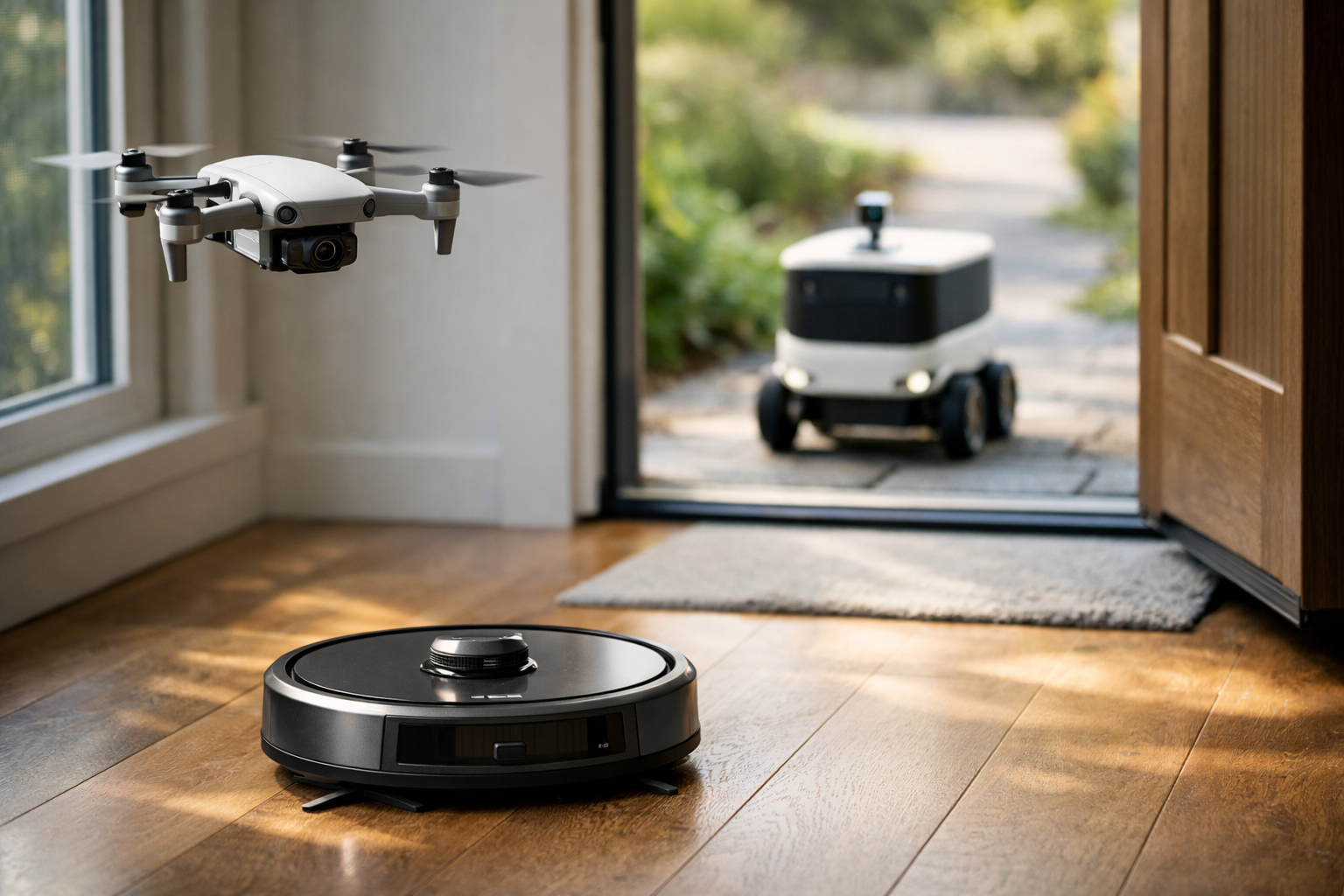
Understand how everyday robots sense, think, and move
Robots are no longer science fiction. They clean floors, fly through the air, inspect spaces, and deliver packages. Yet for many beginners, these machines still feel mysterious. This course turns that mystery into clear understanding. In simple language, you will learn how AI helps everyday robots sense the world, make decisions, move safely, and complete useful tasks.
This course is designed like a short technical book for absolute beginners. You do not need coding skills, math confidence, or any engineering background. Each chapter builds carefully on the one before it, so you can go from “I have no idea how robots work” to “I can explain the basics of robot AI with confidence.”
You will start with the foundations: what a robot is, what makes it different from an ordinary machine, and why AI matters in robotics. Then you will move through the core building blocks of robot intelligence. First, you will see how robots gather information using sensors like cameras, distance detectors, and motion trackers. Next, you will learn how robots turn that information into choices using rules, simple models, and planning steps.
After that, the course explains movement and navigation in a practical way. You will understand how a drone stays stable, how a robot vacuum finds its way around furniture, and how a delivery bot follows a route while avoiding people and obstacles. By the end, you will compare these robot types side by side and explore the bigger questions around safety, privacy, trust, and the future of autonomous machines.
Many robotics courses begin with technical terms, code, or advanced mathematics. This one does not. Instead, it starts from first principles and uses examples from everyday life. The goal is not to turn you into a robotics engineer overnight. The goal is to give you a strong mental model of how modern robots work and why AI is such an important part of them.
This course is ideal for curious learners, students, professionals exploring AI, and anyone who wants to understand autonomous systems without getting lost in technical complexity. If you have ever wondered how a robot vacuum maps a room, how a drone keeps itself balanced, or how a sidewalk delivery robot knows where to go, this course was made for you.
It is also useful if you want a gentle introduction before taking more advanced AI or robotics courses. If you are ready to continue your learning journey after this course, you can browse all courses on Edu AI.
By the final chapter, you will be able to describe the key parts of an everyday robot, explain how sensors and AI work together, compare different robot types, and understand the main trade-offs between convenience, safety, and reliability. You will also be better prepared to judge new robot products and news stories with a calm, informed mindset.
Everyday robots are becoming part of normal life. Understanding them is no longer just for engineers. This course gives you a friendly, structured path into AI robotics so you can follow the technology with confidence and curiosity. If you are ready to begin, Register free and start learning how intelligent machines work in the real world.
Robotics Educator and Autonomous Systems Specialist
Sofia Chen teaches beginner-friendly robotics and AI courses for learners with no technical background. Her work focuses on turning complex ideas like sensing, navigation, and machine decision-making into simple, practical lessons that connect to everyday life.
When people hear the word robot, they often imagine a human-shaped machine walking and talking. In real life, most robots are much simpler and much more useful. A robot vacuum gliding under a couch, a drone holding its position in the wind, and a delivery bot rolling along a sidewalk are all examples of everyday robots. They are not magical, and they are not alive. They are engineered systems built to sense the world, decide what to do next, and act on those decisions through motors or other moving parts.
This chapter gives you a practical starting point for understanding robot AI in everyday settings. We will separate robots from ordinary machines and tools, because confusion usually starts there. A hammer is a tool. A washing machine is a machine. A robot vacuum is a robot because it can observe part of its environment, apply rules or learned behavior, and move with some degree of independent action. That distinction matters because it helps you describe what robots can really do, and just as importantly, what they cannot do.
Every useful robot needs a small set of core ingredients. It needs a body or platform, such as wheels, propellers, or legs. It needs actuators, which create movement. It needs sensors, such as cameras, bump switches, distance sensors, GPS, or wheel encoders, to gather information. It needs computing hardware and software to process that information. It needs a power source. And it needs a control strategy: instructions, rules, or AI models that turn sensor data into actions. If one of these pieces is weak, the robot becomes less capable, less safe, or less reliable.
In everyday robotics, AI is not usually about making machines think like humans. It is about helping machines handle messy, changing environments. Homes are full of chair legs, pets, toys, and lighting changes. Streets and sidewalks have people, curbs, rain, shadows, and uncertain obstacles. Wind pushes drones. AI helps robots detect objects, recognize patterns, estimate position, predict motion, and choose better actions when simple fixed rules are not enough. But AI works alongside maps, safety rules, and traditional control systems. Good robots are not powered by AI alone. They are powered by engineering judgment.
A key theme in this course is safety. Everyday robots operate near people, furniture, cars, doors, and fragile objects. That means they must move carefully, stop when uncertain, and respect limits. A delivery bot may slow down near a crowd. A drone may refuse to take off when its sensors disagree. A vacuum may avoid stairs because a downward-facing sensor detects a drop. Safety is not a single feature. It is a layered design choice involving sensing, software checks, speed limits, battery monitoring, and emergency behaviors.
Another theme is clarity about control. Some machines are remotely controlled. Some are automated. Some are autonomous. These words are often mixed together, but they do not mean the same thing. A remote-controlled drone follows a pilot's commands directly. An automated sprinkler follows a timer. An autonomous robot vacuum can build or use a map, detect obstacles, and choose its cleaning path on its own. Understanding these levels of control helps you describe products accurately and evaluate their real capabilities.
As you read the sections in this chapter, focus on practical outcomes. You should come away able to explain in simple words what makes a robot a robot, name the basic parts that every robot depends on, describe how AI helps sensing and decision-making, and compare common robots people meet at home and in public. Most importantly, you should begin to see everyday robots not as mysterious gadgets, but as systems that combine mechanics, electronics, software, sensing, and carefully chosen rules to do useful work in the real world.
Practice note for Recognize the difference between machines, tools, and robots: document your objective, define a measurable success check, and run a small experiment before scaling. Capture what changed, why it changed, and what you would test next. This discipline improves reliability and makes your learning transferable to future projects.
Many people interact with robots without thinking of them as robots. A home vacuum that cleans while you are away, a drone that inspects a roof, and a small sidewalk vehicle delivering groceries are all part of daily life in many places. These machines are designed for narrow jobs, not for general intelligence. That is why they often look simple. They are built around one mission: clean the floor, fly to a waypoint, carry a package, inspect a site, or patrol a limited area.
This narrow focus is a strength. Engineers do not try to make one robot do everything. They define the environment, the task, and the acceptable risks, then design the robot around those limits. A robot vacuum is useful because it operates on mostly flat indoor floors. A delivery bot works because sidewalks are mapped, speed is restricted, and the robot can stop often. A consumer drone can hold position because it combines motion sensing, air pressure sensing, satellite navigation, and control software. Everyday robots succeed when the job is realistic and the operating conditions are understood.
It is also important to notice where these robots appear. At home, robots handle repetitive chores and monitoring. In public, they support logistics, inspection, security, and delivery. In both settings, people judge robots less by how advanced they sound and more by whether they are safe, reliable, and predictable. A robot that occasionally gets stuck under a chair is inconvenient. A robot that moves unpredictably around people is unacceptable.
A common mistake is to assume that if a machine moves on its own, it must be highly intelligent. In practice, many everyday robots are carefully constrained. They may know only a small part of the world, and they often rely on markers, maps, no-go zones, geofences, charging docks, and strict speed limits. These constraints are not signs of weakness. They are examples of good engineering judgment. Designers reduce the problem until the robot can perform well in the real world.
When you observe a robot in daily life, ask practical questions: What task is it built for? What space is it allowed to operate in? What sensors does it likely use? What happens if something unexpected appears? These questions reveal more than marketing language. They help you understand how everyday robots actually work.
The simplest useful definition is this: a robot is a machine that can sense, compute, and act in the physical world to perform a task. That definition separates robots from ordinary tools and from passive machines. A broom has no sensing or decision-making, so it is a tool. A blender has a motor and power, but it does not usually sense its environment and adjust its behavior, so it is a machine. A robot vacuum senses walls, cliffs, dirt levels, or room layout, computes what to do, and then moves accordingly. That makes it a robot.
Three ideas are central here. First, the robot must interact with the physical world. Software alone is not a robot. Second, it must process information rather than simply run one unchanging motion. Third, it must have some ability to respond to conditions. If its path changes because a chair is in the way, that is robot behavior. If it blindly follows the same exact movement no matter what happens, it is closer to a simple automated device.
Not every robot is autonomous in the same way. Some robots are teleoperated, meaning a human controls them in real time. Some have mixed control, where the robot stabilizes itself but a person chooses the destination. Others operate more independently. What makes all of them robots is not full independence. It is the combination of sensing, computation, and action.
In practice, engineers often describe robot behavior as a loop:
A common misunderstanding is to think that human shape or speech makes something a robot. Those are optional features. Many of the most valuable robots look nothing like people. Wheels, brushes, bins, propellers, and cameras are more common than arms and faces. Another mistake is to assume that all smart appliances are robots. A coffee maker with a timer is automated, but unless it senses conditions and adjusts behavior meaningfully in the environment, it is usually not described as a robot.
The practical outcome is clear: if you can identify sensing, computation, and physical action working together toward a task, you are probably looking at a robot.
Every robot is a combination of hardware and software. Hardware is the physical side: frame, wheels, motors, propellers, battery, processors, wiring, cameras, and sensors. Software is the logic side: control code, navigation rules, mapping functions, safety checks, and sometimes AI models. A robot becomes useful only when these two sides are matched well. Excellent software cannot rescue poor sensors forever, and expensive hardware cannot compensate for bad decision logic.
The most important hardware categories are mobility, sensing, computation, and power. Mobility includes wheels for ground robots and propellers for drones. Sensing includes cameras, infrared sensors, ultrasonic sensors, lidar, inertial measurement units, wheel encoders, and cliff sensors. Computation may happen on a small onboard processor, a larger edge computer, or partially in the cloud, though safety-critical control is usually kept local. Power usually comes from batteries, which strongly shape how long and how fast a robot can work.
Sensors deserve special attention because they are how robots experience the world. Cameras help identify objects, floor edges, or visual landmarks. Distance sensors estimate how far away walls or obstacles are. Encoders tell the robot how much its wheels have turned. An inertial unit helps estimate rotation and acceleration. GPS helps outdoor robots, but often poorly near buildings or indoors. No single sensor is perfect. Good robots combine several sources to reduce error.
Engineers call this sensor fusion, and it is one of the most practical ideas in robotics. If a drone's GPS is noisy, its inertial sensors can help stabilize motion. If a vacuum's wheel estimate drifts, wall sensing or visual landmarks can improve its map. If a delivery bot sees something with a camera but is unsure of distance, lidar or stereo vision may help. Multiple sensors create a more reliable picture than one sensor alone.
Common mistakes happen when people trust one input too much. Cameras can fail in darkness or glare. Ultrasonic sensors can behave strangely on soft surfaces. GPS can drift. Wheels can slip. Batteries drop voltage as they empty. For that reason, robust robots include sanity checks, fallback modes, and conservative behavior. A practical robot should slow down, stop, or ask for help when confidence is low.
The takeaway is simple but powerful: robots are not just moving devices. They are tightly integrated systems where hardware, software, and sensors must work together continuously.
People often use the words remote control, automation, and autonomy as if they mean the same thing. They do not. Understanding the difference removes a lot of confusion. Remote control means a person directly commands the machine's actions. If you fly a drone with joysticks and it only goes where you tell it, that is remote control, even if the drone uses onboard stabilization.
Automation means the machine follows pre-set instructions or reacts in limited ways without deciding much for itself. A robot lawn mower that cuts within a boundary wire on a schedule is automated. A warehouse cart that follows a marked line on the floor is automated. It performs a task with less human effort, but usually inside a tightly structured environment with fixed rules.
Autonomy means the robot can make some decisions on its own to achieve a goal under changing conditions. A robot vacuum that maps rooms, avoids objects, returns to charge, then resumes cleaning is showing autonomy. A delivery bot that reroutes around pedestrians or temporary obstacles is more autonomous than one that follows a painted path only. Autonomy is not all-or-nothing. It comes in degrees.
Engineering judgment matters here because full autonomy is expensive and difficult. Designers often mix the three approaches. For example, a delivery robot may navigate autonomously most of the time but allow a remote operator to intervene when it encounters an unusual situation. A drone may autonomously hold altitude and position while the pilot chooses direction. This blended design is common because it balances safety, cost, and real-world performance.
A common mistake is to hear that a product is “AI-powered” and assume it is fully autonomous. Marketing often compresses these concepts, but operation in the field is usually layered. Another mistake is to undervalue automation. Many highly useful robots are mostly automated rather than deeply autonomous, and that is often the correct design choice. Predictable systems are easier to test and certify.
For practical analysis, ask who is really making the decision at each moment: the human, a fixed script, or the robot adapting from sensor input. That question usually reveals the true control level.
AI matters in robotics because the world is messy. If every room were empty and every sidewalk perfectly marked, simple rules would be enough. But homes contain shoes, cords, pets, table legs, changing sunlight, and moving people. Outdoor spaces add weather, shadows, uneven surfaces, and unpredictable traffic. AI helps robots handle variation by recognizing patterns in sensor data and making better choices when fixed if-then rules become too brittle.
In everyday robots, AI often supports a few specific functions rather than controlling everything. Vision models can help identify obstacles, distinguish floor from wall, detect stairs, recognize people, or estimate free space. Learning-based systems can improve navigation through clutter or classify objects such as packages, curbs, and doors. Some robots use AI to predict where a moving person or pet may go next so the robot can slow down early. Others use AI to decide which areas of a room are likely to need more cleaning.
But AI is only one layer of the stack. A safe robot usually combines AI with conventional control, maps, and hard safety rules. For example, if a camera model says the path seems clear but a distance sensor shows a close obstacle, the robot should obey the safer signal. If the localization estimate becomes uncertain, the robot may stop and reorient rather than continue confidently in the wrong place. This is good engineering: use AI where it adds value, but do not let it override basic safety logic without checks.
Common mistakes in robot AI come from overconfidence. Developers may train models on clean examples that do not match real homes or streets. Users may expect human-like understanding from systems that really perform pattern matching. Lighting changes, reflective surfaces, rain, and unusual objects can still confuse AI. That is why practical robots need fallback behaviors, test coverage, update mechanisms, and clear operating limits.
The practical outcome is this: AI helps robots sense and choose better, especially in changing environments, but trustworthy robot behavior comes from the combination of AI, sensors, maps, rules, and conservative safety design.
Drones, robot vacuums, and delivery bots are excellent starting examples because they solve different movement problems with many of the same core ideas. A drone moves in three dimensions and must constantly stabilize itself against gravity and wind. A robot vacuum moves on indoor floors, where navigation is slower but clutter is common. A delivery bot moves outdoors on wheels, where it must handle curbs, pedestrians, and variable surfaces while staying safe and socially acceptable.
Consider how each one senses and moves safely. Drones commonly use inertial sensors, barometers, GPS, cameras, and sometimes downward vision or lidar to hold position, avoid collisions, and land safely. Robot vacuums often use bump sensors, cliff sensors, wheel encoders, wall sensors, lidar, or cameras to map rooms, avoid falls, and return to a charging dock. Delivery bots may combine cameras, GPS, inertial sensors, lidar, ultrasonic sensors, and detailed maps to localize themselves, detect people, and stop if the scene becomes uncertain.
Each robot also follows rules shaped by its environment. Drones often obey geofences, altitude limits, battery return thresholds, and no-fly restrictions. Vacuums may avoid mapped no-go zones, slow near obstacles, and pause when brushes jam. Delivery bots often have speed caps, remote assistance options, curb-handling rules, and conservative stop behaviors around crowds. These rules are not optional extras. They are central to responsible operation.
A useful comparison is where failure shows up. A vacuum may miss a corner or get tangled in a cable. A drone may drift or trigger return-to-home because of low battery or weak positioning. A delivery bot may stop and wait because it cannot classify a temporary obstacle confidently. In all three cases, the robot's quality is measured not only by normal operation but by failure handling. Safe stopping, clear alerts, and graceful recovery are signs of mature design.
When you compare these robots, the pattern becomes clear. Different bodies and sensors serve different jobs, but all rely on the same foundation: sensing, computing, movement, rules, and safety features working together in a real environment.
1. Which example best matches the chapter's definition of a robot?
2. Which set includes core parts every useful robot needs?
3. According to the chapter, why is AI useful in everyday robots?
4. What does the chapter say about safety in everyday robots?
5. Which example correctly shows the difference between remote-controlled, automated, and autonomous systems?
A robot cannot act intelligently unless it has some way to notice what is happening around it. In everyday robotics, sensing is the starting point for nearly everything: avoiding a chair leg, staying inside a yard, landing a drone safely, or stopping before a person steps into the path of a delivery bot. Motors create movement, but sensors create awareness. This chapter explains how robots collect information from their surroundings, what common sensors are used for, how that information becomes useful input for AI systems, and why sensing errors can lead to very visible mistakes.
When people first see a robot, they often focus on the moving parts: wheels, propellers, brushes, arms, or lights. Engineers look first at the sensing system. A robot vacuum may look simple, but it must constantly estimate where walls, furniture, and drop-offs might be. A drone must detect motion, height, and orientation many times each second just to remain stable in the air. A sidewalk delivery bot must sense curbs, pedestrians, and unexpected obstacles while following rules about speed and safe stopping. In all these cases, sensing is not an optional extra. It is the foundation that lets the robot choose actions instead of moving blindly.
Different robots use different combinations of sensors because their jobs and environments differ. Cameras help identify visual patterns. Distance sensors estimate how far objects are. Touch sensors detect contact. Motion sensors report acceleration and rotation. Location-related sensors estimate where the robot is in a room, building, yard, or street network. No single sensor is perfect, so practical robots often combine several. This combination is an example of engineering judgment: designers choose enough sensing to make the robot safe and useful, while keeping cost, power use, and processing demands under control.
AI becomes important after sensing begins. A camera only captures pixels; it does not understand a doorway or a pet toy by itself. A distance sensor only reports numbers; it does not know whether a short distance means a wall, a curtain, or a person leaning forward. AI methods help organize noisy inputs into meaningful categories, predictions, and decisions. In simple words, sensors gather facts, and AI helps turn those facts into useful understanding. That understanding then feeds planning and control, such as slowing down, turning away, hovering, rerouting, or asking for human help.
It is also important to understand that sensing is never perfect. Dust on a lens, bright sunlight, dark carpets, glass doors, shiny floors, rain, clutter, and crowded sidewalks can all confuse a robot. A common beginner mistake is assuming that if a robot has a sensor, it automatically knows the truth. Real sensors are limited. They can be noisy, delayed, blocked, miscalibrated, or fooled by unusual conditions. Good robot behavior comes not from trusting one reading blindly, but from checking patterns over time, comparing sensor sources, and following safety rules when uncertainty is high.
As you read this chapter, keep one practical idea in mind: sensing is not just about detecting objects. It is about building enough awareness for safe movement and sensible choices. That is how a robot vacuum avoids stairs, how a drone keeps itself level, and how a delivery bot slows near people. The robot first senses, then interprets, then decides, then acts. If the sensing stage is weak, every later stage becomes less reliable.
Practice note for Learn how robots collect information from their surroundings: document your objective, define a measurable success check, and run a small experiment before scaling. Capture what changed, why it changed, and what you would test next. This discipline improves reliability and makes your learning transferable to future projects.
Practice note for Understand the purpose of cameras, distance sensors, and touch sensors: document your objective, define a measurable success check, and run a small experiment before scaling. Capture what changed, why it changed, and what you would test next. This discipline improves reliability and makes your learning transferable to future projects.
Every robot operates in a loop: sense, interpret, decide, and act. That order matters. If a robot acts before sensing well enough, it behaves more like a machine on a timer than a machine responding to the real world. This is one of the clearest differences between simple automation and more autonomous robotics. A timer-controlled sprinkler follows a schedule whether anyone is in the yard or not. A robot vacuum changes direction when it senses a table leg. A delivery bot may pause because its sensors suggest a person is about to cross in front of it. In each case, sensing comes first because good action depends on current information.
Engineers often describe sensors as the robot's connection to reality. Software can contain maps, rules, and goals, but sensors tell the machine what is actually true right now. A map may say a hallway is open, yet a box could be blocking it today. A delivery route may usually be clear, yet a construction barrier might appear this morning. A drone may have a planned path, but wind and nearby obstacles still matter. Sensing lets the robot update its understanding instead of assuming the world matches a plan perfectly.
Good sensing also supports safety. Many everyday robots are designed to move near people, pets, furniture, and traffic. That means they must constantly answer basic practical questions: Am I too close to something? Am I drifting? Did I hit an obstacle? Is the ground missing ahead? Am I leaving a safe area? The exact sensors vary, but the purpose is consistent: reduce the chance of collisions, falls, and unsafe motion.
A common mistake is thinking that more sensors always means a better robot. In practice, useful sensing is about fit, not just quantity. A robot vacuum benefits from cliff sensors and bump sensors because stairs and furniture are common home hazards. A drone needs fast motion sensing and altitude estimation because balance in the air changes quickly. A delivery bot needs strong obstacle detection and location awareness because sidewalks are dynamic and shared. Good design starts by asking what the robot must notice, how quickly it must notice it, and what happens if it notices too late.
When sensing is designed well, the robot can behave in a way that feels calm and competent. It slows before impact rather than after. It avoids repeating the same mistake in the same corner. It stops when it is uncertain instead of pushing ahead carelessly. That practical outcome is the real goal of sensing: not collecting data for its own sake, but supporting actions that are safe, useful, and appropriate for the environment.
Cameras are one of the most flexible sensors in robotics because they capture rich visual information. A single image can contain walls, doors, floor markings, people, pets, packages, curbs, shadows, and signs. That flexibility is why cameras appear in drones, home robots, and delivery bots. But cameras do not directly provide meaning. They only record light. Computer vision is the set of methods that turns images or video into useful robot information.
For a drone, a camera may help detect landing zones, estimate movement relative to the ground, or support obstacle avoidance. For a robot vacuum, a camera can help recognize room features, improve mapping, or identify objects to avoid, such as shoes or charging cables. For a delivery bot, cameras can help identify sidewalks, lane markings, pedestrians, traffic signals, and curb edges. In each case, the camera acts as a broad source of clues, while computer vision extracts patterns that matter for movement and decision-making.
Some vision tasks are simple and some are advanced. Simpler systems may look for edges, contrast changes, floor boundaries, or repeated landmarks. More advanced AI systems may classify objects, estimate depth from multiple views, or track moving people over time. The engineering judgment here is important: not every robot needs the most complex model. A home robot may only need to distinguish floor from wall and obstacle from open path. A delivery bot may need more detailed scene understanding because streets and sidewalks are less predictable.
Cameras have strengths and weaknesses. Their strength is detail. They can capture information that a basic distance sensor cannot, such as whether an obstacle might be a transparent glass panel, a small toy, or a person. Their weakness is dependence on lighting and visual clarity. Bright glare, darkness, fog, shadows, dirty lenses, and reflective surfaces can reduce reliability. A practical robot therefore should not depend on a camera alone for safety-critical behavior.
Another common mistake is believing that if a vision model recognizes objects well in a demo, it will perform equally well everywhere. Real environments vary. Furniture styles differ, sidewalks are crowded, weather changes, and objects appear in unfamiliar positions. Vision systems must handle uncertainty. If the camera confidence is low, the robot may slow down, ask another sensor for confirmation, or stop. That is a sensible robotic behavior: treat visual understanding as helpful evidence, not magical certainty.
In everyday robot AI, camera data becomes useful when it is connected to action. Seeing a doorway matters because the robot can choose to pass through it. Recognizing a person matters because the robot can leave more space. Detecting floor texture matters because the vacuum can switch cleaning mode. Computer vision is most valuable when it supports these practical outcomes clearly and reliably.
Distance sensors answer one of the robot's most urgent questions: how far away is something? This is essential for obstacle detection, safe stopping, path planning, and speed control. Many everyday robots use infrared sensors, ultrasonic sensors, laser-based systems such as lidar, or combinations of these. Although the technologies differ, the practical goal is similar: measure nearby space well enough to avoid collisions and move with confidence.
A robot vacuum often uses short-range distance sensing to notice walls, chair legs, or tight corners before contact. Some models also combine this with bump sensors, creating a layered strategy: try to detect obstacles early, but safely handle contact if detection fails. Drones may use downward or forward-facing distance sensors to maintain altitude, hover near surfaces, or avoid nearby obstacles during low-speed movement. Delivery bots rely heavily on obstacle detection because they operate around pedestrians, poles, curb edges, and many changing objects.
Distance data is usually easier to interpret than raw camera images because it directly represents space. If the measured gap ahead becomes small, the robot can slow down or stop. If one side looks more open, it can steer away from clutter. If repeated measurements show a doorway-sized opening, the robot can attempt to pass through. This is why distance sensors are such a practical part of robot movement: they support immediate control decisions with relatively simple logic.
Still, distance sensing has limits. Soft materials can absorb sound, confusing ultrasonic sensors. Dark or angled surfaces can reduce the quality of some infrared or optical measurements. Glass and shiny surfaces may create missing, shifted, or misleading readings. Outdoor conditions add rain, dust, and sunlight interference. Good engineering accounts for these weaknesses by combining sensor types and setting conservative safety behaviors. For example, if readings become unstable, the robot may reduce speed rather than continue at full pace.
Another practical issue is range and update speed. A fast-moving robot needs enough warning distance to stop safely. A drone flying quickly toward a branch cannot rely on a slow or short-range sensor. A vacuum moving slowly can accept shorter-range sensing because its stopping distance is much smaller. This is an example of matching sensor performance to robot dynamics. The faster the machine moves, the more quickly and reliably it must detect obstacles.
Obstacle detection is not just about avoiding impact. It also helps robots choose workable routes. A vacuum can decide whether to go around a couch or under a table. A delivery bot can choose the clearer side of a sidewalk. A drone can hold position if space becomes too uncertain. In daily use, that means less bumping, fewer stuck situations, and smoother, safer behavior.
Not all useful sensors look outward. Some tell the robot about contact, body movement, and position. Touch sensors are among the simplest. A bump switch on a robot vacuum can confirm that the robot has touched an object. Wheel encoders measure wheel rotation, helping estimate distance traveled. Inertial sensors measure acceleration and rotation, helping robots understand whether they are turning, tilting, or drifting. GPS and related positioning methods help some outdoor robots estimate where they are in a larger area. Together, these sensors give a robot self-awareness as well as environmental awareness.
Touch sensing is especially practical because it provides a clear signal: contact happened. In robot vacuums, bumpers help detect furniture or walls that were missed by other sensors. This may sound primitive, but it is often a sensible backup. Designers know that homes contain unusual objects, clutter, and changing layouts. A soft bumper allows a low-speed robot to handle occasional contact safely while gathering more information about boundaries.
Motion sensing is critical for drones. A drone depends on inertial measurement units, often combining accelerometers and gyroscopes, to keep itself stable many times per second. Without this feedback, it would drift, tilt, or lose control quickly. Motion sensors also help wheeled robots estimate turns and detect slipping. For example, if wheel encoders suggest forward movement but inertial data does not agree, the robot may be stuck on a rug edge or sliding on a surface.
Location sensing matters when a robot must connect local observations to a wider map. A delivery bot may need satellite positioning outdoors, plus local sensing to stay centered on the sidewalk and avoid obstacles. A home robot may not use GPS, but it still needs room-to-room localization, often by combining wheel motion, cameras, and distance measurements. The practical aim is simple: know where you are well enough to continue the task, return to base, or avoid repeating the same area.
A common mistake is assuming any one location estimate is exact. In reality, motion estimates drift over time, wheel slip causes errors, and GPS can be inaccurate near buildings or trees. That is why robust robots cross-check sources. If internal motion sensing disagrees with visual landmarks or map features, the robot updates its estimate rather than trusting a single stream blindly. This combination improves reliability and helps explain why sensor fusion is such a major theme in robotics.
Sensors do not give robots awareness automatically. They produce raw data: pixel arrays, distance values, contact signals, acceleration numbers, wheel counts, and timestamps. Robot awareness emerges when software organizes these streams into useful answers. This is where AI, filtering, mapping, and decision logic work together. A practical robot needs to answer questions such as: Where am I? What is around me? What is moving? Which paths are safe? What should I do next?
The workflow usually follows several steps. First, the robot gathers data from sensors. Second, it cleans or filters the data to reduce noise and remove obvious errors. Third, it combines related signals, such as camera features with distance measurements or wheel motion with inertial sensing. Fourth, it builds a local understanding of the environment, perhaps as an obstacle map, room layout, or estimated route. Fifth, it applies rules and AI models to choose an action. That action may be as simple as stop, turn, slow down, hover, dock, or reroute.
AI helps most when the robot must interpret messy real-world patterns. For instance, raw camera images can be processed into labels such as person, pet, floor edge, curb, or doorway. Time-series sensor data can be used to detect that the robot is stuck, being lifted, or moving unpredictably. A delivery bot may combine map information with current sensing to decide that a known route is temporarily blocked. Awareness, then, is not one sensor reading. It is a changing internal model of the situation.
Engineering judgment is essential in deciding how much confidence to place in each input. If a camera says the path is open but the distance sensor reports a near obstacle, the robot should not simply average them without thought. It may need to assume caution, especially when safety is involved. Many good systems behave conservatively under uncertainty. They slow down, gather more evidence, or enter a safe stop state. This is often a sign of good design, not weakness.
One of the most practical lessons in robotics is that awareness is always partial. Robots rarely know everything. They work with incomplete, delayed, and noisy information. The goal is not perfect knowledge. The goal is enough trustworthy understanding to complete the task safely and usefully. A well-designed robot vacuum does not need to understand the entire home like a human does. It needs enough awareness to clean efficiently, avoid hazards, and find its dock. A drone does not need to understand every object in a park. It needs enough awareness to stay stable, obey limits, and avoid unsafe flight paths.
When raw data is turned into useful awareness well, robot behavior becomes more understandable. The machine seems less random because its choices reflect what it has sensed and inferred. That is the practical value of AI in sensing: not replacing sensors, but making their data actionable.
Real environments are messy, and that messiness explains many robot mistakes. In homes, robot vacuums struggle with loose cables, socks, pet waste, mirrors, glass furniture, dark rugs, shiny floors, cluttered corners, and changing room layouts. In streets and sidewalks, delivery bots face crowds, bicycles, uneven pavement, weather, parked scooters, construction zones, temporary signs, and poor visibility. Drones face wind, trees, reflective windows, rain, low light, and signal interruptions. These are not unusual edge cases. They are the normal conditions that make robot sensing difficult.
Sensing errors often happen for understandable physical reasons. A camera may misread a scene because lighting changed suddenly. A distance sensor may miss clear glass or return noisy measurements from reflective metal. A wheel-based position estimate may drift because the robot slipped on a smooth surface. A touch sensor may trigger too late to prevent a minor bump. The key lesson is that robot mistakes are often sensing mistakes first, decision mistakes second. If the robot begins with an inaccurate picture of the world, even sensible logic can lead to poor actions.
Good robot design includes safety features for exactly this reason. Common features include emergency stop behavior, speed limits near obstacles, geofencing, safe-hover or return-home functions for drones, cliff detection on vacuums, and conservative braking on delivery bots. Some systems also detect when sensor confidence is low and switch to a cautious mode. For example:
Users also play a role in reducing sensing problems. Keeping sensors clean, removing floor clutter, improving indoor lighting, respecting weather limits, and maintaining clear docking or charging areas all help robots perform better. A common user mistake is blaming autonomy alone when the environment is highly sensor-unfriendly. Everyday robots are capable, but they are not all-seeing.
From an engineering perspective, the best response to sensing problems is not pretending they do not exist. It is designing fallback behaviors and being honest about limits. A robot that stops safely when confused is better than one that continues confidently in the wrong direction. This is especially important when comparing remote control, automation, and autonomy. Autonomous behavior depends on sensing quality. Without trustworthy sensing, autonomy should shrink and caution should increase.
By recognizing common sensing failures, you gain a clearer view of what everyday robots can and cannot do well. They are most successful when sensors, AI interpretation, movement rules, and safety features work together. They are least reliable when the world becomes hard to see, hard to measure, or very different from what the robot expected. Understanding that balance is central to understanding how robots sense the world in practice.
1. Why does the chapter describe sensing as the foundation of robot behavior?
2. What is the main purpose of using different kinds of sensors such as cameras, distance sensors, and touch sensors?
3. According to the chapter, what does AI do with sensor data?
4. Why can sensing errors cause robot mistakes?
5. Which sequence best matches how the chapter says a robot operates?
When people first see a drone hover, a robot vacuum slip around chair legs, or a delivery bot pause at a curb, it can seem like the machine is “thinking” in a human way. In practice, robot thinking is more structured and more limited. A robot takes in sensor data, interprets enough of it to answer a practical question, chooses an action, and then checks what happened next. This cycle repeats again and again, often many times per second. The important idea is not magic intelligence but a decision pipeline: sense, estimate, decide, act, and monitor.
In everyday robots, that pipeline must be simple enough to run reliably on real hardware and safe enough to avoid harm. A drone may combine camera images, motion sensors, and distance readings to hold position and avoid obstacles. A robot vacuum may use bump sensors, wheel encoders, cliff sensors, and a map to decide whether to continue cleaning, turn away, or return to its dock. A delivery bot may blend GPS, cameras, and local obstacle detection to follow a route while yielding to people. In all three cases, the robot is not just moving; it is constantly turning uncertain sensor signals into choices.
One of the easiest mistakes is to imagine that robots either fully understand the world or know nothing at all. Real systems work in between. They often use partial information, imperfect maps, and practical rules. Engineers do not ask, “Can the robot know everything?” They ask, “Can the robot know enough to make the next safe, useful decision?” That engineering judgment matters more than flashy claims. A good robot often succeeds because it limits its goals, uses the right sensors, follows well-tested rules, and knows when to slow down, stop, or ask for help.
This chapter explains how robots turn raw sensing into decisions, how simple rules and AI models support behavior, how plans are built step by step, and why reacting quickly is different from planning ahead. You will also see why robot decisions are sometimes imperfect even when the design is sound. By the end, you should be able to describe robot decision-making in clear everyday language without confusing remote control, automation, and autonomy.
That distinction matters because decision-making becomes more demanding as autonomy increases. A remotely piloted drone depends on a person for most decisions. An automated vacuum may follow a cleaning routine with limited local choices. A more autonomous delivery bot must interpret its surroundings, follow a route, avoid obstacles, and recover from surprises. The more the robot decides for itself, the more important sensing, reasoning, planning, and safety checks become.
Another practical theme in this chapter is that robot intelligence is layered. The robot may have a fast layer for immediate safety, a middle layer for local movement, and a slower layer for larger goals. For example, “do not hit that wall” is a fast reaction. “Go around the sofa” is local navigation. “Finish the kitchen, then return to the charger” is task-level planning. Thinking about these layers helps explain why robots sometimes behave impressively in one moment and awkwardly in the next. They may be good at one layer and weak at another.
Keep that layered picture in mind as you read the six sections that follow. Each section focuses on one part of how robots think and decide in the real world.
Practice note for Understand how robots turn sensor data into decisions: document your objective, define a measurable success check, and run a small experiment before scaling. Capture what changed, why it changed, and what you would test next. This discipline improves reliability and makes your learning transferable to future projects.
Practice note for Learn the basics of rules, models, and simple AI choices: document your objective, define a measurable success check, and run a small experiment before scaling. Capture what changed, why it changed, and what you would test next. This discipline improves reliability and makes your learning transferable to future projects.
Every robot decision starts with sensing, but sensors do not deliver neat human-style facts. They produce signals: pixel values from cameras, distances from lidar or ultrasonic sensors, acceleration from inertial units, wheel rotations from encoders, or location estimates from GPS. The robot must transform those signals into something useful, such as “there is an obstacle ahead,” “I am drifting left,” or “the docking station is nearby.” This transformation is the bridge between sensing and action.
A helpful workflow is to think in four steps. First, the robot gathers data. Second, it estimates the current situation: where it is, what is around it, and what state it is in. Third, it compares that situation with its goal and rules. Fourth, it chooses the next action. Then the cycle repeats. A drone may read its motion sensors and camera, estimate that wind pushed it sideways, compare its position to the desired hover point, and command its motors to correct the drift. A robot vacuum may detect a wall and decide to follow along it for better coverage. A delivery bot may observe a pedestrian entering its path and choose to slow down or stop.
Good engineering judgment appears in the middle of this cycle, especially in estimation. Raw sensor data can be noisy, delayed, or incomplete. A camera can be affected by glare. Ultrasonic sensors can struggle with soft surfaces. GPS can drift in urban areas. Because of this, robots often combine several sensors instead of trusting one source alone. This is sometimes called sensor fusion. The practical purpose is simple: use multiple clues to get a more dependable picture of the world.
A common mistake is to assume that more data automatically means better decisions. In reality, too much low-quality data can confuse the system, increase processing time, and create conflicting signals. Everyday robots often work best with a carefully chosen sensor set and a clear decision loop. The goal is not to build an all-seeing machine but to support reliable choices in common situations.
Practical outcomes matter. If the sensing-to-decision pipeline is well designed, the robot moves more smoothly, avoids unnecessary stops, and handles small disturbances without drama. If the pipeline is weak, the robot may hesitate, bump into objects, wander inefficiently, or fail to complete basic tasks. That is why robot intelligence begins not with abstract cleverness but with disciplined handling of sensor information.
Not every robot behavior requires advanced AI. Many useful actions come from rules and logic. A rule is a direct instruction such as: if obstacle distance is less than a threshold, stop and turn; if battery is low, return to dock; if cliff sensor detects a drop, back away immediately. These rules may seem simple, but they are the backbone of safe and dependable everyday robots.
Robot vacuums are a good example. Even highly marketed “smart” vacuums still rely on many straightforward behaviors. They avoid stairs through cliff rules, prevent collisions through bump or distance rules, and trigger charging behavior through battery rules. Drones also use hard rules: do not exceed safe tilt, land when battery is critically low, and reject commands that would violate no-fly limits. Delivery bots may be programmed to stop when uncertainty becomes too high or when a route is blocked.
Rules are powerful because they are easy to test and explain. If a rule causes trouble, engineers can inspect it directly. That makes rules especially valuable for safety-critical cases. A robot can have an AI model that classifies objects, but it may still obey a strict rule that says any uncertain obstacle too close to the path requires a slowdown. In practice, this mix of logic and caution is often better than trusting a model alone.
However, rules have limits. If there are too many of them, the robot can become brittle. One rule may conflict with another. For example, “finish cleaning efficiently” may clash with “avoid entering dark spaces where sensors are less reliable.” Engineers then need priorities, state machines, or behavior trees to organize what happens first. These tools let the robot switch between modes such as exploring, edge-following, obstacle avoidance, docking, or waiting.
A common mistake in beginner thinking is to dismiss rules as “not real intelligence.” That view misses an important truth: practical robotics depends on combining simple reliable logic with selective intelligence. Many strong products succeed because they solve the obvious cases well. A robot that consistently follows good rules can feel smart to the user because it behaves safely and predictably. In the real world, predictable behavior is often more valuable than impressive but unstable behavior.
An AI model is a system trained to recognize patterns or make useful predictions from data. For robots, this often means turning difficult inputs into practical labels or estimates. A camera image might be processed by a model that identifies people, doors, sidewalks, pets, or furniture. A navigation model might estimate which areas are safe to drive through. A battery model might predict how much operating time remains under current conditions.
Beginner-friendly thinking helps here: a rule says exactly what to do in a known case, while a model helps interpret messy situations that are hard to define with hand-written instructions. Instead of writing thousands of rules for what a chair looks like from every angle, engineers may train a model to detect likely obstacles. Instead of hand-coding every possible floor texture, a model may help distinguish carpet from hard floor so the vacuum can adjust its cleaning mode.
Still, AI models do not “understand” the world the way humans do. They are statistical tools. They can be very useful, but they can also be wrong in unusual lighting, weather, clutter, or viewpoints. This is why good robot design wraps models inside a larger system of checks. If a model is uncertain, the robot may slow down, ask for another sensor reading, or fall back to a simpler safe behavior. A delivery bot might use a vision model to detect pedestrians, but also rely on distance sensing and speed limits in crowded areas.
Engineering judgment is crucial in deciding where to use models. Use them where pattern recognition adds clear value, but avoid depending on them for every choice. In a drone, a model may help identify a landing marker, while the low-level stabilization remains in conventional control software. In a vacuum, a model may categorize rooms or objects, while cliff avoidance remains a hard-coded safety behavior.
The practical outcome is a layered robot: models help answer fuzzy questions, while rules and control systems handle immediate action. This balanced design is easier to trust. It also helps explain autonomy without confusion. A robot is not autonomous simply because it has AI. It becomes more autonomous when it uses sensing, models, and rules together to choose actions within defined limits.
Planning means choosing steps before taking them, rather than only reacting moment by moment. In robotics, planning can refer to a physical path through space, a sequence of actions, or both. A path planner answers questions like, “How do I get from here to the kitchen without hitting the table?” A task planner answers questions like, “Should I clean the hallway first, then the living room, then return to charge?” Planning gives structure to robot behavior.
Maps are central to many plans. A robot vacuum may build a room map so it can cover space more efficiently than random bouncing. A delivery bot may use a larger map for sidewalks and checkpoints while also maintaining a local map of nearby obstacles. A drone may plan a route through open airspace while avoiding restricted zones and maintaining enough battery reserve to return safely. In all these cases, the plan is not just about reaching a destination; it is about doing so within constraints.
Those constraints include time, battery, distance, risk, and legal or safety rules. For example, the shortest route is not always the best route if it passes through a narrow crowded area. Likewise, the fastest cleaning path may miss corners unless coverage rules are included. Good planning reflects priorities. Engineers must ask what matters most: speed, coverage, energy efficiency, smooth motion, or safety margin. The answer shapes the planner.
A common mistake is to imagine planning as a one-time event. Real robots often replan. If a hallway becomes blocked, if wind shifts a drone, or if a person leaves a bag on the floor, the original plan may no longer fit reality. So planning is usually continuous or repeated. The robot creates a plan, follows part of it, checks whether conditions changed, and updates the plan if needed.
The practical outcome of planning is that robots can work more deliberately. They can finish tasks with fewer wasted movements, lower energy use, and better user experience. A well-planned robot seems purposeful. It does not just move; it moves toward a goal in an organized way. That is one of the clearest signs that the machine is doing more than simple automation.
Planning is useful, but the world does not stay still long enough for a robot to rely on planning alone. Real-time reaction is the ability to notice change and respond immediately. This is essential for safety and for basic usefulness. A robot vacuum cannot continue straight just because its plan says so if a child steps into its path. A drone cannot ignore a gust of wind while following a route. A delivery bot cannot keep rolling when a dog leash suddenly appears across the sidewalk.
Reacting in real time usually happens in faster control loops than planning. These loops handle stabilization, obstacle avoidance, speed control, and emergency stops. In practice, engineers separate these layers because the robot needs immediate responses for some problems and more deliberate reasoning for others. The fast layer may simply say, “stop now,” while the slower layer later decides, “find a new route around the obstacle.”
This difference between reacting and planning ahead is one of the most important concepts in robotics. Reaction deals with what is happening right now. Planning deals with what should happen over the next few seconds, minutes, or task phases. Both are necessary. A robot that only reacts may be safe but inefficient, wandering without strategy. A robot that only plans may be elegant on paper but unsafe in motion. Good systems combine both.
Practical robot behavior often shows this blend. A vacuum may follow a coverage plan but react instantly to table legs. A drone may fly a waypoint route but continuously adjust its motors to remain stable. A delivery bot may head toward a destination while yielding to pedestrians and rerouting around construction. When users say a robot “handles surprises well,” they are usually describing successful real-time reaction layered onto an overall plan.
Common mistakes include slow sensor updates, delayed processing, or overconfident software that fails to trigger cautious behaviors. These issues make the robot feel clumsy or unsafe. That is why real-time reaction is not an optional feature. It is a core part of how autonomous systems move safely in everyday environments.
Even well-designed robots make imperfect decisions. This does not always mean the system is badly built. It often reflects the difficulty of acting in a messy, changing world with limited sensors, finite computing power, and incomplete information. A camera may be blinded by sunlight. A shiny floor may confuse distance readings. A map may be slightly outdated. A moving object may not behave as expected. The robot must still choose something, often under time pressure.
Another reason for imperfect decisions is uncertainty. The robot rarely knows exactly where every object is or exactly what will happen next. Instead, it works with estimates and confidence levels. Good robot design accepts this uncertainty and manages it. That is why safety features matter so much. Speed limits, emergency stops, geofencing, no-go zones, battery reserves, and conservative fallback behaviors all help reduce harm when the robot is unsure.
There is also a trade-off between ambition and reliability. If engineers try to make a robot handle every rare edge case with full autonomy, complexity can explode and performance may become fragile. In many products, it is wiser to define clear operating limits. For example, a delivery bot may avoid severe weather, a drone may refuse takeoff in restricted conditions, and a vacuum may ask for human help if it becomes stuck. Knowing when not to act is part of intelligent behavior.
Users often make two opposite mistakes. One is expecting perfection because the device seems smart. The other is assuming the robot is useless after one visible failure. A more realistic view is that everyday robots are practical systems with strengths and limits. They can be impressively capable within designed conditions, but they still depend on careful sensing, rules, models, maps, and safety logic.
The practical lesson is simple: robot decisions are not perfect because robot knowledge is not perfect. What matters is whether the machine can make good enough choices, most of the time, with built-in protections when conditions become uncertain. That is how everyday autonomy becomes trustworthy. It is not about flawless intelligence. It is about safe, useful decision-making under real-world constraints.
1. What is the main decision pipeline described in the chapter for how robots operate?
2. According to the chapter, what is a better engineering question than asking whether a robot can know everything?
3. Which example best shows autonomy rather than remote control or simple automation?
4. What is the key difference between reacting and planning ahead in robot behavior?
5. Why does the chapter say robot intelligence is layered?
Movement is where robot intelligence becomes visible. A drone lifting into the air, a robot vacuum turning away from a chair leg, and a delivery bot slowing at a curb all show the same basic idea: the robot must sense the world, estimate where it is, decide what to do next, and then move in a controlled way. If any one of those steps is weak, motion becomes clumsy, inefficient, or unsafe.
Different robots move in different environments, so they solve different motion problems. A vacuum works on flat indoor floors with walls, rugs, toys, and people walking by. A delivery bot faces sidewalks, ramps, uneven surfaces, weather, and moving crowds. A drone must deal with height, wind, battery limits, and the fact that a small steering mistake can become a large position error very quickly. In every case, safe movement depends on balance, steering, speed, mapping, and rules.
It is useful to think of robot movement as a loop rather than a single action. First, the robot gathers information from sensors such as cameras, bump sensors, wheel encoders, ultrasonic distance sensors, GPS, or inertial measurement units. Next, software interprets that information to estimate position and detect hazards. Then a planner selects a route or immediate action. Finally, motors carry out the command, and the robot checks whether the result matches what it expected. This constant cycle is why autonomous movement is not just driving or flying. It is continuous correction.
Engineering judgment matters because real environments are messy. A perfectly straight path on a map may be wrong if a pet is sleeping in the hallway. A fast speed may save time but reduce stopping distance. A narrow gap may be physically possible yet not safe if the robot's position estimate is uncertain. Good robot design accepts uncertainty and adds margins, backups, and rules. The goal is not simply to move. The goal is to move usefully without causing harm, getting stuck, or getting lost.
This chapter explains how everyday robots move safely by comparing the motion systems of drones, vacuums, and delivery bots. You will see how steering and balance affect performance, how navigation and mapping keep robots oriented, and why safety rules are built into autonomous behavior. By the end, safe movement should look less like magic and more like careful engineering.
Practice note for Understand how different robots move in different environments: document your objective, define a measurable success check, and run a small experiment before scaling. Capture what changed, why it changed, and what you would test next. This discipline improves reliability and makes your learning transferable to future projects.
Practice note for Learn how balance, steering, and speed affect performance: document your objective, define a measurable success check, and run a small experiment before scaling. Capture what changed, why it changed, and what you would test next. This discipline improves reliability and makes your learning transferable to future projects.
Practice note for See how mapping and navigation help robots avoid getting lost: document your objective, define a measurable success check, and run a small experiment before scaling. Capture what changed, why it changed, and what you would test next. This discipline improves reliability and makes your learning transferable to future projects.
Practice note for Recognize the safety rules behind autonomous movement: document your objective, define a measurable success check, and run a small experiment before scaling. Capture what changed, why it changed, and what you would test next. This discipline improves reliability and makes your learning transferable to future projects.
Practice note for Understand how different robots move in different environments: document your objective, define a measurable success check, and run a small experiment before scaling. Capture what changed, why it changed, and what you would test next. This discipline improves reliability and makes your learning transferable to future projects.
Practice note for Learn how balance, steering, and speed affect performance: document your objective, define a measurable success check, and run a small experiment before scaling. Capture what changed, why it changed, and what you would test next. This discipline improves reliability and makes your learning transferable to future projects.
Robots do not all move with the same mechanics, so the first step in understanding safe movement is understanding the machine itself. A robot vacuum usually relies on wheels. It turns by changing the speed of one wheel relative to the other, which is simple, cheap, and effective indoors. A delivery bot also uses wheels, but it often has a stronger suspension, better traction control, and more precise steering because sidewalks and outdoor paths are less predictable than kitchen floors. A drone uses rotors instead of wheels. Rather than pushing against the ground, it pushes air downward to create lift and control its position in three dimensions.
Balance, steering, and speed all affect performance. Wheeled robots are generally stable because gravity keeps them on the ground, but they can still lose control on slippery floors, steep slopes, or loose gravel. Drones are much more sensitive. They must constantly adjust rotor speeds to maintain altitude, direction, and stability. Even when a drone seems to hover still, its control software is making many tiny corrections every second. That is one reason flying robots need fast sensors and fast software loops.
Speed is never just about going faster. It changes the stopping distance, turning radius, and quality of sensor readings. A vacuum moving too quickly may miss dust or collide with furniture before it has time to react. A delivery bot rolling downhill must manage braking carefully. A drone flying fast into a windy area may drift beyond its planned path. Good robot motion therefore uses speed as a safety tool, not just a performance setting.
Common mistakes come from assuming motion is simple if the mechanism is simple. Engineers may underestimate wheel slip, battery effects on motor power, or the delay between sending a command and seeing the robot respond. Practical robot design includes speed limits, smooth acceleration, and controller tuning so that motion stays predictable. Safe movement begins with respecting the physics of the platform.
Navigation means moving from one place to another on purpose. The details depend heavily on the environment. Indoors, a robot vacuum often navigates around rooms, furniture, doorways, and charging docks. It may work in a partially known space that changes from day to day as people move chairs, leave bags on the floor, or open and close doors. Outdoors, a delivery bot has to interpret sidewalks, curb cuts, crosswalks, pedestrians, and surface changes. In the air, a drone has to maintain a safe route while managing altitude, wind, and no-fly limits.
These settings create very different navigation challenges. Rooms are full of tight turns and hidden obstacles. Streets and sidewalks require social awareness because the robot shares space with people. Air navigation adds a vertical dimension, which increases freedom but also increases risk. A drone cannot simply stop in the same way a wheeled robot can. It must actively maintain flight while changing course.
Autonomous robots usually combine global and local navigation. Global navigation answers the large question: where should I go overall? Local navigation answers the immediate question: what should I do right now in the next few seconds? A delivery bot may know its destination from a route plan but still need local adjustments to pass a group of people safely. A vacuum may know that the bedroom remains uncleaned but must first get around a laundry basket in the hall.
Engineering judgment appears in how much freedom the robot is given. In a controlled home, a vacuum may be allowed to explore and learn a layout. In a crowded public area, a delivery bot often follows stricter path rules. Drones are usually governed by especially strong movement constraints because an airspace mistake can have serious consequences. The practical lesson is simple: safe movement is not only about mechanics. It is also about choosing behavior that fits the environment.
A robot that moves safely needs some way to answer three questions: Where am I? Where can I go? How do I get there? Maps, routes, and position tracking work together to answer them. A map is a structured description of the environment. It may be a simple floor layout for a vacuum, a sidewalk network for a delivery bot, or a waypoint set for a drone. A route is the planned path through that map. Position tracking is the robot's best estimate of its current location as it moves.
No single sensor solves position tracking perfectly. Wheel encoders can estimate distance traveled, but errors build up if wheels slip. Cameras can recognize landmarks, but poor lighting may reduce reliability. GPS is useful outdoors, especially for drones and delivery bots, but it can be inaccurate near buildings or unavailable indoors. Inertial sensors help detect motion and orientation, yet they also drift over time. That is why robots often combine several inputs. This blending is called sensor fusion.
Robot vacuums often build maps as they clean. They detect walls, room edges, and repeated features to avoid covering the same spot forever. Delivery bots may use a prebuilt map while updating it with local observations. Drones often follow route points but still need onboard tracking to remain stable between them. In all three cases, the robot is never just following a line. It is constantly comparing expectation with reality.
A common mistake is trusting a map too much. Maps go out of date. Furniture moves, construction appears, and GPS positions drift. Good systems treat maps as helpful guidance, not absolute truth. They leave room for uncertainty and re-planning. The practical outcome is a robot that does not panic when the world has changed. Instead, it slows down, checks its position, updates its route, and continues safely.
Obstacle avoidance is one of the clearest signs of useful robot intelligence. It depends on sensing, prediction, and careful rules. A robot vacuum may use bump sensors, cliff sensors, cameras, or lidar to avoid furniture, walls, and stairs. A delivery bot may use cameras and distance sensors to detect pedestrians, pets, bicycles, and posts. A drone may use visual sensing, range sensors, or geofenced air restrictions to avoid structures and unsafe zones.
Not all obstacles are equal. Some are fixed, such as walls and lamp stands. Others move unpredictably, especially people. Safe robots treat humans differently from inanimate objects. They usually leave larger gaps, slow down earlier, and avoid sudden turns that could startle someone nearby. This is a form of engineering judgment: legal clearance is not the same as socially acceptable behavior. A delivery bot that squeezes through a narrow opening beside a stroller may technically fit, but it is behaving poorly.
Obstacle avoidance also involves prediction. If a person is walking across a hallway, the robot should not only detect the person now; it should estimate where that person will be a moment later. This helps prevent late braking and awkward path choices. Drones face a similar issue with moving air and moving objects. Even a small delay in detection can matter when the vehicle is fast.
Common mistakes include reacting too late, relying on only one sensor, or failing to classify what the robot sees. A plastic curtain, a glass table, and a child running past all create different challenges. Practical systems use layered sensing and conservative behavior so that if one signal is weak, the robot still has a safer fallback.
Safe robot movement is never based on a single line of code that says "do not crash." It depends on layers of protection. The first layer is prevention: speed limits, safe following distances, route constraints, no-go zones, and better sensing. The second layer is response: slowing, braking, hovering, or pulling over when uncertainty increases. The final layer is emergency action: stopping motors, cutting thrust, or switching to a safer mode when something goes seriously wrong.
Robot vacuums often include cliff sensors to prevent falls down stairs, bumper sensors for contact detection, and automatic docking when battery gets low. Delivery bots may include remote supervision, restricted operating areas, and hard stop functions if communication fails or a system fault appears. Drones often use return-to-home behavior, altitude limits, geofencing, and automatic landing when battery is too low or navigation confidence drops.
An emergency stop is important, but it must be designed with the platform in mind. For a wheeled robot, stopping motors may be a safe response. For a drone, instantly cutting power in midair would not be safe at all. Its emergency mode may instead mean controlled descent, hover in place, or return to a safe landing point. This is a good example of why safety is specific to context and mechanism.
Another key idea is fail-safe behavior. When the robot is uncertain, it should choose the action that reduces risk. That may mean stopping and waiting rather than pushing forward. In practical systems, engineers define conditions such as lost localization, blocked path, low battery, overheating, or sensor disagreement. Each condition triggers a predefined safe response. The result is not perfect movement, but robust movement. Safety systems are what keep a small error from becoming a dangerous event.
At first glance, movement can seem like the easy part of robotics. Wheels spin, rotors turn, and the robot goes somewhere. In reality, movement is difficult because the robot acts in the physical world, where uncertainty appears everywhere. Floors are uneven, people are unpredictable, lighting changes, sensors make mistakes, maps become outdated, and batteries weaken over time. Every one of these factors can change the quality of the robot's decisions.
Another challenge is that sensing, thinking, and acting are tightly connected. If the robot misjudges its position, it may choose the wrong turn. If it chooses the wrong speed, it may not have time to avoid an obstacle. If the controller is poorly tuned, even a correct plan may be executed badly. Safe movement therefore depends on the whole system, not just the motor hardware or the AI model.
This is also where the difference between remote control, automation, and autonomy becomes clearer. A remote-controlled machine moves because a person directly commands it. An automated machine follows preset rules in a limited setting. An autonomous robot senses conditions and adjusts its own actions within defined limits. Safe movement becomes harder as autonomy increases because the robot must handle more surprises by itself. That is why everyday autonomous robots include maps, rules, safety margins, and fallback behaviors rather than unlimited freedom.
The practical outcome is an important mindset: successful robot movement is not about making a machine fearless. It is about making it cautious, informed, and adaptable. Good robots slow down when uncertain, avoid risky shortcuts, and ask their own sensors for repeated confirmation. When you see a drone hover steadily, a vacuum clean around chair legs, or a delivery bot wait for people to pass, you are seeing the result of many engineering trade-offs working together to make motion safe enough for everyday use.
1. What is the main idea of safe robot movement in this chapter?
2. Why do drones, vacuums, and delivery bots use different movement strategies?
3. Which example best shows why speed affects robot safety?
4. What role do mapping and navigation play in autonomous movement?
5. According to the chapter, what does good robot design do when conditions are uncertain?
Everyday robots may look very different, but they all solve the same basic engineering problem: sense the world, decide what to do next, and move without causing trouble. In this chapter, we look inside three familiar robot types: consumer drones, robot vacuums, and delivery bots. Each one is a robot because it combines sensors, control software, motors, and rules to act in the physical world. What changes is the job. A drone must stay balanced in the air while reacting quickly to wind and pilot commands. A robot vacuum must cover floors efficiently without missing too much dirt or getting trapped under furniture. A delivery bot must move through shared spaces, follow routes, stop safely, and handle people, curbs, and unexpected obstacles.
This comparison is useful because it removes a common confusion: AI in robotics is not one single magical brain. Instead, AI is shaped by the task. In some robots, AI mainly helps with perception, such as recognizing obstacles, doors, or safe landing zones. In others, the hard problem is planning, such as deciding how to cover a room or how to reach a delivery address. The robot still depends on basic control loops, maps, battery limits, and safety rules. The smartest robot in the wrong conditions can still fail if its sensors are dirty, its battery is low, or its assumptions about the environment are wrong.
Engineering judgment matters as much as intelligence. Designers must choose which sensors are worth the cost, how much autonomy is safe, when the machine should ask for human help, and what to do when conditions are uncertain. A cheap indoor robot may rely on bump sensors and simple path patterns. A more advanced robot may add lidar, cameras, and room maps. A drone needs extremely fast stabilization and strict geofencing, while a delivery bot may need slower but richer scene understanding. By the end of this chapter, you should be able to compare how these robots solve different problems, explain what each one needs to do its job well, and recognize both the strengths and limits of real consumer and service robots.
As you read, keep three layers in mind. First is movement: wheels or propellers must obey physics. Second is perception: the robot needs cameras, distance sensors, maps, and other clues about the world. Third is decision-making: software must combine sensor data with rules, goals, and safety limits. When people say a robot is “autonomous,” they usually mean it can handle some or all of these layers on its own for a particular job. But full independence is rare. Most everyday robots are better described as supervised autonomy: they can do useful work alone for a while, yet still depend on setup, charging, app settings, restricted zones, or remote override.
Practice note for Compare how three popular robot types solve different problems: document your objective, define a measurable success check, and run a small experiment before scaling. Capture what changed, why it changed, and what you would test next. This discipline improves reliability and makes your learning transferable to future projects.
Practice note for Understand what each robot needs to do its job well: document your objective, define a measurable success check, and run a small experiment before scaling. Capture what changed, why it changed, and what you would test next. This discipline improves reliability and makes your learning transferable to future projects.
Practice note for See how AI changes from one robot type to another: document your objective, define a measurable success check, and run a small experiment before scaling. Capture what changed, why it changed, and what you would test next. This discipline improves reliability and makes your learning transferable to future projects.
Practice note for Identify strengths and limits of real consumer and service robots: document your objective, define a measurable success check, and run a small experiment before scaling. Capture what changed, why it changed, and what you would test next. This discipline improves reliability and makes your learning transferable to future projects.
A consumer drone solves a difficult problem that ground robots do not face: it must constantly prevent itself from falling. This is why stabilization is the heart of drone design. Most small drones use four propellers, and by changing the speed of each motor many times per second, the drone can rise, turn, tilt, and hold position. The key sensors are usually an inertial measurement unit, which includes gyroscopes and accelerometers, plus a barometer, GPS for outdoor positioning, and often downward-facing cameras or optical flow sensors for low-altitude stability. These sensors feed fast control loops that keep the aircraft level even when the pilot is not making perfect stick movements.
AI in a consumer drone often supports perception and assistance rather than replacing basic flight control. The flight controller handles immediate balance. AI-like features may help with obstacle detection, subject tracking, return-to-home, or identifying a safe landing area. For example, a drone following a cyclist may use computer vision to keep the subject centered while the lower-level controller keeps the aircraft stable. This division is important. If a user imagines that “AI flying” means the machine understands everything around it, they may trust it too much. In reality, obstacle avoidance can miss thin branches, wires, reflective surfaces, or objects outside the camera’s field of view.
To do its job well, a drone needs more than intelligence. It needs a good GPS signal, enough battery reserve to return safely, healthy propellers, acceptable weather, and a legal place to fly. Engineering judgment appears in small design decisions: how aggressive should the automatic braking be near obstacles, how much wind can the system estimate, and when should it refuse takeoff? Common mistakes include launching with poor satellite lock, flying too far while watching the screen instead of the environment, and assuming return-to-home works perfectly in all locations. Practical drone safety is built from layers: pilot skill, geofencing, altitude limits, battery warnings, obstacle sensing, and emergency landing behaviors.
A robot vacuum has a very different mission from a drone. It does not need to balance in the air, but it must cover a messy, changing environment cheaply and reliably. The real task is not just suction. It is complete-enough coverage of floor space while avoiding furniture, cords, stairs, and getting stuck. Basic models use bump sensors, cliff sensors, wheel encoders, and simple motion patterns. They may wander semi-randomly, using repeated passes to eventually cover most of a room. More advanced units add lidar or cameras to build a map, detect room boundaries, and plan more organized cleaning paths.
The intelligence of a robot vacuum is often about coverage and recovery. The robot asks practical questions: Where have I been? Which areas are blocked? How do I clean around chair legs without wasting too much time? If it has a map, it can divide the home into rooms, create no-go zones, and follow neat back-and-forth lines. If it meets a surprise obstacle such as a shoe or pet bowl, it may slow down, reroute, or mark that spot as blocked for now. AI may also help recognize specific hazards like pet waste, which is a major real-world example of why perception matters more than laboratory demos suggest.
What does a vacuum need to do its job well? It needs enough traction to cross thresholds, enough battery to finish or resume later, a dust system matched to the dirt load, and sensors that are not covered in dust. Homes are highly variable, so limits show up quickly. Dark carpets can confuse cliff sensors, shiny furniture can confuse range sensing, and cables can trap brushes. A common mistake is blaming “bad AI” when the true issue is poor environment preparation. Many users get the best results by combining autonomy with simple human setup: picking up loose cords, defining off-limit zones, and scheduling cleaning when floors are clear. The practical outcome is that a robot vacuum is not a replacement for all cleaning, but a steady maintenance machine that reduces routine effort.
Delivery bots operate in one of the hardest everyday settings: shared outdoor or semi-public spaces. Unlike a vacuum, the environment is not controlled. Unlike a drone, the bot moves more slowly, but it has to understand sidewalks, crossings, pedestrians, curb ramps, and temporary obstacles such as scooters, construction barriers, or groups of people. The job sounds simple, deliver an item from one point to another, but route following is really a chain of smaller tasks: localize on a map, choose a path, obey speed and safety rules, detect obstacles, yield when necessary, stop accurately, and confirm arrival.
These bots usually combine several sensing methods. Cameras help classify surroundings, lidar or other distance sensors help measure shape and spacing, GPS gives rough outdoor position, and wheel odometry helps estimate short-range movement. No single sensor is enough. GPS may drift near buildings. Cameras struggle in glare, darkness, or rain. Wheel estimates accumulate error. AI helps fuse these imperfect signals into a useful picture of where the bot is and what is around it. Then a planning system selects a safe action: continue, slow down, stop, wait, or reroute. In practice, good robotic behavior often looks cautious rather than clever.
Handling stops is especially important because deliveries involve handoff points. The bot may need to stop at a door, within a campus zone, or at a pickup locker. Precision matters, but so does social behavior. A bot that blocks a ramp or parks across a walkway is failing even if it reached the correct map coordinate. This is where rules and engineering judgment become visible. Designers may limit speed, define human takeover options, and restrict operation to mapped service areas with favorable surfaces. Common mistakes include overestimating what a bot can handle in mixed traffic and underestimating the challenge of weather, vandalism, or confusing pedestrian behavior. Real systems succeed by narrowing the problem: fixed neighborhoods, known routes, supervised fleets, and clear procedures when the robot becomes uncertain.
Battery life is one of the most important limits in everyday robots because it shapes everything else: speed, weight, sensor choice, operating time, and safety margins. Drones are the most visibly constrained. Flying consumes a lot of energy, so even a capable consumer drone may have only a modest flight window. That is why drones monitor battery state closely and often trigger early warnings or automatic return-to-home behavior. A pilot may think there are ten minutes left, but the software is also considering distance, wind, and reserve power for landing. In robotics, usable battery time is not just chemistry. It is mission planning.
Robot vacuums manage energy differently. Because they work on the ground and can charge themselves, they often use a “clean, dock, recharge, resume” workflow. This makes them feel more autonomous even if each cleaning cycle is slower than a human with a full-size vacuum. The practical challenge is maintaining reliable docking and charging contacts. If the dock is blocked, misaligned, or placed in a cramped location, the robot may fail in a very ordinary way. Delivery bots face another tradeoff: larger batteries increase operating range but also add mass, which affects stopping distance, cost, and sidewalk practicality.
Battery aging also changes robot behavior over time. As batteries wear out, drones may lose peak performance, vacuums may complete less area per run, and delivery bots may need tighter route planning. Users often interpret this as software decline when part of the issue is hardware aging. Good robot design accounts for practical limits by reducing power when idle, adjusting task plans to current charge, and making recovery behaviors predictable. One common mistake is assuming the advertised maximum battery life reflects real conditions. Wind, carpet thickness, payload weight, temperature, and stop-and-go movement all reduce performance. The practical lesson is simple: autonomy is always tied to energy, and energy is always tied to the real environment.
Many people think of robots as independent machines, but in everyday products, apps and connectivity are a major part of the system. The robot itself may handle real-time motion, while the phone app handles setup, scheduling, updates, maps, restricted areas, notifications, and remote supervision. This is where the difference between remote control, automation, and autonomy becomes easier to see. Remote control means a human directly commands the machine, like piloting a drone manually. Automation means the machine follows preset rules, such as a scheduled vacuum cleaning every morning. Autonomy means the machine can make some decisions on its own, such as rerouting around an obstacle or choosing when to return for charging.
Connectivity improves convenience, but it introduces dependence. A robot vacuum may still clean without internet access, yet map syncing and app controls may be limited. A drone can usually keep flying if the internet drops because the critical control link is local, but cloud-based geofencing data or media features may be affected. Delivery bots operated by service companies often rely much more heavily on network connections because fleets may be monitored centrally and remote assistance may be needed when the bot becomes uncertain. This shows an important engineering principle: autonomy is often supported by a hidden human and software infrastructure.
Human control also acts as a safety layer. A user can set no-fly or no-go zones, stop the robot, adjust sensitivity, or trigger return behavior. The mistake is to view human involvement as proof that the robot is not real autonomy. In practical robotics, graceful handoff between robot and human is a sign of good design. Another mistake is poor setup. If maps are wrong, home locations are mis-set, or permissions are ignored, the robot may behave legally or technically correctly but still poorly for the task. Practical outcomes improve when users understand the system boundaries: what the robot does locally, what the app configures, and when a human should step in.
Comparing drones, robot vacuums, and delivery bots side by side makes the main lesson clear: there is no single best robot design, only a design that fits a specific job. A drone is strongest when a task benefits from a bird’s-eye view, fast movement, or access to hard-to-reach places. It is weak where battery time is short, regulations are strict, or weather is unpredictable. A robot vacuum is strong in repeated indoor maintenance tasks with mostly known geometry. It is weak against clutter, stairs, edge cases, and deep cleaning demands. A delivery bot is strong in defined service areas with repeated routes and moderate speeds. It is weak in chaotic pedestrian environments, severe weather, and situations needing rich social understanding.
AI changes across these use cases. In drones, the highest priority is fast stabilization and safe assistance. In vacuums, AI often improves mapping, coverage, and obstacle recognition. In delivery bots, AI must do more scene interpretation and route-level planning in public spaces. Yet all three still rely on the same core ingredients: sensors, maps, rules, actuators, and fallback behaviors. Cameras help understand scenes. Distance sensors help avoid collisions. Maps reduce uncertainty. Rules prevent dangerous or unacceptable actions. Without these foundations, “smart” features are unreliable. This is why engineers often prefer a simpler robot with clear limits over a more ambitious robot that fails unpredictably.
The practical way to judge a real robot is not by marketing terms like smart or autonomous, but by asking a few grounded questions:
When you apply those questions, everyday robots become easier to understand without exaggeration or confusion. They are not magic machines, but practical systems built around specific tasks. Their value comes from doing one kind of work reliably enough, often enough, under realistic limits. That is the real story inside drones, vacuums, and delivery bots.
1. What basic engineering problem do drones, robot vacuums, and delivery bots all share?
2. According to the chapter, how does AI differ across robot types?
3. Which capability is especially important for a drone compared with the other robots?
4. What is one reason even a smart robot can still fail?
5. What does the chapter mean by saying most everyday robots have 'supervised autonomy'?
By this point in the course, you have seen that everyday robots are not magic. A drone, robot vacuum, or delivery bot is a machine that senses, decides, and acts in the physical world. That sounds simple, but once a robot moves around people, pets, homes, sidewalks, and streets, a new set of questions appears. Can we trust what the robot sees? What happens when sensors fail? Who is responsible when the robot makes a poor choice? Does the robot collect more information than it needs? Does it work equally well for different homes, neighborhoods, and users?
This chapter brings together the practical limits and social questions around everyday robotics. Trust is not created by advertising or by calling a machine “smart.” Trust is built when a robot behaves in ways people can understand, predict, and control. Safety is not one feature either. It comes from layers: careful mechanical design, conservative software rules, tested sensors, speed limits, human override, maintenance alerts, and clear communication about what the robot can and cannot do.
Good robot design begins with modest promises. A helpful robot should do a specific job, operate within clear boundaries, and fail safely when conditions are confusing. A home vacuum should slow down near stairs, avoid hard collisions, and let the owner review maps and privacy settings. A drone should respect no-fly rules, return home if battery runs low, and warn the user when GPS or obstacle sensing is unreliable. A delivery bot should yield to pedestrians, stop when uncertain, and allow remote help when blocked.
Engineering judgment matters because the real world is messy. Floors change, weather changes, lighting changes, and people behave unpredictably. The best systems are not the ones that act most boldly. They are the ones that know their limits. In practice, that means many useful robots are partly autonomous rather than fully independent. They use AI to detect objects, estimate distance, and select actions, but they still rely on rules, safety margins, and human oversight.
In this chapter, we will look at privacy, safety, fairness, regulation, future directions, and a simple beginner framework for evaluating new robot products. The goal is not to make you suspicious of all robots. The goal is to help you become a careful observer who can separate a truly helpful machine from a risky or overhyped one.
Practice note for Understand the privacy, safety, and fairness questions around robots: document your objective, define a measurable success check, and run a small experiment before scaling. Capture what changed, why it changed, and what you would test next. This discipline improves reliability and makes your learning transferable to future projects.
Practice note for Learn what people should expect from helpful robot design: document your objective, define a measurable success check, and run a small experiment before scaling. Capture what changed, why it changed, and what you would test next. This discipline improves reliability and makes your learning transferable to future projects.
Practice note for Explore where home and public robots are heading next: document your objective, define a measurable success check, and run a small experiment before scaling. Capture what changed, why it changed, and what you would test next. This discipline improves reliability and makes your learning transferable to future projects.
Practice note for Finish with a clear beginner framework for evaluating new robots: document your objective, define a measurable success check, and run a small experiment before scaling. Capture what changed, why it changed, and what you would test next. This discipline improves reliability and makes your learning transferable to future projects.
Practice note for Understand the privacy, safety, and fairness questions around robots: document your objective, define a measurable success check, and run a small experiment before scaling. Capture what changed, why it changed, and what you would test next. This discipline improves reliability and makes your learning transferable to future projects.
Practice note for Learn what people should expect from helpful robot design: document your objective, define a measurable success check, and run a small experiment before scaling. Capture what changed, why it changed, and what you would test next. This discipline improves reliability and makes your learning transferable to future projects.
Many everyday robots use cameras, microphones, mapping sensors, or location data to do their jobs. A robot vacuum may map room layout. A drone may record video for navigation and photography. A delivery bot may use cameras to detect pedestrians and obstacles. These sensors are useful, but they also raise privacy questions because they collect information in homes, apartment halls, sidewalks, and other shared spaces.
A practical rule is data minimization: a robot should collect only what it needs to complete its task. If a vacuum only needs to recognize walls and furniture, users should ask whether detailed images are stored at all, whether maps stay on the device, and whether cloud upload is optional. If a drone records video, the user should understand when recording is active, where files are saved, and how long they are retained. Privacy improves when the system gives people clear controls instead of hiding choices in confusing menus.
Helpful robot design makes sensing visible and understandable. Lights, sounds, or app notifications can indicate when cameras or microphones are active. Good products explain why data is collected and what feature depends on it. They also separate necessary navigation data from extra data used for analytics, training, or marketing. That distinction matters because people may accept mapping for cleaning efficiency but reject unnecessary sharing with third parties.
A common mistake is to treat privacy as a legal checkbox instead of a design choice. In reality, privacy affects trust, adoption, and safety. If people do not understand what a robot sees, they may stop using it, cover sensors, or avoid areas where it operates. Better systems earn trust by being transparent, limited in scope, and easy to configure. Privacy is not separate from engineering; it is part of responsible robot behavior.
Safety in robotics is built from layers rather than from one perfect AI model. An everyday robot must detect hazards, choose cautious actions, and remain stable when something goes wrong. That is why practical robots mix sensors, rules, and fallback behaviors. A robot vacuum might use cliff sensors, bump sensors, wheel feedback, and a map. A drone might combine GPS, inertial sensors, vision, geofencing, and battery monitoring. A delivery bot may use cameras, lidar, wheel odometry, remote supervision, and emergency stop logic.
Reliability means the robot behaves consistently across ordinary conditions, not just in a polished demo. A safe robot should slow down near uncertainty, stop when localization is poor, and ask for help when it cannot classify a situation. In engineering terms, this is graceful degradation. The system may lose some performance, but it should not become dangerous. For example, if obstacle detection is weakened by glare or rain, the robot should reduce speed or stop rather than continue at full confidence.
Human oversight remains important because autonomy has limits. A person may define cleaning zones, approve drone flight plans, retrieve a stuck delivery bot, or take remote control in an unusual situation. This does not mean the robot has failed. It means designers respected the fact that edge cases are common in the real world. Good products make override easy: obvious stop buttons, remote pause, return-to-base commands, and clear alerts when attention is needed.
A common mistake is to judge a robot only by how smart it looks when everything is normal. Better questions are: How does it fail? Does it warn the user? Can a person intervene quickly? Does it recover safely? Helpful design is often conservative. The practical outcome is fewer crashes, fewer surprises, and more realistic expectations about what AI can handle alone.
AI helps robots recognize objects, estimate free space, identify paths, and choose actions. But AI systems learn from data and make statistical guesses. Because of that, they can make errors and can perform unevenly across environments. A robot trained mostly in bright, uncluttered homes may struggle in dim apartments with reflective floors. A delivery bot trained mainly on wide sidewalks may behave poorly on crowded streets, unusual curb cuts, or neighborhoods with more visual complexity.
Bias in robotics does not always mean intentional unfairness. Often it appears because training data, testing conditions, or design assumptions were too narrow. If a robot recognizes some mobility aids poorly, handles darker lighting badly, or confuses certain objects more often than others, the result can be unfair and unsafe even when no harm was intended. Responsible AI use means measuring these differences early and adjusting the system before deployment.
Good engineering practice includes diverse testing, conservative thresholds, and human review of failure cases. Teams should test across different floor materials, lighting conditions, weather, body types, clothing styles, and neighborhood layouts. They should inspect not only average accuracy but also where the robot is most uncertain. In many cases, the right decision is not to force the AI to guess. The safer decision is to stop, slow down, or request help.
A common mistake is to think that more AI automatically means better robotics. In practice, responsible robotics balances AI with rules, safety margins, and clear user expectations. The practical outcome is a robot that may appear less flashy, but is more dependable and more respectful of the people around it.
Everyday robots do not operate in a vacuum. They work inside homes, buildings, sidewalks, parks, and airspace that already have rules. Drones may face altitude limits, no-fly zones, registration requirements, and restrictions near airports or crowds. Delivery bots may be allowed only on certain sidewalks, at certain speeds, or under remote supervision. Even home robots may need to meet electrical safety, wireless communication, and battery standards.
Regulation exists because robots affect more than their owners. A drone can disturb neighbors or create hazards in shared airspace. A sidewalk robot can inconvenience pedestrians, especially children, older adults, or people using wheelchairs. Good rules define where robots may operate, how fast they can move, what records must be kept, and what happens when incidents occur. These rules are not barriers to progress. They are part of making robotic systems predictable enough for public life.
Public trust grows when companies communicate honestly about capability and responsibility. If a robot is remotely supervised, that should be stated clearly. If the machine cannot handle stairs, rain, night conditions, or dense crowds, that limitation should be easy to find. Overstating autonomy damages trust because people expect the system to understand situations that it actually cannot manage.
Helpful robot design aligns with both legal rules and social norms. A technically legal drone flight can still feel intrusive if it hovers near windows. A delivery bot may be allowed on a sidewalk, but it should still yield politely, avoid blocking ramps, and signal its intentions. In practice, the future of public robotics depends not only on technical success, but also on whether people feel these machines are respectful, understandable, and accountable.
The next generation of everyday robots will probably become better at combining maps, cameras, distance sensing, and language-like interaction. Home robots are likely to improve room understanding, object avoidance, and multi-step routines. A vacuum may not just clean on a schedule; it may understand that the kitchen needs extra attention after dinner, avoid pet bowls automatically, and explain why it skipped an area. Drones may become better at local obstacle avoidance and safer assisted flight rather than fully independent operation. Delivery bots may improve route planning, curb handling, and remote support tools.
One important trend is tighter integration between automation and autonomy. Instead of jumping directly to “fully self-driving everything,” many products will use assisted autonomy. That means the robot handles routine actions, while humans still set goals, boundaries, and exceptions. This approach matches what we know about real-world complexity. It is often safer and easier to trust than total independence.
Another trend is more context-aware behavior. Robots will likely become better at recognizing uncertainty, adjusting speed, and adapting to different surfaces and crowd conditions. But progress should not be confused with perfection. More advanced AI may improve perception, yet edge cases will remain: unusual lighting, unexpected human behavior, weather, damaged infrastructure, and rare obstacles.
We should also expect stronger expectations for privacy settings, audit logs, explainable alerts, and safety reporting. As robots become more common, users will want to know not just what the robot did, but why it did it. The most successful future robots will not simply act smarter. They will be easier to inspect, easier to control, and easier to trust in ordinary life.
When you see a new robot product, start with a simple beginner framework: task, sensors, decisions, limits, safety, and oversight. First, ask what job the robot is actually designed to do. A narrow, well-defined task is often a good sign. Second, ask how it senses the world. Does it use cameras, bump sensors, lidar, GPS, or maps? Third, ask how it decides. Is it following fixed rules, using AI classification, or relying heavily on remote human help?
Next, look closely at limits. Where does the robot work well, and where does it struggle? Can it handle pets, stairs, crowded sidewalks, glare, rain, poor lighting, or changing furniture? Good products state these boundaries plainly. Then examine safety features: emergency stop, speed limits, geofencing, battery safeguards, collision avoidance, low-confidence stopping, and alerts to the user. Finally, ask about human oversight. Can someone intervene quickly? Is there a remote operator? Can the owner review logs, maps, and settings?
This framework helps you compare remote control, automation, and autonomy without confusion. A remotely piloted drone, an automated vacuum schedule, and a semi-autonomous delivery bot are different kinds of systems, even if marketing language makes them sound similar. Thinking critically means asking what the robot does by itself, what it does with human help, and what happens when reality becomes messy. That habit is the foundation of informed trust. It allows you to appreciate useful robotics while staying clear-eyed about risks, limits, and responsible design.
1. According to the chapter, what most strongly builds trust in an everyday robot?
2. How does the chapter describe safety in robot design?
3. What is a key sign of good robot design in confusing conditions?
4. Why are many useful everyday robots only partly autonomous rather than fully independent?
5. What is the main goal of the chapter's beginner framework for evaluating robots?

- Learning Evolved.
- Intelligence Amplified.


