AI Robotics & Autonomous Systems — Beginner
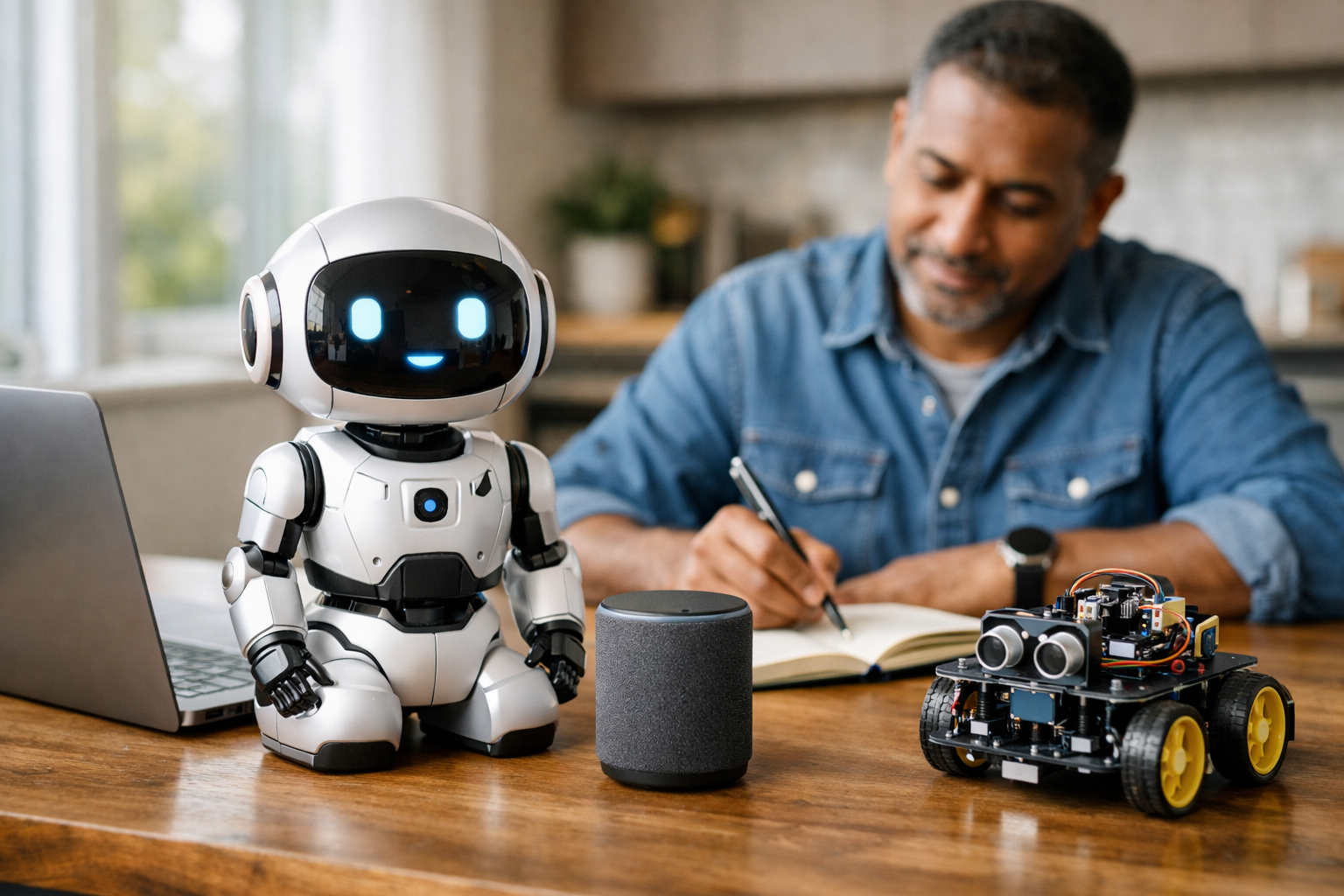
Understand simple robots and AI without math or coding fear
Robots are no longer science fiction. They clean floors, help move goods, answer questions, support medical work, and assist people in many parts of daily life. At the same time, artificial intelligence is becoming a common part of the tools and machines we use. For many new learners, this can feel exciting but also confusing. This course is designed to remove that confusion and give you a clear, friendly starting point.
Getting Started with Everyday Robots and AI: A Simple Guide for New Learners is built like a short technical book with a strong step-by-step flow. It assumes you know nothing about AI, coding, robotics, or data science. You do not need a technical background. You only need curiosity and a willingness to learn how smart machines work in plain language.
The course begins with the most important first question: what is a robot, and what makes AI different from ordinary automation? From there, you will move through a logical learning path. You will learn about the main parts of a robot, how sensors gather information, how machines make simple decisions, and where everyday robots are used in the real world.
By the final chapter, you will also understand why safety, privacy, fairness, and human control matter. This helps you build not just technical awareness, but also practical judgment. The goal is not to turn you into an engineer overnight. The goal is to help you become informed, confident, and ready for deeper learning.
If you have ever wondered how a robot vacuum avoids walls, how a delivery robot knows where to go, or how AI helps a machine choose what to do next, this course will give you a simple framework that makes those questions easier to answer.
You will begin by spotting robots and AI systems in ordinary life. Next, you will learn the building blocks inside a robot, including sensors, motors, controllers, software, and power systems. After that, the course explains how robots sense the world around them and turn raw signals into useful information.
Once that foundation is in place, you will explore how AI helps robots make decisions. You will learn the difference between fixed rules and learning from examples, without needing programming knowledge. Then you will study real-world examples such as home robots, service robots, delivery systems, and mobility tools. The course ends by showing how to think responsibly about privacy, safety, fairness, and trust.
This course is especially useful if you want a strong overview before moving on to more advanced robotics, machine learning, or autonomous systems training. It can also help you speak more confidently about AI-powered machines in conversations, classrooms, and workplaces.
By the end of the course, you will be able to explain how everyday robots work using a clear mental model: sense, decide, and act. You will understand the role of sensors, software, and AI in a robot system. You will also be better prepared to ask smart questions about where robots are helpful, where they are limited, and what responsible use looks like.
If you are ready to begin, Register free and start learning today. You can also browse all courses to explore related topics in AI, automation, and emerging technology.
Robotics Educator and Applied AI Specialist
Sofia Chen designs beginner-friendly learning programs that explain robotics and AI in plain language. She has worked on educational automation projects and helps new learners understand how smart machines sense, decide, and act in the real world.
Many beginners imagine robots as shiny human-shaped machines from films, but most robots in real life are much simpler and much more useful. A robot is usually a machine that can sense something about the world, make a choice based on rules or software, and then do a physical action. That action might be as small as turning a wheel, opening a door, lifting a package, or adjusting its speed. In everyday life, robots often look ordinary. A robot vacuum, an automatic warehouse cart, a delivery bot, or a shop cleaning machine may not look dramatic, yet each one combines sensing, control, power, and motion to do a job.
Artificial intelligence, or AI, adds another layer. AI helps some robots make better decisions when the situation is not perfectly predictable. Instead of following one fixed instruction every time, an AI-enabled robot may recognize patterns, classify objects, estimate the safest path, or choose between several actions. Not every robot uses advanced AI, and not every AI system is inside a robot. This chapter will help you keep those ideas separate while also seeing how they connect.
A practical way to begin is to notice where robots already appear around you. At home, in shops, in hospitals, in warehouses, and in public buildings, many machines perform tasks with little direct human control. Some are fully automatic and repeat the same motion over and over. Others are more flexible and adjust to what their sensors detect. Understanding that difference is one of the most important first steps in robotics.
As you read, build a simple mental model: a robot has parts that help it sense, decide, and act. Sensors gather information. A controller, which may run basic software or AI, processes that information. Motors or other actuators create movement. A power source supplies energy. This chapter introduces that flow in simple language so you can explain what a robot is, recognize common examples, and follow the step-by-step path from detection to action.
Beginners often make two common mistakes. First, they call every automatic machine a robot. Second, they assume AI means human-like thinking. In practice, engineering is more grounded. A useful robot does not need to look like a person, and useful AI does not need to be magical. What matters is whether the system can detect conditions, process information, and carry out actions that help complete a task. By the end of this chapter, you should be able to describe that process in plain words and recognize it in everyday devices.
Practice note for Notice where robots already appear around you: document your objective, define a measurable success check, and run a small experiment before scaling. Capture what changed, why it changed, and what you would test next. This discipline improves reliability and makes your learning transferable to future projects.
Practice note for Understand the basic meaning of robot and AI: document your objective, define a measurable success check, and run a small experiment before scaling. Capture what changed, why it changed, and what you would test next. This discipline improves reliability and makes your learning transferable to future projects.
Practice note for Tell the difference between a machine and a smart machine: document your objective, define a measurable success check, and run a small experiment before scaling. Capture what changed, why it changed, and what you would test next. This discipline improves reliability and makes your learning transferable to future projects.
Practice note for Build a simple mental model for how robots work: document your objective, define a measurable success check, and run a small experiment before scaling. Capture what changed, why it changed, and what you would test next. This discipline improves reliability and makes your learning transferable to future projects.
A good beginner definition of a robot is a machine that can sense its surroundings, process information, and act on the world. The key idea is that a robot does more than simply exist as a powered machine. It has some awareness of conditions around it, even if that awareness is very limited. For example, a robot vacuum can detect obstacles, edges, or dirty areas and then adjust its movement. A factory robot arm can detect position and move its joints accurately. In both cases, the machine combines sensing, control, and action.
Not every powered device is a robot. A blender uses electricity and spins blades, but it does not usually sense its environment and adapt its behavior beyond a few settings. A washing machine sits closer to the border. It follows a programmed cycle and may use sensors for water level or balance, but whether people call it a robot depends on how much independent sensing and action it performs. In everyday learning, it is fine to focus on clearer examples: mobile cleaners, warehouse carts, delivery robots, lawn robots, and robotic arms.
Engineering judgment matters here. Instead of arguing about labels, ask practical questions. Does the machine collect information with sensors? Does it make decisions through a controller? Does it physically do something in response? If the answer is yes, it likely fits the beginner idea of a robot. This way of thinking is more useful than focusing on appearance. A robot can have wheels, tracks, arms, grippers, or no human-like shape at all.
Another important point is that robots need basic parts to function. They need power, because sensors and motors require energy. They need control hardware and software, because raw sensor signals must be turned into actions. They need actuators such as motors, pistons, or grippers, because deciding without acting would not complete the task. When you notice these parts in a machine, you are starting to think like a robotics engineer.
Artificial intelligence means computer systems doing tasks that usually require some form of judgment, pattern recognition, or choice. In plain language, AI helps a machine make a better guess or decision when the answer is not just one fixed rule. For example, a robot might need to recognize whether an object is a box, a person, or a wall. It might need to predict which path is safest in a busy hallway. It might need to tell whether a spoken command said “stop” or “start.” These are places where AI can help.
AI does not mean the robot is conscious, emotional, or human-like. That is a common beginner mistake. Most AI in robotics is narrow and practical. It is built to solve one type of problem well enough for a real task. A delivery robot may use AI vision to identify walkways and obstacles. A warehouse robot may use AI to detect packages. A home assistant robot may use AI to understand simple voice requests. In each case, the AI handles a specific kind of uncertainty.
It is also important to know that many robots work without advanced AI. A line-following robot may use simple sensors and rules. If the left sensor sees the line, turn left. If the right sensor sees the line, turn right. That is automatic control, not necessarily AI. The robot is still useful. AI becomes valuable when the world is messy, changing, or hard to describe with simple if-then rules.
In engineering practice, the best solution is not always the smartest-sounding one. If a simple rule works safely and reliably, engineers often prefer it because it is easier to test, cheaper to build, and more predictable. AI is helpful when needed, but it also adds complexity. A beginner should remember this: AI is a tool for decision-making under uncertainty, not a requirement for every robot.
Once you start looking carefully, robots appear in many ordinary places. At home, the clearest example is the robot vacuum. It senses walls, furniture, edges, and sometimes floor type. It decides where to move next and then drives its wheels and brushes. A robotic lawn mower works in a similar way outdoors. Some smart home devices are not robots because they do not physically move, but they may still use AI. This is a useful reminder that robotics and AI overlap without being the same thing.
In shops and supermarkets, you may see floor-cleaning robots, shelf-scanning machines, or stock-moving systems in back rooms. These robots are designed for practical jobs that need regular repetition. In warehouses, mobile robots carry shelves or bins, helping workers move goods faster and with less strain. In hospitals, robots may transport supplies, deliver meals, or assist with disinfecting rooms. In public spaces such as airports, stations, and sidewalks, delivery bots and service machines are becoming more common.
At work, not all robots are visible to customers. Many are behind the scenes. A robot arm might sort items, weld parts, or package products. An autonomous cart might move boxes from one station to another. What links these machines is not their appearance but their workflow: sense conditions, choose an action, and perform it.
When studying examples, try to identify the robot parts. What sensors does it use: cameras, bump sensors, distance sensors, weight sensors, or GPS? What motors move it? Where does the power come from? What controller decides the next step? This habit turns everyday observation into technical understanding. It also helps you see why different environments require different robot designs. A home robot must avoid pets and furniture. A warehouse robot must manage routes, safety zones, and heavy loads.
A regular machine performs work, but a robot usually adds sensing and adaptive control. This difference is easier to understand with examples. A ceiling fan spins at a chosen speed. It does useful work, but it does not normally observe the room and change its behavior intelligently. A robot cleaner, by contrast, detects obstacles and changes direction. A conveyor belt moves items from one place to another. If it simply runs at constant speed, it is a machine. If it uses sensors to detect item position and coordinate sorting actions, it starts to look more robotic.
The phrase “smart machine” is helpful for beginners. A smart machine is not necessarily intelligent in a human sense. It is a machine that reacts to information. Some reactions are simple and automatic. For example, an automatic door senses motion and opens. That is a basic sensing-and-acting system. A more advanced robot may combine many sensors and many possible actions. The more flexible the system becomes, the more clearly it fits the idea of a robot.
The main difference between automatic actions and AI-based decisions is complexity. Automatic actions follow fixed rules in known situations. AI-based decisions handle unclear or changing situations by recognizing patterns or estimating the best option. Both can exist in the same machine. A robot vacuum may automatically stop when lifted, which is a simple rule, and also use AI to improve its map of the room, which is a more advanced decision process.
One practical mistake is assuming a product is advanced just because it is advertised as smart. Engineers care less about marketing terms and more about what the system actually does. Can it sense? Can it choose between actions? Can it respond safely and reliably? Those questions help you distinguish a regular machine from a more autonomous or AI-assisted robot.
People use robots because robots can make work safer, faster, more consistent, or more convenient. In homes, robots save time on repetitive chores such as vacuuming or mowing. In shops and warehouses, robots move goods, scan shelves, and support inventory tasks. In factories, robots handle repetitive motions with high accuracy. In hospitals and public buildings, robots can carry supplies, clean floors, or reduce human exposure to risky environments.
Safety is one major reason. Some jobs involve heavy lifting, toxic materials, sharp tools, hot surfaces, or long hours of repetitive motion. Robots can take on some of those tasks, reducing injury risk. Consistency is another reason. A robot can repeat the same operation many times with very small variation, which is important in manufacturing and logistics. Speed matters too, especially in systems where even small delays affect many other steps.
However, engineers do not use robots just because robots are impressive. A robot must be worth the cost and complexity. It needs maintenance, power, software updates, and safety checks. It may struggle in environments that are too cluttered, too unpredictable, or too expensive to model well. Good engineering judgment means choosing robots when they truly improve the job, not when they simply add novelty.
For beginners, the practical outcome is this: robots are tools built for tasks. Their value comes from solving real problems. When you evaluate a robot, ask what problem it is meant to solve. Is it reducing human effort? Improving accuracy? Working in a dangerous space? Operating for long periods? These questions connect technology to real-world needs and help you understand why everyday robots are spreading into more places.
The simplest mental model for robotics is sense, think, act. This model explains the step-by-step flow of how many robots work. First, the robot senses. It uses sensors to gather information from the environment. A sensor might measure distance to a wall, detect touch, capture an image, estimate speed, or read a location signal. Without sensing, the robot is effectively blind to changes around it.
Second, the robot thinks. In engineering terms, this means the controller processes sensor data and decides what to do next. Sometimes the thinking is simple: if the bumper is pressed, stop and turn. Sometimes it is more advanced: compare camera images to known patterns, estimate a map, or choose a route around people. This is where basic software and AI may appear. The control system is the robot’s decision layer, even if the decisions are narrow and task-specific.
Third, the robot acts. Motors, wheels, joints, grippers, or other actuators carry out the decision. The robot moves forward, turns, lifts, opens, sprays, or stops. Then the cycle repeats. As soon as the action changes the robot’s position or the world around it, the sensors read a new situation. This loop continues again and again, often many times per second.
A practical example is a robot vacuum approaching a chair. It senses the chair with a distance sensor or bumper. It thinks by deciding that straight movement will cause a collision, so it selects a turn. It acts by slowing one wheel and turning away. A common beginner mistake is to imagine one long chain of commands happening once. In reality, robots usually work in fast loops of sensing, deciding, and acting.
This idea also helps you understand failures. If a robot behaves badly, ask where the problem is in the loop. Did the sensor give poor data? Did the controller choose the wrong action? Did the motor fail to carry it out? This troubleshooting mindset is foundational in robotics. If you can follow the sense-think-act flow, you already have the beginnings of an engineer’s mental model for how robots work in daily life.
1. Which description best matches the chapter's basic meaning of a robot?
2. According to the chapter, what does AI add to some robots?
3. What is the main difference between a machine and a smart machine in this chapter?
4. Which sequence best shows the chapter's simple mental model of how a robot works?
5. Which statement avoids the two beginner mistakes described in the chapter?
When people first see a robot, they often notice the outside shape: wheels, arms, lights, or a screen with a friendly face. But a robot is more than its shell. Inside, several main parts work together in a clear chain: the robot senses the world, processes information, decides what to do, and then acts. This chapter introduces the core building blocks that make that possible. If you understand these parts, you can read simple robot system diagrams with much more confidence and explain how everyday robots really work.
A beginner-friendly way to think about a robot is to compare it to a person doing a task. Sensors are like eyes, ears, and touch. Motors and other actuators are like muscles. A controller is like the part that follows rules and coordinates the body. The power system is like food and energy. Software is the set of instructions that tells each part what to do and when. AI, when included, adds another layer: it helps the robot choose between options when the situation is not exactly the same every time.
Not every robot uses advanced AI. Many useful robots work mainly through fixed rules. For example, a robot vacuum may drive forward until its bumper sensor is pressed, then turn and continue. That is automatic behavior. A more advanced robot may use maps, camera data, and learned patterns to plan a cleaner route. That is closer to AI-based decision-making. In both cases, though, the same main parts are still present. The difference is in how much information the robot uses and how flexible its decisions can be.
Engineers often group robot parts into two large categories: hardware and software. Hardware means the physical parts you can touch, such as the frame, batteries, cameras, wheels, and motors. Software means the instructions, settings, and logic running inside the controller. These two categories are tightly linked. A good camera is not useful if the software cannot interpret the image. A strong motor is not useful if the battery cannot supply enough energy or the controller cannot regulate its speed. In real robot design, success comes from making these parts support one another instead of treating them as separate pieces.
Another helpful idea is flow. A robot is not just a bag of components. It is a system with connections. Power flows from the battery to the electronics and motors. Information flows from sensors to the controller. Commands flow from the controller to actuators. Feedback flows back again to show whether the robot is moving correctly or has met an obstacle. When you look at a system diagram, try to follow these flows step by step. Ask: what powers the robot, what senses the environment, what decides, and what moves?
Good engineering judgment matters because robot parts must match the job. A warehouse robot that carries heavy boxes needs a stronger frame, larger motors, and higher battery capacity than a small educational robot used on a desk. A home robot must be safe around children, pets, furniture, and cables on the floor. A public-service robot in a shop or airport may need better sensors to detect people from different directions. Choosing parts is not only about making the robot work once. It is about making it reliable, safe, affordable, and appropriate for its environment.
Beginners often make a common mistake: they focus only on one exciting part, such as a camera or a robotic arm, and forget the rest of the system. In practice, a robot fails when one weak link limits the whole design. A powerful motor drains a small battery too quickly. A clever navigation program struggles because the wheel sensors are inaccurate. A strong frame becomes hard to move because it is too heavy. Learning the main parts inside a robot helps you avoid this mistake. You begin to see that robotics is about cooperation between components.
By the end of this chapter, you should be able to identify the basic parts of a robot in simple words, explain how hardware and software work together, and describe the step-by-step path from sensing to action. These ideas are the foundation for understanding more advanced topics later, including mapping, planning, and AI-guided choices. For now, focus on the practical picture: a robot is a system built from connected parts, and each part plays a specific role in helping the robot do useful work in the real world.
The frame is the physical structure that holds the robot together. It is the robot's body, skeleton, and protective shell all at once. Every other part must attach to it in some way: sensors need mounting points, motors need stable supports, batteries need secure placement, and wires need safe paths. A frame may be made from plastic, aluminum, steel, or lightweight composite material. The right choice depends on the robot's job, cost, weight, and environment.
A good frame does more than simply carry parts. It affects balance, safety, and movement. If heavy components are placed too high, the robot may tip over when turning. If the frame is too weak, wheels may misalign and sensor readings may become unreliable. If the shell is too closed, the robot may overheat because air cannot move around the electronics. Engineers therefore think carefully about where each part sits and how the total shape supports the robot's tasks.
For beginners, one useful habit is to ask three practical questions about a frame: What must it support? What must it protect? What must it allow? A delivery robot must support cargo, protect batteries and electronics from bumps, and allow wheels to turn freely over uneven surfaces. A robot vacuum must stay low enough to fit under furniture while still protecting its sensors and brushes. In each case, the frame is part of the robot's performance, not just decoration.
Common mistakes include making the frame heavier than necessary, placing wires where they can snag, and forgetting future maintenance. A well-designed frame makes battery replacement, cleaning, and repairs easier. When you read a robot diagram, the frame is often not shown as the most exciting part, but it quietly connects movement, power, and control into one stable machine.
Sensors are the parts that gather information from the world and from the robot itself. Without sensors, a robot is almost blind to what is happening around it. Sensors help answer practical questions such as: Is there a wall ahead? How fast is the wheel turning? Is the battery level low? Is a person nearby? Different sensors measure different things, and robots often use several at once because no single sensor can do everything well.
Common examples include distance sensors, bump sensors, cameras, microphones, light sensors, temperature sensors, and wheel encoders. A distance sensor may use infrared, ultrasound, or laser-based methods to estimate how far away an object is. A bump sensor tells the robot that it has made contact. A camera captures rich visual information, but the controller needs more processing to make sense of it. Wheel encoders measure how much the wheels have turned, helping the robot estimate its movement.
In real engineering, sensor choice is about trade-offs. Cameras can be powerful, but poor lighting can reduce their usefulness. Ultrasonic sensors are simple and low-cost, but their readings can be affected by soft surfaces or awkward angles. Bump sensors are reliable for contact, but by the time they trigger, the robot has already touched something. This is why many robots combine sensors. For example, a home robot may use a forward distance sensor to avoid obstacles, wheel encoders to track motion, and a cliff sensor to avoid falling down stairs.
A common beginner mistake is to trust every sensor reading as perfect. Real sensors are noisy, delayed, or incomplete. Good software checks readings repeatedly and compares multiple sources when possible. This is how hardware and software work together: the sensor captures raw data, and the software interprets it into something useful. In a robot system diagram, the arrows from sensors to the controller represent the start of the sense-decide-act flow.
If sensors gather information, actuators turn decisions into action. An actuator is any component that creates physical movement or change. The most familiar actuators in robots are motors. Motors spin wheels, lift arms, open grippers, rotate cameras, and drive conveyor mechanisms. Some robots use electric motors, while larger industrial systems may use hydraulic or pneumatic actuators for greater force.
For beginners, it helps to think of actuators as the robot's muscles. The controller sends commands such as move forward, turn left, raise arm, or slow down. The actuators then carry out those commands. In a simple wheeled robot, two side motors can create several movement patterns. If both wheels turn at the same speed, the robot moves straight. If one wheel slows down, the robot turns. If the wheels spin in opposite directions, the robot can rotate in place.
Movement is not just about power. It is also about control and matching the task. A small toy robot may only need low-torque motors. A robot that carries shopping items needs stronger motors and gears. Fast movement sounds impressive, but too much speed may reduce safety or accuracy. Engineers often prefer stable, predictable motion over maximum power because everyday robots must operate near people and furniture.
Common mistakes include choosing motors that are too weak for the robot's weight, ignoring friction, and forgetting that movement uses a lot of battery energy. Another practical issue is feedback. Many robots pair motors with encoders so the controller can check whether the wheels really moved as expected. This connection shows how power, movement, and control fit together. In a diagram, arrows from controller to motor show commands, while feedback arrows back to the controller show how the robot confirms its own motion.
The controller is the part that coordinates the robot's behavior. It is often described as the robot's brain, although it is better to think of it as a control center. The controller receives sensor inputs, runs software instructions, and sends output commands to motors, lights, speakers, or other actuators. In small robots, the controller may be a microcontroller board. In more advanced robots, it may be a larger onboard computer that can process camera images, maps, and AI models.
One of the controller's main jobs is timing. A robot must check sensors regularly and react quickly enough to stay safe and useful. For example, if a robot vacuum detects a stair edge too slowly, it may fall. If a warehouse robot updates its steering too slowly, it may drift off course. The controller manages this ongoing cycle: read data, process it, decide, command action, and repeat.
This is also where the difference between automatic actions and AI-based decisions becomes clear. A simple controller may follow fixed rules such as, if bump sensor is pressed, stop and reverse. That is automatic control. A more advanced controller may compare many sensor readings, estimate where objects are, and choose the most efficient path based on learned patterns. That is where AI can help the robot make choices. The hardware may look similar from the outside, but the controller and its software determine how flexible the behavior can be.
Beginners sometimes imagine the controller as magical, but it still depends on good inputs and realistic tasks. A smart controller cannot compensate forever for bad sensor placement or weak motors. Practical robot design means matching controller power to the problem. A simple cleaning robot may need fast and reliable rule-based control, not heavy AI. The best controller is the one that makes the whole system dependable, understandable, and safe.
Every mobile robot needs energy, and that makes the power system one of the most important parts of all. Batteries supply electricity to the controller, sensors, communications hardware, and motors. In many everyday robots, rechargeable batteries are used because the robot must work repeatedly without constant replacement. Battery choice affects runtime, weight, cost, charging time, and safety.
Power planning is more than asking how long a robot can stay on. Different parts use energy at different rates. Sensors and controllers often use modest power, while motors can draw much more, especially when starting, climbing, lifting, or pushing. This means a robot that seems fine while standing still may drain its battery quickly once it begins moving. Engineers must estimate peak power as well as average power. If the battery cannot deliver enough current when the motors demand it, the robot may reset, slow down, or stop unexpectedly.
Charging systems are also part of robot design. Some robots are plugged in manually. Others, like many robot vacuums, return to a charging dock on their own. That ability depends on several connected systems: battery monitoring, navigation, charging contacts, and software rules that decide when to stop cleaning and recharge. This is a good example of practical system thinking. Power is not isolated; it affects movement, control, and task planning.
Common mistakes include underestimating energy use, placing the battery where it is hard to replace, and ignoring heat and safety. Batteries must be protected from damage and managed properly during charging. In robot diagrams, power lines may not look as interesting as data lines, but without stable power, no sensing, deciding, or acting can continue. Power is the hidden foundation that keeps the whole robot alive.
Software is the layer that tells the robot how to use its hardware. It includes basic instructions, timing loops, safety checks, and decision rules. Even a very simple robot needs software. For example, the program might say: read front sensor, if obstacle detected then stop, turn right, and continue. That may seem basic, but it already shows the full robot workflow: sense, decide, and act.
For beginners, it helps to separate software into two ideas. First, there are fixed rules. These are clear instructions written in advance. Second, there are more flexible methods, including AI, where the robot may choose from options based on patterns or learned models. A line-following robot may use fixed thresholds from light sensors to stay on a path. A delivery robot in a busy public space may need more advanced software to estimate where people are moving and adjust its route safely.
Good robot software is not only about making the robot move. It must also handle mistakes and uncertainty. What if a sensor gives an impossible reading? What if the battery gets too low? What if the wheel turns but the robot is stuck against an object? Practical software includes checks for these situations and often falls back to safe behavior, such as slowing down or stopping. This is one of the most important forms of engineering judgment in robotics: design for the real world, not just ideal conditions.
When reading a simple system diagram, software is the invisible logic connecting every block. It receives inputs from sensors, applies rules, and sends outputs to actuators. As robots become more advanced, software grows in complexity, but the core idea stays the same. Hardware gives the robot physical ability, while software organizes that ability into useful behavior. Understanding this partnership helps you explain how everyday robots actually work, from home cleaners to store assistants and public-service machines.
1. Which sequence best describes the basic chain of how a robot works?
2. What is the main difference between hardware and software in a robot?
3. Why does the chapter say hardware and software must support one another?
4. When reading a simple robot system diagram, what should you focus on first?
5. Which example best shows good engineering judgment in robot design?
For a robot to do anything useful, it must first gather information about what is happening around it. A machine cannot avoid a wall, follow a line on the floor, stop before bumping into a person, or respond to a spoken command unless it has some way to detect those things. That is the job of sensing. Sensors are the parts of a robot that collect clues from the outside world and turn them into signals the control system can use.
In everyday robotics, sensing is the beginning of the full robot workflow: sense, decide, and act. First, the robot collects data. Next, its controller or AI system interprets that data. Finally, the robot moves, stops, alerts a person, or changes its plan. This simple flow appears in many devices, from robot vacuums and automatic doors to warehouse robots and delivery machines. Understanding sensing helps you understand why robots sometimes seem smart, and why they also sometimes make mistakes.
Different sensors are good at different jobs. Cameras can recognize visual patterns. Distance sensors help measure how far away objects are. Touch sensors tell a robot when it has made contact. Microphones can detect sounds or spoken words. Motion and location sensors help a robot estimate where it is and how it is moving. No single sensor can do everything well, so engineers often combine several. This is an important engineering judgment: choosing the right mix of sensors depends on cost, speed, safety, lighting, noise, and the robot’s main task.
Sensor data is not perfect. It can be noisy, delayed, blocked, or misleading. A shiny floor may confuse a distance sensor. A dark room may limit a camera. A crowded area may make sound recognition harder. A wheel may slip, causing movement estimates to drift. Because of this, good robot design is not only about adding more sensors. It is about understanding the limits of each sensor and building a system that behaves safely even when the data is incomplete or messy.
This chapter introduces the most common sensor types used in beginner-friendly robotics and in everyday machines people see around them. As you read, notice how better sensing leads to better behavior. A robot that senses more clearly can choose better actions. A robot that senses badly may still work, but it may work slowly, awkwardly, or unsafely.
In the sections that follow, you will see how robots use vision, distance measurement, touch, sound, and movement sensing to build a picture of the world. You will also see that raw signals do not automatically become understanding. The control system must organize, filter, and interpret sensor data before the robot can respond in a useful way.
Practice note for Learn how robots collect information from their surroundings: document your objective, define a measurable success check, and run a small experiment before scaling. Capture what changed, why it changed, and what you would test next. This discipline improves reliability and makes your learning transferable to future projects.
Practice note for Compare common sensor types and what each one does: document your objective, define a measurable success check, and run a small experiment before scaling. Capture what changed, why it changed, and what you would test next. This discipline improves reliability and makes your learning transferable to future projects.
Practice note for Understand why sensor data can be limited or messy: document your objective, define a measurable success check, and run a small experiment before scaling. Capture what changed, why it changed, and what you would test next. This discipline improves reliability and makes your learning transferable to future projects.
Practice note for See how better sensing leads to better robot behavior: document your objective, define a measurable success check, and run a small experiment before scaling. Capture what changed, why it changed, and what you would test next. This discipline improves reliability and makes your learning transferable to future projects.
Cameras give robots access to visual information. In simple terms, a camera lets a robot look at the world. It can capture brightness, color, shapes, motion, and patterns. This is useful for tasks such as following lines, recognizing objects, reading labels, finding doors, or checking whether a path is clear. A home robot vacuum may use a camera to identify room features. A warehouse robot may use vision to detect shelves or packages. A checkout system may use cameras to see items placed on a counter.
However, a camera does not automatically understand what it sees. It only collects images. The robot’s software must interpret those images. A basic robot might look for a certain color or a dark line on a light floor. A more advanced robot may use AI vision models to classify objects, detect people, or estimate where a free path exists. This difference matters. Automatic image rules are often faster and simpler, while AI-based vision can handle more complex scenes but may require more computing power and more careful testing.
Cameras also have clear limits. Lighting changes can strongly affect what the robot sees. Glare from windows, shadows under furniture, fogged lenses, motion blur, and dirty camera covers can all reduce quality. A common mistake in beginner robot design is assuming that a camera works equally well in every room or at every time of day. In practice, engineers test the same sensor in bright light, dim light, cluttered spaces, and reflective environments to see where it fails.
Good engineering judgment with cameras means asking practical questions. What exactly does the robot need to notice? Does it need to identify a person, or only detect that something large is ahead? Does it need color, or would simple light and dark patterns be enough? Strong robot design often avoids asking a camera to do more than necessary. The more focused the visual task, the more reliable the result tends to be.
Better visual sensing can improve robot behavior in obvious ways. A robot that can clearly detect floor edges is less likely to fall. A robot that can identify table legs and cables can move more smoothly. A robot that can tell the difference between open space and clutter can choose safer paths. In all these examples, sensing is the first step that makes useful action possible.
Many robots need to know how close they are to walls, furniture, people, or other objects. Distance sensors help answer that question. These sensors measure how far away something is, often without touching it. Common examples include ultrasonic sensors, infrared sensors, and laser-based systems such as LiDAR. Everyday robots use these sensors to avoid collisions, slow down near obstacles, and map nearby spaces.
An ultrasonic sensor sends out a sound pulse and measures how long it takes to bounce back. An infrared sensor may estimate distance using reflected light. A LiDAR system sends out laser light and measures reflections very precisely. Each method has strengths and weaknesses. Ultrasonic sensors are often affordable and simple, but they may struggle with soft surfaces or angled objects. Infrared sensors can work well at short range, but bright sunlight may interfere. LiDAR can produce detailed distance maps, but it is usually more expensive.
Obstacle detection sounds easy, but it involves many design choices. How far ahead should the robot check? How often should it update readings? What should happen if an object appears suddenly? Engineers decide these details based on speed and safety. A slow indoor robot may only need short-range sensing. A faster mobile robot needs earlier warning and quicker reactions. This is one reason why sensing and behavior are tightly linked. The faster the robot moves, the more dependable and timely its sensing must be.
Distance data can also be messy. Glass, mirrors, hanging fabric, narrow chair legs, and shiny surfaces can produce weak or confusing reflections. A beginner mistake is trusting one reading too much. A practical robot often takes multiple readings, compares them over time, and combines them with other sensors. For example, a robot vacuum may use both distance sensing and bump detection to handle uncertain obstacles.
When distance sensing works well, robot behavior improves noticeably. The robot can keep a safer gap from objects, move more confidently through narrow spaces, and avoid stopping unnecessarily. This leads to smoother paths, fewer collisions, and better user trust. In many real-world robots, good obstacle detection is one of the most important reasons the machine feels reliable rather than clumsy.
Not all sensing happens at a distance. Some of the most useful information comes from physical contact. Touch, pressure, and contact sensors tell a robot when it has bumped into something, gripped an object, pressed a button, or reached a surface. These sensors are common in robot grippers, safety edges, bumpers, and control panels. They are especially valuable when the robot must physically interact with people, products, or furniture.
A simple contact sensor may only report two states: pressed or not pressed. This kind of sensor is often enough for basic actions such as detecting a collision or confirming that a door has closed. Pressure sensors can provide more detail by measuring how much force is being applied. In a robot hand, this helps prevent crushing delicate objects. In a public machine, it can help detect whether a user has pushed a control firmly enough. In industrial settings, force sensing can help a robot align parts more accurately.
These sensors are important because visual information alone is not always enough. A robot may see a package, but it does not know whether it is holding it securely unless it measures contact. A robot may think it has reached a wall, but a bumper sensor confirms actual impact. This is a useful lesson in robot design: seeing and touching are different, and each reveals information the other may miss.
Touch sensing also improves safety. If a robot unexpectedly makes contact with an object or person, it can stop or back away. A common engineering practice is to treat contact sensing as a safety layer rather than the main navigation method. In other words, the robot should try to avoid collisions before they happen, but it should still detect contact quickly if avoidance fails.
One mistake is assuming that physical contact is always bad. In fact, many useful robot tasks depend on controlled contact. Pressing an elevator button, docking to a charging station, holding a grocery item, and opening a spring-loaded flap all require well-managed force. Better touch and pressure sensing lets a robot act more gently, more accurately, and with fewer accidents.
Microphones allow robots to collect information from sound. This can include spoken commands, warning tones, claps, alarms, machine noises, or general activity in the environment. In homes and public spaces, sound sensing is often used for voice interaction. A smart assistant robot may listen for a wake word. A service robot may respond to simple spoken requests. A monitoring system may detect unusual sounds that suggest a problem.
There is an important difference between hearing sound and understanding speech. A microphone captures vibrations in the air. Software then processes those signals to detect volume, timing, direction, or word patterns. Some systems only react to simple audio events, such as a loud alarm. Others use AI speech recognition to turn spoken language into commands. Again, this shows the difference between automatic actions and AI-based decisions. A simple system might stop when it hears a siren. A more advanced one might understand, “Come here,” or, “Return to the charging dock.”
Sound sensing is practical, but it has limitations. Background noise from fans, traffic, music, televisions, and nearby conversations can reduce accuracy. Echoes in large rooms can make it harder to tell where a sound came from. Microphones may also pick up irrelevant sounds and trigger false responses. A common beginner mistake is testing voice control only in a quiet room and assuming it will work the same way in a busy home or store.
Engineers improve reliability by combining methods. A robot might require a wake word before accepting voice instructions. It might use multiple microphones to estimate sound direction. It might confirm unclear commands through a screen or spoken reply. These choices reduce mistakes and improve user trust.
Better sound sensing can make robots feel more natural to use. Hands-free control is convenient when a person is cooking, carrying items, or unable to reach buttons. Sound can also provide useful safety information, such as detecting a smoke alarm or a cry for attention. Even so, sound should rarely be the robot’s only source of truth. Like other sensors, microphones are most effective when used as part of a larger sensing system.
Robots do not only need to sense the outside world. They also need to sense themselves. A robot must often estimate where it is, which way it is facing, how fast it is moving, and whether it has turned, tilted, or slipped. This is done using location, direction, and movement sensors. Common examples include wheel encoders, gyroscopes, accelerometers, compasses, and GPS in outdoor robots.
Wheel encoders count wheel rotation and help estimate distance traveled. Gyroscopes measure turning or rotational movement. Accelerometers measure changes in motion. Compasses estimate direction relative to Earth’s magnetic field. GPS can provide approximate global position outdoors, though it is usually less useful indoors. Together, these sensors help a robot build an internal idea of its own movement. This is essential for navigation, path following, and returning to a known place such as a charging dock.
These sensors are useful, but they are not perfect. If a wheel slips on a smooth floor, the encoder may report motion that did not really happen. A gyroscope can drift over time. GPS signals may be weak near tall buildings or unavailable indoors. Magnetic interference can confuse a compass. This is why engineers rarely trust one movement sensor alone. Instead, they compare several sources and correct errors when possible.
A practical example is a robot vacuum. It may estimate movement using wheel rotation, detect turns with an inertial sensor, and combine that with wall or obstacle data from distance sensors. If one source becomes unreliable, the others help keep behavior reasonable. This improves coverage, reduces wandering, and increases the chance that the robot can find its dock again.
Good movement sensing leads to practical outcomes people notice immediately. The robot drives straighter, turns more accurately, and gets lost less often. It can build better maps and repeat routes more consistently. In robot engineering, sensing the robot’s own motion is just as important as sensing chairs, walls, and people around it.
A sensor does not give a robot understanding by itself. It gives raw signals. A camera produces pixels. A microphone produces changing audio levels. A distance sensor gives measurements that may jump slightly from one moment to the next. A touch sensor may switch between on and off. For a robot to behave well, these raw signals must be turned into useful information. This step is where processing, filtering, and interpretation become important.
First, the robot often cleans the data. It may smooth noisy readings, remove impossible values, or average several measurements together. Next, it looks for patterns that matter to the task. For example, it may decide that a cluster of distance points means “wall ahead,” or that a pressure increase means “object is now in the gripper.” Then the controller chooses an action. If the wall is close, slow down. If the object is secure, lift it. If the voice command is recognized, start the requested task.
This stage is also where engineering judgment matters most. Too much filtering can make the robot slow to react. Too little filtering can make it twitchy and unstable. If the software is too sensitive, small errors may trigger unnecessary actions. If it is not sensitive enough, the robot may miss important events. Designers must balance responsiveness, safety, and reliability.
Combining several sensors often produces better results than using one alone. This is sometimes called sensor fusion. A robot may use a camera to detect an object, a distance sensor to estimate how far away it is, and a touch sensor to confirm pickup. Each sensor covers a different weakness. This approach is common in practical robotics because real environments are messy and changeable.
The biggest lesson of this chapter is simple: better sensing usually leads to better robot behavior, but only if the data is interpreted carefully. Robots do not act on reality directly. They act on what their sensors and software believe about reality. When those beliefs are accurate enough, the robot appears smart and helpful. When they are wrong, the robot hesitates, bumps into objects, or makes poor choices. Understanding that gap between the world and the robot’s internal picture is a key step in understanding robotics as a whole.
1. What is the main job of sensors in a robot?
2. Which sequence best describes the basic robot workflow introduced in the chapter?
3. Why do engineers often combine multiple sensors in one robot?
4. Which example best shows that sensor data can be limited or messy?
5. How does better sensing usually affect robot behavior?
Robots do not simply move because a motor turns or because a programmer wrote a line of code. In everyday use, a robot must connect what it senses to what it does next. That connection is the heart of decision-making. A cleaning robot may detect a wall and turn away. A delivery robot may notice a person crossing its path and slow down. An automatic door robot may open when a sensor sees motion. In each case, the robot follows a flow: sense, interpret, choose, and act. This chapter explains that flow in beginner-friendly terms and shows where artificial intelligence fits in.
Some robot decisions are very simple. A sensor detects something, and the robot follows a fixed rule. If the front sensor is blocked, stop. If the battery is low, return to the charger. These are automatic actions. They are useful because they are predictable and easy to test. However, many real-world situations are messy. A robot may see shapes that are partly hidden, hear noisy sound, or receive mixed signals from several sensors at once. In those cases, AI can help the robot make a better guess about what is happening and what action is likely to work best.
It is important to understand that AI does not give a robot magic powers. AI is a tool that helps the control system handle patterns, uncertainty, and changing conditions. A robot still needs its basic parts: sensors to gather information, a controller to process it, motors or other actuators to act, and power to keep everything running. AI sits inside the decision layer. It helps the controller compare current sensor readings with previous examples, learned patterns, or predicted outcomes.
When engineers design robot behavior, they often mix fixed rules and AI methods. A robot might use AI to recognize an object, but still use a simple safety rule to stop before a collision. This is good engineering judgment. Not every task needs learning, and not every decision should be left to a prediction model. In practical robotics, reliability matters. The goal is not to make a robot think like a person. The goal is to help it make useful, safe, timely choices.
As you read this chapter, keep one main picture in mind: a robot receives data from the world, turns that data into meaning, selects an action, and checks the result. That loop may happen once every few seconds in a simple device or many times each second in a fast-moving machine. The faster and more accurately the robot completes this loop, the more capable it appears. By the end of the chapter, you should be able to describe how robots move from sensing to choosing, compare fixed rules with simple AI learning ideas, see how training examples shape behavior, and explain robot decision-making in clear everyday language.
Another useful point is that robot decisions are always limited by what the robot can sense and how well its software is designed. If a sensor misses a step on a staircase, the robot cannot make a perfect choice. If the training examples only show bright rooms, the robot may struggle in dim light. Good robot design therefore means more than writing smart code. It also means choosing sensors carefully, testing the robot in realistic places, and building in backup behaviors when conditions are confusing.
In the sections that follow, we will move from simple rule-based actions to pattern-based AI ideas, then look at data, examples, planning, and correction. Together, these ideas explain how a robot can go beyond automatic reactions and make better decisions in the real world.
Practice note for Understand how robots move from sensing to choosing: document your objective, define a measurable success check, and run a small experiment before scaling. Capture what changed, why it changed, and what you would test next. This discipline improves reliability and makes your learning transferable to future projects.
The simplest way a robot makes decisions is by following rules. A rule is an instruction that connects a condition to an action. If the front sensor detects an obstacle, stop. If the floor is dirty, start the brush. If the battery level falls below a limit, go to the charger. This kind of logic is often called “if this, then that” behavior. It is common in beginner robots because it is easy to understand, easy to program, and easy to test.
Rule-based behavior is powerful when the situation is clear. Think about an automatic vacuum. If it bumps into a chair leg, it reverses a little and turns. No deep learning is needed. The robot simply follows a tested instruction. In shops, a shelf-scanning robot may stop whenever a person enters a safety zone. In public spaces, a simple service robot may play a recorded message when someone presses a button. These are automatic actions, not AI decisions.
Good engineering judgment means knowing when rules are enough. Rules work best when the environment is limited and the expected situations are known in advance. They are also important for safety. Even a highly intelligent robot usually has hard-coded safety rules such as stop when emergency button is pressed, slow down near people, or shut down if the motor overheats.
A common mistake is to think that more rules always solve the problem. In reality, too many rules can become hard to manage. One rule may conflict with another. For example, a robot may have one rule telling it to go to a charging station and another telling it to avoid a blocked area. If the charger is behind that blocked area, the robot needs a way to choose between those goals. This is where simple logic can become complicated.
Rule systems are still a foundation of robotics. They help beginners understand that robot behavior is not mysterious. A robot can only follow what it has been given: sensor signals, logic, and actions. Before learning about AI, it is useful to master this basic idea. Rules explain the first step in robot decision-making: moving from sensing to a direct, programmed response.
AI becomes useful when the robot faces situations that are harder to describe with exact rules. A rule can say, “Stop if something is directly ahead.” But what if the robot must decide whether the shape ahead is a person, a bag, a pet, or just a shadow? Writing a separate rule for every possible case quickly becomes difficult. Instead, AI can look for patterns in the robot’s sensor data and make a prediction.
A prediction is an informed guess based on what the system has learned before. If a robot camera sees a round object with wheels and a handle, an AI model might predict that it is a shopping cart. If a robot microphone hears a certain pattern of sound, it might predict that someone said a wake word. This does not mean the robot understands the world like a human. It means the software has found useful patterns in data.
For beginners, one simple way to think about AI is this: rules tell a robot exactly what to do in known cases, while AI helps the robot estimate what is probably true in less clear cases. That is why AI is often used for recognition, classification, or prediction. The robot then uses that prediction to help choose an action. If the system predicts “person ahead,” the robot may slow down. If it predicts “open floor,” it may continue moving.
In practical robots, AI is often only one part of the decision chain. A warehouse robot may use AI to recognize labels or detect obstacles, but normal route following may still use maps and fixed control methods. An everyday home robot may use simple AI to tell carpet from hard floor, then use ordinary programmed logic to adjust the cleaning mode.
A common mistake is to believe AI always makes better decisions than fixed logic. That is not true. AI can be flexible, but it can also be uncertain. If training was weak or conditions change, predictions can be wrong. That is why many robot systems combine AI with guardrails: confidence checks, speed limits, and fallback rules. In beginner-friendly terms, AI helps a robot make smarter guesses, but those guesses still need careful use.
Data is the raw information a robot collects from its sensors. A camera provides images, a distance sensor provides measurements, a touch sensor reports contact, and a battery monitor reports power level. By itself, data is just signals and numbers. It becomes useful only when the robot’s control system interprets it. This is a key idea in robot decision-making: sensing is not the same as understanding.
Imagine a robot in a hallway. Its distance sensor reads 0.4 meters ahead. That number alone does not say “wall” or “person.” The robot must compare the number with thresholds, other sensor readings, past observations, or learned patterns. In a simple system, a fixed rule may say that anything closer than 0.5 meters means stop. In a more advanced system, the robot may combine camera and distance data to estimate what the object is and whether it is moving.
For a robot, good data means information that is timely, relevant, and clear enough to support a decision. If data arrives too late, the robot may react after the moment has passed. If the sensor is noisy, the robot may think something is there when nothing is. If the data is incomplete, the robot may miss part of the scene. This is why engineers care about sensor placement, update speed, lighting conditions, and calibration.
Training and AI also depend on data quality. If a robot is taught with examples from only one type of room or only one kind of obstacle, it may not do well elsewhere. A practical outcome is that robot performance is closely tied to what the robot has sensed before and what it is sensing now. Beginners sometimes imagine AI as the important part and data as a small detail. In robotics, data is often the limiting factor.
When explaining robot choices in simple words, it helps to say that data is what the robot notices, and decision-making is what the robot does with what it notices. Better data usually leads to better choices. Poor data leads to hesitation, mistakes, or unsafe actions. That is why the full sense-decide-act flow starts with sensing, but it does not end there.
One of the most useful beginner ideas in AI is that a robot can learn from examples. Instead of programming every detail by hand, engineers can show the system many sample cases. For instance, they may provide pictures labeled “chair,” “table,” “person,” and “pet.” Over time, the model learns patterns that help it recognize similar objects in new images. This is not learning in the human sense, but it is a practical way to shape robot behavior.
Training examples matter because they define what the robot becomes good at noticing. If a delivery robot is trained on many examples of sidewalks, curbs, and people, it can better predict what is around it. If a home robot sees examples of toys left on the floor, it may become better at avoiding them. The robot is not inventing meaning from nothing. Its behavior is shaped by the examples used during development.
This idea connects directly to everyday outcomes. Suppose a cleaning robot often gets stuck on dark rugs. Engineers might collect more examples of dark surfaces and retrain part of the system so it stops treating those rugs as drop-offs or dangerous holes. In that way, examples can improve future decisions.
However, there are common mistakes. If examples are too few, too similar, or poorly labeled, the robot may learn the wrong pattern. A model trained only in clean, bright rooms may fail in crowded or dim spaces. Another mistake is to assume that once a robot has been trained, it will handle every new situation. Real environments change, so training usually needs to be broad, realistic, and tested carefully.
Good engineering judgment means combining learning from examples with clear limits. Even if an AI model thinks an object is probably harmless, the robot may still slow down if it is close. This is a practical lesson for beginners: examples help shape a robot’s choices, but learned behavior works best when paired with safety rules and careful testing in real conditions.
After a robot senses the world and interprets what it finds, it still has to choose what to do next. This step is planning. Planning can be very short and simple, such as turning left to avoid a chair, or more complex, such as choosing a path through a busy store. In beginner-friendly terms, planning means selecting the next useful action based on the robot’s goal and the current situation.
The goal matters. A robot vacuum wants to cover the floor and avoid collisions. A delivery robot wants to reach a destination while staying safe and efficient. A stock-checking robot in a shop wants to scan shelves in order while handling interruptions. The same sensor reading may lead to different actions depending on the goal. A person in the hallway may cause one robot to stop and wait, while another chooses a different route.
Planning often uses both logic and AI. A robot may use AI to estimate that a path is crowded, then use a fixed path-planning method to choose a quieter route. Or it may use rules such as “never cross a safety boundary,” while still predicting which direction people are likely to move next. In real robotics, the best decision is often not the fastest action but the safest and most reliable one.
A common mistake is to think planning always means solving a large, complicated problem. Many robots plan one small step at a time. They sense, choose a short action, move a little, sense again, and update the plan. This works well in changing environments because the robot does not assume the world will stay the same.
The practical outcome is that robot behavior looks smooth when planning is connected tightly to sensing and feedback. If planning is weak, the robot may hesitate, repeat the same movement, or get stuck. Good planning turns information into action. It is the bridge between “I detect something” and “I know what to do next.”
No robot makes perfect decisions all the time. Sensors can be blocked, lighting can change, wheels can slip, and AI predictions can be wrong. That is why a beginner-friendly explanation of robot decision-making must include uncertainty. Uncertainty means the robot is not fully sure what it is seeing or what will happen next. A good robot system does not ignore uncertainty. It manages it.
One practical strategy is to slow down or switch to a safer behavior when confidence is low. If a service robot is not sure whether an object ahead is a person or a sign stand, it may reduce speed and keep more distance. Another strategy is to check with more than one sensor. If the camera view is unclear, the robot may rely more on distance sensors. This process of using new information to improve a decision is a form of correction.
Feedback is essential here. After a robot acts, it senses again to see whether the action worked. If it turned left to avoid an obstacle but still detects something close, it can adjust again. This repeated loop of sensing, deciding, acting, and checking is what helps robots recover from mistakes. In engineering, this is often more important than making a perfect first guess.
Common mistakes in robot design include trusting one sensor too much, assuming training covers every case, or failing to test edge cases such as glare, clutter, or moving people. Good judgment means planning for failure. Add emergency stops, safe distances, retry behaviors, and ways to ask for human help if needed.
The practical lesson is simple: intelligent robots are not robots that never make mistakes. They are robots that notice problems, respond safely, and correct themselves. That is the final step in understanding how AI helps robots make decisions. The robot does not just choose once. It keeps learning from the result of each action and uses feedback to improve the next choice.
1. What is the main decision-making flow described in this chapter?
2. When are fixed rules especially useful for robots?
3. What does AI mainly add to a robot's decision layer?
4. Why might a robot trained only in bright rooms struggle in dim light?
5. According to the chapter, what is a good way to design safe robot behavior?
Robots are not only found in science labs or futuristic movies. Many people already meet robots in ordinary places such as kitchens, supermarkets, hospitals, warehouses, airports, and city streets. In this chapter, we move from the basic idea of a robot to the practical question that matters most in daily life: what do robots actually do for people? When beginners hear the word robot, they often imagine a machine shaped like a person. In reality, most useful robots are built for a specific job. A robot vacuum is shaped for cleaning floors, a warehouse robot is shaped for moving shelves, and a kiosk is shaped for guiding customers through a task. The form follows the task.
To understand everyday robots, it helps to connect each machine to the same simple flow: sense, decide, and act. First, the robot gathers information with sensors. Then it uses programmed rules or AI models to choose what to do next. Finally, it takes action through motors, wheels, screens, speakers, arms, or other output devices. This flow happens again and again, often many times each second. In the real world, however, this process is not perfect. Sensors can be blocked, data can be noisy, power can run low, and unexpected objects can appear. Good robot design is not about magic. It is about making useful choices under limits.
Everyday robots also show the difference between automation and AI. Some machines follow fixed steps, such as moving from point A to point B on a marked route. Others use AI to handle variation, such as recognizing speech, estimating obstacles, or predicting the safest path through a crowd. Engineering judgment is important here. A designer should not add AI just because it sounds advanced. In many situations, a simple automatic rule is cheaper, safer, and easier to maintain. In other situations, AI makes the machine far more useful because the environment is messy and changes often.
As you read the examples in this chapter, keep asking four practical questions. What problem is the robot solving? What sensors and outputs does it use? What limits does it face? When does it truly help people most? Those questions help you evaluate robots not as gadgets, but as working systems that must fit into homes, stores, roads, and services. That is how engineers and thoughtful users judge whether a robot is valuable in the real world.
Practice note for Explore how robots are used in homes, stores, and services: document your objective, define a measurable success check, and run a small experiment before scaling. Capture what changed, why it changed, and what you would test next. This discipline improves reliability and makes your learning transferable to future projects.
Practice note for Connect robot features to real-world tasks: document your objective, define a measurable success check, and run a small experiment before scaling. Capture what changed, why it changed, and what you would test next. This discipline improves reliability and makes your learning transferable to future projects.
Practice note for Recognize the limits of today's everyday robots: document your objective, define a measurable success check, and run a small experiment before scaling. Capture what changed, why it changed, and what you would test next. This discipline improves reliability and makes your learning transferable to future projects.
Practice note for Evaluate when robots help people most: document your objective, define a measurable success check, and run a small experiment before scaling. Capture what changed, why it changed, and what you would test next. This discipline improves reliability and makes your learning transferable to future projects.
Practice note for Explore how robots are used in homes, stores, and services: document your objective, define a measurable success check, and run a small experiment before scaling. Capture what changed, why it changed, and what you would test next. This discipline improves reliability and makes your learning transferable to future projects.
Practice note for Connect robot features to real-world tasks: document your objective, define a measurable success check, and run a small experiment before scaling. Capture what changed, why it changed, and what you would test next. This discipline improves reliability and makes your learning transferable to future projects.
Home robots are often the easiest place to see how everyday robotics works. A robot vacuum is a good example because its job is clear: move around a room, avoid hazards, and clean the floor with limited battery power. To do that, it usually combines several basic parts. It may use bump sensors, cliff sensors to avoid stairs, wheel encoders to estimate movement, cameras or lidar to build a map, and small motors to drive wheels and brushes. The power system must support both movement and suction, so battery management is a major part of the design. The controller decides when to turn, when to slow down, and when to return to the charging dock.
Many beginners assume a robot vacuum simply moves randomly until the floor is clean. Older models often did rely heavily on simple automatic patterns. Newer models use mapping and room planning to clean more efficiently. This is a useful example of the difference between fixed automation and AI-supported decision-making. A basic machine may react only when it bumps into furniture. A more advanced one can identify rooms, remember problem areas, and choose a cleaning route based on the home layout. The practical outcome is less wasted motion, better coverage, and faster completion.
Home helper robots can also include lawn mowers, window cleaners, pet feeders, and smart security devices that move or track activity. Yet home environments are harder than they first appear. Floors are cluttered, lighting changes, cords get tangled, pets move unpredictably, and children leave objects in unusual places. Engineers must make careful trade-offs between cost and reliability. Adding better sensors improves performance, but it also raises price and maintenance needs.
One common mistake is expecting a home robot to understand a house like a human does. Most do not. They are good at specific repeated tasks, not broad household reasoning. They help people most when the task is regular, bounded, and time-consuming, such as daily floor cleaning. They help less when the task needs delicate handling, common sense, or object sorting. In short, a home robot succeeds when its features match the real task, not when marketing promises too much.
Delivery robots and warehouse machines show robotics at a larger scale. In warehouses, robots often move shelves, carry bins, scan inventory, or help workers pick items quickly. These systems may not look human-like, but they are highly effective because the environment is partially controlled. Floor markers, mapped routes, charging points, and traffic rules make robot movement more reliable. In this setting, sensors such as cameras, barcode readers, lidar, weight sensors, and proximity detectors help the robot know where it is and what it is carrying. Motors, wheels, lifts, and conveyor links allow it to act on those decisions.
The step-by-step workflow is clear. The system receives a task, such as moving a shelf to a packing station. The robot senses its location, checks for traffic or obstacles, plans a path, and drives to the target. If another robot blocks the way, it may stop or reroute. If battery power drops, it may pause the task and go recharge. AI can improve scheduling, path optimization, and object recognition, but much of the success comes from good system design, not just smart algorithms.
Sidewalk delivery robots use a similar idea in a less controlled setting. They may carry groceries or meals for short distances. Here, the real world becomes much messier. Curbs, weather, pedestrians, bicycles, and uneven surfaces create challenges. A robot must detect obstacles, estimate safe movement, and know when it needs help from a human supervisor. That last point matters. Many real deployments work best when robots handle the routine part and people step in for unusual cases.
A common beginner mistake is thinking the robot alone does all the work. In practice, these systems depend on maps, network connections, charging plans, support staff, and safety rules. Robots help people most in repetitive transport tasks where speed, consistency, and tracking matter. They are less effective in chaotic spaces with frequent exceptions. Good engineering judgment means choosing tasks that fit the robot's strengths instead of forcing one machine to solve every logistics problem.
Not every everyday robot uses wheels or arms. Some service systems combine software intelligence with simple physical interfaces such as screens, speakers, microphones, cameras, or card readers. Chatbots, customer-service kiosks, hotel reception terminals, and information robots in public spaces all fit into the larger robotics story because they sense user input, make decisions, and respond through an output system. Their value comes from helping people complete routine service tasks faster, especially when many users ask similar questions.
Consider a self-service ordering kiosk in a restaurant. It senses touches on the screen, may read payment data, and sometimes uses speech input or multiple languages. The decision layer checks menu choices, prices, stock levels, and payment status. Then it acts by showing the next screen, printing a receipt, or sending the order to the kitchen. A chatbot in a store app does something similar with text instead of touch. AI becomes useful when people ask questions in many different ways, such as asking where to find a product or how to return an item. Without AI, the system may depend on rigid menus and exact wording.
Service robots in airports, malls, or hotels add movement and physical presence. They may guide guests, answer common questions, or escort people to locations. Still, these systems have limits. They often perform best in structured interactions with a narrow purpose. If a customer asks a vague question, uses slang, speaks unclearly, or needs emotional support, the machine may fail or give an awkward answer.
The practical lesson is that service robots should reduce friction, not create it. Designers must think carefully about the user experience. Interfaces must be clear, fallback options must exist, and a human handoff should be easy. One common mistake is replacing all staff contact with automation. Robots help most when they handle simple, high-volume tasks so human workers can focus on judgment, empathy, and unusual cases. That is often the most effective partnership between people and AI systems.
Healthcare and assistive robots are some of the most meaningful everyday systems because they can support safety, independence, and quality of life. In hospitals, robots may deliver supplies, disinfect rooms, transport medication, or assist with telepresence so a clinician can speak to a patient from another location. In homes, assistive devices may help older adults with reminders, mobility, lifting support, or communication. These machines do not need to look dramatic to be important. Their value is measured by reliability, safety, and ease of use.
These robots often use a careful combination of sensors and controlled action. A hospital delivery robot may use lidar, cameras, door integration, and route maps to move through hallways without hitting people or equipment. An assistive mobility device may use pressure sensors, balance sensing, or simple controls that respond to the user's movement. The decision layer is usually conservative. In healthcare, safe behavior matters more than clever behavior. That means the robot may stop often, ask for confirmation, or hand control back to a human when uncertainty is high.
AI can help with speech recognition, fall detection, monitoring patterns, or scheduling support, but this is an area where engineering judgment must be especially strong. Data privacy, trust, and clear limits are essential. A system that reminds someone to take medicine can be useful. A system that makes unclear health suggestions or fails silently can be harmful. Designers must also consider accessibility: buttons must be readable, audio must be understandable, and physical movement must be gentle and predictable.
A common mistake is assuming that assistive robots remove the need for caregivers. More often, they support caregivers by handling routine tasks and extending human reach. They help people most when they reduce physical strain, save time, and increase independence without replacing human care, empathy, and professional judgment. In real-world healthcare, the best robots are usually the ones that fit smoothly into human workflows.
Mobility systems bring robotics into one of the most demanding everyday environments: roads and public movement. Full self-driving vehicles receive a lot of attention, but many people already use partial robot-like driving features such as lane keeping, automatic emergency braking, adaptive cruise control, parking assistance, and collision warnings. These systems sense the environment with cameras, radar, ultrasonic sensors, and sometimes lidar. The controller combines this sensor data to estimate road position, detect nearby vehicles, and choose safe actions such as slowing, steering, or stopping.
This area is a strong example of the sense-decide-act loop. A car detects lane lines and nearby traffic, predicts what may happen next, and adjusts speed or direction. Some actions are simple automation, such as maintaining a set distance from the car ahead. Others involve more AI-based interpretation, such as recognizing objects, reading road scenes, or classifying hazards under changing light and weather. The practical challenge is that roads are open, dynamic systems. Pedestrians, construction zones, unclear markings, and unusual driver behavior create constant uncertainty.
Because of this, good engineering judgment means designing for safe fallback behavior. If the system is uncertain, it should alert the driver, slow down, or disengage in a controlled way. One common mistake among users is assuming that driver-assistance features are fully autonomous. They are not. Misunderstanding the limit of the system can create dangerous overconfidence. The machine may handle routine highway conditions well but struggle with complex city scenes or rare events.
Mobility robots help people most when they reduce fatigue, improve consistency, and react quickly in predictable situations. They do less well when deep social understanding is required, such as interpreting a police officer's hand signal or guessing whether a pedestrian will suddenly run into the road. This shows a broader truth about everyday robots: success depends not only on smart software, but on matching the system to the environment and keeping humans appropriately involved.
After seeing many useful examples, it is important to stay realistic. Today's everyday robots are helpful, but they still struggle with messy reality. They often have trouble with common sense, unusual situations, and flexible physical interaction. A person can enter a cluttered room, notice a spill, move a chair, avoid a pet, pick up a dropped toy, and continue cleaning with little effort. A robot may fail because each of those steps requires sensing, interpretation, and action across many changing details.
Robots also struggle when sensor information is incomplete or misleading. A shiny floor can confuse a vision system. A crowded sidewalk can block a delivery robot. Accents and background noise can confuse a service robot. Low batteries, weak network connections, poor maps, or worn-out mechanical parts can all reduce performance. This is why practical robotics is full of trade-offs. Engineers must choose what level of performance is good enough, what failures are acceptable, and what safety backup is needed.
Another hard problem is generalization. A robot trained for one home, one store layout, or one traffic pattern may perform poorly in a new place. Humans transfer skills easily across settings; robots often need new data, new tuning, or tighter restrictions. That is why many successful robot products work in narrow domains. They are not weak because they are specialized. They are useful because they focus on tasks where dependable performance is possible.
When evaluating robots, a practical rule is to ask whether the machine saves time, reduces strain, improves safety, or increases access for people. If it does those things consistently, it is helping. If it adds confusion, requires constant rescue, or creates false expectations, it is not yet ready for broad use. The most valuable lesson of this chapter is that robots help people most when we understand both their capabilities and their limits. Real-world success comes from fitting the right robot to the right task, with clear human oversight where needed.
1. According to the chapter, why are most everyday robots not shaped like people?
2. What is the basic flow used to understand how everyday robots work?
3. Which example best shows a limit of today's everyday robots?
4. When does AI make a robot more useful than simple automation?
5. Which question best helps evaluate whether a robot is valuable in the real world?
By this point in the course, you have learned that a robot is more than a machine that moves. It is a system with parts that sense, decide, and act. Some robots follow fixed rules, like a timed door opener or a simple line-following toy. Others use AI to make more flexible choices based on what their sensors detect. That extra flexibility can be helpful, but it also creates new responsibilities. A robot that moves through a home, scans shelves in a shop, or watches a public space is not just a technical tool. It is part of human life. That means safety, privacy, fairness, and accountability matter just as much as motors, batteries, and sensors.
In everyday robotics, good engineering is not only about making a machine work. It is also about making sure the machine behaves in ways people can understand, trust, and manage. A robot may be able to avoid walls, identify objects, or respond to spoken commands, but people still need to ask practical questions. Could it bump into someone? Does it collect personal information? Does it make mistakes more often with some people than others? If it causes a problem, who is responsible? These questions are not advanced extras. They are part of using robots and AI wisely from the beginning.
A useful way to think about this chapter is to connect it to the robot workflow you already know: sense, decide, and act. Safe and wise use means checking each stage. What does the robot sense, and how accurate is it? How does it decide, and are those decisions fair and understandable? What action does it take, and can a human stop or correct it? This human-centered view helps beginners build good habits early. It also helps you judge products in real life instead of being impressed only by clever features.
Another important idea is engineering judgment. In beginner projects, people often ask, “Can I make the robot do this?” A wiser question is, “Should the robot do this, and under what limits?” For example, a delivery robot in a busy hallway may technically be able to move faster, but slower movement may be safer around children or older adults. A smart home camera may be able to record all day, but the better choice may be limited recording with clear permission. Good design is rarely about maximum power alone. It is about balancing usefulness, reliability, cost, risk, and human comfort.
As you read the sections in this chapter, keep linking each idea back to everyday examples. Robot vacuums, warehouse carts, checkout cameras, doorbell cameras, lawn robots, and service kiosks all show the same pattern. They use sensors to gather information, software to process it, and outputs such as wheels, displays, arms, alarms, or messages to respond. When these systems are used safely and wisely, they save effort and support people. When they are used carelessly, they can create confusion, unfairness, or harm. Learning to notice that difference is part of becoming an informed user of robotics and AI.
This chapter also gives you a personal roadmap for learning. You do not need to become an engineer immediately to think clearly about robots. You can begin by observing how systems behave, asking who benefits, checking what data is collected, and looking for signs that people remain in control. Those habits will help whether you later build robots, buy them, manage them at work, or simply live in spaces where they operate. Safe and wise use is not only a technical topic. It is a life skill for the modern world.
Practice note for Understand the human side of robotics and AI: document your objective, define a measurable success check, and run a small experiment before scaling. Capture what changed, why it changed, and what you would test next. This discipline improves reliability and makes your learning transferable to future projects.
Practice note for Identify simple safety and privacy risks: document your objective, define a measurable success check, and run a small experiment before scaling. Capture what changed, why it changed, and what you would test next. This discipline improves reliability and makes your learning transferable to future projects.
Safety is the first rule of robotics because robots can affect the physical world. A smart machine may look small or harmless, but if it moves unexpectedly, applies force, or blocks a path, it can still cause trouble. In homes, a robot vacuum can create trip hazards if cords, toys, or pet bowls are left in its path. In shops or warehouses, a moving cart or stock-checking robot can distract people or force them to step aside suddenly. Safety starts by remembering that sensing is never perfect. Cameras can miss objects. Distance sensors can be confused by shiny surfaces. Microphones can mishear commands. AI can improve performance, but it does not remove uncertainty.
A practical safety habit is to think in layers. First, there is physical design: rounded edges, low speed, stable balance, and emergency stop buttons. Second, there is software behavior: slowing down near people, stopping when uncertain, and avoiding unsafe areas. Third, there is human procedure: keeping floors clear, charging batteries in the right place, reading instructions, and supervising children around machines. Beginners often make the mistake of trusting the robot too much after seeing it work correctly a few times. Reliable behavior in easy situations does not guarantee safe behavior in unusual ones.
Engineering judgment matters when deciding how much freedom a robot should have. A simple robot with fixed actions may actually be safer in some settings than a more advanced AI system that tries to guess what to do. For example, a lawn robot should have clear boundary limits and shutoff features, not just object detection. If the system is unsure whether it sees a person, pet, or toy, the safer choice is usually to stop rather than continue. Good robotics often means designing for safe failure, where the machine becomes less active when uncertain instead of taking risky action.
The practical outcome is simple: treat smart machines as helpful tools, not magical devices. Stay aware of their limits, and choose systems that fail safely. That mindset protects people and also reduces frustration when the robot meets a situation it cannot handle well.
Many everyday robots and AI systems collect data as part of their normal operation. A robot vacuum may map rooms. A doorbell camera may record visitors. A shop robot may use cameras to count people or check stock levels. A service robot may listen for voice commands. Data collection is not automatically bad. In many cases, it is how the machine senses its surroundings and performs useful tasks. The important question is whether the amount and type of data are appropriate for the job.
Beginners should learn to separate necessary sensing from unnecessary collection. If a robot needs a short-range sensor to avoid furniture, that is different from storing detailed video of everyone in the room. If a kiosk needs to process a spoken request, that is different from keeping all audio forever. Privacy-aware design asks for the minimum data needed to achieve the purpose. This is often called data minimization. It is a wise principle because less stored data usually means lower risk if something is misused, shared too widely, or leaked.
Another practical issue is transparency. People should be able to understand, in simple terms, what the system senses, what it stores, where that data goes, and who can access it. Common mistakes include accepting default settings without checking them, connecting devices to insecure networks, and ignoring app permissions. If a robot links to cloud services, users should know whether maps, images, or voice clips leave the device. In public spaces, privacy becomes even more sensitive because people may be observed without directly choosing to interact with the machine.
Useful questions to ask before using or buying a robot include: What data does it collect? Does it save the data or just use it briefly? Can I delete it? Can I turn off certain features? Does it share data with other services? Is the account protected by strong passwords and updates? These questions are practical, not paranoid. They help users make informed choices.
The main outcome is not to avoid all data collection. It is to match the data to the purpose and to stay in control. Wise users prefer systems with clear settings, reasonable defaults, and understandable explanations. In robotics, respecting privacy is part of respecting people.
When AI helps a robot make choices, fairness becomes an important concern. Bias does not always mean intentional unfairness. Often, it means the system works better for some situations, places, or groups of people than for others. For example, a vision system trained mostly in bright indoor settings may perform poorly in dim light. A voice system may understand some accents better than others. A people-detection robot may react differently depending on clothing, height, body size, or mobility aids. These differences matter because the robot’s decisions can affect convenience, access, and safety.
Fairness begins with recognizing that data shapes behavior. AI models learn patterns from examples. If the examples are narrow or unbalanced, the robot may make weak decisions outside those examples. This is one reason why “smart” does not mean “neutral.” Good engineering practice includes testing systems in realistic conditions with different users and environments. A beginner can understand this as expanded checking: do not only test the robot in the easiest case. Try different rooms, lighting conditions, speech styles, obstacles, and user needs.
A common mistake is to focus only on average success. Suppose a service robot works well for most customers but regularly fails to notice a wheelchair user or misunderstands older voices. The average score may look acceptable, yet the system is still unfair in practice. Better decisions come from asking who might be left out, delayed, or treated differently by the robot. This is a human-centered question, not just a technical score.
The practical goal is improvement, not perfection. Fairness work means noticing patterns, adjusting data and rules, and adding safeguards. In everyday robotics, better decisions come from combining AI capability with careful testing and empathy for real users.
Even when a robot uses AI, people must remain responsible for how it is used. This idea is often described as human oversight or human-in-the-loop control. The level of control may vary. A home robot may work mostly on its own but allow the owner to set limits, schedules, and no-go zones. A delivery system may move automatically but alert a staff member when it is uncertain. In higher-risk settings, stronger human supervision is essential. The key principle is that responsibility should not disappear just because software made part of the decision.
Accountability becomes especially important when something goes wrong. If a robot blocks an emergency path, records private conversations, or makes repeated unfair errors, someone must be able to investigate and respond. Was the sensor inaccurate? Was the AI model poorly tested? Were the settings careless? Was the user given confusing instructions? Good systems support accountability by keeping understandable logs, offering clear controls, and making it possible to review what happened. A black-box system that cannot be questioned is hard to trust.
Beginners sometimes imagine that autonomy means the robot should do everything alone. In practice, useful autonomy is usually bounded autonomy. That means the robot can handle routine tasks, but within clear limits. A robot can clean the floor, but not enter certain rooms. A stock robot can scan shelves, but not make final decisions about accusing someone of theft. A safety-first design gives humans the authority to pause, override, or adjust the machine.
Engineering judgment shows up in deciding where those boundaries belong. The higher the risk, the stronger the need for human review. It is wise to ask: Can a person understand the robot’s role? Can they interrupt it? Is it obvious who is responsible for setup, maintenance, and monitoring? If the answer is unclear, trust should be limited until the system is redesigned or better explained.
The practical outcome is confidence with caution. A well-designed robot supports human decision-making instead of replacing responsibility. People stay answerable for the goals, settings, and consequences of the machine’s actions.
Not every robot with AI is worth using. Some products are genuinely helpful, while others are overcomplicated, fragile, or full of features that sound impressive but add little value. A wise user learns to evaluate robots by practical outcomes. Does the robot solve a real problem? Does it work reliably in the environment where it will be used? Is the setup simple enough for the intended users? Are maintenance, updates, and spare parts realistic? These questions matter more than flashy marketing.
Start by matching the robot to the task. A robot vacuum is useful when floors are mostly open and the owner wants regular light cleaning. It may be less useful in a crowded space with many cables, thick rugs, and frequent clutter. A smart security camera may help monitor a doorway, but it may not be the right solution if privacy concerns are high and the owner cannot manage settings responsibly. In shops or public spaces, a robot may attract attention, but if it slows people down or confuses staff, the value is low.
Another smart habit is to compare automation with AI-based flexibility. Sometimes a simple automatic machine is enough. If a fixed sensor and timed motor solve the job safely and cheaply, adding AI may create more complexity without much gain. On the other hand, if the environment changes often, AI may be worth it because it helps the robot adapt. This is where your earlier learning about automatic actions versus AI decisions becomes useful. Choose the least complex system that reliably meets the need.
The practical result is better decision-making as a buyer, user, or future builder. Useful robots are not the ones that seem most futuristic. They are the ones that fit the task, respect people, and work dependably in everyday life.
Learning about robots and AI does not end with understanding sensors, motors, and control. The next step is developing a habit of thoughtful observation. When you see a robot in a home, store, hospital, or station, ask yourself: What is it sensing? How is it deciding? What action does it take? Where could it fail? Who is responsible if it does? This simple routine strengthens your understanding of the full workflow and helps you connect technical ideas with real human outcomes.
A strong beginner roadmap includes both knowledge and practice. First, keep building your vocabulary: sensor, actuator, controller, mapping, automation, AI model, privacy, bias, override, and safety limit. Second, examine everyday examples. Watch how robot vacuums navigate, how automatic doors use sensors, how kiosks guide users, and how cameras trigger alerts. Third, try simple projects or simulations if possible. Even a small coding activity or robot kit can teach an important lesson: real systems are messy, and careful testing matters.
It also helps to build judgment by comparing systems. Notice when a simple automatic rule works better than a “smart” feature. Notice when a product explains itself clearly and when it hides important settings. Notice whether the system helps people or expects people to adapt to it. These observations prepare you for future learning in robotics, AI, engineering design, digital ethics, or product evaluation.
If you continue studying, focus on four growth areas: technical basics, safe design, ethical thinking, and communication. Technical basics help you understand how robots sense, decide, and act. Safe design teaches you to reduce risk and handle failure. Ethical thinking helps you consider privacy, fairness, and accountability. Communication helps you explain a system clearly to users, teammates, or customers. These skills work together.
The most practical next step is to stay curious but skeptical. Appreciate what robots can do, but do not assume they are always correct, fair, or appropriate. Ask clear questions, look for evidence, and value designs that keep people informed and in control. That mindset will serve you well whether you become a builder of robotic systems or simply a careful user living among them.
1. According to the chapter, why do robots with AI create new responsibilities?
2. What does a human-centered view of the robot workflow encourage people to ask?
3. Which question shows good engineering judgment in this chapter?
4. Why might a delivery robot be designed to move more slowly in a busy hallway?
5. What is one key habit in the chapter's personal roadmap for learning about robots and AI?

- Learning Evolved.
- Intelligence Amplified.


