Computer Vision — Beginner
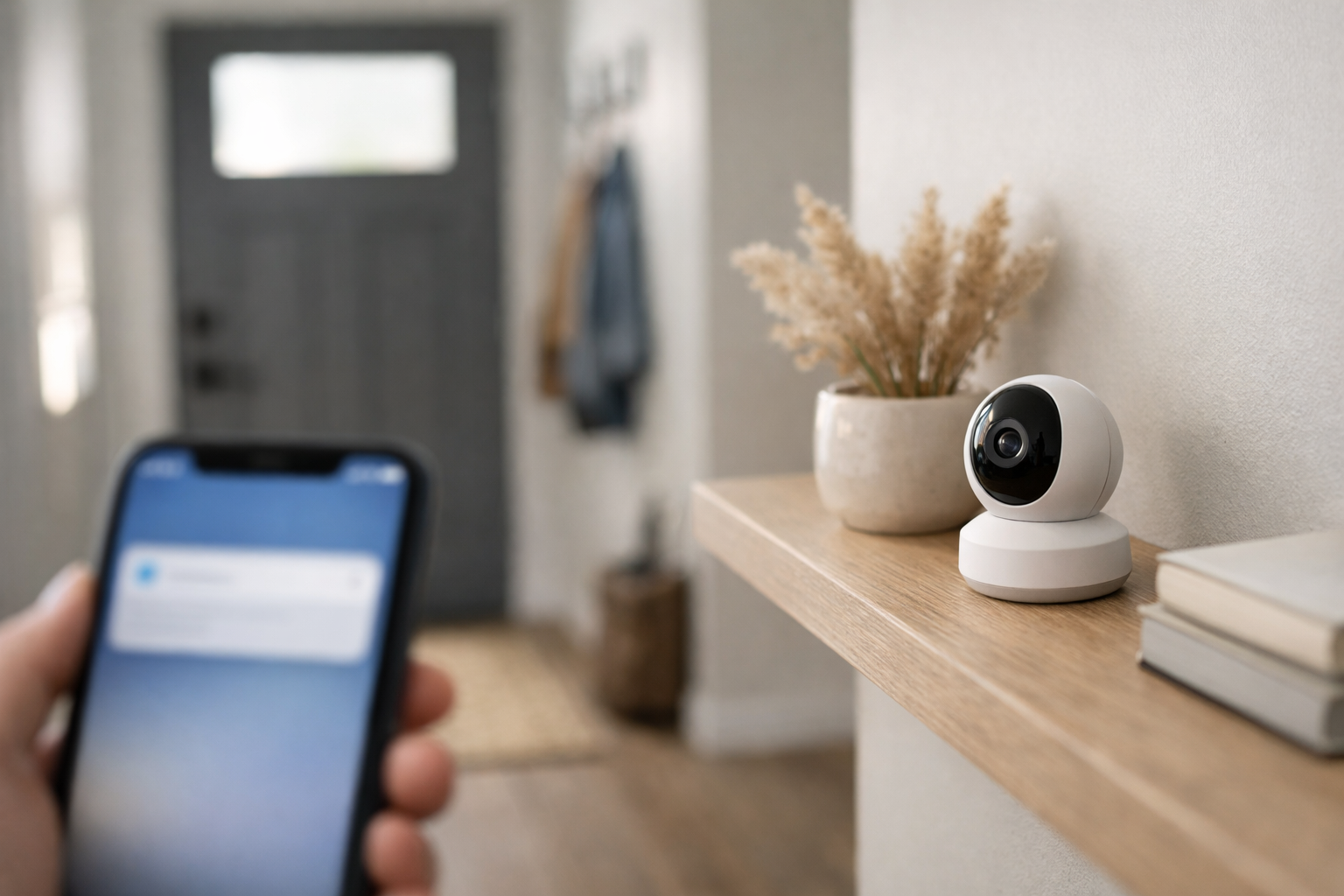
Build a simple camera alert system that spots motion and people at home.
This beginner course is a short, book-style walkthrough that teaches you how to create a practical Camera AI setup for home safety. You will learn two core skills that power many real security cameras: motion detection (something changed in the scene) and person detection (a human is present). The goal is simple: when motion happens, or when a person appears, your system can send a clear alert to you.
You do not need any background in AI, coding, or data science. We start from first principles and use plain language to explain what the camera is capturing, what the AI is deciding, and how those decisions become notifications you can trust.
By the final chapter, you will have a working blueprint for a home-ready alert flow:
The six chapters build in a straight line. First, you learn what Camera AI is and what “detection” means without jargon. Next, you set up the camera and environment so the system has a fair chance to work. Then you implement motion detection, add person detection to improve signal quality, and finally connect detections to alerts.
To keep things beginner-friendly, each chapter focuses on a small set of ideas and repeatable actions. You will learn what each setting does (like sensitivity, zones, cooldowns, and confidence) and how to adjust it based on what you observe—not guesswork.
Many first-time camera projects fail for one reason: too many notifications. A curtain moving, a TV flicker, or headlights through a window can trigger constant motion alerts. This course shows you how to reduce that noise with simple tools like detection zones, timing rules, and person detection thresholds. The end result is an alert system that feels calm and dependable.
Home camera projects involve sensitive spaces. You will learn beginner-safe practices for placement, retention (how long to keep clips), and access control. You will also learn how to think about consent and where not to point a camera. These habits matter even for small personal setups, and they become essential if you ever use similar ideas at work.
If you are ready to build your first Camera AI project step by step, you can begin right away. Register free to save your progress, or browse all courses to compare related beginner paths in computer vision.
Computer Vision Educator and Applied AI Builder
Sofia Chen builds beginner-friendly computer vision projects for real homes and small teams. She focuses on clear, practical setups that work on everyday devices while keeping privacy and safety in mind.
Camera AI sounds fancy, but the goal in this course is very down-to-earth: you want your home camera to tell you when something important happens. “Important” usually means either movement (a door opens, a car pulls in, a package is dropped off) or a person (someone is at the porch, in the yard, or entering a room). The difference matters because motion is easy to spot but noisy, while person detection is more selective but depends on lighting, camera angle, and the AI’s training.
This chapter removes the jargon and sets expectations. You’ll learn what the camera is actually producing (frames), what the AI “sees” (pixel patterns), what the results look like (labels, boxes, confidence), and what can fail so you can design around it. By the end, you should be able to choose a simple home setup, place it for reliable detection, capture short test clips safely, and understand what it means when an alert says “person 0.78” versus “motion detected.”
One practical mindset to adopt early: camera AI is not a judge that decides what happened. It’s a sensor that gives you clues. Your job is to tune the sensor—camera placement, motion settings, ignore zones, and thresholds—so the clues are useful and don’t wake you up at 2 a.m. because a moth flew by the lens.
Practice note for Define the goal: motion alerts and person alerts for home safety: document your objective, define a measurable success check, and run a small experiment before scaling. Capture what changed, why it changed, and what you would test next. This discipline improves reliability and makes your learning transferable to future projects.
Practice note for Understand frames, video, and what the AI “sees”: document your objective, define a measurable success check, and run a small experiment before scaling. Capture what changed, why it changed, and what you would test next. This discipline improves reliability and makes your learning transferable to future projects.
Practice note for Meet detection results: boxes, labels, and confidence: document your objective, define a measurable success check, and run a small experiment before scaling. Capture what changed, why it changed, and what you would test next. This discipline improves reliability and makes your learning transferable to future projects.
Practice note for Set expectations: what works well and what can fail: document your objective, define a measurable success check, and run a small experiment before scaling. Capture what changed, why it changed, and what you would test next. This discipline improves reliability and makes your learning transferable to future projects.
Practice note for Define the goal: motion alerts and person alerts for home safety: document your objective, define a measurable success check, and run a small experiment before scaling. Capture what changed, why it changed, and what you would test next. This discipline improves reliability and makes your learning transferable to future projects.
Practice note for Understand frames, video, and what the AI “sees”: document your objective, define a measurable success check, and run a small experiment before scaling. Capture what changed, why it changed, and what you would test next. This discipline improves reliability and makes your learning transferable to future projects.
Practice note for Meet detection results: boxes, labels, and confidence: document your objective, define a measurable success check, and run a small experiment before scaling. Capture what changed, why it changed, and what you would test next. This discipline improves reliability and makes your learning transferable to future projects.
Practice note for Set expectations: what works well and what can fail: document your objective, define a measurable success check, and run a small experiment before scaling. Capture what changed, why it changed, and what you would test next. This discipline improves reliability and makes your learning transferable to future projects.
Practice note for Define the goal: motion alerts and person alerts for home safety: document your objective, define a measurable success check, and run a small experiment before scaling. Capture what changed, why it changed, and what you would test next. This discipline improves reliability and makes your learning transferable to future projects.
Before touching any settings, define the job your system must do. In a typical home, you want two kinds of alerts: (1) “something moved” and (2) “a person is present.” These support everyday safety and convenience: noticing an unexpected visitor, confirming a delivery, checking a side gate, or watching a garage door that sometimes doesn’t close.
The key is to avoid building a system that alerts you constantly. A camera pointed at a busy street will generate endless motion. A camera pointed at a tree will trigger with every gust of wind. A camera aimed too low may miss faces and bodies, and a camera aimed into bright sky may struggle at dusk. So the real problem is not just detection—it’s useful detection in your actual space.
Engineering judgment starts here: pick one location and one goal for your first build. For example, “Alert me when a person approaches the front door between 10 p.m. and 6 a.m.” is specific and testable. “Alert me whenever anything happens anywhere” is a recipe for false alarms and frustration.
Common mistake: trying to cover too wide an area with one camera. Reliability usually improves when you narrow the scene to the doorway, gate, or path you care about. Your first setup should prioritize a clean view, stable mounting, and predictable lighting over fancy features.
A camera feed is simply a sequence of images sent over time. Each individual image is called a frame. If your camera runs at 10 frames per second (10 FPS), it sends 10 images every second. Video is just frames shown quickly enough that your brain perceives smooth motion.
This matters because most detection happens “per frame.” The AI does not experience your scene like you do. It receives a grid of colored dots (pixels) for one frame, then the next frame, and so on. Motion detection often works by comparing frames: if enough pixels change between one frame and the next, it flags motion. Person detection works by looking at shapes and textures inside a single frame and deciding whether a person is present.
Practical workflow for testing: capture short clips (5–15 seconds) that include the event you care about: you walking up, standing still, turning around, and walking away. This gives you a repeatable way to tune settings without waiting for real-world events. When you review clips, focus on three questions: (1) did it trigger at the right moment, (2) did it keep triggering too long, and (3) did it miss you when you were clearly visible?
Safe testing tip: when recording test clips, avoid capturing neighbors’ windows, sidewalks, or private areas you don’t need. Point the camera only at your property, and store test clips locally when possible. The goal is to learn the system without collecting unnecessary footage.
Motion detection answers: “Did something change in the image?” It is fast and works on inexpensive hardware. It is also easily fooled. Shadows moving across a driveway, leaves fluttering, insects close to the lens, rain streaks, and TV light flicker can all trigger motion.
Person detection answers: “Does this frame contain a person?” It is more selective and often more useful for home alerts, because you care about people more than every change. But it requires more computation and can fail when the person is small in the frame, partially hidden, backlit, or blurred by fast movement.
In a home setup, you typically use both: motion detection as a “wake-up” signal and person detection as a “confirm.” For example, you might detect motion in a region near the porch steps, then run person detection on those frames to decide whether to send a high-priority alert.
Common mistake: aiming the camera for the widest scenic view. For alerts, you want a “detection corridor”—a path where subjects move across the frame and are large enough to recognize. Mount the camera solidly, avoid pointing directly into the sun, and ensure the area of interest is well-lit at night (even a small porch light helps person detection).
An AI model is a piece of software that has learned patterns from lots of examples. For person detection, it has seen many images labeled “person” and learned what pixel patterns usually correspond to a person. When you give it a new frame, it makes an educated guess: “I think there is a person here,” and it returns where it thinks the person is.
You do not need to understand neural networks to use this effectively. What you do need is an operator’s understanding: models are good at what they were trained on and weaker at unusual angles, rare lighting, and uncommon situations. A model may recognize a person walking upright but struggle with a person crouching behind a railing, wearing a bulky coat, or being visible only as a silhouette.
Models also have limits based on input size. Many systems resize frames before running detection to save compute. Resizing can make distant people too small to recognize. That’s why camera placement and field of view matter as much as the model choice.
Practical outcome: you will treat the model as a component in a system. If you get poor results, you can improve lighting, reduce distance, narrow the view, adjust thresholds, or add a second camera angle—often faster and cheaper than “finding a better AI.”
When your system reports “person: 0.82,” that number is a confidence score. Beginners often read it as “82% chance this is a person,” but in practice it is better to interpret it as: “the model is more sure than when it outputs 0.30.” Confidence is useful for tuning: you choose a threshold (for example, alert only if confidence ≥ 0.70) to balance missed detections and false alerts.
False alerts are when the system triggers but nothing meaningful happened (a shadow, pet, reflection). Misses are when something meaningful happened but no alert was sent. You cannot eliminate both entirely; you choose a balance that fits your home.
Engineering judgment shows up in how you test. Don’t tune based on a single event. Run a short, repeatable test: walk the same path five times in daylight and three times at night. Note the confidence range you get. If night confidence is consistently lower, you can use different thresholds by time of day or improve illumination.
Common mistake: using one global setting for everything. A porch at night and a backyard in daylight behave differently. Even within one scene, the tree line may need an ignore zone while the door area needs high sensitivity.
In this course you will build a simple, reliable alerting flow for home use. The project is intentionally practical: pick one camera location, create dependable motion detection, layer person detection on top, and send an alert you can trust.
The workflow you will follow looks like this: you mount a camera with a stable view of the area of interest, then you capture short test clips to see how the scene behaves in real conditions. Next, you enable motion detection and tune sensitivity so normal background movement does not trigger constantly. You draw ignore zones to block out areas you don’t care about (trees, road edge, bright reflections). Once motion alerts are stable, you enable person detection and choose a confidence threshold that matches your tolerance for false alerts.
By the end, you should be able to look at a detection result—boxes, labels, and confidence—and understand what it is telling you. More importantly, you’ll know how to respond when it misbehaves: adjust placement first, then motion settings and ignore zones, then person thresholds. This order matters because good input (a clear, stable view) often fixes problems that no amount of tweaking can solve.
Finally, you will set expectations: camera AI is powerful, but it is not magic. It works best when you design the scene for it—clear view, steady mount, good lighting, and a focused goal. That is how you get alerts that help rather than distract.
1. Why does the chapter distinguish between motion alerts and person alerts for home safety?
2. In this chapter, what is a camera primarily producing that the AI analyzes?
3. When the AI outputs something like a label with a box and a confidence value, what is that meant to represent?
4. What does an alert like “person 0.78” most directly communicate?
5. Which mindset best matches how the chapter suggests you should treat camera AI?
In Chapter 1 you learned what camera AI is and why “motion” detection is different from “person” detection. This chapter turns that understanding into a setup that behaves predictably in a real home. Good alerts are not mostly about fancy models—they are mostly about consistent video. If the camera view is shaky, too dark, or pointed at the wrong scene, motion alerts become noisy and person detection confidence drops. Your goal is simple: create a stable view of a well-lit area where a person-sized subject can appear clearly for a few seconds.
Think like an engineer: you are not optimizing for “cool,” you are optimizing for signal-to-noise. Signal is a person moving through the area you care about. Noise is everything else the camera can see moving: shifting shadows, TVs, swaying curtains, headlights, and even compression artifacts in low light. The setup choices you make—camera type, placement height, field of view, and lighting—determine whether your AI spends its time triggering on real events or getting distracted.
As you work through the sections, keep a small workflow in mind: (1) pick a camera option you can connect reliably, (2) choose placement that captures the right area at the right size, (3) fix lighting so motion is real motion (not shadows), (4) reduce background movement, (5) stabilize connectivity, and (6) record short test clips so you can tune alerts without guessing. By the end of this chapter you should have a safe test area and a short test plan you can repeat any time you change something.
Practice note for Pick a camera option and connect it successfully: document your objective, define a measurable success check, and run a small experiment before scaling. Capture what changed, why it changed, and what you would test next. This discipline improves reliability and makes your learning transferable to future projects.
Practice note for Check video quality: focus, angle, and field of view: document your objective, define a measurable success check, and run a small experiment before scaling. Capture what changed, why it changed, and what you would test next. This discipline improves reliability and makes your learning transferable to future projects.
Practice note for Fix common lighting problems for better detection: document your objective, define a measurable success check, and run a small experiment before scaling. Capture what changed, why it changed, and what you would test next. This discipline improves reliability and makes your learning transferable to future projects.
Practice note for Create a safe test area and a short test plan: document your objective, define a measurable success check, and run a small experiment before scaling. Capture what changed, why it changed, and what you would test next. This discipline improves reliability and makes your learning transferable to future projects.
Practice note for Pick a camera option and connect it successfully: document your objective, define a measurable success check, and run a small experiment before scaling. Capture what changed, why it changed, and what you would test next. This discipline improves reliability and makes your learning transferable to future projects.
Practice note for Check video quality: focus, angle, and field of view: document your objective, define a measurable success check, and run a small experiment before scaling. Capture what changed, why it changed, and what you would test next. This discipline improves reliability and makes your learning transferable to future projects.
Practice note for Fix common lighting problems for better detection: document your objective, define a measurable success check, and run a small experiment before scaling. Capture what changed, why it changed, and what you would test next. This discipline improves reliability and makes your learning transferable to future projects.
Practice note for Create a safe test area and a short test plan: document your objective, define a measurable success check, and run a small experiment before scaling. Capture what changed, why it changed, and what you would test next. This discipline improves reliability and makes your learning transferable to future projects.
You can build a solid starter system with almost any camera that produces steady video. The “best” choice is usually the one you can connect and keep running without friction. Here are three beginner-friendly options, each with tradeoffs you should understand before you mount anything.
When you connect the camera, prioritize a clean baseline: a consistent frame rate (ideally 15–30 fps), a stable resolution (720p is often enough for learning; 1080p gives more detail for person detection at distance), and fixed orientation. If your camera has an “auto rotate” feature, consider turning it off so the image doesn’t unexpectedly flip.
Common beginner mistake: chasing maximum resolution while ignoring clarity. A sharp 720p view with a person filling a reasonable portion of the frame often beats a noisy 4K feed in a dark room. Another mistake is leaving “beauty filters,” HDR over-processing, or aggressive noise reduction on in phone apps; these can create flicker that looks like motion. Your practical outcome for this section is to pick one camera type and confirm you can view a continuous live feed for at least 10 minutes without interruption.
Placement decides what the AI can and cannot do. Motion detection triggers when pixels change; person detection works best when a person is large enough and not heavily distorted. The most reliable placement is usually a slightly elevated corner view that covers a doorway, hallway, or entry path—places where people naturally move through the scene.
Height: A practical starting point indoors is 6–8 feet (about 1.8–2.4 m). Higher than that can make heads and shoulders too small and can create steep angles that hide faces under hats/hoods. Too low invites occlusion (furniture) and increases the chance of bumping the camera.
Angle: Avoid pointing directly at windows or reflective surfaces if you can. A slight downward angle reduces glare and keeps the floor from taking up most of the frame. Also avoid extreme wide-angle “fish-eye” views unless necessary; they make people near edges look warped, which can reduce person confidence scores.
Distance and subject size: For beginner setups, try to ensure a person walking through the area occupies at least ~15–25% of the frame height for a moment. If the person is a tiny silhouette at the far end of the room, motion alerts may trigger but person detection may be inconsistent or low confidence. If your camera has a digital zoom, treat it carefully: zoom can help make the person larger, but it can also amplify noise and blur.
Check video quality by doing a quick “walk test.” Walk naturally through the target path at least twice: once close to the camera and once farther away. Pause briefly at the doorway or the key area you want detected. Review the live view (or a short clip) and confirm: (1) you are in focus, (2) your full body is visible where it matters, and (3) you are not backlit into a silhouette. Your outcome is a camera view that captures the intended zone without wasting most pixels on ceilings, blank walls, or bright windows.
Lighting is the quiet “fourth variable” of camera AI. Motion detection does not understand intent; it sees pixel changes. When lighting changes—clouds passing, headlights sweeping, a lamp turning on—large areas of the image can change at once. That looks like motion even if nothing physically moved. Person detection also struggles when lighting is uneven, because the features that make a person recognizable (edges, contrast, body outline) become unclear.
Why shadows trigger motion: A moving shadow is literally a moving pattern of pixels. If your camera looks across the floor near a window, shadows from trees, curtains, or passing cars can slide across the scene and trigger alerts. Auto-exposure can make it worse: the camera brightens and darkens the whole image as conditions change, creating “global motion” across frames.
Practical fixes: First, add consistent light rather than relying on sunlight. A small lamp aimed at a wall (indirect light) often improves detection more than a harsh overhead bulb. Second, reduce dynamic range: avoid framing both a bright window and a dark hallway in the same shot. If your camera offers a setting like “anti-flicker” (50/60 Hz), set it correctly for your region to prevent brightness pulsing under some LED lights. If there is an IR night mode, test it: IR can be excellent for night detection, but reflective surfaces (glass, glossy floors) can cause flare.
Common mistake: placing the camera so the main walkway is backlit by a window. The person becomes a dark silhouette; motion triggers, but person confidence can drop. If you must face a window, try repositioning so the window is out of frame, or use curtains/blinds to soften changes. Your outcome is a scene where lighting stays mostly stable over minutes, and where a person’s outline remains clear in both day and night conditions.
After lighting, the next biggest source of false alerts is background movement—things that move often but are not important. Motion detection is especially sensitive to repetitive motion because it appears as continuous pixel change. Person detection may ignore some of it, but it can still create unnecessary processing and distracting notifications if you alert on motion as the first stage.
Common culprits: curtains fluttering near an open window; ceiling fans; a TV showing fast scene cuts; aquarium bubbles; reflections from mirrors; and pets roaming in and out of frame. Even small movements become “big” if they occur close to the camera or occupy high-contrast areas of the image.
Engineering judgment: decide what you want the camera to be “about.” If your goal is entry alerts, the camera should be about the door area, not the living room TV. Consider changing the camera angle to exclude the TV, or physically relocating the TV out of the camera’s line of sight. If pets are a factor, you have two options: (1) aim the camera higher so the floor is minimized and the pet occupies fewer pixels, or (2) plan to use ignore zones later (covered in a later chapter) and preemptively reserve those zones for areas where pets roam.
Quick background scan checklist: watch your live feed for 30 seconds and look for “always moving” regions. If you notice constant motion in one corner (like curtains), that is an immediate candidate for reframing or, later, an ignore zone. If a ceiling fan is visible, test both fan-on and fan-off; fans can create periodic shadow patterns that look like someone moving. Your outcome is a calmer scene where most pixel changes correspond to meaningful activity—people entering, leaving, or walking through the target area.
Alerts depend on a stable pipeline: camera → network (or USB) → detection software/service → notification. When any link drops, you may miss events or get confusing bursts of delayed alerts. Before you tune sensitivity or person confidence thresholds, make sure the video stream is steady.
Wi‑Fi vs Ethernet: If your IP camera supports Ethernet, use it when possible—especially for early testing. Wired connections reduce jitter and packet loss, which can look like skipped frames or sudden quality changes. If you must use Wi‑Fi, place the camera within strong signal range and avoid congested bands. A practical test: stream for 20 minutes while doing normal household activity (music streaming, calls) and confirm the video does not freeze or drop to very low resolution.
Power stability: Many “mystery” disconnects are power issues. Use the manufacturer’s recommended adapter. Avoid long, thin USB cables that cause voltage drop. If you are using a phone, keep it plugged in and disable battery optimization for the camera app so the OS does not suspend it.
Consistency settings: If the camera has options for “auto quality” or “adaptive bitrate,” consider turning them off for testing. Adaptive bitrate can change compression aggressively, producing blocky artifacts that trigger motion or reduce person confidence. Aim for consistent settings first; you can optimize later.
Outcome: you can leave the feed running and trust that a 5-second event will be captured as a smooth sequence rather than a frozen frame. This stability makes the next chapters—motion sensitivity, ignore zones, and person confidence—much easier because you’re adjusting the detector, not fighting the infrastructure.
Testing alerts without recording is like tuning a guitar without listening. Short clips let you review what actually happened when the system triggered (or failed to). The key is to record intentionally and minimally: capture enough to evaluate focus, framing, and detection, but avoid building a privacy risk or unnecessary storage burden.
Create a safe test area: Choose a location where you control who appears on camera. Avoid pointing at neighbors’ doors, shared hallways, or public sidewalks. Indoors, pick a hallway or entry area where you can run repeated walk tests. Let household members know you are testing, and keep tests short.
A short test plan (repeatable):
Record clips in the smallest useful window—often 10–20 seconds per test. Name them with a simple convention like hallway_baseline_day_01 so you can compare later. After reviewing, delete clips you no longer need. If your system syncs to cloud storage, check the “trash” or retention settings; deleting locally may not remove cloud copies immediately. If you are using a shared device, store test clips in a private folder and avoid sending them through insecure channels.
Your outcome for this section is not a library of footage—it’s confidence. You should be able to look at a clip and answer: Is the person large enough in frame? Is the image stable and well lit? Did the scene include distracting motion? Those answers will guide your settings in later chapters when you enable motion alerts, define ignore zones, and start interpreting person detection confidence scores.
1. According to Chapter 2, what most improves the quality of motion and person alerts in a typical home setup?
2. In the chapter’s “signal-to-noise” framing, which example best represents 'noise' that can trigger unwanted motion alerts?
3. What is the setup goal described for making person detection behave predictably?
4. Why does poor lighting often make motion alerts 'noisy' and reduce person detection confidence?
5. Which workflow best matches the chapter’s recommended order for setting up and tuning alerts without guessing?
Motion detection sounds simple: “tell me when something moves.” In practice, it’s one of the most frustrating parts of home camera AI because cameras don’t see “objects” by default—they see changing pixels. Headlights sweep across a wall, a tree shadow moves, the auto-exposure adjusts, and suddenly your phone is buzzing. This chapter shows you how to turn on motion detection, get your first usable results, and then shape those results into something you can trust day-to-day.
We’ll treat motion detection like an engineering system you can tune. You’ll learn how sensitivity and thresholds work, how to draw ignore zones to block busy areas, how to use timing controls so one event doesn’t create 30 alerts, and how to save and review motion events so you can troubleshoot with evidence instead of guessing. The goal is practical: fewer false alarms, reliable captures, and a clear path toward person detection in the next steps of your setup.
As you work through this chapter, keep a simple testing mindset. Change one setting at a time, then test with a repeatable action (walk through the same path, wave a hand near the frame edge, turn a light on/off). Motion detection improves quickly when you can compare “before” and “after” with short saved clips.
Practice note for Turn on motion detection and see first results: document your objective, define a measurable success check, and run a small experiment before scaling. Capture what changed, why it changed, and what you would test next. This discipline improves reliability and makes your learning transferable to future projects.
Practice note for Tune sensitivity to reduce noise: document your objective, define a measurable success check, and run a small experiment before scaling. Capture what changed, why it changed, and what you would test next. This discipline improves reliability and makes your learning transferable to future projects.
Practice note for Add zones to ignore busy areas: document your objective, define a measurable success check, and run a small experiment before scaling. Capture what changed, why it changed, and what you would test next. This discipline improves reliability and makes your learning transferable to future projects.
Practice note for Save and review motion events for troubleshooting: document your objective, define a measurable success check, and run a small experiment before scaling. Capture what changed, why it changed, and what you would test next. This discipline improves reliability and makes your learning transferable to future projects.
Practice note for Turn on motion detection and see first results: document your objective, define a measurable success check, and run a small experiment before scaling. Capture what changed, why it changed, and what you would test next. This discipline improves reliability and makes your learning transferable to future projects.
Practice note for Tune sensitivity to reduce noise: document your objective, define a measurable success check, and run a small experiment before scaling. Capture what changed, why it changed, and what you would test next. This discipline improves reliability and makes your learning transferable to future projects.
Practice note for Add zones to ignore busy areas: document your objective, define a measurable success check, and run a small experiment before scaling. Capture what changed, why it changed, and what you would test next. This discipline improves reliability and makes your learning transferable to future projects.
Practice note for Save and review motion events for troubleshooting: document your objective, define a measurable success check, and run a small experiment before scaling. Capture what changed, why it changed, and what you would test next. This discipline improves reliability and makes your learning transferable to future projects.
Practice note for Turn on motion detection and see first results: document your objective, define a measurable success check, and run a small experiment before scaling. Capture what changed, why it changed, and what you would test next. This discipline improves reliability and makes your learning transferable to future projects.
Practice note for Tune sensitivity to reduce noise: document your objective, define a measurable success check, and run a small experiment before scaling. Capture what changed, why it changed, and what you would test next. This discipline improves reliability and makes your learning transferable to future projects.
Most home systems label it “motion,” but what they typically detect is change between frames. The camera produces a stream of images (frames). Motion detection compares the current frame to a recent reference frame and asks: “How many pixels changed, and how much did they change?” If the change is big enough, it triggers an event. This is why a camera can “detect motion” even when no person is present—because the algorithm is responding to pixel changes, not understanding the scene.
Turn on motion detection in your camera app or NVR/software and watch the first results without tuning. Expect imperfect behavior; the point is to establish a baseline. Walk through the scene at different distances and speeds. Then do a few non-human tests: turn a light on, open a door, and let a shadow move across the floor. If these trigger motion, that’s not “wrong”—it’s the system doing what it was designed to do (detect change).
Two practical implications matter immediately. First, camera placement affects motion detection more than most settings. A camera facing directly into the sun, a reflective window, or a busy street will “see” constant pixel changes. Second, frame rate and resolution influence detection. Higher frame rates can make motion appear smoother (smaller per-frame changes), while low frame rates can make a moving person “jump” between frames (larger changes). You don’t need to master these details yet—just remember that motion detection is a signal derived from pixels, and your job is to make the signal represent the events you care about.
Once you see what triggers your baseline setup, you’re ready to tune it.
Sensitivity settings are usually a friendly label for one or more thresholds. Think of a threshold as the minimum “amount of change” required before the system calls it motion. Some products expose one slider; others separate it into “sensitivity,” “motion threshold,” or “detection level.” The underlying idea is consistent: higher sensitivity means smaller changes can trigger; lower sensitivity means only larger changes trigger.
Beginner tuning works best with a repeatable test. Choose a standard motion: you walking across the detection area at a normal pace. Run the test three times at the current setting and note whether it triggers consistently. Then reduce sensitivity one step and repeat. Your goal is to find the lowest sensitivity that still triggers reliably for the motion you care about. This reduces noise because it filters out small changes like mild shadows or camera sensor noise.
Many systems also have a “minimum motion area” concept (explicitly or implicitly): how much of the image must change. If your camera offers settings like “object size,” “percentage,” or “motion area,” increase it slightly after you’ve found a workable sensitivity. That helps ignore tiny movements such as leaves in a corner of the frame.
After tuning, save a short clip of a “good trigger” (you walking through) and a short clip of a “bad trigger” (shadow or headlights). These become your reference examples for later troubleshooting.
Zones are how you tell the system “motion here matters, motion there doesn’t.” Most apps let you draw rectangles or polygons over the image. Some call them activity zones (only alert inside them). Others call them privacy/ignore zones (never analyze inside them). The effect is similar: reduce the amount of “busy” area the detector must consider.
Start by identifying your highest-noise regions: a street with passing cars, a tree line, a reflective window, a ceiling fan, or a TV screen visible through a doorway. If those areas remain included, you will fight false triggers forever with sensitivity alone. Draw an ignore zone over the noisy region, leaving your important path (doorway, walkway, driveway entry) uncovered. If your system supports multiple zones, create a tight detection zone around the areas where people should appear, rather than covering the entire frame.
Good zoning is a balance. Over-zoning creates blind spots; under-zoning leaves noise. A practical approach is to zone out “always-busy” elements first (trees, roads), then test again with your normal motion path. Walk near the edges of the zones to ensure you’re not accidentally excluding the area where a person will actually enter the scene.
Zones are one of the biggest quality improvements you can make because they change the detector’s input rather than trying to “fix” the output after it triggers.
Even with good sensitivity and zones, raw motion can produce bursts: a person walks through, the system triggers repeatedly as they move, and you receive multiple alerts for the same event. Timing controls shape this behavior. Common options include cooldown (sometimes called “retrigger time” or “alert interval”) and minimum duration (motion must persist for a set time before it counts).
A cooldown is the simplest: once an event triggers, the system waits a set number of seconds before allowing another trigger. For home alerts, a good starting point is 20–60 seconds. Shorter cooldowns are useful for recording continuous event clips, but they can overwhelm notifications. If your goal is phone alerts, prioritize fewer, higher-quality alerts.
Minimum duration helps ignore brief flickers such as a single frame exposure shift or a quick shadow. If you can set it, try 0.3–1.0 seconds for outdoor scenes. Be careful: if you set it too high, you may miss fast events (for example, someone running across a narrow portion of the frame).
Pair timing controls with saving short clips. A typical home-friendly event recording is 5–10 seconds before the trigger (pre-roll) and 10–20 seconds after. Pre-roll matters because motion algorithms often trigger slightly late—the most important moment (someone stepping into view) can happen before the event starts unless pre-roll is enabled.
Timing controls don’t reduce detection; they reduce alert noise and make review easier.
False triggers are predictable once you know the usual suspects. Start by categorizing each false alert: lighting change, moving background, camera movement, or image noise. Then apply the simplest fix that removes the cause rather than “fighting” it with extreme sensitivity settings.
A fast troubleshooting habit: when you get a bad alert, immediately review the clip and pause on the first frame where motion was detected. Ask, “What changed?” If you can point to it (shadow edge, car light, branch), you can usually solve it with zoning or placement rather than complicated settings.
Remember your target: reliable detection of meaningful events. A small number of missed low-value motions (like distant road traffic) is often acceptable if it buys you fewer false alarms and higher trust in your alerts.
If you want motion detection that “actually works,” you need a lightweight way to learn from events. An event log doesn’t have to be fancy. It can be a notes app, a spreadsheet, or whatever your camera system already provides. The purpose is to connect a trigger to a cause and to a setting change, so you stop repeating the same experiments.
At minimum, record four things for any alert you investigate: (1) timestamp, (2) what the clip shows (person, car headlights, shadow, tree movement), (3) whether it was desired or false, and (4) the key settings at the time (sensitivity level, zones enabled, cooldown/min duration). If your system provides a motion “score” or intensity graph, note the approximate value for a few examples. Over time, you’ll develop intuition: “My typical person event scores around X; shadows score around Y.”
Save and label a handful of short clips for troubleshooting. Create a small library: “good person approach,” “false headlights,” “false shadow,” “windy tree.” When you change a setting, re-test and compare against your library. This is the practical version of regression testing: you confirm that today’s fix didn’t break yesterday’s success case.
Once your motion events are consistent and reviewable, you’re in the best possible position to add person detection and alerts with confidence—because your input (motion events) is clean, and your troubleshooting process is repeatable.
1. Why do home cameras often trigger motion alerts from things like headlights, shadows, or exposure changes?
2. What is the most effective mindset for improving motion detection reliability during setup?
3. When a camera keeps alerting on a consistently busy part of the image (like a street or swaying tree), what is the best chapter-recommended approach?
4. What is the purpose of timing controls mentioned in the chapter?
5. Why does the chapter recommend saving and reviewing motion events while tuning settings?
Motion detection is a good first filter, but it cannot tell you what moved. A tree branch, a shadow, a cat, a delivery person, or your own family all look like “motion.” Person detection adds the missing layer: it tries to recognize human-shaped patterns in the image and reports where the person is. In this chapter you will run a basic person detector, interpret its output, and turn those results into alerts that feel reliable in a real home environment.
The goal is not perfection; the goal is engineering judgement. You will decide when a detection is strong enough to bother you with a phone notification, how to handle multiple people or partial views, and when motion-only rules still do a better job. Along the way you’ll learn why confidence scores behave the way they do and which practical settings (resolution, frame rate, and camera placement) most affect person detection quality and speed.
Keep your testing safe and respectful: use your own property, avoid pointing cameras at neighbors, and review short clips only long enough to verify whether alerts match reality. For tuning, it helps to capture a small set of example clips that represent your “normal” day (sunny afternoon, dusk, porch light on, rain) so you can compare motion-only results versus person detection on the same footage.
The sections below walk from basic concepts (what object detection is) to the alert design pattern most beginners end up using: motion as a cheap gate, person detection as a smarter confirmation step.
Practice note for Run person detection and interpret the output: document your objective, define a measurable success check, and run a small experiment before scaling. Capture what changed, why it changed, and what you would test next. This discipline improves reliability and makes your learning transferable to future projects.
Practice note for Use confidence scores to decide when to alert: document your objective, define a measurable success check, and run a small experiment before scaling. Capture what changed, why it changed, and what you would test next. This discipline improves reliability and makes your learning transferable to future projects.
Practice note for Handle multiple people and partial views: document your objective, define a measurable success check, and run a small experiment before scaling. Capture what changed, why it changed, and what you would test next. This discipline improves reliability and makes your learning transferable to future projects.
Practice note for Compare person detection vs motion-only results: document your objective, define a measurable success check, and run a small experiment before scaling. Capture what changed, why it changed, and what you would test next. This discipline improves reliability and makes your learning transferable to future projects.
Practice note for Run person detection and interpret the output: document your objective, define a measurable success check, and run a small experiment before scaling. Capture what changed, why it changed, and what you would test next. This discipline improves reliability and makes your learning transferable to future projects.
Practice note for Use confidence scores to decide when to alert: document your objective, define a measurable success check, and run a small experiment before scaling. Capture what changed, why it changed, and what you would test next. This discipline improves reliability and makes your learning transferable to future projects.
Practice note for Handle multiple people and partial views: document your objective, define a measurable success check, and run a small experiment before scaling. Capture what changed, why it changed, and what you would test next. This discipline improves reliability and makes your learning transferable to future projects.
Practice note for Compare person detection vs motion-only results: document your objective, define a measurable success check, and run a small experiment before scaling. Capture what changed, why it changed, and what you would test next. This discipline improves reliability and makes your learning transferable to future projects.
Object detection is the camera AI task that answers two questions at once: “What is in the image?” and “Where is it?” Unlike motion detection, which compares pixels between frames and flags any change, object detection looks at a single frame (or a short burst of frames) and tries to recognize visual patterns it learned during training. When it sees something that resembles a known category—like a person—it outputs a label and a location.
For home alerts, you can think of object detection as a smarter second opinion. Motion detection is fast and sensitive, but it is easily fooled by lighting changes, headlights sweeping across the driveway, or wind-blown plants. Object detection is slower and not perfect, but it can ignore many “non-person” motion events. That is why many practical systems use a two-step workflow: detect motion first (cheap), then run person detection only on the moments that matter (smarter).
Common mistake: expecting person detection to behave like a face-recognition tool. Person detection usually does not identify who someone is; it only tries to say “a person is present” and roughly where. Another mistake is treating a single detection as absolute truth. Real-world video is messy—blur, glare, partial bodies—so you’ll often improve reliability by requiring the person label to appear in more than one frame before you alert.
Practical workflow tip: when you test, do two short passes. First, walk through the scene at normal pace and confirm the detector fires. Second, do an “edge pass” (slowly, partly behind a door frame, at the far edge of view) so you can see where it starts to fail. Those failure points guide your camera placement and your confidence cutoff later.
Most beginner-friendly person detectors output three core pieces of information per detection: a label (for example, person), a confidence score, and a bounding box. The bounding box is a rectangle drawn around the area of the frame the model believes contains the person. In a live view or test clip review, you’ll often see these boxes overlaid on the video so you can visually confirm what the model “thinks” it sees.
Interpreting boxes is a practical skill. A good detection usually produces a box that covers most of the torso and legs (or at least the upper body), stays relatively stable from frame to frame, and follows the person as they move. Weak detections often “jump,” appear briefly for one frame, or cling to high-contrast shapes like a coat on a chair, a vertical post, or a reflection in glass.
Handling multiple people is straightforward conceptually: you get multiple boxes, usually one per visible person. Your alert logic must decide whether “any person” is enough (typical for security) or whether you want to treat counts differently (for example, alert only if two or more people are present at night). A practical rule is to alert on the first valid person and then suppress repeats for a short cooldown period (e.g., 30–120 seconds) to avoid notification storms as the same people move around.
Partial views matter. If only a shoulder or legs are visible, the detector may still produce a box, but it can be smaller and less confident. Don’t assume “small box = false.” Instead, combine box size with context: if the box is small because the person is far away, that may still be important. Many systems use a minimum box size or a “near the door” zone so far-away sidewalk pedestrians don’t trigger you, while people approaching the porch do.
The confidence score is the model’s estimate—usually from 0.0 to 1.0—of how likely a detection matches the label. Beginners often want a single “correct” threshold (like 0.80), but the right cutoff depends on your camera angle, lighting, and how costly false alarms are compared to missed alerts.
Start with a conservative, safety-first approach: set the cutoff low enough that you rarely miss a real person during your tests. In many home setups that might be 0.40–0.60. Then reduce false alerts using other levers before raising the cutoff aggressively: motion ignore zones, restricting detections to a region near the entryway, requiring the detection to persist for N frames, or checking that the box overlaps a “trip zone.” This is often more robust than simply cranking the threshold to 0.90, which can cause frustrating misses in low light or partial views.
A practical method is to build a tiny “threshold diary” from your own clips. Review 10–20 short events (5–10 seconds each): some real people, some common false triggers (shadows, pets, reflections). Write down the confidence values you observe. If real people frequently come in around 0.45 at dusk, setting your cutoff to 0.75 will silently fail exactly when you need it most.
Common mistake: interpreting confidence as “probability of a person being there.” It’s better to treat confidence as a model-specific score that correlates with correctness but is not perfectly calibrated. That’s why testing with your own camera view is essential.
Real-world alerts fail in predictable ways, and knowing them saves time. Occlusion is the big one: a person behind a car, half-hidden by a door frame, or walking behind a railing may be detected intermittently. In these cases, requiring persistence across frames can backfire if the person appears only briefly. A better tactic is to combine motion + a lower person cutoff near critical areas (like the doorstep) and accept occasional extra alerts in exchange for not missing someone.
Hats, hoods, bulky coats, and umbrellas can change the silhouette enough that confidence drops, especially when the person is far away. The detector is usually trained on varied clothing, but unusual angles and partial views still matter. If hats cause misses, look for placement changes: raise the camera slightly so you see more torso and legs, or widen the view so the person is captured for longer before reaching the door.
Low light introduces noise and blur. If your camera switches to infrared at night, the image becomes higher contrast but less detailed, and some models perform differently. Practical fixes include adding a porch light, using a camera with better low-light performance, lowering detection resolution less aggressively at night, and avoiding pointing the camera at bright lights that cause glare.
Side views and extreme angles are another common cause of low confidence. A person walking across the frame (side-on) may produce smaller boxes or short-lived detections. If your camera is mounted too high and pointed steeply down, you may see mostly heads and shoulders; if it’s too low, you may get frequent occlusion from parked cars. Aim for a view where a person occupies a meaningful portion of the frame as they approach—often chest-to-knees visible for at least a second or two.
Practical troubleshooting loop: when you see a miss, save that clip, note the conditions (time, weather, lighting), and decide whether the best fix is (1) placement, (2) lighting, (3) threshold/persistence, or (4) zones. Most “AI problems” at home are actually camera placement problems.
Person detection costs compute. The model needs time to process frames, and that affects how quickly you can alert and whether you can run detection continuously. Three knobs dominate performance: resolution, frame rate, and model size.
Resolution: Higher resolution can improve detection of far-away or small people, but it increases compute. A practical approach is to run detection on a resized frame (e.g., 640×360 or 640×480) while keeping the original stream for recording. If your camera view includes a large driveway with small figures, you may need a bit more resolution; if you only care about a porch that fills most of the image, lower resolution is often fine and faster.
Frame rate: You do not need to run person detection on every frame of a 30 fps stream to get good alerts. Many systems sample at 5–10 fps for detection, or even lower when the scene is quiet. If you already use motion detection as a gate, you can run person detection only during motion events, which dramatically reduces load while keeping responsiveness.
Model choice: Larger models are often more accurate but slower. For a beginner setup, prioritize a model that is “fast enough” to keep up with your camera and produces stable boxes. A slightly less accurate model that runs in real time can outperform a slow model in practice because it catches more moments. Misses often happen because the person passes through the scene between processed frames.
The tradeoff mindset is key: you are not “maximizing accuracy,” you are optimizing a whole system—timeliness, false alarms, and hardware limits—so the alerts are useful.
The most practical home alert pipeline combines motion and person detection rather than choosing one. Motion detection is excellent at answering “something changed,” and it is cheap to compute. Person detection is better at answering “is it a human,” but it costs more and can be less reliable under edge conditions. Together they form a robust filter.
A common design is:
person label.This approach also makes comparisons clear. When you review results, compare motion-only events (often many) to person-confirmed events (ideally fewer, more relevant). If motion-only produces frequent false alarms, fix zones and sensitivity first. If person detection misses real visitors, adjust placement/lighting and lower the cutoff near critical areas before you abandon person detection entirely.
Handling multiple people fits naturally: if any person is detected during the motion window, alert once and include useful metadata (e.g., “person detected,” time, and a snapshot). Partial views are handled by persistence and region logic: you might require two consecutive frames at high confidence for general yard movement, but allow a single lower-confidence detection in a tight door zone because that is where misses are most costly.
The practical outcome is a calmer notification experience: fewer “it was just a shadow” alerts, with a clear, testable rule you can tune. Once this pattern is working, adding delivery/package detection or “known person” features later becomes much easier because your baseline alert pipeline is already disciplined.
1. Why is motion detection described as only a “good first filter” in this chapter?
2. What does person detection add that motion-only rules do not?
3. When choosing a confidence cutoff for alerts, what trade-off are you balancing?
4. Which approach matches the alert design pattern described as common for beginners?
5. Why does the chapter recommend capturing a small set of example clips from different conditions (e.g., sunny, dusk, rain)?
Detection by itself is not the goal. The goal is to be informed at the right time, with the right amount of context, without training yourself to ignore your own system. In home camera AI, an alert is the “last mile” where engineering judgment matters most: you decide what counts as an event, when it deserves attention, and how it should reach you (push notification, email, or a messaging app).
This chapter connects the full workflow—detect → decide → notify. You will learn how camera systems turn motion and person detections into events, how to create clear rules that separate “motion” from “person,” how to attach snapshots safely, and how to prevent spam. You’ll also learn how to test your alerts end-to-end so you can trust the system when it matters.
As you read, keep one principle in mind: an alert is a promise. If your system alerts too often, you stop believing it. If it alerts too late or misses important events, you stop relying on it. The goal is a small number of accurate, timely notifications that you can act on.
Practice note for Choose an alert channel (email, push, or messaging): document your objective, define a measurable success check, and run a small experiment before scaling. Capture what changed, why it changed, and what you would test next. This discipline improves reliability and makes your learning transferable to future projects.
Practice note for Create clear alert rules for motion vs person: document your objective, define a measurable success check, and run a small experiment before scaling. Capture what changed, why it changed, and what you would test next. This discipline improves reliability and makes your learning transferable to future projects.
Practice note for Attach snapshots safely and avoid spam: document your objective, define a measurable success check, and run a small experiment before scaling. Capture what changed, why it changed, and what you would test next. This discipline improves reliability and makes your learning transferable to future projects.
Practice note for Test end-to-end: detect → decide → notify: document your objective, define a measurable success check, and run a small experiment before scaling. Capture what changed, why it changed, and what you would test next. This discipline improves reliability and makes your learning transferable to future projects.
Practice note for Choose an alert channel (email, push, or messaging): document your objective, define a measurable success check, and run a small experiment before scaling. Capture what changed, why it changed, and what you would test next. This discipline improves reliability and makes your learning transferable to future projects.
Practice note for Create clear alert rules for motion vs person: document your objective, define a measurable success check, and run a small experiment before scaling. Capture what changed, why it changed, and what you would test next. This discipline improves reliability and makes your learning transferable to future projects.
Practice note for Attach snapshots safely and avoid spam: document your objective, define a measurable success check, and run a small experiment before scaling. Capture what changed, why it changed, and what you would test next. This discipline improves reliability and makes your learning transferable to future projects.
Practice note for Test end-to-end: detect → decide → notify: document your objective, define a measurable success check, and run a small experiment before scaling. Capture what changed, why it changed, and what you would test next. This discipline improves reliability and makes your learning transferable to future projects.
Practice note for Choose an alert channel (email, push, or messaging): document your objective, define a measurable success check, and run a small experiment before scaling. Capture what changed, why it changed, and what you would test next. This discipline improves reliability and makes your learning transferable to future projects.
Practice note for Create clear alert rules for motion vs person: document your objective, define a measurable success check, and run a small experiment before scaling. Capture what changed, why it changed, and what you would test next. This discipline improves reliability and makes your learning transferable to future projects.
Most camera apps show “detections,” but alerts are usually based on “events.” An event is a packaged moment in time: something happened, it lasted long enough to matter, and the system recorded metadata about it (time, camera, type, confidence) plus often a snapshot or short clip. Thinking in events helps you avoid noisy designs like “send an alert for every frame that contains motion.”
Under the hood, the pipeline is typically: the camera stream is analyzed, the system produces detection signals (motion score, person confidence), and an event is created when those signals meet a threshold for long enough. Many systems also have a cooldown that merges repeated detections into one event. This is why you might see one notification for a person walking across the yard, not fifteen.
Alerts are then triggered by rules that subscribe to certain event types. A practical way to model this is: Detect (raw signals) → Decide (event formation + rules) → Notify (delivery channel). If you troubleshoot later, you can ask: “Was it detected? Was an event created? Did the rule fire? Did the message deliver?”
Finally, choose an alert channel with intent. Push notifications are best for urgent, time-sensitive events (front door at night). Email is better for non-urgent logging or daily summaries. Messaging (e.g., a private chat channel) can be useful for households or shared monitoring, but it increases the risk of spam if rules are not strict. Start with one channel, prove reliability, then add others.
Clear alert rules are the difference between “useful security” and “noise generator.” Begin by separating motion from person. Motion is a generic change in pixels—shadows, headlights, pets, rain, trees. Person detection is a higher-level inference and is often what you actually care about. Your default strategy should be: notify on person events more readily than motion events.
Write rules in plain language first, then implement them in your app’s settings. Examples that work well in homes:
Rules should also reflect camera placement from earlier chapters. If your camera sees a public sidewalk, motion alerts will be constant. In that case, your “stay quiet” rule is not optional—it is the system. Use activity/ignore zones to limit triggers to areas you own (porch, gate, driveway) and avoid trees, busy streets, or reflective windows.
Common mistake: using motion sensitivity as the only control. Lowering sensitivity may reduce spam, but it can also cause missed detections when someone moves slowly or at the edge of the frame. A better approach is to keep sensitivity reasonable, then use zones and event-type rules (person vs motion) to decide what reaches you.
Even a well-tuned detector can generate bursts: a delivery person lingers, a storm triggers repeated motion, or your family moves through the same area repeatedly. Without guardrails, your phone becomes unusable and you begin dismissing alerts automatically—exactly the habit you do not want. Two simple controls prevent this: rate limits and quiet hours.
A rate limit caps how often alerts can be sent. This can be implemented as “no more than one alert per camera per minute” or “merge events within a 60–120 second window.” Some apps call this a cooldown. Choose a cooldown based on how quickly you need follow-up information. For a front door, 60 seconds is often enough; for a driveway, 2–5 minutes may be fine because vehicles take longer to resolve.
Quiet hours are the opposite: time windows when you either suppress alerts entirely or downgrade them (push → email). Many households use quiet hours to avoid being woken by non-critical motion while still recording events for review. A practical pattern is: allow person alerts 24/7, but suppress motion-only alerts during daytime when activity is expected.
Also consider channel-specific throttling. Messaging apps can become noisy in group settings, so apply stricter rate limits there. Email can tolerate more volume but can still become spam. If you notice yourself creating filters to hide the alerts, your system is already failing. Reduce alert volume at the rule level, not at your inbox.
Attachments make alerts actionable. A text-only notification (“Motion detected”) forces you to open the app, wait for video, and hunt for context. A good snapshot lets you decide in seconds whether it matters. But attachments also create privacy and security risks, so treat them carefully.
What to include: a single snapshot is usually the best default. It should be taken near the peak of the event (when the person is most visible) and should show enough context to identify where it happened (doorway vs driveway). If your system supports it, include a short clip (5–10 seconds) for person events only, because clips increase storage and the chance of oversharing.
What not to include: avoid sending long clips by email, especially if they are stored in third-party inboxes without encryption controls. Avoid including audio unless you have a clear reason, as audio can capture private conversations. If the camera sees neighbors’ property or public areas, be cautious with attachments and consider cropping/zones so snapshots focus on your porch or gate.
To avoid spam, do not attach media to every motion event. Use attachments primarily for higher-confidence person detections. A practical tiering approach is:
Finally, confirm where media is stored. Some systems include the snapshot inline in the notification but still store it in cloud history. If you are testing, do not use real sensitive scenes; walk through with normal lighting and clothing and delete test clips afterward. Treat your alert artifacts as personal data.
Troubleshooting is easiest when you follow the pipeline: detect → decide → notify. Start by checking whether the camera created an event in the app timeline. If there is no event, the issue is detection or recording (camera placement, poor lighting, sensitivity too low, zones excluding the area). If there is an event but no notification, the issue is the rule or the delivery channel.
Common causes of missed alerts:
Common causes of delayed alerts:
Test end-to-end on purpose. Perform a simple script: (1) stand outside the zone, (2) walk into the zone and pause 3 seconds, (3) approach the door, (4) turn and leave. Then verify: event appears in history, rule type is correct (motion vs person), snapshot is relevant, and the alert arrives within an acceptable time. Repeat once at day and once at night, because lighting changes detection behavior.
Use this checklist whenever you add a new camera, change placement, or tune sensitivity. It keeps your system consistent and prevents “random settings” from accumulating over time.
The practical outcome is a system that behaves predictably: motion is recorded, persons are highlighted, and notifications arrive with enough context to act—without flooding you. Once you have one camera tuned this way, you can replicate the same pattern across additional cameras and keep the household experience consistent.
1. Why does the chapter describe alerts as the "last mile" where engineering judgment matters most?
2. Which end-to-end workflow does Chapter 5 focus on connecting and testing?
3. According to the chapter, what is the main risk of an alert system that triggers too often?
4. What is the intended outcome of creating clear rules that separate "motion" from "person" detections?
5. Which approach best matches the chapter's principle that "an alert is a promise"?
In earlier chapters you got motion detection and person detection running, tuned sensitivity, and set up alerts. This chapter is where you turn a “working demo” into something you can actually live with. Home camera AI fails in predictable ways: it alerts too often (you start ignoring it), it misses important events (you stop trusting it), or it records more than you intended (privacy risk). Reliability and privacy are not add-ons; they are design requirements.
Think like a tester for a moment. You’re not trying to prove your system works—you’re trying to find the conditions where it breaks. A reliable home setup comes from a loop: measure performance, run repeatable tests, adjust placement and settings, and keep a small maintenance plan so it stays stable over months. Along the way, you’ll apply privacy basics (consent, camera boundaries, retention) and security basics (account hardening) so your project is ready for real use.
This chapter is organized into six practical sections: how to count success, how to test day and night, how to set privacy expectations, how to handle data safely, how to secure access, and what upgrades make sense next. By the end, you should have a system you trust, a record of what you tuned and why, and a plan to keep it running.
Practice note for Run a reliability test and track false alerts: document your objective, define a measurable success check, and run a small experiment before scaling. Capture what changed, why it changed, and what you would test next. This discipline improves reliability and makes your learning transferable to future projects.
Practice note for Improve placement and settings based on results: document your objective, define a measurable success check, and run a small experiment before scaling. Capture what changed, why it changed, and what you would test next. This discipline improves reliability and makes your learning transferable to future projects.
Practice note for Apply privacy basics for a home camera project: document your objective, define a measurable success check, and run a small experiment before scaling. Capture what changed, why it changed, and what you would test next. This discipline improves reliability and makes your learning transferable to future projects.
Practice note for Create a maintenance plan and next-step upgrades: document your objective, define a measurable success check, and run a small experiment before scaling. Capture what changed, why it changed, and what you would test next. This discipline improves reliability and makes your learning transferable to future projects.
Practice note for Run a reliability test and track false alerts: document your objective, define a measurable success check, and run a small experiment before scaling. Capture what changed, why it changed, and what you would test next. This discipline improves reliability and makes your learning transferable to future projects.
Practice note for Improve placement and settings based on results: document your objective, define a measurable success check, and run a small experiment before scaling. Capture what changed, why it changed, and what you would test next. This discipline improves reliability and makes your learning transferable to future projects.
Practice note for Apply privacy basics for a home camera project: document your objective, define a measurable success check, and run a small experiment before scaling. Capture what changed, why it changed, and what you would test next. This discipline improves reliability and makes your learning transferable to future projects.
Practice note for Create a maintenance plan and next-step upgrades: document your objective, define a measurable success check, and run a small experiment before scaling. Capture what changed, why it changed, and what you would test next. This discipline improves reliability and makes your learning transferable to future projects.
Practice note for Run a reliability test and track false alerts: document your objective, define a measurable success check, and run a small experiment before scaling. Capture what changed, why it changed, and what you would test next. This discipline improves reliability and makes your learning transferable to future projects.
Reliability starts with measurement. If you only go by “it feels better,” you’ll keep changing settings without knowing what helped. For home alerts, the most useful metrics are simple counts and rates you can track in a notebook, spreadsheet, or notes app.
Start with four numbers for a single camera over a fixed window (for example, 48 hours): (1) total alerts sent, (2) true alerts (something you care about actually happened), (3) false alerts (windy trees, headlights, pets, shadows), and (4) missed events (someone walked through but you got no alert). From these you can estimate two practical measures: false alert rate (false/total) and miss rate (missed/expected events). Don’t worry about perfect statistics—what matters is trend and comparison after changes.
To make the counts meaningful, define what “counts as true” before you test. Example: “True person alert = a person enters the driveway area and is visible for at least 1 second.” If you leave the definition fuzzy, you’ll unconsciously grade the system more generously after you’ve spent time tuning it.
Common mistake: measuring only “false alerts.” A system can have very few false alerts because it’s missing everything. Always track missed events too. Another mistake is evaluating on a single unusual day. You want at least two cycles of your normal routine: morning light changes, evening headlights, and typical foot traffic.
Practical outcome: you’ll know if an adjustment improved your setup. If your false alert rate drops from 60% to 15% while misses stay near zero, that is a meaningful reliability gain you can trust.
Motion and person detection behave differently across lighting conditions. Daytime introduces shadows, reflections, and waving foliage. Nighttime introduces sensor noise, IR illumination artifacts, headlights, and compression blur. If you tune only in daylight, you often get a flood of night alerts—or you tune night sensitivity down and then miss people during the day.
Run a repeatable test plan. Repeatable doesn’t mean complicated; it means you can run the same scenarios after each change to compare results. Pick two short sessions: one in daylight and one after dark. For each session, perform the same actions: walk across the detection zone at normal pace, pause near the edge of frame, approach the camera, and move through any “problem background” (near trees or the street). If your system supports person detection confidence, note the confidence each time and whether the alert arrived quickly enough to be useful.
Placement and settings changes should be driven by what the tests reveal. If night misses are high, consider increasing exposure/lighting, adding a porch light, or repositioning so faces and bodies are larger in frame (not tiny silhouettes). If false motion alerts spike when headlights pass, aim the camera away from direct street view or add an ignore zone over the road. If person detection confidence is low when people are far away, adjust framing so the “person area” fills more pixels; AI can’t reliably classify what it can barely see.
Common mistake: changing sensitivity and ignore zones together. If you do both and the system improves, you won’t know which change mattered. Another mistake: placing the camera too high and angled steeply down. That often reduces useful body detail and increases top-of-head views, which can hurt person detection.
Practical outcome: you end up with a camera position and configuration that performs in the two environments that matter most—day and night—so alerts feel consistent instead of surprising.
A home camera project is still a data collection system. Before you scale beyond a single test camera, set privacy boundaries that you can explain to family and visitors. The goal is not only legal compliance; it’s trust. People accept cameras more readily when they know what is recorded, where it points, and how long data lasts.
Start with consent and expectations inside your home. If other adults live with you, get agreement on camera locations and on/off rules. For guests (cleaners, babysitters, friends), a clear notice is respectful and reduces misunderstandings. Outdoors, be mindful of neighbors’ windows, sidewalks, and shared spaces. Even if your intent is security, capturing other households’ private areas is a common source of conflict.
Engineering judgment: choose the minimum coverage that achieves your goal. More cameras and wider views feel safer, but they also expand the privacy footprint and create more false alerts. A well-placed narrow view of the entry point often beats a wide view of the whole yard.
Common mistake: aiming the camera to “see everything” and relying on later cropping. What you capture is what you are responsible for. Mask and frame intentionally from day one.
Practical outcome: your setup is easier to live with because it’s clearly bounded, explainable, and respectful—reducing risk while keeping your alerts useful.
Reliability isn’t only detection; it’s also whether you can review clips when you need them. At the same time, keeping video forever is unnecessary and risky. Good data handling means you can test and troubleshoot alerts, but you keep retention short and deletion predictable.
Decide where clips live: on-device (SD card), local network storage (NAS), or cloud. On-device is simple but can fail silently if the card fills or degrades. Local storage gives control but requires backups and updates. Cloud is convenient but depends on account security and provider policies. For a beginner home project, choose one primary storage location and avoid scattering clips across multiple places unless you have a clear reason.
Set a retention policy: how long clips are kept before auto-deletion. Many households do well with 3–14 days, depending on how often you check alerts. Longer retention increases privacy exposure and storage costs. Then verify the policy works: confirm old clips actually disappear and that the system doesn’t stop recording when storage fills.
Common mistake: using clips for testing and forgetting they exist. Treat test footage like real footage: keep it minimal and delete it on time. Another mistake: no plan for SD card failure. Cards wear out; schedule a check (or replacement) so you don’t discover failure after an incident.
Practical outcome: you can review recent events quickly, you won’t lose recordings due to full storage, and your system naturally limits privacy risk through short retention and routine deletion.
A camera that can send alerts can usually be viewed remotely—and that makes account security part of “home safety.” Many real-world camera incidents come from weak passwords, reused credentials, or old firmware. You don’t need to be a security expert, but you do need a baseline checklist.
Start with accounts: use a unique strong password for the camera service and enable multi-factor authentication (MFA) wherever possible. If your system supports separate user roles, avoid sharing one admin login with everyone in the household. Give family members viewer access, keep admin access limited, and remove access when it’s no longer needed.
Engineering judgment: convenience features have tradeoffs. Remote viewing is helpful, but if you don’t need it, disable it. Cloud access can be safe with MFA and good passwords, but “open port forwarding to the camera” is almost never worth it for a beginner setup.
Common mistake: leaving default credentials or a default admin username. Another mistake: treating firmware updates as optional. Updates often fix security issues and also improve detection stability.
Practical outcome: your camera AI project is not only accurate, but also resistant to the most common account and network risks—so your alerts and clips stay in your control.
Once reliability and privacy are stable, upgrades should be driven by clear goals: fewer misses, faster awareness, and better context—not just more hardware. The best next step is often to add a second sensor type or to refine coverage of a critical entry point.
Sirens are useful when you want an immediate deterrent, but they should be used carefully to avoid nuisance noise. A practical approach is to trigger a siren only on high-confidence person detection during certain hours, or only after a second condition is met (for example, motion plus door contact opened). This reduces false activations and keeps the system credible to neighbors and family.
Door/window contact sensors are a strong complement to camera AI because they are binary and reliable: open or closed. They can also help you diagnose misses—if the door sensor fires but the camera didn’t, you know the issue is camera placement, lighting, or detection thresholds. For indoor privacy, contact sensors provide security without recording video in private spaces.
Maintenance plan: schedule a quick monthly check. Review a handful of alerts, verify storage isn’t full, confirm retention is working, clean the lens, and re-run a short day/night walk test. Season changes (sun angle, snow, foliage) can shift performance, so expect to re-tune once or twice a year.
Common mistake: expanding before stabilizing. If one camera generates noisy alerts, adding two more multiplies the noise. Scale only after your log shows acceptable false alert and miss rates.
Practical outcome: you graduate from “a camera that sometimes pings me” to a small home monitoring system with sensible escalation, better coverage, and a maintenance rhythm that keeps it dependable over time.
1. In Chapter 6, what mindset is recommended to improve a home camera AI system’s reliability?
2. Which outcome best describes why too many false alerts are a reliability problem in a home setup?
3. According to the chapter, what loop turns a “working demo” into a reliable home system?
4. Which set of topics is explicitly included in the chapter’s practical sections for making a home system ready for real use?
5. Why does Chapter 6 treat privacy and reliability as design requirements rather than optional add-ons?

- Learning Evolved.
- Intelligence Amplified.


