AI Robotics & Autonomous Systems — Beginner
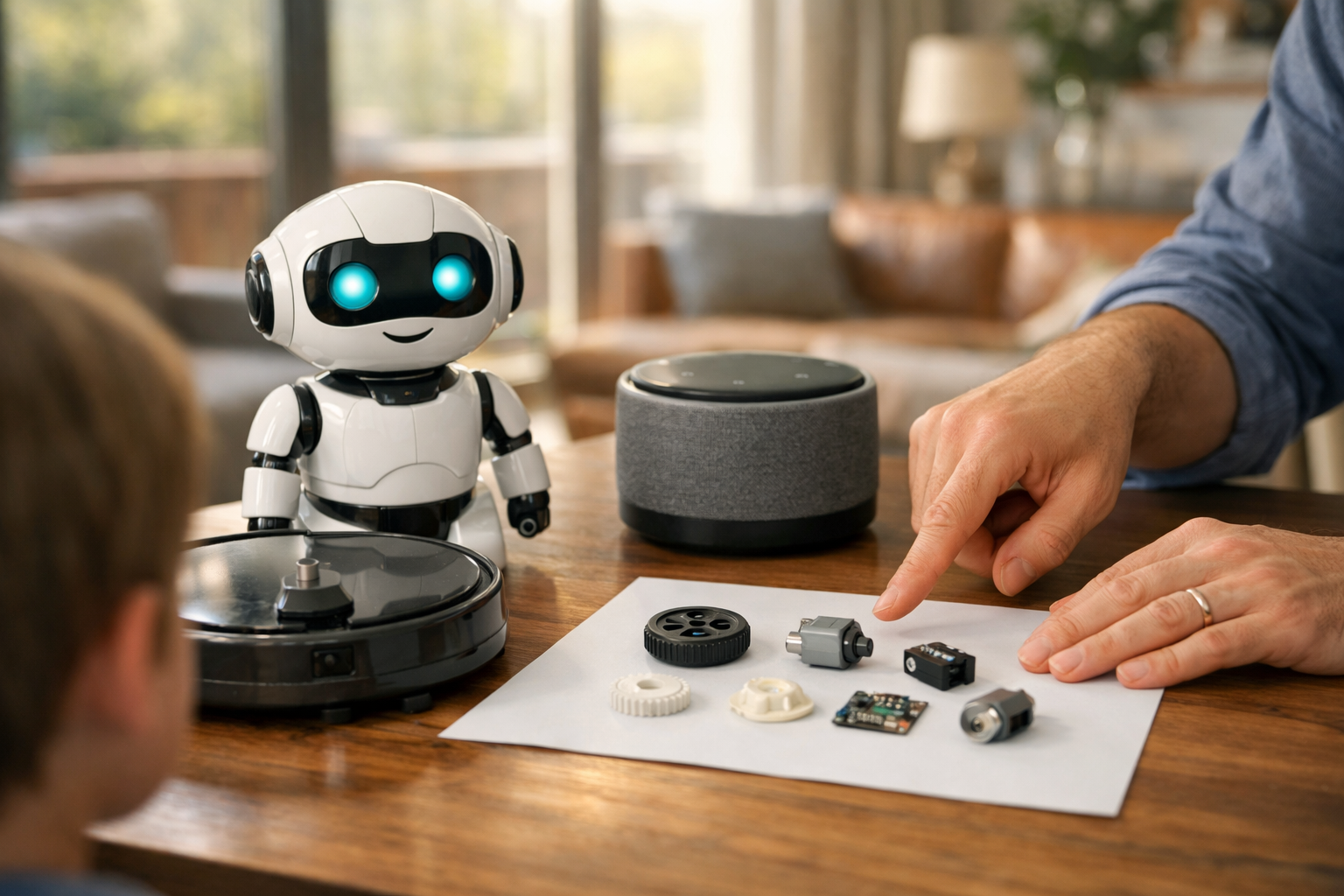
Understand home robots from the ground up with zero tech background
Home robots and smart machines are becoming part of everyday life. You may have seen robot vacuums, lawn robots, smart speakers, camera-based helpers, or machines that can respond to voice commands. For many beginners, these tools seem exciting but also confusing. What exactly is a robot? How is it different from a normal appliance? Does it really use artificial intelligence, or is it just following simple rules?
This beginner course answers those questions in plain language. It is designed like a short technical book with six connected chapters, so you can move step by step from basic ideas to real-world understanding. You do not need any prior experience in AI, coding, engineering, or data science. If you are simply curious about smart machines in the home, this course will help you build a strong foundation.
You will begin by learning what a home robot is and how it differs from other smart devices. Then you will explore the basic parts that make robots work, including sensors, movement systems, power, and software. Once those building blocks are clear, the course shows how a robot senses its surroundings, makes simple decisions, and acts in the real world.
After that, you will compare the most common categories of home robots and learn what each one can realistically do. The course also helps you think carefully about safety, privacy, cost, maintenance, and buying decisions. In the final chapter, you will look ahead to the future of smart homes and see how to continue learning without feeling overwhelmed.
Many robotics resources assume you already know technical words or have some coding background. This course does not. Every chapter uses simple explanations, clear examples, and a logical progression. Instead of jumping into advanced topics, it starts with the most basic question: what makes a machine a robot at all? From there, each chapter builds naturally on the one before it.
This book-style structure is especially helpful for learners who want understanding, not just buzzwords. You will not be asked to build a robot or write software. Instead, you will develop the kind of practical literacy that helps you make sense of the technology around you. That means you will be able to speak clearly about home robots, evaluate products more wisely, and follow future robotics topics with much more confidence.
This course is ideal for curious beginners, homeowners, parents, students, and anyone who wants a simple introduction to robotics in daily life. It is also useful if you are thinking about buying a robot vacuum, trying a smart home setup, or exploring technology careers at a very early stage. If technical topics normally feel intimidating, this course is made for you.
You can move through the chapters at your own pace. Because the lessons are organized like a short book, the material feels structured, calm, and easy to follow. If you are ready to begin, Register free and start learning today. You can also browse all courses to explore related beginner topics in AI and robotics.
One of the most important goals of this course is to give you realistic expectations. Home robots can be useful, but they also have limits. They may get stuck, misunderstand a command, miss a spot, or raise privacy questions. By understanding how they work under the surface, you can appreciate both their value and their boundaries.
By the end of this course, you will have a clear mental model of home robots and smart machines. You will know the main parts, the main categories, the main risks, and the main opportunities. Most importantly, you will feel comfortable entering conversations about robotics without needing a technical background. That is the perfect place to start.
Robotics Educator and Autonomous Systems Specialist
Sofia Chen designs beginner-friendly learning programs that explain robotics and AI in simple, practical terms. She has helped new learners understand how smart machines sense, decide, and act in everyday settings, with a focus on safe and useful home technology.
When people hear the word robot, they often imagine a humanoid machine walking around the kitchen, speaking naturally, and doing every household chore on command. Real home robotics is both simpler and more interesting than that picture. In everyday life, a home robot is usually a machine that can sense something about its surroundings, make limited decisions based on that information, and act in the physical world. That last part matters. A robot does not just display information on a screen or wait for a person to press every button. It observes, decides within boundaries, and does something.
This chapter builds a beginner's map of the home robotics world. You will learn what counts as a robot, what does not, and why the distinction matters. You will also meet the larger family of smart machines found at home, from robot vacuums to lawn mowers to camera doorbells and thermostats. Some of these devices use automation. Some use AI. Some are remote-controlled. Some combine all three. A practical learner needs to tell them apart because each category has different strengths, risks, and expectations.
A useful starting model is this: most home robots are built from three core functions. First, they sense the world using sensors such as cameras, bump switches, cliff detectors, lidar, microphones, or temperature probes. Second, they control themselves using software, rules, and sometimes machine learning. Third, they move or act using wheels, brushes, motors, grippers, pumps, or speakers. If a machine only acts on a timer, it may be automated but not very robotic. If it only reports data, it may be smart but not a robot. If a human directs every action moment by moment, it is remote-controlled rather than autonomous.
Engineering judgment starts with matching the machine to the task. A beginner mistake is expecting one home robot to work everywhere, in every lighting condition, with every floor type, around toys, pets, stairs, and clutter. Good robotic systems succeed because they operate in a narrow but carefully designed problem space. A robot vacuum can work well because floors are mostly flat and the task repeats every day. Folding laundry is much harder because the objects are soft, irregular, and visually confusing. The lesson is not that robots are weak. The lesson is that good robotics is about choosing tasks where sensing, control, and movement can be made reliable enough to be useful.
As you read, keep one practical question in mind: what information does the machine need, what decisions can it make by itself, and what physical action can it take? That question will help you recognize the difference between a simple appliance, a smart device, and a true home robot.
By the end of this chapter, you should be able to explain home robots in simple terms, identify common types found around the house, and recognize what today’s beginner systems can and cannot do. That practical foundation will make the rest of the course easier, because later topics such as navigation, safety, autonomy, and AI only make sense when you already know what kind of machine you are dealing with.
Practice note for Understand what a robot is and is not: document your objective, define a measurable success check, and run a small experiment before scaling. Capture what changed, why it changed, and what you would test next. This discipline improves reliability and makes your learning transferable to future projects.
Practice note for Recognize common smart machines found at home: document your objective, define a measurable success check, and run a small experiment before scaling. Capture what changed, why it changed, and what you would test next. This discipline improves reliability and makes your learning transferable to future projects.
A robot is best understood as a machine that can sense its environment, process information, and take physical action with some degree of independence. This definition is more useful than science-fiction images because it focuses on function. If a machine has sensors, a control system, and an actuator or movement system, it begins to look robotic. In a home setting, examples include a robot vacuum that detects walls and furniture, chooses a path, and drives its wheels and brushes accordingly.
The three-part model is worth repeating because it is the foundation of home robotics. Sensors collect information: a bump sensor notices a collision, a cliff sensor detects stairs, a camera sees obstacles, and a microphone hears a voice command. Control is the decision layer: software decides whether to turn, stop, clean longer, return to a dock, or ask for help. Movement or action is how the machine changes the world: rolling, rotating a brush, opening a valve, moving a robotic arm, or sounding an alert.
Not every powered machine is a robot. A toaster performs a useful task, but it does not usually sense a changing room, make navigation decisions, or adapt its behavior beyond basic settings. A washing machine runs a programmed cycle and may include sensors, but in most cases it is better described as an automated appliance rather than a robot because it does not move through the environment or make many open-ended decisions. The distinction is practical. Robots operate under uncertainty. They must react to a world that is not exactly the same every second.
A common beginner mistake is assuming that “has AI” automatically means “is a robot.” It does not. A chatbot in a speaker is AI software, but without physical action it is not a robot. Another mistake is assuming that any machine with wheels is a robot. A toy car controlled entirely by a person is mobile, but not autonomous. When judging a device, ask: can it sense, decide, and act in a changing environment without continuous human steering? If the answer is mostly yes, you are probably looking at a robot.
The home is now full of machines that are called smart, connected, intelligent, or automated. Those labels overlap, but they are not identical. A home robot physically interacts with the environment and usually moves or manipulates something. A smart device may sense and compute, but it does not necessarily move through space. A smart thermostat, for example, measures temperature, learns schedules, and controls heating equipment, yet it stays fixed on the wall. It is smart, but not a mobile robot.
This difference becomes clearer when we compare three ideas: automation, AI, and remote control. Automation means a machine follows predefined rules: if the temperature drops below a threshold, turn on heat. AI means the system uses methods that imitate aspects of intelligent behavior, such as recognizing speech, classifying images, or adapting to patterns. Remote control means a human directly tells the machine what to do, often through an app, joystick, or voice command. Many products combine these. A robot vacuum may be remotely started from a phone, follow automated cleaning schedules, and use AI-based obstacle recognition.
For beginners, the key insight is that “smart” does not always mean “independent.” A camera doorbell can detect people and packages, but it mostly observes and alerts. A smart speaker can answer questions and trigger routines, but it does not physically navigate the house. A robot mop, in contrast, must deal with furniture legs, room edges, battery limits, and dirty spots. That need to act in the physical world creates engineering challenges that are very different from those of a stationary device.
Practical buying decisions depend on understanding this difference. If your goal is convenience through scheduling and monitoring, a smart device may be enough. If your goal is repeated physical labor reduction, such as floor cleaning or lawn cutting, you need a robot. Confusion happens when people expect a smart device to show robotic independence or expect a basic robot to show human-like intelligence. Good expectations begin with the device category.
Home robotics becomes easier to understand when you look at actual devices rather than abstract definitions. The most familiar example is the robot vacuum. It senses walls, floor edges, and in many models room shape. It decides where to drive, how to cover an area, when to return to the charging dock, and sometimes which rooms need more attention. It acts with wheels, suction, and brushes. This is a clear example of a home robot because sensing, control, and movement all work together.
Robot lawn mowers are another strong example. They operate outdoors, where the environment is more complex than a living room. They must manage boundaries, slopes, weather, battery life, and changing grass conditions. Some use guide wires, while newer systems may use cameras, GPS-like positioning, or boundary beacons. Their task is narrow but useful: maintain grass regularly with minimal human involvement.
You may also encounter pool-cleaning robots, window-cleaning robots, and small telepresence robots used for communication or monitoring. Each has a specific environment and a limited task. That limitation is not a weakness; it is often the reason the product works at all. Narrow tasks are easier to sense, easier to control, and easier to perform safely.
Now compare those with common smart machines that are not usually classified as robots. A smart thermostat senses temperature and controls heating. A smart washing machine can optimize cycles and send phone notifications. A camera doorbell recognizes motion or faces. A voice assistant listens, answers, and coordinates other devices. These are all useful and may use advanced software, but they typically do not navigate through the home or physically manipulate objects around them.
Building a beginner's map of the home robotics world means grouping machines by what they do best. Cleaning robots reduce repeated floor or surface work. Monitoring devices observe and report. Environmental controllers regulate temperature, light, or air quality. Entertainment and companionship machines may speak, play, or react socially. Once you sort products this way, the market becomes much less confusing and you can judge them by the right standard.
Today’s home robots are most successful when the task is repetitive, the workspace is somewhat predictable, and the actions required are simple. That is why floor cleaning is a strong application. The robot does not need to understand every object in human terms. It only needs enough sensing to avoid major obstacles, cover open areas, detect edges, monitor battery level, and return for charging. This is a manageable engineering problem.
Modern home robots can map rooms, follow schedules, avoid some obstacles, dock automatically, and connect to apps or voice assistants. Some can divide a home into named rooms, clean selected zones, or adjust suction based on floor type. These abilities can feel intelligent, but they are usually a combination of sensors, software rules, and targeted machine learning. They are not general household helpers.
It is important to set realistic expectations. Most beginner home robots struggle with clutter, cables, small toys, reflective surfaces, unusual lighting, and sudden changes in the environment. A robot vacuum may repeatedly miss a tight corner. A lawn mower robot may need boundary setup and periodic rescue. A window-cleaning robot may require supervision for safety. The practical outcome is that robots reduce work; they do not eliminate the need for home preparation and occasional intervention.
Good engineering judgment means preparing the environment to help the robot succeed. Pick up loose cords. Keep paths open. Understand battery runtime. Place docking stations carefully. Update maps when furniture changes significantly. This is not “cheating.” It is part of designing a working human-robot system. In real-world robotics, performance depends on both the machine and the environment it operates in.
Another useful lesson is that decision-making in home robots is usually local and task-focused. The robot is not reasoning about your life goals. It is selecting among actions like turn left, avoid object, continue cleaning, slow down, or return to dock. Once you understand that, robot behavior becomes easier to predict and less mysterious.
One common myth is that a home robot should behave like a human assistant. Beginners may expect it to understand messy situations, general verbal requests, and changing household routines without setup. In reality, most home robots are specialized tools, not general intelligence systems. They are closer to automatic workers for one narrow job than to all-purpose helpers.
Another confusion is mixing up autonomy with remote control. If you drive a device manually from a phone, the machine is not demonstrating much independence. Remote control can be useful, but it shifts the decision burden back to the user. True autonomy means the machine can carry out at least part of the task by itself, within limits. Many products advertise convenience while relying more heavily on human supervision than buyers realize.
People also confuse AI with quality. A company may market “AI-powered navigation,” but the important question is not whether AI is present. The important question is whether the robot performs reliably in your environment. A simpler system that works consistently may be better than a more advanced one that fails on rugs, pets' bowls, or table legs. Engineering is judged by results, not by impressive labels.
A frequent mistake is ignoring setup and maintenance. Sensors get dirty. Brushes tangle. Wheels collect hair. Maps become outdated after furniture changes. Wi-Fi-connected robots may need software updates. When beginners treat robots like magic appliances that should never need attention, disappointment follows. The better mindset is to see the robot as a partner system: useful, capable, but dependent on care and an appropriate environment.
Finally, some learners think that if a machine follows a schedule, it must be intelligent. Scheduling is often just automation. Intelligence, in practical terms, involves reacting to changing conditions in a useful way. Learning to spot this difference will help you compare products honestly and avoid marketing confusion.
Home robotics sits at the intersection of mechanics, electronics, software, sensing, and human-centered design. The field is not only about making machines move; it is about making them useful in ordinary homes filled with noise, clutter, pets, furniture, and people. That is why even simple-looking products contain many engineering tradeoffs. Better sensors cost more. More autonomy may increase complexity. Safer behavior can make the robot slower or more conservative. Every home robot is a compromise among capability, reliability, price, and ease of use.
For a beginner, the best mental map is to organize home robotics into layers. At the bottom is the physical machine: motors, wheels, brushes, batteries, and body design. Above that are sensors that gather data about position, obstacles, edges, dirt, motion, sound, or touch. Above that is control software, which turns sensor input into decisions. On top is the user layer: schedules, apps, room labels, cleaning preferences, alerts, and manual overrides. When a robot performs poorly, the problem usually appears in one of these layers or in the mismatch between them.
This larger view also helps explain how robots differ from ordinary appliances. A simple appliance performs a fixed operation under controlled conditions. A robot operates in a partially unknown world and must adapt while staying safe enough and useful enough. That is the heart of home robotics.
The practical outcome of this chapter is not just vocabulary. You should now be able to look at a household machine and ask better questions. What does it sense? What decisions can it make? What action does it take? Is it automated, AI-enabled, remotely controlled, or truly autonomous in a limited way? What environment does it need in order to work well? Those questions form the beginner's map of the field.
As the course continues, this map will become more detailed. You will learn how sensors create awareness, how control systems choose actions, and how movement turns software into real-world behavior. For now, the main lesson is simple and powerful: home robots are not magic, but they are real, useful machines when matched to the right task and understood on their own terms.
1. Which description best matches a home robot in this chapter?
2. What is the main difference between a robot and a simple appliance?
3. Which set lists the three core functions of most home robots?
4. Why do beginner home robots usually work best in structured environments?
5. A device that only reports data, such as temperature, without taking physical action is best described as:
When people first see a home robot, they often focus on the outside: the wheels, the plastic shell, the lights, or the app. But robots are easier to understand when you look at them as systems made from a few core building blocks. Almost every home robot, from a robot vacuum to a lawn mower to a smart toy with wheels, depends on the same basic pattern: it needs a way to sense the world, a way to think about what it sensed, a way to move or act, and a source of power to keep everything running. Software ties all of those parts together.
This chapter gives you a practical mental model for how robots work inside the home. You do not need advanced engineering or programming knowledge to follow it. The goal is simpler: to help you identify the major parts of a robot, understand how those parts cooperate, and build realistic expectations about what beginner home robots can and cannot do. If a robot seems smart, it is usually because many simple parts are working together reliably, not because it has human-like understanding.
A useful way to think about a robot is as a loop. First, the robot notices something through sensors. Next, its controller processes that information. Then software applies rules or learned behavior to decide what should happen. Finally, motors or other output systems carry out the action. That loop repeats again and again, often many times each second. In a home setting, this might mean detecting a wall, slowing down, turning away, and continuing to clean. The quality of the robot depends on how well each part performs and how well the parts are matched to one another.
Engineering judgment matters here. A good home robot is not the one with the most parts. It is the one with the right parts for the job. A simple floor-cleaning robot may not need a robotic arm. A pet feeder may not need wheels. A smart door lock does not need room mapping. Beginners often assume more sensors always mean a better machine, but each extra sensor adds cost, power use, processing needs, and opportunities for error. Designers must balance capability, reliability, safety, and price.
As you read the sections in this chapter, connect each part to real examples in your home. A robot vacuum uses cliff sensors to avoid stairs, wheel motors to move, a battery to operate untethered, a controller board to coordinate decisions, and software to follow cleaning patterns. A smart lawn mower uses similar ideas outdoors, but with different sensors, stronger motors, and more careful boundary handling. By the end of the chapter, you should be able to look at a home robot and explain its main building blocks in plain language.
One common mistake is to imagine these parts as separate, isolated pieces. In practice, they affect one another constantly. A weak battery can reduce motor performance. Poor sensors can lead to bad decisions. Slow software can make movement clumsy. A powerful controller is wasted if the robot has no good information to work with. For that reason, learning robotics starts with seeing connections, not just components.
Another practical lesson is that many home robots are not general-purpose machines. They are specialized tools. They do one or two jobs reasonably well in carefully defined conditions. That is not a weakness; it is good design. A robot vacuum is successful because it focuses on navigation, obstacle handling, suction, and charging. It does not try to cook dinner or fold laundry. Understanding the basic parts of robots helps you see why those limits exist and why they are sensible.
In the rest of this chapter, we will examine the key parts one by one. Then we will bring them back together into a complete working picture. That will prepare you for later chapters on robot behavior, practical comparisons, and realistic expectations for home use.
Sensors are the parts of a robot that collect information. They help the machine notice walls, stairs, furniture, dirt levels, motion, touch, light, distance, battery status, and sometimes even sound. Without sensors, a robot cannot respond to its surroundings. It would simply move blindly or repeat a fixed pattern no matter what is happening around it. In a home environment, that would lead to collisions, missed areas, or unsafe behavior.
Different home robots use different sensor combinations. A basic robot vacuum may use bump sensors to detect contact with obstacles, cliff sensors to avoid falling down stairs, wheel encoders to estimate distance traveled, and infrared or laser-based distance sensors to notice nearby objects. A smart lawn mower may use boundary signals, tilt sensing, and wheel slip detection. A home security camera robot might rely more on cameras, microphones, and motion detection. The choice depends on the task.
It is helpful to divide sensors into two practical groups: external sensors and internal sensors. External sensors look outward at the environment. Examples include proximity sensors, cameras, touch sensors, and cliff detectors. Internal sensors monitor the robot itself. Examples include battery voltage sensors, motor speed feedback, temperature monitoring, and wheel rotation tracking. Good robots need both. It is not enough to know where the wall is; the robot also needs to know whether its wheel is stuck or its battery is running low.
Beginners often assume sensors produce perfect information. In reality, sensors are limited. Dust can block an optical sensor. Dark carpets can confuse some cliff detectors. Sunlight can interfere with infrared sensing. Reflective surfaces can make distance readings unreliable. Engineering judgment means expecting imperfect data and designing around it. That is why many robots combine several sensors rather than relying on just one source.
Practical home examples make this easier to picture. If a robot vacuum approaches a staircase, cliff sensors underneath detect a sudden change in reflected light and tell the robot to stop and turn. If it touches a chair leg, the bumper sensor confirms a collision and triggers a change of direction. If its mapping sensor sees open floor space ahead, the robot continues. These actions may seem intelligent, but they begin with simple sensing.
A common mistake when evaluating home robots is to focus only on advertised features such as "AI vision" or "smart mapping" while ignoring basic sensing quality. Reliable robots succeed because their sensors are dependable for ordinary household conditions. Before trusting a robot in your home, ask a practical question: what exactly can it sense, and under what conditions might it fail? That question leads to better expectations and better buying decisions.
If sensors help a robot notice the world, motors help it do something about it. A motor converts electrical energy into movement. In home robots, motors may spin wheels, drive brushes, rotate sensors, open lids, steer mechanisms, or move small arms. Movement systems include not only the motors themselves but also gears, wheels, tracks, belts, joints, and the physical frame that supports them.
The most common movement system in home robots is differential drive. This means the robot has a left wheel and a right wheel, each controlled separately. If both wheels turn at the same speed, the robot moves forward. If one turns faster, the robot curves. If they turn in opposite directions, the robot can pivot in place. This design is popular because it is simple, durable, and works well on flat indoor floors. Many robot vacuums use it.
Not all movement is about driving across the floor. A robot vacuum also uses brush motors and suction fans. A smart curtain opener uses a motor to pull fabric along a rail. A feeder robot might rotate a dispenser wheel. In each case, the designer must match the motor type to the job. Stronger motors are not automatically better. Too much force wastes battery and may create noise, heat, or safety issues. Too little force means the robot gets stuck or performs poorly.
Movement systems must also handle real household conditions. Floor transitions, rugs, pet hair, cables, tight corners, and uneven surfaces all challenge a robot. This is where engineering judgment appears clearly. A robot that works beautifully on a test bench may struggle in a cluttered living room. Wheel size, tire grip, motor torque, and ground clearance all matter. Simple physical design often matters as much as advanced software.
Feedback is an important practical concept. Many motors are paired with sensors that report speed or position back to the controller. That allows the robot to correct itself. For example, if one wheel slips on a rug, the controller can detect that the robot did not move as expected and adjust. Without feedback, movement becomes less accurate. This is one reason some cheap robots wander inefficiently while better models navigate with more confidence.
A common beginner mistake is to think movement means only speed. In home robotics, controlled movement is usually more important than fast movement. A slower robot that turns accurately, avoids obstacles gently, and crosses thresholds reliably is more useful than a fast robot that bumps into furniture and gets trapped under chairs. Real success comes from matching motion to purpose.
When you evaluate a home robot, ask practical questions about movement: Can it handle rugs? Can it cross room thresholds? Does it turn smoothly around furniture? Can it recover after a wheel slips? These questions reveal whether the movement system was designed for actual homes rather than ideal demonstration spaces.
Most home robots depend on batteries because they need to move freely without a power cord. The battery is more than a fuel tank. It shapes how long the robot can operate, how powerful its motors can be, how much computing it can perform, and how often it must return to charge. A robot with excellent sensors and software still fails as a practical household tool if its battery runs out halfway through every task.
Many home robots use rechargeable lithium-ion batteries because they offer good energy storage in a compact size. But the battery is only one part of the power system. Robots also need charging circuits, voltage regulation, safety monitoring, and often docking hardware. A charging dock is not just a convenience feature; it is a core part of the robot's workflow. The robot must know when its battery is low, how to stop its current task safely, and how to find its way back to the dock.
Power use varies widely across robot activities. Driving motors consume energy, but so do suction fans, wireless connections, lights, processors, cameras, and sensors. A robot vacuum on a high suction setting may use much more power than when moving quietly over hard floors. A robot with active mapping and constant Wi-Fi communication may also draw more power than a simpler machine. This is why battery life claims should always be treated as estimates under specific conditions, not guarantees.
Engineering judgment matters in power budgeting. Designers must estimate how much energy each subsystem needs and make trade-offs. Larger batteries increase runtime but also add weight, cost, and charging time. Smaller batteries lower cost but may reduce usefulness. A practical home robot balances battery capacity with realistic household tasks. For example, a compact robot intended for apartments needs a different power plan from a lawn mower designed for a large yard.
Charging behavior is part of the user experience. Better robots manage power intelligently: they reduce speed when appropriate, pause nonessential functions, and return to the dock before battery levels become critical. Some can resume their task after recharging. Simpler robots may just stop where they are. That difference is not magic; it comes from better coordination between battery sensing, controller logic, and software routines.
A common mistake is to judge a robot only by maximum battery life numbers. Instead, ask how it uses energy in real conditions. Does it still perform well on carpet? Does it know when to recharge? Can it finish a job in stages? Practical power design is a major reason some home robots feel dependable while others feel frustrating, even when both look similar on paper.
The controller is often called the robot's brain, but it is important to understand that this does not mean human-like thinking. In practical terms, the controller is the hardware that receives sensor data, runs instructions, and tells other parts what to do. It may be a microcontroller, a small embedded computer, or a combination of both. Its job is coordination.
Imagine a robot vacuum approaching a wall. The sensors detect distance and contact. The controller reads those signals, checks current movement status, and decides whether to slow down, stop, turn, or update its map. It also keeps track of battery level, wheel speed, and the current cleaning mode. This all happens very quickly, often in repeated cycles. The controller is the part that keeps the robot organized and responsive.
Controllers vary in complexity. A simple robot may use a small low-cost controller that follows straightforward rules: move forward, turn when bumped, stop at a drop-off, and go home when power is low. A more advanced robot may have a stronger processor that supports map building, route planning, object recognition, and app communication. More computing power can support better behavior, but only if the sensors and software also support it. A fast controller cannot compensate for poor design everywhere else.
One useful way to think about the controller is as a traffic manager. Many events happen at once inside a robot. Wheels must keep turning smoothly. Sensors must be checked frequently. Safety conditions must be monitored. User commands from an app may arrive. Battery levels may change. The controller prioritizes tasks and keeps timing under control. If timing is poor, even a robot with good parts may behave unpredictably.
Reliability is a major practical concern. Home robots are consumer products, so the controller must work for long periods without crashing, overheating, or losing track of the task. That is why embedded robot controllers are usually designed for stable, narrow purposes rather than open-ended experimentation. In home robotics, consistency matters more than general intelligence.
Beginners sometimes assume the controller alone makes a robot smart. That is only partly true. The controller provides the platform for decisions, but the quality of those decisions depends on the software rules and the incoming sensor data. If the robot senses poorly, it thinks poorly. If its instructions are limited, its behavior will be limited too.
When comparing home robots, it is worth asking not just whether a product includes AI features, but whether its controller can support smooth real-time operation. In a practical machine, the "brain" is valuable because it keeps all the other parts working together at the right moment.
Software is the set of instructions that tells the robot how to behave. If the controller is the hardware brain, software is the plan the brain follows. Software determines what the robot should do when a sensor is triggered, how it responds to low battery, how it chooses a path, how it handles errors, and how it communicates with a user through buttons or an app. In simple terms, software turns hardware into a useful system.
Not all robot software is advanced AI. Many successful home robots use straightforward rule-based logic. For example: if the cliff sensor detects a drop, stop and back away. If the battery falls below a threshold, return to the dock. If the bumper is pressed, turn a certain angle and continue. These are clear, practical rules. They are not glamorous, but they are the reason many robots work reliably. Understanding this helps you distinguish automation from AI and from remote control. A robot can act automatically without being truly intelligent, and it can be remotely operated without being autonomous.
More advanced software may add mapping, scheduling, room labeling, obstacle categories, and adaptive cleaning patterns. Some robots use machine learning to recognize objects or improve navigation. Even then, the basic structure remains the same: inputs come in, software interprets them, and outputs are chosen. AI features build on top of traditional control logic rather than replacing it entirely.
Good software also handles exceptions. Real homes are messy. A robot may get trapped under a sofa, lose traction on a rug, fail to find its dock, or encounter a closed door where an open path used to be. Robust software includes fallback behavior: stop safely, retry carefully, notify the user, or choose an alternative route. This is where product quality often becomes visible. Two robots may have similar hardware, but the one with better software behaves more gracefully when things go wrong.
From an engineering point of view, software is where trade-offs become visible. Should the robot clean quickly or carefully? Should it avoid all uncertain obstacles or try to push through clutter? Should it save battery by using simpler patterns or spend more energy on better coverage? These are design choices expressed in software behavior.
A common beginner mistake is to equate software quality with the number of app features. In practice, the most important software qualities are stability, predictability, and sensible behavior in normal homes. Fancy menus matter less than whether the robot consistently completes its job. Software is not just what appears on your phone screen; it is the invisible logic that makes the machine act usefully.
Now that we have looked at the main parts separately, we can return to the most important idea of the chapter: a robot works because its parts operate as one system. Sensors, motors, batteries, controllers, and software are not isolated modules. They form a continuous loop of perception, decision, and action. If one part is weak, the whole robot feels weaker. If the parts are well matched, even a modest robot can perform impressively in a home.
Consider a common example: a robot vacuum cleaning a living room. The battery provides power to all systems. The controller wakes the sensors and reads the current map or cleaning mode. The wheel motors begin moving the robot forward while brush and suction motors start collecting dust. Distance and cliff sensors monitor the environment. The software checks incoming data and decides whether to continue straight, turn, slow down, or avoid an obstacle. If the battery drops too low, the controller triggers a return-to-dock routine. Once charging is complete, some models resume where they left off. That entire sequence is the robot in action.
This systems view also helps explain limitations. If a robot misses dirt in corners, the problem may not be just suction power; it could also be body shape, brush design, movement planning, or sensor interpretation. If a robot gets lost, the issue may not be the battery but poor localization software or unreliable wheel feedback. Practical diagnosis in robotics means asking how the parts interact, not blaming only the most visible component.
Engineering judgment shows up most clearly in integration. Designers choose parts that fit together in cost, speed, reliability, and purpose. There is no single best robot design for all homes. A small apartment robot may favor compact size and low noise. A pet-heavy home may need stronger brushes and better obstacle handling. A beginner should not expect one machine to solve every problem equally well. Good expectations come from understanding the system architecture.
A simple workflow can help you evaluate any home robot you encounter:
These questions connect directly to real outcomes. They help you compare common types of home robots, recognize the difference between automation and more advanced AI, and set realistic expectations. Most beginner home robots are specialized assistants, not general household workers. They can clean floors, patrol a room, mow a bounded lawn, or dispense food on schedule. They usually cannot reason broadly, adapt like a person, or manage messy environments without limits.
That is not disappointing once you understand the basics. In fact, it is empowering. When you know how the parts work together, you can make better choices, use robots more effectively, and appreciate why even simple machines can feel surprisingly capable. Home robots succeed not because they are magical, but because sensing, control, power, movement, and software are combined thoughtfully for a clear purpose.
1. According to the chapter, what basic pattern do almost all home robots follow?
2. Which example best shows the robot loop described in the chapter?
3. Why does the chapter say more sensors do not always make a robot better?
4. What is the main role of software in a home robot?
5. What key idea does the chapter give about many home robots?
Home robots may look simple from the outside, but inside they follow a repeating process that is at the heart of robotics: sense, decide, and act. A robot first gathers information through sensors, then its control system interprets that information, and finally motors or other outputs do something in the physical world. This cycle happens again and again, often many times per second. Understanding this loop is one of the most important steps in learning how smart machines work in the home.
In everyday use, this process can look surprisingly ordinary. A robot vacuum detects a wall, slows down, turns, and continues cleaning. A smart lawn robot notices it is near a boundary wire or virtual edge and changes direction. A home assistant robot hears a wake word, checks whether the command matches something it can do, and then responds. These actions feel smooth to the user, but each one depends on a chain of sensing, decision making, and motion control.
It is also helpful to separate three ideas that beginners often mix together: automation, AI, and remote control. Automation means the machine follows a programmed process, such as starting every day at 9 a.m. AI usually means the machine uses more flexible decision methods, pattern recognition, or learned models, such as recognizing speech or estimating the best route around furniture. Remote control means a person is still making the decisions while the machine simply carries them out. Many home robots use a combination of all three. A robot can be scheduled automatically, guided partly by AI, and occasionally controlled from a phone app.
As you read this chapter, focus on the practical flow of events inside a home robot. We will follow the robot's step-by-step decision process, compare simple automation with basic AI behavior, see how robots respond to people, rooms, and obstacles, and learn why mistakes and limits happen. This is not just theory. These ideas help you choose the right robot, set it up more effectively, and understand what level of performance is realistic in a real home.
Engineers think about home robots as systems, not as magic devices. A robot performs well only when its sensors, software, power supply, movement hardware, and environment all work together. If one part is weak, the overall experience suffers. A robot with good motors but poor sensing may move confidently into trouble. A robot with strong sensors but weak planning may keep hesitating. A robot with clever software may still fail if the floor is cluttered, the lighting is poor, or Wi-Fi drops out. Learning to see the whole system gives you better judgment as a user and a clearer picture of what these machines can and cannot do.
By the end of this chapter, you should be able to explain how a beginner home robot handles everyday situations, why some robots seem smarter than others, and why even useful machines still make mistakes. That understanding is essential for comparing different types of home robots and for keeping your expectations realistic.
Practice note for Follow the robot's step-by-step decision process: document your objective, define a measurable success check, and run a small experiment before scaling. Capture what changed, why it changed, and what you would test next. This discipline improves reliability and makes your learning transferable to future projects.
Practice note for Understand simple automation and basic AI behavior: document your objective, define a measurable success check, and run a small experiment before scaling. Capture what changed, why it changed, and what you would test next. This discipline improves reliability and makes your learning transferable to future projects.
Practice note for See how robots respond to people, rooms, and obstacles: document your objective, define a measurable success check, and run a small experiment before scaling. Capture what changed, why it changed, and what you would test next. This discipline improves reliability and makes your learning transferable to future projects.
The most useful way to understand a home robot is to trace one full cycle from input to action. Imagine a robot vacuum moving across a living room. Its sensors collect data: bump sensors detect contact, cliff sensors look for stairs, wheel encoders estimate movement, and sometimes cameras or lidar measure the room. That raw input by itself means little. The control system must organize it into something usable, such as “there is an obstacle ahead,” “I am near an edge,” or “I have already cleaned this area.”
Next comes decision making. The robot compares sensor input with its current goal. If the goal is to clean the floor, the robot asks a simple sequence of questions: Can I keep moving forward? Should I slow down? Do I need to turn? Am I low on battery? Should I return to the dock? This is the robot's step-by-step decision process. It is not usually human-like thinking. It is a structured flow of checks, priorities, and responses running repeatedly.
After choosing an action, the robot sends commands to actuators such as wheel motors, brushes, a speaker, or a display. Then it checks the result. If it tried to turn left but a chair leg blocked the turn, new sensor data changes the next decision. This feedback loop is what makes robots adaptive instead of fixed like a simple timer-driven appliance.
A practical engineering point is that good robot behavior depends on timing. If sensing is delayed, the robot reacts too late. If decisions are too simple, it repeats unhelpful actions. If motion control is inaccurate, the robot drifts away from its intended path. Beginners often think the robot only needs “good AI,” but in reality smooth performance usually comes from many small, reliable control loops working together. In home robotics, steady and predictable often matters more than flashy intelligence.
Not every robot behavior requires advanced AI. Many useful home robots rely mostly on simple rules. A rule-based system might say: if the bumper is pressed, stop and turn; if the battery is low, return to dock; if dirt is detected, spend more time in this area. These rules are forms of automation. They are clear, dependable, and often easier to test than more complex AI methods.
Basic AI behavior adds flexibility when the environment is less predictable. For example, a robot may use a vision model to recognize common objects, estimate whether a floor area is open, or improve speech recognition for voice commands. Instead of following only fixed rules, it may use learned patterns from data. That can make the robot appear smarter, especially when people, pets, and furniture move around.
However, learned behavior is not automatically better. A simple rule can be more reliable than an AI model when the task is narrow and safety matters. If a robot must stop at stairs, a dedicated cliff sensor with a direct stop rule is better than “guessing” from a camera image. This is an important engineering judgment: use the simplest method that works well enough for the task.
In consumer products, rule-based automation and basic AI are often mixed. A robot might use AI to identify a room and simple rules to decide how to clean along the edges. Voice assistants do something similar: machine learning helps interpret speech, but the response usually follows a programmed set of capabilities. When choosing a home robot, it helps to ask which parts are automated, which parts are AI-driven, and which parts still depend on the user. This distinction makes product claims much easier to understand.
One of the clearest ways to see sensing and decision making in action is room mapping. Some home robots move randomly or semi-randomly, changing direction when they hit obstacles. Others build a map using lidar, cameras, infrared sensing, wheel motion estimates, or a combination of these. The goal is to answer practical questions: Where am I? What parts of the room have I covered? What is blocked? Where can I safely go next?
Obstacle avoidance is closely related. A robot may detect walls, furniture, toys, pet bowls, or people in several ways. Short-range sensors help with immediate collision prevention, while mapping sensors help with route planning. The robot combines both. For instance, it may know from its map that the kitchen is ahead, but still stop because a backpack is unexpectedly in the path. This is how robots respond to rooms and obstacles in a changing home environment.
Good mapping is not only about accuracy. It is also about useful behavior. A robot should be able to divide a home into zones, remember charging dock location, and avoid wasting time in already covered areas. Still, even strong mapping systems can struggle with mirrored surfaces, shiny floors, table legs, dark stairs, cords, or cluttered corners. Sensors do not see the world the way humans do. They detect patterns and measurements, not meaning in the full human sense.
For practical setup, users can improve robot performance by reducing floor clutter, placing the dock in an open area, and checking whether the robot supports no-go zones or room labeling. These small choices reduce navigation mistakes. The lesson here is simple: smarter navigation comes from the combination of sensors, software, and a robot-friendly environment, not from one feature alone.
Many people first experience “smart” behavior through voice commands. A user says something like “start cleaning the kitchen” or “go back to the dock,” and the robot responds. Under the surface, this is another version of the sense-decide-act loop. The microphone captures sound, software identifies the speech, the system interprets intent, and then the robot either performs an action or asks for clarification.
This is a good place to notice the difference between remote control, automation, and AI. If you press a button in an app to steer a robot left, that is remote control. If the robot starts every morning on a schedule, that is automation. If it recognizes spoken language or tries to infer what “clean under the dining table” means, that involves AI. The user may experience all of these as one smooth product, but the internal mechanisms are different.
User interaction also includes lights, sounds, status messages, maps in apps, and spoken feedback. These are not minor details. They help people understand what the robot thinks is happening. A robot that clearly says “battery low, returning to dock” is easier to trust than one that just leaves unexpectedly. Good design makes robot decisions visible enough that users can predict behavior and intervene when needed.
A common mistake is expecting voice control to equal deep understanding. In reality, many home robots handle only a limited command set. Background noise, accents, vague wording, or unsupported requests can cause failure. The best practice is to use short, specific commands and confirm what features are actually supported. User interaction works best when the robot communicates its limits clearly and when the user treats it as a capable tool, not a mind reader.
Robot mistakes are not random bad luck. They usually come from limits in sensing, decision making, movement, or the environment. A robot may fail to detect a thin cable, misread a reflective surface, lose wheel traction on a rug, or become confused when furniture has been rearranged. In each case, the robot is trying to make decisions with incomplete or imperfect information.
Another source of failure is ambiguity. Homes are messy, flexible spaces designed for humans, not for machines. A pile of clothes on the floor is obvious to a person, but to a robot it may be an uncertain shape with unclear boundaries. The same problem appears with curtains touching the floor, pet accidents, dark thresholds, or clutter under a bed. Robots are improving, but their understanding is narrower than human common sense.
Battery limits, software bugs, poor Wi-Fi, dirty sensors, and worn brushes also affect performance. This is why maintenance matters. Cleaning sensors, untangling rollers, updating firmware, and preparing the space can make a bigger difference than many buyers expect. In engineering terms, reliability is a whole-system property, not just a software feature.
When a robot gets stuck, users should ask practical questions rather than assuming it is “dumb.” Was the obstacle hard to detect? Did the task exceed the robot's design? Was the room unusually cluttered? Was a map outdated? This mindset helps diagnose real causes. It also supports better choices, such as setting no-go zones, adjusting schedules, or picking a robot suited to the home layout. Understanding why mistakes happen is part of using home robotics well.
A beginner-friendly home robot should be seen as a helpful assistant, not a fully independent housekeeper. It can automate repetitive tasks, reduce effort, and handle routine work, but it still operates within clear limits. Most home robots do best in structured, repeatable situations: open floors, known rooms, moderate clutter, and tasks with well-defined goals. They struggle more when conditions change suddenly or when they must interpret unusual situations.
This is why realistic expectations matter. A robot vacuum can keep floors tidier between deep cleanings, but it may miss corners, avoid difficult spots, or need rescue from cords. A smart mower can maintain a lawn boundary reliably, but it may struggle with steep slopes or unexpected yard objects. A voice-enabled helper can respond to commands, but it may not understand casual conversation in the way people imagine. Good outcomes come from matching the robot to the task.
When comparing home robots, ask practical questions: Does it use simple navigation or room mapping? Does it rely mainly on rules or include learned perception? Can it recover from common errors? How much setup and maintenance does it need? What kind of home is it designed for? These questions are more useful than marketing words like “intelligent” or “autonomous.”
The key outcome of this chapter is not to make robots seem less impressive. It is to make them easier to understand and use well. Once you see how a home robot senses, decides, and acts, you can better predict behavior, troubleshoot problems, and choose technology that fits your needs. That is the foundation for practical confidence in AI robotics: knowing what the machine is doing, why it does it, and where its limits begin.
1. What is the basic repeating process that home robots follow?
2. Which example best shows automation rather than AI or remote control?
3. If a robot hears a wake word and checks whether it can handle the command, which step is it mainly doing after sensing?
4. According to the chapter, why is it useful to think of a home robot as a whole system?
5. Why do even useful home robots still make mistakes?
Home robots are easier to understand when you group them by the job they are designed to do. In real homes, most robots are not general-purpose machines that can handle every task. They are usually narrow, task-focused devices built for one environment, one workflow, and a small set of decisions. This is why a robot vacuum can be very useful on your floor but completely useless in your kitchen sink, and why a lawn robot may work well outdoors yet know nothing about indoor safety.
As a beginner, one of the most important skills is learning to compare the main categories of home robots and match each type to everyday needs. A good choice depends less on marketing words like smart or AI-powered and more on practical questions: What problem does this machine solve? What sensors does it use? How much setup does it need? What happens when the environment is messy, crowded, or unpredictable? This kind of engineering judgment helps you set realistic expectations and avoid buying a machine that is impressive in ads but frustrating at home.
Across the home, common robot categories include floor-cleaning robots, outdoor maintenance robots, social or companion robots, household helper machines, and mobile security devices. There is also a large group of smart machines that may look robotic but are better described as automated appliances. Understanding the difference matters. A true home robot usually senses its surroundings, makes limited decisions, and acts physically in the world using movement or manipulation. A smart machine may still be very useful even if it mostly follows timers, presets, or remote commands.
When comparing robot types, think in terms of strengths, weaknesses, and trade-offs. Some robots save time but require frequent maintenance. Some are simple and reliable because they only do one job. Others have many features but need careful mapping, app setup, battery charging, and occasional rescue when they get stuck. The best beginner approach is to choose the right kind of smart machine for simple tasks first, learn how it senses and acts, and then decide whether more advanced systems are worth the added complexity.
In this chapter, you will examine the most common types of home robots, what each one is best for, and where each category tends to struggle. The goal is not just to recognize names, but to make practical decisions about fit, value, and realistic day-to-day use.
Practice note for Compare the main categories of home robots: document your objective, define a measurable success check, and run a small experiment before scaling. Capture what changed, why it changed, and what you would test next. This discipline improves reliability and makes your learning transferable to future projects.
Practice note for Match robot types to everyday needs: document your objective, define a measurable success check, and run a small experiment before scaling. Capture what changed, why it changed, and what you would test next. This discipline improves reliability and makes your learning transferable to future projects.
Practice note for Understand strengths, weaknesses, and trade-offs: document your objective, define a measurable success check, and run a small experiment before scaling. Capture what changed, why it changed, and what you would test next. This discipline improves reliability and makes your learning transferable to future projects.
Practice note for Choose the right kind of smart machine for simple tasks: document your objective, define a measurable success check, and run a small experiment before scaling. Capture what changed, why it changed, and what you would test next. This discipline improves reliability and makes your learning transferable to future projects.
Practice note for Compare the main categories of home robots: document your objective, define a measurable success check, and run a small experiment before scaling. Capture what changed, why it changed, and what you would test next. This discipline improves reliability and makes your learning transferable to future projects.
Robot vacuums are the most common entry point into home robotics because their task is clear, repetitive, and physically simple: move across the floor, avoid obstacles, and collect dust. Many models include brushes, suction, cliff sensors to avoid stairs, wheel motors for movement, and software that decides where to go next. Some also mop, either with a damp pad or a water tank system. These machines are a good example of a robot that senses its surroundings and makes basic decisions without being truly intelligent in a human sense.
The main workflow is straightforward. The robot starts from a dock, cleans one or more rooms, returns for charging, and may resume if the battery runs low. More advanced units build maps using cameras, lidar, or both, while simpler ones bounce around based on bump detection and basic proximity sensing. In practical terms, mapping robots usually clean faster and more methodically, but they cost more and may need a clearer floor to perform well.
Their strengths are convenience and consistency. They are best for light daily maintenance rather than deep cleaning. Homes with hard floors, low furniture, and limited clutter often get the best results. The weaknesses are equally important: cords, socks, pet accidents, shag rugs, and dark or reflective surfaces can confuse some models. Beginners often make the mistake of expecting a robot vacuum to replace upright vacuuming entirely. In most homes, it reduces manual cleaning but does not eliminate it.
Engineering judgment matters when choosing one. If your home has many rooms, pets, and changing furniture layouts, a mapping model with room controls may be worth it. If your goal is simply to keep crumbs under control in a small apartment, a simpler model may be enough. Match the robot to the environment rather than buying the most feature-rich option. A floor robot is best when you can give it a repeatable job and a floor plan that is not constantly fighting back.
Outdoor and surface-specific robots extend the same idea as robot vacuums: a narrow machine designed for one environment. Robotic lawn mowers trim grass regularly in small amounts instead of cutting everything at once. Window-cleaning robots attach to glass and move in patterns while wiping. Pool-cleaning robots travel through water to scrub and collect debris. These machines differ in appearance, but they share a common engineering strategy: constrain the task, constrain the space, and automate a repetitive maintenance job.
Lawn robots are often best for homeowners who want steady upkeep rather than weekend mowing sessions. They work well when the yard has defined boundaries, manageable slopes, and limited obstacles. Some rely on perimeter wires, while newer versions may use GPS, cameras, or beacons. A common mistake is assuming they can handle any yard shape or vegetation. Tall weeds, hidden roots, toys, and steep edges can reduce performance or create safety concerns. The practical outcome is that lawn robots work best in maintained yards, not neglected ones.
Window robots are useful in apartments or homes with large smooth glass areas, but they are specialized tools. They often need power cables and safety lines, and they work best on unobstructed panes. They are not a universal replacement for manual cleaning in tight corners, framed grids, or heavily soiled surfaces. Pool robots are often more successful because the cleaning area is predictable. They can save significant manual effort, especially in medium and large pools, but they require filter cleaning, cable management, and occasional manual intervention.
The key trade-off in this category is setup versus labor savings. These robots can save time over weeks and months, but only if the environment fits their design assumptions. If you are choosing among them, ask whether the job is regular, repeatable, and hard enough to be annoying but simple enough to automate. That is the sweet spot where these robots deliver the most practical value.
Companion and social robots are designed less for physical labor and more for interaction. They may speak, display facial expressions on a screen, play music, remind users about routines, answer simple questions, or provide a sense of presence. Some are aimed at children as educational devices, while others support older adults with prompts, medication reminders, or communication features. These machines often combine microphones, speakers, cameras, touch sensors, and simple movement to create engagement.
Their value depends strongly on expectations. A social robot is not a human replacement, therapist, or true friend in the full human sense. It is a structured interaction system that can create routines, entertainment, and limited emotional comfort. In engineering terms, its success often comes from interface design rather than advanced physical capability. A robot that nods, turns, lights up, and responds at the right time can feel more alive than a more powerful machine with poor interaction timing.
The strengths of this category include accessibility, reminders, child-friendly learning activities, and support for daily habits. Weaknesses include limited conversation depth, dependence on cloud services, privacy concerns, and reduced usefulness once novelty wears off. A common beginner mistake is assuming that because a robot can talk, it must understand deeply. In reality, many social robots rely on scripted behaviors, simple intent matching, or remote AI services.
When deciding if this type fits an everyday need, focus on the specific function. Do you want a routine coach, a language practice device, a playful educational machine, or a simple communication companion? If the answer is clear, the robot may be helpful. If the expectation is broad emotional intelligence, the result may be disappointment. The best practical outcome comes when the robot supports a routine that already matters, such as reminders, check-ins, or guided learning.
Kitchen and household helper machines include a wide range of devices, from automatic feeders and smart cooking machines to robotic stirrers, dispensing systems, and early-stage mobile manipulators. This category is important because it shows the difference between a machine that automates a task and a robot that must sense and adapt in a changing environment. Kitchens are difficult for robots because tools, ingredients, heat, liquids, and human movement create constant variation.
Most consumer devices in this group succeed by simplifying the task. A smart multicooker follows a programmed heating profile. An automatic pet feeder dispenses a measured amount at a scheduled time. A countertop machine may mix, chop, or guide a recipe through preset steps. These systems can be very useful, but they are usually not flexible household robots in the science-fiction sense. They perform best when inputs are controlled and the workflow is repeatable.
The strength of these machines is practical convenience. They reduce effort, improve consistency, and lower the number of routine decisions. Their weakness is limited adaptability. If ingredients are placed incorrectly, if a lid is not closed, or if a bowl is misaligned, many devices stop or produce poor results. Beginners sometimes overestimate what “smart kitchen” products can do because the app interface feels advanced. But intelligence in the software does not automatically mean strong physical autonomy.
Choosing the right machine here means selecting a narrow pain point. Do you need help with timed cooking, portioning, repetitive mixing, or feeding a pet when you are away? If yes, a specialized helper can be worth it. If you expect one machine to clean the counters, prepare ingredients, and cook dinner without supervision, current consumer products will fall short. This category teaches an important lesson: in the home, simple automation often beats ambitious robotics when the task involves heat, mess, and many edge cases.
Security and monitoring robots are designed to move, observe, and report. Unlike fixed cameras, these machines can patrol different rooms, stream video, detect motion, and sometimes respond with lights, sirens, or two-way audio. Their purpose is not usually to physically stop intruders, but to improve awareness. This makes them a useful example of how sensing, control, and movement work together. The robot navigates, gathers sensor data, and triggers actions based on simple rules or alerts.
In everyday use, these robots can help monitor pets, check whether doors are open, verify unusual sounds, or let users remotely inspect the home while away. Their strength is mobility. A fixed camera sees one angle, but a mobile robot can reposition itself. However, that same mobility creates complexity. Navigation errors, poor lighting, furniture changes, and Wi-Fi dead zones can reduce reliability. A robot that cannot reach the area you want to inspect at the right moment is less useful than a boring but dependable camera.
Privacy and trust are major trade-offs in this category. Because these devices use cameras and microphones inside the home, data handling matters. Users should consider where video is stored, who can access it, and whether cloud services are required. A common mistake is focusing only on features such as face detection or app notifications while ignoring network security and household comfort. Not everyone wants a moving camera in shared spaces.
For practical decision-making, ask what problem you are solving. If you need broad, constant coverage, fixed sensors and cameras may be enough. If you need occasional remote inspection across several rooms, a mobile monitoring robot may add value. The best outcomes come when security robots are part of a system that includes good placement, stable connectivity, and realistic expectations about what alerts can and cannot mean.
Many products sold in the home technology market are useful smart machines but are not fully robots. This includes smart thermostats, washing machines with app control, voice assistants, automatic blinds, programmable coffee makers, and internet-connected lights. They sense something, process information, and act, but they usually do not move through space or physically adapt to the environment in a broad way. Understanding this distinction helps you recognize the difference between automation, AI, and remote control.
A programmable sprinkler is automation if it runs on a schedule. A voice-controlled lamp is remote control if it responds when you issue a command. A thermostat that learns occupancy patterns and adjusts heating over time uses a limited form of intelligence. None of these examples are necessarily robots, even though they are smart machines. The practical reason this matters is expectation management. A connected appliance may be excellent at one controlled task without having the flexibility people associate with robotics.
These systems are often the best starting point for beginners because they deliver clear value with less physical complexity. They are easier to install, usually more reliable, and cheaper to maintain than mobile robots. Their trade-off is limited capability. They do not navigate, pick up objects, or recover from major changes in the environment. Still, they can meaningfully improve daily life by reducing repetitive actions and making household routines more predictable.
The engineering lesson is simple: autonomy exists on a spectrum. Some devices only follow rules. Some react to sensor input. A smaller number can move and make local decisions in the real world. When choosing a smart machine for simple tasks, do not ask whether it is “really AI.” Ask whether it solves the task safely, reliably, and with less effort than the manual alternative. In many homes, the right answer is not the most robotic device, but the one that fits the workflow with the fewest surprises.
1. Why are most home robots grouped by category in this chapter?
2. According to the chapter, what is a better way to evaluate a home robot than relying on words like "smart" or "AI-powered"?
3. What usually distinguishes a true home robot from an automated appliance in this chapter?
4. Which statement best reflects the chapter's view of strengths, weaknesses, and trade-offs?
5. What is the best beginner approach suggested in the chapter?
Buying or using a home robot is not only about features, speed, or smart behavior. It is also about judgment. A robot that works well in one home may perform poorly or even create risks in another. In earlier chapters, you learned that home robots sense, decide, and act using sensors, control systems, software, and movement parts. This chapter adds an important layer: how to use those machines responsibly in real homes, where children move unpredictably, pets react in surprising ways, floors get cluttered, and internet-connected devices may collect personal data.
Beginner users often imagine a home robot as a helper that can simply be turned on and forgotten. In practice, the best results come from a partnership between the person and the machine. You prepare the environment, choose realistic tasks, monitor performance, and do simple maintenance. Good ownership is less about technical expertise and more about careful habits. Those habits improve safety, extend product life, reduce frustration, and help you decide whether a robot is worth the cost in the first place.
Engineering judgment matters because home robots are limited systems. They do not understand the home the way a human does. A robot vacuum may detect obstacles, but still get tangled in cords. A smart camera may identify motion, but not fully understand whether the motion is harmless or urgent. A voice assistant may hear a command, but misinterpret who is speaking or what was meant. Safe and wise use means understanding these limits and planning around them rather than expecting perfect intelligence.
This chapter focuses on four practical goals. First, you will learn how to spot safety and privacy issues before they become problems. Second, you will see simple setup and maintenance habits that make robots more reliable. Third, you will understand the hidden side of ownership, including charging, updates, replacement parts, subscriptions, and long-term care. Fourth, you will build a better decision-making process for buying or using a robot, so your choice matches your home, budget, and expectations.
A useful rule is this: treat a home robot like a small appliance with sensors and software, not like a magical household worker. Appliances need placement, care, and safe use. Sensors need clear conditions. Software needs updates. Batteries wear out. Internet features create privacy trade-offs. When you think this way, you make better choices and avoid common beginner mistakes such as buying too much robot for a simple task, ignoring maintenance until performance drops, or placing trust in automation where human supervision is still necessary.
As you read the sections in this chapter, keep one central question in mind: what conditions must be true for this robot to work safely, effectively, and economically in my home? That question is more valuable than any marketing claim. It leads you to notice floor layout, noise tolerance, charging access, app requirements, spare part availability, and how much time you are actually willing to spend supporting the machine. Wise use begins with realistic expectations, and realistic expectations are one of the most important skills in consumer robotics.
Practice note for Spot important safety and privacy issues: document your objective, define a measurable success check, and run a small experiment before scaling. Capture what changed, why it changed, and what you would test next. This discipline improves reliability and makes your learning transferable to future projects.
Practice note for Learn simple setup and maintenance habits: document your objective, define a measurable success check, and run a small experiment before scaling. Capture what changed, why it changed, and what you would test next. This discipline improves reliability and makes your learning transferable to future projects.
Practice note for Understand costs, updates, and long-term care: document your objective, define a measurable success check, and run a small experiment before scaling. Capture what changed, why it changed, and what you would test next. This discipline improves reliability and makes your learning transferable to future projects.
Practice note for Make better decisions before buying or using a robot: document your objective, define a measurable success check, and run a small experiment before scaling. Capture what changed, why it changed, and what you would test next. This discipline improves reliability and makes your learning transferable to future projects.
Home robots usually operate in spaces designed for people, not machines. That means they must deal with toys, shoes, charging cables, table legs, blankets, food bowls, and sudden movement from children or pets. Even a small robot can cause trouble if used carelessly. Wheels can drag cords, brushes can catch string, and automatic movement can startle a pet or attract a child who wants to chase or sit on the device. The first safety habit is simple: assume the robot needs a prepared environment. Most home robots are safer and more effective when the floor is cleared, fragile items are moved, and pathways are left open.
Children should be taught that a robot is not a ride, not a toy to pull apart, and not something to block for fun. Younger children may not understand this, so supervision matters. Pets also need adjustment time. Some animals ignore robots, while others bark at them, swat at them, or attack rotating parts. If a robot has brushes, wheels, or a docking station with exposed cords, observe the first few uses carefully. You are not only watching the robot; you are watching how the home reacts to the robot.
Clutter is one of the biggest causes of poor performance and avoidable failure. A robot vacuum can turn one sock, ribbon, or charging cable into a jam. A mobile robot can misread a pile of laundry as a navigable path. This is not just inconvenience. Tangled motors, stalled movement, or dragged objects can damage the robot, nearby items, or flooring. Good engineering judgment means reducing the number of edge cases the robot must handle. In practical terms, that means picking up loose items before operation and using no-go zones or boundary markers if the product supports them.
A common mistake is assuming that obstacle detection makes the robot fully safe. Sensors reduce risk, but they do not remove it. Dark surfaces, reflective furniture, transparent bowls, pet waste, and moving feet can still confuse lower-cost systems. Practical safety means matching the machine to the environment. In a busy home with toddlers and pets, scheduled unattended operation may be less wise than shorter supervised cleaning sessions. Safer use is rarely about one feature; it is about habits, observation, and accepting that the home must be prepared for the machine just as much as the machine is designed for the home.
Many smart machines are also data machines. A robot with cameras, microphones, mapping sensors, or cloud-connected apps may collect more information than users first realize. That information can include room layouts, voice commands, device names, usage schedules, or video clips. Not every product uses this data in the same way. Some process most information locally on the device, while others send data to online services for storage, remote access, or software improvement. Before using a robot, it is important to know what it senses, what it stores, where that data goes, and who can access it.
A practical way to think about privacy is to separate convenience from necessity. Remote viewing, voice control, activity history, and smart-home integration may be useful, but each added feature may require more accounts, permissions, and data sharing. If you do not need a microphone, do not enable voice features. If you do not need cloud video clips, do not keep them turned on by default. In many products, the wisest privacy setting is not the most advanced one but the one that collects the least information required for the task.
Always review account setup steps carefully. Change default passwords, enable two-factor authentication when available, and update the robot's app and firmware. Security problems often come from neglected basics, not from advanced hacking. Also pay attention to camera placement. A home robot camera pointed toward bedrooms, private work materials, or visible documents may create unnecessary risk. Even mapping data can reveal more than users expect, including home layout and room names entered in an app.
A common mistake is thinking privacy only matters for expensive security robots. In reality, even a simple smart vacuum may map rooms and store schedules. Wise ownership means asking: what does this robot need to know to do its job, and what extra information is being collected for convenience, analytics, or marketing? The best decision is not always to avoid connected features entirely, but to choose intentionally. Good users treat privacy like safety: something to design for before a problem appears, not something to worry about only after personal information has already spread across apps, servers, and linked services.
First impressions matter with home robots because early setup often determines long-term performance. If the charging dock is placed badly, if the robot starts in a cluttered room, or if the app setup is rushed, users may conclude that the robot is unreliable when the real problem is poor preparation. A careful setup process creates a fair test of what the machine can actually do. Begin by reading the quick-start guide fully before powering on the robot. This sounds basic, but many errors come from skipping charging requirements, calibration steps, or safety notes.
Charging deserves more attention than beginners usually give it. Battery-powered robots depend on consistent charging habits and a clear path to the dock. Put the dock on a stable surface with the recommended open space around it. Avoid placing it behind chairs, under hanging cloth, or in narrow passages that make docking difficult. If the robot struggles to find home, users often blame navigation software when dock placement is the real cause. Also remember that batteries perform best when used as the manufacturer intends. Repeated deep discharge, very hot storage, or long periods without use can reduce battery life.
Home preparation is part of the workflow, not an extra chore. If the robot is meant to clean floors, prepare floors. Remove loose cords, pick up small objects, open doors to rooms you want included, and close off spaces that should stay out of bounds. For robots with mapping features, the first run should happen in calm conditions so the device can build a usable map. If children and pets are constantly interrupting the process, the robot may learn a confusing layout.
A common beginner mistake is turning on every smart feature immediately. A better approach is step-by-step commissioning: first confirm charging, then confirm movement, then confirm mapping, then add schedules or integrations. This is how technicians reduce uncertainty in complex systems. Practical outcomes improve when you introduce one variable at a time. If something fails, you can identify the cause more easily. Thoughtful setup is not wasted time. It is the foundation for safe operation, fewer jams, better battery use, and more realistic confidence in what your robot can handle each day.
Home robots are often sold as labor-saving devices, but they still require care. In fact, a robot usually performs best when it receives small amounts of regular maintenance instead of occasional heavy attention after something goes wrong. Brushes fill with hair, sensors gather dust, wheels collect debris, filters clog, and docking contacts become dirty. When these parts are neglected, users may notice weak cleaning, poor navigation, shorter runtime, or failure to dock. These are often maintenance symptoms, not signs that the entire robot is defective.
A good maintenance routine is simple and predictable. Empty bins regularly, clean brushes before tangles become severe, wipe sensors gently, and inspect wheels and intake paths. If the robot mops, wash and dry pads as directed. If it uses a camera or lidar window, keep that surface clean. Follow the replacement schedule for consumable parts such as filters, side brushes, or mop pads. Long-term performance depends on these inexpensive items more than many users expect. A dirty sensor can make a smart robot behave like a confused one.
Troubleshooting works best when done methodically. Start with the basics: battery charge, bin fullness, brush jams, wheel movement, app connection, and error messages. Restarting the robot may help, but random trial and error wastes time. Look for the simplest mechanical explanation before assuming a software failure. If navigation suddenly worsens, inspect sensors and the environment. If cleaning quality drops, inspect brushes and suction paths. If docking fails, inspect the dock area and charging contacts.
A common mistake is waiting until performance becomes obviously poor. By then, wear may be worse, battery cycles may have been wasted, and frustration may lead the user to abandon the product. Long-term care is really about preserving reliability. Maintenance is also part of owning an intelligent machine because software updates and hardware condition interact. Updated features cannot compensate for clogged parts or worn brushes. Wise users treat maintenance as normal operation, not as proof that the robot failed. A maintained robot is more predictable, safer, and more likely to deliver the time savings that made it attractive in the first place.
The purchase price of a home robot is only one part of its real cost. To judge value wisely, you must consider consumables, battery aging, app subscriptions, replacement parts, accessories, and the amount of human effort still required. A cheaper robot may become expensive if it needs frequent replacement filters, has poor navigation that wastes time, or loses battery capacity quickly. A more expensive robot may be worth it if it saves time reliably, handles your home layout well, and has good support for several years. Cost should therefore be tied to useful service, not just sticker price.
Product lifespan in home robotics depends on both engineering design and owner behavior. Batteries wear out. Moving parts experience friction. Plastic clips can become brittle. Sensors can drift or get scratched. Software support may end before the hardware is physically broken. This is especially important for connected robots. If the app becomes unsupported or cloud features are discontinued, some functions may degrade even if the machine still powers on. Before buying, check whether batteries and parts can be replaced and whether the company has a track record of updates and support.
Value is also personal. A robot that saves ten minutes a week in a small apartment may not justify high cost. In a larger home with pets, the same category of robot may save much more time and reduce daily cleaning burden noticeably. Good decision-making asks what problem the robot solves, how often that problem occurs, and whether the robot solves it reliably enough to matter. Convenience has value, but only if it is consistent.
A common mistake is buying based on advanced features that sound impressive but do not improve daily use. Another is expecting the robot to eliminate all manual work. Most home robots reduce effort; they do not remove it. Wise buyers think in terms of total ownership: money, time, maintenance, updates, and replacement cycles. A robot has good value when it fits the home, performs its main task dependably, and remains supportable long enough to justify the investment. That is a more practical standard than simply asking whether it is the smartest model on the shelf.
By the time you compare products, the most important work should already be underway: understanding your own home, needs, and limits. Good buying decisions come from asking practical questions before being influenced by marketing language. Start with the task. What exactly do you want the robot to do, and how often? Clean pet hair daily? Monitor an entryway remotely? Provide simple voice-controlled automation? The clearer the task, the easier it is to reject products that are impressive but unnecessary. Remember the course outcome about realistic expectations: beginner home robots are usually specialized tools, not general-purpose helpers.
Next, ask whether your environment supports the robot. Do you have open floors or many cords and rugs? Do children or pets create unpredictable movement? Is there reliable Wi-Fi where the robot will operate? Is there a safe place for charging and storage? If the environment is a poor match, no feature list will fully compensate. Also ask how much setup and maintenance you are honestly willing to do. A robot that requires app management, cleaning routines, and occasional troubleshooting may still be worthwhile, but only if you accept that support work is part of ownership.
Privacy and long-term support deserve direct questions as well. What data does the robot collect? Can key features work without a subscription? Are software updates provided regularly? Can common parts be replaced? What happens if the internet service or manufacturer support changes? These questions separate a practical purchase from an impulsive one.
A final question is often the most honest: if the smart features stopped working, would the remaining basic function still be useful? This question protects you from overpaying for novelty. Wise buying is not about getting the most advanced machine. It is about choosing a machine whose safety, privacy, maintenance burden, and total value fit your real life. When you make decisions this way, you act less like a gadget shopper and more like a thoughtful system owner. That is the right mindset for using home robots safely and wisely.
1. According to the chapter, what is the best way to think about a home robot?
2. Why does the chapter emphasize realistic expectations when using home robots?
3. Which habit is described as part of good ownership of a home robot?
4. What hidden part of ownership does the chapter say people should consider?
5. What central question does the chapter recommend asking before buying or using a robot?
You have now built a practical foundation for understanding home robots and smart machines. You have seen that a robot is not magic. It combines sensing, control, movement, and some level of decision-making to perform useful tasks in the real world. You have also learned an important beginner lesson: many products described as “smart” are still narrow tools. They work best in specific conditions, with clear routines, clean spaces, and reasonable expectations.
This final chapter looks forward. Where is home robotics heading next? How do robots fit into the larger smart home instead of acting as isolated devices? What technical limits still matter, even as products improve? And most importantly, what should you do next if you want to keep learning in a grounded, confident way?
A practical robotics mindset matters here. Good engineering judgment means asking not only what a machine can do, but under what conditions it performs reliably, what data it needs, how often it fails, and whether the benefit is worth the setup and maintenance. That mindset will help you evaluate future products, avoid marketing hype, and make better choices as smart homes continue to evolve.
In the coming years, home robots will likely become more connected, more context-aware, and easier to use. At the same time, they will still face real-world challenges like clutter, privacy concerns, limited battery life, and the difficulty of working safely around people and pets. The best next step is not to chase the most advanced machine. It is to understand systems, workflows, and trade-offs so you can grow from curious beginner to informed user.
This chapter brings the course together by exploring future trends, the connection between robots and smart homes, the limits still being solved, and a practical plan for continuing your learning journey. The goal is simple: finish with confidence, realistic expectations, and a clear path forward.
Practice note for Explore where home robotics is heading next: document your objective, define a measurable success check, and run a small experiment before scaling. Capture what changed, why it changed, and what you would test next. This discipline improves reliability and makes your learning transferable to future projects.
Practice note for Understand how smart homes and robots connect: document your objective, define a measurable success check, and run a small experiment before scaling. Capture what changed, why it changed, and what you would test next. This discipline improves reliability and makes your learning transferable to future projects.
Practice note for Create a personal beginner plan for learning more: document your objective, define a measurable success check, and run a small experiment before scaling. Capture what changed, why it changed, and what you would test next. This discipline improves reliability and makes your learning transferable to future projects.
Practice note for Finish with confidence and a practical robotics mindset: document your objective, define a measurable success check, and run a small experiment before scaling. Capture what changed, why it changed, and what you would test next. This discipline improves reliability and makes your learning transferable to future projects.
Practice note for Explore where home robotics is heading next: document your objective, define a measurable success check, and run a small experiment before scaling. Capture what changed, why it changed, and what you would test next. This discipline improves reliability and makes your learning transferable to future projects.
Practice note for Understand how smart homes and robots connect: document your objective, define a measurable success check, and run a small experiment before scaling. Capture what changed, why it changed, and what you would test next. This discipline improves reliability and makes your learning transferable to future projects.
Practice note for Create a personal beginner plan for learning more: document your objective, define a measurable success check, and run a small experiment before scaling. Capture what changed, why it changed, and what you would test next. This discipline improves reliability and makes your learning transferable to future projects.
Home robotics is moving from single-purpose devices toward more coordinated and adaptive systems. Early home robots were mostly dedicated tools: a vacuum robot cleaned floors, a lawn robot cut grass, and a camera watched a room. The next phase is about stronger sensing, better navigation, and smoother interaction with people and other devices. That does not mean every home will suddenly have a humanoid helper. In practice, progress usually arrives as smaller improvements that make narrow robots more reliable and less frustrating.
One major trend is better environmental understanding. Robots are improving at mapping rooms, recognizing obstacles, and adjusting routes when conditions change. Instead of simply bumping into furniture and reacting, newer systems increasingly build internal maps and update them over time. This can lead to faster cleaning, fewer missed areas, and better operation across multi-room spaces. Another trend is greater context awareness. A robot may learn that the kitchen gets dirty after dinner, that a hallway is busy in the morning, or that a certain room should be avoided at night.
We are also seeing more use of cloud services and on-device AI. Cloud systems can help with updates, object recognition, and learning from large amounts of data. On-device processing can reduce delay and improve privacy by keeping more decisions local. Good engineering judgment means recognizing the trade-off: cloud features may be powerful, but they depend on connectivity and trust in the provider; local features may be more private and responsive, but often require more capable hardware.
A common beginner mistake is assuming the future means general intelligence in the home right away. A better expectation is steady improvement in specific tasks. The practical outcome for you is that future home robots will likely become better helpers, not perfect replacements for human judgment. When evaluating new devices, ask: what exact task is improving, what sensors make that possible, and how well will it fit into an ordinary home with noise, clutter, and changing routines?
A smart home works best when devices share information and support a larger workflow. A robot should not be viewed only as a standalone gadget. It is part of a system that may include lights, door sensors, thermostats, cameras, speakers, air-quality monitors, and mobile apps. This is where the connection between smart homes and robots becomes important. The value of a robot often increases when it can respond to events from the rest of the home.
For example, a cleaning robot may start after everyone leaves the house, pause when motion is detected, or avoid a room where a smart nursery monitor is active. An air purifier might increase speed when a cooking sensor detects smoke, while a robot vacuum cleans more often during allergy season. A robot camera could send an alert, and a smart light could turn on automatically to improve visibility. None of these actions require human-like intelligence. They depend on useful automation rules, clear triggers, and reliable communication between devices.
This chapter’s key lesson is that home robots are becoming nodes in a wider smart environment. From an engineering viewpoint, this means thinking in terms of inputs, decisions, and outputs across the whole home. A door sensor provides input. A rule engine or app provides logic. The robot or appliance performs the output action. That system view helps you understand why interoperability matters. Products that cannot share data or respond to common standards often create friction, duplicate work, and weak user experiences.
When planning a beginner setup, keep workflows simple. Start with one useful chain of actions rather than a complex web of automations. For example, set a robot vacuum to clean automatically when your phone location indicates you have left home, but only during certain hours. Test it for a week. Notice what breaks: battery limits, missed rooms, poor Wi-Fi, pet toys on the floor, or schedule conflicts. Then refine.
A common mistake is over-automating too early. If every device depends on every other device, troubleshooting becomes hard. Practical smart homes use a few dependable automations that save time without becoming fragile. Your goal is not maximum complexity. It is a home system that behaves predictably and supports daily life.
Even as home robots improve, several hard problems remain. The home is a difficult environment for machines because it is unstructured, dynamic, and full of exceptions. Furniture moves. Lighting changes. Cables, toys, clothing, spills, pets, and people create unpredictable obstacles. A robot that performs well in a product demo may struggle in a crowded apartment or busy family home. Understanding these limits helps you set realistic expectations and avoid disappointment.
One major limit is perception. Sensors never provide perfect understanding. Cameras may fail in low light. Bump sensors only react after contact. Lidars and depth sensors can be confused by reflective or narrow surfaces. Even advanced object detection can misclassify items or miss unusual obstacles. Another limit is manipulation. It is one thing for a robot to move through a room; it is much harder to pick up laundry, sort dishes, or safely handle objects of different shapes and weights. Human hands and common sense remain difficult to reproduce.
Energy and maintenance are also practical barriers. Battery life limits working time. Charging takes time. Brushes tangle. Wheels jam. Filters clog. Maps become outdated. Software updates can improve performance, but they can also introduce new bugs. Reliable robotics depends not only on intelligence but also on durable hardware and regular upkeep. This is an important engineering lesson: a good system must perform repeatedly, not just impress once.
Beginners sometimes assume failure means the idea of robotics does not work. In reality, many failures reveal boundary conditions. The better question is: what conditions does this machine require to work well? Practical outcomes include preparing the environment, simplifying tasks, and selecting robots for narrow jobs they already do reasonably well. The future is promising, but today’s technology still rewards homes that meet the machine halfway.
As robots and smart machines become more common in homes, ethical questions become everyday questions. These are not only abstract concerns for engineers or policymakers. They affect what devices you buy, where you place them, what data they collect, and how much control you are willing to give up for convenience. A practical robotics mindset includes asking whether a system is not only useful, but also respectful of privacy, safety, and fairness.
Privacy is one of the clearest examples. Devices with microphones, cameras, mapping systems, or cloud accounts may collect detailed information about your habits and environment. That can include room layouts, voice commands, movement patterns, and occupancy schedules. Some data is necessary for useful features. But not all data collection is equally justified. Good judgment means reading what is stored locally, what is sent to the cloud, how long it is retained, and whether you can delete it or limit it.
Safety is another major issue. A machine moving around children, older adults, or pets must behave predictably. It should stop when blocked, avoid dangerous areas, and fail in safe ways when sensors or networks stop working. There are also questions of dependency and access. If a smart home becomes too complicated, who can still operate it when the app fails or when a guest needs help? A system that excludes people who are less technical is not well designed for real family life.
Ethics also includes honesty about capability. Marketing sometimes suggests that products “understand” more than they really do. As a user, you should prefer companies that clearly explain limitations, updates, and support policies. Transparency builds trust. In daily life, the practical rule is simple: collect only the data needed, keep backup manual controls, and choose systems that let you understand and manage their behavior rather than hiding everything behind vague claims of intelligence.
Common mistakes include placing cameras without discussing household consent, enabling every cloud feature by default, and assuming convenience always outweighs risk. Ethical use is not anti-technology. It is responsible technology use that fits the people living in the home.
After finishing this course, the best next step is steady, hands-on learning. You do not need advanced math or expensive hardware to continue. What you need is curiosity, patience, and a habit of observing how real systems behave. Begin by choosing one area to explore more deeply: robot vacuums, smart home automation, basic sensors, voice assistants, mobile robot navigation, or entry-level robotics kits. Narrow focus builds confidence faster than trying to learn everything at once.
Create a simple personal learning plan. Start with one question you want to answer, such as: how does a robot know where it is, or what makes an automation reliable? Then use a repeatable workflow. Read a short guide, watch a product setup or teardown video, test one feature yourself if possible, and write down what worked and what failed. This practical loop mirrors real engineering habits: observe, test, refine, and document.
Another strong approach is to compare products using the concepts from this course. Look at sensors, control method, movement system, autonomy level, maintenance needs, and limitations. Ask whether a device is primarily automation, AI-assisted behavior, or simple remote control. That comparison skill is more valuable than memorizing model names, because products change quickly while the underlying ideas stay useful.
A common mistake is waiting until you feel “technical enough” to begin experimenting. Start small instead. Try a single automation, inspect a robot’s maintenance parts, or read a product manual more carefully than usual. Practical outcomes come from repeated contact with real systems. Confidence grows when you can explain what a machine is doing, why it behaves that way, and what conditions help it succeed.
You now have the foundation to approach home robots and smart machines with realistic expectations and practical confidence. The next step is to turn that understanding into action. A good beginner roadmap is not about buying the most advanced device. It is about building judgment. You want to become the kind of person who can look at a product, ask the right questions, and decide whether it solves a real problem in a dependable way.
Start by identifying one task in your home that is repetitive, low-risk, and easy to measure. Floor cleaning is common. Air-quality response is another. Choose a task where success is visible and maintenance is manageable. Then define what “good enough” looks like. For a vacuum robot, that might mean cleaning the main area three times a week without getting stuck more than once. This kind of clear target helps you evaluate performance honestly instead of emotionally.
Next, apply a simple roadmap:
This process reinforces the core lessons of the course. Robots are systems with sensors, controls, and movement. Smart behavior often comes from structured automation rather than general intelligence. Different robot types serve different tasks. And beginner success depends on matching expectations to actual capability.
Finish this course with confidence, but also with humility toward real-world complexity. Smart homes and home robots will continue to improve, and you are now prepared to learn alongside that change. If you stay practical, test assumptions, and focus on useful outcomes, you will be ready not only to use future smart machines, but to understand them.
1. According to the chapter, what is the best way to evaluate future home robot products?
2. How does the chapter describe many products labeled as “smart” today?
3. What future direction for home robotics does the chapter suggest is likely?
4. Which challenge does the chapter say home robots will still face even as products improve?
5. What does the chapter recommend as the best next step for a beginner who wants to keep learning?

- Learning Evolved.
- Intelligence Amplified.


