AI Robotics & Autonomous Systems — Beginner
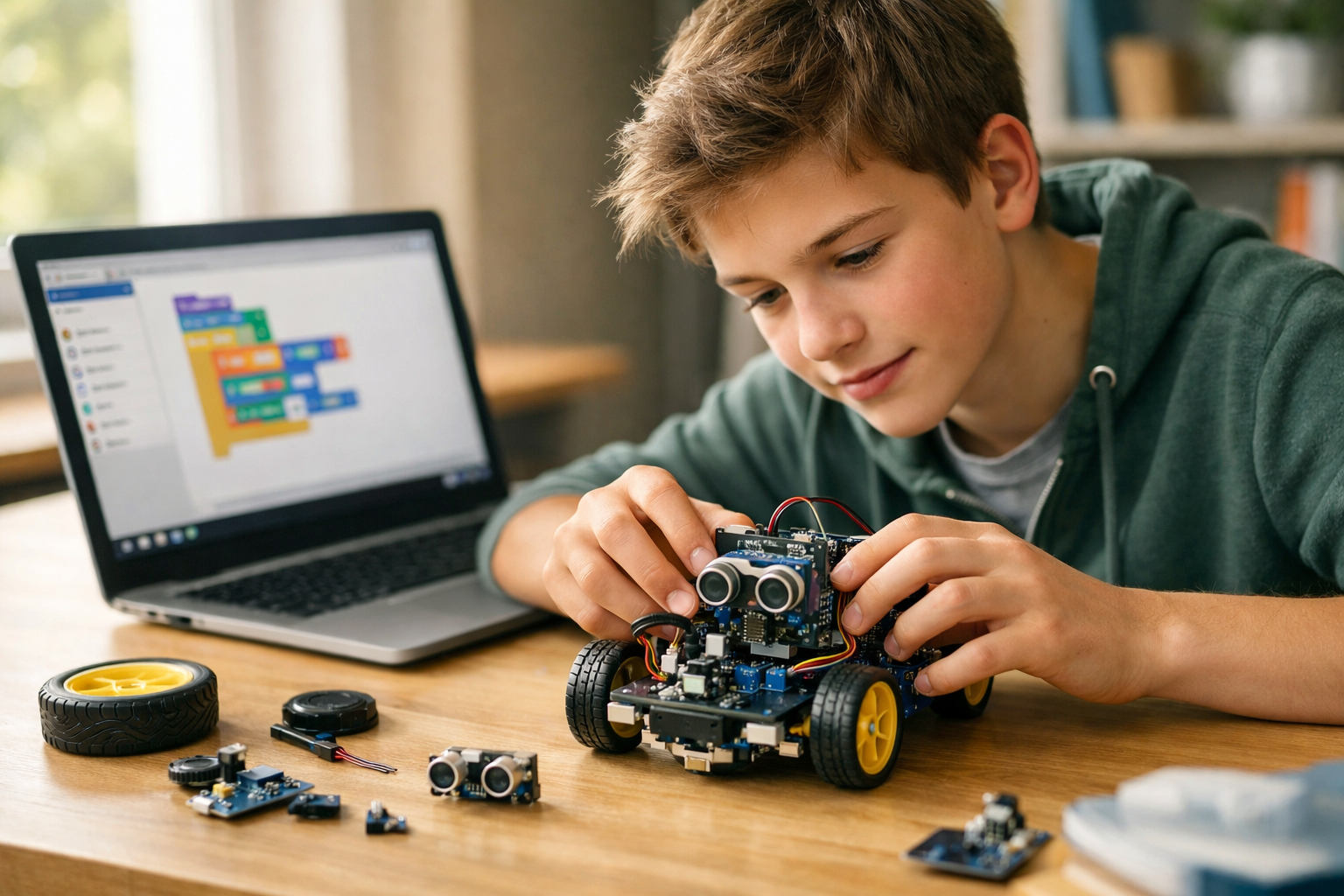
Build your first AI robot skills step by step from zero
Hands-On Robot Adventures with AI for Beginners is a short, book-style course built for complete newcomers. If you have ever wondered how robots move, sense the world, or make simple decisions, this course gives you a clear and friendly starting point. You do not need coding experience, math confidence, or a technical background. Everything is explained in plain language, one step at a time, so you can understand the big ideas without feeling lost.
This course treats robotics as a practical story: a robot senses something, makes a choice, and then acts. From that simple idea, you will learn how AI fits into robotics and why even beginner robots can seem smart. You will also discover the difference between a machine that only follows fixed instructions and one that can use data to recognize patterns and improve simple tasks.
The course begins with the foundations. You will explore what a robot really is, where robots are used in daily life, and how AI supports robot behavior. Then you will move into the essential parts of a robot, including sensors, motors, controllers, and power systems. By learning these parts first, you build a solid base before moving into logic, decision-making, and simple autonomy.
After that, the course introduces easy robot logic. You will learn how to think in small steps, how if-then rules guide actions, and how robots repeat behaviors until a task is complete. These ideas prepare you for the next stage: understanding how AI uses data as examples to help robots notice patterns. The goal is not to overwhelm you with theory, but to help you confidently say, "I understand how this works."
Rather than focusing on hard formulas or advanced code, this course uses beginner-friendly robot adventures and practical examples. You will imagine robots sorting objects, moving through rooms, avoiding obstacles, and helping with simple tasks. These scenarios make the learning feel real and useful.
Each chapter builds directly on the one before it. You will never be asked to jump ahead without support. By the end, you will be able to connect the full chain: input, decision, and action. You will also know how to describe a simple robot project idea clearly, even if you are just starting out.
This course is made for learners who want a calm, clear entry point into AI robotics. It is ideal for curious students, hobbyists, career explorers, and anyone who wants to understand autonomous systems without technical overload. If other courses have felt too fast or too full of jargon, this one takes a gentler route.
You will not need special tools to begin. A robot kit can be helpful for extra practice, but it is not required. The main goal is conceptual confidence. Once you understand the foundations, you will be better prepared for future hands-on building, beginner coding, or more advanced robotics study.
Robots and AI are becoming part of modern life, from warehouses and hospitals to homes and classrooms. Understanding the basics helps you make sense of the technology around you and opens the door to new learning opportunities. This course gives you a safe, structured place to begin.
If you are ready to explore how smart robots work, Register free and start learning today. You can also browse all courses to continue your journey after this beginner-friendly introduction.
Robotics Educator and Applied AI Specialist
Sofia Chen teaches beginner-friendly robotics and AI with a focus on clear explanations and practical projects. She has designed learning programs that help first-time learners understand how robots sense, decide, and act in the real world.
Welcome to your first step into AI robotics. In this chapter, you will learn what a robot really is, where robots appear in everyday life, and how artificial intelligence helps some robots make simple decisions. Many beginners imagine robots only as shiny human-shaped machines, but in practice, a robot can be much simpler. A robot is usually a machine that can sense something about the world, process that information, and then act in a physical way. That action might be moving wheels, turning a motor, flashing a light, or picking up an object.
This chapter is designed to give you a practical foundation before you start building behaviors of your own. You will see the main parts that beginner robots need: sensors to detect the world, motors or other actuators to create movement, a controller to run instructions, and a power source to keep everything working. You will also compare human actions and robot actions in plain language so that robot behavior feels understandable instead of mysterious.
An important idea in robotics is that not every machine with a motor is truly a robot, and not every robot uses advanced AI. Some machines only follow direct human commands. Others repeat a fixed automatic sequence. A more capable robot can react to sensor input and choose between simple actions based on rules. That ability to detect, decide, and respond is the heart of beginner robotics.
As you read, keep an engineering mindset. Engineers do not only ask, “Can this machine move?” They also ask, “What information does it need, what decision should it make, and what is the safest useful action?” Good robot design starts with a job, then connects sensing, decision-making, and movement into one clear workflow. By the end of this chapter, you should be able to describe that workflow, recognize common robot parts, explain the difference between remote control, automation, and autonomy, and sketch a safe navigation idea for a basic robot.
Think of this chapter as your field guide. We will keep the language simple, but the ideas are real engineering ideas used in larger systems too. When you later build robot projects, these concepts will help you avoid common mistakes such as choosing the wrong sensor, expecting perfect behavior from limited hardware, or confusing a remote-controlled device with a truly responsive robot. The goal is not only to know the words, but to start thinking like a robot builder.
Practice note for Understand what robots do in the real world: document your objective, define a measurable success check, and run a small experiment before scaling. Capture what changed, why it changed, and what you would test next. This discipline improves reliability and makes your learning transferable to future projects.
Practice note for See how AI gives robots simple decision-making ability: document your objective, define a measurable success check, and run a small experiment before scaling. Capture what changed, why it changed, and what you would test next. This discipline improves reliability and makes your learning transferable to future projects.
Practice note for Recognize the main parts every beginner robot needs: document your objective, define a measurable success check, and run a small experiment before scaling. Capture what changed, why it changed, and what you would test next. This discipline improves reliability and makes your learning transferable to future projects.
Practice note for Compare human actions and robot actions in plain language: document your objective, define a measurable success check, and run a small experiment before scaling. Capture what changed, why it changed, and what you would test next. This discipline improves reliability and makes your learning transferable to future projects.
A robot is a machine that can interact with the physical world using three basic steps: sense, decide, and act. It senses with devices such as buttons, distance sensors, cameras, or touch switches. It decides using instructions stored in a controller such as a microcontroller or small computer. It acts using motors, wheels, arms, grippers, lights, or speakers. If one of these pieces is missing, the machine may still be useful, but it may not meet the full beginner definition of a robot.
For example, a toy car that only moves when you press buttons on a handheld remote is a machine with motion, but its decisions are made by you, not by the car. A timed sprinkler system performs an automatic action, but it may not sense much about the environment. A robotic vacuum is closer to a real robot because it moves physically, detects obstacles or walls, and changes its path based on what it senses.
Engineering judgment matters here. Beginners often label anything electronic as a robot, but useful classification helps you design better projects. Ask practical questions: Does it detect input? Does it process that input? Does it produce physical output? Can it react without constant human control? These questions make the idea of a robot concrete.
A good beginner robot does not need to be complex. A simple line-following robot that reads a dark line on the floor and adjusts its wheels counts as a robot because it senses the line, decides whether it is drifting, and acts to correct direction. That simple loop is the foundation of more advanced robotics. When you understand that loop, robots become less mysterious and much more buildable.
Robots are already part of normal life, even if they do not look dramatic. In homes, robot vacuums clean floors and return to charging docks. In hospitals, robotic systems help move supplies or assist in precise procedures. In warehouses, robots carry shelves, sort packages, or help workers find items quickly. On farms, robots can monitor crops, spray carefully, or support harvesting tasks. In schools and hobby labs, small wheeled robots teach programming and problem-solving.
Looking at real-world robots helps you understand what robots do best. Most robots are designed for narrow, practical tasks rather than for doing everything. A warehouse robot may be excellent at moving bins in a mapped environment but useless in a kitchen. A lawn robot may be good at staying within boundaries but bad at climbing stairs. This is a key engineering lesson: robots are often specialized tools.
Another important observation is that the environment matters. A robot working in a factory can be designed for a predictable floor, known lighting, and repeated tasks. A robot operating outdoors faces weather, uneven surfaces, and unexpected obstacles. That means sensing and decision-making must match the job. Choosing the right robot parts always depends on where the robot will work.
Beginners sometimes expect robots to think like humans, but practical robots often succeed because they simplify the task. Instead of understanding everything in a room, a small robot may only need to detect “wall ahead” or “line under left sensor.” Those simple signals are enough to create useful behavior. By studying robots around us, you learn that successful robotics is not about making a machine seem magical. It is about giving a machine the exact abilities needed for a real task.
Artificial intelligence, or AI, means a computer system performs tasks that seem to involve decision-making. In beginner robotics, AI does not need to mean a complicated talking machine. It can simply mean that the robot uses input from sensors and chooses between possible actions in a way that is more flexible than a fixed timer. AI helps a robot answer questions like: Is something in front of me? Which direction looks clearer? Did I detect a person, an object, or a wall?
At a beginner level, many useful robot behaviors come from simple logic rules rather than advanced machine learning. For example: if the front sensor sees an obstacle, stop and turn right. If the line is under the left sensor, steer left. If the battery is low, return to the charging point. These are still forms of machine decision-making, even if they are built from straightforward rules.
AI becomes especially helpful when a robot has several possible actions and must pick one based on changing conditions. A robot that always drives forward is automatic but not very smart. A robot that checks distance readings and chooses a safer path shows simple intelligence. In plain language, AI helps robots make decisions instead of only repeating a script.
A common mistake is to assume AI can fix poor hardware design. It cannot. If a sensor gives weak or noisy readings, the robot may make bad decisions. Good robotics combines decent sensing, clear rules, and realistic expectations. Another mistake is calling every programmed behavior AI. The better approach is to say that AI-like behavior appears when the robot uses data to choose actions rather than just replaying the same motion. This practical view keeps the concept honest and useful for beginners.
A beginner robot can be understood as a body, a brain, and senses. The body includes the frame, wheels, arms, and any moving mechanism. The brain is the controller, such as a microcontroller board, that runs the program. The senses are the sensors that collect information. To these, you should add two more essentials: actuators, which create movement, and a power source, which supplies energy. Without power, even perfect code does nothing.
Sensors are the robot’s way of noticing the world. Common beginner sensors include buttons, light sensors, distance sensors, bump switches, and line sensors. Actuators are the robot’s muscles. DC motors spin wheels, servo motors turn to specific angles, and small buzzers or LEDs can also act as outputs that signal status. The controller reads sensors, applies logic, and commands the outputs.
A practical workflow looks like this: the sensor measures something, the controller interprets the reading, and the actuator performs an action. For example, a distance sensor detects an object 10 centimeters ahead. The controller compares that reading to a safety threshold. If the object is too close, the motors stop and the robot turns. This simple chain is one of the most important patterns in all robotics.
Engineering judgment means choosing parts that fit the task. If your robot only needs to avoid walls indoors, a simple distance sensor may be enough. If your robot needs exact wheel movement, you may need better motors or wheel encoders. Common mistakes include underestimating battery needs, mounting sensors in poor positions, and expecting one sensor to solve every problem. Strong beginner designs keep the system simple, reliable, and easy to test one part at a time.
One of the most useful ideas in this chapter is the difference between remote control, automation, and autonomy. These terms are related, but they are not the same. In remote control, a human sends commands directly. The machine acts, but the person does the deciding. A remote-controlled car turns left because you pressed left. This is still valuable, but the intelligence mainly stays with the human operator.
Automation means the machine follows a preplanned sequence or rule with little variation. A robot might move forward for three seconds, stop, then reverse for one second. That is automatic behavior. It can be useful in stable conditions, but it may fail if the environment changes. If a chair appears in the way, a simple timed sequence may crash into it because the plan does not adapt.
Autonomy means the robot can sense conditions and choose actions on its own within a limited goal. A basic autonomous robot might drive forward until it detects an obstacle, then turn and continue. It is not thinking like a person, but it is responding to the world rather than waiting for a human command. This is where simple AI and sensor-based logic become important.
In practice, many robots combine all three modes. A delivery robot may have autonomous navigation, automatic safety routines, and remote human override. For beginners, the key is to be precise. Do not confuse “moves by itself sometimes” with full intelligence. Also, do not dismiss simple rule-based autonomy; it is the starting point for real robotics. When you compare human and robot actions in plain language, the difference becomes clearer: humans understand goals broadly, while robots usually follow narrow rules tied to specific inputs.
Now let us turn these ideas into a simple robot navigation plan. Imagine a small wheeled robot exploring a safe indoor path marked on the floor with tape and soft obstacles like cardboard blocks. Your goal is not to build a perfect explorer. Your goal is to create a clear sense-decide-act routine. Start with the mission: move forward along the path, avoid collisions, and stop if the route is blocked.
A beginner-friendly behavior map could look like this in plain language. First, read the front distance sensor. Second, read the left and right line sensors or edge cues. Third, decide what matters most. Safety comes first, so if an obstacle is too close, stop and turn. If no obstacle is close but the robot is drifting away from the path, steer back toward the line. If the way is clear and the robot is on track, continue forward. This is a practical example of step-by-step rules creating robot behavior.
When designing this map, use engineering judgment. Keep the environment simple. Test one behavior at a time. Make sure the robot moves slowly enough for the sensors to react. Choose soft materials and open floor space. Beginners often try to solve too many problems at once, adding speed, turns, lights, sounds, and complicated goals before basic navigation works. A better approach is to prove one behavior, then improve it.
Common mistakes include setting the obstacle threshold too short, placing sensors too high or too low, and forgetting that batteries affect motor performance. Practical outcomes matter more than perfection. If your robot can safely move, detect a simple obstacle, and choose a reasonable next action, you have already built the core of autonomous behavior. That is your first robot adventure: turning a small set of parts and rules into a machine that can sense its surroundings and respond on purpose.
1. According to the chapter, what makes a machine a robot in the beginner sense?
2. What role does AI play in beginner robotics in this chapter?
3. Which set includes the main parts every beginner robot needs?
4. What is the key difference between a fixed automatic machine and a more capable robot?
5. What workflow does the chapter say good robot design should connect?
Every robot, even a very simple beginner robot, is built from a small set of important parts that work together as a system. In this chapter, you will learn how to recognize those parts and understand what each one does. A robot is not just a machine that moves. It is a machine that can take in information, make a basic decision, and act on that decision. Some robots are controlled directly by a person, some follow fixed automatic rules, and some show a small amount of autonomy by responding to sensor input on their own. To understand these differences, it helps to look closely at the hardware inside a robot.
The most useful way to think about a robot is as a chain: sense, decide, and act. First, sensors collect information from the world. Next, a controller reads that information and applies logic or simple AI-like decision rules. Then motors or other moving parts turn that decision into action. A power source keeps the whole system running. When beginners can trace this path from input to action, robot behavior becomes much easier to understand and design.
In hands-on robotics, identifying hardware parts is an important first skill. A small wheeled robot may include distance sensors, line sensors, motors, wheels, a microcontroller board, a battery pack, wires, and a frame to hold everything together. Each part matters. If the sensors are poorly placed, the robot may not notice obstacles. If the motors are too weak, it may fail to move. If the battery is low, the robot may behave unpredictably. Good robot building is not only about assembling parts; it is about making practical choices that help the whole system work reliably.
Engineering judgment starts with asking simple questions. What does the robot need to notice? How fast should it move? Will it operate on a table, on the floor, or outdoors? Does it need to avoid collisions, follow a line, or stop when someone gets too close? These questions guide hardware choices. Beginners sometimes want the most advanced parts right away, but simple, dependable parts often lead to better learning and more successful first projects.
Another key idea in this chapter is that movement is only the final result of a longer process. A robot does not "just drive forward." It may detect open space, compare sensor readings, apply a rule such as "if path is clear, move ahead," and then activate both drive motors. That full path from sensing to action is what makes robotics exciting. It also shows how AI begins in small, understandable forms: not magic, but decision-making based on data.
As you read the sections in this chapter, focus on how the robot parts connect. Sensors collect useful information. Controllers interpret input. Motors create movement. Batteries provide energy. When these pieces are chosen carefully and connected clearly, even a beginner robot can perform impressive tasks such as avoiding obstacles, following a path, or stopping safely at an edge. By the end of the chapter, you should be able to identify key robot hardware parts, explain how they work together, and sketch a simple robot behavior using practical step-by-step logic.
This chapter also prepares you for building ideas later. If you can point to a part and explain its job, you are already thinking like a robotics engineer. If you can explain why a robot turned left after detecting an obstacle on the right, you are learning to connect cause and effect. That practical understanding is the foundation for all future robot projects, whether they use simple rule-based logic or more advanced AI tools.
Practice note for Identify key hardware parts in a simple robot system: document your objective, define a measurable success check, and run a small experiment before scaling. Capture what changed, why it changed, and what you would test next. This discipline improves reliability and makes your learning transferable to future projects.
Sensors are the parts of a robot that collect information from the outside world. People often call them the robot’s eyes and ears, but sensors can do more than human senses can. A sensor might measure distance, detect light, feel touch, sense heat, or notice motion. In beginner robotics, common examples include ultrasonic distance sensors, infrared line sensors, bump switches, and light sensors. These parts allow a robot to respond to its surroundings instead of moving blindly.
A useful way to understand sensors is to ask what problem each one solves. If a robot must avoid walls, it needs a way to detect objects ahead. If it must follow a dark line on a bright floor, it needs a sensor that can compare reflected light. If it should stop when it hits something, a simple touch switch may be enough. Choosing a sensor is not about finding the fanciest component. It is about choosing the simplest part that gives enough useful information for the job.
Sensor placement matters as much as sensor type. A distance sensor mounted too high may miss low obstacles. A line sensor placed too far from the floor may give weak readings. A bump sensor hidden behind the robot frame may not trigger when expected. Beginners often assume a good sensor automatically gives good results, but the real-world position and angle of the sensor can make a huge difference.
Another important idea is that sensors do not give perfect truth. They give signals that can be noisy, delayed, or affected by lighting, surface color, battery level, and vibration. Good engineering judgment means expecting imperfect data. For example, rather than reacting to one strange reading, a robot may check several readings in a row before deciding. Even a simple rule like "if obstacle is detected three times, then stop" can improve reliability.
Common mistakes include using too many sensors before understanding one, ignoring calibration, and trusting raw values without testing. Practical robot builders test sensors in the real environment where the robot will run. A sensor that works well on a classroom floor may behave differently on carpet or in bright sunlight. Good outcomes come from observing, adjusting, and retesting until the sensor information is dependable enough to guide action.
If sensors gather information, motors turn decisions into motion. Motors are the parts that let a robot roll, turn, lift, spin, or push. In simple wheeled robots, the most common choice is a DC motor connected to wheels, sometimes through gears that trade speed for strength. Some beginner robots also use servo motors, which move to specific angles and are useful for steering, gripping, or pointing a sensor.
Movement looks simple from the outside, but many design choices affect how well a robot drives. Wheel size changes speed and torque. A larger wheel may move the robot farther per turn but require more motor effort. Gear ratios affect whether the robot is powerful and slow or fast and weak. The robot’s weight matters too. A heavy robot with small weak motors may stall or drain its battery quickly. Practical design means matching motor power to the job instead of guessing.
For a basic two-wheel drive robot, one common method of steering is differential drive. That means the robot turns by changing the speeds of the left and right motors. If both motors spin forward at the same speed, the robot moves straight. If the left motor slows down while the right motor keeps moving, the robot curves left. If one motor goes forward and the other backward, the robot can spin in place. This simple system is easy for beginners to understand and program.
Movement also depends on traction and surface conditions. Wheels may slip on smooth floors, catch on rough ones, or wobble if mounted poorly. A robot that works on a desk may fail on tile because the wheels lose grip. Beginners often blame the code when the real issue is mechanical. Good troubleshooting includes checking wheel alignment, loose motor mounts, uneven weight distribution, and surfaces that are too slippery.
One more engineering judgment point is to avoid making robots faster than needed. A slower robot is often easier to test, safer to control, and better for learning. When the robot moves too quickly, sensors have less time to detect changes and the controller has less time to react. Starting with slow, steady motion gives more predictable results and makes it easier to connect decisions with visible action.
The controller is the part that connects sensing to action. It is often called the robot’s brain, although it is more accurate to say it is the decision center. In beginner robots, the controller is usually a microcontroller board or small computer that reads sensor values, follows programmed rules, and sends commands to motors or lights. Without a controller, the robot parts would not work together in an organized way.
A controller does not need to be powerful to be useful. For many projects, simple logic is enough. A rule such as "if front sensor detects obstacle, stop and turn right" is a valid robot behavior. This is where beginners first see the difference between remote control, automation, and autonomy. In remote control, a person tells the robot exactly what to do. In automation, the robot follows a fixed programmed sequence. In autonomy, even a simple kind, the robot changes its action based on sensor input without direct human commands at every step.
Controllers work by repeating a loop very quickly. Read sensors. Process information. Choose an action. Send output to motors. Repeat. This loop may happen many times each second. That constant cycle is the heart of robotic behavior. It also explains why clear logic matters. If the rules conflict, the robot may twitch, freeze, or switch rapidly between actions. A practical programmer writes simple rules first, tests them, and only then adds more complexity.
Beginners often make the mistake of trying to create complicated intelligence too early. In real robotics, even strong systems are built from small tested pieces. First verify that the sensor reading is stable. Then verify that the motor command works. Then join them into one behavior. This step-by-step approach leads to better results than writing a large program and hoping everything works at once.
From an AI perspective, the controller is where decisions happen. In a beginner robot, those decisions may be basic rules rather than advanced machine learning. That is still important. AI starts with the idea that a machine can use information to choose among actions. Understanding a controller as the place where those choices are organized gives you a strong foundation for more advanced robotics later.
No robot can sense, decide, or move without power. Batteries and power systems are sometimes overlooked by beginners because they seem less exciting than sensors or motors, but they are essential. A robot with a weak or unstable power source may behave in confusing ways. Motors may run slowly, sensors may give unreliable readings, and the controller may reset unexpectedly. Many robot problems that look like coding mistakes are really power problems.
A simple robot often uses a battery pack to supply energy to the controller and motors. Some systems power everything from one source, while others separate motor power from control electronics to reduce electrical noise. This is a practical design choice. Motors can create sudden changes in current that interfere with sensitive electronics. If the robot acts strangely only when the motors start, the power design should be checked.
Battery selection affects runtime, weight, cost, and safety. A larger battery may run longer but make the robot heavier. A lighter battery may improve movement but need recharging sooner. Beginners should learn to choose enough power for the task without adding unnecessary mass. It is also wise to test battery voltage regularly, because a robot that worked well yesterday may fail today simply because the batteries are low.
Safe use matters in every robotics project. Batteries should be installed with correct polarity, wires should be secure, and exposed metal contacts should not touch. Motors and wires can become warm if overloaded. Rechargeable batteries need the correct charger and proper handling. A safe beginner robot project is small, low-speed, and supervised, especially during first tests. Robots should be tested away from stairs, water, and fragile objects.
One practical habit is to include a clear power switch and a fast way to stop the robot. This is good engineering practice. During testing, being able to turn off power quickly can prevent damage and make troubleshooting much easier. Power is not just fuel. It is part of the robot’s reliability and safety system, and good builders treat it with the same care as code and mechanics.
The most important workflow in beginner robotics is the path from input to action. This path explains how a robot notices something and then responds. First, a sensor detects a condition such as a nearby obstacle, a dark line, or a pressed button. Next, the controller reads that signal and compares it to a rule or threshold. Then the controller sends an output command to one or more motors. Finally, the robot moves. This full chain is the basic story behind robot behavior.
Consider a simple obstacle-avoiding robot. The distance sensor measures the space in front of the robot. If that measured distance is greater than a safe limit, the controller tells both motors to keep moving forward. If the distance becomes too small, the controller tells the motors to stop, reverse briefly, and turn. That is a complete beginner-friendly robot behavior built from straightforward logic. It is also a good example of automation with a touch of autonomy, because the robot changes its behavior based on sensor input.
When building this chain, thresholds and timing matter. If the safe distance is too short, the robot may react too late. If it is too large, the robot may avoid objects that are not really in the way. If the turn time is too short, the robot may still face the obstacle. If too long, it may spin too far. Engineering judgment comes from testing and adjusting these values in the real world rather than assuming they are correct on the first try.
A common beginner mistake is to focus only on code and ignore system timing. Sensors need time to update. Motors need time to respond. The robot body keeps moving a little even after a stop command because of momentum. These physical facts matter. Practical robot design means watching what actually happens and tuning the behavior to match real motion, not just ideal logic on paper.
Understanding this workflow makes future robot projects easier. Whether the robot follows a line, avoids an obstacle, or reacts to a button, the same pattern appears: input, decision, output, action. Once you can trace that pattern clearly, you can explain what the robot is doing, predict problems, and improve behavior step by step.
Before starting a robot project, it helps to create a parts checklist. This is a practical habit used by engineers because it reduces missing components, wiring confusion, and unrealistic plans. For a very simple mobile robot, the checklist might include a controller board, one or more sensors, two drive motors, wheels, a caster or support wheel, a motor driver if needed, a battery pack, wires, a frame, and a power switch. Listing the parts forces you to think about how the robot will actually function.
A good checklist does more than name components. It links each part to a purpose. For example: distance sensor for obstacle detection, controller for reading input and making decisions, motors for forward and turning movement, battery for power, frame for mounting and stability. This habit helps beginners identify key hardware parts in a complete robot system rather than seeing parts as unrelated objects. It also makes troubleshooting easier because each part has a clear job.
It is also useful to add practical questions beside the checklist. Where will the sensor be mounted? Is the battery strong enough for the motors? Does the controller have enough input and output pins? Are the wheels large enough for the floor surface? Is there a safe way to stop the robot? These questions build engineering judgment early and help prevent common errors before assembly begins.
Another smart step is to separate must-have parts from nice-to-have parts. A beginner robot does not need extra lights, multiple sensor types, or decorative attachments on day one. Start with the parts needed for one clear behavior, such as moving forward and stopping at an obstacle. Once that works, more features can be added. This creates faster success and a stronger understanding of how each part contributes to the whole system.
By the time you finish this chapter, you should be able to look at a basic robot design and explain the role of each major part. More importantly, you should be able to connect the parts into a logical story: the sensor notices something, the controller applies a rule, the motor carries out an action, and the power source supports the entire process. That checklist mindset turns robotics from a pile of parts into a working system you can understand and improve.
1. What is the best way to describe the basic working chain of a robot in this chapter?
2. What is the main job of sensors in a simple robot system?
3. Why might a robot behave unpredictably even if its other parts are assembled correctly?
4. Which example best shows the full path from input to action?
5. Why does the chapter recommend simple, dependable parts for beginners?
In this chapter, we move from knowing what robot parts do to teaching a robot how to behave. A beginner-friendly robot does not need complex artificial intelligence to seem smart. It only needs clear rules, a simple plan, and a way to sense what is happening around it. When people say a robot is “thinking,” what they often mean at this stage is that the robot is following logic: step-by-step instructions, simple decisions, and repeated actions that help it respond to the world.
This chapter is about building that logic in a practical way. You will learn how to control robot behavior using instructions, if-this-then-that rules, loops, and sensor reactions. These ideas are the foundation of both programming and robotics. Even advanced autonomous systems use the same basic pattern: sense, decide, act. What changes is the complexity. For beginners, the goal is not fancy code. The goal is dependable behavior that can be understood, tested, and improved.
Good robot design starts by breaking a task into small parts. For example, “move across the room without bumping into anything” sounds like one task, but it is actually many small tasks: start moving, check distance, decide whether the path is clear, turn if needed, move again, and keep checking. This is how engineers work. They turn a large goal into small steps that can be built and tested one by one. That approach reduces confusion and makes mistakes easier to fix.
Simple logic also helps us understand the difference between remote control, automation, and autonomy. A remote-controlled robot only acts when a human sends commands. An automated robot follows fixed rules, such as moving forward for three seconds and then stopping. A more autonomous robot senses the environment and changes its behavior based on what it detects. In this chapter, we will focus on beginner autonomy: enough sensing and logic for a robot to react safely and usefully.
As you read, keep one practical idea in mind: robots do exactly what their rules allow. If the rules are incomplete, the robot may freeze, repeat the wrong action, or do something unsafe. If the rules are clear and simple, even a basic robot can appear smart. That is the power of simple logic in robotics.
By the end of this chapter, you should be able to describe a robot behavior in plain language, convert it into logical steps, and evaluate whether the robot is behaving the way you intended. That skill is one of the most important early milestones in AI robotics and autonomous systems.
Practice note for Use beginner logic to control robot behavior: document your objective, define a measurable success check, and run a small experiment before scaling. Capture what changed, why it changed, and what you would test next. This discipline improves reliability and makes your learning transferable to future projects.
Practice note for Write simple if-this-then-that style rules: document your objective, define a measurable success check, and run a small experiment before scaling. Capture what changed, why it changed, and what you would test next. This discipline improves reliability and makes your learning transferable to future projects.
Practice note for Break a robot task into clear small steps: document your objective, define a measurable success check, and run a small experiment before scaling. Capture what changed, why it changed, and what you would test next. This discipline improves reliability and makes your learning transferable to future projects.
Practice note for Test and improve basic robot actions: document your objective, define a measurable success check, and run a small experiment before scaling. Capture what changed, why it changed, and what you would test next. This discipline improves reliability and makes your learning transferable to future projects.
Every robot behavior begins with instructions. An instruction tells the robot to do one specific action, such as “move forward,” “stop,” or “turn left.” A rule explains when to use an instruction. A sequence places multiple instructions in order. These three ideas work together to form the simplest robot programs. If you want a robot to leave a starting point, cross a short path, and stop at a marker, you might write a sequence like this: start, move forward, slow down, stop. The robot does not understand the overall goal the way a human does. It only follows the ordered steps you give it.
Beginners often try to describe robot behavior in a way that is too general, such as “avoid obstacles and reach the target.” Engineers instead break that large goal into smaller actions. A better version is: check the front sensor, move forward if clear, stop if blocked, turn, and try again. This makes each part testable. If the robot turns too late, you know where the problem is. If it never starts moving, you know to inspect the first step in the sequence.
A useful workflow is to write the task in plain language before writing any code. Think like a careful instructor. What does the robot do first? What happens next? What action should happen after that? This approach keeps your logic simple and reduces accidental gaps. It also helps you separate robot parts by role: sensors collect information, the controller applies the rules, motors carry out motion, and the power source keeps the system running.
One common mistake is giving steps that are ambiguous or missing timing details. For example, “turn a little” is not precise enough. Better choices are “turn left for one second” or “turn until the front sensor sees open space.” Another common mistake is writing too many steps before testing. It is usually better to test one sequence at a time. Build a short behavior, watch what happens, and then add the next piece. That slow, practical method is how reliable robot behavior is created.
The most important beginner decision tool in robotics is the if-then rule. It is exactly what it sounds like: if something is true, then the robot does a certain action. For example: if the path is clear, then move forward. If the robot is too close to a wall, then stop. If the light sensor sees a dark line, then slow down. These rules make a robot appear responsive because its actions depend on real conditions instead of a fixed script.
If-then rules are the bridge between automation and simple autonomy. An automated machine might always drive forward for five seconds. A robot using if-then logic can choose to stop early if its sensor detects something in the way. That ability to change behavior based on input is a basic form of intelligence in robotics. It is not human thinking, but it is useful decision-making.
When writing if-then rules, keep them small and clear. A beginner-friendly pattern is: identify one condition, choose one action, and make sure the action is safe. For example, “if distance is less than 20 centimeters, then stop.” After that works, add a second rule, such as “if distance is greater than or equal to 20 centimeters, then move forward.” This creates a complete behavior. If you only write the stop rule, the robot may not know what to do when the path is clear.
Engineering judgment matters here. Thresholds like 20 centimeters are not magical numbers. They must fit the robot’s speed, sensor quality, and test space. A fast robot may need more stopping distance. A noisy sensor may need a larger safety margin. This is why robotics often involves tuning: trying a value, observing the result, and adjusting. A common beginner mistake is using one condition without considering the opposite case. Another is creating conflicting rules, such as one rule saying to move forward and another saying to stop under nearly the same condition. Good logic is simple, complete, and consistent.
Robots usually need to do more than act once. They must keep checking, keep moving, and keep adjusting. This is why loops are so useful. A loop tells the robot to repeat a set of actions. In robotics, a common pattern is: sense, decide, act, and then repeat. For example, the robot may repeatedly check the front distance sensor, decide whether the path is safe, and then either move or turn. Without a loop, the robot would only check once and then ignore the environment.
Loops are what make a robot feel active and alive. Imagine a hallway robot that only looks for obstacles at the beginning of its trip. That robot would quickly fail. A loop allows the robot to continuously monitor the world. In plain language, the loop might be written as: while the robot is on, keep checking the sensor and keep choosing the next action. This turns isolated instructions into ongoing behavior.
However, loops must be designed carefully. A loop that repeats too quickly without updating sensor information can produce unstable behavior. A loop that never includes a stopping condition can trap the robot in endless motion. Beginners also sometimes create loops that keep turning because they forgot to check whether the path became clear. Good loops include repeated sensing, a decision point, and a way to exit or change actions when needed.
A practical method is to keep the loop body short. For example: read sensor, compare value, choose motor command. Then test it. If the robot jitters, pauses oddly, or repeats the same mistake, inspect the loop first. Is the sensor value being refreshed? Is the decision threshold realistic? Is the action too strong, such as a very long turn? Loops are powerful because they create steady behavior over time, but that same repetition can also repeat mistakes very efficiently. Clear structure and small tests help prevent that.
A robot becomes more useful when its logic connects directly to sensors. Sensors are the robot’s way of noticing the world. A distance sensor can detect nearby objects, a touch sensor can detect contact, and a light sensor can notice bright or dark surfaces. The controller reads that information and uses rules to decide what the motors should do next. This process is the heart of basic robot behavior.
Let us take a simple example. Suppose a robot has one front distance sensor and two drive motors. The rule set might be: if the front is clear, move forward; if an object is close, stop; then turn right until the path is clear; then move forward again. This is a beginner-friendly navigation idea. It is not advanced mapping, but it demonstrates how sensors and logic work together to create a useful autonomous response.
In practice, sensor input is not always perfect. Readings may jump slightly or change because of lighting, angle, surface texture, or electrical noise. That is why engineering judgment matters. Do not assume every measurement is exact. You may need a buffer zone. For instance, instead of changing behavior at exactly one value, you might set a cautious stopping range. You may also decide to check the same sensor reading more than once before taking action. These choices improve reliability.
A common mistake is reacting too strongly to one sensor reading. If the robot sees one unusual value and suddenly makes a sharp turn, it may become unstable. Another mistake is ignoring the physical limitations of the robot. A robot cannot stop instantly just because a sensor reading changed. Motors and wheels have momentum, and the surface affects braking and turning. The best beginner systems are modest and safe: slow speed, simple thresholds, and lots of testing in an open area. That produces a robot that behaves predictably and teaches the right habits for future AI robotics work.
Testing is not a separate stage after building robot logic. Testing is part of building it. Even a short set of rules can behave differently from what you expected once real sensors, motors, and surfaces are involved. The good news is that beginner robot mistakes are often simple and fixable. The key is to investigate them one at a time instead of changing everything at once.
Start by observing the robot carefully. Does it fail to move? Does it stop too early? Does it turn in the wrong direction? Does it repeat an action forever? These clues point to different causes. If the robot never moves, the issue might be a missing “move forward” command, a sensor threshold that is too strict, or a power problem. If it bumps into objects, the stopping distance may be too short or the loop may not be checking sensors often enough. If it spins in circles, the turning rule may not include a condition for stopping the turn.
A practical debugging workflow is: test one small behavior, record what happened, adjust one variable, and test again. For example, if the robot stops too close to obstacles, increase the stopping distance and retest. If it turns too far, shorten the turning time. Keep notes. This may feel slow, but it is how engineering becomes reliable. Random changes make problems harder to understand.
Another important habit is separating logic problems from hardware problems. If the wheels do not move, do not immediately blame the rules. Check battery power, motor connections, and whether the motors are enabled. If the robot responds strangely to sensor input, check whether the sensor is mounted securely and facing the correct direction. The most common beginner mistake is changing code when the real issue is physical setup, or changing hardware when the real issue is the decision rule. Clear testing helps you locate the true cause and improve the robot with confidence.
Now let us bring the chapter together in a safe mini project plan. The goal is to design a robot that starts moving forward, detects an obstacle, turns to avoid it, and continues moving. This project is small enough for beginners but rich enough to use instructions, if-then logic, loops, and testing. It also shows the difference between simple automation and simple autonomy. An automated version would just drive in a preplanned pattern. Our version reacts to sensor input, which makes it a basic autonomous behavior.
Begin by defining the parts involved: one controller, one front-facing distance sensor, two motors, wheels, and a battery or other safe power source. Next, write the task in plain language. Step 1: start. Step 2: check front distance. Step 3: if the path is clear, move forward. Step 4: if an obstacle is near, stop. Step 5: turn right for a short time or until the path is clear. Step 6: check again. Step 7: repeat. This is the full behavior in small steps.
Then apply engineering judgment. Choose a slow speed so the robot has time to react. Test in an open area with soft obstacles or clear boundaries. Set a safe distance threshold based on the robot’s speed. If the robot still gets too close, increase that threshold. If it turns too often even when the path is mostly clear, reduce sensor sensitivity or refine the threshold. This is normal improvement work, not failure.
Finally, evaluate the result. A successful mini project is not one that looks perfect on the first try. It is one that behaves more predictably after each test. You should be able to explain why the robot moved, stopped, or turned at each moment. If you can describe its behavior using clear rules and small steps, you are already thinking like a robotics engineer. That ability to plan, test, and improve simple logic is a major foundation for future work with smarter AI-powered robots.
1. According to the chapter, what does it usually mean when a beginner robot seems to be “thinking”?
2. Why is it helpful to break a robot task into small steps?
3. Which example best matches a more autonomous robot in this chapter?
4. What is the basic pattern of robot behavior described as a foundation for programming and robotics?
5. If a robot’s rules are incomplete, what problem might happen?
In earlier chapters, you learned that robots use parts such as sensors, motors, controllers, and power sources to act in the world. You also saw that some robot behavior comes from clear step-by-step instructions. In this chapter, we add a new idea: sometimes a robot does not follow only fixed rules. Instead, it can use AI to notice patterns from examples. This does not mean the robot suddenly becomes magical or human-like. It means the robot can compare what it senses now with examples it has seen before and choose a useful response.
For beginners, the most important idea is that AI learning starts with data. Data is simply collected examples. A robot may record light levels, distances, colors, sounds, button presses, or images. If enough examples are collected carefully, a program can learn patterns that would be hard to write as exact rules. For example, telling a robot “if the object is red, pick it up” is a rule. But telling a robot to recognize many slightly different red objects under different lighting conditions is harder. AI can help by learning from many examples instead of depending on one perfect rule.
This chapter focuses on practical understanding, not heavy math. You will explore what data means for a robot, how learning differs from fixed logic, how simple training works, why data quality matters, and what kinds of beginner robot tasks fit AI well. You will also walk through a small practice story about teaching a robot to sort objects. As you read, keep in mind an important engineering habit: use the simplest method that works safely and reliably. Sometimes rules are best. Sometimes pattern learning is better. Good robot builders know how to choose.
A robot that learns patterns still needs the basics: sensors to gather input, a controller to process that input, and motors or other outputs to act. AI does not replace the robot’s hardware. It sits inside the decision process. The robot senses the world, the program compares that input to patterns from training examples, and then the robot performs an action. In real projects, this often works alongside normal logic. A robot might use AI to recognize an object, but still use regular rules to avoid walls, stop on low battery, or slow down near people.
As you move through this chapter, notice the workflow. First define the task clearly. Next gather examples. Then organize those examples, often with labels. After that, test whether the robot is making useful decisions. Finally, improve the data, the labels, or the task if results are weak. This practical cycle is more important than memorizing technical words. Good beginners succeed by thinking carefully about the problem the robot is actually trying to solve.
By the end of this chapter, you should be able to explain how AI supports simple robot decisions, describe when learning is useful, and connect pattern learning to safe beginner robotics tasks such as sorting, detecting lines, recognizing simple signals, or reacting differently to familiar types of objects.
Practice note for Understand data as examples robots can learn from: document your objective, define a measurable success check, and run a small experiment before scaling. Capture what changed, why it changed, and what you would test next. This discipline improves reliability and makes your learning transferable to future projects.
Practice note for See the difference between rules and pattern learning: document your objective, define a measurable success check, and run a small experiment before scaling. Capture what changed, why it changed, and what you would test next. This discipline improves reliability and makes your learning transferable to future projects.
Practice note for Explore simple training ideas without heavy math: document your objective, define a measurable success check, and run a small experiment before scaling. Capture what changed, why it changed, and what you would test next. This discipline improves reliability and makes your learning transferable to future projects.
When people hear the word data, they sometimes imagine giant spreadsheets or advanced computer systems. For beginner robotics, data is much simpler. Data is any recorded example of what the robot sensed or what happened during a task. If a distance sensor reads 12 centimeters, that number is data. If a camera captures a picture of a blue block, that image is data. If a microphone records a clap sound, that recording is data. Data gives the robot a collection of examples from the real world.
A useful way to think about data is as experience stored in a form a computer can use. A human learns what a toy car looks like after seeing many toy cars. A robot can do something similar if it collects examples of toy cars from its sensors. The examples might include different angles, lighting conditions, and distances. Without data, there is nothing to learn from. The robot would only have fixed instructions written by a programmer.
In robotics, data usually comes directly from sensors. A light sensor might produce values from dark to bright. A color sensor might report red, green, and blue amounts. A camera gives pixels. A touch sensor reports pressed or not pressed. Even simple robots create streams of data as they move. This is why sensor choice matters. If you want a robot to learn whether an object is near or far, a distance sensor provides useful data. If you want it to notice color differences, a camera or color sensor is better.
Engineering judgment matters here. Beginners sometimes collect any data they can get, then hope the robot will become smart. That rarely works. Good robot builders collect data that matches the job. If the task is sorting light and dark objects, brightness data is useful. If the task is following a line, the most important data may be ground color readings. Start with the decision the robot needs to make, then ask which sensor examples would help make that decision.
A common mistake is forgetting that data changes with the environment. A reading taken in a bright classroom may look different in a dim room. A camera image on a sunny day may not match one under indoor lamps. So when collecting data, think about where the robot will really operate. Data should reflect real conditions, not just perfect conditions during setup. This practical habit makes later training and testing much more reliable.
Robots can make decisions in two broad ways: by following rules or by learning patterns. A rule is written directly by a human. For example, “if the front sensor detects an obstacle closer than 10 centimeters, stop and turn right.” This is clear, simple, and often the best choice. Rules work especially well when the situation is easy to describe and the robot’s world is predictable.
Pattern learning is different. Instead of writing every detail by hand, you give the system many examples and let it find useful relationships. Suppose you want a robot to tell whether an object belongs in the recycling bin or the trash bin. A simple rule might work for one exact shape or one exact color, but real objects vary a lot. Pattern learning can help the robot notice combinations of features across many examples.
Neither method is always better. Strong engineering means choosing the right tool. If a robot must stop when its emergency button is pressed, use a direct rule. Safety-critical actions should be simple and dependable. If a robot must notice a messy visual pattern, such as whether an object looks more like paper than plastic, learning may be more practical than writing many fragile rules.
Many beginner robots use both methods together. A line-following robot might use learned pattern recognition to identify the line under changing lighting, but use regular rules to control motor speed and turning. A sorting robot might use AI to guess an item category, then use normal logic to move the arm to the correct bin. In real robotics, hybrid systems are common because they combine flexibility with control.
A common mistake is treating AI like a replacement for thinking. Learning does not remove the need to define the task well. If the robot’s job is unclear, training will also be unclear. Another mistake is using AI for tasks that are already easy with a threshold or simple condition. If one sensor value clearly separates the cases, a rule may be faster, safer, and easier to debug. Good beginners ask, “Can I solve this with simple logic first?” If not, pattern learning becomes more valuable.
Training a simple AI system for a robot means showing it many examples so it can connect sensor input to a useful output. The easiest way to imagine this is with examples and labels. An example is what the robot senses. A label is the correct answer for that example. If the robot takes a picture of an apple, the label might be “fruit.” If the robot reads a dark patch under its line sensor, the label might be “line.”
For beginners, training does not need advanced formulas. The core workflow is enough. First, collect examples. Second, give each example a correct label if the task requires categories. Third, use a training tool or simple program that compares examples and labels to build a model. Fourth, test the model on new examples the robot did not use during training. If the robot performs poorly, improve the data or narrow the task.
Consider a robot that needs to tell whether a block is light or dark. You could gather many sensor readings from light blocks and dark blocks. Each reading gets a label. During training, the program looks for a pattern that separates the two groups. Later, when the robot sees a new block, it predicts the label based on what it learned. The robot is not reasoning like a person. It is matching new sensor input to patterns built from examples.
Keep the first training job small. Two or three categories are enough. One clear sensor type is enough. One beginner-friendly outcome is enough. This is good engineering because simpler tasks are easier to test and improve. If you start with ten categories, changing lights, and noisy sensor readings, you will not know what caused errors.
A common mistake is using the same examples for both training and judging success. A robot may appear excellent because it memorized those examples, but then fail on new ones. That is why testing on fresh examples matters. Another mistake is weak labels. If one person labels an item “paper” and another labels a similar item “trash,” the model learns confusion. Clear categories and careful labeling make training more useful.
Data quality often matters more than algorithm complexity. A simple learning method with good data can outperform a more advanced method trained on messy data. Good data matches the task, represents real use conditions, and includes enough variety to teach the robot what truly matters. Bad data is incomplete, biased, noisy, mislabeled, or collected in unrealistic conditions.
Imagine training a robot to detect blue objects, but every blue example was photographed under bright white light and every non-blue example was photographed in shadow. The system may accidentally learn lighting differences instead of color differences. Then it fails when moved to a new room. This is a classic robotics mistake: the robot seems to work during setup but breaks in normal operation because the data taught the wrong pattern.
Good data collection includes variation. If your robot will sort objects from different positions, collect examples from different positions. If the robot will run in both morning and afternoon light, collect examples at different times. If the robot will see clean and slightly messy objects, include both. The goal is not to collect infinite data. The goal is to collect data that represents the robot’s real job.
Practical testing is part of data quality. After training, watch when the robot fails. Does it confuse shiny objects? Does it misread dark colors under low light? Does it behave well on the table where you trained it but poorly on the classroom floor? These failures are clues. They tell you what examples are missing or misleading. Good engineers use mistakes as feedback for better data collection.
Another important judgment is balance. If you collect 200 examples of one class and only 10 of another, the robot may prefer the larger group. Beginners also sometimes rush labeling, which creates hidden errors. If labels are wrong, the robot is being taught the wrong lesson. Slow, careful data collection is not boring extra work. It is the foundation of useful AI behavior.
Beginner robots do best with small AI tasks that connect clearly to sensors and actions. A good task is narrow, measurable, and easy to test. Examples include deciding whether an object is light or dark, recognizing a colored marker, classifying a simple shape, detecting whether the floor area is safe to cross, or choosing between “turn left” and “turn right” based on camera or sensor input. These jobs show how pattern learning can support autonomy without making the project too complex.
One useful beginner application is simple object sorting. A robot arm or wheeled robot can identify broad categories such as metal-looking versus paper-looking, or red block versus blue block. Another good application is improved line following. Instead of one hard-coded threshold, a learned model can better handle changing lighting. A third application is gesture or signal recognition, such as responding differently to a raised card with one of two symbols.
Notice that in each case, AI handles a limited perception problem, not the entire robot. The rest of the system still uses normal logic. The robot may use motors, timers, and safety rules exactly as before. This is an important design lesson. AI is often one module inside a larger robot workflow. It provides a prediction, and then regular code decides what to do with that prediction.
When selecting a beginner AI task, ask three questions. First, can the robot sense the difference clearly enough with available sensors? Second, is the output action simple and safe? Third, can you collect enough examples to test it properly? If the answer to any of these is no, simplify the task. Practical success beats ambitious failure in early robotics learning.
A common mistake is choosing a task that sounds exciting but is too broad, such as “recognize everything on the table.” A better goal is “tell whether the item is a red cube or not.” Small victories build understanding. They teach the full workflow from sensing to data to training to action, which is exactly what beginners need before moving to larger autonomous systems.
Imagine you are building a simple classroom sorting robot. Its job is to move small objects into one of two bins: light-colored items and dark-colored items. The robot has a color sensor mounted above a tray, a controller to process readings, and a motor that pushes the object left or right. This is an excellent beginner project because the sensing task is focused, the action is simple, and the results are easy to observe.
You begin by defining the task clearly. The robot does not need to recognize every color name. It only needs to decide between two categories: light and dark. Next, you collect data. Place many objects under the sensor and record the readings. Use white paper, pale blocks, gray pieces, black buttons, dark blue blocks, and other examples. Label each reading carefully as light or dark. Do not collect only perfect examples. Include slightly shiny surfaces and objects with mild texture because real tasks are rarely ideal.
Now you train a small model using those labeled examples. The model learns a boundary between patterns linked to light objects and patterns linked to dark objects. Then you test with new items the robot has not seen before. If the robot sorts well in one location but fails near a window, you have learned something valuable: the data did not include enough lighting variation. So you gather more examples in different conditions and train again.
As the robot improves, you still keep rule-based safety and control. For example, if no object is detected, the motor should not push. If the battery is low, the robot should stop. If the sorting gate is blocked, the controller should pause. This shows the real engineering balance between AI and normal logic. AI helps with the pattern decision, while standard rules keep behavior controlled and safe.
The practical outcome is bigger than sorting itself. Through one small project, you practice the full AI robotics cycle: define the task, choose the sensor, collect examples, label the data, train a model, test with new cases, notice failures, improve the data, and connect the prediction to an action. That cycle is the heart of how AI helps robots learn patterns. Once you understand it in a safe beginner project, you are ready to apply the same thinking to line following, signal recognition, and other simple autonomous robot tasks.
1. What does data mean in this chapter about robot AI?
2. What is the main difference between a rule and pattern learning?
3. Why might AI be helpful for recognizing many slightly different red objects?
4. Which workflow best matches the chapter's description of beginner robot training?
5. Which beginner robot task is a good fit for AI pattern learning according to the chapter?
In earlier chapters, you learned that robots combine sensing, decision-making, and action. This chapter brings those ideas together in one of the most important beginner topics in robotics: navigation. A robot is not very useful if it cannot move through a space, avoid bumping into things, and make simple choices about what to do next. Even a basic robot must answer practical questions such as: Where can I go? What is in my way? Should I stop, turn, or continue forward? How can I do this safely around people and objects?
For beginners, robot navigation does not need maps, advanced mathematics, or expensive hardware. A simple robot can navigate by using a few sensors, a few rules, and careful testing. For example, a small wheeled robot might move forward until its distance sensor detects a chair, then stop, back up slightly, and turn right. That behavior is simple, but it already shows the key parts of autonomy: sensing the environment, choosing an action, and carrying it out without a person pressing every button.
Good navigation is not only about movement. It is also about engineering judgment. A robot should act in ways that are understandable, repeatable, and safe. If a robot moves too fast, turns too sharply, or reacts too late, it can become unreliable or even dangerous. That is why beginners should learn to build navigation in small, testable steps. First detect open space. Then detect obstacles. Then choose between two safe actions. Then combine these into longer behaviors. This step-by-step approach helps you find mistakes early and understand why the robot behaves the way it does.
In this chapter, you will explore how robots find their way through space, how sensors help them avoid obstacles, and how simple autonomous behaviors can be planned one rule at a time. You will also study safety, fairness, and human oversight. These ideas matter because robots operate in shared spaces with people, pets, furniture, and personal belongings. A useful robot should not only work; it should also behave responsibly and predictably.
As you read, keep one practical goal in mind: by the end of the chapter, you should be able to describe and sketch a basic beginner-friendly navigation system for a small mobile robot. You should also be able to explain the difference between remote control, simple automation, and a small amount of autonomy in a safe home-like environment.
Practice note for Understand how robots find their way through space: document your objective, define a measurable success check, and run a small experiment before scaling. Capture what changed, why it changed, and what you would test next. This discipline improves reliability and makes your learning transferable to future projects.
Practice note for Use sensors to avoid obstacles and choose actions: document your objective, define a measurable success check, and run a small experiment before scaling. Capture what changed, why it changed, and what you would test next. This discipline improves reliability and makes your learning transferable to future projects.
Practice note for Plan simple autonomous behaviors step by step: document your objective, define a measurable success check, and run a small experiment before scaling. Capture what changed, why it changed, and what you would test next. This discipline improves reliability and makes your learning transferable to future projects.
Practice note for Apply basic safety and fairness ideas to robot use: document your objective, define a measurable success check, and run a small experiment before scaling. Capture what changed, why it changed, and what you would test next. This discipline improves reliability and makes your learning transferable to future projects.
Practice note for Understand how robots find their way through space: document your objective, define a measurable success check, and run a small experiment before scaling. Capture what changed, why it changed, and what you would test next. This discipline improves reliability and makes your learning transferable to future projects.
Practice note for Use sensors to avoid obstacles and choose actions: document your objective, define a measurable success check, and run a small experiment before scaling. Capture what changed, why it changed, and what you would test next. This discipline improves reliability and makes your learning transferable to future projects.
When a robot moves, it is traveling through a physical space filled with possible paths and possible problems. A path is simply a usable route from one place to another. An obstacle is anything the robot should not hit, drive over, or get trapped against. In a real room, obstacles include walls, table legs, shoes, bags, pets, and people. Some obstacles are fixed, like furniture. Others move, which makes navigation harder.
Beginners often imagine navigation as “go from point A to point B.” In practice, the robot first needs a simpler understanding: what space is open, what space is blocked, and what movement is possible right now. A robot does not need human-style understanding of a room to act usefully. It only needs enough information to make a safe next decision. This is why beginner robots often use local navigation. They react to nearby conditions rather than building a full map of the whole world.
It helps to think of the robot’s surroundings in zones. There is space in front, to the left, to the right, and sometimes behind. If front space is clear, the robot may continue. If front space is blocked, it may stop and compare left and right. This simple view turns a complicated room into a manageable decision problem.
Engineering judgment matters here. Not every gap is a safe path. A space might be wide enough for a sensor beam but too narrow for the robot body. A path might be technically open, but risky because cords or fragile objects are nearby. Good design includes a safety margin. If the robot is 20 cm wide, do not treat a 21 cm gap as truly safe. Leave extra room for turning, wheel slip, and sensor error.
A common beginner mistake is designing for an empty classroom table and then expecting the same logic to work on a cluttered floor. Real navigation depends heavily on environment details. The practical outcome is clear: before writing behavior rules, study the robot’s operating space and define what “clear path” really means for that robot.
Obstacle detection is the robot’s ability to notice that something is near and react before a collision happens. For beginners, this usually involves simple sensors such as ultrasonic distance sensors, infrared sensors, bump switches, or basic touch sensors. Each sensor type has strengths and limits. Ultrasonic sensors can estimate distance to larger objects. Infrared sensors may work well at short range but can be affected by lighting or surface properties. Bump sensors are very simple, but they detect obstacles only after contact, which is less safe.
A useful beginner rule is to combine “detect early” with “react simply.” For example: if distance ahead is greater than a set threshold, move forward slowly. If distance ahead falls below the threshold, stop immediately. Then choose a turn direction. This kind of threshold logic is easy to understand and test. It also connects sensor readings directly to motor actions, which is a core robotics skill.
You must also think about placement. A front-facing sensor helps with forward movement, but it may miss low side obstacles or angled objects. Some beginner robots improve reliability by checking more than one direction. A servo motor can rotate one sensor left and right, or the robot can pause and turn slightly to scan. This adds a little complexity while staying beginner-friendly.
Common mistakes include trusting one sensor reading too much, setting thresholds too close to obstacles, and moving the robot faster than the sensor can support. A robot that moves quickly with delayed obstacle checks may still crash even if the sensor works. Another mistake is ignoring false readings. Reflective, soft, dark, or irregular surfaces can confuse simple sensors.
The practical workflow is: pick one sensor, test it in real conditions, record what “near” and “far” look like, choose a safe threshold, and then adjust the robot speed to match sensing reliability. This is real engineering. You are not just connecting parts; you are matching sensing, timing, and motion so the system behaves predictably. A beginner robot that avoids obstacles slowly and reliably is better than one that moves fast and crashes often.
Once a robot can sense obstacles, it needs a way to choose actions. This is where simple decision logic becomes the heart of navigation. A beginner robot does not need advanced AI planning to act intelligently. It can use a small set of rules that connect conditions to behaviors. For example: if the path ahead is clear, drive forward. If blocked, stop. If left is clearer than right, turn left. Otherwise turn right. These are simple autonomous decisions because the robot is selecting its own next action based on sensor input.
This kind of logic is often written as a step-by-step behavior plan. Read sensors. Compare values to thresholds. Choose one action. Move for a short time. Check again. Notice the pattern: short loops are safer than long blind movements. Instead of commanding the robot to drive forward for a long distance, let it move in short bursts and repeatedly recheck the environment. This reduces mistakes when conditions change.
Engineering judgment shows up in tie-breaking and uncertainty. What if left and right both seem blocked? What if both look equally open? A good beginner design includes fallback actions such as backing up, stopping and rescanning, or asking for human help. This is better than pretending the robot always knows the correct answer. Real systems need a reasonable plan for uncertainty.
A common mistake is adding too many rules too soon. If a robot has ten special cases before the basic forward-stop-turn loop works, debugging becomes difficult. Start with one decision at a time. Get forward motion working. Then obstacle stopping. Then left-right choice. The practical outcome is a navigation system you can explain, test, and improve with confidence.
Autonomy means the robot can perform actions on its own after you define the rules or goals. For beginners, it is important to understand that autonomy is not all-or-nothing. A robot can be partly autonomous in a very small, safe way. For example, a person may press a start button, and then the robot autonomously moves around a room while avoiding obstacles for 30 seconds. That is different from remote control, where a human decides every move, and different from full independence, which is far more advanced.
The best way to build autonomy is in layers. First, create one safe action such as “stop when something is close.” Next, add “turn away from blocked space.” Then add “continue searching for open space.” Each layer should be tested before adding the next. This helps you understand not only whether the robot works, but why it works. It also prevents the common beginner problem of building a system too complex to troubleshoot.
Another smart practice is limiting what the robot is allowed to do. Set low speed. Set short movement times. Use a small testing area. Keep emergency stop access easy. These limits do not weaken the project. They make the robot safer and the learning process stronger. In engineering, constraints are useful because they reduce risk while you improve the design.
Autonomy also depends on timing. A robot should sense, decide, and act often enough to stay aware of changes. If the robot senses only once every few seconds, it may miss a new obstacle. If it checks too often without stable logic, it may jitter or change direction too much. Good design balances responsiveness with smooth action.
The practical lesson is that beginner autonomy should be narrow, observable, and interruptible. Give the robot a small job it can do well. Watch its behavior closely. Improve one step at a time. That is how real autonomous systems are responsibly developed.
A robot that moves on its own must be designed with safety first. This includes physical safety, such as avoiding collisions, and social safety, such as behaving in ways people can predict and trust. If a robot suddenly speeds up, turns unexpectedly near feet, or traps itself against furniture while pushing forward, people will stop trusting it. A safe robot is not only less dangerous; it is also easier to use and understand.
Human oversight means a person remains responsible for the robot’s use, especially during testing and early deployment. Beginners should always assume that the robot can make mistakes. That is why a supervised test area, low speed, and manual stop option are essential. Human oversight also includes choosing appropriate tasks. A beginner robot should not navigate stairs, carry hot liquids, or move near small children or pets without advanced safeguards.
Fairness may seem like a surprising topic in robot navigation, but it matters. Robots should work reliably across different homes, surfaces, and lighting conditions rather than only in ideal setups. If a robot fails to detect darker furniture, shiny objects, or low-contrast surfaces, its behavior may unfairly create problems for some users. A beginner does not solve every fairness issue, but should learn to ask: does this robot behave safely in more than one kind of environment?
Common mistakes include testing only under perfect conditions, assuming people will always move out of the robot’s way, and ignoring edge cases like cables, rugs, or transparent objects. Trust is earned when the robot behaves consistently and admits its limits through design. Stopping, slowing down, or asking for help can be signs of good design, not weakness.
The practical outcome is a mindset: build robots that are understandable, supervised, and honest about uncertainty. Safety and trust are not extra features added at the end. They are part of the navigation design from the start.
Let us combine the chapter ideas into a simple scenario: a small room helper robot that moves around a clear indoor area and avoids obstacles while searching for open space. Its job is not to do something complex like mapping an entire house. Its beginner-friendly goal is to patrol a room safely, avoid collisions, and stop when conditions become uncertain.
Start with the robot parts you already know: a controller, two drive motors, a battery, and one front distance sensor. Add a simple program loop. First, read the front sensor. If the path ahead is clear, move forward slowly for a short burst. Then check again. If something is too close, stop. Back up a little. Turn right for a short time. Check again. If the path is still blocked, try turning left instead. If repeated checks remain blocked, stop and wait for human help.
This scenario teaches several practical engineering ideas. The robot does not assume that one turn always solves the problem. It uses repeated sensing and short actions. It also includes a failure state: stop and wait. That is safer than forcing movement when the robot is confused. If you want to improve the design, you might compare left and right distances before choosing a turn, or add a bump sensor as a backup if the distance sensor misses something.
A sensible workflow for building this robot is:
Watch for common mistakes. If the robot turns too little, it may face the same obstacle again. If it turns too much, it may waste time spinning. If the stop threshold is too small, it may collide before reacting. If speed is too high, all decisions become less safe. Adjust one variable at a time so you know what caused each change in behavior.
The practical result is a complete beginner navigation idea: the robot senses, decides, acts, and remains under human oversight. That is exactly the foundation you need for more advanced robotics later. By building safe, simple autonomy now, you are learning how real robots become useful in the world.
1. What is the main idea of beginner robot navigation in this chapter?
2. If a robot's distance sensor detects a chair in front of it, which action best matches the example in the chapter?
3. Why does the chapter recommend building navigation in small, testable steps?
4. Which choice best reflects safe and responsible robot behavior in shared spaces?
5. Which description best shows a small amount of autonomy rather than remote control?
In this chapter, you will bring together everything you have learned so far into one beginner-friendly robot project plan. Earlier chapters introduced the main building blocks of robotics: sensors, motors, controllers, power sources, and simple decision-making. Now the goal is to combine those pieces into a clear blueprint for a small but meaningful robot idea. A blueprint is not only a drawing or a parts list. It is a thinking tool that helps you decide what problem the robot should solve, what information it needs, how it should react, and how you will test whether it works well enough.
A good first robot project does not need to be complex to be valuable. In fact, simple projects are often the best teachers because they make the connection between sensing, logic, and action easy to see. A beginner robot might detect an obstacle and stop, follow a dark line on the floor, remind a user when a plant needs water, or carry out a small room patrol using safe, slow movement. These projects may not look advanced, but they teach the core engineering habit of turning a real-world need into a system with inputs, decisions, and outputs.
This chapter also introduces a gentle way to think about AI in robotics. For beginners, AI does not need to mean large complicated models. In a first project, AI can simply mean using data from sensors to make a better decision than a fixed timer would make. For example, instead of always moving forward for three seconds, a robot can check distance sensor values and decide whether the path is clear. It can compare current readings with past readings, notice simple patterns, and choose a safer action. That is a practical first step toward intelligent behavior.
You will also learn an important engineering lesson: the first version of a robot is rarely the best version. Building a robot project means trying an idea, observing what really happens, and making improvements based on evidence. This process of testing and feedback is one of the most useful habits in robotics. It helps you move from guessing to learning.
By the end of the chapter, you should be able to design a basic robot solution for a real-world need, explain its workflow clearly, test it in a safe way, and describe how you would improve it. You will also finish with a practical roadmap for what to learn next. Think of this chapter as the bridge between learning about robots and thinking like a robot designer.
As you read, keep one idea in mind: a successful beginner project is not the one with the most parts. It is the one where you can clearly explain what the robot senses, how it decides, and what it does next. That clarity is the real blueprint.
Practice note for Combine sensors, logic, and AI ideas into one beginner project: document your objective, define a measurable success check, and run a small experiment before scaling. Capture what changed, why it changed, and what you would test next. This discipline improves reliability and makes your learning transferable to future projects.
Practice note for Design a simple robot solution for a real-world need: document your objective, define a measurable success check, and run a small experiment before scaling. Capture what changed, why it changed, and what you would test next. This discipline improves reliability and makes your learning transferable to future projects.
Practice note for Test results and improve the project with clear feedback: document your objective, define a measurable success check, and run a small experiment before scaling. Capture what changed, why it changed, and what you would test next. This discipline improves reliability and makes your learning transferable to future projects.
The best first robot projects begin with a mission that is small, useful, and testable. A mission is the job your robot is trying to do. For beginners, a mission should be narrow enough that you can explain it in one sentence. For example: “The robot moves forward until it sees an obstacle, then stops and turns,” or “The robot checks soil moisture and gives an alert when a plant is too dry.” These are strong beginner missions because they connect directly to a real-world need and can be tested safely.
When choosing a mission, use engineering judgment. Ask yourself what the robot really needs to do, not what looks impressive. A line-following robot may teach more practical robotics than a complicated robot arm if you are just starting. Why? Because it gives you a clean system to study: the robot senses a line, uses simple logic to compare left and right sensor readings, and adjusts its motors. You can clearly observe the relationship between input and action.
A common mistake is choosing a mission that depends on too many unknowns. For example, a beginner may want to build a home assistant robot that drives around, recognizes people, speaks, and picks up objects. That is really several advanced projects combined. A better approach is to isolate one skill at a time. Start with obstacle avoidance, then later add path following, then later add a simple voice command system. Small missions build confidence and reveal how each robot part contributes to the whole.
It helps to write your mission in a practical format:
For example, a simple indoor navigation robot might have this mission: “In a clear floor area, the robot should move slowly, detect objects in front of it, and choose a different direction without hitting anything.” This mission is useful because it practices sensing and response, and the success condition is easy to observe. If the robot avoids obstacles reliably at low speed, the mission is working.
AI ideas can be introduced even at this stage. You might decide that the robot should not make decisions from only one single sensor reading, because one reading may be noisy. Instead, the robot can use several recent readings and make a more stable choice. This is a simple AI-style improvement: using data patterns to make a better decision. Even if the logic is basic, the thinking is intelligent because it uses evidence rather than blind timing.
Choose a mission you can test repeatedly in a safe area. If you can set it up, run it, watch it, and explain the result, you have chosen well.
Once you have a mission, the next step is to describe the robot as a system. Beginners often rush to coding or building, but strong robot design starts by listing three things: inputs, decisions, and actions. Inputs are what the robot senses. Decisions are the rules or logic that interpret those inputs. Actions are what the robot physically does in response. This simple structure helps you connect robot parts to behavior.
Suppose your project is a basic obstacle-avoiding robot. The inputs might include a front distance sensor, maybe a left and right light sensor, a battery level reading, and possibly a start button. The decisions might include: “If an object is closer than a set distance, stop,” “If the left side is clearer than the right side, turn left,” and “If the battery is too low, do not continue moving.” The actions are then straightforward: move forward, stop, turn left, turn right, or give an alert.
This method also helps you see where AI can fit. Without AI, a robot might react to one reading with one fixed rule. With beginner-friendly AI thinking, the robot can compare several readings over time, choose the direction with the most open space, or adjust behavior based on repeated experience. Even a simple scoring system is useful. For instance, the robot can assign a higher score to directions with larger measured distance and then select the best option. That is more flexible than a single rigid rule.
A practical way to organize your list is to create a small table in your notebook with columns for sensor, meaning, rule, and action. This forces clarity. If you cannot explain why a sensor is there, you may not need it yet. If an action has no clear sensor input, the behavior may be too vague. A robot project becomes much easier when each part has a reason.
Common mistakes appear here. One is using too many inputs at once. More sensors do not automatically make a better beginner robot. They often add confusion and make debugging harder. Another mistake is writing decisions that are too general, such as “avoid obstacles intelligently.” That sounds good, but it is not a rule. A better statement is “if the distance ahead is less than 20 cm for three checks in a row, stop and turn.” Specific logic creates testable behavior.
Practical outcomes matter. By listing inputs, decisions, and actions, you can predict what your robot should do before you ever build it. You can also explain the difference between automation and autonomy more clearly. A timed toy car that drives forward for five seconds is automated. A robot that measures its surroundings and chooses an action based on sensor data shows a basic form of autonomy. That distinction becomes much easier to understand when your design is written as a system.
After listing inputs, decisions, and actions, you are ready to sketch the robot workflow. A workflow is the sequence the robot follows as it senses, thinks, and acts. This can be drawn as boxes and arrows, written as numbered steps, or described in simple pseudocode. The format is less important than the logic. The goal is to make the robot’s behavior visible before building it.
A useful beginner workflow starts with setup and safety. For example: power on, check battery level, wait for the start button, then begin moving slowly. Next comes the repeating loop: read sensor values, compare them to thresholds or patterns, choose an action, perform that action, and repeat. A clean workflow avoids mystery. If the robot behaves strangely later, you can inspect each step and ask where the issue began.
Consider a simple room-navigation robot. The workflow might look like this: start, read front distance, if the path is clear move forward, if the obstacle is near stop, scan left and right, compare which side has more space, turn toward the clearer side, and continue. If you want to add an AI idea, you can include a memory step. For example, the robot can remember the last direction it chose and avoid turning the same way too many times in a row if that leads to getting stuck. That small addition makes the workflow more adaptive.
Sketching also improves engineering judgment because it exposes hidden assumptions. You may realize that your workflow says “turn toward the clearer side,” but you have only one front sensor. That means your design needs either extra sensing or a scan action where the robot rotates and takes readings in different directions. This is exactly why planning matters. A simple diagram can reveal missing parts before you spend time assembling hardware.
Try to keep your first workflow short and robust. One common beginner mistake is building a long chain of behaviors before the core movement works well. If forward motion, stopping, and turning are not reliable, advanced logic will not save the project. Start with a minimum working workflow, test it, and then add improvements in small steps.
Practical workflow questions include:
A sketched workflow becomes your blueprint. It helps you move from idea to implementation with less confusion. More importantly, it trains you to think like a robotics engineer: not just “what parts do I have?” but “what process will this machine follow in the real world?”
No robot blueprint is complete without a testing plan. Testing is where your design meets reality. Motors may move unevenly, sensors may give noisy readings, and the environment may be less predictable than expected. That is normal. Good robotics work is not about avoiding all mistakes at the start. It is about noticing what happens, gathering feedback, and improving the design step by step.
Begin with safe, simple tests. If your robot moves, test it in an open area at low speed. If it uses obstacle detection, place large, easy-to-detect objects in front of it before trying more difficult situations. If it follows a line, use clear contrast and smooth lighting. Make one change at a time so that you can identify what caused the result. If you change speed, threshold values, and sensor position all at once, it becomes hard to know which adjustment helped or hurt.
A very practical method is to keep a test log. Write down the setup, what the robot was supposed to do, what it actually did, and what you think should change next. For example: “Expected robot to stop at 20 cm, but it stopped too late and bumped the box. Possible causes: threshold too small, speed too high, sensor angle poor.” This habit turns mistakes into useful data. It also helps you explain your project like an engineer instead of just saying it “didn’t work.”
Feedback can come from several places:
Common mistakes during testing include expecting perfect results too early, ignoring battery effects, and blaming code when the issue is mechanical. A weak battery can make motor behavior inconsistent. Loose wheels can make a navigation algorithm look wrong. Poor sensor placement can make excellent logic fail. Improvement in robotics often comes from the combination of hardware adjustments and software changes, not one or the other alone.
This is also where beginner AI ideas become practical. If one sensor reading is unreliable, average several readings. If the robot reacts too quickly to random noise, require the condition to appear multiple times in a row before acting. If one turning rule gets the robot stuck, add a simple memory rule so it tries a different option next time. These are modest improvements, but they are powerful because they make behavior more dependable.
The key outcome of testing is not only a better robot. It is better judgment. You learn to ask what evidence supports a change, whether the project is meeting its mission, and what the next best improvement should be. That mindset is one of the foundations of robotics.
Being able to explain your robot project clearly is an important skill. A strong explanation shows that you understand the system, not just that you assembled it. Whether you are sharing your work with a teacher, friend, teammate, or future employer, the goal is to describe the robot in a way that is simple, logical, and honest about what it can and cannot do.
A practical explanation follows a clear structure. Start with the mission: what problem the robot is solving. Then describe the main parts: what sensors it uses, what controller runs the logic, what actions it can perform, and how it gets power. After that, explain the decision process. For example: “The robot reads distance data, compares it to a safety threshold, and chooses whether to move forward or turn.” If you included an AI-style idea, explain it in plain language: “Instead of trusting one sensor reading, the robot uses several recent readings to make a more stable decision.”
Confidence does not mean pretending the project is perfect. In fact, strong project explanations include limits and lessons learned. You might say, “The robot works well in a bright hallway with large obstacles, but it struggles with narrow shiny surfaces,” or “The turning behavior improved after lowering the speed and averaging sensor readings.” This shows mature engineering thinking. Real robot designers always talk about constraints, trade-offs, and next improvements.
It helps to use a short presentation format:
A common mistake is relying on dramatic words instead of evidence. Saying “my robot is smart” is not as useful as saying “my robot checks distance five times per second and turns toward the side with more open space.” Specifics build trust. Another mistake is focusing only on parts instead of behavior. A robot is not impressive because it has many components. It is impressive when those components work together toward a mission.
Explaining your project well also reinforces the course outcomes you have achieved. You can now identify robot parts, describe how sensors influence behavior, show the difference between simple automation and basic autonomy, and outline a safe navigation idea. That is real progress. When you can teach your robot project to someone else in simple language, you prove to yourself that you truly understand it.
Finishing your first robot project blueprint is not the end of learning. It is the beginning of a more focused path. By this point, you have moved beyond just naming robot parts. You can now connect sensors, logic, and actions into a purposeful design. The next step is to deepen that skill one layer at a time, always keeping projects safe, manageable, and practical.
A good roadmap starts with strengthening fundamentals. If your robot project used one sensor, try a second sensor and compare how the design changes. If your logic was based on simple thresholds, experiment with combining conditions. For example, a robot might move only when the path is clear and the battery level is safe. If your robot followed rules with no memory, add a little state or history so it can avoid repeating mistakes. These small upgrades make behavior more autonomous without making the project overwhelming.
You can also expand your AI understanding gradually. A beginner-friendly path might include:
As you continue, keep connecting new ideas to real robot needs. Do not learn AI as a separate abstract topic only. Ask how each method helps a robot sense better, choose better, or act more safely. For example, machine learning becomes meaningful when you understand what problem it solves that fixed rules cannot solve easily.
There are also practical engineering skills to build next. Learn how to calibrate sensors, manage power more carefully, organize code into reusable functions, and document each version of your project. Try designing tests before changing code. Practice observing failure without frustration. In robotics, improvement usually comes from many small corrections, not one dramatic breakthrough.
Most importantly, keep your future projects mission-based. Choose a problem, define success, sketch the workflow, test it, and improve it. You might build a smarter line follower, a robot that alerts when it reaches the edge of a table, or a small indoor rover that chooses the clearest path. Each project adds one new skill while reinforcing the same core pattern: sense, decide, act, review, improve.
If you follow that roadmap, you will keep turning beginner knowledge into real capability. That is the heart of AI robotics learning: not memorizing terms, but building systems that respond to the world in thoughtful, testable ways.
1. What is the main purpose of a robot project blueprint in this chapter?
2. Why are simple beginner robot projects considered valuable?
3. How does the chapter describe a beginner-friendly first step toward AI in robotics?
4. What important engineering habit does the chapter emphasize after building the first version of a robot?
5. According to the chapter, what best shows that a beginner robot project is successful?

- Learning Evolved.
- Intelligence Amplified.


