AI Robotics & Autonomous Systems — Beginner
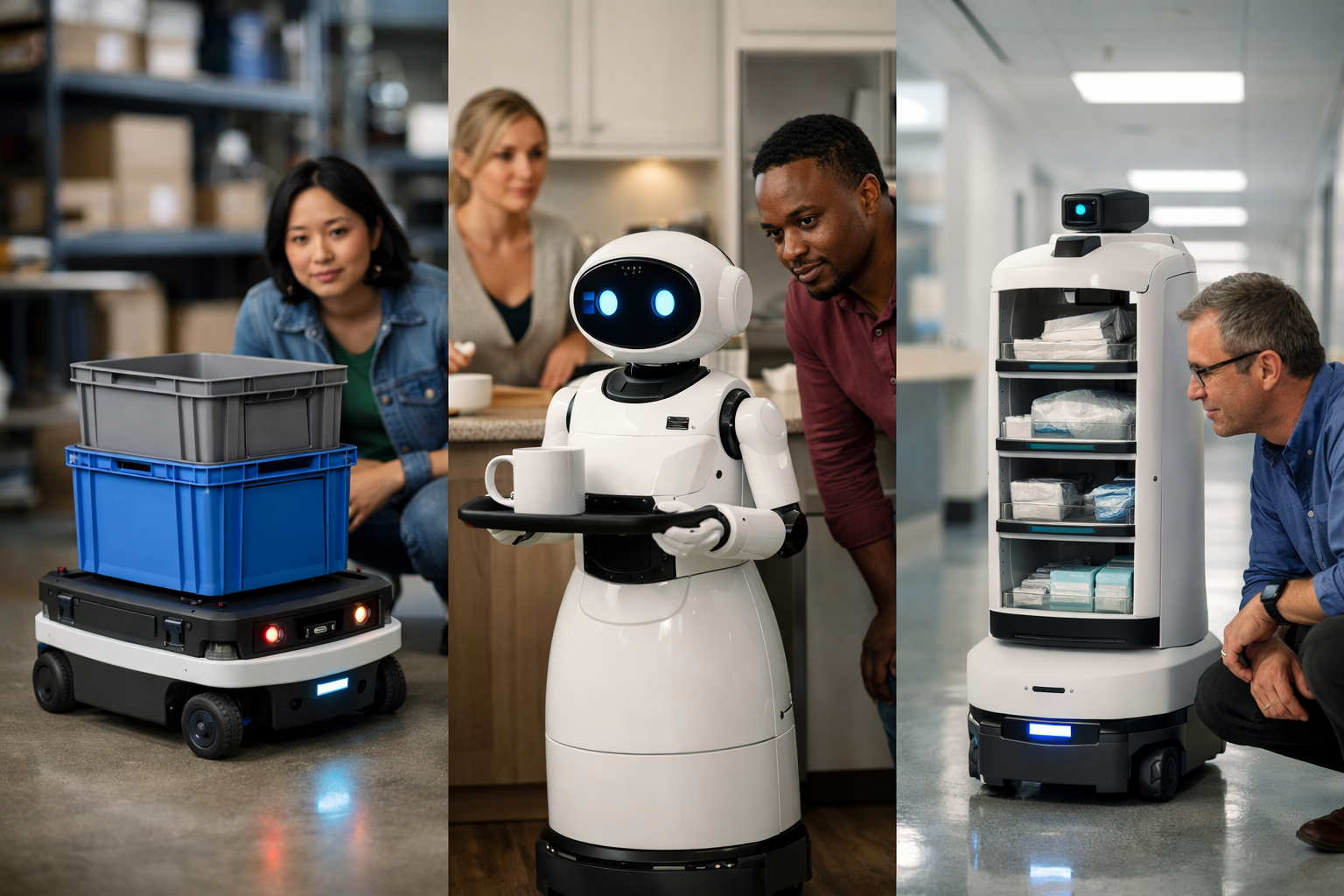
See how AI gives everyday robots the power to sense and act
This course is a short, book-style introduction to one big question: how does AI help robots work in warehouses, homes, and hospitals? If you are curious about robots but feel unsure where to start, this course is built for you. You do not need coding experience, technical training, or a background in data science. We begin with the simplest ideas and build step by step, so each chapter makes the next one easier to understand.
Many people hear words like robot, automation, or artificial intelligence and imagine something complex or distant. In reality, these systems are already part of everyday life. Warehouse robots move goods, home robots clean floors and follow simple routines, and hospital robots carry supplies and support staff. This course explains what these robots are, how they sense the world, how they make decisions, and what AI adds to their abilities.
The course is designed for absolute beginners. Instead of rushing into advanced terms, we focus on clear explanations and real examples. You will learn the basic parts of a robot, such as sensors, movement systems, and control software. Then you will see how AI helps a robot do more than just repeat a fixed motion. AI can help a robot notice patterns, respond to changing situations, and improve how it completes tasks.
You will also learn an easy mental model that works across all robot types: sense, decide, and act. This simple loop explains a lot. A robot first gathers information with sensors. Next, it uses rules or learned patterns to choose an action. Finally, it moves, speaks, picks up an item, or changes direction. Once you understand this cycle, modern robotics becomes much less confusing.
The middle and later chapters focus on real settings where AI-powered robots are already useful. In warehouses, robots help move inventory, find items, and support fast order fulfillment. In homes, robots work in tighter, less predictable spaces where people, pets, and furniture create constant change. In hospitals, robots must operate with extra care because safety, reliability, and trust are essential.
By studying these three environments together, you will notice an important idea: the same basic AI and robotics concepts appear in each place, but the risks, goals, and design choices change. That comparison helps beginners develop a deeper understanding without needing advanced math or engineering knowledge.
By the end of the course, you will be able to explain in plain language how AI helps robots sense their surroundings, make choices, and work alongside people. You will know the difference between a simple automated machine and a more adaptable AI-powered robot. You will also be able to discuss common limits, safety issues, and ethical questions in a thoughtful way.
This course is ideal for curious learners, students, professionals exploring new technology, and anyone who wants a clear foundation before moving into more technical robotics topics. If you want a simple starting point, this course gives you a strong one. You can Register free to begin, or browse all courses if you want to explore related AI learning paths first.
The structure follows a logical reading path. Chapter 1 defines the core ideas. Chapter 2 explains how robots sense the world. Chapter 3 shows how they decide and move. Chapters 4, 5, and 6 apply those ideas to warehouses, homes, and hospitals. This makes the learning experience feel like a short, practical book rather than a collection of disconnected lessons.
If you have ever wondered how robots actually work in the real world, this course will give you a clear, beginner-safe answer. It is simple, practical, and designed to make a complex topic feel understandable from the very first chapter.
Robotics Educator and AI Systems Specialist
Sofia Chen designs beginner-friendly learning programs that explain robotics and AI in clear, practical language. She has worked on automation training for service robots, mobile robots, and human-centered AI systems across education and industry.
When people hear the word robot, they often imagine a human-shaped machine that talks, walks, and thinks like a person. In real engineering, most robots are much simpler and much more useful than that image suggests. A robot is usually a machine built to sense its surroundings, make decisions, and act on the world in a controlled way. Some robots roll on wheels through a warehouse. Some vacuum floors in homes. Some deliver medicine in hospitals. They do not all look alike, but they share a common pattern: they connect physical hardware with software that helps them notice, decide, and do.
This chapter builds a beginner-friendly mental model that will support the rest of the course. We will separate three ideas that are often mixed together: a machine, a robot, and AI. A machine is any device that uses parts to do work. A robot is a machine that can sense and act with some level of autonomy or programmable control. AI is not the robot itself. AI is a set of software methods that help the robot interpret information, predict what might happen, choose from options, or improve performance. Inside a robot, AI is usually one part of a larger system, not magic and not a complete replacement for engineering.
A practical way to understand robots is to think in terms of three linked steps: sense, think, and act. First, sensors collect information about the environment. Second, software processes that information and decides what to do. Third, motors, wheels, arms, or tools carry out the action. If any one of these steps is weak, the robot struggles. A robot with great sensors but poor software may see a box but fail to pick it up. A robot with strong planning software but weak hardware may know where to go but not have the traction or reach to get there. This is why robotics always combines hardware and software.
Engineering judgment matters from the beginning. Designers do not ask only, “Can we build a smart robot?” They ask, “What problem should this robot solve, under what conditions, and how safely?” A warehouse robot may need to move fast and avoid pallets. A home robot must handle clutter, pets, and narrow spaces. A hospital robot must be reliable, predictable, and safe around patients and staff. Good robotics is not about making a machine look intelligent. It is about building a system that performs useful tasks consistently in the real world.
Beginners often make two common mistakes. First, they assume AI means a robot fully understands the world like a human. Usually it does not. It works from sensor data, models, rules, and probabilities. Second, they assume the “brain” matters more than the “body.” In practice, robot success depends on both. A careful combination of sensors, software, power systems, mobility, and task tools determines whether a robot succeeds. Throughout this course, keep this balanced view in mind: robots are physical systems, and AI helps them operate better within physical limits.
By the end of this chapter, you should be able to explain what AI means inside a robot in simple language, name the basic parts of a robot, and describe the loop of sensing, thinking, and acting. You should also start to see why different environments lead to different robot designs. A warehouse, a home, and a hospital ask for different trade-offs, different safety rules, and different levels of intelligence. That is the foundation for everything that follows.
Practice note for Understand the difference between a machine, a robot, and AI: document your objective, define a measurable success check, and run a small experiment before scaling. Capture what changed, why it changed, and what you would test next. This discipline improves reliability and makes your learning transferable to future projects.
Not every machine is a robot. A toaster is a machine. A conveyor belt is a machine. A drill is a machine. They perform useful work, but they usually do not sense much about the environment, make many decisions, or adjust actions on their own. A robot goes further. It combines physical parts with programmable behavior so it can respond to changing conditions. That does not mean every robot is fully autonomous. Some robots are closely guided by humans. Others perform limited tasks independently. The key idea is that a robot can connect perception, decision-making, and action in a structured way.
Consider a simple example from a warehouse. A fixed conveyor moves boxes from one station to another. It is useful, but it does the same thing every time. Now consider a mobile cart that uses sensors to detect obstacles, software to choose a route, and motors to deliver the right shelf bin to the right worker. That machine behaves more like a robot because it adapts its motion based on what it notices. In a home, a regular vacuum cleaner is a machine. A robot vacuum is a robot because it detects walls, estimates where it has been, and changes direction on its own.
A helpful engineering test is to ask three questions. What can it sense? What can it decide? What can it do physically? If a device has meaningful answers to all three, it likely belongs in the robot category. This test also shows why robotics is broader than humanoid machines. A robot can be small, box-shaped, wheeled, mounted to the floor, or designed for one narrow task. It does not need a face, a voice, or human-like arms.
One beginner mistake is to define robots by appearance instead of function. In practice, function matters more. A hospital delivery robot may look like a cabinet on wheels, but it can still be a robot if it navigates hallways, avoids people, and reaches destinations by itself. Another mistake is to think a robot must be independent all the time. Many real robots share control with humans. A surgeon may guide a robot arm. A warehouse worker may supervise a fleet of vehicles. Robotics often means smart assistance, not complete replacement of people.
So, what makes a machine a robot? A practical answer is this: a robot is a machine designed to perceive part of the world, process that information, and take actions toward a task. That definition is simple, flexible, and useful across warehouses, homes, and hospitals.
AI inside a robot means software that helps the robot deal with uncertainty, complexity, or changing situations. In plain language, AI helps a robot turn raw data into useful judgments. If a camera sees pixels, AI might help identify that a shape is a person, a shelf, or a medicine cart. If a robot has several possible paths, AI might help estimate which route is safer or faster. If a robot arm must grasp objects of different shapes, AI might help predict the best grip point. AI is not a mysterious digital mind. It is a toolbox of methods for pattern recognition, prediction, planning, and decision support.
It is important to keep expectations realistic. Many robot tasks do not require advanced AI. Some jobs are handled well with straightforward rules. For example, “if obstacle detected, slow down” is not fancy AI, but it is effective. Engineers often combine simple rules with more advanced models. That combination is common because robotics must work reliably in the real world. A hospital robot may use a map, rule-based safety zones, and a machine learning model for detecting people. No single technique solves everything.
There are two broad ways to think about robot intelligence. One is rule-based logic, where people define what the robot should do in specific situations. The other is learning-based behavior, where the robot uses data-driven models to classify, predict, or improve actions. Rule-based systems are easier to explain and verify. Learning-based systems can handle messier situations, but they may be harder to test fully. Good engineering judgment is knowing when to use each approach.
A common mistake is to say, “This robot has AI, so it understands.” Usually, the robot does not understand in a human sense. It estimates. It labels. It predicts. It follows confidence scores and decision thresholds. If lighting changes, if objects are arranged differently, or if a hallway is crowded in an unusual way, performance can drop. This is why safety layers are essential. Even when AI is strong, robots still need speed limits, stop zones, emergency buttons, and human oversight.
For beginners, the cleanest definition is this: AI is the part of robot software that helps transform sensor data into better decisions. Sometimes it is learning from data. Sometimes it is search and planning. Sometimes it is computer vision. In all cases, AI supports the robot’s task. It is there to improve useful performance, not to imitate science fiction.
The physical side of a robot is its body: the frame, motors, wheels, joints, battery, power electronics, and task tools. This body determines what the robot can physically reach, lift, carry, push, or avoid. In robotics, hardware choices shape software possibilities. A robot cannot plan to climb stairs if it only has small wheels. It cannot pick delicate medicine packages safely if its gripper is too rough. Before discussing intelligence, engineers must understand the machine’s physical limits.
Mobile robots often use wheels because wheels are efficient, simple, and reliable on flat floors. That makes them common in warehouses and hospitals. In homes, wheels also work well, but furniture, rugs, cords, and thresholds create extra challenges. Some robots use tracks or legged designs when terrain is more difficult, but those systems are often more complex and expensive. The right mobility system depends on the environment, not on what looks impressive.
Arms and tools matter just as much. A robot arm can position a gripper, scanner, suction cup, or specialized instrument. In a warehouse, the end tool might lift bins or scan labels. In a hospital, the tool may carry supplies, open drawers, or support a clinician. At home, a simple cleaning robot may not need an arm at all. This shows an important lesson: the best robot is not the one with the most parts. It is the one with the right parts for the task.
Hardware also includes support systems that beginners sometimes overlook: batteries, charging contacts, communication modules, brakes, protective covers, and emergency stop buttons. These are not optional details. They are what allow a robot to operate safely for hours, communicate with supervisors, and stop when necessary. In real deployment, reliability often depends more on these practical systems than on headline AI features.
A common design mistake is overbuilding the robot body for imagined future tasks. Extra joints, larger batteries, and heavier structures increase cost, energy use, and maintenance. Another mistake is underestimating wear. Wheels slip, grippers loosen, sensors get dirty, and batteries age. Good robotics design balances capability, simplicity, and serviceability. In short, the body of a robot is not just a shell around software. It is the physical foundation that makes useful action possible.
The “brain” of a robot is the software stack that turns goals into safe, useful behavior. This includes control software, navigation logic, task planning, safety checks, and sometimes AI models. Calling it a brain is a helpful metaphor, but it is not a single magic component. It is a collection of programs working together. One part may keep the robot balanced or moving straight. Another may decide which room to visit next. Another may detect a person in the robot’s path. Robotics software is layered because different decisions happen at different time scales.
Rules are one major part of this brain. Rules are direct instructions written by engineers: stop if an obstacle is too close, do not enter restricted areas, reduce speed near people, return to charging dock when the battery is low. Rules are valuable because they are clear and predictable. In hospitals and industrial sites, predictability matters. People need to trust what the robot will do. Rule-based systems are often the first safety layer because they are easier to validate.
Learning is the other major part. A learning-based model can recognize objects in images, estimate free space on the floor, forecast traffic in a corridor, or improve how a robot grasps different items. This is where AI often appears. Instead of manually specifying every visual pattern, engineers train models on examples. The result can be more flexible than fixed rules. However, learned models can fail in new conditions, such as poor lighting, uncommon objects, or unusual room layouts.
Good engineering rarely treats rules and learning as opposites. Instead, they are combined. A learned vision model might detect people, while hard safety rules still enforce stopping distance. A planner may optimize a route, while human-defined constraints block unsafe shortcuts. This hybrid approach is common because robotics must be both capable and dependable.
The main beginner lesson is that robot intelligence is built, not imagined. A robot does not simply “know” what to do. Engineers define goals, limits, priorities, and fallback behaviors. When the system is unsure, it should slow down, ask for help, or stop safely. That is not a weakness. That is responsible robot design.
A useful mental model for all robotics is the loop of sensors, decisions, and actions. Sensors gather evidence about the world. Software interprets that evidence and chooses a response. Actuators carry out the response. Then the loop repeats many times each second. This repeated cycle is what allows robots to operate in changing environments instead of following one fixed motion forever.
Common sensors include cameras, lidar, ultrasonic range finders, touch sensors, wheel encoders, force sensors, and GPS in outdoor cases. Each sensor has strengths and weaknesses. Cameras provide rich visual detail but can struggle in darkness or glare. Lidar measures distance well but may not identify object type by itself. Wheel encoders estimate motion but can be fooled by slipping wheels. This is why many robots combine sensors. Using several sources together is called sensor fusion, and it helps produce a more reliable picture of the environment.
Once the robot has sensor data, software must answer practical questions. Where am I? What is around me? What matters right now? What should I do next? In a warehouse, the answer might be to reroute around a blocked aisle. In a home, it might be to avoid a pet sleeping on the floor. In a hospital, it might be to stop because a patient bed is being moved through the corridor. These decisions depend not only on what the robot detects, but also on task goals, safety rules, and current system status.
Actions are the physical outcome: turning wheels, lifting an arm, opening a gripper, slowing down, sounding an alert, or waiting. A key engineering principle is that safe action matters more than fast action. New learners often focus on making robots move quickly or appear smart. Experienced engineers focus first on predictable behavior. If sensor data is uncertain, the robot should usually become more cautious, not more aggressive.
One practical outcome of this model is clear troubleshooting. If a robot fails, ask where the loop broke. Did the sensor miss something? Did the software classify it incorrectly? Did the planner choose a poor action? Did the motor fail to execute the command? This simple framework helps beginners analyze robot behavior with confidence.
Robots become easier to understand when you compare how they solve real problems in different environments. In warehouses, the main goal is often efficiency. Robots move goods, carry shelves, scan inventory, and assist picking operations. The environment is usually more structured than a home, which makes mapping and routing easier. But warehouses still have people, forklifts, pallets, and changing stock locations. AI may help with item recognition, traffic flow, and task scheduling, while hardware must support long operating hours and safe movement around workers.
In homes, robots face a less predictable world. Furniture moves. Toys appear on the floor. Lighting changes during the day. Pets and people create surprises. A home cleaning robot must be affordable, compact, and able to deal with clutter. It often uses a combination of simple navigation rules and smarter perception. The problem is different from a warehouse problem. The robot is not trying to maximize industrial throughput. It is trying to be helpful without becoming annoying, unsafe, or too difficult to maintain.
Hospitals create another distinct challenge. The robot must operate in sensitive spaces where safety, cleanliness, and reliability are critical. Delivery robots may carry linens, meals, supplies, or medicines. Some robots help with disinfection or telepresence. Others support clinical procedures. Here, engineering judgment becomes especially important. The robot may need strict access control, smooth motion near patients, dependable docking, and strong human override options. AI can support navigation and perception, but trust comes from consistent behavior and careful safeguards.
These examples show why there is no single perfect robot design. A useful warehouse robot is not automatically a useful home robot. A home robot is not automatically suitable for a hospital. Different tasks, users, and risks shape the design. Beginners sometimes assume more AI solves every problem. In reality, success comes from matching the robot’s body, sensors, software, and safety features to the environment.
The practical lesson of this chapter is simple: robots are systems. They combine hardware and software to sense, think, and act in the physical world. AI helps them interpret data and choose actions, but it works best when paired with strong engineering, realistic goals, and careful safety design. That is what makes robots truly useful.
1. Which statement best explains the difference between a machine, a robot, and AI?
2. Why does the chapter say robots need both hardware and software?
3. What is the basic mental model for how a robot works?
4. A robot can detect a box clearly but often fails to grab it. What does this most likely show?
5. Why might robot designs differ between warehouses, homes, and hospitals?
A robot cannot make a good decision if it does not first notice what is happening around it. In that sense, sensing is the robot's starting point for almost everything it does. Before a warehouse robot chooses a path, before a home robot avoids a chair, and before a hospital robot slows down near a patient, it must collect information from the world. That information comes from sensors. Sensors are the robot's tools for measuring light, sound, distance, motion, pressure, and position. AI becomes useful after that data arrives, because AI helps the robot interpret what the data means and what action is safest or most effective.
For beginners, it helps to separate three steps. First, the robot senses: it gathers signals from cameras, microphones, laser scanners, touch sensors, wheel encoders, or other devices. Second, it interprets: software and AI estimate what those signals represent, such as a person, a wall, an open hallway, or a dropped object. Third, it acts: it changes speed, chooses a route, picks something up, or asks for help. This chapter focuses on the first two steps, because sensing quality strongly affects every later decision.
Different robots use different sensing setups because their jobs are different. In a warehouse, robots often need to detect shelves, pallets, barcodes, forklifts, and floor markings while moving efficiently through known routes. In a home, robots deal with clutter, pets, furniture, toys, and changing lighting. In a hospital, robots may operate near patients, beds, IV poles, and busy staff in spaces where safety and smooth movement matter more than speed. The environment changes what the robot must notice and how carefully it must notice it.
Engineers rarely depend on a single sensor. Instead, they combine several sensors because each one has strengths and weaknesses. A camera can recognize objects but may struggle in darkness. A distance sensor can measure how far away a wall is but may not know whether the object is a person or a cart. A touch sensor can confirm a collision, but by the time it triggers, the robot is already too close. Good robot design uses overlapping sensor coverage so that one tool can support another.
Understanding sensing also helps explain robot limits. People sometimes assume that a robot "sees" the world the way a human does. In reality, a robot usually receives fragmented measurements, noisy signals, and incomplete views. AI can improve interpretation, but it cannot magically create perfect awareness from poor data. When sensing fails, choices can become unsafe, inefficient, or simply wrong. A delivery robot may stop too often, a cleaning robot may miss dirt under a table, or a hospital assistant robot may hesitate because it cannot confidently identify a clear path.
As you read the sections in this chapter, keep one practical idea in mind: sensing is not just about adding more hardware. It is about collecting the right information, at the right time, with enough reliability to support safe action. That is why robotics engineers think carefully about sensor type, placement, update speed, lighting conditions, noise, calibration, and the consequences of error. In real-world robotics, noticing the world well is the foundation for moving well, deciding well, and working safely with people.
Practice note for Learn how robots collect information from their surroundings: document your objective, define a measurable success check, and run a small experiment before scaling. Capture what changed, why it changed, and what you would test next. This discipline improves reliability and makes your learning transferable to future projects.
Practice note for Identify common sensors used in mobile and service robots: document your objective, define a measurable success check, and run a small experiment before scaling. Capture what changed, why it changed, and what you would test next. This discipline improves reliability and makes your learning transferable to future projects.
Practice note for Understand how robots detect people, obstacles, and locations: document your objective, define a measurable success check, and run a small experiment before scaling. Capture what changed, why it changed, and what you would test next. This discipline improves reliability and makes your learning transferable to future projects.
Every robot control loop begins with a simple pattern: sense, decide, act. This order matters. If a robot acts before sensing accurately, it may drive into an obstacle, grab the wrong item, or move too close to a person. In practice, robots are always repeating this loop many times each second. A mobile robot in a warehouse may constantly scan for nearby shelves and moving workers. A vacuum robot in a home may repeatedly check whether it is approaching a stair edge. A hospital transport robot may monitor hallways for people stepping into its route. The robot is not acting once; it is adjusting continuously based on new information.
Sensing comes first because the world is uncertain. Floors may be wet, doors may be closed, carts may be parked in unusual places, and people may behave unpredictably. Engineers therefore design sensing systems to answer practical questions: What is near me? Where am I? What is moving? Is the path safe? Did something change since the last moment? These are not abstract questions. They directly affect braking distance, turning decisions, speed limits, and task success.
Good engineering judgment means deciding what the robot must notice before each kind of action. For example, a warehouse robot moving quickly may need long-range detection to slow down early. A home robot may need short-range sensing to avoid table legs and toys. A hospital robot may need especially careful human detection because people can appear suddenly from side doors or around curtains. The needed sensing depends on the cost of a mistake. If the robot only delays a task, the risk is low. If it risks striking a person or damaging equipment, the system must be much more cautious.
A common beginner mistake is to think of sensing as a separate add-on. In reality, sensing and action are tightly connected. The robot's maximum speed, turning behavior, and safety rules should match the quality of its sensing. If sensors are limited or uncertain, the robot may need to move more slowly or ask for human help. That is a practical lesson across robotics: a robot can only act as confidently as it can sense.
Cameras are among the most familiar robot sensors because they collect rich visual information. A camera can help a robot detect people, identify objects, read labels, follow floor markings, and understand room layout. In warehouses, cameras often assist with barcode reading, package detection, and shelf alignment. In homes, they may help recognize furniture edges, doors, and dropped items. In hospitals, they can support hallway navigation or help identify whether a bed, cart, or person is ahead. AI vision models are often used here to classify what appears in the image and estimate where it is.
However, cameras have weaknesses. Their performance depends strongly on lighting, viewpoint, glare, shadows, and image quality. A shiny hospital floor may reflect light and confuse visual systems. A dark corner in a home may hide objects. A warehouse camera may struggle when boxes block part of the view. Engineers must think about camera placement, lens angle, frame rate, and whether the camera should face forward, downward, or in multiple directions. More cameras can help, but they also increase data processing needs and system complexity.
Microphones are another useful sensor, especially in service robots that interact with people. A home robot may listen for voice commands. A hospital robot may detect spoken instructions or alert sounds. In some settings, microphones can also help identify unusual events, such as a crash, a call for help, or a machine alarm. But sound is noisy. Hospitals and warehouses are full of echoes, conversations, and equipment sounds. That means the robot must separate useful audio from background noise. AI helps, but mistakes are still possible if speech is unclear or the environment is loud.
Touch sensors provide a different kind of information. They do not look ahead; they report physical contact. Bump sensors on a cleaning robot, pressure sensors in a gripper, or force sensors on a robotic arm all help the robot know when it has touched something and how hard. This is important for tasks like picking up delicate items or stopping after accidental contact. But touch sensing is usually a last line of feedback, not the main way to avoid problems. Good robots should detect and avoid obstacles before contact happens. In practice, cameras, microphones, and touch sensors each serve different roles, and strong systems use them together rather than depending on only one source.
Many robots need more than images or sound. They also need to know how far away things are. Distance sensors such as LiDAR, ultrasonic sensors, infrared sensors, and depth cameras help robots measure nearby space. This matters for obstacle avoidance, path planning, doorway detection, docking, and safe navigation around people. A warehouse robot may use LiDAR to scan aisles and detect pallets or forklifts. A home robot may use infrared or depth sensing to detect walls, furniture, or stair edges. A hospital robot may use distance sensors to move carefully around beds, carts, and crowded hallways.
Distance data becomes even more useful when combined into a map. A map is the robot's internal representation of the environment. It may be a simple layout of walls and routes, or a richer model that includes no-go zones, charging stations, shelves, patient rooms, and expected traffic areas. Some robots operate in mostly fixed spaces and can rely on prebuilt maps. Others must update maps often because the environment changes. In a home, chairs move. In a warehouse, pallets appear in different locations. In a hospital, equipment may be parked in hallways unexpectedly. The map must reflect reality closely enough for safe action.
Location tracking answers another key question: where am I on the map? Robots estimate their location using methods such as wheel encoders, inertial sensors, visual landmarks, and laser matching. This process is often called localization. If localization drifts or becomes inaccurate, even a good map becomes less useful. A robot might think it is in the center of the hallway when it is actually near a wall. That can lead to poor turns, missed docking attempts, or unsafe path choices.
These three pieces work together. Practical robotics depends on all of them. If one part is weak, the robot may slow down, stop frequently, or make navigation mistakes.
Sensors do not directly provide understanding. They provide raw signals: pixel values from a camera, sound waves from a microphone, distance points from LiDAR, voltage changes from a touch sensor, and motion data from an inertial unit. On their own, these signals are just measurements. The robot needs software to process them into something meaningful. This is where AI and other robotics algorithms play a major role. They help the robot answer practical questions such as: Is that object a person or a box? Is the hallway clear? Am I near my goal? Did I just detect a real obstacle or just sensor noise?
The workflow usually has several stages. First, data is captured. Second, it is cleaned or filtered to reduce noise. Third, the robot extracts features or patterns, such as edges in an image, moving shapes, or clusters of laser points. Fourth, models interpret those patterns. A vision model may label an object as a wheelchair, a worker, or a pet. A localization algorithm may estimate the robot's position. A planning system then uses that interpreted information to choose a safe next step. This pipeline happens fast and repeatedly, often in real time.
Engineers often combine data from multiple sensors, a method called sensor fusion. For example, a camera may identify a person while LiDAR confirms the distance to that person. Wheel encoder data may estimate movement while a map-matching system corrects drift. Sensor fusion improves reliability because one sensor can compensate for another's weakness. If lighting becomes poor, distance sensing may still work. If a laser reading is blocked, vision may still provide context.
A common mistake is to assume that more data automatically means better understanding. In practice, too much low-quality or poorly synchronized data can create confusion. Timing matters. If the camera sees a person one moment and the distance sensor reports an obstacle slightly later, the robot must combine these readings correctly. Calibration matters too. If sensors are not aligned properly, the robot may place objects in the wrong location. Turning raw sensing into useful information is therefore both a software problem and an engineering discipline. Reliable interpretation depends on careful system design, not just smart AI models.
No sensing system is perfect. Real robots operate with noise, uncertainty, and blind spots. A blind spot is an area or condition where the robot cannot sense well enough to make a confident judgment. Cameras may miss objects in darkness, strong glare, or occlusion. Ultrasonic sensors may give weak readings on soft materials. LiDAR may struggle with transparent or highly reflective surfaces. Touch sensors only react after contact. Microphones may mishear speech in noisy settings. These limits matter because sensing mistakes can lead directly to poor decisions.
Consider practical examples. In a warehouse, a robot may fail to detect forklift forks that sit low to the ground if sensor placement is poor. In a home, a robot may miss a black cable on a dark floor. In a hospital, a robot may incorrectly interpret a hanging curtain as free space or may not see feet extending from a bed into the aisle. Each environment creates different risk patterns, so engineers must study realistic edge cases, not just ideal situations.
There are several common error types: false positives, false negatives, and uncertainty. A false positive happens when the robot thinks something is there when it is not, such as mistaking a shadow for an obstacle. That can cause unnecessary stopping or inefficient routes. A false negative is more dangerous: the robot misses a real person or object. Uncertainty means the robot sees something but is not confident about what it is. Good systems respond safely to uncertainty by slowing down, increasing distance, or requesting human oversight.
Engineering judgment is critical here. Teams must decide what level of error is acceptable for the robot's job. A hospital robot should be more conservative around people than a warehouse robot moving in a restricted aisle. Mitigations include better sensor placement, sensor fusion, regular calibration, cleaner training data for AI models, and safety rules that limit speed when perception quality drops. One of the most important beginner lessons is this: sensing errors are not rare exceptions. They are expected realities, and safe robots are designed around that fact.
Noticing an object is only the beginning. Useful robot behavior depends on understanding the situation around that object. A robot may detect a person ahead, but the more important question is whether that person is standing still, walking toward the robot, carrying equipment, or about to cross its path. It may detect a doorway, but it also needs to know whether the doorway is open enough to pass through safely. It may detect a cart, but it should understand whether the cart is parked, moving, or blocking a planned route. This shift from simple detection to situational understanding is where AI can make robots more capable.
Situational understanding usually combines object detection, movement tracking, location context, and task goals. In a warehouse, a robot may notice a pallet and infer that the aisle is temporarily blocked, so it reroutes. In a home, a robot may detect a sleeping pet and choose to drive around quietly rather than attempt a close pass. In a hospital, a robot may notice a cluster of people near a nurse station and reduce speed because human movement there is unpredictable. The robot is not just seeing items; it is estimating what those items mean for the current task and for safety.
This is also where practical outcomes become visible. Better situational understanding leads to smoother movement, fewer stops, more accurate task completion, and safer behavior around people. Poor understanding leads to awkward motion, hesitation, or risky choices. A robot that only notices obstacles may behave mechanically, stopping and starting too often. A robot that understands context can move more naturally and work more effectively in shared spaces.
Still, there are limits. AI inside a robot does not create human-level common sense. It improves pattern recognition and decision support, but it can still misunderstand unusual situations. That is why safe robotics combines AI perception with rules, testing, fallback behaviors, and human supervision when needed. The main lesson of this chapter is practical and foundational: robots sense the world through many imperfect tools, transform those signals into useful estimates, and then use those estimates to act. When sensing is strong, the robot can move, choose, and complete tasks more safely. When sensing is weak, everything else becomes less reliable.
1. Why is sensing described as the robot's starting point for almost everything it does?
2. Which sequence best matches the chapter's three-step description of robot behavior?
3. Why do engineers usually combine several sensors instead of relying on just one?
4. What is one example of how the environment changes what a robot must notice?
5. According to the chapter, what can happen when sensing fails or provides poor data?
A robot is not useful just because it has wheels, arms, or sensors. It becomes useful when it can turn information into action. In simple terms, AI inside a robot helps answer questions like: What am I seeing? What should I do next? How do I move there safely? And what should I do if something changes? This chapter connects those ideas into one practical picture. We will look at how robots choose actions, plan routes, avoid obstacles, and handle objects while working around people.
A helpful way to understand robot behavior is to imagine a loop. First, the robot senses the world using cameras, lidar, touch sensors, microphones, weight sensors, or other tools. Next, software interprets that information and builds a working picture of the environment. Then the robot decides what action best matches its goal. Finally, motors and controllers carry out the movement, and the robot checks the results with its sensors again. This repeating pattern is the core of robot intelligence in warehouses, homes, and hospitals.
Engineering judgment matters because the real world is messy. Floors are slippery, shelves move, lighting changes, people walk unpredictably, and objects are not always in the expected place. A robot does not need perfect intelligence to be useful, but it does need reliable ways to notice change, choose safely, and recover when things do not go as planned. Good robotic design is often less about making the robot look smart and more about making it dependable, understandable, and safe.
Different settings create different priorities. A warehouse robot may optimize speed and route efficiency while staying inside marked traffic zones. A home robot may need to move gently around pets, furniture, and clutter. A hospital robot may need extra caution near patients, staff, and medical equipment. The AI techniques may overlap, but the acceptable risks, timing, and safety rules can be very different.
As you read the sections in this chapter, notice the connection between sensing, decision-making, and movement. Robots do not simply “think” in isolation. They act in a continuous cycle: notice, decide, move, check, and adjust. That loop is what allows a machine to complete tasks in changing environments.
By the end of this chapter, you should be able to describe in beginner-friendly language how a robot turns perception into action and why reliable movement is as much about judgment and safety as it is about AI.
Practice note for Understand how robots choose what to do next: document your objective, define a measurable success check, and run a small experiment before scaling. Capture what changed, why it changed, and what you would test next. This discipline improves reliability and makes your learning transferable to future projects.
Practice note for Learn the basics of path planning and obstacle avoidance: document your objective, define a measurable success check, and run a small experiment before scaling. Capture what changed, why it changed, and what you would test next. This discipline improves reliability and makes your learning transferable to future projects.
Practice note for See the difference between fixed rules and learned behavior: document your objective, define a measurable success check, and run a small experiment before scaling. Capture what changed, why it changed, and what you would test next. This discipline improves reliability and makes your learning transferable to future projects.
Practice note for Connect sensing, decision-making, and movement into one loop: document your objective, define a measurable success check, and run a small experiment before scaling. Capture what changed, why it changed, and what you would test next. This discipline improves reliability and makes your learning transferable to future projects.
Practice note for Understand how robots choose what to do next: document your objective, define a measurable success check, and run a small experiment before scaling. Capture what changed, why it changed, and what you would test next. This discipline improves reliability and makes your learning transferable to future projects.
The easiest way to understand robot intelligence is through a repeating cycle: sense, interpret, decide, act, and review. Sensors collect raw input from the environment. That may include distance readings, camera images, force feedback, wheel position, battery level, or map information. The robot then interprets those signals into something more useful, such as “person ahead,” “shelf on the left,” or “gripper is holding an object.” Only after this step can it make a good decision.
The next part is choosing what to do next. A warehouse robot might ask, “Should I continue to shelf B12 or stop because a worker is crossing?” A home robot might ask, “Should I go around the chair or wait for the path to clear?” A hospital delivery robot might ask, “Should I continue to the patient room or reroute because the corridor is blocked?” These are not philosophical choices. They are practical selections among possible actions based on goals, safety rules, and the latest sensor data.
After a choice is made, the robot sends commands to motors, wheels, joints, or grippers. But the loop does not end there. It immediately checks what happened. Did it move the expected distance? Did an obstacle appear? Did the object slip? If the result does not match the plan, the robot updates its decision. This constant checking is why robots can work in changing spaces instead of only in perfect lab conditions.
A common beginner mistake is to imagine decision-making as one big smart step. In practice, it is many small steps. Robots usually make frequent, limited decisions rather than one perfect master plan. This approach is more reliable because the world keeps changing. Good engineering often means keeping the loop fast, simple, and safe enough to correct mistakes early.
Many robot decisions begin with rules and goals. A goal describes the desired result, such as “deliver this bin to packing station 4” or “bring medicine to room 212.” Rules define boundaries, such as “do not exceed safe speed near people,” “stay inside approved corridors,” or “never grip fragile items with full force.” Together, goals and rules give structure to robot behavior.
Simple planning means turning a goal into a sequence of actions. For example, a robot in a warehouse may plan to leave its charging area, follow aisle markers, stop at a shelf, lift a tote, and carry it to a work station. A home robot vacuum may plan to clean one room at a time instead of wandering randomly. A hospital robot may plan a route that avoids isolation areas unless specifically authorized. Planning does not have to be complicated to be useful. Even basic step-by-step logic can solve many real tasks.
Engineers often separate long-term and short-term planning. Long-term planning answers questions like where to go and in what order. Short-term planning handles local details such as steering around a cart or adjusting speed near a doorway. This division is practical because a complete plan can become outdated very quickly. A global route may still be fine, even if the robot needs a temporary local detour.
One common mistake is writing too many rigid rules without considering messy reality. If rules are too strict, the robot may freeze often and become inefficient. If rules are too loose, it may move unsafely. Good engineering judgment means balancing productivity with caution. The best simple systems are clear, testable, and easy to explain: the robot knows its goal, respects its limits, and follows a plan that can be updated when conditions change.
Not every robot behavior is written as a fixed rule. Some parts are learned from data. In beginner terms, learning means the robot software studies many examples and finds useful patterns. A camera system may learn to recognize a pallet, a medicine cart, a cup, or a person. A grasping system may learn which hand position works best for objects with different shapes. Instead of being told every detail by a programmer, the system improves by training on examples.
This is where the difference between fixed rules and learned behavior becomes important. Fixed rules are predictable and easy to inspect. For example, “stop if a person is within this safety distance” is a clear rule. Learned behavior is useful when the task involves messy visual patterns or difficult physical variation, such as recognizing a partly hidden object on a crowded shelf. In real robots, these two approaches often work together rather than compete.
A practical example is object detection in a hospital supply robot. A learned model may identify gloves, bandages, and containers from camera images. But the final action is still controlled by rules: do not pick an item unless confidence is high enough, do not move the arm if someone is too close, and ask for human review if the object class is uncertain. Learning helps the robot notice and estimate; rules help it behave safely and consistently.
A common mistake is assuming learned systems are magical. They depend on training data, and poor data leads to poor behavior. If a robot only trained on bright, tidy scenes, it may struggle in dim light or clutter. Good engineering means knowing where learning helps, where rules are safer, and when to combine both. In beginner vocabulary, you can think of learning as pattern recognition support inside a larger decision system, not as the entire robot brain.
Navigation is the part of robotics that answers, “How do I get from here to there?” Path planning selects a route through available space. Obstacle avoidance handles unexpected things that appear along the way. These are related, but they are not identical. Planning may choose the best corridor to use, while obstacle avoidance reacts when a person, cart, pet, or dropped box suddenly blocks part of that corridor.
Safe movement depends on maps, localization, and control. A map describes the environment or a useful version of it. Localization tells the robot where it believes it is on that map. Control converts the route into steering, speed, and stopping commands. If any one of these parts is weak, navigation suffers. A perfect route is not helpful if the robot does not know its position. Likewise, good localization is not enough if the robot cannot brake smoothly.
Warehouse robots often work in semi-structured spaces, which makes route planning more efficient. Home robots face more variation: toys on the floor, moved furniture, narrow spaces, and people who do not follow fixed traffic patterns. Hospital robots may need to navigate elevators, hallways, and areas with sensitive equipment, where smooth and quiet motion can matter as much as speed. These differences show why the same basic AI ideas must be adapted to each setting.
One beginner mistake is thinking the shortest path is always the best path. In real systems, the safest or most reliable route may be longer. Engineers may prefer wider corridors, better lighting, lower crowd levels, or surfaces with better traction. Practical navigation is about reaching the destination without collisions, confusion, or unstable motion. Good robots are judged not just by whether they arrive, but by how safely and predictably they travel.
Movement is not only about traveling across a room. Many robots also need to manipulate objects. Picking and placing seem simple to humans, but they require several coordinated decisions. The robot must detect the object, estimate its location and orientation, choose a grasp, move its arm or gripper, apply suitable force, and confirm that the object is secure. Then it must place the item in the correct spot without dropping, crushing, or misaligning it.
In warehouses, robots may handle bins, boxes, or packages with known sizes. That makes planning easier, though not trivial. In homes, objects vary much more: cups, clothes, toys, remote controls, and dishes all need different handling. In hospitals, object handling may require extra care because supplies can be fragile, sterile, or safety-critical. A robot moving a medicine tray must be more cautious than a robot moving a sealed shipping tote.
Sensing, decision-making, and movement all connect tightly here. Vision helps locate the object. Force sensors or motor feedback help detect whether the grasp is too weak or too strong. The planner decides the approach angle and the safest arm path. The controller executes the motion smoothly. Then the robot verifies the outcome: is the object actually in the gripper, and did it reach the target placement area? If not, it may retry or ask for assistance.
A common engineering mistake is treating manipulation as only a geometry problem. In practice, materials, friction, weight distribution, and small errors matter a lot. An object may look easy to grasp but slide unexpectedly. Good systems include margins for uncertainty, slower speeds near contact, and checks after each step. Reliable object handling comes from combining perception, planning, and cautious execution rather than assuming one perfect motion will always work.
When a robot pauses unexpectedly, that does not always mean failure. Often, stopping or slowing down is the correct safe behavior. Robots operate with uncertainty. Sensors can be blocked, lighting can change, maps can be outdated, and objects can appear where none were expected. A well-designed robot monitors confidence and risk. If confidence drops or danger rises, it may reduce speed, stop, reroute, or request human support.
This is especially important around people. In a warehouse, a robot may slow near busy intersections. In a home, it may stop if a child or pet moves unpredictably into its path. In a hospital, it may wait outside a crowded room rather than forcing its way through. These actions are signs of safety logic working correctly. The robot is choosing a lower-risk option because its decision system recognizes uncertainty or a changing environment.
Asking for help is also part of intelligent design. A robot may not be able to identify an object clearly, open a blocked door, or resolve a route conflict in a narrow corridor. Instead of making a risky guess, it can send an alert, display a message, or hand control to a person. This practical handoff keeps the system useful without pretending the robot can solve every problem alone.
One major lesson for beginners is that robot limits are normal. AI improves robot performance, but it does not remove the need for safeguards, emergency stops, fallback behaviors, and human supervision in many settings. Strong robotic systems are not the ones that never hesitate. They are the ones that know when to continue, when to adapt, and when to stop before a small problem becomes a dangerous one.
1. What is the main idea of the robot behavior loop described in this chapter?
2. How is path planning different from obstacle avoidance?
3. According to the chapter, why does engineering judgment matter in robotics?
4. What is the difference between fixed-rule behavior and learned behavior?
5. If a robot is unsure about what to do, what does the chapter suggest is the safest response?
Warehouses are one of the clearest places to see why AI matters inside a robot. A modern warehouse is busy, repetitive, fast-moving, and full of decisions. Items arrive from trucks, get scanned, stored, picked, packed, and sent back out for delivery. If people had to do every step by hand, the process would be slower, more tiring, and more error-prone. Warehouse robots help by taking over parts of the work that are repetitive, physically demanding, or time-sensitive. AI gives these machines the ability to notice their surroundings, choose efficient paths, identify products, and react when conditions change.
Not every warehouse robot looks like a human-shaped machine. In fact, most do not. Many are low, flat mobile robots that drive under shelves. Some are robotic arms that pick items from bins. Others are autonomous carts that follow routes between storage areas and packing stations. The important idea is not their shape but their job. A warehouse robot is designed to move goods, support workers, track inventory, and keep workflow organized. AI helps connect sensing, planning, and action so the machine can do useful work in a real environment instead of only in a perfectly controlled lab.
In this chapter, you will see how robots speed up storage, picking, and delivery tasks, how they navigate crowded spaces, how AI helps manage inventory and workflow, and why people still play an essential role in automated systems. Along the way, it is useful to think like an engineer. A good warehouse robot is not judged only by how clever it seems. It is judged by practical outcomes: fewer mistakes, safer movement, reliable uptime, and smoother coordination with human workers and software systems.
One common beginner mistake is to imagine that AI makes a robot magically understand everything. Real warehouse intelligence is narrower and more specific. A robot may be very good at following floor markers, avoiding collisions, or recognizing barcodes, but still need help when labels are damaged, aisles are blocked, or unusual items appear. This is why warehouse automation works best when robots, sensors, software, and people are designed as one complete system.
As you read the sections that follow, notice a pattern: warehouse robots are not just moving machines. They are decision-making tools connected to inventory databases, order systems, and safety rules. Their value comes from combining physical action with digital awareness. That combination is what makes AI robotics so useful in warehouse operations.
Practice note for Explore how robots speed up storage, picking, and delivery tasks: document your objective, define a measurable success check, and run a small experiment before scaling. Capture what changed, why it changed, and what you would test next. This discipline improves reliability and makes your learning transferable to future projects.
Practice note for Understand how warehouse robots navigate busy spaces: document your objective, define a measurable success check, and run a small experiment before scaling. Capture what changed, why it changed, and what you would test next. This discipline improves reliability and makes your learning transferable to future projects.
Practice note for See how AI helps manage inventory and workflow: document your objective, define a measurable success check, and run a small experiment before scaling. Capture what changed, why it changed, and what you would test next. This discipline improves reliability and makes your learning transferable to future projects.
Practice note for Recognize the human role in automated warehouse systems: document your objective, define a measurable success check, and run a small experiment before scaling. Capture what changed, why it changed, and what you would test next. This discipline improves reliability and makes your learning transferable to future projects.
Practice note for Explore how robots speed up storage, picking, and delivery tasks: document your objective, define a measurable success check, and run a small experiment before scaling. Capture what changed, why it changed, and what you would test next. This discipline improves reliability and makes your learning transferable to future projects.
Warehouse robots are built to help goods move through a storage and delivery system with less wasted time, less physical strain, and more consistent accuracy. Their jobs usually fit into a few categories: storing incoming products, bringing items closer to workers, picking products for orders, carrying completed orders to packing areas, and supporting shipping. Instead of thinking of a robot as a general machine that can do anything, it is better to see it as a tool designed for a workflow. Engineers ask a practical question first: where is the bottleneck? If workers spend too much time walking to distant shelves, mobile robots can bring shelves to them. If item sorting is slow, robotic conveyors or scanning systems may help.
AI becomes useful because warehouse conditions change all day. Some aisles become crowded, some products are ordered more often than others, and some tasks suddenly become urgent. A robot with AI can respond to those changes better than a simple pre-programmed machine. It may prioritize high-demand items, reroute around congestion, or choose the next most efficient task. This does not mean the robot understands the warehouse like a human manager does. It means the robot uses data from sensors and software systems to make limited but useful decisions.
Engineers also care about matching the robot to the environment. A large robot may carry heavy shelves, but it needs enough turning space. A smaller robot can move through tighter areas, but may need to make more trips. The best design depends on load size, aisle width, floor condition, battery needs, and target speed. A common mistake is to choose robots based only on impressive demonstrations instead of real warehouse needs. In practice, a simpler robot that performs one task reliably can be more valuable than a complex robot that fails under pressure.
When warehouse robots are designed well, the practical outcomes are clear. Orders move faster, workers spend less time on repetitive transport, and managers gain better visibility into what is happening across the building. The robot is not replacing the entire warehouse. It is taking on defined tasks inside a larger system.
One of the most important warehouse jobs is moving things from place to place. This may sound simple, but transport inside a warehouse consumes a great deal of time. A worker may walk long distances just to retrieve one item, then repeat that process hundreds of times. Mobile robots reduce that travel. Some drive under shelves, lift them slightly, and carry them to a picking station. Others tow carts full of goods. Some move individual totes or boxes between stations for scanning, packing, or sorting.
To do this well, robots need navigation. They may use cameras, lidar, wheel encoders, floor markers, QR codes, or mapped routes. AI helps combine these signals so the robot knows where it is and where it should go next. If an aisle is blocked, the robot may select another route. If several robots are moving at once, the control system can assign paths that reduce traffic jams. This is a practical example of robots navigating busy spaces: the goal is not elegant movement for its own sake, but steady, predictable transport without collisions or delays.
Good engineering judgment matters here. Faster is not always better. A robot that moves too quickly may stop too often, wear out parts faster, or create safety risks near people. Engineers often tune speed based on load weight, floor grip, turning radius, and local traffic. They also define what happens at intersections, charging points, and handoff zones. Common mistakes include assuming a route will always stay open, ignoring battery scheduling, or underestimating how much slight floor unevenness can affect performance.
The practical outcome of using transport robots is a smoother flow of materials. Picking stations stay supplied, packing teams wait less, and goods move through the warehouse with fewer interruptions. This can improve delivery speed to customers because internal delays are reduced. Even when robots do not directly handle customer-facing delivery, they speed the earlier steps that make fast shipping possible.
A warehouse only works well if it knows what it has, where it is stored, and when it needs to be moved. AI helps robots support inventory management by connecting physical observation with digital records. A robot may scan barcodes, read shelf labels, use cameras to check bin contents, or compare expected stock levels with what it actually sees. In some systems, mobile robots travel through aisles specifically to check inventory. In others, robotic arms identify and pick items while confirming that the right product has been selected.
This task sounds straightforward until real-world problems appear. Boxes may be turned the wrong way. Labels may be torn. Lighting may create glare. Two products may have similar packaging. AI-based vision systems help by recognizing patterns even when conditions are not perfect, but they are not flawless. That is why warehouses often combine barcode scanning, weight checks, location tracking, and database verification. Good systems do not trust only one signal when accuracy matters.
AI also helps manage workflow, not just item detection. If the system notices that a certain item is ordered frequently, it can suggest storing that item closer to picking stations. If inventory is low, it can alert staff or reorder systems. If one area is overloaded with tasks, software can rebalance work across robots and teams. This is where AI becomes less about motion and more about decision support. The robot is part of a larger operation that includes warehouse management software, ordering systems, and human supervisors.
A common mistake is to think inventory errors come only from robots. In reality, mistakes can begin with poor labeling, inconsistent packaging, or inaccurate database updates. Robots can reduce these errors, but only when the full process is designed carefully. The practical benefit is high visibility: managers know what is in stock, pickers spend less time searching, and customers are less likely to receive the wrong item or face unexpected delays.
Warehouses are shared spaces. Robots do not work alone in empty rooms. They operate near people, forklifts, conveyor systems, pallet jacks, scanners, and packing tables. This means a warehouse robot must do more than follow a path. It must behave safely and predictably around moving workers and equipment. Sensors are essential here. Cameras, lidar, ultrasonic sensors, and proximity detectors help the robot notice obstacles, estimate distance, and slow down or stop when needed.
AI helps interpret sensor data in real time. A robot may distinguish between a stationary shelf and a walking person. It may recognize that a worker stepping into an aisle is likely to continue moving. It may also adjust its route if another robot is approaching an intersection. In practical warehouse design, engineers often create geofenced zones, crossing rules, speed limits, and priority rules so robots and people can share space with fewer surprises. The robot does not simply react; it follows a structured behavior plan shaped by safety requirements.
Human trust matters as much as technical performance. If workers cannot predict what a robot will do, they may hesitate, step into unsafe positions, or avoid using the system. For this reason, good robot behavior is often deliberately simple. Robots may pause clearly, signal before turning, or use lights and sounds to show their status. A common design mistake is to focus only on what the robot can detect, instead of how clearly it communicates its intent to nearby people.
Working around other machines adds another layer of coordination. Conveyor timing, elevator access, charging stations, and dock doors all need scheduling. If one machine stops, others may need to reroute or wait. The practical outcome of good coordination is that the warehouse feels organized rather than chaotic. People can do skilled work, while robots handle repetitive movement and support tasks without becoming hazards or obstacles.
In warehouse robotics, success is not measured only by how much work gets done when everything is normal. It is also measured by what happens when something goes wrong. A blocked aisle, dead battery, damaged wheel, dropped box, bad sensor reading, or network failure can interrupt the whole workflow. AI can help detect unusual behavior early, such as a robot taking longer than expected to finish a route or repeatedly failing to identify a shelf. This supports preventive maintenance and smarter scheduling before a small issue becomes a major stoppage.
Safety systems must be designed in layers. A robot may have emergency stop buttons, automatic braking, restricted-speed zones, and rules for safe stopping distance. Software may flag impossible commands or prevent robots from entering unauthorized areas. Human operators may receive alerts when a robot becomes stuck or behaves unexpectedly. This layered approach is important because no single sensor or algorithm is perfect. Engineering judgment means planning for failure, not pretending it will never happen.
Error handling is especially important in automated picking and delivery flows. If a robot cannot find an item, it should not guess. If a shelf is misplaced, the system should flag it. If the robot senses an obstacle for too long, it may request assistance instead of endlessly retrying. Common beginner thinking assumes automation should remove all pauses. In reality, a safe pause is often better than a risky action. Reliable systems know when to continue, when to slow down, and when to ask for help.
Downtime also has business effects. A robot that is out of service may delay order fulfillment, increase worker workload, and create congestion elsewhere. For this reason, warehouses track uptime, battery health, fault frequency, and repair speed. The practical goal is not perfection but resilience: the ability to keep operating safely and efficiently even when individual parts of the system need attention.
Even highly automated warehouses still depend on people. This is not a weakness of robotics; it is a realistic design choice. Robots are strong in repetitive transport, scanning, sorting, and rule-based movement. Humans are better at handling exceptions, judging unclear situations, improving processes, and taking responsibility for decisions that affect safety and quality. That is why warehouses mix automation with human oversight instead of trying to remove people completely.
Workers may supervise robot fleets, respond to alerts, restock unusual products, inspect damaged goods, and step in when the system encounters something outside its trained patterns. Technicians maintain batteries, wheels, sensors, and lifting systems. Managers review performance data and decide whether robot assignments are helping or hurting workflow. In this way, AI supports human work rather than eliminating the need for it. Good automation shifts people away from exhausting repetition and toward monitoring, coordination, and problem solving.
There is also an important accountability reason for human oversight. If a robot misreads inventory, stops unexpectedly, or creates a bottleneck, someone must understand the larger operation and decide what to change. AI can recommend actions, but people set priorities. For example, should the system favor speed during a rush, or caution because temporary staff are on the floor? Should robots keep operating in a partially blocked area, or should that zone be closed? These are management decisions shaped by business goals and safety culture.
A common mistake is to describe warehouse automation as a contest between humans and machines. A better comparison is teamwork. Robots solve certain warehouse problems very well, especially movement and repeatable handling. People solve different problems, especially judgment, adaptation, and oversight. The practical outcome of combining both is a warehouse that is faster, safer, and more flexible than either humans alone or robots alone. This balanced view also prepares you to compare warehouse robots with home and hospital robots later in the course, because each environment requires a different mix of automation, sensing, safety rules, and human involvement.
1. Why are warehouse robots useful in modern warehouses?
2. According to the chapter, what helps warehouse robots navigate busy spaces?
3. What is one way AI helps manage warehouse workflow?
4. What does the chapter say about the intelligence of warehouse robots?
5. Why do human workers still matter in automated warehouse systems?
Home robots are different from the robots many people first imagine. They usually do not look like movie robots with arms, faces, and perfect speech. Instead, many home robots are specialized machines built for narrow tasks: vacuuming floors, mowing lawns, checking doorways, reminding a person to take medicine, or helping someone control lights and appliances. What makes them interesting is not just the hardware, but the AI inside them. In a home robot, AI helps the machine notice its surroundings, make simple choices, adapt to messy real-life spaces, and interact with people safely. A home is one of the hardest places for a robot because it is not organized like a factory or warehouse. Every room is different, people move unpredictably, and objects appear in new places every day.
In earlier chapters, robots may have seemed easier to understand in structured environments such as warehouses. There, shelves are placed in known positions, routes are planned in advance, and tasks are repeated at scale. Homes are the opposite. A chair may be moved, a toy may be left on the floor, a pet may run across a hallway, and sunlight may change what a camera sees. This means a home robot needs strong sensing, careful movement, and good engineering judgment. It must know when to continue, when to slow down, when to ask for help, and when to stop.
AI in home robots usually combines several abilities. First, sensors collect information through cameras, bump sensors, infrared range finders, lidar, microphones, touch surfaces, or wheel encoders. Next, software estimates where the robot is and what is around it. Then decision-making systems choose an action: turn left, avoid an obstacle, return to a charging dock, or respond to a spoken command. Finally, safety rules limit behavior so the robot does not drive into stairs, trap a pet, or operate in a dangerous way around children or older adults. In simple terms, AI helps a robot notice, decide, and act under changing conditions.
Home robots also raise human questions that are just as important as engineering questions. People invite these machines into bedrooms, kitchens, and living rooms. That means privacy, trust, and convenience matter a great deal. A robot that cleans well but constantly records family life may not feel acceptable. A robot that gives reminders but interrupts at the wrong times may be ignored. Good home robotics design is not only about technical performance. It is also about fitting naturally into daily living.
This chapter explores the main kinds of home robots, the navigation problems they face, the ways people communicate with them, and the real limits of current systems. Along the way, we will compare home robots to robots in warehouses and hospitals. That comparison helps beginners see how different environments create different robot designs. A warehouse robot is optimized for efficiency and repeatability. A hospital robot is optimized for safety, hygiene, and coordination around staff and patients. A home robot must balance usefulness with comfort, simplicity, cost, and trust in personal spaces.
As you read, focus on the core beginner vocabulary: sensors, mapping, navigation, obstacle avoidance, user command, autonomy, privacy, and safety constraint. These words describe what the robot senses, how it moves, how it follows instructions, and what limits are built in. Understanding these ideas will help you explain in simple terms what AI means inside a robot and why everyday home robots are both impressive and imperfect.
Practice note for See how home robots help with cleaning, monitoring, and assistance: document your objective, define a measurable success check, and run a small experiment before scaling. Capture what changed, why it changed, and what you would test next. This discipline improves reliability and makes your learning transferable to future projects.
Practice note for Understand the special challenges inside houses and apartments: document your objective, define a measurable success check, and run a small experiment before scaling. Capture what changed, why it changed, and what you would test next. This discipline improves reliability and makes your learning transferable to future projects.
Home robots come in several practical categories, and each category is shaped by a specific daily problem. The most familiar are floor-cleaning robots such as robotic vacuums and mops. Their job seems simple, but they must detect walls, table legs, rugs, cords, and room boundaries while covering as much floor area as possible. Some models build a map of the home and divide it into rooms. Others use simpler methods and bounce or spiral through the space. The AI difference is that better systems learn a cleaner path, remember obstacles, and return to a dock when battery levels fall.
A second category includes monitoring and security robots. These machines may patrol a room, watch an entry area, or send alerts if motion is detected. Their sensors often include cameras, microphones, and motion detectors. In engineering terms, these robots do not just record data; they try to classify events. For example, the system may attempt to tell the difference between a person, a pet, and an ordinary lighting change. This is useful, but it can also produce mistakes, which is why safety and privacy settings matter.
A third category is assistive home robotics. These robots support daily living tasks, especially for older adults or people with disabilities. They may provide medication reminders, carry light items, offer telepresence for remote communication, or help a user control household devices. In these cases, AI is less about fast movement and more about reliability, clear interaction, and sensitivity to human needs. If a reminder robot speaks too softly, too late, or too often, it becomes frustrating rather than helpful.
There are also outdoor household robots such as lawn-mowing robots and pool-cleaning robots. These machines face different sensor problems because weather, sunlight, uneven surfaces, and changing boundaries affect performance. Compared with home cleaning robots, they often need stronger localization and better environmental protection.
A common beginner mistake is to think all home robots are general-purpose helpers. In reality, most are narrow-task systems. This is an important engineering choice. Narrow tasks reduce cost, simplify safety design, and improve reliability. A robot that only vacuums can be designed around floors, edges, and dirt. A robot that tries to cook, clean, carry, and talk like a person would need far more sensing, planning, and risk management. So when evaluating a home robot, ask: what exact problem was it designed to solve, and how much autonomy does that problem really require?
Navigation in a home is difficult because houses and apartments are full of irregular details. Unlike a warehouse, where paths can be marked and shelves stay mostly fixed, a home changes constantly. A laundry basket may appear in the hallway. Dining chairs may be pulled out. A phone cable may be draped across the floor. A pet may be sleeping in the robot's usual path. These small changes create a major challenge for AI: the robot must react to a space that is partially known and partially unpredictable.
To move through a home, robots rely on sensor combinations. Basic systems may use bump sensors and cliff sensors. Bump sensors help the robot detect contact with furniture, while cliff sensors prevent falls down stairs. More advanced robots use cameras, lidar, structured light, or infrared sensing to estimate distance and build room maps. Wheel encoders measure how far the robot thinks it has moved, though this estimate can drift over time if wheels slip.
The workflow usually follows a simple pattern. First, the robot senses nearby walls and objects. Next, it updates a map or temporary local model. Then it plans a path that covers the area or reaches a target such as a charging dock. Finally, it adjusts continuously if something changes. This loop happens again and again while the robot operates. Beginners often imagine a robot makes one plan and follows it. In practice, navigation is continuous correction.
Pets introduce a special challenge because they are moving obstacles with unpredictable behavior. A chair stays in one place until a person moves it. A dog or cat may suddenly run, stare at the robot, block a doorway, or bat at a spinning brush. Good home robots therefore need conservative movement rules. They slow down near uncertain obstacles, avoid trapping anything in corners, and stop if contact is unclear. The engineering judgment here is important: speed is useful, but in personal spaces, safe behavior matters more than maximum efficiency.
Common mistakes in home robot design include overtrusting camera vision in poor lighting, assuming furniture positions remain fixed, and failing to detect low-profile obstacles such as cords, socks, or pet bowls. A practical outcome of these limits is that users still need to prepare the environment somewhat. Even smart robots work better when clutter is reduced. This does not mean the robot failed. It means homes are complex, and the best systems combine autonomy with realistic user expectations.
Home robots succeed or fail partly through interaction. In a warehouse, trained staff can learn a technical interface. In a hospital, workflows are formal and professional. In a home, the robot may be used by children, older adults, guests, or people who do not want to read instructions. That is why many home robots depend on simple commands through buttons, mobile apps, voice assistants, or touch surfaces. The goal is not impressive conversation. The goal is clear, low-effort control.
Voice commands are useful because they fit naturally into daily routines. A user may say, "start cleaning the kitchen," "go home," or "pause." For AI, that requires speech recognition and intent detection. The robot does not need to understand language like a human does, but it must map the command to an allowed action. This is harder than it sounds. Background noise, accents, television audio, and overlapping voices can reduce accuracy. A practical design rule is to keep commands simple and confirm important actions when needed.
Touch and physical controls are still important. A large start button, an emergency stop, or a clear docking control can be more dependable than voice. For users with hearing, speech, or language difficulties, app and touch interfaces may be better. Good engineering does not assume one interface works for everyone. It offers multiple safe methods.
Human-robot interaction in personal spaces also depends on timing and tone. A reminder robot that interrupts a family dinner every ten minutes will not build trust. A robot that speaks late at night without warning may feel intrusive. This is where AI can support convenience by learning schedules or preferred quiet times, but the design must stay transparent. Users should understand why the robot is acting and how to change its behavior.
A common mistake is designing interaction to look advanced instead of making it reliable. In home settings, trust grows when the robot is predictable. If it misunderstands half of spoken requests, people stop using voice control. Practical home robotics favors consistency over showmanship.
The best home robots reduce repeated effort. They are valuable not because they perform dramatic tasks, but because they handle small routine jobs consistently. Cleaning robots are the clearest example. Running a vacuum robot every day can keep dust lower than occasional manual cleaning. A robot mop can maintain floors between deeper cleanings. Lawn-mowing robots can trim grass regularly with little supervision. In each case, the AI advantage is scheduling, adaptation, and persistence. The machine can work when people are busy and return to charging or maintenance points on its own.
Beyond cleaning, home robots can support routines such as medication reminders, telepresence check-ins, object delivery, or appliance coordination. An assistive robot might remind a user to drink water, alert a caregiver if a scheduled event is missed, or carry a small item from one room to another. In homes with smart devices, a robot may serve as a mobile interface for lights, temperature settings, and notifications. These actions may sound small, but they can improve independence and convenience.
Engineering judgment matters because household tasks are messy in ways software designers sometimes underestimate. Chores are not just actions; they are sequences with exceptions. For example, cleaning the floor depends on battery level, room priority, rug type, pet accidents, blocked paths, and whether someone is sleeping nearby. A useful robot needs not only a task goal but also decision rules for handling interruptions. Should it continue, skip an area, ask for help, or retry later?
Compared with hospital robots, home robots usually work with less training data, lower-cost sensors, and less supervision. Compared with warehouse robots, they face more variation and lower tolerance for annoyance. This changes what success looks like. In a home, a robot that completes 80 to 90 percent of a task quietly and safely may be considered very useful. The last 10 percent may still require a person.
A practical mistake is expecting a home robot to replace all household labor. Today, most robots are assistants, not complete substitutes. Their strongest outcome is reducing repetition and helping routines run more smoothly. When users understand that role, satisfaction is usually higher.
Privacy is especially important for robots in homes because homes contain personal conversations, sleeping spaces, children, visitors, and everyday habits. A robot with cameras, microphones, maps, and app connectivity can collect sensitive information even when its main purpose is cleaning or assistance. This does not automatically make home robots unsafe, but it means data handling must be examined carefully. Users should know what the robot senses, what data is stored, whether information leaves the device, and who can access it.
From an engineering viewpoint, privacy is not just a legal issue. It is part of system design. Developers must decide whether processing happens locally on the robot or in the cloud, how long maps are stored, and how user accounts are protected. For example, a robot vacuum that remembers room layouts may provide convenient room-by-room cleaning. But those maps reveal the structure of a home. A monitoring robot that streams video remotely may improve security, yet it also creates risk if accounts are poorly secured.
Family safety includes both cybersecurity and physical safety. Cybersecurity protects against unauthorized access, weak passwords, and insecure software updates. Physical safety involves collision detection, safe speeds, child lock features, pet-safe brush designs, and reliable stop behavior. In homes with older adults or young children, conservative movement and clear alerts are especially important. A robot should never assume a path is safe just because it was safe earlier.
A common mistake is treating convenience as the only measure of quality. A robot may be easy to use and still create privacy concerns if users do not understand its settings. Trust grows when the system is transparent, gives real control, and behaves in ways families can predict. In home robotics, trust is a core practical outcome, not an extra feature.
Home robots are good at narrow, repeated, bounded tasks. They can clean floors regularly, follow schedules, dock themselves, provide simple reminders, detect some obstacles, and support basic monitoring. They can improve convenience because they do not get tired of repetition. This makes them useful in exactly the kinds of everyday jobs people often postpone. AI helps by turning sensor input into practical behavior: avoid that chair leg, return later to this room, pause because a person is nearby, or notify the user when a task is complete.
What home robots do not do well is general reasoning across many open-ended situations. They struggle with clutter, unexpected objects, reflective surfaces, messy cables, unusual lighting, and tasks that require flexible hand use or deep social understanding. A robot vacuum may map a room well and still fail when a blanket hangs off a couch and touches the floor. A voice-controlled assistant may respond to known commands but misunderstand an indirect request. A delivery robot in a hospital may rely on marked routes and staff procedures, while a home robot may face toys, pets, and furniture that change every hour.
This is why realistic expectations matter. The AI inside a home robot is often impressive, but it is not magic. It does not "understand the home" in the same rich way a person does. It estimates, predicts, and reacts within a limited task design. Good engineering recognizes these limits and builds safe fallbacks. If confidence is low, the robot should slow down, stop, or ask for help rather than guess.
For beginners, the key comparison across environments is this: warehouse robots work best in structured spaces, hospital robots must operate under strict safety and service rules, and home robots must function in intimate, changing, personal environments. That last environment is emotionally sensitive and technically messy. As a result, home robots are often designed for convenience first, broad autonomy second.
The practical lesson is clear. Home robots can be genuinely helpful, especially when matched to the right task and used with proper setup. They save time, support routines, and reduce repeated effort. But they still need oversight, good settings, and human judgment. Understanding both their strengths and their limits is part of using robotics vocabulary with confidence and thinking clearly about privacy, trust, and convenience in daily life.
1. Why are homes especially difficult environments for robots compared with warehouses?
2. What is the main role of AI inside a home robot?
3. Which example best shows a safety constraint in a home robot?
4. According to the chapter, what makes a home robot acceptable in daily life beyond technical performance?
5. How are home robots generally different from movie-style robots?
Hospitals are one of the most demanding places for any robot to work. Unlike a warehouse, where shelves and routes are planned carefully, or a home, where tasks are personal but usually lower risk, a hospital is always changing. Hallways fill up suddenly. Patients may be resting, in pain, confused, or being moved quickly by staff. Medical equipment can block a path without warning. In this setting, AI inside a robot is not just about moving from one place to another. It is about noticing people, understanding a busy environment, choosing safe actions, and supporting care teams without getting in the way.
Hospital robots are usually built to assist rather than replace human workers. Their best use is often in repeatable, time-consuming, and physically tiring tasks such as delivery, transport, room disinfection, stock checking, and simple guidance. This matters because hospitals run on timing. Nurses, technicians, pharmacists, cleaners, and transport teams all depend on supplies arriving where they are needed. When robots take over routine movement tasks, human staff can spend more time on direct patient care, clinical judgment, and communication.
To do this well, a hospital robot combines sensors, software, and carefully designed rules. Cameras, lidar, depth sensors, wheel encoders, and bump sensors help it notice walls, beds, carts, doors, and people. AI helps the robot classify what it sees, predict motion in a hallway, and adjust speed or route. But the engineering goal is not to make the robot seem clever. The real goal is reliability. In healthcare, a robot that works correctly every time is more valuable than one that tries advanced behavior but fails unpredictably.
A key lesson in hospital robotics is that safe tasks are chosen first. Delivery robots can bring linens, medicines, meals, and lab samples. Cleaning robots can disinfect floors or help reduce contamination in controlled workflows. Support robots may guide visitors, carry lightweight items, or help monitor inventory. These jobs are useful because they are structured enough to automate, yet still important enough to improve hospital efficiency. More sensitive tasks, especially anything involving treatment decisions or physical contact with patients, require much tighter limits, stronger safety controls, and nearly always direct human approval.
Healthcare also raises bigger questions than speed alone. A late package in a warehouse can be inconvenient. A delayed item in a hospital can affect care. A navigation error in a home may be frustrating. A navigation error in an intensive care area could be dangerous. That is why reliability, ethics, and safety matter more in medical settings. Designers must think about privacy, infection control, accessibility, human trust, and how staff will recover if the robot fails. In practice, the best hospital robotics programs succeed not because the machines are flashy, but because they fit into real workflows, respect human authority, and make daily work calmer and more dependable.
Looking ahead, the future of AI robotics will likely blend lessons from warehouses, homes, and hospitals. We will see better sensing, stronger mapping, more natural voice interaction, and smarter coordination across teams of robots. But the most important progress will still come from sound engineering judgment: picking the right task, setting clear limits, checking accuracy, keeping people in control, and making robots serve real human needs. If you understand that principle, you understand the heart of AI robotics in healthcare and beyond.
Practice note for Understand how robots support care teams in hospitals: document your objective, define a measurable success check, and run a small experiment before scaling. Capture what changed, why it changed, and what you would test next. This discipline improves reliability and makes your learning transferable to future projects.
Practice note for Identify tasks robots can do safely in medical settings: document your objective, define a measurable success check, and run a small experiment before scaling. Capture what changed, why it changed, and what you would test next. This discipline improves reliability and makes your learning transferable to future projects.
Many hospital robots are designed for support work rather than direct treatment. This is a practical starting point because hospitals have many routine tasks that take time but do not always require advanced medical judgment. For example, robots can transport medications from the pharmacy, deliver linens to wards, move meals, carry lab samples, or bring supplies to nursing stations. These jobs may sound simple, but in a large hospital they happen all day, across many floors, and under constant time pressure.
Cleaning and disinfection are another common use. Some robots scrub floors in corridors during low-traffic hours. Others use controlled ultraviolet systems or similar methods in approved workflows to reduce contamination risk. The important idea is that the robot handles repetitive movement and coverage, while humans still decide when an area is ready, whether people are safely clear, and whether the cleaning process meets hospital standards. The robot is a tool inside a larger process, not a complete replacement for infection-control staff.
Support robots may also help with reception tasks, wayfinding, and inventory checks. A robot near an entrance can guide visitors to elevators or departments. Another can scan storage areas to detect whether gloves, masks, or other supplies are running low. These are helpful uses because they reduce small delays that add up across a hospital day.
A common mistake is assuming a hospital robot must do something dramatic to be valuable. In reality, practical value comes from doing ordinary tasks safely, reliably, and on schedule. That is how robots support care teams in a real medical setting.
A hospital is a sensitive environment because the people inside it are often vulnerable. Patients may be attached to equipment, using walkers, resting after surgery, or feeling frightened. Staff members move quickly and may push beds, wheelchairs, or emergency carts. Visitors may not know the layout. A robot working here must be designed to notice all of this and behave in a calm, predictable way.
That is where sensors and simple AI decisions become important. The robot uses tools such as lidar, cameras, depth sensing, and proximity sensors to detect people, walls, open doors, carts, and temporary obstacles. It builds a map of corridors and rooms, then updates that map as conditions change. If a hallway becomes crowded, the robot should slow down, give space, or reroute. If it reaches an elevator, it may need to coordinate with building systems or wait safely until a clear path is available.
Engineering judgment matters here. A robot should not move at the fastest possible speed just because it can. In patient areas, slower and more predictable behavior is often better. Clear signals such as lights, sounds, screen messages, and spoken alerts help staff understand what the robot is doing. This builds trust and reduces surprise.
One practical design rule is to match robot behavior to the environment. A supply route through a basement corridor can allow more speed than a route through a recovery ward. Another rule is to prepare for interruption. People will step in front of the robot, stop suddenly, or ask it to wait. Good hospital robots are not only autonomous; they are patient and interruptible. That makes them safer partners in spaces where human comfort and dignity matter as much as technical performance.
In healthcare robotics, accuracy is not only about reaching the correct destination. It also includes carrying the correct item, arriving at the right time, identifying the right room, avoiding restricted areas, and recording what happened. A robot may perform a task well 95 percent of the time in another industry and still be considered risky in a hospital. That is why safety checks and human approval are built into many medical workflows.
Consider a medicine delivery robot. The robot may navigate autonomously, but access to the medicine compartment may require staff identification, a barcode scan, or a digital log. A lab-sample robot may confirm pickup and drop-off with time stamps. A disinfection robot may require a trained staff member to verify the room is empty before activation. These checkpoints reduce the chance that an error turns into a harmful event.
Hospitals also use layered safety. The robot has onboard sensors to avoid collisions. The software may define no-go zones around emergency departments, operating rooms, or high-risk areas. There may be speed limits by zone, emergency stop buttons, remote monitoring, and alerts when the robot cannot complete a task. This is a key beginner lesson: robots make choices, but in healthcare those choices are constrained by rules.
A common mistake is over-trusting automation once it seems to work well. Engineers and managers must ask practical questions: What happens if Wi-Fi drops? What if a door is blocked? What if the wrong item is loaded? What if the map is outdated after a room renovation? Safe systems are designed with recovery plans, not just success cases. In hospitals, human approval is not a weakness of the robot. It is part of responsible system design.
Hospital robots operate in a place where privacy, fairness, dignity, and safety are deeply important. Because of that, ethics is not an extra topic added at the end of development. It must shape design decisions from the start. If a robot uses cameras in patient areas, developers must think carefully about what data is collected, how long it is stored, who can access it, and whether the same task could be done with less intrusive sensing. The question is not just whether the robot can collect information, but whether it should.
Trust is built when robot behavior is understandable. Staff should know what the robot is supposed to do, what it cannot do, and how to override it. Patients should not be misled into believing a robot has medical judgment when it does not. A navigation robot that says, in plain language, that it is delivering supplies is easier to trust than one that appears mysterious or unpredictable.
Responsible use also means testing for bias and uneven performance. For example, voice interfaces should work for different accents when possible, and movement planning should not create obstacles for wheelchair users or visually impaired people. Hospitals serve many kinds of people, so assistive technology must be inclusive.
One of the biggest ethical errors is using a robot because it seems modern, without proving that it improves care or workflow. Responsible robot use means solving a real problem, reducing burden safely, and respecting the people who depend on the healthcare system every day.
When people hear about AI robots in hospitals, they often ask whether robots will replace healthcare workers. In most real deployments, the better question is how jobs change. Hospitals depend on teamwork, communication, and judgment. Robots are strongest at repetitive transport, scheduled routines, tracking, and simple physical tasks. Humans remain stronger at empathy, clinical decisions, unusual cases, and handling uncertainty that cannot be fully programmed.
This means robots often shift work rather than remove it. A nurse may spend less time walking long distances for supplies and more time with patients. A support staff member may move from manual delivery to supervising robot flows, checking exceptions, loading carts correctly, or responding when the robot reports a blocked route. A facilities team may take on new responsibilities such as fleet charging, map updates, maintenance checks, and software coordination with hospital IT systems.
Good teamwork requires clear roles. Staff need training on what the robot does, how to call it, when to stop it, and what to do if it fails. Engineers need feedback from nurses, cleaners, transport teams, and pharmacists because those users understand the workflow details that make or break a deployment. If a robot arrives at the wrong shift-change moment or blocks a medication room during a busy period, technical success on paper can still become operational failure.
The practical outcome is that humans do not disappear; they become more focused on oversight, coordination, judgment, and care. The most successful hospitals treat robotics as a team tool. They redesign the workflow around human-robot cooperation instead of simply dropping a machine into an unchanged process.
The future of AI robotics will likely connect lessons from hospitals, warehouses, and homes. From warehouses, robots learn efficient routing, fleet management, and dependable delivery. From homes, they learn to operate around people in personal spaces. From hospitals, they learn the highest standard of safety, reliability, and human oversight. As AI improves, robots will become better at understanding changing environments, recognizing context, and coordinating with other machines and software systems.
In practical terms, future robots may share maps across buildings, schedule their own charging, explain their actions more naturally, and adapt routes based on live conditions. Hospitals may use robot fleets that coordinate deliveries, cleaning, and inventory in one system. Homes may get safer helper robots for mobility assistance or daily chores. Public buildings may use service robots that guide visitors, move supplies, and monitor facilities.
Still, the future is not only about smarter AI. The most important progress will come from safer engineering. Designers will need stronger testing, better fail-safe behavior, clearer human interfaces, and more careful regulation. A robot that can do many things poorly is less useful than one that does a few important things very well.
As a beginner, the key idea to carry forward is simple: AI in a robot means the robot can sense, interpret, decide, and act with some autonomy, but always within limits. The best robots are not magical. They are well-designed systems that notice people and objects, move safely, complete the right tasks, and support humans where help is most valuable. That future is already starting in hospitals today, and it will continue to shape everyday life in the years ahead.
1. Why are hospital robots usually designed to assist rather than replace human workers?
2. Which type of task is described as a safe first choice for hospital robots?
3. According to the chapter, what is the main engineering goal for hospital robots?
4. Why do reliability, ethics, and safety matter more in hospitals than in many other settings?
5. What idea best captures the chapter's view of the future of AI robotics?

- Learning Evolved.
- Intelligence Amplified.


