Computer Vision — Beginner
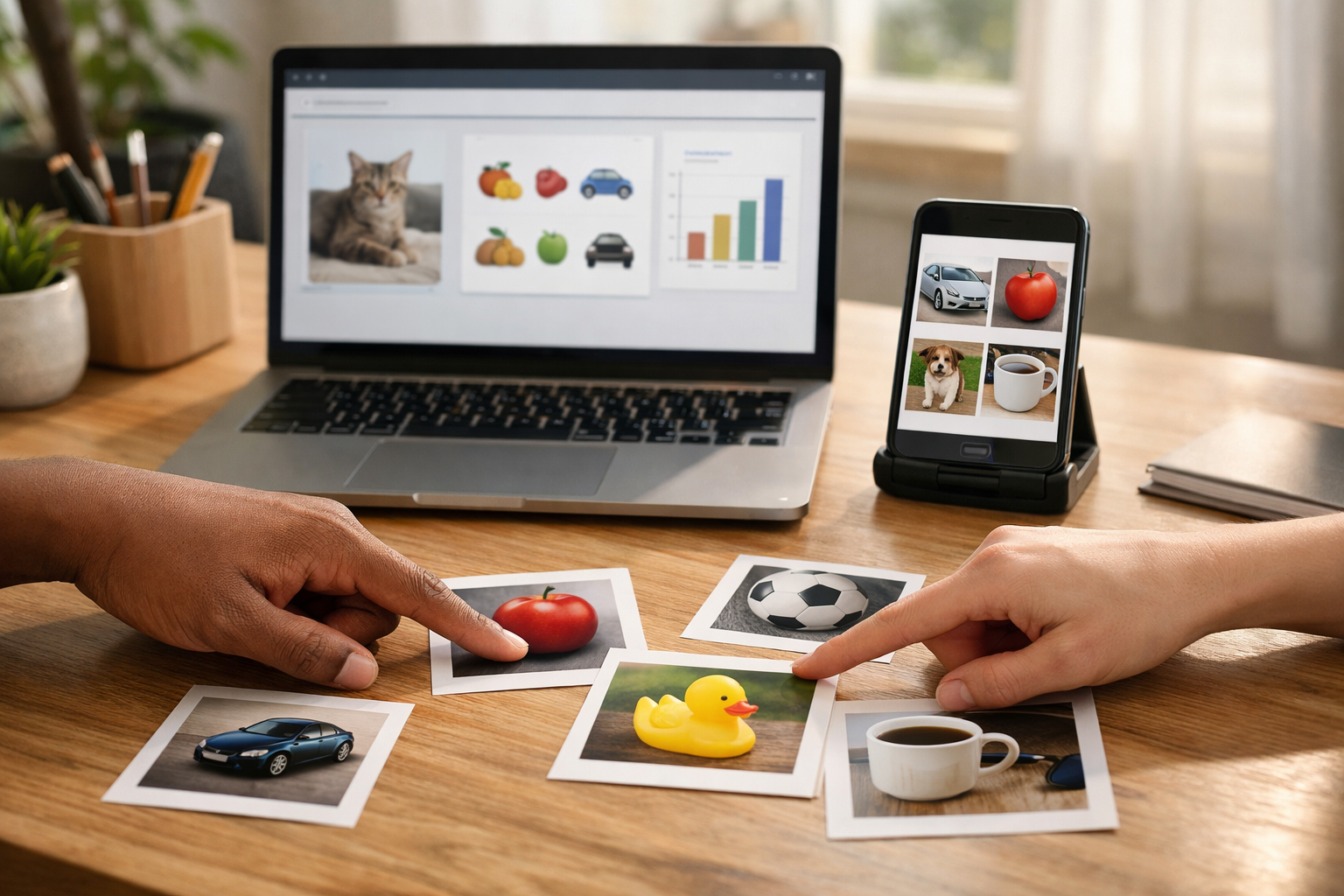
Go from zero to a simple AI image app without coding.
This course is a short, book-style introduction to computer vision for complete beginners. If you have ever wondered how an app can look at a photo and decide what is in it, this course will help you understand the idea from the ground up. You do not need coding skills, math confidence, or any background in artificial intelligence. Everything is explained in plain language, with a strong focus on small wins and real understanding.
The course is built around one simple promise: by the end, you will create your first no-code AI vision app. Instead of getting lost in technical details, you will follow a clear path from basic concepts to a finished beginner project. Each chapter builds on the one before it, so you always know why you are learning something and how it fits into the final result.
We begin with the very basics. First, you will learn what computer vision is and how computers “see” images in a simplified way. You will explore familiar examples from daily life, such as phone cameras, product scanners, and smart image tools. Then, you will move into the practical side by choosing a simple project and setting up a beginner-friendly no-code workspace.
Next, you will gather and organize images, define labels, and train a first image model without writing code. You will learn why some images help a model learn better than others, and how to avoid common beginner mistakes when preparing data. Once your model is trained, you will test it with new images, read simple results, and improve weak areas by making better choices with your examples.
Finally, you will connect your model to a simple app experience. This means creating a basic flow where a user uploads an image and sees a prediction. You will also learn an important final lesson: beginner AI apps can be useful, but they also have limits. That is why the last chapter introduces privacy, fairness, and honest communication in a clear and practical way.
Many AI courses move too quickly, assume prior knowledge, or focus on coding from the start. This course does the opposite. It is designed like a short technical book with six connected chapters, each one carefully structured to reduce confusion. You will not be asked to memorize complex terms. Instead, you will build understanding through simple explanations, concrete examples, and a small project you can actually finish.
This course is ideal for curious beginners, students, career changers, creators, and professionals who want to understand AI images without getting overwhelmed. It is especially useful if you want to explore computer vision before learning code, or if you want a quick, practical way to build confidence with visual AI tools.
If you are ready to start learning in a supportive and approachable format, Register free and begin your first vision project. If you want to explore more learning paths before deciding, you can also browse all courses on the platform.
By the time you finish, you will understand the basic logic behind image AI, know how to prepare a tiny dataset, train and test a beginner model, and turn that model into a simple no-code app. Just as importantly, you will know what your app can do well, where it may fail, and how to improve it over time. That gives you a strong, honest, and practical foundation for future learning in computer vision.
Machine Learning Educator and Computer Vision Specialist
Sofia Chen designs beginner-friendly AI learning programs that turn complex ideas into simple, practical steps. She has helped students and professionals build their first machine learning and computer vision projects using clear teaching and real-world examples.
When people hear the phrase computer vision, it can sound advanced or distant, as if it belongs only in research labs or giant tech companies. In practice, computer vision is simply the part of AI that helps computers work with images and video. If a person can look at a photo and say, “That is a cat,” “This fruit looks damaged,” or “The package label is upside down,” then a vision system is trying to do a version of that same job. It does not see exactly like a human does, but it can learn patterns from many examples and make useful predictions.
This course is about building a beginner-friendly vision app without writing code. That matters because it lets you focus on the core ideas first: what the model is trying to learn, how your images should be organized, what a good project goal looks like, and how to tell whether the model is making sensible decisions. These ideas are more important than programming syntax. If you understand the workflow clearly, you will be able to use many tools later, even if the interface changes.
In this first chapter, you will build a mental model for how image AI works. You will learn what an image looks like to a computer, where vision AI appears in daily life, and how to think about simple app types such as classification and detection. You will also see the parts of a basic vision app: images go in, a trained model looks for patterns, and a prediction comes out. Along the way, we will discuss practical engineering judgment. A good beginner project is usually small, clear, and narrow. A poor beginner project is broad, vague, or based on inconsistent images.
By the end of this chapter, you should be able to explain computer vision in plain language, recognize common real-world uses, understand the main pieces of a simple vision app, and choose a realistic first project. That foundation will support the rest of the course, where you will prepare a small labeled image dataset, train a no-code model, and test it carefully to understand both its strengths and its mistakes.
Think of this chapter as the “map” before the trip. We are not training the model yet. We are learning what the pieces are, what success looks like, and how to avoid beginner mistakes that can make later steps confusing. Strong projects begin with simple definitions and realistic scope.
Practice note for Recognize what computer vision means: document your objective, define a measurable success check, and run a small experiment before scaling. Capture what changed, why it changed, and what you would test next. This discipline improves reliability and makes your learning transferable to future projects.
Practice note for See where image AI appears in daily life: document your objective, define a measurable success check, and run a small experiment before scaling. Capture what changed, why it changed, and what you would test next. This discipline improves reliability and makes your learning transferable to future projects.
Practice note for Understand the parts of a simple vision app: document your objective, define a measurable success check, and run a small experiment before scaling. Capture what changed, why it changed, and what you would test next. This discipline improves reliability and makes your learning transferable to future projects.
Practice note for Choose a beginner project goal: document your objective, define a measurable success check, and run a small experiment before scaling. Capture what changed, why it changed, and what you would test next. This discipline improves reliability and makes your learning transferable to future projects.
Practice note for Recognize what computer vision means: document your objective, define a measurable success check, and run a small experiment before scaling. Capture what changed, why it changed, and what you would test next. This discipline improves reliability and makes your learning transferable to future projects.
To a human, an image feels immediate. You glance at a photo and instantly notice faces, objects, colors, shadows, and meaning. To a computer, an image starts as data. The most common way to picture this is as a grid of tiny dots called pixels. Each pixel stores numbers. In a color image, those numbers often represent red, green, and blue values. Put millions of these small values together, and the computer has a digital picture.
This is an important mindset shift for beginners. The computer does not begin with ideas like “banana,” “doctor,” or “broken screen.” It begins with patterns of numbers. During training, the AI model learns that certain number patterns often appear when an image belongs to a label such as banana or damaged. That is why labeled examples matter so much. The model is not memorizing a dictionary definition. It is learning relationships between visual patterns and human-provided names.
In no-code tools, you usually do not see the raw pixel values, but understanding them helps you make better choices. For example, image quality matters because blurry, dark, or tiny images may hide the patterns the model needs. Consistency matters too. If all photos of one class are bright indoor shots and all photos of another class are dark outdoor shots, the model may learn lighting differences instead of the concept you care about.
A practical way to think about an image is this: every photo is evidence. The clearer and more relevant the evidence, the easier it is for the model to learn. If your task is to classify ripe versus unripe fruit, the fruit should be visible and large enough in the frame. If the fruit is tiny and the background dominates the photo, the model may focus on irrelevant details.
Good engineering judgment begins here. Ask: what visual signal should the model learn, and is that signal clearly present in the images? Beginners often assume that “more images” automatically solves problems. In reality, a smaller set of clean, relevant images can be better than a larger set of messy ones. As you continue in this course, keep returning to this idea: a computer sees numbers arranged as pixels, so your job is to provide examples where the right visual patterns are easy to learn.
Computer vision means teaching a machine to get useful information from images or video. In plain language, it is AI for “looking at pictures.” The goal is not to make a computer see exactly like a person. The goal is to make it perform a specific visual task well enough to be useful. That task might be deciding whether a photo contains a cat, finding where a product appears on a shelf, or checking whether a medical image needs review by a specialist.
The word vision can make the field sound broad, and it is broad. But for beginners, the easiest starting point is to think in terms of questions. What question should the image answer? “What kind of object is this?” “Is there damage or not?” “Where is the package in the image?” “Does this leaf look healthy?” If you can state the question clearly, you are already moving toward a usable project.
Computer vision systems learn from examples. Instead of programming every visual rule by hand, we give the system labeled images and let the model learn patterns. For example, if you want a model to sort photos into hot dog and not hot dog, you collect examples for both labels. Over time, the model adjusts itself so that certain visual features become associated with one class more than the other.
Notice the key phrase: labeled images. Labels are the human guidance that tells the model what each example represents. If labels are inconsistent, the model becomes confused. If the labels match a clear visual difference, training becomes much easier. This is why no-code AI still requires careful thinking. The tool can simplify training, but it cannot invent a clear project for you.
In everyday terms, computer vision is pattern learning for pictures. The system becomes useful when the patterns are stable and the goal is narrow. That is why beginner projects should be simple. A strong first project might be “classify apples as fresh or bruised.” A weak first project might be “understand everything happening in any kitchen photo.” One is focused enough to train and test. The other is too vague and too large. Simple language leads to better project design.
Image AI already appears in ordinary life, often so smoothly that people stop noticing it. On phones, computer vision helps cameras focus on faces, blur backgrounds in portrait mode, organize photo galleries, scan documents, and unlock devices using facial features. These examples matter because they show that vision AI is not magic. It is a tool built for specific jobs. Your phone camera is not “understanding reality” in a human sense; it is applying trained visual models to improve common tasks.
In shops and retail settings, vision apps can help identify products, monitor shelf stock, read barcodes, detect damaged packaging, and support self-checkout experiences. A store might use image AI to count how many items appear on a shelf, or to detect whether labels are facing forward. These are practical business tasks with clear visual signals. The clearer the task, the easier it is to define success. If your app needs to decide “in stock” versus “empty shelf,” you can collect images that directly reflect that question.
Healthcare offers another strong example, though it also shows why caution matters. Vision systems can help highlight unusual patterns in scans, estimate wound changes over time, or support quality checks in laboratory workflows. These systems can save time and assist professionals, but they must be tested carefully. In sensitive settings, a model mistake can have serious consequences. That is why understanding model limits is just as important as seeing model potential.
These examples teach a practical lesson for beginners: successful vision apps usually do one narrow thing well. Phones focus on faces. Shops identify products or shelf states. Healthcare tools assist with specific image review tasks. They do not begin by trying to solve every visual problem at once.
As you think about your own project, look for a familiar setting. Could you classify plant leaves as healthy or unhealthy? Could you separate recyclable materials into simple categories? Could you tell whether a cup is empty or full? Daily-life examples help you choose realistic goals because they already suggest what the input image is, what output is useful, and how a person would judge correctness.
Beginners often hear several vision terms at once and assume they are interchangeable. They are related, but they solve different problems. The easiest one to start with is classification. In classification, the model looks at an entire image and chooses a label. For example: cat or dog, ripe or unripe, mask or no mask. This is the most common no-code beginner project because it is conceptually simple and supported by many tools.
Detection goes a step further. Instead of only saying what is in the image, it tries to find where the object is. A detection model might say, “There are three apples, and here are their locations.” This is useful when multiple objects appear in one image or when position matters. Detection usually requires more detailed labeling because you often need to mark boxes around objects.
Recognition is a broad word, but in practical use it often means identifying a specific known item, person, text, or pattern. Face recognition, character recognition, and logo recognition all fit here. Recognition tasks can be powerful, but they can also be more sensitive, more complex, or less appropriate for a first project.
For this course, you will usually get the best learning experience by choosing classification first. It lets you understand the core workflow: gather images, label them, train a model, test results, and inspect mistakes. You can focus on what good data looks like without needing complex annotations.
Engineering judgment matters when selecting the task type. If your question is “Is this plant healthy or unhealthy?” classification is enough. If your question is “Where are all the weeds in this garden image?” detection may be required. A common beginner mistake is choosing a complicated task when a simpler one answers the real need. Another mistake is using classification when location matters. Pick the simplest task type that matches the decision you need the app to make.
A simple vision app follows a repeatable flow. First, you define the goal. What should the app decide from an image? Second, you collect images that match that goal. Third, you label those images so the model knows what each example represents. Fourth, you use a no-code tool to train a model on those labeled examples. Fifth, you test the model on images it has not seen before. Finally, you review errors and improve the dataset or project setup.
It helps to imagine the app as a pipeline: input image -> trained model -> prediction. The image is the evidence, the model is the pattern learner, and the prediction is the output. Around that pipeline sits the human workflow: choosing labels, checking data quality, and deciding whether the model is reliable enough for the intended use.
Each stage has common mistakes. In goal definition, people choose labels that overlap or are hard to distinguish visually. In data collection, they gather too few images or only one style of image. In labeling, they apply labels inconsistently. In training, they assume a high accuracy number always means the model is good. In testing, they only try “easy” examples and ignore difficult real-world conditions.
Good practical habits make a big difference. Keep your labels simple and mutually clear. Try to collect images with natural variation: different angles, lighting conditions, backgrounds, and object positions, as long as those differences reflect real use. Save a portion of your images for testing so you can judge the model fairly. When the model fails, ask what visual pattern misled it. Did it focus on the background? Was the object too small? Were the classes visually too similar?
A no-code tool makes the training step accessible, but the workflow is still an engineering process. You are making decisions about scope, data quality, and evaluation. The strongest beginner projects succeed not because the tool is powerful, but because the app goal, dataset, and testing method are thoughtfully aligned.
Your first project should be intentionally small. This is not a limitation; it is a smart design choice. A tiny project helps you learn the full process from start to finish without getting lost in edge cases. The best first project has a clear yes/no or small-category decision, uses images you can gather easily, and has labels that a person can apply consistently.
Good beginner examples include: full cup vs empty cup, fresh fruit vs bruised fruit, healthy leaf vs unhealthy leaf, shoe vs sandal, or recyclable paper vs plastic bottle. These projects work because the categories are visually meaningful and the data is easy to collect in a controlled way. You can take 20 to 50 images per class to start, keep the framing similar, and expand later.
Try to avoid first projects with too many labels, abstract categories, or private high-risk data. “Identify every type of meal from any restaurant photo” is too broad. “Diagnose rare medical conditions from a handful of images” is not appropriate for a beginner exercise. “Recognize specific people” raises privacy and ethics concerns. Start with an object or condition that is safe, visible, and easy to photograph yourself.
When choosing the goal, ask four practical questions:
This last question is especially valuable. A good first project produces mistakes you can learn from. If the model confuses green apples and pears, you can inspect the images and improve the dataset. That teaches you how image AI behaves in the real world. By the end of this chapter, your job is not to build the perfect app. Your job is to choose a tiny, realistic goal that will let you practice the full no-code vision workflow successfully in the chapters ahead.
1. What does computer vision mean in this chapter?
2. According to the chapter, how does image AI mainly learn to make predictions?
3. Which set best describes the main parts of a simple vision app?
4. What kind of beginner project goal does the chapter recommend?
5. Why does the course begin with no-code tools and core ideas instead of programming syntax?
Before you train any computer vision model, you need a clean starting point. In beginner projects, setup matters more than people expect. A no-code image model can only learn from the examples and labels you give it, so the quality of your preparation directly affects the quality of your results. This chapter focuses on the practical groundwork: choosing a beginner-friendly platform, creating a project space, deciding on one clear image task, gathering example images, and organizing files so training will be smooth instead of confusing.
Think of this stage as preparing a classroom before the lesson begins. If the desks are in the wrong place, the books are mixed together, and the instructions are unclear, even a good teacher will struggle. AI works in a similar way. The model is not magic. It does not understand your goal unless your project setup makes that goal visible through clear labels and consistent examples. That is why experienced practitioners spend time defining classes, checking image quality, and naming folders carefully before they press the train button.
For this course, your goal is not to build the most advanced vision system. Your goal is to build a small, working image classification project without writing code. A good beginner task might be classifying images of ripe versus unripe fruit, clean desk versus messy desk, or reusable bottle versus disposable bottle. These are simple categories with visible differences. That simplicity is useful. It helps you learn the workflow of computer vision: choose a task, collect examples, label them, train the model, and then test where it succeeds and where it makes mistakes.
One important idea to keep in mind is that image classification answers a broad question about a whole image. It does not point to exact object locations. If you upload a photo and ask, “Is this image mostly a cat or mostly a dog?” classification is a good fit. If you need to draw boxes around several objects, that is a different kind of vision task. Making the right task choice at the beginning saves time and frustration later. In beginner no-code projects, limiting scope is a strength, not a weakness.
As you work through this chapter, try to think like a careful builder. Ask practical questions. Can I explain my labels in one sentence? Do my example images match the real-world use case? Are my folders clean enough that another person would understand them in a minute? These questions are part of engineering judgment. They help you avoid common beginner mistakes, such as mixing blurry images with clear ones, using overlapping labels, or gathering far too many images from one class and too few from another.
By the end of this chapter, you should have a no-code workspace ready, one well-defined image task, a small but useful set of example images, and an organized folder structure prepared for training. That preparation is what makes the next step possible: teaching the model from labeled images and then testing how well it learned. A simple, clean dataset usually teaches more than a large, messy one. Start small, stay clear, and build a foundation you can trust.
Good setup is not extra work separate from AI. It is the first part of building AI. In the next sections, you will learn how to make practical choices that support a simple image classification project from the very beginning.
Practice note for Set up a no-code workspace: document your objective, define a measurable success check, and run a small experiment before scaling. Capture what changed, why it changed, and what you would test next. This discipline improves reliability and makes your learning transferable to future projects.
Your first decision is where to build. A no-code AI platform gives you a visual interface for uploading images, assigning labels, training a model, and testing predictions without programming. For a beginner, the best platform is not the one with the most features. It is the one that makes the workflow obvious. You should be able to answer four questions quickly: Where do I create a project? How do I upload images? How do I define classes? How do I train and test the model?
When comparing tools, look for beginner-friendly signs. The platform should support image classification directly, provide a simple dashboard, and show examples or tutorials. It helps if the tool can split data into training and testing sets automatically, but you should still understand what those sets mean. Training images are what the model learns from. Testing images are used later to check whether the model can handle examples it has not already memorized. A good interface makes this distinction visible.
Also consider practical constraints. Does the platform run in a web browser? Is there a free tier for small projects? Does it allow easy export or sharing? Can you revisit and edit labels without confusion? For this course, a browser-based platform is ideal because it reduces installation issues. You want to spend time learning computer vision ideas, not solving setup problems on your machine.
Engineering judgment matters here. A tool with too many options can distract a beginner into changing advanced settings before understanding the basics. Start with a platform that supports a clean path: create project, upload images, label classes, train, test. Once you can complete that cycle successfully, you will be in a much better position to explore confidence scores, versioning, or deployment features. In other words, choose a platform that lets you learn the process, not one that overwhelms you with controls you do not yet need.
Once you have chosen a platform, create a project space that is specific and easy to recognize. A good project name tells you the task immediately, such as “Fruit Ripeness Classifier” or “Desk Cleanliness Images.” Avoid vague names like “Vision Test 1” because they become confusing when you create more projects later. Clear naming is a small habit that saves time, especially when you return to the project after a break.
Inside the project, set the task type correctly. For this chapter, you want image classification, not object detection or segmentation. This choice matters because the platform will present different labeling tools depending on the task. If you pick the wrong type, you may end up trying to draw boxes when your real goal is only to sort whole images into categories. Choosing the correct project type keeps the workflow simple and aligned with your learning goals.
It is also helpful to write a short project description, even if the tool does not require it. State what the model should decide and how the output will be used. For example: “This project classifies images of bananas as ripe or unripe based on the overall photo.” That sentence forces clarity. If you cannot write it simply, your task may still be too broad or unclear.
As you prepare the workspace, notice the platform features for data upload, label management, and testing. Do not train yet. First, make sure the structure is ready. This is similar to laying out folders before importing files into a computer. A calm, organized setup reduces accidental label mix-ups. It also makes it easier to spot whether your project is drifting away from one clear image task. Beginners often rush into training because it feels exciting, but thoughtful project setup is what makes training meaningful.
Labels are the names of the categories the model will learn. In an image classification project, each image belongs to one class, such as “ripe” or “unripe.” The most important rule is that your classes must be clear, visually distinct, and non-overlapping. If even a human would hesitate often, the model will struggle too. For example, “healthy plant” and “slightly unhealthy plant” may sound reasonable, but unless the visual difference is consistent, those classes can become confusing very quickly.
A good beginner strategy is to start with only two or three classes. Fewer classes make labeling easier and help you understand the model’s behavior. If you begin with too many categories, you may accidentally create subtle differences that require expert judgment rather than basic visual recognition. This course is about learning the full workflow, so simple classes are better than ambitious ones.
Write a short definition for each label before you upload images. For instance, “Ripe banana: peel mostly yellow with few green areas” and “Unripe banana: peel mostly green.” These short definitions act like rules for your future self. They help you label consistently, especially if you gather images over several days. Consistency is one of the hidden foundations of good machine learning. If similar images receive different labels because your rules keep changing, the model learns mixed signals.
Try to avoid “other” as a class in a first project. It often becomes a messy group containing many unrelated images. That makes training harder because the model sees one label attached to many different visual patterns. Instead, choose a narrow task with classes you can describe clearly. If some images do not fit the rules, leave them out for now. That is not wasted data. It is careful scope control. Clear labels lead to cleaner learning and easier testing later.
With your classes defined, the next step is gathering example images. For a beginner project, you do not need thousands of pictures. A small, balanced set is enough to learn the process. What matters more is that the images actually represent the task. If your model will classify phone photos taken indoors, but your training set contains only polished studio images from the internet, the model may learn the wrong patterns. It could perform well in training but poorly in real use.
You can gather images by taking your own photos, using openly licensed image sources, or combining both. Taking your own images gives you more control. You can vary the background, lighting, angle, and distance while still keeping the label correct. That variation is helpful because it teaches the model to focus on the important visual signal instead of memorizing one exact scene. For example, if every “ripe banana” photo is on the same white plate, the model may learn the plate as a shortcut rather than the fruit.
Try to collect a similar number of images for each class. If one class has many more examples than another, the model may lean toward the larger class because it sees it more often. Balance does not need to be perfect, but it should be close. Also check quality. Remove images that are too blurry, too dark, duplicated, or mislabeled. A small set of clean examples is better than a large set filled with noise.
Use practical variety. Include different backgrounds, positions, and lighting conditions, but keep the label criteria stable. This is an important engineering judgment: vary what should not matter, and keep consistent what does matter. That way the model learns the true concept instead of accidental details. Useful image gathering is not random collecting. It is controlled collecting with a purpose.
Before uploading images into your no-code tool, organize them carefully on your computer or cloud drive. A simple folder structure makes everything easier. One common approach is to create a main project folder and then one subfolder for each class, such as “ripe” and “unripe.” Place the correct images into each folder and use clear file names if possible. The goal is not perfection. The goal is to make sure every image has an obvious home.
Clean organization helps in several ways. First, it reduces labeling mistakes during upload because you already know what belongs where. Second, it makes it easier to review your dataset before training. If one folder looks much larger than the other, you can spot imbalance quickly. Third, if you later discover a labeling problem, you can trace it back to the original source files instead of hunting through one giant mixed folder.
Avoid dumping everything into a single directory with names like image1, image2, finalfinal2, and testnew. That kind of chaos creates friction and hidden errors. Instead, build a habit of descriptive naming and simple structure. You might also create separate folders for “to_review” or “unused” if you are unsure about some images. That keeps uncertain examples out of the training set until you decide how to handle them.
If your platform asks you to upload all images at once and then apply labels inside the tool, folder discipline still helps. You can upload in batches from each class folder and check the count after each batch. Organized files are part of engineering reliability. They make your workflow repeatable, understandable, and easier to fix when something goes wrong. Good folder habits are a quiet but essential part of machine learning work.
Many beginner problems in computer vision happen before training begins. One common mistake is choosing a task that is too broad. For example, “classify all kinds of food” sounds interesting, but it introduces too many visual variations at once. Start with one clear image task and a small number of classes. A narrow scope gives the model a fair chance to learn and gives you a fair chance to understand what it is doing.
Another frequent mistake is unclear labeling. If your definitions change as you work, your dataset becomes inconsistent. That teaches the model confusion. Write the label rules early and stick to them. If you realize the rules are weak, revise them and then relabel systematically rather than patching a few images randomly. Consistency beats speed.
Beginners also often collect images that are too similar. For instance, taking twenty photos of the same object from nearly the same position may create the illusion of a larger dataset, but the variety is too low. The model may memorize those exact scenes and fail on new examples. Instead, include different angles, backgrounds, and lighting. At the same time, avoid unrelated variation that changes the label itself. You want diversity inside each class, not disorder.
Finally, watch for imbalance, duplicates, and accidental shortcuts. If all images in one class are bright and all images in another are dark, the model may learn brightness instead of the intended concept. If internet images contain watermarks in only one class, the model may learn the watermark. These are not rare edge cases. They are common setup traps. Careful review before training helps you avoid them. A beginner-friendly project succeeds when the data is clear, the labels are stable, and the setup reflects the real task you want the AI to learn.
1. Why does Chapter 2 emphasize setup before training a no-code image model?
2. Which beginner project is the best fit for image classification?
3. What is a good reason to choose visually distinct classes?
4. Which file setup best supports smooth training?
5. According to the chapter, which dataset is usually more useful for a beginner project?
In this chapter, you will move from collecting images to actually teaching a vision model how to recognize patterns. This is the point where a no-code AI project starts to feel real. You are no longer just preparing files. You are showing a computer examples and asking it to learn the difference between categories. For beginners, this process can seem mysterious at first, but the core idea is simple: the model studies labeled images, looks for visual patterns, and then uses those patterns to make predictions on new images it has never seen before.
The quality of that learning depends heavily on the way you label images, the types of examples you include, and how carefully you review the results. A no-code tool makes the workflow easier, but it does not remove the need for judgment. If the labels are inconsistent, the model learns confusion. If the images are too similar or too messy, the model may learn the wrong signal. If you only look at one summary score, you may miss important weaknesses. Good beginners learn not just how to press the Train button, but how to think about what the model is seeing.
This chapter follows the practical path you will use in most beginner image projects. First, you will learn to label images the right way so the model gets clear teaching examples. Next, you will start a first image model in a no-code platform and understand the basic settings well enough to avoid beginner mistakes. Then you will read simple training results, including what a metric like accuracy can and cannot tell you. Finally, you will learn how to save your best model version so that you can compare experiments and improve over time instead of losing progress.
A good mental model is to imagine training a child with flashcards. If the card says “apple” but the picture shows a banana, learning breaks down. If some cards show red apples close up and others show whole fruit baskets with many objects, the child may not know what to focus on. If you test the child only on easy examples, you may think they learned more than they really did. Computer vision training works in a similar way. Your model learns from examples, and your job is to make those examples as useful and consistent as possible.
By the end of this chapter, you should be able to upload and label a small dataset, launch a basic image classification training job, interpret beginner-friendly training results, and decide whether your model is ready to save or needs another round of improvement. These are foundational skills for any no-code computer vision project, and they will help you build confidence before moving to more advanced tasks.
As you read the sections in this chapter, focus on workflow and judgment together. The software may automate the training process, but you are still the teacher. Your choices shape what the model learns, what mistakes it makes, and whether it will work in the real-world situation you care about.
Practice note for Label images the right way: document your objective, define a measurable success check, and run a small experiment before scaling. Capture what changed, why it changed, and what you would test next. This discipline improves reliability and makes your learning transferable to future projects.
Practice note for Train a first image model: document your objective, define a measurable success check, and run a small experiment before scaling. Capture what changed, why it changed, and what you would test next. This discipline improves reliability and makes your learning transferable to future projects.
Practice note for Read simple training results: document your objective, define a measurable success check, and run a small experiment before scaling. Capture what changed, why it changed, and what you would test next. This discipline improves reliability and makes your learning transferable to future projects.
Labels are the teaching signal for an image model. When you label an image, you are telling the system what that image represents. In a beginner classification project, that often means assigning one category such as “cat,” “dog,” “ripe banana,” or “damaged leaf.” The model does not naturally understand your categories. It only sees pixel patterns. The label gives meaning to those patterns and connects visual information to the outcome you want.
This is why labeling images the right way matters so much. If two similar images get different labels by mistake, the model receives mixed instructions. If one category is labeled carefully and another is labeled carelessly, the model may become biased toward the cleaner category. A no-code tool can organize and automate many steps, but it cannot fix incorrect labels for you. In practice, poor labeling is one of the fastest ways to create a weak model.
A good beginner rule is to make labels simple, mutually clear, and consistently applied. If your categories overlap, training becomes harder. For example, if one class is “fruit” and another is “apple,” many images could fit both. That confuses the model and the human labeler. A better choice is to use categories at the same level, such as “apple,” “banana,” and “orange.” Clear label design is an engineering decision, not just a naming task.
Try to create a short label guide before you begin. Write one sentence for each class that explains what belongs in it and what does not. If an image is blurry, partly blocked, or contains multiple possible targets, decide in advance how you will handle it. Some projects place uncertain images aside instead of forcing them into a category. That can improve training quality because the model learns from cleaner examples.
When beginners say a model “does not work,” the issue is often not the training algorithm. It is the teaching data. Strong labels lead to stronger learning. If you remember one idea from this section, remember this: the model can only learn as clearly as you teach it.
Not every image helps a model equally. Some images are excellent training examples because the subject is clear, the label is obvious, and the visual pattern matches what you want the model to learn. Other images introduce confusion. They may be too dark, too blurry, too crowded, too far away, or full of distracting background details. A beginner often thinks that more images always mean better training, but low-quality images can reduce learning if they teach the wrong signal.
Good images do not need to be professionally taken. They simply need to represent the task clearly. If you are training a model to distinguish apples from bananas, good images usually show one of those fruits in a visible and understandable way. Some variety is healthy: different angles, lighting conditions, sizes, and backgrounds help the model generalize. But variety should support learning, not bury it. If the fruit is tiny in the corner of the image and the kitchen counter dominates the frame, the model may start associating the background with the label.
Confusing images often fall into a few common types. One type is the ambiguous image, where even a person might hesitate about the correct label. Another is the noisy image, where too many objects compete for attention. A third is the misleading image, where something unrelated appears in one class much more often than another. For example, if all “banana” images are taken on a blue table and all “apple” images are taken on a white plate, the model may learn table color more than fruit shape.
Engineering judgment matters here. You are not trying to create a perfect artistic dataset. You are trying to create useful examples that reflect the real situations where the model will be used. Include realistic variation, but avoid accidental shortcuts. Review a sample of your images before upload and ask: is the target easy to identify, is the category correct, and is the image likely to teach the intended pattern?
Choosing good images is part of preparing a small image dataset for a simple vision task. It directly affects how well your first model performs and how reliable its mistakes will be. Better examples lead to better learning.
Once your images and labels are ready, the next step is to upload them into your no-code vision tool. The exact buttons vary by platform, but the workflow is usually similar. You create a new project, choose image classification as the task type, define your classes, and then upload images into the correct label groups. Some tools let you upload everything first and label inside the platform. Others work better if your files are already organized into class folders. Either way, the goal is the same: every image should end up in the correct category before training starts.
As you upload, move slowly enough to catch errors early. Beginners sometimes rush through this stage because the interface looks simple. But this is where hidden dataset problems often appear. You may notice duplicate images, mislabeled files, or categories with very uneven image counts. A class with 200 images compared with another class with only 20 may still train, but the model may favor the larger class. If possible, keep the classes reasonably balanced, especially in a beginner project.
Many platforms also split data automatically into training, validation, and sometimes test sets. This is useful because it helps the model learn on one group of images and get evaluated on different images. If your tool handles this split for you, that is fine. Just make sure you understand that not every uploaded image is used in exactly the same way. The training set teaches the model. The validation set helps measure how well learning is going during training. A separate test set, when available, gives a more honest check after training.
Before clicking Train, perform one final visual review. Open a few images from each class. Confirm that the labels make sense. Check whether the classes feel distinct. Ask yourself whether there are enough examples to support learning. For a small beginner model, even a modest dataset can work if it is clean and focused. Quality matters more than random quantity.
This stage connects preparation to training. A careful upload and labeling workflow saves time later because it reduces avoidable mistakes in the first model run.
Training a first image model in a no-code tool is often surprisingly simple on the surface. You choose your dataset, click a training button, and wait while the platform does the heavy lifting. Behind that button, the system is adjusting internal parameters so that the model becomes better at mapping image patterns to your labels. You do not need to write code to benefit from this process, but it helps to understand what the tool is doing conceptually.
Most beginner platforms offer a default training mode, and that is usually the best place to start. Resist the urge to optimize every setting before you have one baseline result. A baseline is your first clean experiment: the simplest reasonable training run using your current dataset. This gives you something to compare against later. Without a baseline, it is hard to know whether a change improved the model or made it worse.
During training, the platform may show progress indicators, elapsed time, and early metrics. The exact technical details are not essential for a beginner, but you should pay attention to whether training completes successfully and whether the tool reports obvious warnings. If training fails, the issue is often dataset-related rather than algorithm-related. Common causes include unsupported files, too few images, or labeling problems.
One important practical habit is naming your model run clearly. Instead of accepting a generic name like “Model 1,” use something meaningful such as “fruit-classifier-v1-clean-labels.” This makes it easier to save your best model version and compare future attempts. Good naming is simple project discipline, but it becomes very valuable once you begin iterating.
After the first training finishes, do not assume the output is final. Treat it as feedback from the system. Your question is not just “Did it train?” but “What did this run teach me about my data and my setup?” That is the mindset that helps beginners improve quickly.
Training without code is accessible, but successful no-code work still depends on thoughtful workflow. Click the button, but also learn from the result.
After training, most no-code tools show a small set of results, and accuracy is usually the number beginners notice first. Accuracy tells you how often the model predicted the correct label on the evaluated images. If the model gets 90 out of 100 images correct, the accuracy is 90 percent. That sounds straightforward, and it is useful, but it is only part of the story.
The first thing to understand is that a high accuracy does not automatically mean the model is truly good in real use. If your dataset is too easy, too small, or not representative of real images, the model may score well but still fail when deployed. For example, if all training and validation images were taken in almost the same setup, the model might memorize shortcuts instead of learning the general concept. This is why you should read simple training results with curiosity, not blind trust.
Look for class-level performance if your tool provides it. A model with 88 percent overall accuracy might still perform very poorly on one important class. Also check example predictions. Which images did it get wrong? Were those images genuinely difficult, or do they reveal a dataset issue? Sometimes mistakes expose labeling problems. Other times they show that classes overlap too much. Reviewing errors is often more educational than admiring a single score.
Another beginner concept to remember is confidence. Some tools show not only the predicted label but also how confident the model is. A wrong prediction made with high confidence can be a sign that the training data strongly pushed the model toward a misleading pattern. A correct prediction with low confidence may suggest the classes are visually similar or the image is unclear.
The practical outcome is simple: read results to understand behavior, not just to collect a number. The best beginners learn from mistakes the model makes, because those mistakes tell you exactly what to improve next.
After your first model run, you need to decide whether to keep it, save it, or retrain with changes. This is where engineering judgment becomes especially important. If the model performs well enough for your beginner goal and its mistakes are acceptable, save your best model version and record what dataset and settings produced it. A saved version gives you a stable checkpoint. You can return to it later, compare new experiments, and avoid losing a result that actually worked better than you realized.
If the model performs poorly, do not immediately assume you need a more advanced tool. In beginner projects, improvement usually comes from better data rather than more complexity. Retraining makes sense when you find specific problems you can correct. Maybe one class has too few images. Maybe labels were inconsistent. Maybe the model is relying on background patterns. Maybe certain real-world cases are missing, such as low light or side views. These are concrete reasons to update the dataset and run a new version.
Try to change one major thing at a time. If you relabel images, add 100 new examples, remove blurry files, and rename classes all at once, you may improve the model but you will not know which change mattered most. Iteration works best when it is controlled. Make a change, train again, compare with the previous version, and keep notes. This turns model building into a learnable process instead of random trial and error.
You should also retrain if the real usage environment changes. A model trained on indoor photos may struggle outdoors. A classifier built from clean sample images may struggle with phone camera images taken by users. Models are shaped by their training data, so new conditions often require new examples.
The goal is not endless retraining. The goal is purposeful improvement. Save the best version, learn from the mistakes, and only retrain when you have a clear reason. That disciplined cycle is how no-code vision projects become reliable over time.
1. Why is consistent image labeling important when training a vision model?
2. What is a good beginner approach when starting model training?
3. What should you remember about a metric like accuracy?
4. Which type of images is most helpful for teaching the model?
5. Why should you save your best model version?
Training a no-code vision model is exciting, but training is only the middle of the job. The real question is simple: does the model work on images it has never seen before? In this chapter, you will learn how to test your model with new images, read its predictions in a practical way, spot common errors, and improve the classes that perform weakly. This is where a beginner project starts to feel like real engineering. Instead of hoping the model is good, you will check it, understand its mistakes, and make careful improvements.
Think of your model like a student who studied flashcards. If you only ask the exact same questions from the flashcards, the student may look perfect. But if you show a new example in different lighting, from a different angle, or with a messy background, the weak spots appear. A computer vision model behaves the same way. It can seem accurate during training, yet struggle in everyday use. That is why testing matters. A small but honest test with new images gives you more useful information than a big training score that hides problems.
As you work through this chapter, keep one principle in mind: improving a model is often less about changing settings and more about improving examples. In no-code tools, the easiest and most powerful fixes usually come from better images, clearer labels, and smarter choices about categories. You will practice engineering judgment by asking questions such as: Are the examples realistic? Are some classes too similar? Is one class underrepresented? Are there patterns in the mistakes? These are the habits that make your project stronger and more reliable.
We will move through a practical workflow. First, test the model using images that were not part of training. Next, read predictions and confidence scores without treating confidence as magic. Then, group mistakes into patterns instead of looking at errors one by one. After that, improve weak classes by adding better, more balanced examples. We will also look at lookalike categories, which are a common source of confusion in beginner image projects. Finally, you will learn how to decide whether your model is good enough for its intended use, even if it is not perfect.
By the end of this chapter, you should feel comfortable checking your model in a disciplined way and making practical improvements without writing code. That skill is essential for any beginner image project because every model makes mistakes, and the goal is not perfection. The goal is to understand the mistakes well enough to make the model more useful, more trustworthy, and more consistent in real situations.
Practice note for Test the model with new images: document your objective, define a measurable success check, and run a small experiment before scaling. Capture what changed, why it changed, and what you would test next. This discipline improves reliability and makes your learning transferable to future projects.
Practice note for Spot common prediction errors: document your objective, define a measurable success check, and run a small experiment before scaling. Capture what changed, why it changed, and what you would test next. This discipline improves reliability and makes your learning transferable to future projects.
Practice note for Improve weak classes with better examples: document your objective, define a measurable success check, and run a small experiment before scaling. Capture what changed, why it changed, and what you would test next. This discipline improves reliability and makes your learning transferable to future projects.
Practice note for Make the model more reliable: document your objective, define a measurable success check, and run a small experiment before scaling. Capture what changed, why it changed, and what you would test next. This discipline improves reliability and makes your learning transferable to future projects.
A test set is a small group of images kept aside so the model can be checked fairly. In simple terms, these are surprise images. The model did not learn from them during training, so they give you a more honest view of how it will behave in the real world. If you test using images the model has already seen, the result can look better than it truly is. That is like grading a student using the answer sheet they memorized.
For a beginner no-code project, your test set does not need to be huge. It does need to be separate. A practical approach is to save aside a few examples from each class before training begins. Make sure these examples include normal variation: different lighting, different backgrounds, different object positions, and slightly different image quality. If all test images are very clean and centered, you are not really testing everyday performance. You are only testing ideal conditions.
When you test the model with new images, pay attention to what happens class by class. A model may do very well on one category and poorly on another. This matters because an average score can hide weak spots. If you are building a simple app that classifies fruit, for example, the model might easily recognize bananas but regularly confuse apples and peaches. A useful test set helps you spot that kind of imbalance early.
There is also an engineering habit worth building here: do not change the test set every time the model struggles. Keep it stable for a while so you can compare versions fairly. If you add new training images and retrain, test again on the same held-out images. That lets you see whether your changes actually improved the model or just changed the results randomly. In no-code projects, this repeatable comparison is one of the easiest ways to stay organized and make smart improvements.
When you upload or check a new image, most no-code tools return two useful things: a predicted label and a confidence score. The predicted label is the model's best guess. The confidence score is a number that suggests how strongly the model leans toward that guess. For beginners, confidence can seem very persuasive, but it should be read carefully. High confidence does not always mean correct, and low confidence does not always mean useless. It is a clue, not a guarantee.
A practical way to read confidence is to compare the score with the image itself. If the model says “orange” with 95% confidence, look at the image and ask whether the object is clear, centered, and typical of that class. If yes, the high confidence makes sense. But if the image is blurry, partly hidden, or contains multiple objects, then high confidence may signal overconfidence. The model may have locked onto a misleading visual pattern in the background rather than the object you care about.
Low or medium confidence often means the image sits near a boundary between classes. This happens with lookalike categories, messy scenes, poor lighting, or weak training data. These are valuable cases because they tell you where the model feels uncertain. In many real projects, uncertainty is useful information. You might decide that predictions below a certain confidence should be reviewed by a human or treated as “not sure” instead of accepted automatically.
As you read predictions, collect examples rather than relying on memory. Save screenshots or notes for images where the model was confidently wrong, weakly correct, or confused between the same two classes again and again. These cases become your roadmap for improvement. In short, do not ask only “Was it right?” Ask “How sure was it, and does that level of certainty make sense for this image?” That mindset helps you move from casual testing to thoughtful model evaluation.
Beginners often look at one wrong prediction at a time and immediately try to fix it. A better approach is to search for patterns. One mistake can be random. Ten similar mistakes usually point to a real weakness in the dataset or class design. This is where testing becomes diagnostic. You are not just checking whether the model fails. You are trying to understand why it fails.
Start by grouping wrong predictions into categories. Are errors happening in low light? Are they common when the object is small in the frame? Does the model fail more often on one class than others? Are certain backgrounds causing confusion? Maybe all your training images for one category were taken on a white table, so the model learned part of the table pattern instead of the object itself. When test images appear on a dark desk or outdoors, accuracy drops.
Another useful pattern to watch is direction of confusion. If class A is often predicted as class B, but class B is rarely predicted as class A, that tells you something. It may mean class A has fewer examples, weaker examples, or more visual variety than class B. It may also suggest that class labels are too broad or unevenly defined. In no-code image projects, these directional errors are often easier to improve than random errors because they point to a specific class that needs attention.
Keep your notes simple and practical. A short table with columns such as true label, predicted label, confidence, image conditions, and possible reason is often enough. After reviewing 20 to 30 test images, repeated themes usually appear. Once you can describe the mistakes in plain language, your next actions become clearer. Instead of saying “the model is bad,” you can say “the model struggles with side views of mugs against cluttered backgrounds.” That is a fixable problem, and it leads directly to better data collection.
Once you have found patterns in the mistakes, the next step is often to improve the training images. In beginner no-code projects, weak results usually come from weak examples more than from weak tools. Better images help the model learn what matters. That means choosing pictures where the object is visible, labels are correct, and the examples reflect the real conditions where the app will be used.
Image quality does not mean every image must be perfect. In fact, a dataset made only of perfect images may fail in real life. What you want is useful quality: clear enough to show the class, varied enough to represent reality, and consistent enough that labels are trustworthy. Remove images that are too blurry, heavily cropped, mislabeled, or full of distractions that dominate the scene. Then add stronger examples that show the same class from multiple angles, distances, and lighting conditions.
Balance is equally important. If one class has many more images than another, the model may become biased toward the larger class. For example, if you have 100 images of cats and 20 images of dogs, the model has many more chances to learn cat patterns. The smaller class may stay weak even if its images are good. A practical fix is to add more examples for the underrepresented class, especially examples that cover the kinds of mistakes you saw during testing.
Try to improve weak classes with targeted examples, not just more random photos. If the model misses dark-colored shoes, gather more dark-colored shoes. If it confuses bottles when labels are partly hidden, add examples with partial views. This is a more efficient use of effort than collecting dozens of nearly identical images. Good dataset improvement is deliberate. You are teaching the model what it currently does not understand, one meaningful example at a time.
Some categories are naturally easy to separate, and others are visually close. These lookalike categories are a common challenge in beginner computer vision work. If two classes share similar shape, color, texture, or size, the model may confuse them even when your data is decent. This does not always mean the tool is failing. Sometimes the categories are simply hard to distinguish from images alone.
The first question to ask is whether the classes are defined clearly enough. For instance, if you are trying to classify “ripe banana” versus “slightly ripe banana,” the boundary may be too subjective. Different people may label the same image differently. That kind of label uncertainty makes learning harder. A more reliable design might use broader categories or a simpler decision, such as “banana” versus “not banana,” especially for a first project.
If you do need similar classes, make the examples more informative. Include views that highlight the visual differences, and avoid training images where the difference is impossible to see. You can also reduce background noise so the model focuses on the object itself. In some no-code tools, careful cropping helps because it removes irrelevant context. Another practical tactic is to gather matched examples: similar lighting and angles for both classes. This helps the model learn the real difference instead of accidental differences in the dataset.
Sometimes the best engineering decision is to redesign the task. If your model keeps confusing muffins and cupcakes, maybe the app should combine them into one class or ask for a closer photo. Beginners often think improvement always means forcing the model to separate difficult categories. In practice, reliability often improves more by simplifying the label set or changing how the images are captured. A good model is not only trained well. It is built around a problem definition that images can realistically solve.
No beginner model is perfect, so a practical project needs a realistic standard for success. “Good enough” depends on what the model is meant to do. If it is a learning demo, moderate accuracy may be fine as long as the predictions are understandable. If it supports a real decision, you need stronger and more reliable performance. The key is to judge the model in context, not by chasing perfection or relying on one overall score.
Start by asking simple questions about actual use. How often can the model be wrong before it becomes frustrating? Which mistakes are minor, and which are serious? If your app is a classroom example that sorts everyday objects, an occasional confusion may be acceptable. But if one class must be recognized consistently, then class-level performance matters more than the average. A model that gets easy cases right but fails important ones may not be ready.
Confidence can help you set practical rules. You might decide that high-confidence predictions are shown directly, while low-confidence results trigger a message asking the user to retake the photo. That makes the system more reliable without changing the model itself. You can also improve reliability by controlling the input: ask for a plain background, good lighting, or a closer image. Good enough is not only about the model. It is about the whole workflow around the model.
Finally, remember that improvement usually happens in cycles. Test, inspect mistakes, collect better examples, retrain, and test again. If each round reduces confusion and increases consistency on new images, you are moving in the right direction. A good beginner outcome is not a flawless classifier. It is a model that behaves predictably, handles common cases well, and has known limits that you can explain clearly. That level of understanding is what turns a no-code experiment into a real computer vision project.
1. Why is testing a vision model with new images important?
2. According to the chapter, what is usually the most powerful way to improve a no-code vision model?
3. When reviewing model predictions, what should you do with confidence scores?
4. If two categories are often confused because they look very similar, what improvement does the chapter suggest?
5. How should you decide whether your model is good enough?
In the earlier chapters, you learned how a computer vision model is trained from labeled images and how to test whether it can recognize simple patterns. That work matters, but a model by itself is not yet an app. A real beginner-friendly vision product needs a small experience around the model: a place where a person can add an image, a clear action to run the prediction, and a result screen that explains what the model thinks. In this chapter, you will turn your trained model into a simple no-code vision app that someone else can actually use.
The goal is not to build a polished commercial product. The goal is to connect the model to a basic app flow so the full journey works from start to finish. A user opens the app, uploads or captures an image, waits a moment, sees a prediction, and understands what to do next. That single end-to-end path is a major milestone because it proves your model is usable outside the training screen.
As you build, keep your scope deliberately small. A first vision app should solve one narrow task well enough to demonstrate the idea. For example, it might classify plant leaves as healthy or unhealthy, sort food images into a few categories, or detect whether a classroom object belongs to one of two known classes. Simplicity is a strength here. A small app is easier to explain, easier to test, and much easier to improve after you observe mistakes.
You will also practice engineering judgment in a no-code setting. Even without writing code, you still make design decisions: what the user sees first, how many buttons to include, whether to show confidence scores, how to handle blurry uploads, and what message to display when the model is uncertain. Those choices shape whether the app feels reliable or confusing. Good app building is not just connecting blocks on a canvas. It is deciding what should happen when real people use imperfect images in imperfect conditions.
This chapter follows a practical path. First, you will define what makes your app useful. Then you will design one simple user journey. Next, you will create an upload and result screen, connect the model to the prediction step, and run end-to-end image predictions. After that, you will make the output easier to understand, test with real users, and share a working first version. By the end, you will have more than a model. You will have a demo that shows the complete value of your project.
Remember that your first version is supposed to be basic. A beginner app does not need accounts, dashboards, payment features, or many settings. It needs one smooth path from image input to visible result. If a classmate can use it without your help, your app is already doing something important. That is the standard to aim for in this chapter.
Practice note for Connect the model to a simple app flow: document your objective, define a measurable success check, and run a small experiment before scaling. Capture what changed, why it changed, and what you would test next. This discipline improves reliability and makes your learning transferable to future projects.
Practice note for Create an upload and result screen: document your objective, define a measurable success check, and run a small experiment before scaling. Capture what changed, why it changed, and what you would test next. This discipline improves reliability and makes your learning transferable to future projects.
Practice note for Run end-to-end image predictions: document your objective, define a measurable success check, and run a small experiment before scaling. Capture what changed, why it changed, and what you would test next. This discipline improves reliability and makes your learning transferable to future projects.
Practice note for Share a working first version: document your objective, define a measurable success check, and run a small experiment before scaling. Capture what changed, why it changed, and what you would test next. This discipline improves reliability and makes your learning transferable to future projects.
A useful vision app does not begin with features. It begins with a clear problem. Ask a simple question: who will use this app, and what decision will the model help them make? If your model classifies images of recyclables, the app might help a student decide whether an item belongs in paper, plastic, or trash. If your model identifies fruit types, the app might help with a classroom inventory exercise. The point is not that the model is impressive. The point is that the model supports a specific action.
Beginners often try to make their first app do too much. They add many classes, many screens, and many explanation panels before checking whether the core prediction is understandable. A better approach is to define one useful task and support it with one straightforward app flow. A useful first version usually has these qualities: the purpose is obvious, the image input is easy, the result appears quickly, and the user knows what the result means.
Usefulness also depends on the boundaries of the model. Your app is only as trustworthy as the image conditions it was trained for. If your training set contains bright, centered images of objects on plain backgrounds, the app may struggle with dark photos, cluttered scenes, or images taken from far away. A useful app therefore sets expectations. It gently guides the user toward the kinds of images that work best, instead of pretending the model understands everything.
As you decide what belongs in your app, think in terms of a minimum useful experience. That usually includes:
This is where engineering judgment matters. If your model is not very accurate yet, a narrower use case can make the app feel much stronger. For example, “classify three common leaf conditions from clear close-up photos” is better than “diagnose any plant problem from any picture.” Clear limits are not a weakness. They are a sign that you understand what your model can and cannot do.
Before moving on, write one sentence that describes your app in plain language. If a non-technical person cannot understand the sentence, your scope may still be too broad. A useful vision app is easy to describe because it solves one visible task well enough to demonstrate value.
Once you know the purpose of the app, design the user journey before touching the no-code builder. A user journey is the sequence of steps one person follows to complete the main task. For a first vision app, keep this journey short. The best beginner flow is usually: open app, read one instruction, add image, tap predict, view result, and optionally try again. That is enough to prove the model works in context.
Sketch the journey on paper or in a notes app. You do not need a formal design tool. Draw boxes for each screen and arrows between them. Label what the user sees and what they do. This small planning step prevents a common beginner mistake: building disconnected screens with no clear purpose. If you know the exact path in advance, you will make better choices when configuring app blocks and model actions.
Your user journey should answer a few practical questions. Where does the image come from: upload, camera, or both? When should the prediction run: automatically after upload or only after the user presses a button? What should the app do if no image is selected? What happens after the result appears? These are interaction details, but they strongly affect usability.
For beginners, a manual “Predict” button is often the best choice. It gives the user a clear moment of control and reduces accidental runs. It also makes troubleshooting easier because the app has an obvious trigger point. A simple two-screen layout works well:
Some no-code tools also let you keep everything on one screen. That is fine if the interface stays clean. The key is to avoid crowding the user with too many controls. One image field, one action button, and one result area are enough for a first release.
When designing this flow, think about failure paths as well as success paths. A real user may upload a blurry image, choose the wrong kind of object, or close the app before seeing the result. Add small guardrails such as “Please upload a clear image” or “This app works best with one object centered in the frame.” These messages are part of good design. They reduce confusion without adding complexity.
If you can explain the full journey in under 20 seconds, you probably have the right level of simplicity. That is a good sign that you are ready to build the app structure and connect it to the model.
Now you can build the core of the app: image in, prediction out. In your no-code platform, create the input component that accepts an image. Depending on the tool, this may be called an upload field, image picker, media input, or camera capture block. Choose the simplest option first. File upload is usually the easiest to test because you can reuse saved examples from your dataset.
After the input component is in place, connect it to your trained model. Most no-code AI platforms let you select a model as a data source or prediction action. The important part is mapping the uploaded image to the model’s expected input. In practice, this often means selecting the image field as the source for the prediction step. Make sure you are using the correct model version. Beginners sometimes accidentally connect an old test model instead of the latest trained version.
Next, create the output area. At minimum, show the predicted label, such as “Healthy Leaf” or “Plastic Bottle.” If your tool supports confidence values, you may also show a score like 87%. Use caution here. Confidence scores can help advanced users, but they can also confuse beginners if displayed without context. If you include them, add a short explanation such as “higher confidence means the model is more sure.”
To run end-to-end image predictions, test the full chain in the exact order a user would follow. Upload an image, trigger the prediction, wait for the model response, and confirm that the output appears in the right place. Check that the loading state is visible. Even a simple “Predicting…” message improves the experience because it tells the user the app is working rather than frozen.
Here are common build mistakes to watch for:
Good engineering judgment in no-code tools means checking each connection as if it were code. Inputs, triggers, and outputs all need to line up. Test with at least three images you expect to classify correctly and three more that are slightly harder. If the app fails on every image, the issue is probably in the app wiring. If it succeeds on some and fails on hard examples, the model is probably behaving as expected.
Once your app can reliably accept an image and display a prediction, you have crossed an important milestone. You now have a working vision app flow, not just a model on a training page.
A result is only helpful if the user can interpret it. Many first apps technically work but still feel confusing because the output is too raw. For example, a label alone may not tell the user whether the result is certain, whether the image quality was good enough, or what they should do next. Your job is to turn the model response into a human-friendly message.
Start with plain language. Replace technical category names with simple labels if possible. “Cat” is better than “feline_class_01.” If your classes need explanation, add one short sentence below the prediction. For example: “This looks most like recyclable plastic.” This gives the output a practical meaning instead of presenting it as a machine-only term.
You should also decide how to handle uncertainty. A model can be wrong, and some no-code tools expose a confidence score that can help you design around that. One practical pattern is to show a stronger message for high-confidence predictions and a softer message for lower-confidence ones. For instance, “Likely Healthy Leaf” is more honest than “Healthy Leaf” when confidence is modest. If your tool does not offer a score, you can still use guidance text such as “If the image is blurry or dark, try another photo.”
A good result screen often includes:
Avoid overloading the screen with too much data. A first-time user does not need every probability for every class. They need the main answer and a next step. Too many numbers can make the app seem less trustworthy, especially if the model is uncertain.
This is also the right place to reduce common mistakes. If users often submit images with multiple objects, show a reminder: “Use one object centered in the photo.” If lighting causes errors, include “Best results in bright light.” These messages are part of the product, not an afterthought. They help the user cooperate with the model.
Think of the result screen as a translation layer between AI output and human action. The model produces categories. Your app should produce understanding. When people can quickly tell what happened and what to do next, your vision app becomes much more usable.
After your app works for you, test it with real users as early as possible. This step is often skipped by beginners, but it is one of the fastest ways to improve both the app and the model. A real user will click unexpected things, upload unusual images, and misunderstand instructions that seemed obvious during development. That feedback is valuable because it shows where the app is fragile.
Begin with a very small test group, such as two to five classmates, friends, or colleagues. Give them one sentence of context and ask them to use the app without extra coaching. Watch where they hesitate. Do they know how to upload an image? Do they understand when to press Predict? Can they explain the result in their own words? If not, the app likely needs clearer labels, instructions, or layout.
Test with a mix of images. Include easy examples similar to your training data and harder examples with poor lighting, odd angles, busy backgrounds, or partial objects. This lets you observe both product issues and model issues. If users cannot find the upload button, that is an interface problem. If the app misclassifies dark photos, that may be a data or model limitation.
As you test, record simple observations in a table with three columns: what the user did, what happened, and what you think should change. Keep your notes concrete. For example, “User uploaded two objects in one photo and did not understand the wrong prediction” leads to a useful improvement such as “Add instruction: one object per image.”
Focus on practical fixes first:
Do not try to solve everything at once. Your first goal is to make the main flow understandable and stable. If repeated mistakes point to the model itself, note them for later retraining. For example, if users often submit side-angle photos that fail, you may need more examples of that angle in your dataset.
Testing with real users teaches an important lesson: a good app is not one that works only under ideal conditions. It is one that helps people succeed even when they are unsure, distracted, or working with imperfect images. That mindset will make every future AI project stronger.
Once the core flow works and a few test users can use it successfully, share a working first version. For a beginner project, “publishing” usually means generating a share link, embedding the app on a page, or presenting it live in class. You do not need a full public launch. What matters is that someone beyond the builder can access the app and experience the complete prediction flow.
Before sharing, run a final quality check. Confirm that the correct model version is connected, the upload function works on the devices you expect, and the result screen looks readable on both desktop and mobile if your tool supports both. Also review the text shown to users. A polished first demo often comes from small improvements: better button names, shorter instructions, and a clearer retry option.
It helps to include a short introduction near the top of the app. In one or two sentences, state what the app does, what images work best, and what its limitations are. For example: “Upload a clear photo of one leaf to classify it as healthy or unhealthy. Best results come from close-up images in bright light.” This builds trust because you are being honest about the model’s intended use.
When sharing the app, think like a teacher or product creator. Give viewers a way to succeed quickly. You might provide two or three example images, or a note suggesting what they should try first. This prevents frustration and helps others see the app’s value before they experiment with edge cases.
Your shared demo should communicate four things:
Do not be embarrassed if the first version is simple. In fact, a narrow but working demo is more impressive than a large unfinished idea. By sharing a complete no-code vision app, you prove that you can move from labeled images and model training to a usable product flow. That is a major practical outcome for a beginner course.
After sharing, gather reactions and decide on one next improvement. Maybe you need better instructions, maybe your result screen needs clearer wording, or maybe your dataset needs more diverse examples. The important thing is that you now have something real to improve. Your first vision app is no longer a concept. It is a functioning demo that can be tested, discussed, and gradually made better.
1. What is the main goal of Chapter 5?
2. Why is completing one end-to-end path in the app an important milestone?
3. According to the chapter, what should the scope of a first vision app be?
4. Which design choice best reflects good engineering judgment in a no-code vision app?
5. What standard does the chapter suggest for judging whether the first version is successful?
You have now done something important: you built a beginner computer vision app without writing code. That is a real milestone. You started with labeled images, trained a simple classifier, tested it, and saw that AI can be useful but imperfect. This chapter helps you make the jump from “I made a demo” to “I understand how to use it responsibly and improve it over time.” That shift matters. A vision app is not just a technical object. It affects people, decisions, and trust.
Beginner AI apps have clear limits. They often work well only on images similar to the examples used during training. They can become confused by different lighting, unusual angles, cluttered backgrounds, lower-quality cameras, or objects they have never seen before. This does not mean your app failed. It means you are now thinking like a builder. Good builders do not assume a model is smart in a general human sense. They ask: what specific task was it trained for, under what conditions, and how should people use the result?
Using images responsibly starts with privacy and permission. If your app involves people, faces, personal spaces, or any private situation, you need to think carefully before collecting or sharing images. Even if a no-code tool makes uploading easy, ethical use still requires judgment. Responsible projects also consider fairness. If one class has many more examples than another, or if one type of image setting dominates the dataset, your model may perform unevenly. That can lead to misleading outcomes.
Another part of responsible use is honesty. Users need clear expectations. A beginner image classifier is not a perfect decision-maker. It is a pattern-matching tool. If you present it as more certain than it really is, users may trust wrong predictions too much. Strong projects explain what the app is for, what it is not for, and what a user should do when the prediction seems uncertain or incorrect.
Growth comes next. Every first version teaches you something. Maybe your model confused two similar classes. Maybe it worked well indoors but not outside. Maybe your dataset was too small. These are not dead ends. They are your next improvement plan. In practice, most AI progress comes from improving the data, narrowing the task, and testing more carefully, not from magical settings. As a beginner, that is good news. You already know the basic workflow. Now you can build better versions by making smarter project decisions.
In this chapter, you will learn how to think about limits, responsibility, updates, and next steps. You will finish the course with a more mature view of no-code vision work: build small, test honestly, protect people, improve gradually, and keep learning from results. That mindset will help you far beyond this first project.
Practice note for Understand limits of beginner AI apps: document your objective, define a measurable success check, and run a small experiment before scaling. Capture what changed, why it changed, and what you would test next. This discipline improves reliability and makes your learning transferable to future projects.
Practice note for Use images more responsibly: document your objective, define a measurable success check, and run a small experiment before scaling. Capture what changed, why it changed, and what you would test next. This discipline improves reliability and makes your learning transferable to future projects.
Practice note for Plan the next better version: document your objective, define a measurable success check, and run a small experiment before scaling. Capture what changed, why it changed, and what you would test next. This discipline improves reliability and makes your learning transferable to future projects.
Practice note for Map out your next learning step: document your objective, define a measurable success check, and run a small experiment before scaling. Capture what changed, why it changed, and what you would test next. This discipline improves reliability and makes your learning transferable to future projects.
Practice note for Understand limits of beginner AI apps: document your objective, define a measurable success check, and run a small experiment before scaling. Capture what changed, why it changed, and what you would test next. This discipline improves reliability and makes your learning transferable to future projects.
Images can contain more information than beginners first realize. A photo may show a person’s face, home, school, workplace, license plate, computer screen, or other identifying details in the background. That means collecting images is not just a technical step in model training. It is also a responsibility. Before you upload images to a no-code platform, ask a simple question: do I have the right to use these images for this project? If the answer is uncertain, pause and check.
A strong beginner practice is to use images you created yourself, public examples you are allowed to use, or images from participants who clearly agreed. If your project includes people, permission should be explicit, especially if the images will be stored online or shared with others. Even for a classroom or hobby project, it is better to build habits that respect privacy from the beginning. Responsible use is easier when it becomes part of your normal workflow.
Keep your datasets as small and focused as possible. If your app only needs to classify fruit, do not include people standing nearby in the frame. If you can crop out personal details, do that. If names or locations appear in an image, remove or avoid them. A useful engineering judgment here is data minimization: collect only what you need for the task. Less unnecessary data means fewer privacy risks and often a cleaner model.
If your no-code tool saves uploaded images in the cloud, read the basic storage and sharing settings. Know who can view the project, who can download the images, and whether links are public or private. This is practical app stewardship. A beginner-friendly platform may simplify training, but it does not remove your duty to handle data thoughtfully. Good vision projects begin with respectful data choices.
Bias can sound like a big advanced topic, but beginners can understand it in practical terms. A model learns from examples. If the examples are unbalanced, narrow, or repetitive, the model learns a distorted version of the task. Imagine a simple app that classifies “ripe banana” and “unripe banana.” If most ripe banana photos were taken in bright kitchens and most unripe banana photos were taken outside, the model may accidentally learn background and lighting patterns instead of fruit ripeness. That is a fairness problem in a small, concrete form: some situations are represented better than others.
Bias also appears when one class has many more images than another. If you train with 200 cat images and 30 dog images, the model may become much stronger on cats. Beginners sometimes assume accuracy alone tells the full story. It does not. A better habit is to inspect mistakes by class and by situation. Ask: which labels are most often confused? Under what conditions do errors happen? Are darker images, far-away objects, or messy backgrounds causing more problems?
The practical fix is usually not fancy. Improve the dataset. Add examples from different angles, distances, lighting conditions, and backgrounds for each class. Keep the classes reasonably balanced. Remove images that are mislabeled or too ambiguous. If your task itself is too vague, narrow it. For example, classify only two clearly different objects before trying similar-looking categories. This is good engineering judgment: simplify the problem until your data can support it.
Fairness in beginner apps means being alert to uneven performance and avoiding overconfident claims. You do not need to solve every social issue in one project, but you should notice when your model works better for some examples than others. That awareness will make your future projects more reliable and more responsible.
One of the most responsible things you can do is describe your app honestly. A beginner no-code image classifier is usually best treated as a helpful assistant, not a final decision-maker. It can suggest a label based on patterns in past examples, but it can still be wrong for completely ordinary reasons: poor lighting, unusual camera angles, partial objects, blurry photos, or classes that look similar. Users should know this before they rely on the result.
When you present your app, explain three things clearly: what it is designed to do, what conditions it works best under, and what it should not be used for. For example, “This app classifies three types of recyclable material using close-up photos taken on a plain background. It may be unreliable for damaged items, mixed materials, or dark images.” That kind of statement improves trust because it sets realistic boundaries. Honest limits do not make your app look weak. They make you look credible.
You should also decide what the user should do when the app is unsure or likely wrong. In many no-code tools, you will see confidence scores or top predictions. Even if the highest score looks impressive, treat it carefully. Confidence is not the same as truth. A practical rule is to route low-confidence or unclear cases to a human check. If your app is for learning, that check could simply be “review the image manually.”
This is where beginner AI maturity starts to show. You are no longer just celebrating that the model predicts something. You are designing a safe and useful experience around the prediction. That is an important professional habit, even in small projects.
Your first trained model is not the end of the project. It is a snapshot of what the app learned from one version of your dataset. Over time, users may submit different kinds of images. The environment may change. New mistakes may appear. A responsible builder expects this and plans simple updates. In no-code vision work, improvement often comes from better data collection and steady retesting rather than from changing many technical settings.
Start by keeping a small log of failures. Every time the app gets an image wrong, ask why. Was the label in training incorrect? Was the image too dark? Did the object fill only a tiny part of the frame? Was the background unusual? Was this a case the app was never meant to handle? These notes turn random errors into a useful improvement list. Over several rounds, patterns become visible.
A practical update cycle looks like this: collect new examples from error cases, check labels carefully, add balanced images for weak classes, retrain, and test again on old and new examples. Be careful not to judge success only on recently added images. If a model improves on one edge case but gets worse on basic examples, that is not real progress. Retesting across your broader set matters.
Versioning is also useful, even for beginners. Name your datasets and models clearly, such as “recycle-v1,” “recycle-v2-more-low-light,” and keep short notes on what changed. That makes your learning visible. If version 3 performs worse, you can understand why instead of guessing.
Most important, know when not to expand too fast. Many beginner projects become messy because the creator adds too many classes at once. A better next version is usually more focused, with cleaner data and better test coverage. Growing carefully is how you move from a demo toward a dependable tool.
After finishing a first image classifier, many learners ask what to build next. The best second project is usually not dramatically harder. It is slightly more realistic, more carefully scoped, and designed with lessons from testing in mind. That means choosing a problem with clear visual differences, a manageable number of classes, and a practical reason to collect better examples.
Good second-project ideas include classifying types of leaves from your local area, sorting desk items into categories such as pen, notebook, and charger, identifying simple food groups, distinguishing clean versus damaged packaging, or recognizing hand-drawn symbols. These projects are still beginner-friendly, but they invite better engineering choices. You can plan balanced classes, test in multiple lighting conditions, and define clear rules for what counts as each label.
Another strong direction is to improve your original project instead of starting from zero. If your first app classified two object types, make version two robust across different backgrounds. If it struggled with distance, collect close, medium, and far examples. If some labels overlapped, redesign the categories to be more distinct. This is often more educational than chasing a brand-new idea because you can compare versions and directly see what changed.
Your second project should feel like an upgrade in judgment, not just an upgrade in ambition. By now, you know that dataset quality, honest testing, and clear boundaries matter. Build with those principles, and your next app will likely be simpler, cleaner, and more useful than a larger but poorly planned project.
You do not need to become an expert programmer to keep growing in AI vision. From this course, you already understand the core beginner workflow: define a task, gather labeled images, use a no-code tool, train a simple model, test mistakes, and improve the dataset. That is a solid foundation. The next stage is to deepen your skill in small layers instead of trying to learn everything at once.
A practical roadmap has four steps. First, repeat the full project cycle with a new dataset. Repetition builds confidence. Second, get better at evaluation. Instead of asking only “What is the overall accuracy?” ask “Which classes fail most, and why?” Third, learn more about data quality: label consistency, balanced classes, background effects, and edge cases. Fourth, explore adjacent tools and ideas such as object detection, image segmentation, or exporting a model into a simple app interface. You do not need all of this immediately, but knowing the path helps.
As you continue, keep your beginner strengths. Stay concrete. Test with real examples. Write down assumptions. Avoid making claims your model has not earned. These habits are more valuable than memorizing technical vocabulary. If you later choose to learn code, concepts from this course will transfer well. You will already understand why data matters, why models fail, and why responsible use is part of building.
The most important outcome is not just that you made one image app. It is that you now have a practical mental model for how computer vision projects are created, checked, and improved. That mindset will help you study more advanced AI later with less confusion and better judgment. Your next step is simple: build again, observe carefully, and improve on purpose.
1. Why might a beginner image classifier make mistakes on new photos?
2. What is the most responsible first step when an app uses images of people or private spaces?
3. How can fairness problems appear in a beginner vision dataset?
4. What should users be told about a beginner image classifier?
5. According to the chapter, what is usually the best path for improving an early AI vision app?

- Learning Evolved.
- Intelligence Amplified.


