AI Robotics & Autonomous Systems — Beginner
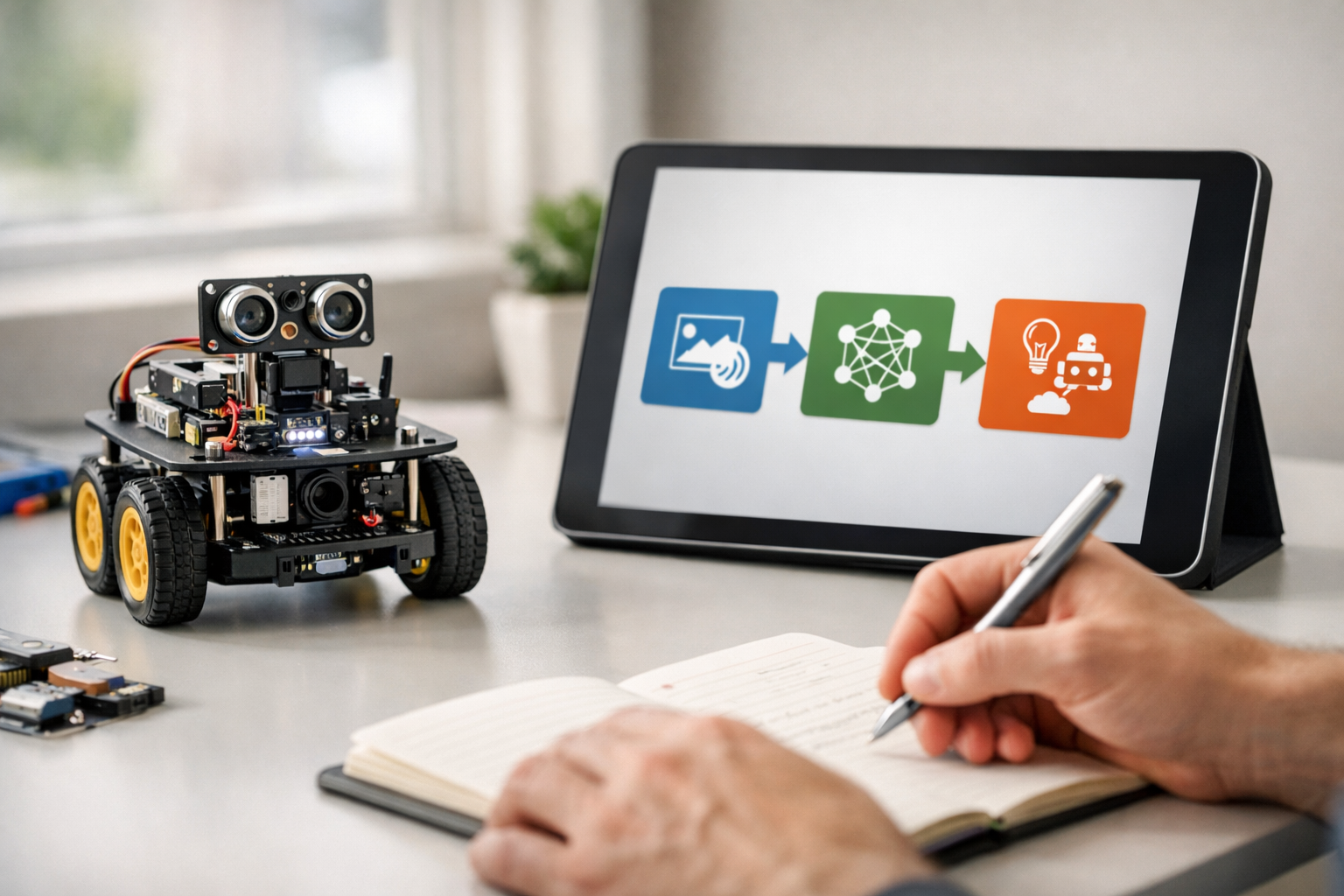
Understand how AI robots work without writing code
No-Coding AI Robotics for Absolute Beginners is a short, book-style course designed for people who are completely new to the subject. You do not need coding skills, math confidence, engineering experience, or any technical background. The course starts with the most basic question: what is a robot? From there, it carefully builds your understanding step by step, showing how robots sense the world, make simple decisions, move through spaces, and support real tasks in homes, businesses, and public services.
Many beginners feel that AI robotics sounds too advanced or too technical. This course removes that fear by using plain language and a logical chapter-by-chapter structure. Instead of throwing complex terms at you, it explains every idea from first principles. You will learn how the pieces fit together and why intelligent robots behave the way they do.
This course is built like a short technical book, not a scattered collection of lessons. Each chapter builds directly on the previous one, so you develop a strong mental model of the field. First you learn the core ideas, then the robot parts, then perception and decision-making, then movement and navigation, then real-world applications, and finally safety, ethics, and next steps.
By the end of the course, you will be able to explain what AI robotics is in simple terms and describe the main building blocks of a robot. You will understand sensors, actuators, controllers, basic perception, simple decision flows, movement, navigation, and common robot use cases. You will also gain a balanced view of safety, privacy, fairness, and responsible use.
This means you will not just memorize terms. You will understand how a robot takes in information, processes it, and acts in the world. You will also be able to talk confidently about the difference between a fixed automated machine and a more autonomous AI-powered robot.
This course is for curious beginners, students exploring future careers, professionals who want to understand AI robotics without becoming engineers, and anyone who wants a practical foundation before moving into deeper study. If you have ever seen warehouse robots, delivery robots, home helpers, or smart machines in videos and wondered how they work, this course is for you.
It is also a useful first step before exploring more technical topics on the platform. If you want to continue after this course, you can browse all courses and choose your next beginner-friendly path.
AI robotics is shaping industries across logistics, healthcare, agriculture, inspection, and public services. Understanding the basics is increasingly valuable, even if you never plan to build robots yourself. This course helps you become informed, confident, and ready to learn more.
If you are ready to begin with a structured, simple, and approachable introduction, this is the right starting point. You can Register free and start learning how AI robots work without writing a single line of code.
Robotics Educator and Applied AI Specialist
Sofia Chen designs beginner-friendly learning programs that explain robotics and AI in simple, practical language. She has helped students, teachers, and early-career professionals understand how intelligent machines sense, decide, and act in the real world.
When people hear the word robot, they often imagine a metal human walking through a lab or a sci-fi machine making independent decisions. In real life, robotics is both simpler and more useful than that image. A robot is a machine that can sense something about the world, process that information, and act on the world in a physical way. That last part matters. Software alone may be intelligent, but it is not a robot unless it connects to physical action through motors, wheels, grippers, lights, valves, or other actuators.
This chapter builds the subject from first principles so you do not need a programming background. You will learn how to look at any machine and ask practical questions: What does it sense? What decides what happens next? What physical action can it take? These three questions reveal the core of most robots. They also help you separate robotics from simple automation and from artificial intelligence. A timed sprinkler, a robotic vacuum, a warehouse cart, and a self-driving shuttle all fit into different parts of this spectrum.
For beginners, the easiest mental model is the sense-think-act loop. A robot uses sensors to gather information, a controller to choose a response, and actuators to create movement or other physical output. Some systems do this in a fixed way, like following a line or stopping at a wall. Others use AI methods to classify objects, estimate location, or choose among several actions when the world changes. The amount of “intelligence” can vary a lot, but the structure remains recognizable.
As you read, try to picture real devices around you. A robot lawn mower senses boundaries and obstacles, decides where to go next, and drives itself across a yard. A factory arm may repeat a motion with high accuracy but limited flexibility. An autonomous delivery robot may combine maps, cameras, wheel motors, and obstacle avoidance. In each case, the engineering challenge is not magic. It is the practical job of turning uncertain sensor data into safe, useful action.
One more idea will help you throughout the course: robotics is an engineering trade-off discipline. Sensors are noisy. Batteries are limited. Floors are slippery. People move unpredictably. Perfect information is rare. Good robots are built by making reasonable decisions under imperfect conditions. That is why beginners should focus less on futuristic labels and more on system behavior. If you can read a simple workflow or behavior diagram and explain what a machine senses, how it decides, and what it does next, you already understand the foundation of AI robotics.
In the sections that follow, you will build a practical beginner map of the field. By the end of the chapter, you should be able to describe AI robotics in plain language, identify the main parts of a robot, distinguish automation from autonomy, and recognize where robots already appear in daily life.
Practice note for See what makes a machine a robot: document your objective, define a measurable success check, and run a small experiment before scaling. Capture what changed, why it changed, and what you would test next. This discipline improves reliability and makes your learning transferable to future projects.
Practice note for Separate AI, robotics, and simple automation: document your objective, define a measurable success check, and run a small experiment before scaling. Capture what changed, why it changed, and what you would test next. This discipline improves reliability and makes your learning transferable to future projects.
Practice note for Understand the sense-think-act loop: document your objective, define a measurable success check, and run a small experiment before scaling. Capture what changed, why it changed, and what you would test next. This discipline improves reliability and makes your learning transferable to future projects.
A robot is a physical system that can perceive its environment, process information, and produce an action in the real world. This definition is more useful than the popular image of a humanoid machine. A robot may have wheels, tracks, arms, propellers, or even fixed joints on an assembly line. It does not need a face, a voice, or human-like shape. What matters is the combination of sensing, decision logic, and physical action.
To identify a robot, look for three main parts. First are sensors, such as cameras, distance sensors, bump switches, microphones, GPS units, or temperature sensors. Second is a controller, the computing part that receives information and determines the next step. Third are actuators, which include motors, servos, grippers, pumps, wheels, and other devices that create movement or force. If one of these pieces is missing, the system may be useful, but it is probably not functioning as a robot in the full sense.
It is also important to understand what is not a robot. A spreadsheet that predicts demand is not a robot because it has no physical action. A remote-controlled toy car is not fully a robot when a person makes all decisions directly. A simple machine that repeats motion without sensing changes may be mechanized, but it is not very robotic. Beginners often label any smart machine as a robot, but the stronger question is whether it can interact with the physical world based on information it collects or receives.
Engineering judgment matters here. Many real products sit on a spectrum. A washing machine automates a physical process but has limited sensing and little flexibility. A factory arm with sensors and motion control is clearly robotic. A drone flying from sensor input to motor output is a robot. When in doubt, ask: can it observe, decide, and physically respond? That practical test helps you classify machines without getting stuck in science-fiction expectations or marketing language.
Artificial intelligence, in plain language, is the use of computer methods to perform tasks that usually require judgment rather than fixed repetition. In robotics, AI is not a magical brain. It is a set of techniques that help a machine interpret data, recognize patterns, estimate likely outcomes, or select useful actions when the environment is uncertain. Some robots use very little AI. Others depend on it heavily.
A helpful beginner distinction is this: ordinary control logic follows explicit rules, while AI often helps when the rules are too complex to write by hand. For example, “if bumper is pressed, stop and turn” is simple rule-based behavior. But “identify whether this object is a person, a pet, or a chair from camera images” is harder to solve with fixed rules alone. AI methods such as machine learning are often used for that kind of perception task.
That said, AI does not replace the rest of robotics. A robot still needs hardware, power, safety design, and reliable control. New learners often make the mistake of thinking AI is the whole robot. It is not. AI is one part of the system, often inside the controller. In practice, many useful robots combine simple control rules with one or two AI components. A warehouse robot may use AI vision to detect obstacles but use ordinary motion control to drive its wheels. A home robot may classify rooms with AI but still use fixed docking logic to recharge.
The practical outcome for beginners is this: when someone says “AI robot,” ask what the AI is actually doing. Is it recognizing speech, detecting objects, planning routes, predicting maintenance needs, or adapting to user habits? That question cuts through hype and lets you understand the system as an engineer would: by function, not by label.
Automation means a machine performs a task with limited human effort, usually by following a predefined sequence. Autonomy means a machine can handle at least some variation in the environment and still achieve a goal with reduced direct human control. Robotics may include either one or both. This distinction is essential because many systems are automated without being truly autonomous.
Consider a timed conveyor. It starts, moves items, and stops according to a schedule. That is automation. A robotic arm that repeats the same welded path every time is also highly automated. Now compare that with a mobile robot in a warehouse that slows down for people, reroutes around a blocked aisle, and chooses a charging station when battery level is low. That robot shows autonomy because it responds to changing conditions.
Autonomy is not all-or-nothing. Real systems exist on levels. A robot vacuum may be partly autonomous because it can avoid obstacles and return to its dock, but it may still struggle with unusual clutter or stairs. A delivery robot may navigate sidewalks independently in ordinary cases but ask for remote assistance when confused. For beginners, this gradient view is more accurate than asking whether a machine is “fully autonomous.”
A common mistake is to confuse motion with intelligence. A machine can move and still be simple automation. Another mistake is to assume autonomy means no human involvement. In engineering practice, safe systems often combine automated routines, autonomous decision-making, and human oversight. The practical lesson is to read a robot workflow carefully. If the flow only says “start, repeat task, stop,” you are looking at automation. If it includes sensing, branching, recovery, and alternate paths, you are moving toward autonomy.
The sense-think-act cycle is the simplest and most powerful model for understanding robot behavior. First, the robot senses the world through devices such as cameras, ultrasonic range sensors, infrared detectors, wheel encoders, microphones, or touch sensors. Next, it thinks by processing this information in its controller. This may involve simple rules, probabilities, maps, or AI models. Finally, it acts by sending commands to motors, grippers, steering systems, brakes, or other actuators.
Imagine a mobile robot moving down a hallway. It senses distance to nearby walls and objects. The controller compares those readings to a target path. If an obstacle appears, the robot decides to slow down, turn, or stop. Then the wheel motors carry out that command. A moment later, the sensors read the new situation, and the loop repeats. This happens continuously, often many times per second.
Beginners can also use this model to read simple behavior diagrams without coding. A workflow might say: scan ahead, check if path is clear, move forward, otherwise stop and turn, then scan again. That is already a robot logic diagram. The decision points in the workflow are the “think” stage. The branches show how the robot reacts to different conditions. Once you see this pattern, many robot behaviors become understandable even without software details.
Good engineering judgment enters in the gaps between these steps. Sensors can be noisy. A camera may fail in low light. A distance sensor may reflect badly from glass. Wheels may slip. Because of this, reliable robots often combine multiple sensors and add safety behaviors such as stopping when confidence is low. One practical outcome of this chapter is that you should now be able to inspect a robot and ask where each part of the loop happens: what senses, what decides, and what physically changes in response.
AI robots are already present in ordinary environments, even if they do not look dramatic. Robotic vacuums are one of the clearest examples for beginners. They use sensors to detect walls, furniture, drop-offs, and dirtier areas. Some create room maps, remember layouts, and plan more efficient cleaning routes. Their actuators are wheel motors, brushes, and suction systems. The smarter versions use AI-like perception and navigation methods, while simpler versions rely mostly on bump-and-turn rules.
Another familiar example is the robot lawn mower. It senses edges, obstacles, and sometimes weather or terrain. It decides where to drive next and returns to a charging station when needed. In warehouses, autonomous mobile robots transport shelves or bins. They navigate marked paths or maps, avoid collisions, and coordinate with traffic rules in the building. These are practical robots, not science-fiction machines, and they show how sensing and decision-making support useful work.
Service robots also appear in hospitals, hotels, and offices. Some deliver supplies, guide visitors, or disinfect rooms. Agricultural robots monitor crops, identify weeds, and move through fields. Drones inspect roofs, bridges, and power lines. In each case, the exact AI level differs, but the structure remains the same: sensors collect data, controllers decide, actuators move or manipulate.
The common beginner mistake is to look only for humanoids and overlook task-focused robots. In real engineering, the most successful robots are usually specialized. They are designed for a narrow environment and a clear job. Practical outcomes matter more than appearance. If a robot senses reliably, makes simple good decisions, and performs useful action safely, it is doing valuable robotics. That mindset helps you recognize AI robots in daily life and evaluate them by function rather than by movie-style design.
At the start of your robotics journey, it helps to organize the field into a few clear layers. The first layer is hardware: the body, frame, wheels, joints, motors, batteries, and wiring. The second layer is sensing: cameras, lidar, sonar, touch sensors, encoders, GPS, and more. The third layer is control and decision-making: the software or logic that turns sensor readings into commands. The fourth layer is behavior: navigation, obstacle avoidance, object handling, docking, following, or inspection. AI can appear inside perception, planning, prediction, or adaptation, but it sits within this larger system.
Another useful map divides robots by task. Industrial robots often stay in structured environments and repeat precise actions. Mobile robots move through spaces such as homes, warehouses, sidewalks, or fields. Manipulators use arms and grippers to handle objects. Aerial robots fly. Service robots interact with people or support operations. As a beginner, you do not need to memorize every category. You only need to see that the same first principles travel across them.
For mobile robots especially, three ideas matter early: movement, navigation, and obstacle avoidance. Movement means how the robot physically drives or steers. Navigation means how it knows where to go and where it is. Obstacle avoidance means how it detects and reacts to objects, people, and blocked paths. Even simple robots can perform these tasks with basic sensors and rules. More advanced systems use maps, localization, and AI-supported perception.
The practical value of this map is confidence. You can now read a simple robot behavior diagram and place each part in context. If a workflow shows “sense wall distance, decide turn angle, move wheels,” you understand it. If it shows “detect person, choose route around obstacle, continue to goal,” you understand the added autonomy. That is the foundation for the rest of the course: not coding first, but clear system thinking about how robots sense, decide, and act in the real world.
1. Which description best matches the chapter's definition of a robot?
2. What is the main reason software alone is not considered a robot in this chapter?
3. What are the three parts of the beginner mental model for robot behavior?
4. According to the chapter, how does AI relate to robotics?
5. Why does the chapter describe robotics as a discipline of engineering trade-offs?
When people first hear the word robot, they often imagine something human-shaped, intelligent, and fully independent. In real projects, a robot is usually much simpler and much more practical. It is a machine with a body, a way to sense the world, a way to make decisions, and a way to act. In no-coding AI robotics, you do not need to program every detail by hand to understand this system. You do, however, need to recognize the main parts and understand how they work together.
This chapter introduces the physical body of a robot in plain language. You will learn the core hardware parts that appear again and again across robot types, from a small vacuum robot to a warehouse cart to a robotic arm. The key idea is simple: sensors are the robot's inputs, actuators are the robot's outputs, and a controller or onboard computer connects the two by choosing what action to take. Around those parts are the frame, wheels, joints, power system, and communication links that make the whole machine usable in the real world.
Engineering judgment matters because robots operate outside a perfect classroom. A great robot design is not the one with the most parts. It is the one where each part serves a clear purpose. If a robot must move across smooth floors, wheels may be enough. If it must lift and place items, it may need an arm and a gripper. If it must avoid walls, it needs distance sensing. If it must run for hours, battery choice becomes critical. Good robotics starts with matching parts to the task.
A useful way to think about any robot is as a continuous loop. First, it senses its surroundings. Next, it processes that information. Then, it moves or changes something in the environment. After acting, it senses again. This repeated cycle is how even simple robots seem responsive and purposeful. Later chapters will explore behavior and intelligence in more detail, but the body of the robot is where those behaviors become possible.
As you read, keep one practical question in mind: if one part fails or is missing, what happens to the whole system? That question helps you understand not just what each component is called, but why it matters.
Practice note for Identify the core hardware parts of a robot: document your objective, define a measurable success check, and run a small experiment before scaling. Capture what changed, why it changed, and what you would test next. This discipline improves reliability and makes your learning transferable to future projects.
Practice note for Understand sensors as the robot's inputs: document your objective, define a measurable success check, and run a small experiment before scaling. Capture what changed, why it changed, and what you would test next. This discipline improves reliability and makes your learning transferable to future projects.
Practice note for Understand actuators as the robot's outputs: document your objective, define a measurable success check, and run a small experiment before scaling. Capture what changed, why it changed, and what you would test next. This discipline improves reliability and makes your learning transferable to future projects.
Practice note for Connect hardware parts into one working system: document your objective, define a measurable success check, and run a small experiment before scaling. Capture what changed, why it changed, and what you would test next. This discipline improves reliability and makes your learning transferable to future projects.
Practice note for Identify the core hardware parts of a robot: document your objective, define a measurable success check, and run a small experiment before scaling. Capture what changed, why it changed, and what you would test next. This discipline improves reliability and makes your learning transferable to future projects.
Practice note for Understand sensors as the robot's inputs: document your objective, define a measurable success check, and run a small experiment before scaling. Capture what changed, why it changed, and what you would test next. This discipline improves reliability and makes your learning transferable to future projects.
The frame is the robot's physical foundation. It holds components in place, protects delicate electronics, and gives the machine its shape. Some frames are simple plastic shells. Others are metal platforms with mounting holes, brackets, and modular rails. In every case, the structure must support the robot's job. A delivery robot needs a stable base for carrying loads. A robotic arm needs rigid joints so it can position tools accurately. A small educational robot may prioritize low cost and easy assembly over high strength.
Movement hardware is part of the structure as well. Many beginner-friendly mobile robots use wheels because wheels are efficient, affordable, and mechanically simple. Two-wheel drive robots are common because they can turn by spinning wheels at different speeds. Some robots add caster wheels for balance. Others use four-wheel drive for better traction. In rough outdoor settings, tracks or larger wheels may work better than small indoor wheels.
Arms introduce a different kind of structure. Instead of driving across the floor, an arm reaches, lifts, rotates, and places objects. Arm design depends on joints, link lengths, and stability. Even without coding, you can understand an arm as a set of connected movement sections. The farther the arm reaches, the more important balance becomes. A lightweight frame may tip if the arm extends too far while carrying weight.
A common beginner mistake is treating the frame as just a container for interesting electronics. In reality, a weak or poorly balanced structure can ruin a robot even when the sensors and controller are excellent. Loose mounts can make cameras shake. Misaligned wheels can cause drifting. A frame with poor weight distribution can reduce battery life because motors work harder than necessary.
When evaluating robot hardware, ask practical questions. What surface will it move on? How much weight must it carry? Does it need to fit through narrow spaces? Does the structure allow easy maintenance? These questions help you identify the right physical body before thinking about advanced intelligence.
Sensors are the robot's inputs. They gather information from the environment and convert physical conditions into signals the robot can use. Without sensors, a robot can still move, but it cannot react intelligently. It becomes more like a fixed automation device repeating the same actions no matter what is happening around it.
Different sensors answer different questions. A light sensor helps a robot detect brightness, darkness, or a line on the floor. A distance sensor estimates how far away a wall or object is. A microphone or sound sensor can detect noise, speech patterns, or sudden audio events. A touch sensor, bumper, or pressure switch tells the robot it has made contact with something. Each sensor provides only a partial view of the world, which is why many robots use several sensors at once.
For beginners, the most useful mental model is that sensors do not understand meaning on their own. A distance sensor does not know what a chair is. It only reports that something is close. A camera does not know a person is waving unless software interprets the image. This matters because people often expect sensors to be magical. In real robotics, sensors provide clues, not complete understanding.
Sensor placement is also important. A front-facing distance sensor helps avoid collisions ahead, but it cannot detect an obstacle beside the robot. A downward light sensor can follow a line, but it is not useful for seeing a doorway across the room. Good engineering judgment means placing sensors where they can support the robot's actual task.
Common mistakes include using too few sensors, placing them badly, or trusting them too much. Bright sunlight can confuse some light-based sensors. Soft materials may reduce the accuracy of certain distance sensors. Loud environments can make sound detection unreliable. Touch sensors only react after contact, so they are useful but often not enough on their own.
In practice, robots become more dependable when sensor information is combined. A mobile robot may use distance sensing to avoid obstacles, wheel information to estimate motion, and touch sensors as a final safety backup. This combination supports simple decision-making without needing complex coding from the user.
If sensors are inputs, actuators are outputs. Actuators are the parts that create physical action. They make wheels turn, arms rotate, grippers open, and mechanisms lift or push. In many robots, motors are the most common actuators. A motor converts electrical energy into movement, and that movement is shaped by gears, belts, joints, or wheels to produce useful work.
On a mobile robot, wheel motors control forward motion, reverse motion, and turning. On a robotic arm, motors move joints such as the base, elbow, or wrist. Some motors are designed for continuous spinning, while others are designed for controlled positioning. You do not need to code these directly to understand their role. The key point is that motors turn decisions into action.
Grippers are another important output component. A gripper is the robot's hand. It may be simple, like two jaws that open and close, or more specialized, like a suction cup for smooth objects. The design depends on the job. A warehouse robot moving boxes needs a different gripping method than a lab robot handling fragile tools. Good robotic design starts by asking what must be moved and how delicate, heavy, or irregular the object is.
Movement parts are not just motors by themselves. The surrounding mechanical system matters. Gear ratios affect speed and force. Wheels affect traction. Joint design affects range of motion. A robot that moves too fast may overshoot targets or hit obstacles. A robot with high force but poor control may damage objects. This is why engineering is about trade-offs, not just maximum performance.
A common beginner mistake is focusing only on visible movement. If a robot drives forward, it may seem successful. But practical robotics asks more: is the movement repeatable, stable, and appropriate for the task? Can the robot stop accurately? Can it carry its load without slipping? Can it move safely around people?
Understanding actuators helps you read any robot as a system of outputs. Whenever the robot does something physical, an actuator is involved.
The controller is the robot's decision center. It receives sensor information, follows rules or AI models, and sends commands to actuators. In simple robots, this may be a microcontroller that handles basic logic such as stop, turn, or follow a line. In more capable systems, an onboard computer can process images, map spaces, or run no-code AI workflows. The controller is what connects sensing to action.
It is helpful to separate controller and intelligence. A controller is the hardware or system that runs the robot's logic. AI is one possible type of logic. A robot can be intelligent in a limited way without advanced AI, and it can be automated without adapting to new situations. This distinction supports one of the most important ideas in the course: automation, robotics, and AI are related but not identical. Automation repeats a rule-based process. Robotics adds a physical machine that senses and acts in the real world. AI allows more flexible interpretation, prediction, or decision-making.
The battery is equally essential because every robot needs power. Batteries feed motors, sensors, controllers, and communication modules. In practice, battery choice affects weight, run time, speed, and reliability. A larger battery may run longer but add weight. More weight may require stronger motors, which then use more power. This is a classic robotics trade-off.
Onboard computers extend what robots can do. They can process camera feeds, store maps, connect to cloud systems, and manage more advanced workflows. In no-coding robotics, these computers often run drag-and-drop behavior tools, visual workflows, or prebuilt AI services. That makes them powerful for beginners because you can focus on system design rather than syntax.
Common mistakes include underestimating power needs, ignoring heat, or selecting a controller too weak for the task. A robot may behave unpredictably if the battery voltage drops. A camera-based system may lag if the onboard computer cannot keep up. Good engineering judgment means choosing hardware that matches the real workload, not the idealized demo version.
Whenever you see a robot make a choice, there is some controller behind it. Whenever you see it continue running, a power system is supporting every part of that behavior.
A robot is not just a collection of hardware. It is a connected system. Sensors must send information to the controller. The controller must send commands to motors and other actuators. Batteries must supply power across the whole machine. This flow of information and energy is what turns separate components into one working robot.
The simplest way to understand this is as a chain. A sensor detects something, such as a nearby obstacle. That sensor value travels to the controller. The controller compares the reading to a rule, for example, if obstacle is near, stop and turn. Then the controller sends signals to the wheel motors. The robot changes direction. That action changes what the sensors detect next, and the cycle repeats. This is the basic workflow behind many real robots.
In no-code robotics platforms, this chain is often shown visually rather than in text-based code. You may see boxes and arrows for input, decision, and action. Even when the internal software is complex, the external design remains readable if you understand the role of each part. Sensor in, decision in the middle, action out.
Information sharing can happen through wires on a small robot or through internal networks on larger systems. What matters for beginners is not memorizing communication standards, but recognizing that timing and clarity matter. If sensor data arrives too slowly, the robot may react late. If motor commands are inconsistent, motion may become jerky. If power is unstable, every component may behave strangely.
One common mistake is assuming that if every part works by itself, the whole robot will work automatically. System integration is often the hard part. A perfectly good sensor may be noisy. A strong motor may create vibration that affects other components. A battery that seems large enough may struggle under peak load. Real robotics succeeds when the designer thinks about interactions, not isolated parts.
Practical outcome matters here. Once you understand information flow, you can read simple robot workflows, diagnose problems more logically, and explain a robot's behavior in plain language. That is a major step toward building and operating robots confidently without needing to code everything yourself.
A robot system diagram is a simplified map of how the parts connect. Learning to read one is important because diagrams let you understand robot behavior quickly, even if you are not writing code. Most beginner diagrams show blocks for sensors, a controller or AI module, actuators, and power. Arrows indicate the direction of information or energy flow.
Consider a simple mobile robot diagram. At the left, a distance sensor and a light sensor feed information into the controller. The controller sends outputs to left and right wheel motors. A battery supplies power to all components. You can read this diagram like a story: the robot checks how close obstacles are and whether it detects a path, then the controller decides how the wheels should move. If the obstacle is close, the robot turns. If the path is clear, it moves forward. This is not coding, but it is still robot logic.
Good readers of diagrams ask practical questions. Which parts are inputs? Which part makes the decision? Which parts create action? Where does power come from? Is there any feedback loop, meaning does the robot sense again after moving? These questions help you move from symbols on a page to real understanding.
Behavior diagrams also help distinguish simple automation from AI robotics. If the diagram shows a fixed trigger and fixed response, it may represent automation. If it shows sensor interpretation, model output, or adaptive decision blocks, it may include AI behavior. The robot body is still made of the same physical parts, but the decision layer becomes more flexible.
A common mistake is reading diagrams as a strict time sequence only once. Real robots loop continuously. The arrows represent repeated sensing, deciding, and acting. Another mistake is ignoring missing elements. If a diagram has no power block, no safety sensor, or no feedback path, ask whether the system is oversimplified or incomplete.
By the end of this chapter, you should be able to look at a simple robot layout and explain the system in plain language: what the structure is, what the sensors detect, what the controller decides, what the actuators do, and how the whole robot functions as one body. That understanding is the foundation for every practical robotics workflow you will study next.
1. In this chapter, what is the main role of sensors in a robot?
2. Which part connects sensing to action by deciding what the robot should do next?
3. What are actuators described as in the chapter?
4. According to the chapter, what is a good way to choose robot hardware parts?
5. Which sequence best matches the robot loop described in the chapter?
To a beginner, a robot can seem almost magical. It rolls forward, avoids a wall, follows a line, or turns toward a sound as if it understands the world. In practice, a robot does not experience the world the way a person does. It collects signals from sensors, turns those signals into useful information, compares that information with a goal or a rule, and then chooses an action. This chapter explains that full path in plain language: sensing, interpreting, deciding, and acting.
In no-code robotics, this process is often shown as blocks, workflows, behavior charts, and simple decision diagrams instead of programming text. That is good news for beginners, because the core ideas are easier to understand than the technical vocabulary sometimes suggests. A distance sensor reading, a camera image, or a microphone level is only the starting point. The robot still needs a controller to decide what matters, what can be ignored, and what to do next. This is where engineering judgment becomes important. A useful robot is not the one with the most sensors. It is the one that turns available sensor data into reliable decisions in the real world.
As you read this chapter, keep one simple model in mind: sense - interpret - decide - act. A mobile robot might sense that an object is nearby, interpret that as an obstacle, decide to slow down and turn right, and then act through its motors. An AI-enabled robot might go one step further and recognize that the object is a person, a chair, or a pet bowl, then choose a better response. Even in advanced systems, the same overall flow remains. The lessons in this chapter will help you read robot workflows with confidence and understand how even simple robots can appear smart.
We will move from raw sensor signals to rule-based behavior, then to beginner-friendly pattern recognition, then to how robots combine visual, audio, and spatial clues. After that, we will follow a practical decision flow and finish with a realistic look at mistakes, limits, and uncertainty. This matters because beginners often imagine that robots either work perfectly or fail completely. Real robots live in the middle. They make decisions with incomplete information, changing conditions, and hardware limits. Understanding that middle ground is one of the most important steps in learning AI robotics.
A practical mindset helps here. When you look at any robot behavior, ask four questions: What does it sense? How does it simplify the incoming data? What rule or model chooses the next action? What happens if the input is noisy, unclear, or wrong? Those questions will help you understand not only toy robots and learning kits, but also delivery robots, warehouse vehicles, cleaning robots, and simple autonomous machines used in industry.
By the end of this chapter, you should be able to describe how robots perceive their surroundings, explain how simple rules guide behavior, see where AI helps with pattern recognition, and follow a basic decision flow step by step without needing to write code.
Practice note for Understand how robots turn sensor data into useful signals: document your objective, define a measurable success check, and run a small experiment before scaling. Capture what changed, why it changed, and what you would test next. This discipline improves reliability and makes your learning transferable to future projects.
Practice note for Learn how simple rules guide robot behavior: document your objective, define a measurable success check, and run a small experiment before scaling. Capture what changed, why it changed, and what you would test next. This discipline improves reliability and makes your learning transferable to future projects.
Robots do not receive ready-made meaning from the world. They receive raw signals. A temperature sensor outputs a value. A camera captures pixels. A distance sensor returns a number that may change every moment. On their own, these signals are not decisions. They are just measurements. The controller must turn them into something useful such as “wall ahead,” “room is dark,” or “line detected.” This conversion is the first important step in robot perception.
Imagine a small wheeled robot with a front distance sensor. If the sensor reports 82 centimeters, that number means little by itself. The robot designer has to decide what that number should represent. Is 82 centimeters considered safe? Should the robot keep moving, slow down, or stop? Often the robot first cleans the signal. It may average several recent readings so one bad reading does not cause a sudden turn. This is a practical example of filtering. In no-code tools, filtering may appear as smoothing, averaging, or confidence adjustment.
Another common step is converting continuous sensor values into simpler categories. For example, a light sensor might be interpreted as bright, medium, or dark. A distance measurement might become clear path, caution zone, or obstacle. Categorizing sensor data reduces complexity and makes behavior diagrams easier to build. It is also a common beginner technique because simple decisions are easier to manage than many exact numbers.
Engineering judgment matters when choosing how much to simplify. If you simplify too early, the robot may miss important detail. If you keep too much raw detail, the robot may react unpredictably. A line-following robot is a good example. If it only knows black versus white, it may wobble at the edge of the line. If it measures shades of gray and uses that extra information carefully, it can steer more smoothly. The best choice depends on the robot’s task, speed, and environment.
A common beginner mistake is assuming sensors are always correct. In reality, lighting changes, reflections confuse range sensors, and surfaces absorb or scatter signals differently. Good perception systems are designed to ask, “How sure am I?” even when they use simple logic. Useful information is not just a number. It is a number interpreted in context.
Many beginner robots do not need advanced AI to behave usefully. They rely on rules. A rule is a clear instruction such as: if obstacle is near, stop and turn left. If floor edge is detected, reverse. If battery is low, return to charging area. These rules are simple, but they are the foundation of robotic behavior. They let a robot react consistently and predictably, which is often exactly what you want.
Thresholds are the most common form of simple logic. A threshold is a cutoff value used to trigger an action. For example, if the distance sensor reads less than 20 centimeters, the robot treats the path as blocked. If the sound level rises above a certain amount, the robot may start listening for a command. In no-code systems, thresholds are often represented by condition blocks or yes/no branches in a workflow.
Simple logic can also combine multiple conditions. A delivery robot might move forward only if the path is clear and the destination is not yet reached. A cleaning robot might spin its brush if dirt is detected and the battery is sufficient. This kind of logic is usually shown with decision diamonds or behavior trees. Beginners should learn to read these carefully from top to bottom: input arrives, condition is checked, action is chosen, and the cycle repeats.
Rules work best when the task is narrow and the environment is fairly controlled. In a hallway, “avoid obstacles and continue forward” may work well. In a crowded room, the same rule may create awkward behavior because the robot keeps turning without understanding the larger situation. This is why engineering judgment matters. The rule may be correct, but still not good enough for the real setting.
A common mistake is using a single threshold with no buffer. Suppose a robot stops when distance is less than 20 centimeters and moves again when distance becomes greater than 20 centimeters. If the reading fluctuates around that value, the robot may jitter between stop and go. A better design uses two thresholds, such as stop below 18 and resume above 24. This small practical choice makes behavior much more stable.
Rules are powerful, but they have limits. Some tasks are hard to describe with exact conditions. For instance, how would you write a simple rule that always recognizes a face, a stop sign, or a barking sound in every possible situation? This is where AI helps robots by recognizing patterns. Pattern recognition means finding meaningful structure in data even when the exact input changes.
Think of a camera image. A stop sign can appear close or far away, in bright sun or shade, slightly rotated, partly blocked, or seen from different angles. Instead of relying only on hand-written rules, an AI model can learn the common visual pattern. In beginner terms, the model has seen many examples and becomes good at saying, “this looks like a stop sign” or “this probably does not.” The same idea can apply to spoken words, gestures, or object shapes.
For a no-code learner, it is enough to understand that AI models often output labels and confidence scores. A robot may receive “person: 92% confidence” or “cat: 61% confidence.” The controller can then decide what to do with that result. Confidence is important because pattern recognition is rarely absolute. High confidence may trigger an action immediately. Medium confidence may ask the robot to look again or combine the result with another sensor.
Pattern recognition does not replace rules; it works with them. For example, AI may identify an object as a person, while rules still control safe distance and movement speed. This combination is common in practical robotics. AI handles flexible recognition, and rules handle predictable action and safety.
Beginners often assume AI means full understanding. It does not. A robot that recognizes a cup in an image is not the same as a robot that understands ownership, intention, or human social context. AI helps with classification and detection, but responsible robot design still requires limits, checks, and fallback behaviors. The practical outcome is this: use AI when the robot must recognize variation, but keep decision logic clear enough that you can predict what happens next.
Robots often combine several ways of sensing. Vision helps detect objects, lines, colors, and movement. Sound helps detect commands, alarms, or general activity. Spatial sensing helps estimate distance, direction, and free space. Together, these create basic situational awareness. A robot does not need human-like perception to be useful. It only needs enough awareness for its task.
Vision is powerful because one camera image contains a lot of information, but it is also sensitive to lighting, shadows, glare, and clutter. A floor-following robot may work beautifully on a clear black line and fail on a glossy surface. Sound sensing has similar tradeoffs. A robot may detect a voice well in a quiet room but struggle in a noisy workshop. Distance sensors can quickly detect nearby obstacles, yet some materials reflect poorly and produce unreliable readings. No single sensor is perfect.
This is why many robots use sensor fusion in a simple form. That means combining clues from different sources. A mobile robot might use a camera to detect a path, wheel sensors to estimate motion, and a front range sensor to prevent collisions. If one source becomes unreliable, another may help. Even basic fusion improves robustness. In no-code workflows, this may look like several inputs feeding into one decision block.
Spatial awareness is especially important for mobile robots. To move safely, a robot needs some idea of where it is, where obstacles are, and where it can go next. Beginners do not need advanced mapping theory to understand the basic idea. The robot builds a simple internal picture: clear ahead, blocked left, target to the right, turning now. More advanced robots maintain richer maps, but the core purpose is the same: support movement decisions.
A practical design lesson is to match sensing to the job. If the task is stopping before hitting a wall, a simple distance sensor may be enough. If the task is sorting objects by shape, camera-based recognition may matter more. If the robot operates in changing light or noise, test under those real conditions early. Many robot failures come not from bad logic, but from sensors being used outside their comfortable environment.
Once a robot has useful information, it must choose. Decision-making in beginner robotics is often less about intelligence in a dramatic sense and more about selecting the best available action from a small set of options. Move forward, slow down, turn left, turn right, stop, ask for help, or return to base. The challenge is not the number of options. The challenge is deciding at the right time with imperfect information.
A basic decision flow can be read step by step. First, the robot checks its current goal. Then it gathers sensor input. Next, it evaluates conditions such as obstacle distance, target visibility, or battery level. After that, it ranks or selects an action. Finally, it performs the action and repeats the cycle. This loop may happen many times per second in a moving robot. The repeated cycle is what makes a robot look responsive.
Consider a simple warehouse cart. Its goal is to move down an aisle. If the path is clear, it continues. If a box appears ahead, it slows. If the box remains, it stops. If there is room to safely go around, it turns. If not, it waits or requests human help. This is a practical sequence of choices based on available options, not a mystery. Each branch in the flow solves one part of the problem.
Engineering judgment appears in priority decisions. Which matters more: speed, safety, efficiency, or task completion? In most real robots, safety conditions are given higher priority than task progress. That means a robot should stop for a possible obstacle even if it delays the mission. Beginners sometimes build workflows that chase the goal too aggressively and only later think about emergency conditions. Good designs reverse that order by checking critical limits first.
One useful habit is to define fallback behavior. If the robot cannot confidently choose between options, what should it do? Often the best answer is something safe and simple: stop, recheck, or move to a known safe state. This is not weakness. It is good robotics. A robot that sometimes pauses to avoid a bad decision is often better than one that acts boldly on weak information.
Every robot operates with limits. Sensors have noise. AI models can misclassify. Wheels slip. Batteries drain. Lighting changes. People move unpredictably. Understanding these realities is essential because robot behavior is never based on perfect knowledge. It is based on estimates. The best beginner mindset is not “How do I make the robot always right?” but “How do I make the robot behave safely and usefully when it is sometimes wrong?”
Mistakes can happen at every stage. Raw sensor values may be inaccurate. Filtering may smooth away a sudden but important event. Rules may be too strict or too loose. AI recognition may assign the wrong label. Decision logic may choose a valid action that still turns out badly because the world changed a second later. This does not mean robotics is unreliable by nature. It means good systems expect uncertainty and plan around it.
One practical method is redundancy. If one sensor is uncertain, another can confirm. Another method is confidence-based behavior. High confidence may allow normal motion, while low confidence may reduce speed or trigger a recheck. Time also helps. A robot can compare several readings over a short interval instead of reacting to one isolated signal. These are simple but powerful design habits.
Beginners often make two opposite mistakes. One is overtrusting the robot and assuming a correct-looking demo means general reliability. The other is giving up when the robot makes occasional errors. Real engineering sits between those extremes. You test in different conditions, observe failure patterns, adjust thresholds, improve signal handling, and simplify decisions when necessary. Small refinements often improve performance more than adding another complex feature.
The practical outcome of this chapter is not just knowing terms such as sensor, rule, AI model, and decision flow. It is learning to think like a robotics designer. Ask what the robot knows, how it knows it, how certain it is, and what the safest useful action is when the answer is unclear. That mindset will help you understand autonomous systems far beyond beginner kits, because the same perception-and-decision principles appear in robots of every size and purpose.
1. What best describes the basic flow a robot follows in this chapter?
2. Why is a sensor reading alone not enough for a robot to behave usefully?
3. How do simple rules help guide robot behavior?
4. What extra ability can AI add to robot decision-making in the chapter's example?
5. According to the chapter, what is an important part of good robot design?
In earlier chapters, you met the main parts of a robot and saw that robots are not magic machines. They sense, decide, and act. In this chapter, we focus on what many beginners imagine first when they think about robots: movement. A robot that cannot move through the world, or move its parts in a controlled way, cannot do much useful work. Movement is closely linked to navigation, and navigation is closely linked to tasks. A delivery robot must move down a hallway, know where it is, avoid a cart in the way, and still finish the delivery. A home robot must travel from room to room, change direction, and break a job into steps it can complete safely.
For absolute beginners, the most important idea is that robot motion in the real world is messy. Floors are not perfectly flat. Wheels slip. Sensors are noisy. People walk by unexpectedly. Battery levels drop. Because of this, successful robotics is not just about making a robot move once in a perfect demo. It is about designing movement and task behavior that still works when conditions change. This is where engineering judgment matters. A good robot behavior is usually simple, reliable, and safe before it is clever.
We will look at how mobile robots move in the real world, how they estimate position and direction, how they build a simple understanding of space, and how they choose paths while avoiding obstacles. We will also compare guided, semi-autonomous, and autonomous behavior, because not every robot should make every decision alone. Finally, we will see how tasks are broken into steps so a robot can go from a starting state to a useful result. By the end of this chapter, you should be able to read a simple movement workflow and understand why a robot behaves the way it does.
As you read, keep one practical picture in mind: a small indoor service robot moving from a charging dock to a storage shelf, picking up an item, and delivering it to a table. That one simple scenario includes nearly everything in this chapter: motion, direction, location, path planning, obstacle avoidance, and task planning.
Practice note for Understand how mobile robots move in the real world: document your objective, define a measurable success check, and run a small experiment before scaling. Capture what changed, why it changed, and what you would test next. This discipline improves reliability and makes your learning transferable to future projects.
Practice note for Learn how robots find paths and avoid obstacles: document your objective, define a measurable success check, and run a small experiment before scaling. Capture what changed, why it changed, and what you would test next. This discipline improves reliability and makes your learning transferable to future projects.
Practice note for See how tasks are broken into steps: document your objective, define a measurable success check, and run a small experiment before scaling. Capture what changed, why it changed, and what you would test next. This discipline improves reliability and makes your learning transferable to future projects.
Practice note for Compare guided, semi-autonomous, and autonomous behavior: document your objective, define a measurable success check, and run a small experiment before scaling. Capture what changed, why it changed, and what you would test next. This discipline improves reliability and makes your learning transferable to future projects.
Practice note for Understand how mobile robots move in the real world: document your objective, define a measurable success check, and run a small experiment before scaling. Capture what changed, why it changed, and what you would test next. This discipline improves reliability and makes your learning transferable to future projects.
Practice note for Learn how robots find paths and avoid obstacles: document your objective, define a measurable success check, and run a small experiment before scaling. Capture what changed, why it changed, and what you would test next. This discipline improves reliability and makes your learning transferable to future projects.
Robots move in different ways because different environments demand different designs. The most common mobile robots use wheels. Wheels are efficient, mechanically simple, and well suited to flat floors in homes, offices, warehouses, and hospitals. A robot vacuum, warehouse cart, or indoor delivery robot usually depends on wheels because they are cheaper and more reliable than legs for those settings. Legged robots, by contrast, are useful when terrain is uneven, such as stairs, rocks, mud, or outdoor paths. Robotic arms are another form of movement, but instead of moving the whole robot from place to place, they move tools or objects in a workspace.
For beginners, it helps to separate motion into two categories: moving the whole robot base and moving attached parts. A mobile base may go forward, backward, turn left, or turn right. An arm may lift, extend, rotate, or grip. In no-code robotics systems, these movements often appear as simple actions in a workflow, but underneath each action is a physical machine with limits. Robots cannot turn infinitely fast, carry unlimited weight, or stop instantly. Real motion always includes speed, direction, balance, friction, and timing.
A common beginner mistake is to think that if a robot can move, it can move precisely. In practice, precision depends on hardware quality, sensor feedback, and the environment. A wheeled robot may drift slightly to one side. A robotic arm may need calibration. A legged robot may need extra stabilization. This is why many robot systems use feedback: the robot moves a little, checks what happened, and corrects. Instead of assuming perfect execution, the robot continuously compares what it wanted to do with what actually happened.
Engineering judgment appears in simple design choices. Wheels are often the right answer for indoor beginners because they reduce complexity. A beginner project that uses a wheeled base with a simple gripper is usually much easier to understand and control than a humanoid robot with many joints. The practical outcome is clear: if the goal is to deliver, inspect, or transport something on a flat surface, choose simple motion first. More complex movement should be used only when the environment truly requires it.
When you see a robot workflow that says move to station, rotate 90 degrees, lower arm, and pick item, you are seeing motion broken into manageable physical actions. That is the foundation for all navigation and task behavior that follows.
To move usefully, a robot needs some idea of where it is, which way it is facing, and where it should go next. These three ideas sound similar, but they are different. Position means where the robot is in a space. Direction means the way it is facing or traveling. Location often means its place relative to important landmarks such as a dock, a room, a shelf, or a charging point. Humans manage this naturally. Robots need sensors and rules to estimate it.
Many robots estimate movement using wheel rotation, internal motion sensors, cameras, or external markers. For example, if the left and right wheels each turn a certain amount, the robot can estimate how far it has traveled. This is useful, but not perfect. Wheels can slip. A bump can shift the robot. A floor surface can change. So a robot often combines several clues instead of trusting one source completely. In beginner-friendly systems, this may be hidden under labels such as localization, tracking, or pose estimate.
It is also helpful to think in relative terms. A robot does not always need a perfect global address. Sometimes it only needs to know, I am near the doorway and facing the shelf. This simpler kind of location estimate is often enough for practical tasks. In no-code robotics, you may see this represented as zones, checkpoints, or waypoints. The robot moves from one known reference point to another instead of solving the whole world at once.
A common mistake is expecting exactness where only approximation is available. New learners may ask why a robot stops a few centimeters early or turns slightly off angle. The reason is that position and direction are estimates built from imperfect information. Good system design accepts this and adds correction steps. A robot may slow down near its target, look for a marker, re-check distance, and then complete the final movement more carefully.
This is where guided, semi-autonomous, and autonomous behavior begin to differ. In guided mode, a person may set the robot's route directly. In semi-autonomous mode, the robot follows broad instructions but checks with a person at critical points. In autonomous mode, the robot estimates its own position, direction, and next move with minimal intervention. Practical robotics often uses the middle option because it balances flexibility and safety.
The practical lesson is simple: movement is not enough. Useful robots need a working sense of place. Even a rough estimate of position and direction can dramatically improve reliability when paired with checkpoints, slowing zones, and correction behaviors.
A map is a robot's simplified picture of the space around it. It does not need to look like a human drawing of a building. In robotics, a map can be as simple as a list of important places and the paths between them, or as detailed as a room-by-room layout with walls, doors, and obstacles. The purpose of mapping is practical: it helps the robot understand where it can go, where it should not go, and what routes are likely to work.
For beginners, a useful way to think about mapping is to compare two levels of understanding. The first is a landmark map. This includes important named points such as charging dock, hallway entrance, shelf area, and delivery table. The second is a space map, where the robot stores more detail about open areas and blocked areas. A simple no-code robot may rely heavily on landmarks and checkpoints. A more advanced autonomous robot may continuously update a detailed internal map as it moves.
Maps can be created in different ways. Some are made in advance by a human. Others are built as the robot explores. Some are updated when the environment changes. In a stable warehouse, a pre-built map may work well. In a busy office where chairs and carts move often, the robot must treat the map as useful but not perfect. It needs both a planned understanding of the space and live sensor awareness.
A common mistake is assuming that once a map exists, navigation is solved. It is not. A map is only one part of navigation. The robot still has to know where it currently is on that map and whether the map still matches reality. A door that was open yesterday may be closed today. A box may be left in a hallway. Mapping gives structure, but sensors provide the live truth.
Engineering judgment matters when choosing map complexity. Too simple, and the robot lacks enough information to move efficiently. Too detailed, and the system becomes harder to maintain and may not add much value for a beginner application. In many practical systems, a good starting point is a semi-structured map with named zones, travel lanes, and restricted areas. This keeps the logic readable and aligns well with no-code workflow tools.
The practical outcome is that you can often understand a robot's navigation just by asking three questions: What places does it know? What routes between those places are allowed? What live sensor checks can override the map when reality changes? Those three questions explain a large part of real-world robot behavior.
Path planning means deciding how to get from a start point to a goal point. For a person, this may seem obvious: just go there. For a robot, it requires rules. The robot needs to choose a route that is possible, reasonably efficient, and safe. In beginner robotics, path planning is often less about finding the mathematically perfect path and more about finding a dependable one that avoids known problems.
A simple path plan may use waypoints. For example, the robot starts at the charging dock, moves to the hallway marker, turns toward the shelf zone, then approaches the pickup point. This kind of planning is easy to understand and works well in controlled environments. More advanced systems may calculate routes through a map automatically, selecting paths around blocked areas or preferring wider corridors. Even then, the result is usually still broken into understandable movement steps.
One important concept is that planning and execution are not the same. The plan may say go straight for three meters, but during execution the robot may need to slow down, adjust direction, or pause because its sensors detect uncertainty. Good robotics systems do not treat the path plan as a rigid command. They treat it as a guide that can be updated when needed. This is especially important in semi-autonomous and autonomous robots.
Common beginner mistakes include planning routes that are too tight, ignoring turning radius, or assuming every route is equally safe. A robot may physically fit through a narrow gap but still fail there often because its sensors are less reliable near clutter. Engineering judgment means choosing routes with margin. A slightly longer route through an open hallway may be better than a short route through a crowded corner.
Guided robots often follow pre-approved routes exactly. Semi-autonomous robots may choose among approved options. Fully autonomous robots may compute a path on their own from the map and current sensor data. The practical lesson is that path planning is not about making a robot look smart. It is about helping it reach goals consistently. A good beginner path is one that the robot can repeat safely, not just one that looks efficient on paper.
Even with a map and a planned route, robots must deal with obstacles. Some obstacles are permanent, such as walls and furniture. Others are temporary, such as a person walking past, a package left on the floor, or a chair pushed into the path. Obstacle detection means noticing that something is in the way. Obstacle avoidance means changing behavior so the robot can stay safe and continue the task if possible.
Robots detect obstacles using tools such as bump sensors, distance sensors, cameras, or depth sensors. At a beginner level, you do not need to know every hardware detail to understand the behavior. What matters is the logic. The robot checks its path. If something is too close, it slows or stops. Then it decides whether to wait, go around, or ask for help. In no-code systems, this may appear as simple rule blocks such as if obstacle detected, stop and reroute.
A crucial idea is that not every obstacle should trigger the same response. A moving person may require an immediate stop. A box near the edge of the path may only require a slight adjustment. A blocked hallway may require a full reroute. This is where practical robotics uses layers of response. First protect safety. Then preserve the mission if possible. Then return to normal operation once conditions improve.
Common mistakes include overconfidence and underreaction. Overconfidence means assuming the robot can always maneuver around an obstacle. In reality, some obstacles require human intervention. Underreaction means detecting an obstacle but continuing too quickly, creating risk. Safe systems use conservative behavior near uncertainty. If the robot cannot classify the situation clearly, it should slow down or stop rather than guess aggressively.
Obstacle avoidance also shows the difference between automation and intelligent robotic behavior. A simple automated machine may stop every time something interrupts it. A more capable robot can recognize that the world changed and adapt its route or timing. But autonomy must be matched to the environment. In a crowded public space, even advanced robots need strict safety limits.
The practical outcome is that reliable robots do not just move; they move responsibly. A useful beginner workflow might be: follow route, scan ahead, slow near clutter, stop if blocked, wait briefly, attempt alternate path, and notify a user if the blockage remains. That workflow is easy to read, realistic, and far more valuable than a robot that only works when nothing unexpected happens.
Task planning is the process of breaking a goal into steps a robot can actually perform. This is where movement, navigation, sensing, and decision-making come together. A task such as deliver a package is too broad for a robot to execute in one piece. The robot needs a sequence: confirm job, check battery, leave dock, navigate to pickup point, verify the package, transport it, avoid obstacles on the way, arrive at destination, release package, and report completion. Each step may include checks, conditions, and fallback actions.
For beginners, task planning is easier to understand when written like a workflow. Start state, action, check result, choose next action. This mirrors how many no-code robotics tools present behavior. Instead of writing software, you connect logic blocks or states. For example: if battery low, go charge before starting task. If pickup not found, scan area again. If path blocked, wait or reroute. This approach shows that robots do not simply act; they follow structured behavior diagrams.
One of the most important engineering habits is handling failure paths. Beginners often design only the happy path, where everything works perfectly. Real robots need recovery steps. What if the target object is missing? What if localization is uncertain? What if a door is closed? Good task planning includes retries, time limits, and escalation rules. A semi-autonomous robot may pause and request help. A guided robot may hand control back to the operator. A more autonomous system may choose an alternative task or route.
Task planning also helps explain the difference between guided, semi-autonomous, and autonomous behavior. In guided behavior, a human controls most task transitions. In semi-autonomous behavior, the robot performs standard steps on its own but asks for input in unclear situations. In autonomous behavior, the robot manages both movement and decision flow with minimal human support. For most real-world beginner deployments, semi-autonomous planning is often the most practical because it limits risk while still reducing human workload.
A common mistake is making task logic too complicated too early. A better approach is to design the smallest complete workflow that works reliably. Start with a clear beginning, a clear goal, and a few simple checks. Once that is stable, add smarter handling. Practical robotics improves through iteration, not by building maximum complexity on day one.
The key practical outcome of this chapter is this: a robot succeeds not because it has one amazing feature, but because movement, location awareness, path planning, obstacle handling, and task steps all support each other. When you can read a workflow and understand why the robot moves, pauses, turns, reroutes, or asks for help, you are beginning to think like a robotics designer.
1. According to the chapter, why is robot motion in the real world described as messy?
2. What does the chapter say is usually better than making a robot behavior overly clever?
3. How are movement, navigation, and tasks related in the chapter’s explanation?
4. Why does the chapter compare guided, semi-autonomous, and autonomous behavior?
5. In the example of a small indoor service robot going from a charging dock to a shelf and then to a table, what main lesson does this scenario illustrate?
In earlier chapters, you learned the basic building blocks of a robot: sensors to notice the world, controllers to decide what to do, and actuators to make movement happen. Now it is time to connect those ideas to real situations. This chapter shows how AI robots are used in homes, warehouses, hospitals, farms, and public safety work. The goal is not to impress you with futuristic claims. The goal is to help you think like a practical beginner who can look at a robot task and ask: What does the robot need to sense? What decisions must it make? What movement is required? What could go wrong?
A useful way to understand AI robotics is to look at jobs, not just machines. A floor-cleaning robot, a package-moving robot, and a crop-monitoring drone may look very different, but all of them follow the same general workflow. First, they gather information from sensors such as cameras, distance sensors, GPS, touch sensors, or temperature sensors. Next, the controller interprets that information and applies rules or AI models to decide what matters. Then the robot acts through wheels, arms, motors, grippers, or other actuators. After acting, it checks again, creating a continuous loop of sensing, deciding, and acting.
Real-world robot design always depends on context. A robot that works well in a clean hallway may fail badly in mud, rain, bright sunlight, or a crowded room full of unpredictable people. This is why engineers do not ask only, “Can we build a robot?” They also ask, “Where will it be used, who will rely on it, and what level of error is acceptable?” A toy-like home robot can pause and ask for help. A medical support robot or an inspection robot near a dangerous site must be much more reliable, readable, and carefully controlled.
Another important lesson is that current AI robots are usually specialized. They are often strong at one narrow job but weak outside it. A warehouse robot may navigate marked aisles very well but struggle in a cluttered parking lot. A home assistant robot may recognize simple voice commands but misunderstand unusual speech or noisy environments. As a beginner, this is a healthy mindset: robots are useful tools, not magic general workers.
As you read the examples in this chapter, pay attention to engineering judgment. Good robot systems are designed around practical trade-offs. More sensors can improve awareness, but they add cost and complexity. Faster movement can improve productivity, but it may reduce safety. More autonomy can reduce human workload, but it may increase risk if the environment changes unexpectedly. Understanding those trade-offs is a major step toward reading and evaluating robot workflows without needing to code.
The sections that follow explore common use cases and then finish with a simple method for choosing the right robot for a task. By the end of the chapter, you should be able to look at a beginner-level AI robotics application and explain why that design makes sense, where it is strong, and where its limits are likely to appear.
Practice note for Explore how AI robots help in different industries: document your objective, define a measurable success check, and run a small experiment before scaling. Capture what changed, why it changed, and what you would test next. This discipline improves reliability and makes your learning transferable to future projects.
Practice note for Understand why context changes robot design: document your objective, define a measurable success check, and run a small experiment before scaling. Capture what changed, why it changed, and what you would test next. This discipline improves reliability and makes your learning transferable to future projects.
Practice note for Recognize the strengths and limits of current systems: document your objective, define a measurable success check, and run a small experiment before scaling. Capture what changed, why it changed, and what you would test next. This discipline improves reliability and makes your learning transferable to future projects.
Home robots are often the first robots people meet in everyday life. Common examples include robot vacuum cleaners, lawn-mowing robots, smart speakers connected to moving platforms, and simple companion robots for reminders or social interaction. These systems usually work in human-centered spaces, which means their design must balance usefulness, safety, noise level, and ease of use. A home is not a factory. Furniture moves, pets wander, lighting changes, and people do unpredictable things. That changing context strongly affects robot design.
A basic home cleaning robot follows a clear workflow. It senses the room using bump sensors, cliff sensors, wheel encoders, cameras, or lidar. It estimates where it is, detects obstacles, plans a path, and moves through the space while cleaning. If battery power becomes low, it searches for its charging dock. AI may help it classify rooms, avoid problem areas, or learn preferred cleaning schedules. Even so, many successful home robots rely on simple, reliable behavior rather than complex intelligence. This is an important beginner lesson: the best system is not always the most advanced one; it is often the one that performs a limited task dependably.
Personal assistant robots introduce a different challenge. If the robot gives reminders, responds to voice requests, or follows a person through a home, it needs better language handling and stronger awareness of people. It may need microphones, cameras, person-detection models, and careful movement limits. A robot that moves near children or older adults must be physically safe, easy to stop, and predictable. Smooth behavior matters almost as much as technical accuracy.
When evaluating a home robot use case, ask simple questions. Is the task repetitive enough to automate? Is the environment structured enough for reliable navigation? Can the robot fail safely if it gets confused? In many cases, a small, focused robot is better than an all-purpose machine. Practical success often comes from matching a narrow task to a controlled environment.
Warehouse robots are among the clearest examples of useful AI robotics because the environment is more structured than a home. Floors are usually flat, routes are planned, shelves are arranged in patterns, and tasks are repeated all day. This context allows robots to perform well even without human-like intelligence. You may see mobile robots carrying shelves, automated carts moving packages, robotic arms sorting items, or outdoor delivery robots bringing goods over short distances.
A typical warehouse robot workflow starts with a task assignment from a management system. The robot receives a goal, such as moving a storage rack to a worker station. It uses sensors like lidar, cameras, QR markers, or floor references to localize itself. Then it plans a route, checks for blocked paths, and moves while continuously avoiding collisions. AI may support route optimization, object recognition, traffic coordination, or demand forecasting, but the robot still depends on reliable low-level sensing and movement control.
Delivery robots face a harder problem because sidewalks, loading areas, and roads are less predictable. Weather changes, pedestrians behave differently, and obstacles appear suddenly. That means outdoor delivery systems often need stronger perception, better mapping, and more careful safety rules than indoor warehouse robots. Many delivery systems also use a human supervisor in the loop for difficult situations. This is not a weakness; it is smart engineering judgment. If edge cases are common, partial autonomy may be more practical than full autonomy.
Beginners sometimes assume warehouse robots replace all human work. In reality, they often change the workflow instead. Robots may handle repetitive transport while people manage exceptions, fragile items, maintenance, and quality checks. The practical outcome is not “humans disappear,” but “tasks are redistributed.”
To evaluate a warehouse or delivery use case, look at route predictability, object consistency, traffic density, and required safety level. The more controlled the environment, the easier it is to build a dependable robot system.
Healthcare robots operate in one of the most sensitive contexts of all: places where comfort, hygiene, timing, and human trust matter deeply. In hospitals and care facilities, robots may deliver supplies, disinfect rooms, assist with lifting, support rehabilitation exercises, or provide reminders and companionship. These use cases sound impressive, but they demand careful design because the cost of mistakes can be high.
Consider a hospital delivery robot. Its task may be simple on paper: move medicine, linens, or lab samples from one department to another. The workflow is straightforward: receive a delivery request, navigate the hallway, call an elevator or pass through automatic doors if integrated with the building, confirm arrival, and return or take the next task. Yet the environment includes nurses moving quickly, patients with mobility needs, equipment in hallways, and changing priorities. This means the robot must move safely, communicate clearly, and yield to humans. It should not behave like an aggressive efficiency machine.
Care support robots in homes or elder care centers add another layer of difficulty. They may remind a person to take medication, detect unusual inactivity, or provide simple conversation. Here, AI may help with speech recognition, face identification, or behavior monitoring. But current systems have limits. They may misunderstand language, miss emotional nuance, or produce false alerts. For this reason, many care robots are designed as support tools rather than decision-makers. They assist caregivers instead of replacing them.
Engineering judgment is especially important in healthcare. Designers must think beyond function and consider privacy, infection control, readability, and trust. A robot that works technically but confuses patients or causes stress is not a good design. Simplicity often improves acceptance. Clear lights, clear spoken messages, controlled speed, and obvious stop buttons are practical features that matter.
When judging a healthcare robot use case, ask whether the robot is assisting a workflow or being asked to replace professional judgment. Beginner-friendly evaluation often reveals that the best applications are narrow, supportive, and highly supervised.
Farm and environmental robots show clearly why context changes everything. A robot working outdoors must handle uneven ground, dust, rain, wind, changing light, and large open spaces with fewer clear landmarks. These conditions are very different from indoor flooring and walls. Outdoor robots may include crop-monitoring drones, autonomous tractors, weeding robots, soil-sensing platforms, or robots used to track wildlife or inspect forests and waterways.
A field robot often follows a sense-decide-act loop that looks simple but is difficult in practice. It may use GPS, cameras, lidar, and crop-specific AI models to identify rows, estimate plant health, detect weeds, or measure moisture. The controller then decides whether to move forward, adjust its route, spray a small area, collect data, or stop. Its actuators might include wheels, robotic arms, sampling tools, or spray systems. In a farm setting, one major challenge is variability. Plants do not grow in perfect patterns, soil changes over short distances, and weather can reduce sensor quality.
Environmental robots often focus more on data collection than physical manipulation. For example, a drone may map a forest after a storm, or a water robot may measure pollution levels. These robots are valuable because they can cover large areas or enter unsafe places. However, they are still limited by battery life, communication range, weather, and the quality of sensing under natural conditions.
A common beginner mistake is to assume that agriculture is easy because fields seem open. In reality, open space can make localization harder, and natural environments create many uncertain conditions. Designers must choose rugged hardware, backup navigation methods, and maintenance plans for dirt, water, and wear.
To evaluate these use cases, ask whether the robot is mostly collecting information, moving through terrain, or manipulating plants or materials. The harder the physical interaction and the less predictable the environment, the more carefully the system must be designed and tested.
Public safety and inspection robots are built for places where sending a human first may be dangerous, slow, or expensive. Examples include robots that inspect bridges, tunnels, pipelines, power equipment, disaster zones, or suspicious objects. Some fly, some roll, and some crawl. Their value comes from reducing exposure to hazards while gathering visual, thermal, acoustic, or structural data.
Inspection robots often have a focused job. A pipeline robot may move through a narrow space, capture images, detect cracks, and send a report. A drone may inspect a roof or power line using cameras and thermal sensors. AI can help detect anomalies, classify defects, or prioritize areas that need a human review. Notice the wording: help detect, not automatically solve. In many safety-related settings, AI is used as an assistant to human inspectors because false alarms and missed detections both matter.
Public safety robots used in emergencies face even more difficult conditions. Smoke, debris, unstable surfaces, poor communication, and time pressure make full autonomy hard. In such cases, remote operation with AI assistance is often the practical design. The robot may stabilize movement, avoid obvious obstacles, or highlight important visual information while a human operator makes higher-level decisions. This is a strong example of engineering judgment: when uncertainty is high, mixed control can be safer than complete automation.
These robots also show why reliability is not the same as intelligence. A simple robot that always transmits a clear video feed and survives rough conditions may be more valuable than a highly advanced prototype that fails under stress. Ruggedness, battery management, communication links, and recovery plans are part of real-world performance.
When evaluating a safety or inspection use case, ask what information is needed, how risky the environment is, and whether the robot should act autonomously or mainly support a remote human operator. In many real systems, assistance and inspection are more realistic goals than full independent action.
After reviewing different industries, the big beginner lesson is this: there is no best robot in general. There is only a robot that fits a specific task, environment, and level of risk. Choosing the right robot starts with understanding the job in plain language. What outcome is needed? Move items? Observe people? Clean a floor? Inspect a wall? Measure crops? Once the task is clear, you can think through the workflow: what the robot must sense, what decisions it must make, and what actions it must perform.
A practical evaluation method is to ask five questions. First, how structured is the environment? Second, how predictable are the objects or people involved? Third, what happens if the robot makes a mistake? Fourth, how often will exceptions happen? Fifth, does the robot need full autonomy, or would supervised or partial autonomy be better? These questions help you avoid the common mistake of choosing a complex robot for a task that could be handled by a simpler and more dependable system.
For example, if the environment is fixed and repetitive, a simple mobile robot may be enough. If people are nearby and safety is critical, movement should be slower, more readable, and easier to override. If the task happens outdoors, you may need stronger localization, weather resistance, and maintenance planning. If the task includes language, emotion, or human care, expectations must be realistic because current AI still struggles with nuance and unusual situations.
It is also helpful to separate “can it work in a demo?” from “can it work every day?” Beginners are often impressed by a robot doing one successful run. Engineers care about repeatability. A good use case performs reliably across normal variation, not just under perfect conditions. This is where strengths and limits become visible. Strong robot use cases usually have clear goals, manageable environments, and safe recovery options.
As you continue learning AI robotics, remember that evaluation is a skill. You do not need to code to think clearly about robot design. If you can describe the environment, the sensing needs, the decisions, the actions, and the likely failure points, you are already reasoning like a robotics beginner with sound engineering judgment. That mindset will help you understand diagrams, compare systems, and recognize where AI robotics genuinely creates practical value.
1. What practical question should a beginner ask first when evaluating a robot task?
2. What is the common workflow shared by many real-world AI robots?
3. Why does context matter so much in robot design?
4. What does the chapter say about most current AI robots?
5. Which example best shows a trade-off in robot design mentioned in the chapter?
By this point in the course, you have seen that AI robotics is not just about machines moving around. A robot senses the world, a controller makes decisions, and actuators carry out actions. When those actions affect people, spaces, data, and daily routines, technical design becomes a human responsibility. That is why safety and ethics are not advanced topics reserved for experts. They are beginner topics. Even with no-code tools, simple drag-and-drop logic can still influence real behavior in the world.
A helpful way to think about this chapter is that every robot workflow has two layers. The first layer is the technical layer: sensors detect, software decides, motors act. The second layer is the human layer: who is nearby, what could go wrong, what data is being collected, who benefits, and who is responsible if the robot behaves badly. Good robotics practice requires both layers at once. A robot that works in a demo but confuses people, invades privacy, or creates unsafe situations is not truly successful.
For beginners, the goal is not to memorize legal rules or become an ethicist overnight. The goal is to build sound engineering judgment. That means learning to ask practical questions before using or recommending a robot. What is the robot allowed to do? What should it never do? How will a human stop it? What happens when a sensor fails? Is the system collecting images, voices, or location data? Could the behavior treat some users unfairly? These questions help you discuss robot risks and benefits with confidence, even if you are not writing code.
Another important idea is that safe and responsible design does not slow learning down; it improves learning. When you include stop conditions, fallback actions, human review, and clear limits, your robot workflows become easier to understand. You start thinking less like a gadget user and more like a system designer. That shift is one of the biggest steps from beginner curiosity to practical capability.
In this chapter, you will explore the human side of AI robotics, learn key safety and ethics ideas, and build a simple roadmap for what to do next. The aim is realistic confidence. You do not need to know everything. You need a dependable way to think.
If you remember one message from this chapter, let it be this: robots are not just built for environments; they are introduced into human situations. That is why human oversight, careful testing, and honest communication matter as much as sensors and motors.
As you read the sections that follow, connect each idea back to the robot basics you already know. Sensors can misread. Controllers can follow the wrong rule. Actuators can move at the wrong time. AI can make a guess that seems reasonable but is still wrong. Responsible robotics is the practice of preparing for those realities rather than pretending they will not happen.
Practice note for Understand the human side of AI robotics: document your objective, define a measurable success check, and run a small experiment before scaling. Capture what changed, why it changed, and what you would test next. This discipline improves reliability and makes your learning transferable to future projects.
Practice note for Learn key safety and ethics ideas for beginners: document your objective, define a measurable success check, and run a small experiment before scaling. Capture what changed, why it changed, and what you would test next. This discipline improves reliability and makes your learning transferable to future projects.
Practice note for Build confidence in discussing robot risks and benefits: document your objective, define a measurable success check, and run a small experiment before scaling. Capture what changed, why it changed, and what you would test next. This discipline improves reliability and makes your learning transferable to future projects.
Human oversight means a person remains able to understand, supervise, pause, or stop the robot when needed. In beginner projects, this often matters more than fancy intelligence. A robot that can avoid obstacles is useful, but a robot that can be safely interrupted is responsible. Good safe design starts by defining operating limits. Where is the robot allowed to move? Around whom? At what speed? Under what conditions should it stop automatically?
A practical beginner workflow is to design for failure before designing for success. Imagine a simple mobile robot in a hallway. If a distance sensor loses accuracy, what should happen? The safest answer is usually not "keep going and hope." It is "slow down, stop, or ask for human review." This is why many real systems use conservative default behavior. When uncertain, do less. That engineering habit prevents small sensor problems from becoming real-world risks.
Common safety elements include emergency stop buttons, low-speed testing, visible status lights, clear boundaries, and a human-in-the-loop approval step before important actions. In no-code tools, this can appear as a rule such as: if person detected too close, then stop and wait. Another useful pattern is layered safety. One rule might manage navigation, another might monitor speed, and another might watch for dangerous proximity. Even simple workflows become safer when there is more than one chance to catch a problem.
Beginners often make two mistakes. First, they trust a clean demo too quickly. A robot that performs well once may still fail when lighting changes, batteries drop, or the floor surface changes. Second, they focus only on what the robot should do, not what it must never do. A safer design begins with forbidden actions. For example: never move when a person is directly in front, never operate without a stop control, never collect more data than necessary.
The practical outcome is confidence. When you can explain the stop conditions, fallback behavior, and human override, you are thinking like a responsible robotics designer. You are not just asking whether the robot works. You are asking whether it behaves safely around real people.
AI robotics often relies on data from cameras, microphones, location sensors, or previous examples. That creates two major concerns for beginners to understand early: fairness and privacy. Bias happens when a system performs better for some people, conditions, or environments than for others. A robot vision model might detect certain objects well in bright rooms but poorly in darker ones. A voice-based robot might understand some accents more accurately than others. These differences matter because the robot is making decisions from imperfect input.
Privacy concerns arise whenever a robot collects information about people or places. A robot that maps a room, records video, or listens for commands is not just sensing for navigation. It may also be capturing personal data. Responsible use starts with data minimization: collect only what is necessary for the task. If a proximity sensor can solve the problem, you may not need a camera. If local processing can work, you may not need to upload data to a cloud service.
In no-code systems, beginners can miss these issues because the tools make setup feel easy. A drag-and-drop block that says "detect person" hides many decisions underneath. Where did the model come from? What data trained it? How accurate is it in your setting? Is the video stored? Who can access it? You do not need advanced mathematics to ask these questions. You just need the habit of checking assumptions.
A practical method is to test across varied conditions. Try different lighting, different room layouts, and if appropriate, different users. Document where the system works and where it struggles. Then communicate those limits clearly. Another helpful rule is transparency. If a robot is sensing people, the people nearby should understand that the sensing is happening and why. Hidden collection creates distrust even when the technical feature is impressive.
The common beginner mistake is assuming that if a feature exists, it is automatically suitable. Responsible judgment means choosing the simplest sensing approach that meets the need while reducing unnecessary data collection and reducing unfair performance gaps.
Reliability is the ability of a robot to behave consistently enough that people can depend on it within known boundaries. Trust is related, but not identical. People may trust a robot too much, too little, or for the wrong reasons. A friendly voice, smooth motion, or polished app interface can make a system seem more capable than it really is. That is why trustworthy robotics depends on honest performance, not just attractive presentation.
For beginners, accountability means recognizing that the robot is never the final responsible party. A person, team, school, or company remains responsible for how the robot is configured, tested, deployed, and monitored. This is true even when AI is involved. Saying "the AI decided" is not a useful answer if harm occurs. Good practice is to keep the decision logic understandable enough that someone can explain why the robot acted as it did.
A practical way to improve reliability is to define clear success and failure cases before testing. For example, a delivery robot might be considered successful only if it reaches a waypoint without contact, stops when a path is blocked, and asks for help after repeated failure. These conditions are more useful than vague claims like "it usually works." In no-code environments, logging events such as stop triggers, obstacle detections, and task completion times can help you review behavior objectively.
One common mistake is overgeneralizing from limited tests. A robot that navigates one classroom may not navigate all classrooms. Another mistake is hiding uncertainty. If object detection confidence is low, the system should behave cautiously rather than pretending certainty. Reliability grows when the robot reveals its state: moving, waiting, uncertain, blocked, or requesting help.
The practical outcome is a better conversation with users and stakeholders. You can describe what the robot does well, where it struggles, and who should intervene. That creates appropriate trust, which is much more valuable than unrealistic excitement.
When people hear about robotics, one of the first questions is often about jobs. Will robots replace workers? The beginner-friendly answer is that robotics can both automate tasks and create new kinds of work. The real question is not simply whether a job disappears, but how work changes. Some repetitive, tiring, or hazardous tasks may be reduced. At the same time, people may take on roles in robot supervision, maintenance, setup, exception handling, customer support, and process improvement.
Responsible adoption means introducing robots in ways that genuinely improve outcomes for people rather than chasing novelty. A robot should solve a clear problem: improving safety, reducing strain, increasing consistency, or supporting service quality. If it only shifts difficulty onto workers, creates confusion, or adds monitoring without benefit, it may be the wrong tool. This connects back to the difference between automation, robotics, and AI. Not every task needs a robot, and not every robot needs AI.
In practice, good adoption starts with small pilot projects. Test the robot in a limited setting, gather feedback from the people who work nearby, and revise the workflow. Workers often notice practical issues that designers miss, such as blocked paths, noise, maintenance burdens, or awkward handoff steps. Listening early can prevent resistance later. It also improves safety and usefulness.
A common mistake is treating adoption as a pure technology upgrade. In reality, it is a people-and-process change. Training, signage, role clarity, and escalation plans matter. Another mistake is overselling capability. If leaders promise a fully autonomous system but deliver a tool that needs frequent rescue, trust drops quickly.
The practical outcome for beginners is balanced judgment. You can discuss both benefits and risks: reduced repetitive strain, improved consistency, new support roles, possible displacement of some tasks, privacy concerns, and the need for retraining. That kind of balanced discussion is essential for responsible robotics in society.
Your next step does not need to be complicated. No-code robotics tools let beginners explore behavior design through visual blocks, event flows, app-based robot interfaces, simulation dashboards, and simple automation builders. The best way to learn is to start with low-risk, observable behaviors. For example, create a workflow where a robot moves forward slowly, stops when an obstacle is near, and signals status with a light or sound. This teaches sensing, decision rules, and actuator response without needing programming.
Another useful path is simulation. A simulator lets you test navigation and obstacle scenarios without risking collisions. You can change room layouts, add virtual objects, and observe what happens when sensor input changes. This supports the engineering habit of testing edge cases. Try asking: what happens if the path is blocked? What if detection flickers? What if the robot reaches a dead end? Simulation is especially valuable because it teaches workflow thinking, not just button-clicking.
As you explore tools, focus on five practical checkpoints: setup clarity, safety controls, logging, ease of testing, and transparency of logic. If a tool makes it easy to create behavior but hard to understand why the robot acted that way, use caution. Beginner-friendly does not mean mystery-friendly. You want tools that help you see the trigger, condition, and action clearly.
A strong beginner routine is this: define one goal, define one safety stop, test in one small environment, record what happened, then improve one variable at a time. Do not add voice control, mapping, object recognition, and cloud automation all at once. That makes problems hard to diagnose. Small steps build real confidence.
The practical outcome is that you move from watching robotics to doing robotics. Even simple no-code experiments can teach system thinking, safe testing habits, and the confidence to discuss what a robot can and cannot do.
After this course, the best learning path is not to rush into complexity. It is to build breadth first, then depth. Begin by strengthening your understanding of the robot loop you already know: sense, decide, act, review. In every new tool or project, identify the sensors, the controller logic, the actuators, and the human oversight point. This gives you a stable mental model even when the platforms change.
A simple personal roadmap can have four stages. Stage one: observe and describe. Watch robot demos or app workflows and practice explaining them in plain language. Stage two: build small no-code behaviors such as obstacle stopping, waypoint movement, or simple trigger-action routines. Stage three: test responsibly by changing conditions, documenting limits, and improving safety rules. Stage four: specialize based on interest, such as home robots, warehouse robotics, service robots, education robots, or autonomous mobile platforms.
You should also begin learning the vocabulary used by robotics teams: operating envelope, fallback behavior, false positive, false negative, autonomy level, human-in-the-loop, and system integration. These terms help you speak clearly with others even before you write code. If later you choose to go deeper, you can add topics such as mapping, localization, computer vision, fleet management, and AI model evaluation.
A common mistake is comparing yourself to advanced engineers too early. Your goal right now is not mastery of every robotics stack. It is confident literacy. Can you explain what the robot is sensing? Can you identify the decision rule? Can you describe the safety limit? Can you discuss a likely failure mode and a responsible response? If yes, you are making real progress.
The practical outcome of this chapter is a mindset: be curious, test carefully, stay honest about limitations, and keep people at the center. That is the foundation of responsible AI robotics, and it is a strong next step for any absolute beginner.
1. According to the chapter, why are safety and ethics considered beginner topics in AI robotics?
2. What are the two layers of every robot workflow described in the chapter?
3. Which question best reflects sound engineering judgment for a beginner?
4. How does the chapter describe the role of safe and responsible design in learning?
5. What is the main message the chapter wants learners to remember?

- Learning Evolved.
- Intelligence Amplified.


