Computing — April 18, 2026 — Edu AI Team

AI code generation vs traditional coding comes down to speed versus understanding. AI tools can help you write code faster by suggesting or creating code from plain-language instructions, while traditional coding teaches you how software works step by step. For most beginners, the best choice is not one or the other. It is to learn the basics of coding first, then use AI as a helper rather than a replacement.
If you are completely new to programming, that simple answer matters. Many people now see tools that can create a website, a calculator, or a Python script in seconds and wonder whether learning to code still matters. It does. AI can save time, but it can also make mistakes, produce insecure code, or give you answers you do not understand. Traditional coding takes longer at first, but it builds the foundation you need to check, improve, and safely use AI-generated code.
In this beginner-friendly guide, we will explain what AI code generation is, how it compares with traditional coding, the main pros and cons of each, and the best practices for using both in a smart way.
AI code generation means using an artificial intelligence tool to create computer code for you. Artificial intelligence, or AI, is software designed to find patterns in large amounts of data and respond in useful ways. In this case, the tool has learned from many examples of code and can predict what code might solve your request.
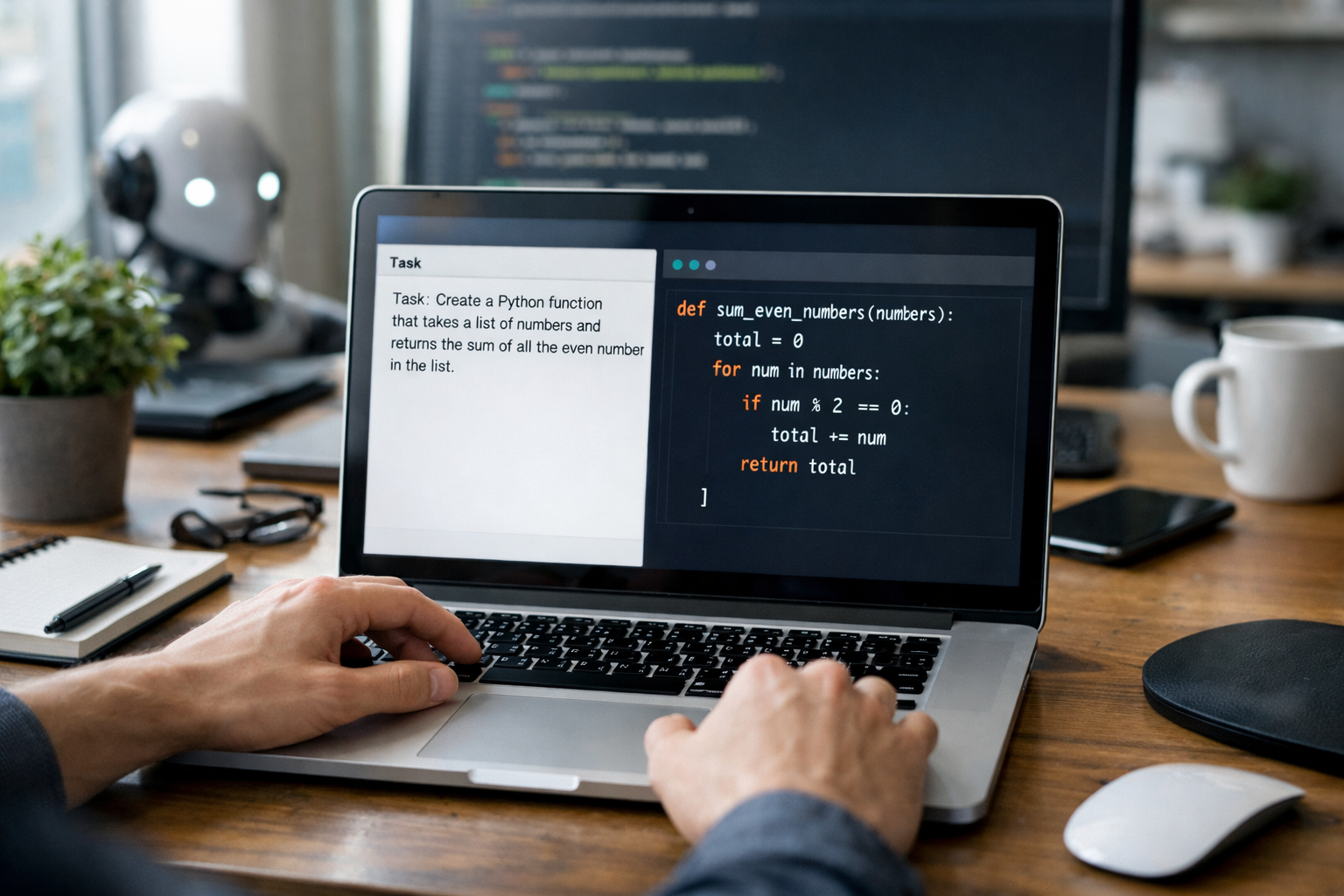
For example, you might type: “Create a Python program that asks for a name and prints a welcome message.” The AI tool may instantly generate working code. Some tools can also explain code, fix bugs, suggest improvements, write tests, or convert code from one language to another.
These tools often work like autocomplete, but much more advanced. Instead of just finishing a word, they may generate an entire function, meaning a small block of code that performs a specific task.
Traditional coding means writing code yourself by learning the rules of a programming language and building programs one part at a time. A programming language is a set of instructions that tells a computer what to do. Examples include Python, JavaScript, and Java.
In traditional coding, you learn concepts such as variables, loops, conditions, and functions. A variable stores information, like a name or number. A loop repeats an action. A condition lets a program choose between options, like “if this happens, do that.”
This method takes more effort at the beginning, but it helps you understand why code works and how to fix problems when it does not.
The easiest way to compare them is to look at what each one optimizes for.
Imagine two beginners building a simple to-do list app. One uses AI and gets a working draft in 2 minutes. The other builds it manually and takes 2 hours. At first, the AI user seems ahead. But if the app breaks, asks for a new feature, or has a hidden security problem, the person who understands the code may be able to fix it much more confidently.
That is the core trade-off: AI helps you move faster; traditional coding helps you think better.
The biggest advantage is speed. AI can generate a first draft of code in seconds. That is useful for repetitive tasks, such as creating form validation, writing basic functions, or setting up common project structures.
For a new learner, a blank screen can feel intimidating. AI gives you a starting point. Instead of wondering how to begin, you can ask for an example and study it.
Many AI tools do more than write code. They can also explain what each line does. That can make learning less overwhelming when used carefully.
Debugging means finding and fixing mistakes in code. AI can often spot obvious errors, suggest fixes, and explain likely causes. This can save beginners a lot of frustration.
Even experienced developers use AI for boilerplate code. Boilerplate means standard code that appears in many projects. If a task is common and low-risk, AI can be a useful shortcut.
One major risk is that AI often sounds sure of itself even when the answer is incorrect. It may generate code that looks clean but fails when you run it.
If you copy and paste code without understanding it, you may complete a project without gaining much skill. That becomes a problem later when you need to build something on your own.
Some AI-generated code includes outdated methods, inefficient logic, or security weaknesses. Beginners may not notice these problems. For example, an AI tool might suggest code that exposes private data or fails to validate user input safely.
A prompt is the instruction you give to the AI. Vague prompts often produce vague results. If you do not know what to ask for, the output may not be useful.
Getting code quickly can make coding feel easier than it really is. But building reliable software still requires planning, testing, and understanding.
Traditional coding teaches you how programming works from the ground up. This makes it easier to solve new problems, not just repeat old examples.
Coding is not only about syntax, which means the writing rules of a programming language. It is about breaking a big problem into smaller steps. Traditional learning strengthens that skill.
When something breaks, understanding the logic behind the code is a huge advantage. You are less likely to depend on trial and error.
Languages and tools change over time. Core programming ideas stay useful much longer. If you know the fundamentals, switching tools becomes easier.
Learning manually takes patience. A simple project may take hours or days when you are just starting.
Beginners often struggle with new words, unfamiliar symbols, and error messages. Without support, this can feel discouraging.
Once you know the basics, writing the same kind of setup code again and again is not always the best use of time. This is where AI can help.
If you are new, the smartest approach is to combine both methods carefully. Here are practical best practices you can follow from day one.
Start with one beginner-friendly language such as Python. Python is popular because its syntax is easier to read than many other languages. Before using AI heavily, understand variables, loops, functions, and basic debugging.
Ask AI to show a simple example, then type the code yourself and test it. Change small parts and observe what happens. This turns AI into a teacher instead of a crutch.
Never run generated code without checking what it does. If a line makes no sense, ask the AI to explain it in plain English.
Even if code looks correct, run it with different inputs. If you build a calculator, test addition, subtraction, zero, negative numbers, and unexpected values.
Try solving a problem yourself first. Then compare your version with the AI version. This helps you learn different approaches and spot mistakes.
Do not paste private passwords, personal data, or company secrets into AI tools. This is a basic but important safety habit.
For your first few projects, write most of the code yourself. A number guessing game, simple budget tracker, or basic text app are good starting points. Once you understand the structure, use AI to improve or extend them.
If your goal is to get a job, traditional coding knowledge is still essential. Employers value people who can understand systems, fix bugs, communicate clearly, and make safe decisions. AI can improve productivity, but companies still need humans who know when the AI is wrong.
The strongest career path is usually this: learn coding fundamentals, practice with real projects, and then learn how to use AI tools responsibly. That combination can make you more efficient and more employable.
If you are starting from zero, structured learning can make a big difference. You can browse our AI courses to find beginner-friendly options in Python, AI, machine learning, and related subjects explained step by step.
So, AI code generation vs traditional coding is not a battle with one winner. AI is excellent for speed, support, and reducing repetitive work. Traditional coding is better for deep learning, independence, and long-term skill building.
For absolute beginners, the best practice is simple: learn the basics first, then use AI as a smart assistant. That way, you get the speed benefits of modern tools without skipping the understanding that makes real progress possible.
If you want a clearer path into coding and AI, a guided course can help you avoid common beginner mistakes and build confidence faster. You can also view course pricing if you want to compare learning options before you commit.
You do not need to become an expert overnight. Start with the basics, practice on small projects, and use AI carefully as you learn. When you are ready for a structured next step, you can register free on Edu AI and begin exploring beginner-friendly lessons designed for complete newcomers.


- Learning Evolved.
- Intelligence Amplified.