Computing — April 14, 2026 — Edu AI Team
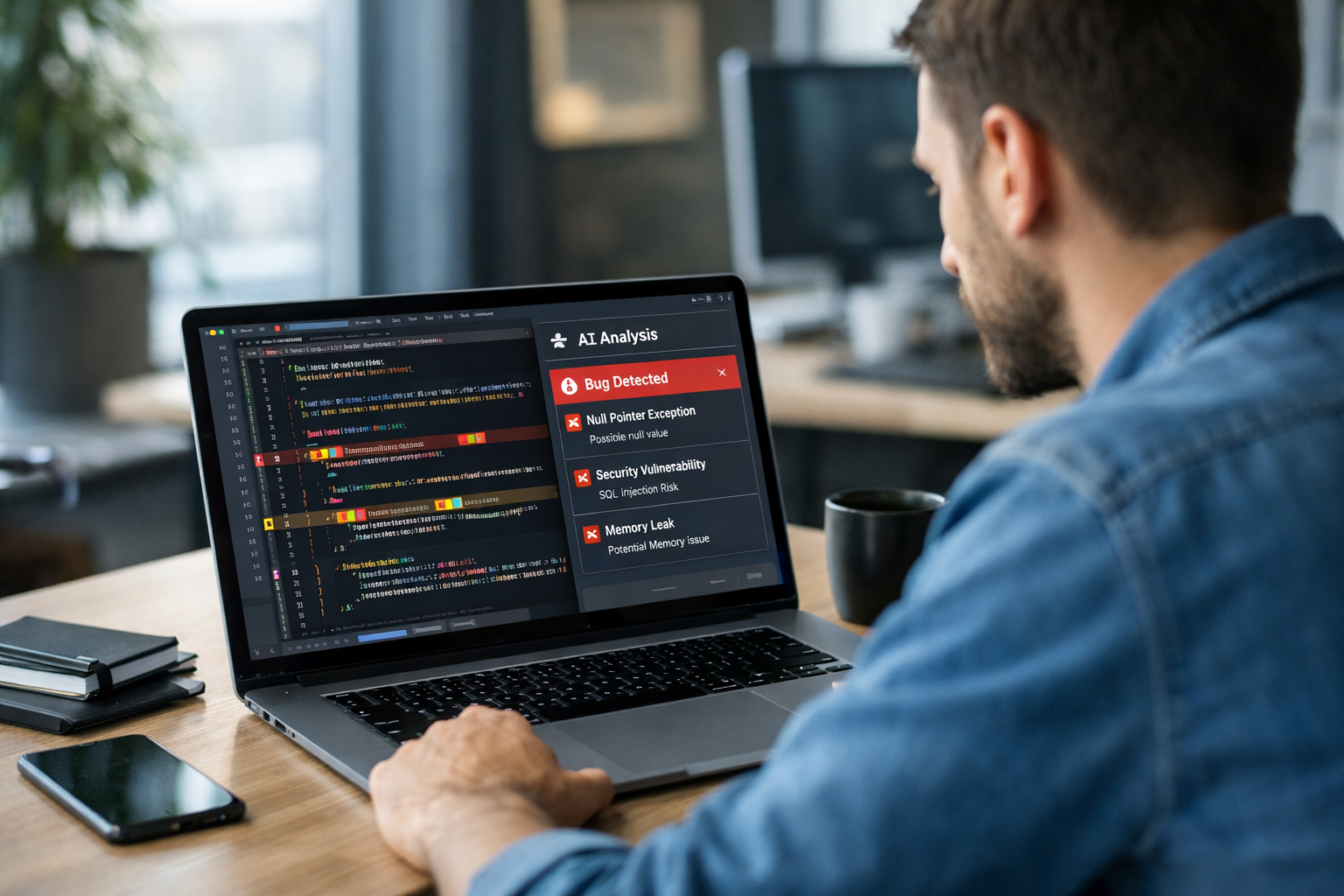
AI code review tools use machine learning to examine code, compare it with patterns from past software mistakes, and flag possible bugs automatically. In simple terms, they act like a fast digital assistant that reads through code line by line, looks for warning signs, and tells developers where something may go wrong before the software is released.
For beginners, this matters because modern software is too large for people to check perfectly by hand. A human reviewer might miss a small error hidden inside 1,000 lines of code after a long day. An AI tool can scan the same code in seconds, highlight unusual patterns, suggest fixes, and help teams ship safer software faster.
In this guide, you will learn what AI code review tools are, how machine learning catches bugs automatically, what kinds of problems these tools can and cannot detect, and why this topic is becoming important for beginners who want to enter AI, software, or data careers.
Code review means checking computer instructions before they become part of a finished app, website, or program. Imagine a student proofreading an essay before submitting it. They look for spelling mistakes, unclear sentences, and weak arguments. Code review works in a similar way, except the “essay” is software code.
Traditionally, one developer writes code and another developer reads it to spot issues such as:
This human process is still valuable, but it has limits. People get tired, deadlines get tight, and large projects can contain tens of thousands of lines of code. That is where AI-assisted review becomes useful.
AI code review tools are software systems that automatically inspect code and look for likely problems. Some tools use basic rules, like “if a password is stored in plain text, raise a warning.” More advanced tools use machine learning, which means computer systems learn patterns from examples rather than relying only on fixed rules.
Think of it like email spam filtering. A spam filter learns what unwanted messages often look like by studying many past emails. In the same way, an AI code review tool studies examples of buggy code and clean code. Over time, it learns signals that often appear before a bug.
These tools are usually added to a developer’s workflow. They may run when someone saves code, uploads a change to a shared repository, or requests feedback from teammates. Instead of replacing human reviewers, they give them a head start by pointing out risky sections first.
To understand this, it helps to break the process into simple steps.
Machine learning needs data. In code review, that data often includes old software projects, bug reports, corrected code, and examples of secure or insecure programming. If a system sees 50,000 examples where one pattern often caused a crash, it can learn that this pattern deserves attention.
For example, if developers often forget to check whether a value is empty before using it, and that mistake repeatedly causes errors, the model learns that missing check is a warning sign.
Computers do not “understand” code like humans do. They convert it into structures and features they can analyze. A feature is simply a measurable clue. In code, clues might include:
This is similar to how a fitness app does not understand your whole lifestyle, but it can still use clues such as steps, sleep, and heart rate to estimate your health patterns.
After learning from past examples, the model scores new code. It may predict that a certain function has a high chance of containing a bug, or that a change resembles a known security weakness. Some tools assign a risk score, such as 20% low risk or 85% high risk. Others generate comments like “possible null error” or “this loop may slow down performance.”
In short, machine learning does not magically know the future. It makes an educated guess based on patterns it has seen before.
Some AI tools stop at detection. Others go further and suggest repairs, such as adding a missing check, renaming a confusing variable, or rewriting a risky function in a safer way. A human developer then decides whether the suggestion is correct.
This human-plus-AI approach is important because software work is rarely black and white. The tool can catch common issues quickly, while people handle context, business goals, and edge cases.
Imagine a shopping app. A developer writes code that calculates a final price after discount. But they forget to handle the case where the discount value is missing.
A human reviewer might spot it. But an AI tool may catch it faster because it has already seen thousands of examples where missing values caused crashes or wrong totals.
The tool might flag the code and suggest:
This is useful because even a tiny bug in pricing can lead to lost sales, customer complaints, or accounting errors.
These tools are often strongest at finding repeated, pattern-based problems such as:
Some tools are especially good at security scanning. Others focus on code quality and team standards. The best choice depends on the project.
AI code review is helpful, but it is not perfect. Beginners should know its limits.
This is why experienced teams use AI as an assistant, not as the final judge. It speeds up review, but human thinking still matters.
You do not need to be a professional programmer to benefit from understanding this trend. AI code review shows how machine learning works in a practical, real-world setting. Instead of thinking of AI as a mysterious robot brain, you can see it as a tool that learns from examples and helps people make fewer mistakes.
If you are moving into tech, this is useful knowledge for roles in software development, testing, cybersecurity, data science, and AI product work. Even entry-level learners can start by understanding basic programming and then exploring how machine learning improves software tools.
If you want to build that foundation, a good next step is to browse our AI courses and look for beginner-friendly options in Python, machine learning, and practical AI applications.
A common fear is, “Do I need advanced maths and years of coding first?” The honest answer is no. You can start small.
Learn what code is, how simple instructions work, and how programs make decisions. Python is often the easiest beginner language because it reads more like plain English than many older languages.
You do not need complex formulas on day one. Start with the core idea: a computer learns patterns from examples and uses those patterns to make predictions.
Code review, spam filters, recommendation systems, and voice assistants are excellent beginner examples because they show how AI helps with everyday tasks.
If you are comparing learning options, you can also view course pricing to see which path fits your budget and goals.
No. They are changing how developers work, but not removing the need for people. Writing software involves understanding users, setting goals, weighing trade-offs, and deciding what “good” looks like in a specific situation. AI can support those tasks, but it does not replace human judgment.
A better way to think about it is this: calculators did not replace accountants, and spellcheck did not replace writers. Instead, those tools removed some repetitive work and let people focus on higher-value thinking. AI code review is doing something similar for software teams.
AI code review tools show machine learning at its most practical: studying past examples, spotting risky patterns, and helping humans catch bugs earlier. For beginners, this topic is a great entry point because it connects AI to a problem people immediately understand—finding mistakes before they cause damage.
If you are curious about learning the basics of Python, machine learning, or wider AI topics in a beginner-friendly way, you can register free on Edu AI and start exploring step-by-step lessons designed for newcomers. Small, steady learning is enough to begin.



- Learning Evolved.
- Intelligence Amplified.