3D & Design — March 8, 2026 — Edu AI Team
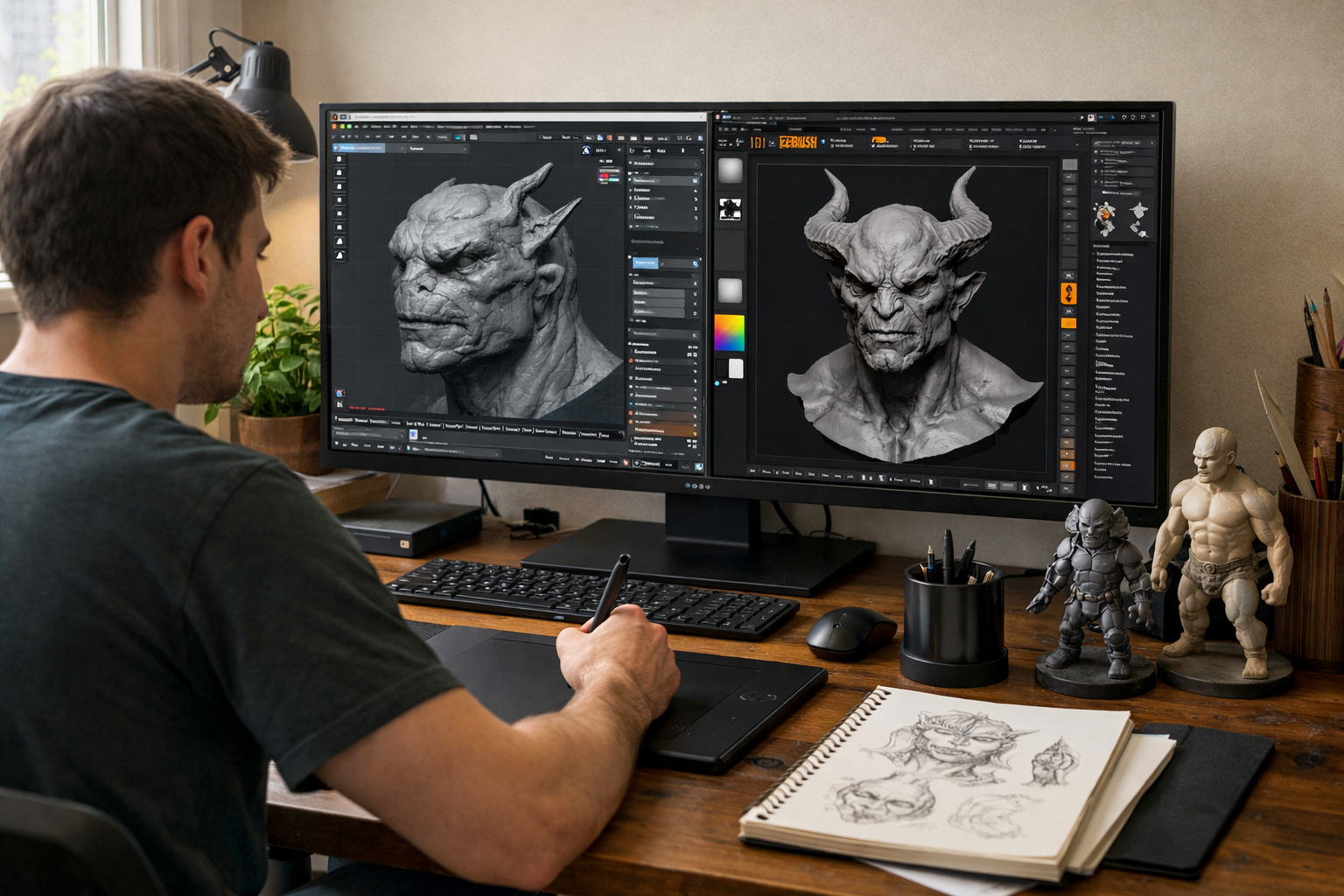
Choosing the right sculpting software can shape your entire 3D journey. If you are just starting out, you have likely searched for sculpting in Blender vs ZBrush: which should beginners use. Both tools are powerful. Both are widely used in the industry. But they serve different needs — especially when you are new to digital sculpting.
In this in-depth guide, we compare Blender and ZBrush across learning curve, cost, features, performance, and career goals so you can make a confident decision.
Digital sculpting is the process of shaping 3D models as if you were working with clay. Instead of pushing physical material, you use a stylus and tablet to manipulate polygons on screen. Sculpting is used in:
Both Blender and ZBrush allow you to sculpt, but they approach it differently.
Blender is a free, open-source 3D creation suite. It includes modeling, sculpting, animation, rendering, compositing, and even video editing — all in one application.
For beginners who want flexibility and affordability, Blender is extremely attractive.
ZBrush, developed by Maxon, is a specialized digital sculpting software. It is widely considered the industry standard for high-resolution sculpting in film and AAA game production.
However, ZBrush is a paid software and focuses almost entirely on sculpting rather than full 3D production.
Blender used to be criticized for its interface, but recent versions have become much more beginner-friendly. The sculpting workspace is intuitive, especially if you already use Blender for modeling or animation.
Since everything is integrated, beginners can:
All without switching software.
ZBrush has a unique interface that can feel overwhelming at first. Its terminology, navigation, and workflow are different from most 3D applications. Many beginners describe it as "powerful but confusing" in the early stages.
However, once you understand its logic, it becomes incredibly efficient for sculpting.
Beginner Verdict: Blender is generally easier to start with, especially if you are new to 3D entirely.
Blender is completely free and open source. This removes financial pressure for students and hobbyists.
ZBrush requires a paid license or subscription. For beginners who are experimenting, this can be a significant investment.
Beginner Verdict: If budget matters, Blender wins immediately.
ZBrush is optimized to handle extremely high polygon counts smoothly. It uses a proprietary technology that allows artists to sculpt ultra-detailed models with millions of polygons.
Blender can also handle high-poly sculpting, especially with features like Dyntopo and Multiresolution modifiers. However, performance may vary depending on your hardware.
ZBrush offers an advanced brush engine with highly refined tools for skin pores, wrinkles, scales, and micro details. It is designed specifically for digital sculptors.
Blender’s brush system has improved dramatically in recent versions. While slightly less specialized, it is more than powerful enough for beginners and intermediate artists.
Beginner Verdict: ZBrush has more raw sculpting power, but Blender offers more than enough capability for learning and portfolio work.
One of Blender’s biggest advantages is integration. After sculpting, you can continue the entire production pipeline inside the same software.
This is ideal for beginners because you are not forced to learn multiple programs at once.
If you want structured, guided learning, explore our courses in 3D graphics and Blender to build professional skills step by step.
ZBrush excels at sculpting but relies on other software for rendering, animation, and scene building. In professional studios, this is not a problem because artists specialize.
For beginners, however, juggling multiple tools can be overwhelming.
Blender is almost always the better starting point. It is free, versatile, and capable of producing stunning results. You can create characters, environments, and even full short films.
ZBrush is heavily used in major studios. Learning it eventually may be beneficial if your goal is high-end character sculpting.
That said, many professionals now use Blender in production pipelines as well. The industry is evolving.
Blender has one of the largest online communities in the 3D world. Tutorials, forums, YouTube channels, and documentation are widely available and beginner-friendly.
ZBrush also has strong professional resources, but many tutorials assume prior knowledge of 3D basics.
For structured progression from beginner to advanced, you can register free and start guided training designed for real-world skills.
Both programs benefit from a graphics tablet for sculpting. A mouse works, but a stylus provides better control.
Blender runs well on most modern systems, even mid-range laptops. ZBrush is optimized efficiently but may require stronger hardware for extremely detailed projects.
For beginners with standard computers, Blender is usually more accessible.
If you are completely new to 3D, start with Blender.
Here is why:
Once you build confidence and understand sculpting fundamentals — anatomy, form, proportion, topology — transitioning to ZBrush (if needed) becomes much easier.
At Edu AI, our structured programs combine technical skills with creative fundamentals so you progress efficiently instead of randomly watching tutorials. Explore our courses to start building industry-ready skills today.
The debate around sculpting in Blender vs ZBrush: which should beginners use often sounds more dramatic than it needs to be. Both tools are powerful. Both can produce professional results.
For most beginners, Blender is the smarter first step because it removes cost barriers and simplifies the learning process. ZBrush becomes valuable when you want to specialize in high-end sculpting for professional pipelines.
Start simple. Master fundamentals. Upgrade tools when your skills demand it — not before.
Your 3D journey does not depend on the software you choose today. It depends on consistent practice, guided learning, and building real projects.
Ready to begin? Register free and take the first step toward becoming a confident 3D artist.

- Learning Evolved.
- Intelligence Amplified.