3D & Design — March 9, 2026 — Edu AI Team
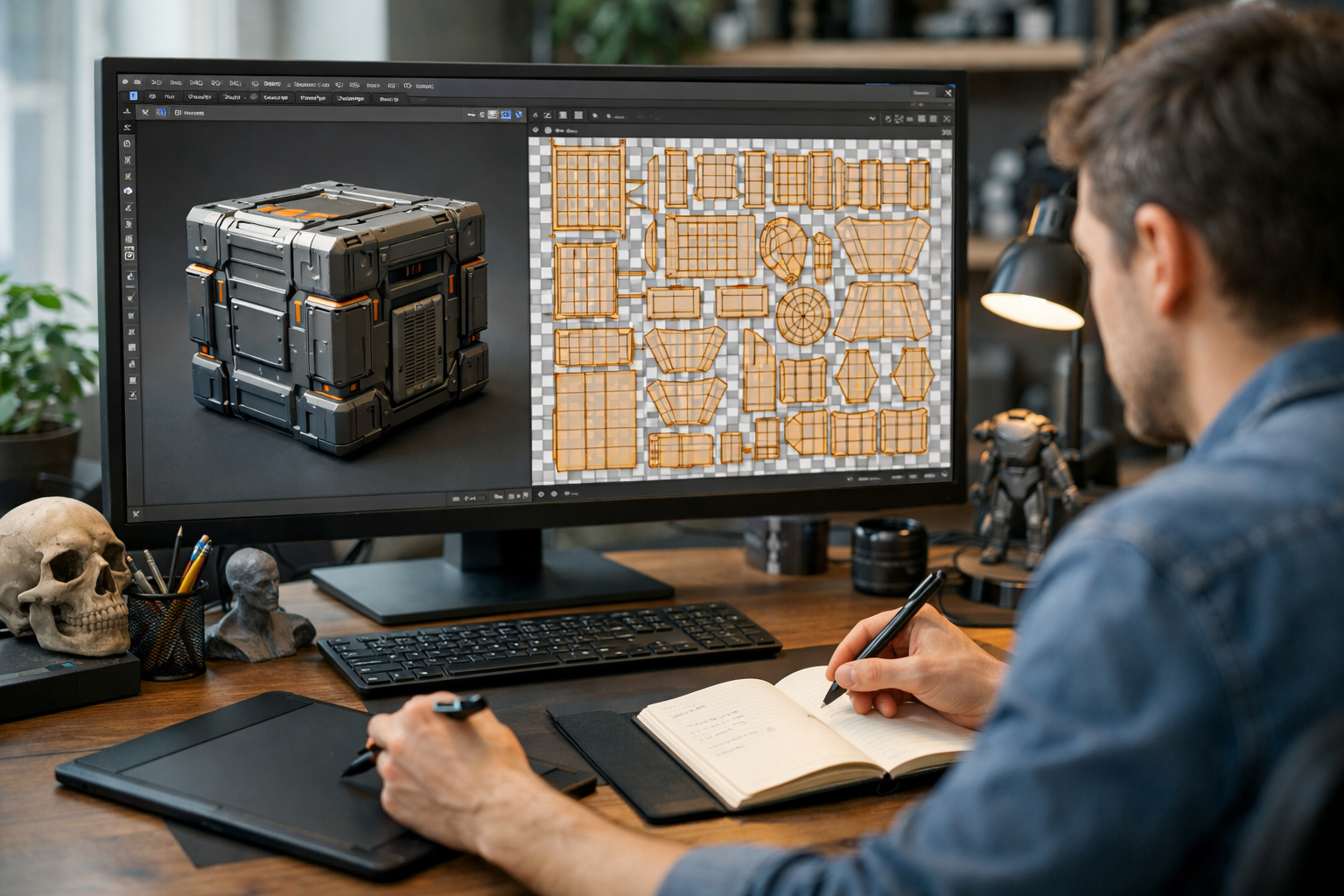
If you’re searching for the fastest way to learn UV mapping online, you’re likely eager to improve your 3D workflow without wasting months on scattered tutorials. UV mapping is one of the most important — and often misunderstood — skills in 3D modeling and texturing. Mastering it quickly requires more than random videos. It demands structure, focused practice, and expert feedback.
In this guide, you’ll learn a clear, step-by-step roadmap to mastering UV mapping efficiently, whether you’re using Blender or another 3D tool. We’ll break down exactly what to study, how to practice, and how to accelerate your progress using AI-powered learning.
UV mapping is the process of projecting a 3D model’s surface onto a 2D plane so textures can be applied accurately. Beginners often struggle because:
The good news? UV mapping is highly logical. Once you understand seams, distortion, scale, and texel density, everything starts to click. The fastest learners focus on fundamentals first, then scale up complexity gradually.
Here’s a proven framework that accelerates learning while building real skill.
Before touching complex models, spend a focused session understanding:
This foundational clarity prevents confusion later. Instead of memorizing steps, you’ll understand why each action matters.
The fastest way to build confidence is by starting simple:
Repeat unwrapping these shapes until you can do it without hesitation. Speed builds through repetition.
Next, practice on structured models such as:
Avoid hyper-detailed character models early on. Complex organic meshes slow down learning and create frustration.
One reason learners plateau is lack of feedback. You may not realize your texel density is inconsistent or that your seam placement causes unnecessary distortion.
Structured programs like our courses use AI-powered guidance to analyze your workflow and highlight improvements instantly. This dramatically reduces trial-and-error time.
Don’t learn UV mapping in isolation. Apply textures right away:
Seeing how UV decisions affect final renders reinforces understanding faster than theory alone.
With a focused approach, most learners can understand fundamentals in 1–2 weeks and achieve practical confidence in 4–6 weeks.
Without structure, it can take several months of inconsistent progress.
The key difference isn’t talent — it’s deliberate practice, guided learning, and feedback.
Passive consumption feels productive but creates illusion of progress. Instead, follow one structured path and complete exercises fully.
Good UV maps start with clean geometry. Learn basic edge flow and quad-based modeling to make unwrapping easier.
Checker maps instantly reveal stretching. Always test your unwrap before finalizing.
Packing UV islands efficiently improves texture resolution. Practice scaling, rotating, and aligning islands intentionally.
If you’re using Blender, focus on mastering:
Knowing when to use each tool is part of the fastest way to learn UV mapping online. It’s not about using every tool — it’s about choosing the right one for the situation.
Use this weekly structure:
This deliberate cycle builds skill faster than random experimentation.
Self-teaching can work — but it often includes:
AI-powered structured programs remove these barriers. Instead of guessing what to study next, you follow a logical sequence designed by experts.
If you’re serious about accelerating your 3D workflow, you can explore our courses or register free to start building hands-on projects immediately.
UV mapping is essential in:
Employers look for artists who can create clean, optimized UV layouts that work efficiently in real-time engines like Unity and Unreal.
Fast learners focus on production-ready workflows rather than academic perfection.
Download high-quality models and analyze their seam placement and packing strategy.
Give yourself 20 minutes per prop. Speed builds decision-making skill.
Create a small asset pack (e.g., 10 game props). Repetition under project conditions accelerates growth.
Save versions of your UV maps weekly. Seeing progress boosts motivation and highlights technical improvement.
The fastest way to learn UV mapping online isn’t about shortcuts — it’s about clarity, structure, and consistent application.
Focus on fundamentals. Practice deliberately. Apply textures immediately. Seek feedback. Optimize constantly.
With the right learning system and focused effort, you can move from confusion to confidence in just a few weeks — and dramatically improve the quality of your 3D renders.
If you’re ready to level up your 3D skills with guided support and real-world projects, explore our courses and take the next step in your 3D journey today.

- Learning Evolved.
- Intelligence Amplified.