Languages — April 15, 2026 — Edu AI Team

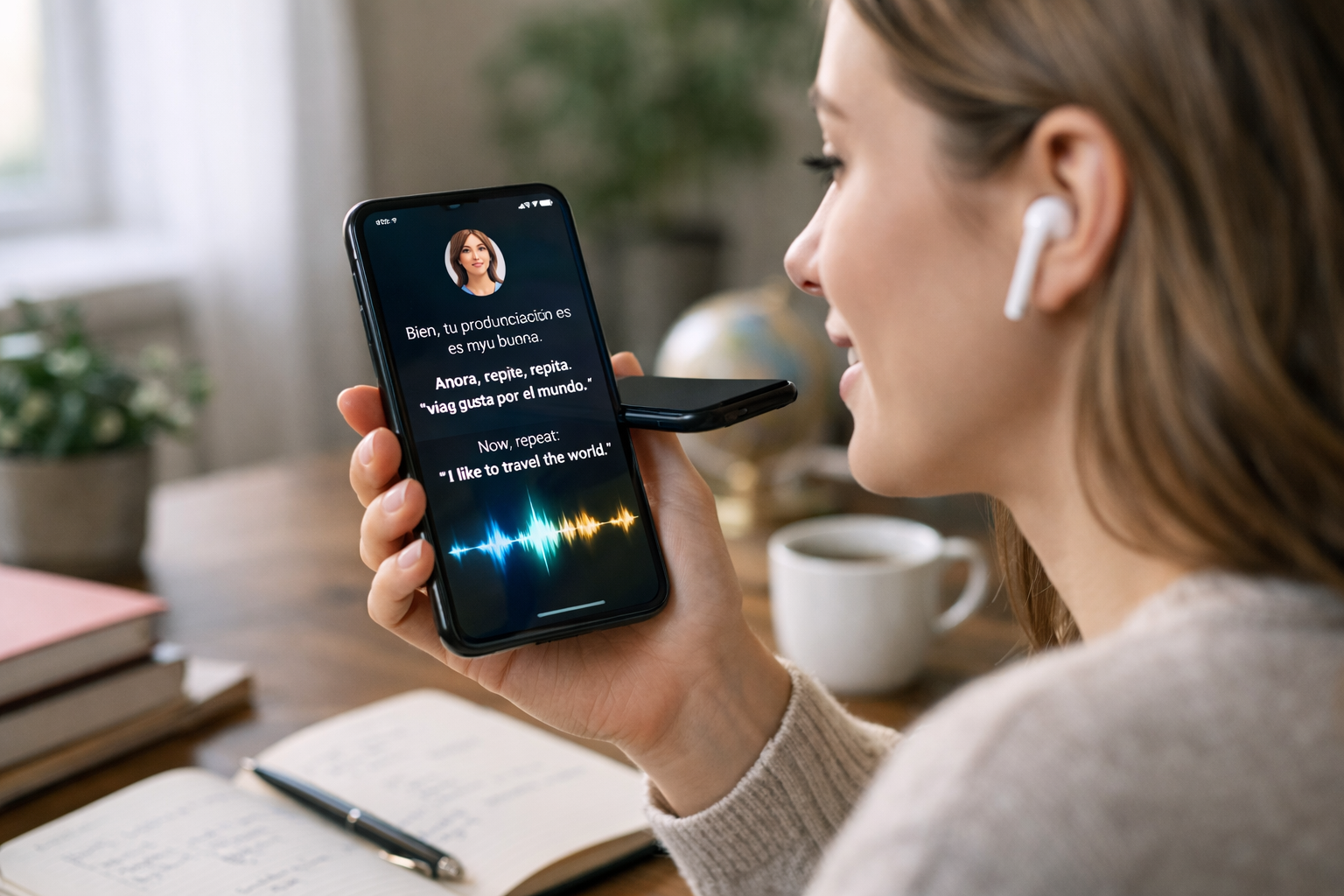
How generative AI creates immersive language practice conversations is surprisingly simple at a high level: it studies huge amounts of human language, learns common patterns in how people speak, and then uses those patterns to respond like a conversation partner in real time. For language learners, that means AI can role-play a waiter, teacher, friend, or job interviewer, adjust to your level, and keep the conversation going without judgment. Instead of memorising isolated vocabulary lists, learners can practise in a more realistic setting that feels closer to real life.
This matters because many people understand a language better than they can speak it. They know words, but freeze during real conversations. Generative AI helps close that gap by offering low-pressure speaking and writing practice any time of day. It does not replace human teachers or native speakers, but it can give beginners something they often need most: frequent, safe, repeatable practice.
Generative AI is a type of artificial intelligence that can create new content, such as text, images, audio, or video. In language learning, the most common form is text or speech generation. That means the AI can read what you say or write, understand the general meaning, and then produce a reply that sounds natural.
Think of it like a very advanced prediction system. When you type, “Hi, I want to order dinner,” the AI predicts a useful next response based on patterns it has learned from many examples of real language. It might answer, “Of course. Would you like pasta, pizza, or salad?” That reply feels conversational because the system has learned what usually comes next in similar situations.
The technology behind this is often called a large language model. That sounds technical, but the basic idea is simple: it is a computer system trained on massive amounts of text so it can recognize language patterns and generate human-like responses.
Immersive language practice means learning by using the language in context, not just studying rules. Instead of reading that “¿Dónde está la estación?” means “Where is the station?”, you use it while asking for directions in a simulated travel conversation.
Generative AI makes this feel immersive for three main reasons:
In a traditional workbook, you may answer 10 fixed questions. In an AI conversation, the next question depends on your last answer. If you say, “I am visiting Paris for three days,” the AI might ask what places you want to see, whether you have booked a hotel, or how you plan to travel. That back-and-forth creates the feeling of a living conversation.
You type or speak a sentence. If you speak, a speech recognition system first turns your voice into text. For example, if you say, “I need help checking into my hotel,” the system captures those words.
The AI looks for clues about your goal. Are you asking a question? Making a request? Practising travel English? It also considers earlier parts of the conversation. If you already mentioned that you arrived late and lost your passport, the AI can keep that context in mind.
The model generates the most likely helpful reply based on language patterns. It might respond, “Certainly. Can I see your booking confirmation?” This feels realistic because it matches the situation.
Good language learning tools can simplify or expand replies. A beginner might get, “What is your name?” An advanced learner might get, “Would you mind confirming your reservation details before we proceed?” Same situation, different level.
Many systems do more than continue the conversation. They also highlight grammar issues, suggest more natural phrasing, or offer vocabulary alternatives. If you say, “I very like this city,” the AI may gently suggest, “A more natural sentence is: I really like this city.”
Older chatbots often followed strict scripts. They worked like decision trees: if you said A, they answered B. If you said something unexpected, they failed. Generative AI is more flexible. It can handle many different wordings for the same idea.
For example, a learner might say:
An older scripted bot might only understand one version. A generative AI system is much more likely to understand all three and respond appropriately. That flexibility makes conversations feel less robotic and more human.
One of the biggest strengths of generative AI is variety. A beginner does not have to wait for a class or a language exchange partner. They can practise many everyday situations in minutes.
You can simulate airport check-in, hotel arrivals, asking for directions, or ordering food. This is useful because travel conversations often repeat common phrases. After practising five to ten short scenarios, beginners usually start recognising patterns.
AI can ask interview questions like, “Tell me about yourself,” then suggest clearer or more professional answers. This helps learners build both language confidence and career confidence.
Many learners know grammar but struggle with casual conversation. AI can help with introductions, hobbies, weather, invitations, and polite follow-up questions.
A learner can write a short message, receive corrections, and then turn it into a spoken dialogue. This link between reading, writing, listening, and speaking creates stronger learning than practising each skill alone.
Beginners often face three problems: fear of making mistakes, lack of speaking partners, and inconsistent practice. Generative AI helps with all three.
Even 10 to 15 minutes of daily practice can add up. Over a month, that is roughly 300 to 450 minutes of active use. For many beginners, that is more conversation practice than they get in a traditional course focused mainly on reading and grammar exercises.
While the benefits are real, it is important to be honest. AI is helpful, but not perfect.
First, it can sometimes give awkward phrasing or overly formal language. Second, cultural nuance is hard. A sentence may be technically correct but sound unnatural in a specific region. Third, pronunciation feedback depends on the quality of speech tools and may miss subtle accent issues.
This is why the best approach is balance. Use AI for frequent practice, but also learn from quality lessons, native materials, and human feedback when possible. If you are just starting and want structured support, you can browse our AI courses to find beginner-friendly options that explain both AI tools and practical learning methods in simple language.
Do not try everything at once. Begin with one useful scenario, such as introducing yourself or ordering coffee. Practise until the core phrases feel familiar.
You do not need perfect grammar to begin. Simple sentences like “I want tea,” “Where is the bus?”, or “I work in retail” are enough to build momentum.
Tell the AI exactly what you want: “Please correct my grammar after each answer” or “Use beginner vocabulary only.” Clear instructions often improve results.
After one conversation, do it again with a small change. Instead of ordering lunch alone, imagine ordering for two people. These small changes build flexibility.
Save five to ten phrases after each practice session. Reusing them in the next conversation helps move them from short-term memory into active use.
The most exciting part of this technology is not that it sounds impressive. It is that it helps more people practise more often. Generative AI can turn passive study into active use. That is especially powerful for learners who live far from native speakers, feel nervous in class, or are returning to study after many years.
It also gives beginners a gentle introduction to how modern AI works. If you are curious about both language learning and the technology behind these systems, you can register free on Edu AI and start exploring beginner-friendly lessons at your own pace.
If you want to understand how tools like this work while building practical skills, take the next step in a simple, structured way. Explore introductory learning paths, compare options, and choose a pace that fits your schedule. You can view course pricing or explore beginner courses on Edu AI to keep learning without feeling overwhelmed.



- Learning Evolved.
- Intelligence Amplified.