Languages — April 12, 2026 — Edu AI Team
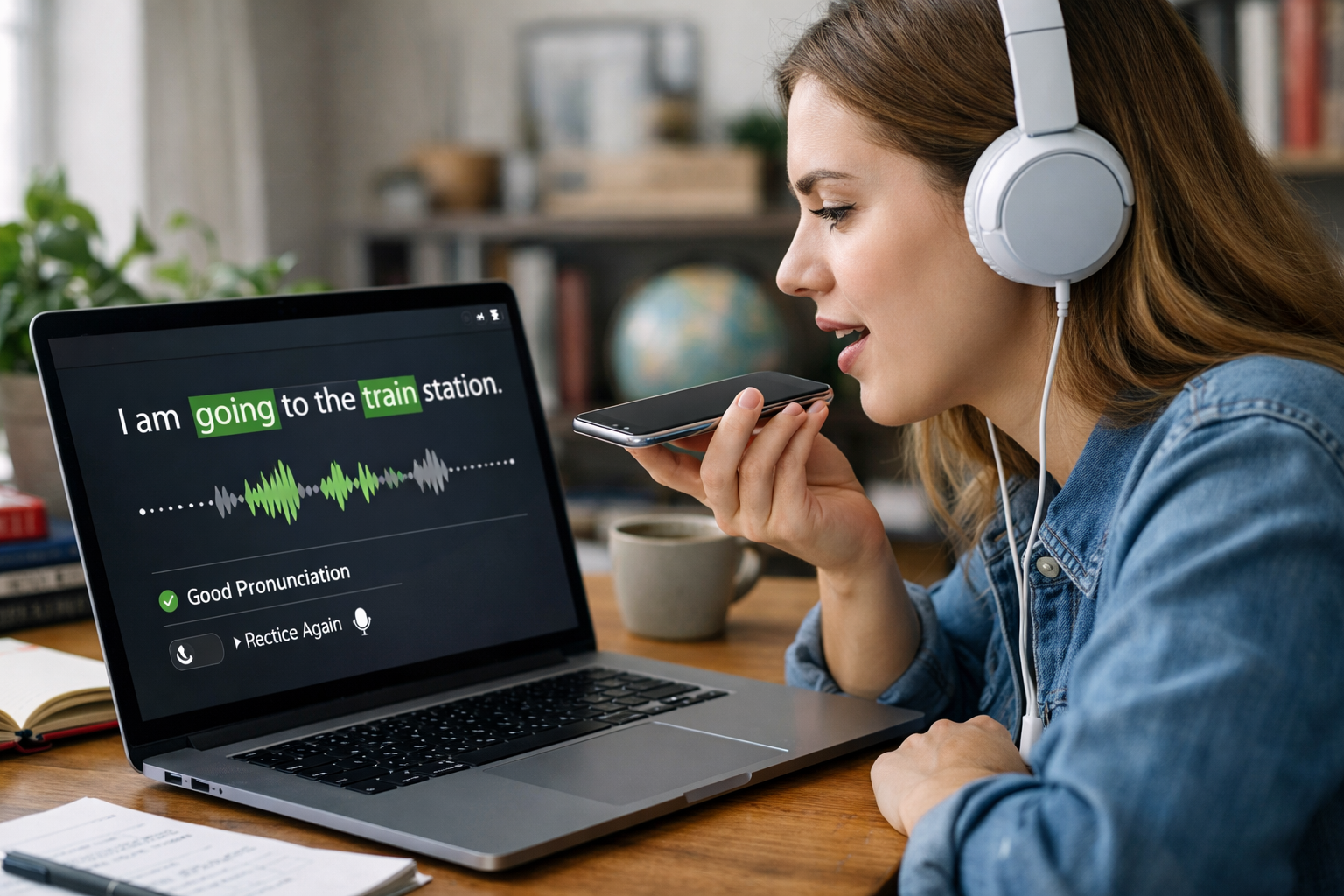
AI speech recognition for language learners works by listening to a person’s voice, turning the sound into digital data, comparing it with patterns learned from many examples of speech, and then deciding which words were spoken. In language learning, this helps apps and platforms check pronunciation, create transcripts, detect mistakes, and give instant feedback. Put simply: the system “hears” your speech, breaks it into parts, and matches those parts to likely sounds and words in the language you are learning.
If you have ever spoken into a language app and seen your words appear on screen, you have already used speech recognition. The impressive part is not that a computer can hear sound. It is that it can identify whether you said “book” or “back,” whether your ending sound was clear, and whether your sentence matches what you were asked to say. For beginners, this can make speaking practice less scary because feedback arrives immediately, even when a teacher is not available.
Speech recognition means teaching a computer to turn spoken language into text or useful feedback. The “AI” part usually refers to machine learning, which is a method where computers learn patterns from large amounts of example data instead of following only fixed rules written by humans.
Think of it like this. If you wanted to teach a child to recognise the word “hello,” you would not explain every tiny sound wave. You would let them hear many people saying “hello” in different voices, speeds, and accents. Over time, they would learn the pattern. AI systems learn in a similar way, but using huge collections of recorded speech and text.
For language learners, this technology is often used in three main ways:
Although modern systems are advanced, the basic process can be explained in a few simple stages.
First, your phone, tablet, or computer microphone captures your voice. This is just sound, like a wave moving through the air. The device turns that wave into numbers so a computer can process it.
For example, if you say, “I would like a coffee,” the microphone records the full sentence, including pauses, breathing, and background noise.
Real-world speech is messy. There may be traffic sounds, room echo, or other people talking. So the system often tries to reduce background noise and focus on the speaker’s voice.
This matters for learners because small sounds can change meaning. In English, “rice” and “lice” may sound similar to a beginner, so clearer audio helps the system judge your speech more accurately.
The AI does not understand speech as one long block. It splits the audio into very short pieces and looks for patterns. These patterns relate to phonemes, which are the smallest meaningful sounds in a language. For example, the word “cat” contains three main sounds: /k/, /a/, and /t/.
Different languages use different sound systems. That is why pronunciation tools trained for English may not work well for Arabic, Japanese, or Spanish unless they were built with data from those languages too.
Next, an AI model compares your sound patterns with patterns it has already learned from many recordings. It asks: “Which word or sentence is most likely?” If the lesson prompt was “Where is the station?” and your speech sounded close to that sentence, the model may recognise it even if your accent is not perfect.
This is where probability matters. AI often makes the best guess, not a perfect decision every time. If two words sound similar, the system picks the one that seems most likely based on the lesson, grammar, or common language use.
Finally, the app decides what to show you. It might display the exact words it heard, highlight a missed sound, score your pronunciation from 0 to 100, or ask you to repeat the sentence.
For a learner, this is the most useful part. Instead of just hearing “wrong,” you may see that your vowel was unclear, your stress was on the wrong syllable, or you skipped a final consonant.
The biggest benefit is immediate practice. Many people can read and listen in a new language but struggle to speak because speaking feels public and risky. AI tools lower that pressure. You can repeat a sentence 5, 10, or 20 times without feeling judged.
Here are some of the most practical advantages:
This is one reason AI has become so important in education. If you are curious about beginner-friendly technology skills beyond languages, you can browse our AI courses to see how these systems are taught in simple, practical steps.
Many beginners assume the computer is checking only whether a word is right or wrong. In reality, better systems look at several features at once.
Did you produce the expected sound? For example, many English learners find the “th” sound difficult because it does not exist in every language.
Some languages, including English, stress one syllable more strongly than others. Saying PREsent and preSENT can change meaning.
Natural speech has flow. AI can sometimes detect if speech is too flat, too slow, or broken in unusual places.
If the exercise asks you to say, “She goes to work at eight,” the tool may compare your speech with that exact sentence and note missing or changed words.
AI speech tools are useful, but they are not magic. Understanding their limits helps you use them wisely.
For example, if a learner says “beach” unclearly, the system may mishear it as a different word entirely. That does not always mean the learner is hopeless. It may simply mean the vowel needs more practice or the microphone quality is poor.
Speech recognition sits inside a bigger area called Natural Language Processing, often shortened to NLP. This is the field of AI that helps computers work with human language, including text and speech.
A modern language-learning app may combine several AI tools at once:
In other words, one system listens, another interprets, and another decides how to teach you next. If you want to understand these ideas from the ground up without needing a technical background, you can register free on Edu AI and start exploring beginner-friendly lessons.
The best results come from using AI as a practice partner, not as your only teacher.
Do not begin with full speeches. Practice simple sentences like “How are you?” or “I live in Madrid.” Short inputs are easier for both you and the system.
Cleaner sound leads to better recognition and more useful feedback.
Try one sentence three to five times. Notice whether the transcript changes as you adjust your pronunciation.
Listen carefully to pacing and stress. Speaking naturally is not only about individual sounds.
Use podcasts, videos, teachers, or conversation partners as well. AI gives fast correction, but real communication builds flexibility.
Probably not. AI is excellent at repetition, instant feedback, and availability at any hour. Teachers are better at motivation, deeper explanation, cultural context, and understanding why a student keeps making the same mistake.
The strongest approach is often a mix of both. Think of AI speech recognition as a supportive training tool. It helps you practice more often, notice patterns, and build confidence before speaking with real people.
AI speech recognition for language learners works by turning speech into data, comparing it with learned sound patterns, and giving feedback that helps improve pronunciation and speaking confidence. For beginners, its real value is simple: more chances to practice, less fear of mistakes, and faster feedback.
If you want to learn how AI powers tools like speech recognition, chatbots, and personalised learning, a structured beginner path can help. You can browse our AI courses to explore accessible lessons in AI, NLP, computing, and language-related technology, or view course pricing to find an option that fits your goals.



- Learning Evolved.
- Intelligence Amplified.